agentscope-ai/ReMe: File-Based Memory Layer for AI Agents
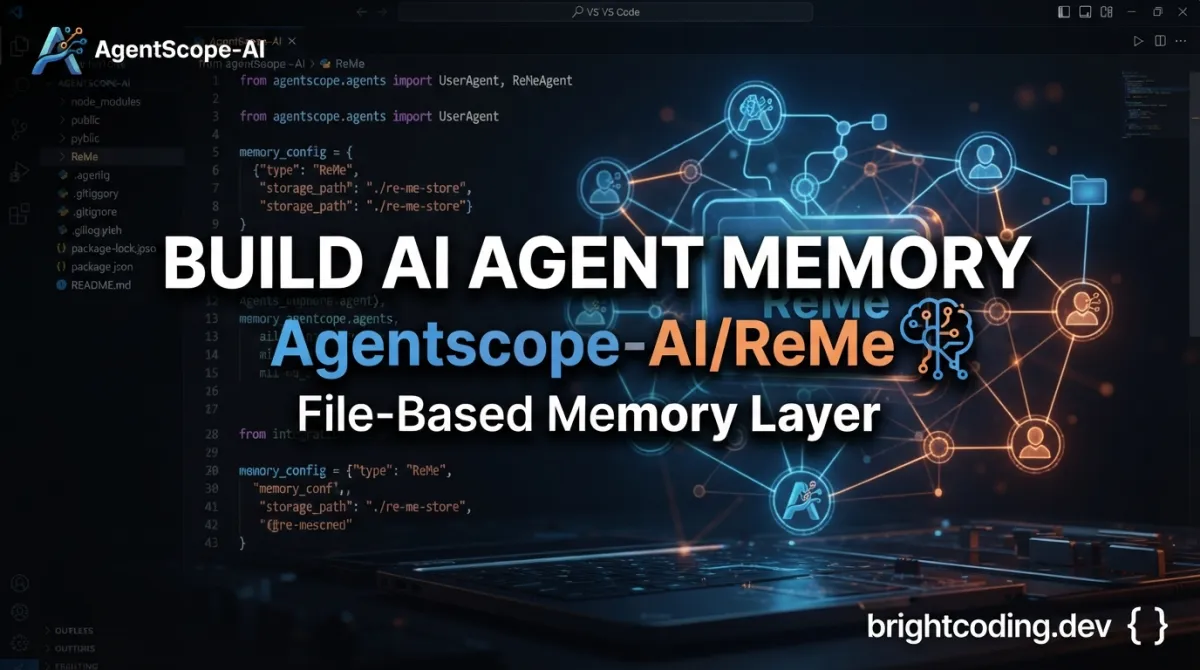
agentscope-ai/ReMe: File-Based Memory Layer for AI Agents
AI agents forget everything when the session ends. A coding assistant loses context about your project structure. A personal assistant repeats questions it asked yesterday. A research agent rebuilds knowledge from scratch each time. This isn't a minor inconvenience—it's a fundamental limitation that keeps agents from becoming truly useful collaborators.
agentscope-ai/ReMe addresses this by treating memory as files. Specifically, as Markdown↗ Smart Converter files with frontmatter and wikilinks that both humans and agents can read, edit, and search. The project, maintained by the AgentScope team, has accumulated 3,193 stars and 272 forks on GitHub, with Python↗ Bright Coding Blog 3.11+ as its primary language and Apache 2.0 licensing.
What is agentscope-ai/ReMe?
ReMe is a local-first memory management kit for AI agents. The name stands for "Remember Me, Refine Me"—a reference to its dual purpose of capturing raw interactions and progressively distilling them into structured, reusable knowledge.
The project sits at the intersection of several active technical domains: agent infrastructure, knowledge management, and local-first software. It's not a vector database, not a chat history logger, and not a generic note-taking app. ReMe is specifically designed for the agent use case, where memory needs to be readable by humans, writable by agents, searchable by both, and evolvable over time.
ReMe's core abstraction is the memory node: a Markdown file with YAML frontmatter containing metadata (name, description, timestamps) and wikilink syntax ([[like this]]) for relationships. These files live in a predictable directory structure that progresses from raw input (session/, resource/) through daily processing (daily/) to long-term knowledge (digest/). This design choice matters because it makes the memory system inspectable and debuggable—you can open any .md file and understand what the agent knows.
The project was recently validated academically: a paper titled "Remember Me, Refine Me: A Dynamic Procedural Memory Framework for Experience-Driven Agent Evolution" was accepted to Findings of ACL 2026.
Key Features
Memory as File: ReMe's foundational design decision. Every memory node is a Markdown file with frontmatter and wikilinks. This means:
- No proprietary binary formats or opaque databases
- Standard tools (grep, your editor, Git) work on memory
- Agents can read/write memory using the same tools humans use
- Version control applies naturally
Self-Evolving Knowledge Base: Three automated processes transform raw data into structured memory:
- Auto Memory: Distills conversation facts from
session/dialog/*.jsonlinto daily cards - Auto Resource: Converts files dropped in
resource/YYYY-MM-DD/into source-linked summaries - Auto Dream: Consolidates daily cards into long-term
digest/entries (personal facts, procedures, wiki knowledge) and builds wikilink relationships
Progressive Hybrid Search: ReMe combines three retrieval mechanisms:
- Wikilinks: Explicit relationship traversal via
[[target]]syntax - BM25: Keyword-based full-text search over Markdown content
- Embeddings: Optional semantic search when
components.as_embeddingis enabled in config
This layered approach means basic functionality works without GPU or API costs—BM25 and wikilinks need no model inference—while semantic search is available when needed.
Agent-Friendly Integration: ReMe exposes its capabilities through multiple interfaces:
- CLI:
reme search,reme write,reme readfor shell-integrated agents - HTTP API: Local service at
127.0.0.1:2333(configurable) - MCP Server: For Claude Code and other MCP-compatible agents
- Python SDK: For embedded use in applications like QwenPaw
A SKILL.md file documents the CLI interface for agents that can read documentation and execute commands.
Use Cases
Personal Assistants with Persistent Memory: Projects like QwenPaw, OpenClaw, and Hermes can use ReMe as a user-editable long-term memory layer. The assistant remembers preferences, ongoing projects, and past decisions across sessions—while the user retains full visibility and edit access to that memory.
Coding Agents with Project Context: When integrated with Claude Code via the MCP server and plugin, ReMe preserves coding style conventions, architectural decisions, repository-specific workflows, and debugging history. A session on Tuesday informs code generation on Wednesday without re-explaining the codebase.
LLM-Powered Knowledge Bases: Conversations, research notes, and imported resources become a searchable, traceable, linked Markdown wiki. Both the human user and participating agents can maintain and extend this knowledge base, with automatic indexing keeping everything discoverable.
Self-Evolving Agents: Agents that learn from experience can store successful solution paths, failed attempts with post-mortems, reusable procedures, and periodic reflections. The auto_dream consolidation process turns ephemeral session data into durable procedural memory that improves future performance.
[INTERNAL_LINK: AgentScope ecosystem overview]
Installation & Setup
ReMe requires Python 3.11 or newer.
Install from PyPI:
pip install "reme-ai[core]"
Or install from source for development:
git clone https://github.com/agentscope-ai/ReMe.git
cd ReMe
pip install -e ".[core]"
The [core] extra ensures required dependencies are included.
Configure environment variables for LLM-powered features. Create a .env file:
cat > .env <<'EOF'
# Required for auto_memory, auto_resource, and auto_dream
LLM_API_KEY=sk-xxx
LLM_BASE_URL=https://dashscope.aliyuncs.com/compatible-mode/v1

# Optional: only needed when embedding components are explicitly enabled
# EMBEDDING_API_KEY=sk-xxx
# EMBEDDING_BASE_URL=https://dashscope.aliyuncs.com/compatible-mode/v1
EOF
Key points about this configuration:
LLM_API_KEYandLLM_BASE_URLare required for the threeauto_*features that use LLMs to distill and consolidate memory- Embedding settings are commented out by default because embeddings are disabled by default
- Basic file operations, BM25 search, wikilink traversal, and proactive topic reading work without any LLM credentials
To enable semantic search via embeddings, you must:
- Uncomment
components.as_embeddingandcomponents.embedding_storeinreme/config/default.yaml - Change
components.file_store.default.embedding_storefrom""todefault - Provide
EMBEDDING_API_KEYandEMBEDDING_BASE_URL
Start the service:
reme start
The default address is 127.0.0.1:2333. If occupied:
reme start service.port=8181
Verify status:
reme version
curl -s http://127.0.0.1:2333/version -H 'Content-Type: application/json' -d '{}'
Real Code Examples
Writing and Retrieving Memory
With the service running, create a memory node, index it, then search:
# Write a memory node with frontmatter metadata and wikilink
reme write \
  path=digest/wiki/quick-start-demo \
  name="Quick Start Demo" \
  description="A first ReMe memory node" \
  content="# Quick Start Demo

ReMe stores agent memory as readable Markdown.

Related: [[digest/wiki/memory-as-file.md]]"

# Search across all indexed memory
reme search query="agent memory markdown" limit=5

# Read specific lines from a memory node
reme read path=digest/wiki/quick-start-demo start_line=1 end_line=20
The generated file is ordinary Markdown with YAML frontmatter:
---
name: Quick Start Demo
description: A first ReMe memory node
---

# Quick Start Demo

ReMe stores agent memory as readable Markdown.

Related: [[digest/wiki/memory-as-file.md]]
This example demonstrates ReMe's core contract: what you write is what you get—a standard Markdown file that any tool can process. The [[digest/wiki/memory-as-file.md]] wikilink creates a navigable relationship that the indexing system tracks for graph traversal during search.
Service Configuration with Custom Workspace
# Start with non-default workspace and port
reme start workspace_dir=/tmp/reme-demo service.port=8181
This shows ReMe's runtime configurability. The workspace_dir parameter determines where all memory files, indexes, and metadata live—making it straightforward to maintain isolated memory spaces for different projects or users.
Note: The README contains these two primary command examples. Additional CLI commands (auto_memory, auto_resource, auto_dream, reindex, proactive) are documented but lack full worked examples in the current documentation.
Advanced Usage & Best Practices
Start without embeddings. ReMe's default configuration uses BM25 and wikilinks only. This is intentional—semantic search adds latency and cost (local GPU or API calls) that many use cases don't require. Enable embeddings only when keyword matching proves insufficient for your retrieval patterns.
Use auto_dream on a schedule. The consolidation process is designed to run periodically (via dream_cron or manual reme auto_dream), not after every interaction. This batching is computationally efficient and produces more stable long-term memory by accumulating sufficient daily material before distillation.
Version-control your workspace. Since memory is files, git init in your workspace directory gives you history, diffing, and rollback. This is particularly valuable for debugging why an agent recalled certain information or tracking how procedural knowledge evolves.
Design wikilinks deliberately. The wikilink graph is a first-class retrieval mechanism. When writing memory nodes manually or reviewing agent-written ones, check that related concepts are actually linked—orphaned nodes are only discoverable through search, not relationship traversal.
Monitor with reme status. This command shows memory estimates and process RSS, helping you identify when index growth or memory usage requires attention (archive old daily files, rebuild indexes, etc.).
Comparison with Alternatives
| Tool | Approach | Key Difference from ReMe |
|---|---|---|
| LangChain Memory | In-memory or database-backed, code-defined | ReMe uses persistent files human-readable outside the framework; LangChain memory is typically opaque and framework-coupled |
| MemGPT | OS-level virtual context management | ReMe is application-layer with explicit file semantics; MemGPT handles context window at system level without user-editable memory files |
| Plain vector DB (Chroma, Weaviate) | Embedding-based retrieval only | ReMe adds BM25, wikilinks, and progressive consolidation; stores source content as files, not just vectors |
ReMe's distinctive position is local-first, file-based, and human/agent co-editable. It's not trying to replace vector databases for all use cases, nor to be invisible infrastructure. The trade-off is explicit: more filesystem I/O and storage overhead in exchange for transparency, portability, and debuggability.
FAQ
Does ReMe require GPUs? No. Default operation uses BM25 and wikilinks with no model inference. Embeddings are opt-in.
Can multiple agents share one workspace? Yes. The local service model and file-based storage support concurrent access; use filesystem locking or separate workspaces for heavy write contention.
What LLM providers work with the auto_* features?
Any OpenAI-compatible API. The examples use DashScope; set LLM_BASE_URL to your provider's endpoint.
Is there a hosted/SaaS version? The README describes only local deployment. No hosted option is documented.
How does licensing work? Apache License 2.0. Commercial use, modification, and distribution are permitted.
Can I migrate from MemoryScope (previous version)? The README references MemoryScope as a previous version with a dedicated branch. Migration path is not documented; inspect the branch or open an issue.
What's the performance with large workspaces?
The README doesn't specify benchmarks. reme status shows memory estimates; consider archiving old daily/ files if growth becomes problematic.
Conclusion
agentscope-ai/ReMe solves a specific, under-addressed problem in agent infrastructure: making memory transparent, editable, and genuinely long-term without requiring constant cloud API calls or opaque database schemas. It's best suited for developers building agents where inspectability matters—coding assistants, personal knowledge systems, research agents, and any scenario where humans and agents co-maintain evolving understanding.
The 3,193-star project is actively maintained (last commit July 2026) with growing ecosystem integrations (QwenPaw, Claude Code via MCP, and generic CLI-capable agents). The ACL 2026 paper acceptance indicates serious research backing for its consolidation and evolution mechanisms.
If your agents currently start each session as blank slates, or if you're maintaining agent state in ways that neither you nor the agent can easily inspect, ReMe offers a credible alternative grounded in familiar tools—Markdown files, wikilinks, and standard search.
Get started at https://github.com/agentscope-ai/ReMe.
Outils recommandés
Explore on the BrightCoding network
Hand-picked resources from our other sites.
topoteretes/awesome-ai-memory: Curated AI Memory Stack Guide
topoteretes/awesome-ai-memory is a curated, actively maintained list of 40+ AI memory tools, frameworks, optimizers, and storage layers. It uses a three-dimensi...
mrexodia/ida-pro-mcp: AI-Powered Reverse Engineering via MCP
mrexodia/ida-pro-mcp is an MIT-licensed MCP server that bridges IDA Pro with language models for AI-assisted reverse engineering. Supports 24+ clients, headless...
Textualize/textual: Cross-Platform Terminal UIs with Pure Python
Textualize/textual is a 36,621-star MIT-licensed Python framework for building terminal and web user interfaces with a simple, modern API. Features include CSS-...
Continuez votre lecture
Why Alexandrie is the Ultimate Markdown Note-Taking App

Why CrossPaste is the Ultimate Game Changer for Clipboard Management

Why Chandra is the Ultimate OCR Tool for Handwriting and Tables

Stop Coding Alone: OPC-Skills Gives Your AI Agent Superpowers
Commentaires 0
Aucun commentaire pour l'instant. Soyez le premier à réagir !