alvinreal/awesome-openclaw: The OpenClaw Ecosystem Resource Hub
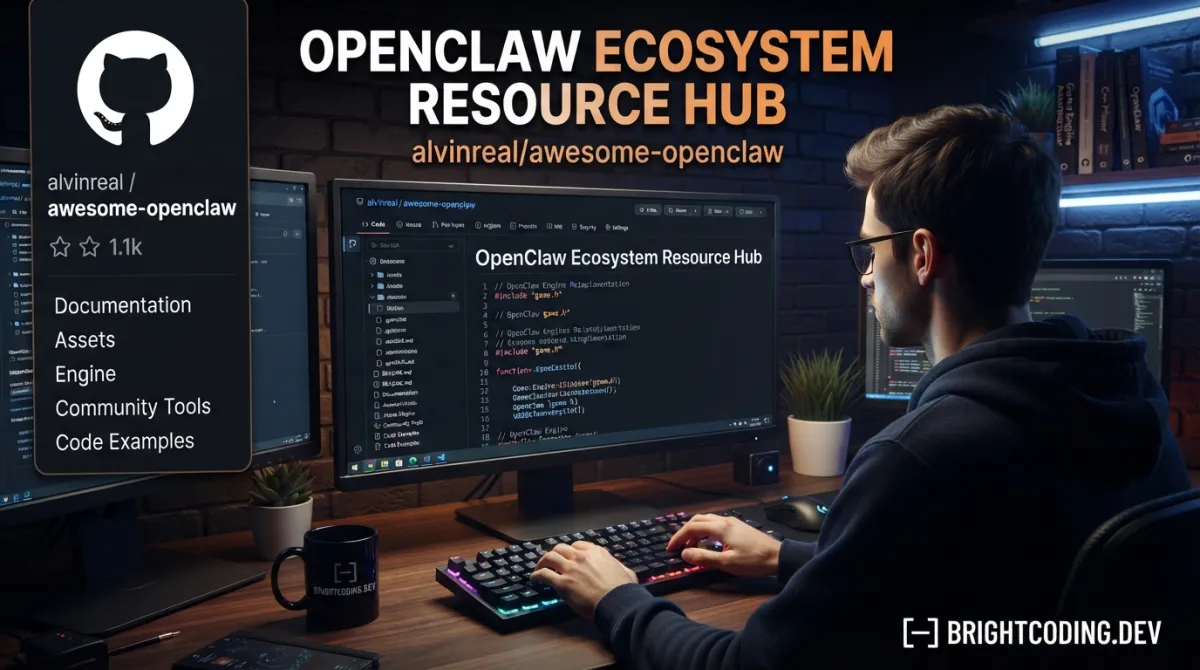
alvinreal/awesome-openclaw: The OpenClaw Ecosystem Resource Hub
Finding reliable, well-maintained tools in a rapidly expanding open-source ecosystem is a persistent challenge for developers. When a new agent framework like OpenClaw gains traction, the surrounding tooling—skills, dashboards, deployment scripts, memory systems, and channel integrations—explodes across GitHub in fragmented, unevenly documented repositories. Developers waste hours evaluating half-baked projects, reconciling conflicting setup instructions, or discovering too late that a promising plugin hasn't been updated in months.
The awesome-openclaw repository, maintained by alvinreal, addresses this fragmentation directly. With 707 stars, 90 forks, and a CC0 license, it functions as a curated, community-vetted index of the OpenClaw ecosystem. This article examines what makes this resource hub valuable, how it's organized, and how developers can use it effectively.
What is alvinreal/awesome-openclaw?
alvinreal/awesome-openclaw is a curated list repository that catalogs resources for the OpenClaw ecosystem. It follows the established "awesome list" convention pioneered by sindresorhus—structured, categorized, and community-maintained indexes of tools and resources for specific technology domains.
The repository is managed by MoltFounders, as indicated by the badge in the README, and was last updated on July 4, 2026. It carries a Creative Commons Zero v1.0 Universal (CC0) license, meaning contributors waive copyright claims and the content enters the public domain—maximizing reuse and redistribution without legal friction.
The list's relevance stems from OpenClaw's positioning as an open-source agent framework. As agent-based AI systems move from research prototypes to production deployments, developers need reliable peripheral tooling: skills (reusable agent capabilities), dashboards (observability and control), deployment automation, memory systems for context persistence, security controls, and channel integrations for platforms like Slack, Discord, WeChat, and Lark. The repository maps this expanding landscape with explicit quality criteria—projects must demonstrate clear OpenClaw relevance and recent meaningful commits.
Notably, the repository avoids duplicate listings and cross-categorization. A project appears once in its "strongest category," reducing noise and forcing editorial discipline. This design choice reflects maintainer intent: utility over comprehensiveness.
Key Features
The repository organizes resources into nine distinct categories, each addressing a specific operational concern in OpenClaw deployments:
Official Resources anchors the list with core projects: the main OpenClaw repository, documentation, the Lobster workflow shell for composable automations, the Windows companion suite, and the ACPX headless CLI client for stateful sessions. This section provides canonical entry points for developers new to the ecosystem.
Skills & Registries is the largest category, reflecting the modular architecture of OpenClaw itself. It includes the official ClawHub directory, community skill indexes like LeoYeAI's 560+ skill collection, domain-specific libraries (medical, bioinformatics), and integration skills for Obsidian, PowerShell, voice workflows, and browser automation. The variety indicates OpenClaw's extensibility model: skills as composable, shareable units of agent capability.
Dashboards & Control Centers addresses a critical production need: visibility into agent operations. Options range from desktop GUIs (ClawX) to web dashboards (clawdeck, grp06's openclaw-studio) to specialized observability tools like clawmetry for token-cost tracking and session-drift alerts. The pixel-art office dashboard (openclaw-pixel-agents) and Trello-style coordination system (clawe) demonstrate the category's creative breadth.
Deployment & Operations covers infrastructure concerns: official Ansible playbooks, Nix packaging, Homebrew distribution, Kubernetes Helm charts, serverless AWS↗ Bright Coding Blog configurations, and Cloudflare Workers integration. The presence of both official and community-maintained options gives operators flexibility across stack preferences.
Memory & Context Systems reflects a distinctive challenge in agent architectures: persistent, retrievable state across sessions. Entries include lossless context management, vector-database-backed memory (LanceDB, HydraDB), knowledge-graph layers, and unlimited-memory systems for long-horizon workflows.
Security & Safety includes audit tools, governance frameworks, command-validation agents, firewalls for AI tool access, and secrets-management plugins. The IronClaw Rust implementation and NVIDIA's NemoClaw runtime represent alternative security postures.
Plugins & Channel Integrations maps messaging-platform connectivity: DingTalk, Lark/Feishu, QQ, WeChat, WhatsApp, plus smart-home (HomeKit) and restaurant-booking CLI integrations. The China-focused plugin pack acknowledges OpenClaw's significant East Asian user base.
Alternative Clients & Runtimes documents compatible implementations: Rust-native runtimes (moltis, librefang), ultra-lightweight alternatives (nanobot, picoclaw), Android ports, and cross-platform Tauri-based assistants.
Learning Resources rounds out the list with tutorials, tips repositories, and multi-AI documentation covering architecture and deployment.
Use Cases
New team onboarding to OpenClaw: A backend engineer evaluating OpenClaw for an internal automation project can use the Official Resources section to establish baseline understanding, then explore Skills & Registries to identify reusable components rather than building from scratch. The structured categorization reduces evaluation time from scattered GitHub searches to targeted browsing.
Production deployment planning: A DevOps↗ Bright Coding Blog engineer responsible for agent infrastructure can compare deployment options across the official Ansible installer, community Helm charts, NixOS modules, and serverless configurations. The explicit trade-offs between self-hosted persistence and serverless cost structures are documented through the variety of available tools.
Observability implementation: Teams running multiple OpenClaw agents need visibility into costs, session behavior, and errors. The Dashboards category provides options ranging from lightweight local monitoring (clawmetry, with its explicit "nothing leaves your machine" privacy guarantee) to enterprise trace-export pipelines (Opik integration).
Security hardening: Organizations with compliance requirements can evaluate clawsec for audits, InnerWarden for command validation, Rampart for policy-based access control, or AxonFlow for governance workflows. The security section's diversity—Rust implementations, native secrets managers, firewall layers—supports defense-in-depth strategies.
Cross-platform agent deployment: Developers targeting mobile or embedded environments can reference alternative runtimes like openclaw-android or picoclaw for resource-constrained deployments, avoiding the assumption that OpenClaw requires full server infrastructure.
Installation & Setup
The awesome-openclaw repository itself requires no installation—it functions as a reference document. However, leveraging its resources involves distinct setup patterns depending on category:
For skills: Most entries link to GitHub repositories with their own installation instructions. The official skills repository (openclaw/skills) and ClawHub (openclaw/clawhub) serve as registries. Community skills typically install via Git clone or package manager integration with the OpenClaw CLI.
For dashboards: ClawX and similar desktop tools distribute via standard package managers or GitHub releases. Web dashboards like clawdeck require containerized or direct deployment. The clawmetry observability tool installs via pip install clawmetry.
For deployment tooling: The official paths are:
# Homebrew (macOS/Linux)
brew install openclaw/tap/openclaw

# Nix
nix-env -iA nixpkgs.openclaw  # via nix-openclaw

# Ansible (self-hosted)
git clone https://github.com/openclaw/openclaw-ansible.git
cd openclaw-ansible
ansible-playbook site.yml
For memory systems: Plugins like openclaw-hydradb or memorycrystal integrate through OpenClaw's plugin architecture, typically requiring configuration of vector database backends and embedding providers.
The repository's CONTRIBUTING.md and LICENSE files provide governance structure for those wishing to extend the list itself.
Real Code Examples
The awesome-openclaw README does not contain executable code examples—it functions as an index rather than a tutorial. However, it documents command-line interfaces and integration patterns through repository descriptions. Two representative patterns:
Helm deployment for Kubernetes (from serhanekicii/openclaw-helm):
# Add the Helm repository and install
helm repo add openclaw https://serhanekicii.github.io/openclaw-helm
helm install my-openclaw openclaw/openclaw
This follows standard Helm conventions. The repository's inclusion in the official-curated list suggests community validation of the chart's quality.
Observability CLI installation (from vivekchand/clawmetry):
pip install clawmetry
# Run locally; data remains on-machine
clawmetry --config openclaw.yml
The explicit privacy guarantee in the description—"Nothing leaves your machine"—addresses a common concern with AI observability tools that default to cloud ingestion.
The README's lack of embedded code reflects its purpose: discovery and evaluation, not hands-on instruction. Developers should expect to follow through to linked repositories for implementation details.
Advanced Usage & Best Practices
Prioritize recency: The repository's editorial note emphasizes "latest meaningful commit within 30 days" as a preference criterion. When evaluating entries, check commit history—stars alone don't indicate maintenance velocity.
Evaluate official vs. community resources: Official repositories (openclaw/*) provide stability guarantees and documentation consistency. Community resources offer specialized functionality but vary in support responsiveness. For production dependencies, prefer official tooling unless a community project demonstrates sustained maintenance.
Consider category strength over comprehensiveness: The single-category rule means some projects with cross-cutting functionality appear only where they're most distinctive. A memory system with dashboard features appears under Memory & Context Systems; check adjacent categories if a capability seems missing.
Audit security tools carefully: The Security & Safety category includes projects with fundamentally different threat models—command validation (InnerWarden), network isolation (OnionClaw/Tor), governance workflows (AxonFlow), and managed runtimes (NemoClaw). Match tool selection to your specific risk surface, not generic "security" labeling.
Contribute back: The CC0 license and explicit contribution guidelines lower barriers to list improvement. If you maintain or discover a well-maintained OpenClaw resource, the CONTRIBUTING.md path provides submission criteria.
Comparison with Alternatives
| Resource | Scope | Maintenance | License |
|---|---|---|---|
| alvinreal/awesome-openclaw | Full ecosystem (9 categories) | Active (July 2026) | CC0 |
| awesome-agent-skills (libukai) | Broader agent ecosystem, partial OpenClaw overlap | Active | Unspecified |
| awesome-openclaw-skills (VoltAgent) | Skills-only subset | Active | Unspecified |
| awesome-openclaw-tips (alvinunreal) | Tips and guidance, complementary | Active | Unspecified |
The primary distinction is comprehensiveness: awesome-openclaw is the only curated index covering the full operational stack from deployment to observability to security. Skill-specific lists offer deeper coverage in narrow domains but require cross-referencing for complete ecosystem understanding. The CC0 license is unusual and valuable for maximum reuse flexibility.
FAQ
Is this repository officially affiliated with OpenClaw? No. It is community-curated by alvinreal/MoltFounders, not the core OpenClaw maintainers, though it indexes official resources.
How current is the information? Last updated July 4, 2026. Individual entries should be verified for recent commits.
Can I use this content commercially? Yes. CC0 license places all content in the public domain.
What makes a project eligible for inclusion? Clear OpenClaw relevance, meaningful recent commits, and concise factual descriptions.
Are there code examples in the repository? No. It functions as an index; follow links to individual projects for implementation details.
How does this differ from searching GitHub directly? Editorial curation, quality filtering, and structured categorization reduce evaluation time.
Is there a Chinese-language version? The list includes Chinese tutorials and localized resources; some entries are Chinese-specific.
Conclusion
alvinreal/awesome-openclaw serves a genuine need in the OpenClaw ecosystem: structured discovery of quality resources across a fragmented, rapidly expanding tooling landscape. Its 707 stars and 90 forks indicate community validation, while the CC0 license maximizes utility for commercial and personal use alike.
The repository is best suited for developers already committed to or evaluating OpenClaw who need efficient navigation of peripheral tooling. It is less useful as a standalone tutorial—expect to follow through to linked repositories for implementation guidance.
For teams building production agent systems, the list provides a vetted starting point for skills, observability, deployment, and security. For individual developers, it reduces the discovery overhead that otherwise consumes disproportionate time in emerging ecosystems.
Explore the full curated index at https://github.com/alvinreal/awesome-openclaw. If it saves you evaluation time, consider starring the repository to signal its value to other developers.
For related ecosystem coverage, see [INTERNAL_LINK: open-source-agent-frameworks-comparison].
Explore on the BrightCoding network
Hand-picked resources from our other sites.
mrexodia/ida-pro-mcp: AI-Powered Reverse Engineering via MCP
mrexodia/ida-pro-mcp is an MIT-licensed MCP server that bridges IDA Pro with language models for AI-assisted reverse engineering. Supports 24+ clients, headless...
coder/coder: Self-Hosted Cloud Dev Environments with Terraform
coder/coder is a self-hosted platform for cloud development environments and AI agents using Terraform. Define workspaces as code, connect via Wireguard®, and r...
hcavarsan/kftray: Auto-Reconnecting Kubernetes Port Forwarding
hcavarsan/kftray is a Rust-based Kubernetes port forwarding manager with auto-reconnection, UDP support, and reverse tunneling. Available as desktop tray app or...
Continuez votre lecture
The Ultimate Guide to Self-Hosted Workflow Automation Executors: Take Control of Your Automation Empire

AI Research Assistant: How Real-Time Web Scraping is Revolutionizing Knowledge Work in 2025

🎮 The Ultimate Guide to Open Source JavaScript Games: 100+ Free Games & Dev Tools You Can Use Today

Stop Coding Alone: OPC-Skills Gives Your AI Agent Superpowers
Commentaires 0
Aucun commentaire pour l'instant. Soyez le premier à réagir !