ancsemi/Haven: Self-Hosted Chat With Zero Cloud Dependency
ancsemi/Haven: Self-Hosted Chat With Zero Cloud Dependency
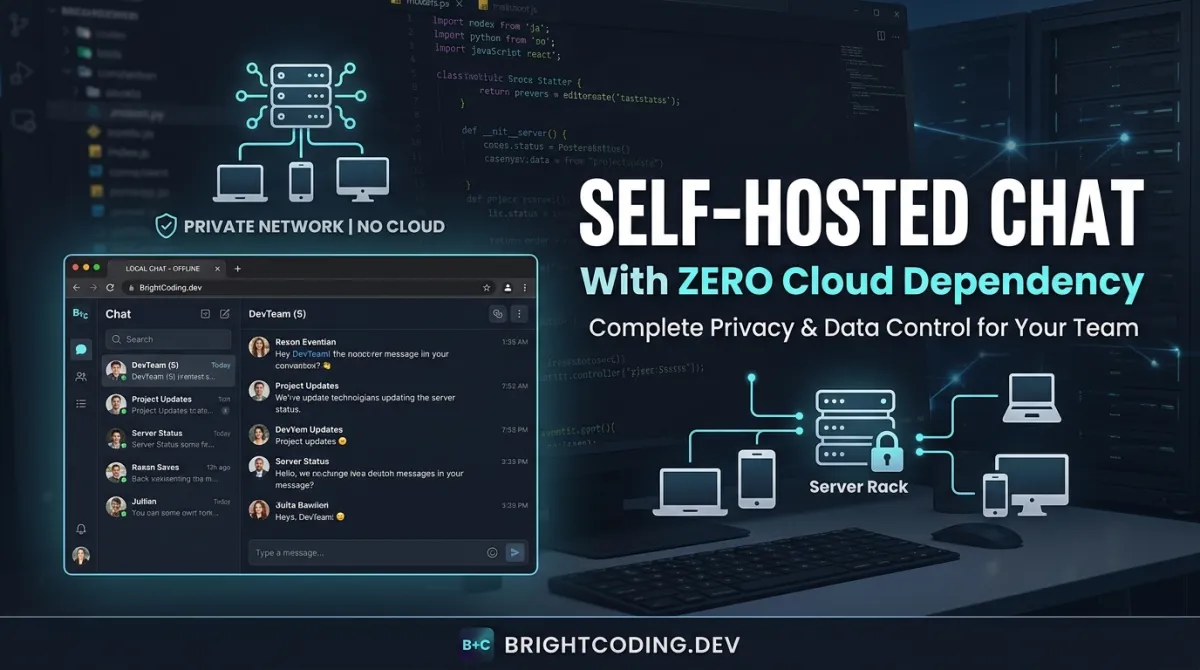
Developers and privacy-conscious teams increasingly face a tension: modern chat tools demand cloud accounts, phone verification, and opaque data policies, while self-hosted alternatives often sacrifice usability or feature completeness. The result is a compromise between convenience and control that many find unacceptable. ancsemi/Haven enters this space as a self-hosted Discord alternative built on a straightforward premise—your server, your rules, no external dependencies. With 496 GitHub stars, 58 forks, and active development through July 2026, Haven offers real-time messaging, voice chat, screen sharing, and Discord history import, all running on hardware you control under the GNU Affero General Public License v3.0.
What is ancsemi/Haven?
ancsemi/Haven is an open-source, self-hosted chat platform written in JavaScript↗ Bright Coding Blog (Node.js ≥18) that replicates core Discord functionality without requiring cloud infrastructure or third-party accounts. The project is maintained by ancsemi and distributed under AGPL-3.0, ensuring that any network-deployed modifications remain open source. Unlike commercial alternatives, Haven generates self-signed SSL certificates automatically, stores all data locally, and operates without telemetry, analytics, or tracking mechanisms.
The platform targets several distinct user profiles: small friend groups seeking private communication channels, self-hosters running homelab infrastructure, privacy-focused communities rejecting Big Tech data practices, LAN gaming crews needing low-latency voice and screen sharing, and developers exploring lightweight chat server implementations. Haven's architecture emphasizes simplicity in deployment—single-command Docker↗ Bright Coding Blog launches, Windows batch file execution, or direct Node.js execution—while maintaining feature parity with mainstream competitors in messaging, voice, and community management.
A notable development trajectory includes the beta release of Haven Desktop (a native client with per-application audio sharing and system tray integration), the Amni-Haven Android app (native Google Play client built by community contributor Amnibro), and a v2.0.0 Discord import system capable of migrating entire server histories including channels, threads, reactions, and avatars directly through the web interface.
Key Features
Haven's feature set spans communication, customization, and administrative control without external service dependencies.
Messaging Infrastructure: Real-time chat supports rich formatting (bold, italic, strikethrough, code blocks, spoilers, blockquotes), inline URL previews via OG metadata, @mentions with autocomplete, emoji autocomplete via : triggers, message editing, replies, and persistent unread state tracked server-side. File uploads accommodate images, PDFs, documents, audio, video, and archives up to 25 MB with inline players.
Voice and Screen Sharing: Peer-to-peer audio chat includes per-user volume sliders, mute/deafen controls, join/leave audio cues, and talking indicators with 300 ms hysteresis. Screen sharing supports multi-stream tiled grids with per-user video tiles. Native desktop clients extend this with per-application audio capture via WASAPI (Windows) and PulseAudio (Linux) hooks.
Channel Architecture: Hierarchical channels with sub-channel support, private invite-only sub-channels (marked with 🔒), channel topics, and granular join code management. Admins configure codes as public or private, static or dynamic, with time-based or join-based auto-rotation.
Identity and Customization: Avatar uploads including animated GIFs, selectable shapes (circle, square, hexagon, diamond) visible to all users, custom status text, and Personas for sending messages as alternate characters with dedicated avatars and @PersonaName mention support.
Security and Privacy: Bcrypt password hashing, JWT authentication, HTTPS/SSL with automatic self-signed certificate generation, rate limiting, CSP headers, and optional end-to-end encryption for direct messages using ECDH P-256 + AES-256-GCM with browser-local private keys. Multi-factor authentication via TOTP (Google Authenticator, Authy) with backup codes and session invalidation on password changes.
Administrative Tools: Role-based permissions, kick/mute/ban/delete user actions, timed mutes, IP banning, auto-cleanup of old messages, read-only announcement channels, slow mode, and built-in backup/restore with scheduled automation.
Extensibility: Webhook and bot API with HMAC-signed payloads, custom slash command registration, and a REST interface for message operations. GIPHY-powered GIF search with admin-configurable API keys. Twenty-five themes with stackable visual effects (CRT, Matrix Rain, Cyberpunk Text Scramble, Snowfall, Campfire Embers) and configurable intensity/frequency sliders.
Use Cases
Private Community Migration: Groups leaving Discord due to policy changes, data concerns, or platform risk can import complete server histories—including forum posts, thread archives, reaction data, and user avatars—directly through Haven's UI. The v2.0.0 import system accepts Discord tokens for live extraction or DiscordChatExporter JSON/ZIP files, preserving community context without manual reconstruction.
LAN and Low-Latency Gaming: Gaming crews operating on local networks or seeking minimal voice latency benefit from peer-to-peer audio routing rather than server-relayed streams. The desktop client's per-application audio sharing enables broadcasting specific game audio without system-wide capture, replicating Discord's functionality without external infrastructure.
Homelab and Self-Hosting Education: Haven serves as a practical introduction to self-hosted services for developers building homelab environments. Its single-container Docker deployment, automatic SSL handling, and minimal resource requirements make it suitable for Raspberry Pi deployments, Proxmox containers, or dedicated servers. The [INTERNAL_LINK: self-hosting guide] covers complementary infrastructure patterns.
Regulatory or Policy-Constrained Environments: Organizations with data residency requirements, classified project needs, or internal policies prohibiting third-party SaaS tools can deploy Haven on air-gapped or controlled networks. All message storage, user authentication, and file attachments remain within the administrative boundary.
Lightweight Team Communication: Small technical teams (5–50 members) requiring chat, voice, and file sharing without subscription costs or feature gating. Haven's role system and channel permissions support basic organizational structure without the complexity of enterprise licensing tiers.
Installation & Setup
Haven provides three deployment paths with varying control levels.
Docker (Recommended)
Pre-built image (fastest deployment, easiest updates):
# Pull latest image and run with persistent data volume
docker pull ghcr.io/ancsemi/haven:latest
docker run -d -p 3000:3000 -v haven_data:/data ghcr.io/ancsemi/haven:latest
Docker Compose (recommended for production-like deployments):
# Clone repository for compose configuration
git clone https://github.com/ancsemi/Haven.git
cd Haven
docker compose up -d
The shipped docker-compose.yml uses the pre-built image by default. For modifications, uncomment build: . and rebuild.
Updating pre-built deployments:
docker compose pull
docker compose up -d --force-recreate
Verify version at https://localhost:3000/api/version.
Windows (No Docker)
- Download and extract the repository
- Double-click
Start Haven.bat - If Node.js is absent, the script offers automatic installation
- The batch file handles dependency installation, SSL certificate generation, configuration, and browser launch
Register with username admin to receive administrative privileges. Certificate warnings are expected with self-signed HTTPS—select Advanced → Proceed.
Linux / macOS (No Docker)
chmod +x start.sh
./start.sh
Or manually: npm install && node server.js
Post-Installation Network Access
For external connections, forward TCP port 3000 through your router to the host machine's local IP, allow the port through host firewall rules, and share https://YOUR_PUBLIC_IP:3000 with invitees. Windows PowerShell firewall rule:
New-NetFirewallRule -DisplayName "Haven Chat" -Direction Inbound -LocalPort 3000 -Protocol TCP -Action Allow
Real Code Examples
Haven's documentation emphasizes operational commands over API code samples. The following examples reproduce the README's exact deployment instructions with explanatory context.
Docker Compose Deployment
# Clone repository to obtain compose configuration and environment templates
git clone https://github.com/ancsemi/Haven.git
cd Haven
# Launch detached containers using pre-built image
docker compose up -d
This approach leverages the official docker-compose.yml for service definition, volume mounts, and port exposure. The -d flag runs containers in background mode suitable for persistent server operation. The pre-built image path ghcr.io/ancsemi/haven:latest is specified in the compose file, enabling automated updates via docker compose pull without repository re-cloning.
Update Workflow for Containerized Deployments
# Fetch latest image version from GitHub Container Registry
docker compose pull
# Recreate containers with new image, maintaining volume data
docker compose up -d --force-recreate
The --force-recreate flag ensures running containers restart with the updated image rather than persisting stale container layers. Volume-mounted data (haven_data:/data) persists across recreations, preserving messages, user accounts, and uploaded files.
Windows Automated Launch
Start Haven.bat
While not traditional "code," this batch file encapsulates significant automation: Node.js version detection and conditional installation, npm install execution, self-signed certificate generation via OpenSSL (if available), .env configuration initialization, and browser spawning. The script's existence lowers the barrier for Windows users without existing Node.js or Docker knowledge.
Manual Node.js Execution
npm install && node server.js
For developers preferring direct control or debugging visibility, this command bypasses wrapper scripts. npm install resolves dependencies defined in package.json; node server.js initiates the Express-based application server. Console output displays the active URL (HTTP or HTTPS depending on OpenSSL availability) and any startup diagnostics.
The README contains no additional API client code, SDK examples, or integration snippets beyond these deployment paths. Developers seeking webhook or bot API implementation details should consult the separate GUIDE.md referenced in the FAQ section.
Advanced Usage & Best Practices
Data Directory Management: Haven automatically creates .env and data storage outside the code directory—%APPDATA%\Haven\ on Windows, ~/.haven/ on Linux/macOS. When running as systemd services, explicitly set HAVEN_DATA_DIR to an absolute path to prevent user context mismatches between manual and service executions.
Multi-Instance Deployment: Run multiple Haven servers on single hardware by assigning unique ports and data directories per instance. Copy the application directory, modify PORT and HAVEN_DATA_DIR in each .env, and launch independently. This supports environment separation (staging/production) or community isolation.
SSL Certificate Handling: Self-signed certificates enable HTTPS without domain validation, appropriate for IP-based or internal DNS access. For public deployments with custom domains, replace auto-generated certificates with Let's Encrypt or commercial CA-issued equivalents by setting SSL_CERT_PATH and SSL_KEY_PATH in .env.
Backup Strategy: Beyond manual directory copies, leverage the admin panel's scheduled backup system with selective inclusion (channels, users, messages, files, DMs). Restore operations preserve pre-restore database copies as .pre-restore artifacts, enabling rollback if corruption occurs.
Translation Contribution: Seven languages ship with Haven, but four (French, German, Spanish, Chinese) rely on unreviewed AI generation. Native speakers can improve quality by editing public/locales/{code}.json and submitting pull requests. Missing translation keys gracefully fall back to English.
Comparison with Alternatives
| Dimension | Discord | ancsemi/Haven | Mattermost |
|---|---|---|---|
| Hosting | Cloud-only (Discord Inc.) | Self-hosted, your hardware | Self-hosted or cloud SaaS |
| Account Requirements | Email + phone verification | Username only, no email | Email-based, organization-centric |
| Source Code | Proprietary | Open source (AGPL-3.0) | Open source (MIT/enterprise licenses) |
| Telemetry | Analytics, tracking documented | Zero telemetry claimed | Configurable, enterprise telemetry options |
| Voice/Video | Server-relayed, feature-rich | Peer-to-peer audio, screen share | Plugin-dependent, less mature |
| Discord Import | N/A (native platform) | Full server history migration | Third-party tools only |
| Mobile Clients | Native iOS/Android | Native Android (Amni-Haven), PWA iOS | Native iOS/Android |
| Desktop Clients | Native Electron app | Native beta (Haven Desktop) | Native apps available |
Haven trades the ecosystem breadth and network effects of Discord for complete data sovereignty. Compared to Mattermost, Haven prioritizes consumer-friendly deployment and Discord-like UX over enterprise compliance features. The optimal choice depends on whether the primary constraint is data control (Haven), organizational governance (Mattermost), or social graph convenience (Discord).
FAQ
Does Haven require internet access to function? No—local network deployments operate entirely offline. Internet is only needed for external friend connections or GIPHY GIF search.
Can I migrate my existing Discord server? Yes. v2.0.0 supports direct import via Discord token or DiscordChatExporter files, preserving channels, threads, reactions, pins, and avatars.
Is there an iOS app? No native iOS app currently exists. Safari PWA installation provides app-like experience; native development is desired but unscheduled.
What license applies to modifications? AGPL-3.0 requires releasing source code for any network-accessible modified versions. Internal non-distributed use has no publication requirement.
How are direct messages secured? Optional E2EE uses ECDH P-256 key exchange with AES-256-GCM encryption. Private keys remain browser-local; the server cannot decrypt content.
What happens if I forget my admin password? Recovery keys generated from Settings (🔑 Recovery) enable password reset without admin intervention or email verification.
Does voice chat work without HTTPS? Peer-to-peer voice requires HTTPS for WebRTC security contexts. Localhost HTTP permits voice; remote access demands valid or self-signed HTTPS.
Conclusion
ancsemi/Haven delivers a credible, feature-complete self-hosted Discord alternative for developers and communities prioritizing data ownership over platform convenience. Its strengths lie in deployment simplicity, comprehensive Discord import, genuine peer-to-peer voice architecture, and zero external dependencies. Trade-offs include smaller ecosystem maturity (496 stars, emerging mobile/desktop clients), unreviewed translations, and the inherent operational responsibility of self-hosting.
Haven suits privacy-conscious friend groups, homelab practitioners, LAN gaming communities, and organizations with data residency requirements. It will not replace Discord for users valuing network effects, managed infrastructure, or Nitro feature tiers. For those willing to operate their own server, Haven offers a rare combination of usability and absolute control.
Explore the repository, deploy with Docker or Node.js, and evaluate whether your communication needs align with self-hosted sovereignty. The complete source code, issue tracker, and contribution guidelines await at the project homepage.
Outils recommandés
Explore on the BrightCoding network
Hand-picked resources from our other sites.
HugeCatLab/ChatTutor: Visual AI Tutor with Interactive Electronic Whiteboard
ChatTutor is an open-source visual AI tutor with interactive electronic whiteboard, Math Canvas, and mindmap tools. Built with Vue, ElysiaJS, and GeoGebra. Self...
MyTube: A Media Server Built Entirely by AI Prompts
Discover MyTube, the revolutionary self-hosted media server built entirely through AI prompt engineering. Download, organize, and stream from YouTube, Bilibili,...
GeneBO98/tradetally: Self-Hosted Trading Journal with Multi-Broker Support
GeneBO98/tradetally is an open-source trading journal and analytics platform with multi-broker import, AI-powered insights, and full self-hosting via Docker. Bu...
Continuez votre lecture

The Ultimate Guide to Self-Hosted Workflow Automation Executors: Take Control of Your Automation Empire

AI Research Assistant: How Real-Time Web Scraping is Revolutionizing Knowledge Work in 2025

🎮 The Ultimate Guide to Open Source JavaScript Games: 100+ Free Games & Dev Tools You Can Use Today

Stop Coding Alone: OPC-Skills Gives Your AI Agent Superpowers
Commentaires 0
Aucun commentaire pour l'instant. Soyez le premier à réagir !