ankandrew/fast-alpr: Customizable ONNX ALPR with Multi-Backend Support
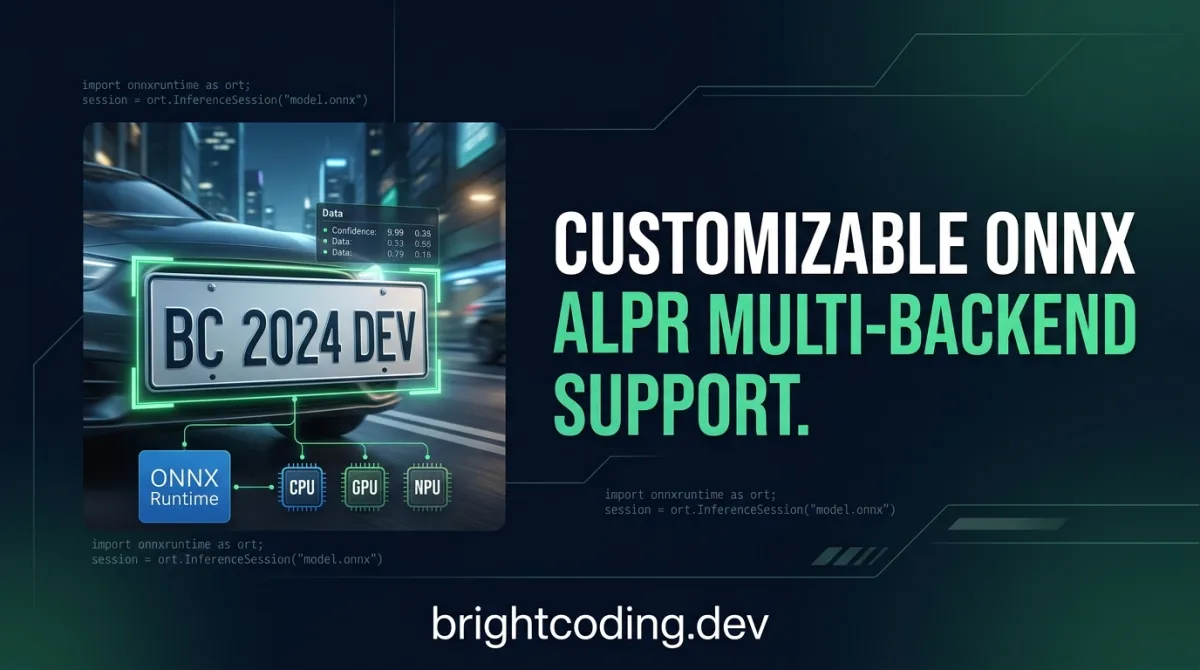
ankandrew/fast-alpr: Customizable ONNX ALPR with Multi-Backend Support
Meta description: Explore ankandrew/fast-alpr, a high-performance, customizable ALPR framework with ONNX Runtime, multi-backend GPU support, and swappable detection/OCR models. Try it on Hugging Face or install via pip.
Introduction
Building production-ready license plate recognition systems traditionally forces developers into rigid, vendor-locked pipelines. You get a black-box detector, a fixed OCR engine, and little flexibility when accuracy falters on your specific camera angles, plate formats, or hardware constraints. For teams running edge deployments on Intel NUCs, NVIDIA Jetsons, or Qualcomm-based devices, this inflexibility translates to abandoned projects or expensive rewrites.
fast-alpr addresses this directly. Developed by ankandrew and released under the MIT License, this Python↗ Bright Coding Blog framework delivers automatic license plate recognition through ONNX-optimized models while letting you swap detection and OCR components at will. With 721 GitHub stars, 119 forks, and active maintenance through March 2026, it represents a pragmatic middle ground between all-in-one commercial ALPR services and hand-rolled deep learning pipelines. This article examines what fast-alpr offers, how to deploy it across diverse hardware, and where it fits in the broader ALPR landscape.
What is ankandrew/fast-alpr?
fast-alpr is an open-source Automatic License Plate Recognition (ALPR) framework written in Python. It sits at the intersection of computer vision and edge deployment tooling, targeting developers who need recognizable plate text from images or video streams without committing to proprietary cloud APIs or monolithic software bundles.
The project's architecture reflects a deliberate modular design. Rather than training and shipping a single end-to-end model, fast-alpr orchestrates two independently replaceable stages: license plate detection and optical character recognition (OCR). By default, detection uses models from open-image-models—specifically YOLO-based variants like yolo-v9-t-384-license-plate-end2end—while OCR delegates to fast-plate-ocr, the maintainer's companion project. Both stages export to ONNX format and execute through ONNX Runtime, which enables cross-platform deployment and hardware-specific acceleration.
The repository's health indicators suggest genuine utility rather than abandoned experiment: 721 stars indicate organic discovery, 119 forks show active experimentation by other developers, and the March 16, 2026 last commit confirms ongoing maintenance. The MIT License removes commercial friction entirely. For teams evaluating whether to build versus buy, fast-alpr offers a third path—controlled customization with reasonable defaults.
The framework's relevance now stems from converging pressures: edge AI deployment demands lighter models, supply chain constraints push hardware diversity (Intel, NVIDIA, Qualcomm, ARM), and regulatory requirements increasingly keep sensitive vehicle data on-premises. A library that runs the same ONNX graph across CPU, CUDA, OpenVINO, and Qualcomm QNN addresses these pressures without forcing architectural rewrites for each target platform.
Key Features
ONNX Runtime Optimization fast-alpr's default models ship in ONNX format, enabling inference acceleration through ONNX Runtime's execution providers. This isn't merely format conversion—ONNX Runtime applies graph optimizations, operator fusion, and platform-specific kernels that often outperform naive PyTorch or TensorFlow inference, especially on CPU.
Swappable Detection and OCR Models
The framework's ALPR class accepts detector_model and ocr_model string identifiers or custom objects implementing BaseOCR. This means you can retain fast-alpr's preprocessing, visualization, and result-handling logic while substituting a fine-tuned YOLO-nano for your parking garage's specific camera geometry, or swapping in Tesseract for multilingual plate support.
Multi-Backend Hardware Support fast-alpr distributes through pip with optional extras targeting specific execution providers:
- CPU via default ONNX Runtime
- NVIDIA CUDA GPUs
- Intel OpenVINO (optimal for Intel Core and Xeon processors)
- Windows DirectML (integrated and discrete GPUs on Windows)
- Qualcomm QNN (Snapdragon chipsets for mobile/edge)
This breadth matters for organizations standardizing on a single ALPR codebase across heterogeneous deployed hardware.
Built-in Visualization
The draw_predictions() method returns annotated frames with bounding boxes and recognized text, reducing boilerplate for prototyping and debugging. The method returns both the rendered image and structured results, supporting both human review and downstream automation.
Hugging Face Integration An interactive demo space on Hugging Face (spaces/ankandrew/fast-alpr) lets prospective users test recognition quality against their own images before local installation—particularly valuable for evaluating OCR accuracy on non-standard plate formats.
Type Safety and Code Quality The project enforces Ruff linting, Pylint, and mypy type checking in CI, with automated test and release workflows. For developers contributing custom model integrations, this discipline reduces integration friction.
Use Cases
Automated Parking and Access Control Parking operators can deploy fast-alpr on existing IP camera infrastructure with minimal hardware changes. The ONNX CPU backend runs adequately on entry-level edge devices, while CUDA acceleration handles high-throughput lanes. Custom detector models can be trained on specific mounting angles common to a facility's camera placements.
Fleet Management and Logistics Distribution centers tracking truck entry/exit times benefit from on-premises processing—no cloud latency, no recurring per-image API costs. The modular OCR stage supports integration with country-specific plate formats through custom model training or alternative OCR engines like Tesseract.
Traffic Monitoring and Smart City Pilots Municipalities evaluating ALPR for traffic flow analysis or enforcement can prototype with fast-alpr's defaults, then optimize: OpenVINO for Intel-based roadside units, QNN for Qualcomm-connected sensors, or DirectML for Windows-based traffic management servers.
Security and Surveillance Integration
The framework's Python API embeds cleanly into existing video management systems. The structured output (OcrResult with confidence scores) enables threshold-based alerting—only flagging plates below confidence thresholds for human review, reducing operator fatigue.
Research and Education
Computer vision researchers studying ALPR pipeline design can isolate detection versus OCR contributions to end-to-end accuracy. The clean abstraction over BaseOCR and analogous detector interfaces supports controlled experiments without rebuilding data loaders and visualization from scratch.
Installation & Setup
fast-alpr requires Python and pip. The critical detail: no ONNX runtime installs by default. You must select an appropriate extra for your target hardware.
Step 1: Choose Your Backend
| Platform/Use Case | Install Command | Notes |
|---|---|---|
| CPU (default) | pip install fast-alpr[onnx] |
Cross-platform; works everywhere |
| NVIDIA GPU (CUDA) | pip install fast-alpr[onnx-gpu] |
Linux/Windows only |
| Intel (OpenVINO) | pip install fast-alpr[onnx-openvino] |
Best performance on Intel CPUs |
| Windows (DirectML) | pip install fast-alpr[onnx-directml] |
For DirectML-compatible GPUs |
| Qualcomm (QNN) | pip install fast-alpr[onnx-qnn] |
Snapdragon chipsets |
For most development workstations and servers, start with the CPU or CUDA variant:
# CPU inference (default, cross-platform)
pip install fast-alpr[onnx]

# NVIDIA GPU acceleration
pip install fast-alpr[onnx-gpu]
Step 2: Verify Installation
The package exposes a simple API. Confirm import succeeds:
from fast_alpr import ALPR
print("fast-alpr imported successfully")
Step 3: Development Setup (Contributors)
For modifying fast-alpr itself or contributing custom model integrations, clone and install with uv:
git clone https://github.com/ankandrew/fast-alpr.git
cd fast-alpr
make install  # Requires uv: https://docs.astral.sh/uv/getting-started/installation/
make checks   # Run linting and tests before PR submission
The make checks command runs the full CI validation suite locally—critical for ensuring custom OCR or detector implementations conform to the project's interface contracts.
Real Code Examples
Basic Inference with Default Models
The minimal working example from fast-alpr's documentation demonstrates single-image inference:
from fast_alpr import ALPR

# Initialize with default detection and OCR models
alpr = ALPR(
    detector_model="yolo-v9-t-384-license-plate-end2end",
    ocr_model="cct-xs-v2-global-model",
)

# Predict on a test image (available in repo root)
alpr_results = alpr.predict("assets/test_image.png")
print(alpr_results)
This loads the YOLOv9-tiny detector at 384×384 input resolution and a compact OCR model. The predict() call returns structured results containing detected plate regions, recognized text, and confidence scores. The model identifiers reference Hugging Face-hosted ONNX files downloaded automatically on first use.
Visualization and Batch Processing
For applications requiring annotated output, the draw_predictions() method handles rendering:
import cv2
from fast_alpr import ALPR

# Initialize ALPR (same models as above)
alpr = ALPR(
    detector_model="yolo-v9-t-384-license-plate-end2end",
    ocr_model="cct-xs-v2-global-model",
)

# Load image with OpenCV
image_path = "assets/test_image.png"
frame = cv2.imread(image_path)

# Draw predictions and extract results
drawn = alpr.draw_predictions(frame)
annotated_frame = drawn.image  # NumPy array for display or encoding
results = drawn.results        # Structured data for database logging

# annotated_frame can be saved or streamed
cv2.imwrite("output_annotated.jpg", annotated_frame)
The draw_predictions() return type bundles both visual and structured outputs—avoiding the common anti-pattern of calling detection twice (once for visualization, once for data extraction). The results field contains OcrResult objects with text and confidence attributes suitable for downstream business logic.
Custom OCR Integration: Tesseract Example
fast-alpr's documented extensibility shows in this complete Tesseract integration, implementing the BaseOCR abstract base class:
import re
from statistics import mean

import numpy as np
import pytesseract

from fast_alpr.alpr import ALPR, BaseOCR, OcrResult


class PytesseractOCR(BaseOCR):
    def __init__(self) -> None:
        """Initialize PytesseractOCR with default configuration."""
        pass

    def predict(self, cropped_plate: np.ndarray) -> OcrResult | None:
        if cropped_plate is None:
            return None

        # Run Tesseract OCR with LSTM engine and uniform text block assumption
        data = pytesseract.image_to_data(
            cropped_plate,
            lang="eng",
            config="--oem 3 --psm 6",  # OEM 3: LSTM only; PSM 6: single uniform text block
            output_type=pytesseract.Output.DICT,
        )

        # Extract and clean plate text
        plate_text = " ".join(data["text"]).strip()
        plate_text = re.sub(r"[^A-Za-z0-9]", "", plate_text)  # Remove non-alphanumeric

        # Average confidence across valid character detections
        avg_confidence = mean(conf for conf in data["conf"] if conf > 0) / 100.0

        return OcrResult(text=plate_text, confidence=avg_confidence)


# Use custom OCR with default detector
alpr = ALPR(
    detector_model="yolo-v9-t-384-license-plate-end2end",
    ocr=PytesseractOCR(),  # Inject custom implementation
)

alpr_results = alpr.predict("assets/test_image.png")
print(alpr_results)
This example is particularly instructive: it shows the BaseOCR contract (accept np.ndarray, return OcrResult | None), demonstrates preprocessing expectations (cropped plate images arrive pre-aligned), and illustrates how confidence normalization bridges different OCR engines' scoring scales. Teams with existing Tesseract training data for regional plate formats can adopt fast-alpr's detection while preserving their OCR investment.
Advanced Usage & Best Practices
Model Selection for Your Hardware
The default yolo-v9-t-384-license-plate-end2end balances accuracy and speed, but resolution matters. Higher input resolutions improve detection of distant plates at cost of inference latency. For fixed-camera parking applications where plate distance varies little, a lower resolution custom model may outperform the default. [INTERNAL_LINK: ONNX model optimization for edge deployment]
Confidence Thresholding
The OcrResult.confidence field enables operational filtering. In production, establish per-camera thresholds based on empirical accuracy measurement—don't assume 0.5 universal cutoff. Log low-confidence detections for periodic model retraining data collection.
Execution Provider Tuning
ONNX Runtime's CUDA provider benefits from CUDAExecutionProvider options for memory growth and stream management. For Intel deployments, OpenVINO's device_type configuration (CPU, GPU, AUTO) lets the runtime select optimal hardware automatically. These aren't exposed through fast-alpr's high-level API; advanced users may inject configured onnxruntime.InferenceSession instances through the lower-level interfaces.
Batch Inference Considerations
While the README shows single-image predict() calls, production video processing typically requires batching or asynchronous queuing. The current API appears synchronous; for high-throughput scenarios, consider wrapping inference in an async queue or multiprocessing pool, with careful attention to ONNX Runtime session thread safety.
Custom Detector Integration
The README emphasizes OCR customization but implies analogous detector flexibility. For custom YOLO variants, ensure output format compatibility with fast-alpr's expected bounding box representation (likely [x1, y1, x2, y2, confidence, class] or similar). Consult the source for open-image-models integration specifics.
Comparison with Alternatives
| Dimension | fast-alpr | OpenALPR | Cloud APIs (AWS↗ Bright Coding Blog/Azure/Google) |
|---|---|---|---|
| Cost | Free (MIT) | Commercial/Apache dual license | Per-request pricing |
| Customization | Full model swap | Limited (trained models) | None (black-box) |
| On-premises | Native | Supported | Requires connectivity |
| Hardware targets | CPU, CUDA, OpenVINO, DirectML, QNN | CPU, CUDA (via OpenCV) | Vendor-managed only |
| Setup complexity | pip install + model download | Package + model download | API key + SDK |
| Accuracy baseline | YOLOv9 + custom OCR | Region-specific LPR models | Generally highest |
OpenALPR offers mature region-specific models and broader language support out-of-box, but locks you into its model ecosystem and commercial licensing for advanced features. fast-alpr suits teams with in-house ML capacity who prioritize architectural control.
Cloud vision APIs deliver highest accuracy with zero operational ML investment, but introduce latency, ongoing costs, and data sovereignty concerns. fast-alpr targets the opposite trade-off: higher setup investment for lower marginal cost and full data control.
fast-alpr's sweet spot is organizations with heterogeneous edge hardware and compliance requirements that preclude cloud processing, plus sufficient engineering resources to fine-tune or replace default models.
FAQ
What Python versions are supported? Python 3.x versions indicated by the PyPI badge; verify specific compatibility at pypi.org/project/fast-alpr.
Can I use fast-alpr without GPU?
Yes. pip install fast-alpr[onnx] runs on any CPU with AVX2 support; performance varies by model resolution and CPU generation.
Is the MIT License permissive for commercial use? Yes. MIT permits commercial use, modification, distribution, and private use with minimal attribution requirements.
How do I update models when new versions release?
Model identifiers reference Hugging Face repositories. Update the version tag in your ALPR initialization, or implement local model caching for air-gapped deployments.
Does fast-alpr support real-time video processing? The API accepts single images; for video, wrap in frame extraction and manage throughput via batching or async processing. No built-in video stream abstraction is documented.
Can I train custom plate detectors?
Yes. The modular design supports custom detectors, though you'll need to ensure output format compatibility. The open-image-models repository may provide training pipelines.
What if Tesseract OCR accuracy is insufficient?
The BaseOCR interface accepts any implementation. Consider fine-tuning fast-plate-ocr models or integrating commercial OCR with compatible APIs.
Conclusion
ankandrew/fast-alpr fills a specific niche in the ALPR tooling landscape: developers who need more flexibility than cloud APIs provide, but less engineering burden than building entirely from PyTorch or TensorFlow. Its ONNX-based architecture, multi-backend deployment options, and clean model-swapping abstractions make it particularly suitable for edge deployments across diverse hardware—Intel servers, NVIDIA edge boxes, Qualcomm mobile platforms, and standard CPU hosts.
The framework is best suited to teams with moderate computer vision expertise who can evaluate and potentially replace default models for their specific plate formats and camera geometries. It's less appropriate for teams seeking zero-configuration accuracy or extensive pre-trained regional model libraries.
With 721 stars, active maintenance through 2026, and a genuinely permissive MIT License, fast-alpr merits evaluation for any ALPR project where architectural control and deployment flexibility outweigh out-of-box convenience. Test your plates on the Hugging Face demo, then install locally and customize.
Get started: https://github.com/ankandrew/fast-alpr
Continuez votre lecture

Why Alexandrie is the Ultimate Markdown Note-Taking App

Why CrossPaste is the Ultimate Game Changer for Clipboard Management

Why Chandra is the Ultimate OCR Tool for Handwriting and Tables

Stop Coding Alone: OPC-Skills Gives Your AI Agent Superpowers
Commentaires 0
Aucun commentaire pour l'instant. Soyez le premier à réagir !