averygan/reclip: Self-Hosted Video Downloader with Clean Web UI
averygan/reclip: Self-Hosted Video Downloader with Clean Web UI
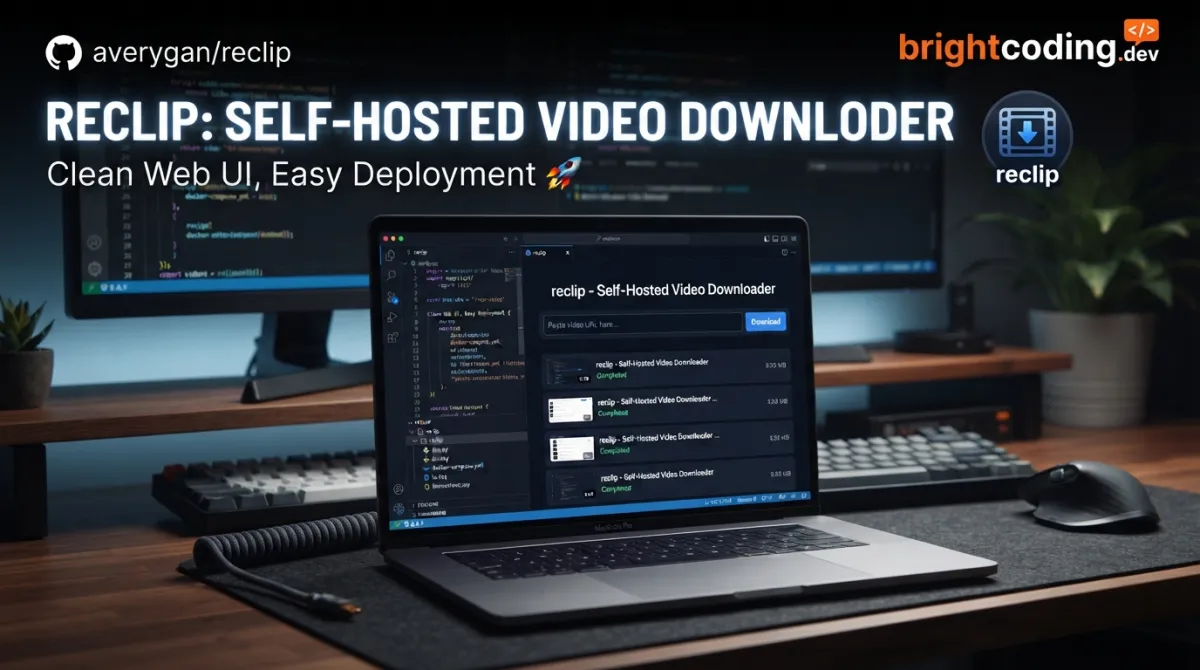
Developers and self-hosters frequently need to archive video or audio content from platforms like YouTube, TikTok, and Instagram. Commercial tools often require subscriptions, inject ads, or store your data on remote servers. Command-line utilities like yt-dlp are powerful but lack a friendly interface for non-technical users or quick bulk operations. averygan/reclip bridges this gap: a lightweight, self-hosted media downloader with a clean web UI that wraps yt-dlp in a ~150-line Python↗ Bright Coding Blog backend and a vanilla HTML/CSS/JS frontend. No frameworks. No build step. Just paste URLs and download.
What is averygan/reclip?
averygan/reclip is an open-source, self-hosted video and audio downloader created by developer Avery Gan. Released under the MIT License, the project has accumulated 6,515 GitHub stars and 1,172 forks as of its last commit on July 9, 2026. The repository's primary language is HTML—reflecting its intentionally minimal frontend—though the backend is written in Python.
The tool sits in a specific niche: it's not a SaaS product, not a browser extension, and not a raw CLI wrapper. Instead, it's a single-container, single-file-backend application designed for developers who want yt-dlp's extensive site support with a point-and-click interface. The backend is approximately 150 lines of Python using Flask. The frontend is a single HTML file with embedded CSS and JavaScript↗ Bright Coding Blog—no React↗ Bright Coding Blog, no Vue, no webpack, no npm install.
This design philosophy matters in 2026. Many developers are experiencing "dependency fatigue"—projects with 500+ node_modules folders and build pipelines that break on minor version bumps. ReClip's deliberate minimalism (only two Python dependencies: Flask and yt-dlp) is a technical choice, not a limitation. It means faster audits, easier modifications, and trivial deployment to anything that runs Python or Docker↗ Bright Coding Blog.
The project is maintained by averygan as a personal open-source effort, not a company-backed product. This shapes expectations: it's a well-scoped tool that does one thing reliably, not a platform with a roadmap and support team.
Key Features
ReClip's feature set is tightly coupled to its architecture. Every capability listed below is implemented through the yt-dlp and ffmpeg stack, exposed through a minimal HTTP API:
1000+ Supported Sites via yt-dlp Integration Rather than maintaining its own extraction logic, ReClip delegates to yt-dlp—the community-maintained fork of youtube-dl that supports YouTube, TikTok, Instagram, Twitter/X, Reddit, Facebook, Vimeo, Twitch, Dailymotion, SoundCloud, Loom, Streamable, Pinterest, Tumblr, Threads, LinkedIn, and hundreds more. This means site support improves as yt-dlp updates, without code changes to ReClip itself.
Dual Format Output: MP4 Video or MP3 Audio Users select their desired output format before fetching. The UI presents this as a simple toggle, but the backend invokes different ffmpeg pipelines: direct stream copy or remux for video, audio extraction and encoding for MP3.
Quality and Resolution Selection After fetching video metadata, ReClip displays available quality options. This is passed through from yt-dlp's format listing—users aren't locked into a single default.
Bulk URL Processing with Deduplication Paste multiple URLs at once. ReClip automatically deduplicates identical links before queueing downloads. For archiving workflows or playlist extraction, this eliminates redundant operations.
Zero-Build Frontend The entire UI ships as a single HTML file. No transpilation, no bundler, no CSS framework. This makes the project trivial to audit, modify, or embed in other contexts. The "no build step" claim is literal: edit the file, refresh the browser.
Docker-Ready Deployment A Dockerfile is included for containerized deployment. The single-port, single-process architecture makes it suitable for homelab setups, VPS hosting, or internal team tools.
Use Cases
Personal Media Archiving Content creators and researchers often need offline copies of reference material. ReClip's bulk paste and format selection make it efficient to archive a YouTube playlist as MP3s for podcast-style listening, or grab TikTok videos for analysis without platform-specific tools.
Homelab and Self-Hosted Infrastructure For developers running services like Plex, Jellyfin, or Navidrome, ReClip provides a lightweight acquisition layer. Deploy it on the same VPS or Raspberry Pi, download content, and move files into your media library pipeline. The 150-line backend is easy to modify for custom post-download hooks.
No-Build Internal Tools Teams needing occasional video downloads—for marketing asset collection, competitor analysis, or training material—can deploy ReClip internally without the security review overhead of a complex dependency tree. Two Python packages and ffmpeg is an auditable footprint.
Educational Environments The minimal codebase makes ReClip a readable example for learning Flask, yt-dlp integration, or vanilla JavaScript patterns. Students can trace a URL from form submission through yt-dlp invocation to file response in under an hour.
Air-Gapped or Bandwidth-Constrained Scenarios Download once, distribute locally. ReClip's self-hosted nature means the download server can sit on a machine with good connectivity, while users on restricted networks access the web UI internally.
Installation & Setup
ReClip offers two installation paths: native Python execution or Docker containerization. Both require yt-dlp and ffmpeg as system dependencies.
Native Installation
# Install system dependencies (macOS example)
brew install yt-dlp ffmpeg

# On Debian/Ubuntu, use:
# apt install ffmpeg && pip install yt-dlp

# Clone and run
git clone https://github.com/averygan/reclip.git
cd reclip
./reclip.sh
The reclip.sh script presumably sets up the Python environment and starts the Flask server. After execution, open http://localhost:8899 in your browser.
Docker Installation
docker build -t reclip . && docker run -p 8899:8899 reclip
This single command builds the image from the included Dockerfile and binds port 8899. The && ensures the build succeeds before attempting to run.
Step-by-Step Explanation
-
yt-dlp and ffmpeg: These are non-negotiable external dependencies. yt-dlp handles site extraction and download protocols; ffmpeg handles format conversion, especially MP3 audio extraction. The README shows platform-specific install commands—adapt for your system.
-
Git clone: Retrieves the repository. At ~150 lines of Python and one HTML file, this is nearly instantaneous.
-
reclip.sh: The shell script abstracts any virtual environment setup or dependency installation. Review this file before running if you need to understand or modify the startup behavior.
-
Port 8899: Hardcoded in the default configuration. For production or reverse-proxy setups, you'll need to examine the Flask app initialization or pass environment variables if supported.
Advertisement
Real Code Examples
The README provides two primary usage patterns: native execution and Docker deployment. Below are the documented commands with context.
Native Startup Command
# Install system dependencies first
brew install yt-dlp ffmpeg    # macOS
# apt install ffmpeg && pip install yt-dlp  # Debian/Ubuntu alternative

git clone https://github.com/averygan/reclip.git
cd reclip
./reclip.sh
This sequence is the complete native installation. The brew install line uses macOS Homebrew; Linux users substitute their package manager. The git clone pulls the repository, cd enters it, and ./reclip.sh executes the startup script. The script likely creates a Python virtual environment, installs Flask and yt-dlp via pip, and launches the Flask development server on port 8899. For production use, you would want to examine whether it uses a production WSGI server or if additional configuration is needed.
Docker Build and Run
docker build -t reclip . && docker run -p 8899:8899 reclip
This one-liner chains two Docker commands. docker build -t reclip . constructs an image tagged "reclip" from the Dockerfile in the current directory. The && operator ensures the build succeeds before running. docker run -p 8899:8899 reclip starts a container, mapping host port 8899 to container port 8899. The port mapping is critical—without it, the Flask server inside the container would be unreachable. For persistent storage of downloads, you would typically add a volume mount (-v /host/path:/app/downloads or similar), though this is not documented in the README.
Web UI Workflow
While not presented as code, the README documents a five-step interaction pattern:
- Paste one or more video URLs into the input box
- Choose MP4 (video) or MP3 (audio)
- Click Fetch to load video info and thumbnails
- Select quality/resolution if available
- Click Download on individual videos, or Download All
This workflow reveals the frontend's state management: a fetch phase (metadata retrieval via yt-dlp's --dump-json or equivalent), a selection phase (format filtering), and a download phase (actual file retrieval and optional ffmpeg conversion). The "Download All" button suggests batch queueing on the backend, though the implementation details aren't exposed in the README.
Advanced Usage & Best Practices
Reverse Proxy Configuration For production deployment, place ReClip behind nginx or Traefik. The Flask development server is not optimized for concurrent load. Terminate TLS at the proxy and forward to localhost:8899.
Persistent Storage The Docker command in the README doesn't mount volumes. Downloads likely go to a temporary or container-local path. For actual use, modify the run command:
docker run -p 8899:8899 -v /your/download/path:/app/downloads reclip
Note: Verify the actual download directory in the source code, as the README doesn't specify this path.
yt-dlp Updates
Site extractors break frequently. Keep yt-dlp current: pip install -U yt-dlp or brew upgrade yt-dlp. ReClip itself may not need updates if the yt-dlp dependency is managed externally.
Resource Limits ffmpeg conversions can be CPU-intensive. For shared servers, consider Docker CPU limits or nice-level adjustments for the ReClip process.
Security Considerations The README doesn't document authentication. By default, ReClip likely runs without login requirements. Don't expose port 8899 directly to the internet without adding authentication at the reverse proxy layer.
Comparison with Alternatives
| Tool | Architecture | Frontend | Site Support | Self-Hosted | Key Trade-off |
|---|---|---|---|---|---|
| averygan/reclip | Python + Flask, ~150 lines | Vanilla HTML/JS, no build | 1000+ via yt-dlp | Yes | Minimal, hackable; limited to documented features |
| yt-dlp (raw CLI) | Python CLI | None | 1000+ | N/A (local tool) | Maximum flexibility; no UI, steeper learning curve |
| Tube Archivist | Python/Django + Celery | React SPA | YouTube-focused | Yes | Rich metadata and indexing; heavier resource use, narrower site support |
| 4K Video Downloader | Proprietary desktop app | Qt GUI | ~100 sites | No (SaaS components) | Polished UX; closed source, subscription model, privacy concerns |
ReClip occupies a specific position: more accessible than raw yt-dlp, lighter than Tube Archivist's full media management stack, and fully open-source unlike commercial alternatives. The trade-off is feature depth—no automatic archiving, no metadata indexing, no subscription monitoring. It's a downloader, not a media library system.
FAQ
Does ReClip require a GPU? No. All processing is CPU-based via ffmpeg. No CUDA or hardware acceleration is mentioned in the README.
Can I run ReClip on ARM devices like Raspberry Pi? Likely yes, given Python and ffmpeg both support ARM. Performance for 1080p+ downloads may be limited by CPU and I/O.
Is there an API for programmatic access? The README doesn't document a REST API beyond the web UI. The Flask routes are readable in the source if you need to extend.
How do I update yt-dlp without rebuilding? Depends on installation method. Native: update the system/pip package. Docker: rebuild the image or mount yt-dlp as a volume.
What happens if a site breaks? Update yt-dlp first. ReClip delegates all extraction to yt-dlp, so site fixes come from that project.
Is commercial use allowed under the MIT License? Yes, the MIT License permits commercial use, modification, and distribution with attribution.
Who maintains the project? Avery Gan, as a personal open-source project. There's no indication of a team or corporate backing.
Conclusion
averygan/reclip is a purpose-built tool for developers who want yt-dlp's extensive site support with a clean, immediately deployable web interface. Its 6,515 stars and 1,172 forks reflect genuine utility in the self-hosting and developer community. The ~150-line Python backend and zero-build frontend aren't limitations—they're deliberate choices that make the project auditable, modifiable, and deployable in minutes.
This tool is best suited for: homelab operators wanting lightweight media acquisition, developers building internal tools who need a download layer without dependency bloat, and anyone who values source-code transparency over polished SaaS convenience.
It's not a media management platform. It won't organize your library, fetch subtitles automatically, or notify you of new uploads. For those needs, explore [INTERNAL_LINK: self-hosted media server solutions]. For straightforward, bulk, format-selectable downloads from 1000+ sites with minimal infrastructure, ReClip delivers exactly what it documents.
Get the code, read the source, and deploy: https://github.com/averygan/reclip
Outils recommandés
Explore on the BrightCoding network
Hand-picked resources from our other sites.
AI4Finance-Foundation/FinRL-Meta: Benchmark Trading Agents Across Markets
FinRL-Meta provides dynamic market environments and standardized benchmarks for financial reinforcement learning research, with plug-and-play support for Elegan...
coder/coder: Self-Hosted Cloud Dev Environments with Terraform
coder/coder is a self-hosted platform for cloud development environments and AI agents using Terraform. Define workspaces as code, connect via Wireguard®, and r...
IAmTomShaw/f1-race-replay: Interactive F1 Telemetry Visualization in Python
IAmTomShaw/f1-race-replay is a Python application for interactive Formula 1 race visualization and telemetry analysis, built with FastF1 and Arcade. Features in...
Continuez votre lecture
Why Alexandrie is the Ultimate Markdown Note-Taking App
Why CrossPaste is the Ultimate Game Changer for Clipboard Management
Why Chandra is the Ultimate OCR Tool for Handwriting and Tables

Stop Coding Alone: OPC-Skills Gives Your AI Agent Superpowers
Commentaires 0
Aucun commentaire pour l'instant. Soyez le premier à réagir !