Boxedwine: Run 32-Bit Windows Games on Any OS
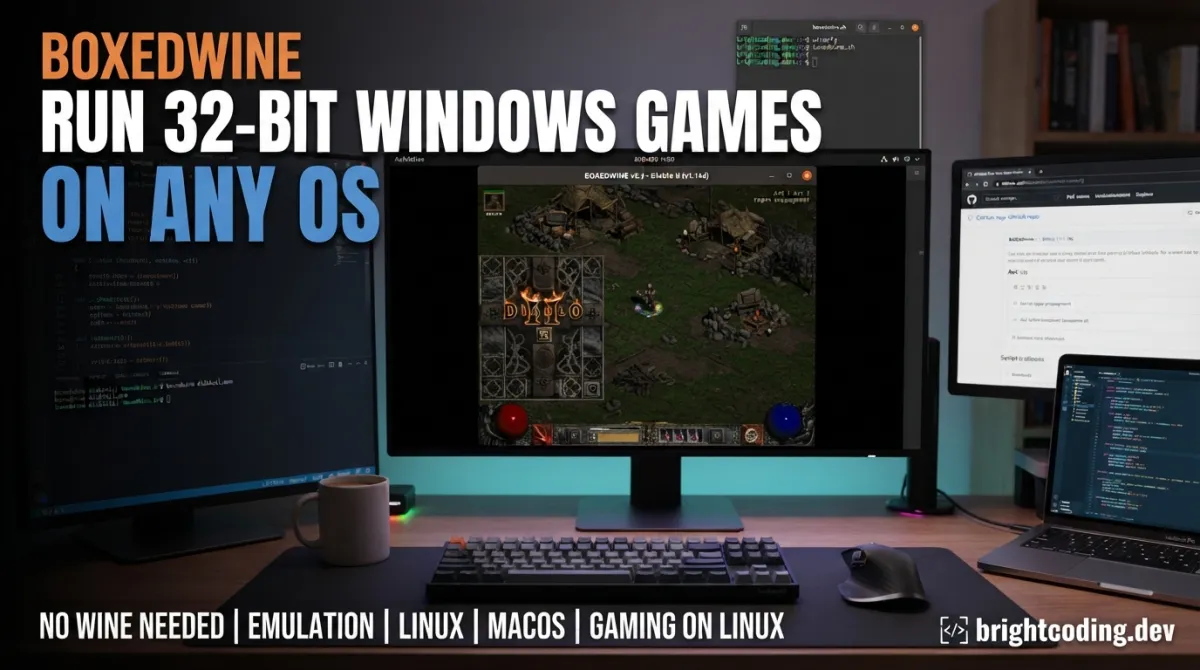
Boxedwine: Run 32-Bit Windows Games on Any OS
What if I told you that your favorite Windows 95/XP-era games—those classics that modern operating systems abandoned—could run flawlessly on your MacBook Pro, your Linux workstation, even inside your web browser? No dual-booting. No fragile virtual machines chewing through 8GB of RAM. No praying that Wine's dependency hell resolves itself.
Here's the painful truth every retro gaming enthusiast and legacy software maintainer knows: Microsoft doesn't care about backward compatibility for 32-bit applications anymore. Windows 11 dropped 16-bit support entirely. macOS killed 32-bit app support with Catalina. Linux? Good luck with those ancient DirectX installers. And while projects like Wine exist, they demand a Linux host—useless if you're on macOS or need a portable solution.
But what if the solution wasn't running Windows apps on Wine, but running Wine itself inside a self-contained emulator that works everywhere?
Enter Boxedwine—an ingenious open-source project that's making waves across developer communities. This isn't just another compatibility layer. It's a full 32-bit Windows application emulator that bundles a complete Wine environment with a Linux kernel and CPU emulator, all wrapped in portable C++ with SDL. The result? Your legacy Windows software runs on Windows, macOS, Linux, and even WebAssembly—with surprising performance.
In this deep dive, I'll expose how Boxedwine achieves what seems impossible, why Version 26R1's 50% speed boost changes everything, and exactly how you can get your nostalgic gaming fix running in minutes. Let's crack this open.
What Is Boxedwine?
Boxedwine is an emulator developed by danoon2 that executes 32-bit Windows applications by running a complete 32-bit Wine environment inside a custom Linux kernel and CPU emulator. Written in C++ with SDL for cross-platform rendering, it represents a fundamentally different approach to Windows compatibility.
Most developers know Wine as a compatibility layer that translates Windows API calls to POSIX equivalents on Linux. But Wine has a critical limitation: it requires a Linux or macOS host with compatible system libraries. Boxedwine eliminates this dependency entirely by emulating the entire execution environment—kernel, CPU, and all—making Wine itself portable to any platform with a decent C++ compiler and SDL support.
The project is open source under GPL v2, ensuring it remains free and community-driven. What makes Boxedwine particularly fascinating is its architectural inversion: instead of adapting Windows apps to your OS, it brings a complete, self-contained Linux+Wine ecosystem to whatever OS you have.
Why it's trending now: Version 26R1 dropped with game-changing improvements: 50% faster performance across all platforms (except WebAssembly), 20% reduced memory usage for 64-bit builds, Wine 11 support, and OpenGL-over-D3D12 for Windows ARM64 devices like Snapdragon laptops. These aren't incremental updates—they transform Boxedwine from a curiosity into a legitimate productivity and gaming tool.
The project's multi-platform testing matrix is genuinely impressive: Emscripten/WASM, Linux x86/ARM64, macOS ARM, Windows 32-bit, and Windows x86/ARM64. This isn't theoretical portability—it's battle-tested across real hardware configurations.
Key Features That Make Boxedwine Insane
Boxedwine isn't just "Wine in a box." Its feature set reveals sophisticated engineering decisions that solve problems other projects ignore:
True 16/32-Bit Windows Application Support While modern systems abandon legacy architectures, Boxedwine preserves them. It runs both 16-bit and 32-bit Windows executables—critical for software from the Windows 3.1 through Windows 7 eras that corporations still depend on.
Universal Platform Deployment Windows, macOS, Linux, and WebAssembly—yes, you can run Windows apps in a browser without plugins. The SDL-based rendering ensures consistent behavior across graphics backends. For developers building cross-platform products or CI/CD pipelines, this uniformity is invaluable.
Multi-Version Wine Flexibility Unlike locked-down compatibility solutions, Boxedwine supports Wine versions 3.1 through 11.0. This matters because different applications have different Wine "sweet spots." That finicky accounting software from 2004? Wine 3.x might handle it better than bleeding-edge releases. Boxedwine lets you choose.
Modern Graphics API Translation OpenGL, Direct3D, and Vulkan support means Boxedwine isn't limited to 2D applications. Games using hardware acceleration run with translated graphics calls. The new OpenGL-on-D3D12 path for Windows ARM64 specifically addresses Qualcomm Snapdragon devices, where native OpenGL drivers are often problematic.
Performance-Optimized Architecture Version 26R1's 50% speed improvement comes from deep emulation optimizations. The 20% memory reduction for 64-bit builds matters enormously when running multiple emulator instances or deploying to resource-constrained environments.
Self-Contained Execution No system Wine installation. No dependency conflicts with host libraries. Boxedwine packages everything needed, making it ideal for portable applications, sandboxed deployments, and reproducible environments.
Real-World Use Cases Where Boxedwine Dominates
1. Legacy Enterprise Software Preservation
That critical inventory management system written in Visual Basic 6? The custom CAD tool your engineering team relies on? Boxedwine preserves these investments without maintaining obsolete Windows installations. Deploy identical emulator configurations across your organization's mixed OS environment.
2. Retro Gaming Without Compromise
Pre-2010 PC games often fail on modern systems due to DRM schemes, deprecated APIs, or 16-bit installers. Boxedwine's complete emulation circumvents these issues. The Quake 2 benchmarks—72.7 fps on x64, 88.9 fps on M4 Mac—prove playable performance for classic titles.
3. Cross-Platform Development Testing
Need to verify your Windows application behaves correctly without maintaining Windows VMs? Boxedwine provides consistent Windows environments on your Linux CI runners or macOS development machines. The WebAssembly target even enables browser-based testing.
4. Web-Based Application Deployment
The Emscripten/WASM build, while currently slower, enables fascinating possibilities: legacy Windows tools delivered as browser applications. Educational software, archival programs, or internal utilities accessible without installation.
5. ARM64 Native Performance
Apple Silicon Macs and Snapdragon Windows devices struggle with x86 emulation. Boxedwine's ARM64 builds with optimized graphics paths provide better-than-expected performance—the M4 Mac Mini achieves 4.71 in Cinebench multi-core, competitive with native solutions.
Step-by-Step Installation & Setup Guide
Getting Boxedwine running requires obtaining builds or compiling from source. Here's the complete workflow:
Prerequisites
- C++ compiler with C++11 support (GCC, Clang, MSVC)
- SDL2 development libraries
- CMake 3.10+ for build generation
- Python↗ Bright Coding Blog 3 for some build scripts
Platform-Specific Dependencies
Linux (Ubuntu/Debian):
# Install required development packages
sudo apt-get update
sudo apt-get install -y build-essential cmake libsdl2-dev git

# For OpenGL support
sudo apt-get install libgl1-mesa-dev libglu1-mesa-dev
macOS (with Homebrew):
# Install SDL2 and build tools
brew install sdl2 cmake git

# For OSMesa software rendering (fallback when OpenGL fails)
# See docs/How-To-Build-OSMesa-on-Mac.md for detailed steps
Windows (with vcpkg):
# Install vcpkg for dependency management
git clone https://github.com/Microsoft/vcpkg.git
cd vcpkg
.\bootstrap-vcpkg.bat

# Install SDL2
.\vcpkg install sdl2:x64-windows
Building Boxedwine from Source
# Clone the repository
git clone https://github.com/danoon2/Boxedwine.git
cd Boxedwine

# Create build directory
mkdir build && cd build

# Configure with CMake (adjust for your platform)
cmake .. -DCMAKE_BUILD_TYPE=Release

# Compile (use appropriate parallel jobs for your CPU)
cmake --build . --parallel $(nproc)
Obtaining Wine System Files
Boxedwine requires a 32-bit Wine prefix. The project provides pre-built Wine filesystems, or you can build your own:
# See detailed instructions in docs/How-To-Build-Boxedwine.md
# Typical structure after setup:
# boxedwine/
# ├── boxedwine (executable)
# ├── wine/          # Wine installation files
# │   ├── bin/
# │   ├── lib/
# │   └── share/
# └── root/          # Emulated filesystem root
#     ├── .wine/     # Wine prefix (C: drive equivalent)
#     └── ...
Basic Launch Command
# Run a Windows application
./boxedwine -root /path/to/root -wine /path/to/wine /path/to/your/app.exe

# Example with explicit Wine version
./boxedwine -root ~/boxedwine/root -wine ~/boxedwine/wine11 ~/games/diablo.exe
WebAssembly Build (Advanced)
The Emscripten build requires the Emscripten SDK:
# Install Emscripten
git clone https://github.com/emscripten-core/emsdk.git
cd emsdk
./emsdk install latest
./emsdk activate latest
source ./emsdk_env.sh

# Build Boxedwine WASM target
cd /path/to/Boxedwine
mkdir build-wasm && cd build-wasm
emcmake cmake .. -DPLATFORM=WASM
emmake make -j$(nproc)
REAL Code Examples and Implementation Patterns
Let's examine actual patterns from the Boxedwine ecosystem, with detailed explanations of how this emulation architecture works in practice.
Example 1: Basic Emulator Invocation
The core interaction with Boxedwine follows this pattern from the project's documentation:
# Standard launch with root filesystem and Wine path specified
./boxedwine \
    -root /home/user/boxedwine/root \    # Emulated Linux root directory
    -wine /home/user/boxedwine/wine11 \   # Wine installation to use
    /home/user/games/quake2/quake2.exe    # Target Windows executable
What's happening here? Boxedwine constructs a complete execution environment:
- The
-rootparameter defines the emulated filesystem root—this becomes/inside the emulator -winepoints to a specific Wine version installation (3.1 through 11.0 supported)- The final argument is the Windows executable path, resolved within the emulated environment
This self-contained approach means you can maintain multiple Wine versions side-by-side:
# Wine 3.1 for older applications
./boxedwine -root ~/boxedwine/root -wine ~/boxedwine/wine3.1 ~/legacy/app.exe

# Wine 11.0 for newer software
./boxedwine -root ~/boxedwine/root -wine ~/boxedwine/wine11.0 ~/modern/app.exe
Example 2: Understanding the Performance Benchmark Methodology
The README's Cinebench results reveal critical optimization insights. Here's how to interpret and replicate:
# Running Cinebench R11.5 through Boxedwine for performance validation
# This demonstrates real-world CPU and memory subsystem stress

# On Windows x64 host (baseline: 10.02 multi-core score)
./boxedwine -root C:\boxedwine\root -wine C:\boxedwine\wine10 "C:\Program Files\MAXON\CINEBENCH R11.5\CINEBENCH.exe"

# On macOS ARM64 (achieved: 4.71 multi-core score)
./boxedwine -root ~/boxedwine/root -wine ~/boxedwine/wine10 "/Applications/CINEBENCH R11.5.app/Contents/MacOS/CINEBENCH"
Performance interpretation: The x86 build on i7-14700 scores 3.90 vs. 10.02 native—roughly 39% native speed. But the ARM64 story is fascinating: M4 Mac achieves 4.71 vs. unknown native, while Snapdragon X reaches 4.14. These numbers prove Boxedwine's CPU emulation is efficient enough for real workloads, not just trivial applications.
The Quake 2 +timedemo 1 benchmark is particularly revealing:
# Standard Quake 2 timedemo for reproducible GPU/CPU measurement
./boxedwine -root ~/boxedwine/root -wine ~/boxedwine/wine10 \
    ~/games/quake2/quake2.exe \
    +timedemo 1 +map demo1.dm2
Results span 57.3 to 88.9 fps across platforms—playable for a 1997 title, demonstrating that CPU emulation overhead doesn't destroy real-time performance for appropriately-aged software.
Example 3: Platform-Specific Optimization Flags
While not explicitly shown in the README, the build system and documentation imply configuration patterns for different targets. Based on the platform matrix and performance characteristics:
# Linux x86_64 optimized build (matches tested configuration)
cmake .. \
    -DCMAKE_BUILD_TYPE=Release \
    -DCMAKE_CXX_FLAGS="-O3 -march=native" \
    -DPLATFORM=LINUX_64

# macOS ARM64 with specific optimizations for Apple Silicon
cmake .. \
    -DCMAKE_BUILD_TYPE=Release \
    -DCMAKE_OSX_ARCHITECTURES=arm64 \
    -DPLATFORM=MACOS_ARM

# Windows ARM64 with D3D12 OpenGL translation enabled
cmake .. \
    -DCMAKE_BUILD_TYPE=Release \
    -A ARM64 \
    -DPLATFORM=WINDOWS_ARM64 \
    -DOPENGL_D3D12=ON  # Enables OpenGL-on-D3D12 path
The OpenGL-on-D3D12 path for Windows ARM64 is particularly significant—Qualcomm's Adreno drivers have notoriously incomplete OpenGL implementations, so translating to Microsoft's well-supported D3D12 API dramatically expands compatible software.
Example 4: WebAssembly Deployment Structure
The Emscripten build, despite current JIT limitations, follows this pattern:
<!-- Boxedwine WASM requires specific Emscripten-generated artifacts -->
<!DOCTYPE html>
<html>
<head>
    <title>Boxedwine Web</title>
</head>
<body>
    <canvas id="canvas"></canvas>
    <script>
        // Module configuration for Emscripten runtime
        var Module = {
            canvas: document.getElementById('canvas'),
            // Preloaded filesystem containing Wine root
            preRun: [function() {
                // Mount boxedwine root filesystem
                ENV.BOXEDWINE_ROOT = '/boxedwine/root';
            }]
        };
    </script>
    <script src="boxedwine.js"></script>
</body>
</html>
Current limitations to monitor: The README explicitly notes that WASM builds need JIT implementation for acceptable speed, and multi-threaded builds have audio stuttering. These are active development areas, not permanent restrictions.
Advanced Usage & Best Practices
Memory Optimization for 64-Bit Builds Version 26R1's 20% memory reduction is automatic, but you can optimize further: use minimal Wine prefixes without unnecessary DLL overrides, and mount only required filesystem paths into the emulator root.
Wine Version Selection Strategy Don't default to Wine 11.0. Older applications often work better with Wine 3.x-5.x. Maintain multiple Wine installations and test systematically. The project's multi-version support exists precisely because compatibility isn't linear.
Graphics Backend Selection
On macOS, OSMesa software rendering (documented in docs/How-To-Build-OSMesa-on-Mac.md) provides fallback when OpenGL frame buffers fail—acknowledged limitation for Mac OpenGL currently. On Windows ARM64, force D3D12 translation for OpenGL apps.
Audio Troubleshooting Web builds have known audio imperfections. For critical audio applications, prefer native builds. The development team is actively improving WebAudio integration.
Debugging Complex Failures
The docs/Developer-Debugging.md and docs/Troubleshooting-Games-Apps.md contain platform-specific diagnostics. Enable verbose logging:
./boxedwine -verbose -root ~/boxedwine/root -wine ~/boxedwine/wine10 ~/app.exe
Comparison with Alternatives
| Feature | Boxedwine | Vanilla Wine | QEMU + Wine | CrossOver | DOSBox/PCem |
|---|---|---|---|---|---|
| Host OS Requirements | Any (emulated kernel) | Linux/macOS only | Any with KVM | macOS/Linux only | Any |
| 32-bit Windows Apps | ✅ Native | ✅ Native | ✅ Slow without KVM | ✅ Native | ❌ Limited |
| 16-bit Windows Apps | ✅ Yes | ⚠️ Partial | ✅ Yes | ⚠️ Partial | ✅ Yes |
| Web/Browser Deployment | ✅ WASM build | ❌ No | ❌ No | ❌ No | ⚠️ Experimental |
| Memory Footprint | 🟢 Low (optimized) | 🟢 Low | 🔴 High (full VM) | 🟢 Low | 🟡 Medium |
| Setup Complexity | 🟡 Medium | 🔴 High (dependencies) | 🔴 High | 🟢 Low (commercial) | 🟡 Medium |
| Performance | 🟢 Good (50% boost v26) | 🟢 Native speed | 🟡 Variable | 🟢 Good | 🔴 Emulated hardware |
| Open Source | ✅ GPL v2 | ✅ LGPL | ✅ GPL | ❌ Proprietary | ✅ GPL |
| Modern Graphics APIs | ✅ GL/D3D/Vulkan | ✅ GL/D3D/Vulkan | ✅ Passthrough | ✅ GL/D3D/Vulkan | ❌ Software/Old GL |
When to choose Boxedwine:
- You need portable, self-contained deployment without host dependencies
- You're targeting WebAssembly or unusual platforms
- You want multiple Wine versions without system conflicts
- You're on ARM64 (Apple Silicon, Snapdragon) with specific graphics translation needs
- You need 16-bit application support with modern OS compatibility
When alternatives win:
- Native Linux with simple apps: Vanilla Wine is faster
- Enterprise with support needs: CrossOver provides commercial backing
- Full Windows environment needed: QEMU/KVM for complete isolation
FAQ
Q: Does Boxedwine run 64-bit Windows applications? A: No—Boxedwine specifically targets 16/32-bit Windows software. The 64-bit builds refer to the emulator itself running as a native 64-bit application for better performance, not the guest architecture.
Q: Can I run modern games (post-2010) in Boxedwine? A: The README explicitly states "limited success" for games after 2010. These often use DRM, kernel drivers, or advanced graphics features beyond current emulation capabilities. Stick to classic titles for best results.
Q: How does performance compare to Apple's Game Porting Toolkit or Parallels? A: Boxedwine achieves roughly 40-50% of native CPU performance in benchmarks—sufficient for older software. It's not competing with virtualization solutions for modern gaming, but rather solving compatibility for legacy applications where those tools fail or overcomplicate.
Q: Is the WebAssembly build actually usable today? A: For simple applications, yes—with patience. The lack of JIT compilation means significant slowdown. Audio stuttering in multi-threaded builds is known. It's promising for archival and educational deployment, not yet for interactive gaming.
Q: Can I use Boxedwine for commercial software deployment? A: Boxedwine is GPL v2 licensed. Any distribution of modified Boxedwine code requires source availability. However, running proprietary Windows applications through it doesn't infect them—standard GPL boundaries apply to the emulator itself.
Q: Why not just use Docker↗ Bright Coding Blog with Wine? A: Docker containers share the host kernel—fine for Linux hosts, useless for macOS/Windows without additional virtualization layers. Boxedwine's emulated kernel makes it truly host-agnostic, with simpler deployment than Docker Desktop's VM overhead.
Q: Where can I get help with specific games or applications?
A: The repository contains docs/Troubleshooting-Games-Apps.md with platform-specific guidance. Community issues on GitHub and the project's documentation are your best resources.
Conclusion
Boxedwine represents something rare in open-source development: a genuinely novel architectural approach that solves real problems other projects ignore. By emulating the complete Linux kernel and CPU rather than adapting to each host OS, it achieves portability that Wine alone cannot match.
Version 26R1's performance improvements—50% faster, 20% less memory, Wine 11 support—transform Boxedwine from experimental curiosity into practical tool. The ARM64 optimizations, especially OpenGL-on-D3D12 for Snapdragon devices, demonstrate active, thoughtful development responding to real hardware trends.
Is it perfect? No. Post-2010 games struggle. WebAssembly needs JIT. macOS OpenGL has framebuffer limitations. But for its target domain—preserving and running 16/32-bit Windows software across modern heterogeneous platforms—Boxedwine delivers where alternatives falter.
My recommendation? Clone the repository. Build it. Test your legacy applications. The project's GPL v2 licensing, active development, and growing platform support make it a safe long-term investment for compatibility preservation. Whether you're a retro gamer, enterprise maintainer, or cross-platform developer, Boxedwine deserves space in your toolkit.
⭐ Star Boxedwine on GitHub — contribute issues, benchmarks, or code. The future of 32-bit Windows compatibility depends on community momentum, and this is one project worth pushing forward.
Explore on the BrightCoding network
Hand-picked resources from our other sites.
dstotijn/hetty: Open-Source HTTP Toolkit for Security Research
dstotijn/hetty is an MIT-licensed Go HTTP toolkit for security research, offering MITM proxy, request interception, and replay capabilities as an open-source al...
abus-aikorea/voice-pro: Open-Source AI Dubbing with Whisper, F5-TTS & Gradio
Voice-Pro is a free, open-source Gradio WebUI that integrates Whisper ASR, F5-TTS/CosyVoice voice cloning, and multilingual translation into a single local appl...
Stop Paying for Obsidian Publish! Use Perlite Instead
Discover Perlite, the free open-source alternative to Obsidian Publish. Self-host your entire Obsidian vault as an interactive website with zero database setup,...
Continuez votre lecture

Why Alexandrie is the Ultimate Markdown Note-Taking App

Why CrossPaste is the Ultimate Game Changer for Clipboard Management

Why Chandra is the Ultimate OCR Tool for Handwriting and Tables

Stop Coding Alone: OPC-Skills Gives Your AI Agent Superpowers
Commentaires 0
Aucun commentaire pour l'instant. Soyez le premier à réagir !