Cisco Skill Scanner Exposes Hidden AI Agent Threats
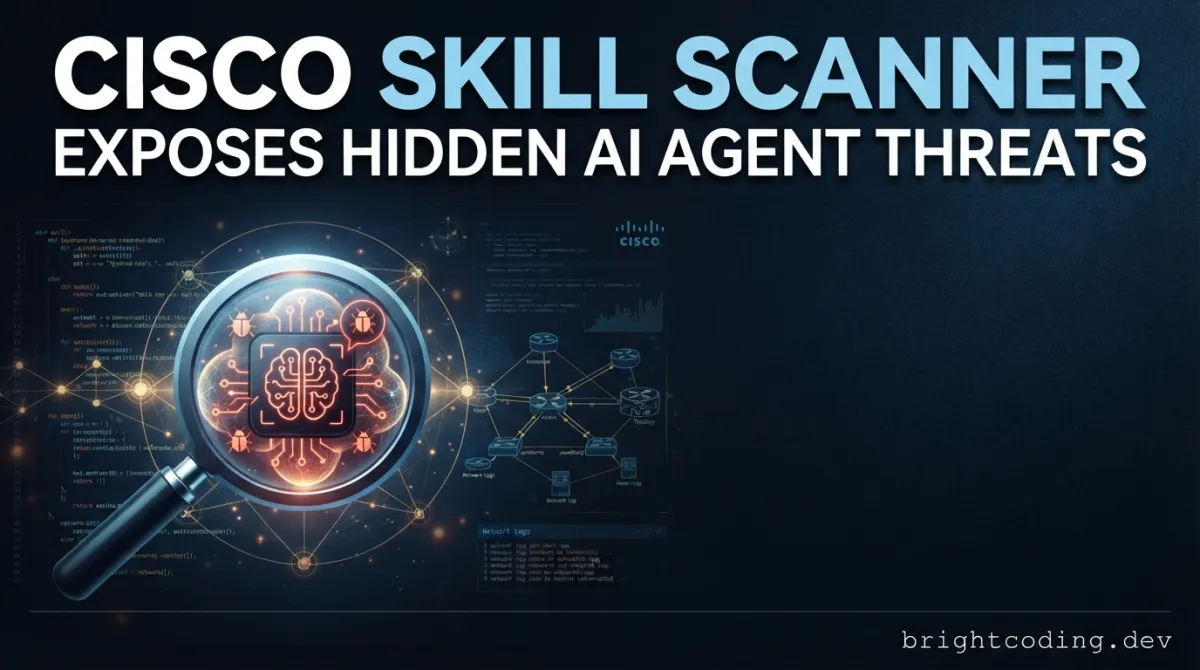
Your AI agent just executed a shell command that exfiltrated your entire .env file to a remote server. The skill looked legitimate. The reviews were glowing. The developer who installed it? They had no idea what hit them.
Welcome to the silent epidemic of compromised AI agent skills—the invisible attack vector that traditional security tools completely miss.
Here's the terrifying truth: every time you install a Cursor rule, an OpenAI Codex skill, or a Claude Code command, you're essentially giving a stranger the keys to your codebase. These skills run with the same privileges as your development environment. They can read secrets, modify files, and phone home to attacker-controlled servers. And until now, there was virtually no way to know which ones were weaponized.
Cisco's Skill Scanner changes everything. This open-source security tool from Cisco AI Defense doesn't just check for obvious malware signatures—it deploys a multi-engine detection system combining static analysis, behavioral dataflow tracking, LLM semantic analysis, and cloud-based threat intelligence to uncover prompt injection attacks, data exfiltration patterns, and malicious code hiding in plain sight.
If you're building or deploying AI agent skills in 2025 and beyond, scanning without this tool isn't just risky—it's reckless. Let me show you exactly how it works, why it's becoming the industry standard, and how to deploy it in your pipeline today.
What Is Cisco Skill Scanner?
Skill Scanner is an open-source security scanner developed by Cisco AI Defense specifically designed to audit AI Agent Skills for security threats. Released on GitHub at github.com/cisco-ai-defense/skill-scanner, it represents one of the first enterprise-grade attempts to secure the rapidly exploding ecosystem of AI agent capabilities.
The tool was born from a critical observation: as AI coding assistants like Cursor, OpenAI Codex, and Claude Code gained the ability to execute skills—structured instructions that agents can invoke to perform complex tasks—the attack surface exploded. A single malicious skill could compromise an entire development organization. Yet no existing security tool understood the semantics of these skill formats or the specific threat models they introduced.
Skill Scanner addresses this gap by implementing best-effort detection across multiple analysis dimensions. It natively supports the Agent Skills specification used by OpenAI Codex Skills and Cursor Agent Skills, with lenient mode extending coverage to non-standard formats like Claude Code's .claude/commands/*.md structures and flat markdown↗ Smart Converter skill repositories.
What makes this tool particularly significant is its multi-layered architecture. Rather than relying on any single detection method—which attackers could evade—Skill Scanner combines pattern-based detection (YAML and YARA rules), LLM-as-a-judge semantic analysis, and behavioral dataflow analysis. This defense-in-depth approach maximizes detection coverage while a sophisticated meta-analyzer minimizes false positives that would otherwise render the tool unusable at scale.
The project is actively maintained with CI/CD integration, PyPI distribution, and a growing community on Discord. It's not a silver bullet—Cisco explicitly states that no findings doesn't guarantee security—but it represents a massive leap forward from the previous state of zero visibility.
Key Features That Make It Irreplaceable
Multi-Engine Detection Architecture
The core innovation is the layered analyzer system. The Static Analyzer uses YAML and YARA patterns to catch known malicious signatures across all files. The Bytecode Analyzer verifies .pyc integrity, detecting tampered Python↗ Bright Coding Blog compiled files. The Pipeline Analyzer performs command taint analysis on shell pipelines to catch obfuscated execution chains.
Going deeper, the Behavioral Analyzer implements AST-based dataflow analysis on Python files, tracking how data moves through code to identify exfiltration paths. The LLM Analyzer brings semantic understanding to SKILL.md files and scripts, catching threats that pattern matching misses. Optional cloud analyzers include VirusTotal hash-based malware detection and Cisco AI Defense cloud-based AI analysis.
False Positive Filtering
Raw detection without filtering is useless in practice. Skill Scanner's Meta-Analyzer applies consensus-based filtering across analyzer outputs, significantly reducing noise while preserving genuine threat detection. The --llm-consensus-runs flag runs LLM analysis multiple times and keeps only majority-agreed findings, dramatically improving precision.
CI/CD Native Integration
Security that slows developers gets bypassed. Skill Scanner outputs SARIF format for native GitHub Code Scanning integration, provides reusable GitHub Actions workflows, and supports configurable exit codes for build failure gating. The pre-commit hook framework ensures skills are scanned before every commit without manual intervention.
Extensibility
The plugin architecture allows custom analyzers, custom YARA rules, custom taxonomy profiles, and custom threat mappings. Organizations can tune the scan policy—with presets for strict, balanced, and permissive modes—to match their risk tolerance.
Real-World Use Cases Where Skill Scanner Saves the Day
Scenario 1: The Compromised Cursor Skill
Your team adopts a popular Cursor skill from GitHub that "automates AWS↗ Bright Coding Blog deployments." Hidden in a seemingly innocent shell pipeline, it actually pipes your ~/.aws/credentials through a base64 encoder to a remote endpoint. Skill Scanner's Pipeline Analyzer catches the tainted command chain, and the Behavioral Analyzer traces the dataflow from credentials file to network output.
Scenario 2: The Prompt Injection Backdoor
An OpenAI Codex skill contains instructions that appear to help with code review. But embedded in the SKILL.md is a carefully crafted prompt injection: when the agent processes files containing specific trigger strings, it silently appends malicious code to generated outputs. The LLM Analyzer's semantic analysis detects this manipulation pattern that static rules would miss entirely.
Scenario 3: The Supply Chain Trojan
Your organization maintains a curated registry of approved skills. A developer updates a trusted skill to a new version—unaware that the maintainer's account was compromised and the .pyc files were replaced with trojanized bytecode. The Bytecode Analyzer flags the integrity violation before the skill reaches production environments.
Scenario 4: Cross-Skill Data Exfiltration
Multiple seemingly benign skills in your repository each perform harmless individual actions. But when combined, they create a data exfiltration pipeline—one reads sensitive files, another encodes them, a third transmits them. Skill Scanner's --check-overlap mode during scan-all operations detects these cross-skill correlation patterns that isolated scanning would miss.
Step-by-Step Installation & Setup Guide
Prerequisites
- Python 3.10+ (check with
python --version) - uv (recommended) or pip package manager
Core Installation
Using uv (fastest, recommended):
uv pip install cisco-ai-skill-scanner
Using standard pip:
pip install cisco-ai-skill-scanner
Cloud Provider Extensions (Optional)
For enterprise deployments leveraging cloud LLM services:
# AWS Bedrock support
pip install cisco-ai-skill-scanner[bedrock]

# Google AI Studio / Gemini support
pip install cisco-ai-skill-scanner[google]

# Google Vertex AI support
pip install cisco-ai-skill-scanner[vertex]

# Azure OpenAI support
pip install cisco-ai-skill-scanner[azure]

# Install all cloud provider extras at once
pip install cisco-ai-skill-scanner[all]
Environment Configuration
Configure API keys for enhanced analyzers:
# Required for LLM analyzer and Meta-analyzer
export SKILL_SCANNER_LLM_API_KEY="your_api_key"
export SKILL_SCANNER_LLM_MODEL="claude-3-5-sonnet-20241022"

# Optional: VirusTotal binary scanning
export VIRUSTOTAL_API_KEY="your_virustotal_api_key"

# Optional: Cisco AI Defense cloud analysis
export AI_DEFENSE_API_KEY="your_aidefense_api_key"
Verification
Launch the interactive wizard to confirm installation:
skill-scanner
This TUI interface guides you through target selection, analyzer configuration, policy choice, and output format—perfect for learning the tool's capabilities without memorizing flags.
Real Code Examples from the Repository
Example 1: Basic Skill Scan with Core Analyzers
The simplest effective scan uses the default static, bytecode, and pipeline analyzers:
# Scan a single skill directory with core analyzers
skill-scanner scan /path/to/skill
This command executes the baseline detection suite. The Static Analyzer scans all files against YAML and YARA threat patterns. The Bytecode Analyzer verifies any .pyc files haven't been tampered with. The Pipeline Analyzer examines shell command chains for tainted data flows. No API keys required—this works entirely offline.
When to use: Initial assessment of unknown skills, CI/CD pipelines without external API access, fast pre-commit checks.
Example 2: Comprehensive Scan with All Engines
For maximum detection coverage on high-risk skills, enable the full analyzer stack:
# Enable behavioral dataflow analysis, LLM semantic analysis, and cloud AI defense
skill-scanner scan /path/to/skill --use-behavioral --use-llm --use-aidefense
The --use-behavioral flag activates AST-based dataflow analysis that tracks how sensitive data moves through Python code—catching exfiltration patterns that static signatures miss. The --use-llm flag enables semantic analysis of natural language instructions in SKILL.md files, detecting prompt injection and social engineering attacks. The --use-aidefense flag sends text content to Cisco's cloud AI for additional threat detection.
Critical insight: Each analyzer catches threats the others miss. The Behavioral Analyzer might spot a data exfiltration path that the LLM Analyzer doesn't see. The LLM Analyzer catches semantic manipulations invisible to AST analysis. Layering them provides defense in depth.
Example 3: Production CI/CD Integration with SARIF Output
Integrate security gating into your build pipeline:
# Scan all skills recursively, fail on high severity, output SARIF for GitHub Code Scanning
skill-scanner scan-all ./skills --fail-on-severity high --format sarif --output results.sarif
The scan-all command recursively discovers all skills in ./skills. The --fail-on-severity high exit code causes CI failure if any HIGH or CRITICAL findings exist, preventing compromised skills from reaching production. The SARIF output integrates natively with GitHub's security dashboard, showing inline annotations on pull requests.
Pro tip: Combine with path filtering in your GitHub Actions workflow to only scan when skills actually change:
on:
  pull_request:
    paths: [".cursor/skills/**", ".claude/commands/**"]
Example 4: Python SDK for Custom Workflows
Embed Skill Scanner directly into your applications:
from skill_scanner import SkillScanner
from skill_scanner.core.analyzers import BehavioralAnalyzer

# Create scanner instance with specific analyzers
scanner = SkillScanner(analyzers=[
    BehavioralAnalyzer(),  # Enable AST dataflow analysis
])

# Execute scan on target skill directory
result = scanner.scan_skill("/path/to/skill")

# Access scan results
print(f"Findings: {len(result.findings)}")
print(f"Max severity: {result.max_severity}")

# CRITICAL: is_safe only indicates no HIGH/CRITICAL findings
# It does NOT guarantee complete security—always review findings
if not result.is_safe:
    print("Issues detected -- review findings before deployment")
This SDK pattern enables custom automation: programmatically scan skills before registry publication, build custom reporting dashboards, or integrate with internal security tools. The is_safe property provides a quick binary check, but Cisco explicitly warns this doesn't guarantee security—human review remains essential for high-risk deployments.
Example 5: Recursive Scanning with Cross-Skill Overlap Detection
For organizations managing skill registries, detect complex multi-skill attacks:
# Scan all skills recursively with cross-skill overlap detection
skill-scanner scan-all /path/to/skills --recursive --check-overlap
The --check-overlap flag enables a critical security analysis: detecting when multiple skills contain correlated descriptions or behaviors that only become malicious in combination. This catches sophisticated supply chain attacks where individual skills appear benign but collectively implement data exfiltration or persistent access.
Advanced Usage & Best Practices
Consensus-Based LLM Analysis
Single LLM evaluations can hallucinate or miss subtle attacks. Run multiple consensus rounds:
skill-scanner scan /path/to/skill --use-llm --llm-consensus-runs 3
This executes LLM analysis three times, keeping only findings that achieve majority agreement. The trade-off is increased API cost and scan time, but the precision improvement is substantial for high-stakes deployments.
Interactive HTML Reporting
Generate self-contained interactive reports for security reviews:
skill-scanner scan /path/to/skill --use-llm --enable-meta --format html --output report.html
The HTML output includes collapsible correlation groups, expandable code snippets with syntax highlighting, and pipeline taint flow diagrams—transforming raw findings into actionable intelligence for security teams.
Custom Policy Tuning
Generate and customize organizational scan policies:
# Generate template policy file
skill-scanner generate-policy -o my_org_policy.yaml

# Edit policy, then apply
skill-scanner scan /path/to/skill --policy my_org_policy.yaml

# Or use interactive TUI configuration
skill-scanner configure-policy
Policies control severity thresholds, analyzer weights, and rule pack selection. The strict preset maximizes detection at the cost of false positives; permissive minimizes noise for trusted sources; balanced provides the default compromise.
Pre-commit Optimization
For large repositories, use the built-in pre-commit hook with staged-change detection:
# .pre-commit-config.yaml
repos:
  - repo: https://github.com/cisco-ai-defense/skill-scanner
    rev: v1.0.0
    hooks:
      - id: skill-scanner
The hook automatically identifies which skill directories have staged changes and only scans those, keeping commit times under seconds even in monorepos with hundreds of skills.
Comparison with Alternatives
| Capability | Cisco Skill Scanner | Traditional SAST | Manual Code Review | Generic Malware Scanners |
|---|---|---|---|---|
| AI Skill Format Awareness | ✅ Native (Codex, Cursor, Claude Code) | ❌ None | ⚠️ Requires expertise | ❌ None |
| Prompt Injection Detection | ✅ LLM semantic + pattern analysis | ❌ None | ⚠️ Inconsistent | ❌ None |
| Behavioral Dataflow Analysis | ✅ AST-based Python tracking | ⚠️ Limited | ⚠️ Time-intensive | ❌ None |
| CI/CD Native Integration | ✅ SARIF, GitHub Actions, pre-commit | ⚠️ Varies | ❌ Manual | ⚠️ Limited |
| False Positive Management | ✅ Meta-analyzer with consensus | ⚠️ Often noisy | ✅ Human judgment | ⚠️ Often noisy |
| Scan Speed | ⚠️ Seconds to minutes (LLM-dependent) | ✅ Fast | ❌ Hours to days | ✅ Fast |
| Cost | ✅ Free (open source), API costs optional | ⚠️ Often expensive | ❌ Expensive labor | ⚠️ Varies |
| Zero-Day Detection | ⚠️ Best-effort (LLM helps) | ❌ Signature only | ⚠️ Expert-dependent | ❌ Signature only |
The verdict: Traditional SAST tools lack any understanding of AI agent skill semantics. Manual review doesn't scale and misses prompt injection patterns. Generic malware scanners can't parse skill formats or analyze natural language instructions. Skill Scanner occupies a unique position as the only tool purpose-built for this emerging threat landscape.
FAQ
Q: Does "No findings" mean my skill is completely safe?
A: Absolutely not. Cisco explicitly states this is a best-effort detection tool. No findings indicates no known threat patterns were detected, not that the skill is secure. Always combine scanning with manual review for high-risk deployments.
Q: What AI skill formats does Skill Scanner support?
A: Native support for OpenAI Codex Skills and Cursor Agent Skills following the Agent Skills specification. With --lenient mode, it also handles Claude Code .claude/commands/*.md, flat markdown skill repos, and custom metadata filenames via --skill-file.
Q: Do I need paid API keys to use Skill Scanner?
A: No. The core static, bytecode, and pipeline analyzers work entirely offline without any API keys. LLM, meta-analyzer, VirusTotal, and Cisco AI Defense features require respective API keys but are optional.
Q: How do I integrate Skill Scanner with GitHub Actions?
A: Use the reusable workflow from the repository. Results appear as inline PR annotations via SARIF output. See the full GitHub Actions guide for LLM secret configuration and branch protection setup.
Q: Can Skill Scanner detect novel or zero-day attacks?
A: Partially. The LLM Analyzer provides some zero-day capability through semantic understanding, but no automated tool can catch every novel technique. Coverage is inherently incomplete—this is explicitly acknowledged in the tool's limitations.
Q: What's the performance impact of enabling all analyzers?
A: Static analysis completes in seconds. Behavioral analysis adds moderate overhead for large Python files. LLM analysis depends on API latency and --llm-consensus-runs—typically 10-60 seconds per skill. Use analyzer selection to balance speed and depth for your use case.
Q: How do I contribute custom detection rules?
A: The plugin architecture supports custom YARA rules, Python rules, and signature-based rules. See the Rule Authoring documentation for the complete guide.
Conclusion
The AI agent skill ecosystem is exploding—and so is the attack surface. Every skill you install is a potential trojan horse with privileged access to your development environment, secrets, and infrastructure. Traditional security tools are blind to this threat. Manual review doesn't scale. And "hope" isn't a security strategy.
Cisco Skill Scanner is the first credible defense. Its multi-engine architecture combining static analysis, behavioral dataflow tracking, LLM semantic evaluation, and cloud intelligence provides layered detection that no single approach achieves. The native CI/CD integration, extensible plugin system, and active open-source community make it practical for real-world deployment.
Is it perfect? No. Cisco is admirably transparent about limitations—no automated scanner guarantees security. But in a landscape where most organizations have zero visibility into skill threats, Skill Scanner provides critical defense-in-depth that could mean the difference between catching an attack and becoming a headline.
Don't deploy another AI agent skill without scanning it first. The installation takes five minutes. The peace of mind—and potential breach prevention—is priceless.
👉 Install Skill Scanner now from GitHub and join the Cisco AI Discord community to share feedback, get help, and contribute to the future of AI agent security.
Your codebase will thank you. Your security team will thank you. And the attacker who was counting on your blind trust? They'll have to find an easier target.
Outils recommandés
Tags
Explore on the BrightCoding network
Hand-picked resources from our other sites.
confident-ai/deepteam: Open-Source LLM Red Teaming with 50+ Vulnerabilities
DeepTeam is an open-source Python framework for red teaming LLMs and AI agents with 50+ vulnerabilities, 20+ adversarial attacks, and production guardrails. Bui...
Stop Wrestling with Scientific Python! 135 AI Skills That Just Work
Transform your AI agent into a research powerhouse with 135 ready-to-use scientific skills covering genomics, drug discovery, proteomics, and more. Install in s...
hallucinogen/agent-viewer: Kanban Board for Claude Code in tmux
hallucinogen/agent-viewer is a web-based kanban board for managing multiple Claude Code agents in tmux sessions. Features include visual spawn/monitor/interact...
Continuez votre lecture
Masking Personal Data Before Sending Prompts to AI Providers: Protect Your Privacy in the Age of LLMs
ClawGuard: The Essential AI Agent Security Dashboard

Stop Letting AI Agents Steal Your Secrets — Use Crust Now

Stop Coding Alone: OPC-Skills Gives Your AI Agent Superpowers
Commentaires 0
Aucun commentaire pour l'instant. Soyez le premier à réagir !