Cut LLM API Costs by 80%: The RTK CLI Proxy Secret
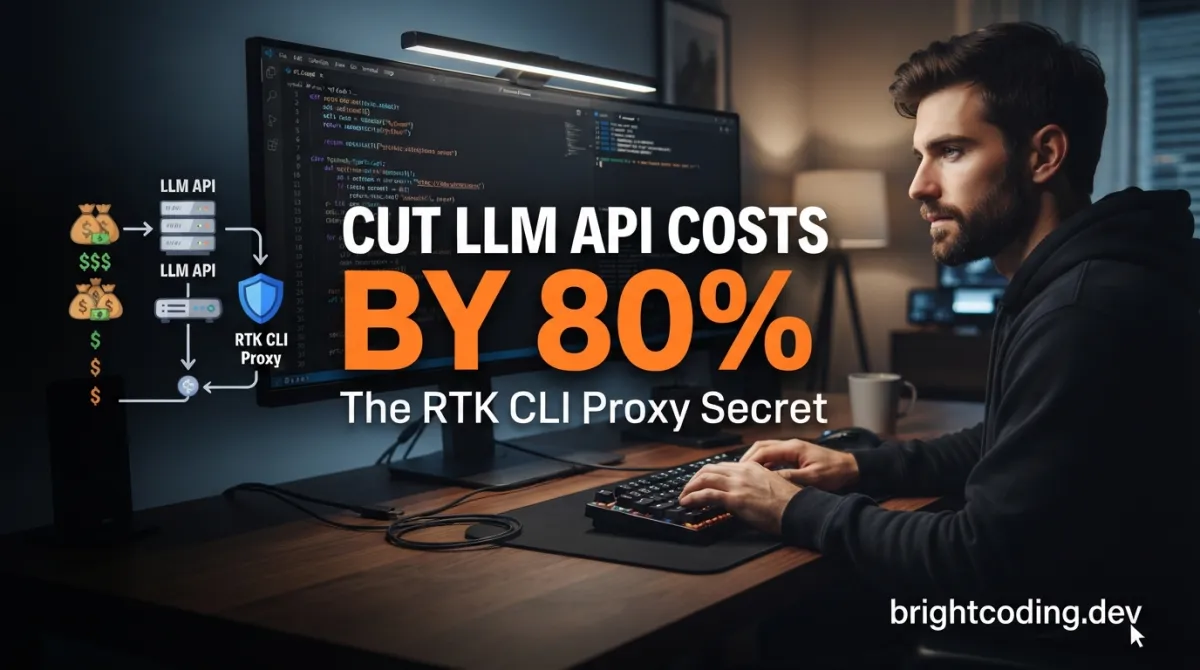
Your AI coding assistant just burned through $47 in tokens this week. And you barely noticed.
Here's the dirty secret nobody talks about: every git status, every cargo test, every ls -la your Claude Code or Cursor agent runs is pumping thousands of raw tokens into your context window. Boilerplate. Whitespace. Repeated log lines. ASCII progress bars. Your LLM is drowning in noise, and your API bill is the casualty.
What if you could strip 60-90% of that waste before it ever reaches your model?
Enter RTK — the Rust-powered CLI proxy that's making senior engineers quietly furious they didn't build it first. A single binary. Zero dependencies. Sub-10ms overhead. And the kind of token savings that turn a $500/month AI coding habit into pocket change.
This isn't another wrapper. This is surgical compression at the shell level, and it's about to change how you think about AI-assisted development.
What is RTK?
RTK (Rust Token Killer) is a high-performance CLI proxy built in Rust that intercepts, filters, and compresses command outputs before they reach your LLM's context window. Created by Patrick Szymkowiak and the core team at rtk-ai, it operates as a transparent layer between your AI coding tool and the shell — rewriting commands like git status into rtk git status automatically, then returning radically compact output.
The project's GitHub repository (rtk-ai/rtk) has exploded in popularity for one brutal reason: it solves a universal pain point with zero friction. Unlike complex middleware or cloud proxies, RTK is a single static binary with no runtime dependencies. It doesn't phone home (telemetry is opt-in), doesn't require containerization, and adds less than 10 milliseconds of latency per command.
Why is it trending now? The timing is surgical. As AI coding tools like Claude Code, Cursor, and Gemini CLI become daily drivers, developers are hitting context limits and API rate ceilings faster than ever. A typical 30-minute Claude Code session generates ~118,000 tokens of raw command output. RTK compresses that to ~23,900 tokens — an 80% reduction — without losing actionable information. When Anthropic charges $3 per million input tokens for Claude 3.5 Sonnet, that's not optimization. That's survival.
The architecture is deliberately minimal: hook-based interception for Bash tool calls, with plugin-based adapters for agents that support API-level command mutation. The result is 100% transparent adoption — your AI assistant never knows RTK exists, yet receives dramatically cleaner context.
Key Features That Make RTK Insane
Four-Strategy Compression Engine
RTK doesn't just truncate. It applies context-aware filtering per command type:
- Smart Filtering — Strips comments, excessive whitespace, boilerplate headers, and decorative ASCII art (looking at you, Prisma generate)
- Grouping — Aggregates similar items: files clustered by directory, errors bucketed by type, test failures collated by message pattern
- Truncation — Preserves relevant context while cutting redundancy; keeps the first N unique items with "...and 47 more" semantics
- Deduplication — Collapses repeated log lines with occurrence counts, turning 200 identical "Compiling module..." lines into one annotated entry
100+ Supported Commands
From git status to aws↗ Bright Coding Blog ec2 describe-instances, from cargo test to kubectl logs, RTK maintains optimized filters across the entire development stack. The coverage spans:
- File operations:
ls,read,grep,find,diff - Git workflows: status, log, diff, add, commit, push with ultra-compact output
- Test runners: Jest, Vitest, pytest, Go test, Cargo test, Playwright — all showing failures-only by default
- Build & lint: ESLint, TypeScript compiler, Clippy, Ruff, golangci-lint with grouped error reporting
- Cloud & containers: AWS CLI, Docker↗ Bright Coding Blog, Kubernetes with secret-stripping and field filtering
- Package managers: pnpm, pip, Bundler with dependency tree compression
Transparent Hook System
The rtk init -g command installs a Bash PreToolUse hook that rewrites commands automatically. git status becomes rtk git status without your AI assistant ever knowing. For agents without hook support, project-scoped configuration files (.windsurfrules, .clinerules) inject RTK instructions directly.
Built-in Analytics
Track your savings with rtk gain, visualize adoption with rtk gain --graph, and discover missed opportunities with rtk discover. The tool quantifies value in tokens saved, commands optimized, and estimated USD reduction based on API pricing.
Use Cases Where RTK Absolutely Dominates
1. High-Frequency Git Operations
AI agents run git status and git diff obsessively during multi-file refactors. Raw git status on a medium project: ~2,000 tokens. RTK output: ~400 tokens. At 10+ invocations per session, that's 16,000 tokens saved before you write a line of code.
2. Test-Driven Development Loops
Running cargo test or pytest after every change? Standard output for a failing Rust test suite can hit 25,000 tokens. RTK's failures-only filter collapses this to 2,500 tokens — a 90% reduction — while preserving every actionable error message and stack trace.
3. Cloud Infrastructure Debugging
aws ec2 describe-instances returns massive JSON with fields your LLM never needs. RTK strips policy documents, secrets, and metadata, returning name/runtime/memory only. Same for kubectl logs with deduplication: 10,000 identical "connection timeout" lines become one entry with [×10047].
4. Onboarding New Team Members
Junior developers using AI assistants burn tokens fastest — they run exploratory commands repeatedly. RTK's automatic optimization means their ls, cat, and find operations return compact, scannable output instead of wall-of-text dumps that eat context window.
5. CI/CD Pipeline Integration
The rtk init -g --auto-patch flag enables non-interactive hook installation. Your GitHub Actions or GitLab CI jobs running AI-powered code review get automatic token optimization without human intervention, cutting pipeline costs at scale.
Step-by-Step Installation & Setup Guide
Homebrew (Recommended for macOS/Linux)
# One-line install with automatic updates
brew install rtk

# Verify installation
rtk --version   # Expected: rtk 0.28.2
Quick Install Script (Linux/macOS)
# Download and install to ~/.local/bin
curl -fsSL https://raw.githubusercontent.com/rtk-ai/rtk/refs/heads/master/install.sh | sh

# Add to PATH if not already configured
echo 'export PATH="$HOME/.local/bin:$PATH"' >> ~/.bashrc  # or ~/.zshrc
source ~/.bashrc  # or ~/.zshrc
Cargo Install (Rust toolchain required)
# Critical: use --git to avoid name collision with "Rust Type Kit" on crates.io
cargo install --git https://github.com/rtk-ai/rtk
Windows Setup
Recommended: WSL for full functionality
# Inside WSL — identical to Linux experience
curl -fsSL https://raw.githubusercontent.com/rtk-ai/rtk/refs/heads/master/install.sh | sh
rtk init -g
Native Windows (limited — no auto-rewrite hook)
# 1. Download rtk-x86_64-pc-windows-msvc.zip from GitHub releases
# 2. Extract to C:\Users\<you>\.local\bin
# 3. Add to PATH via System Environment Variables
# 4. Initialize in CLAUDE.md fallback mode
rtk init -g
# 5. Use explicit rtk prefix for all commands
rtk cargo test
rtk git status
Critical Windows note: Never double-click
rtk.exe. It's a CLI tool that prints usage and exits. Always run from Command Prompt, PowerShell, or Windows Terminal.
Post-Install: Initialize for Your AI Tool
# Claude Code / GitHub Copilot (default)
rtk init -g

# Alternative agents
rtk init -g --gemini            # Gemini CLI
rtk init -g --codex             # OpenAI Codex
rtk init --agent cursor         # Cursor
rtk init --agent windsurf       # Windsurf
rtk init --agent cline          # Cline / Roo Code
rtk init --agent kilocode       # Kilo Code
rtk init --agent antigravity    # Google Antigravity
rtk init --agent hermes         # Hermes

# Verify hook installation
rtk init --show
Mandatory final step: Restart your AI assistant completely. The hook requires a fresh process to load the Bash interception.
Configuration (Optional)
# Create config directory
mkdir -p ~/.config/rtk

# Edit configuration
cat > ~/.config/rtk/config.toml << 'EOF'
[hooks]
exclude_commands = ["curl", "playwright"]  # Skip rewrite for these commands

[tee]
enabled = true          # Save raw output on failure for LLM inspection
mode = "failures"       # Options: "failures", "always", "never"
EOF
REAL Code Examples from RTK
Example 1: Ultra-Compact Git Workflow
Before RTK, your AI assistant receives this raw git push output:
# Standard git push — ~200 tokens of noise
git push
Enumerating objects: 5, done.
Counting objects: 100% (5/5), done.
Delta compression using up to 8 threads
Compressing objects: 100% (3/3), done.
Writing objects: 100% (3/3), 312 bytes | 312.00 KiB/s, done.
Total 3 (delta 2), reused 0 (delta 0), pack-reused 0
remote: Resolving deltas: 100% (2/2), completed with 2 local objects.
To github.com:your-org/your-repo.git
   a1b2c3d..e4f5g6h  main -> main
With RTK's hook installed, the identical command auto-rewrites and returns:
# Auto-rewritten: git push -> rtk git push
rtk git push
ok main
What happened? RTK's Git filter recognized this as a successful push with no errors, no rejected refs, and no additional context needed. The LLM receives confirmation of success and the branch name — 10 tokens versus 200. For an agent running git push 5+ times per session, that's nearly 1,000 tokens saved on this command alone.
Example 2: Test Runner Compression
Raw test output destroys context windows. Here's cargo test with failures:
# Without RTK — prepare for 200+ lines
cargo test
running 15 tests
test utils::test_parse ... ok
test utils::test_format ... ok
test utils::test_validate ... ok
test core::test_edge_case ... FAILED
test core::test_overflow ... ok
test core::test_boundary ... ok
test integration::test_api_v1 ... ok
test integration::test_api_v2 ... ok
test integration::test_websocket ... ok
test integration::test_auth ... FAILED
test db::test_connection ... ok
... (continues with 180+ more lines of stack traces, stdout captures, and summary tables)

failures:
    core::test_edge_case
    integration::test_auth

test result: FAILED. 2 passed; 2 failed; 0 ignored; 0 measured; 0 filtered out
RTK's test filter extracts exactly what matters:
# Auto-rewritten: cargo test -> rtk cargo test
rtk cargo test
FAILED: 2/15 tests
  test_edge_case: assertion failed at core.rs:42
  test_auth: connection timeout at auth.rs:118
The technique: RTK parses test runner output using format-specific grammars. For Cargo's TAP-like output, it identifies the test result line, extracts failure names with their first associated error message, and discards passing test names, progress indicators, and full stack↗ Bright Coding Blog traces. The -l aggressive flag strips even more, showing only test names without error details for ultra-sparse contexts.
Example 3: Smart File Reading with Aggressive Filtering
When your AI needs to understand a file's structure without implementation details:
# Standard read — entire file contents with all tokens
rtk read src/parser.rs
// Full file: imports, implementations, 500+ lines
use std::collections::HashMap;

pub struct Parser {
    tokens: Vec<Token>,
    position: usize,
}

impl Parser {
    pub fn new(input: &str) -> Self {
        // ... 20 lines of tokenization
    }

    pub fn parse_expression(&mut self) -> Result<Expr, ParseError> {
        // ... 80 lines of recursive descent
    }

    // ... 400 more lines
}
Aggressive mode for structure-only:
# Signatures only — strips all function bodies
rtk read src/parser.rs -l aggressive
pub struct Parser { ... }
impl Parser {
    pub fn new(input: &str) -> Self;
    pub fn parse_expression(&mut self) -> Result<Expr, ParseError>;
    pub fn parse_statement(&mut self) -> Result<Stmt, ParseError>;
    // 12 methods total
}
When to use this: Architecture discussions, API design reviews, or when the LLM needs to understand module boundaries without implementation noise. The -l flag accepts normal (default smart filtering), aggressive (signatures only), or minimal (imports and types only).
Example 4: Analytics and Discovery
Track your optimization ROI:
# Summary of all-time savings
rtk gain
Total commands optimized: 12,847
Tokens saved: 4,231,900 (78% reduction)
Estimated API cost saved: $12.70
Top commands: git (34%), cargo (22%), ls (15%)
Find missed opportunities across projects:
# Discover commands that could benefit from RTK
rtk discover --all --since 7
Missed savings (last 7 days):
  340× npm test        → rtk npm test        (est. 85,000 tokens)
  127× terraform plan  → rtk terraform plan  (est. 31,000 tokens)
  89×  docker compose  → rtk docker compose  (est. 12,000 tokens)

Run 'rtk init -g' in these projects to capture savings.
Advanced Usage & Best Practices
Ultra-Compact Mode for Maximum Savings
When context is critically constrained, enable -u for ASCII-icon inline format:
rtk -u git status
# Output: ✓ 3M 1? src/main.rs src/lib.rs Cargo.toml
This replaces verbose status lines with single-character indicators and inline lists, trading readability for token density.
Tee Recovery for Debugging Failures
RTK's tee system saves raw output when commands fail:
# Default: save full output on failure only
rtk cargo test  # Shows compact output
# On failure, LLM receives:
# FAILED: 2/15 tests
# [full output: ~/.local/share/rtk/tee/1707753600_cargo_test.log]
Your AI assistant can then read the complete log if debugging requires unfiltered detail — no re-execution needed.
Per-Project Configuration
Create .rtk.toml in project roots for team-shared exclusions:
[hooks]
exclude_commands = ["custom-deploy-script", "internal-tool"]

[filters.cargo_test]
show_stdout = true  # Override: include test stdout even on success
Telemetry Management
# Check status (disabled by default)
rtk telemetry status

# Opt-in to help improve filters
rtk telemetry enable

# Hard disable via environment
export RTK_TELEMETRY_DISABLED=1
Comparison with Alternatives
| Feature | RTK | Manual Prompt Engineering | Cloud Proxies | Custom Scripts |
|---|---|---|---|---|
| Setup | brew install rtk; rtk init -g |
Per-session effort | Infrastructure + auth | Build + maintain |
| Transparency | 100% automatic | Requires discipline | Network hop visible | Manual invocation |
| Coverage | 100+ commands | Limited to what you remember | Varies by vendor | Only what you wrote |
| Latency | <10ms | N/A (human time) | 50-500ms | Depends on implementation |
| Dependencies | Zero | None | Cloud service dependency | Language runtime |
| Privacy | Local only; opt-in telemetry | Local | Data leaves premises | Local |
| Cost | Free, open source | Your time | Subscription + token markup | Your time |
| AI Tool Support | 13 agents, growing | Universal (manual) | Limited integrations | Universal (manual) |
| Analytics | Built-in (rtk gain) |
None | Dashboard | Custom logging |
Why RTK wins: It's the only solution that combines zero-friction automatic operation with zero dependencies and complete local privacy. Cloud proxies add latency and trust requirements. Manual prompt engineering doesn't scale across team members or AI tool switches. Custom scripts rot and fragment.
FAQ
Does RTK modify my actual commands or shell history?
No. The hook rewrites commands in transit to the shell — your shell history shows git status, not rtk git status. The rewrite is transparent to both you and your AI assistant.
Will RTK hide critical information I need for debugging?
RTK's filters are designed to preserve actionable data while removing noise. The tee system saves full unfiltered output on failures, accessible via file path in the compact output. Use -v flags for progressively verbose output when needed.
Is RTK only for Claude Code?
No — RTK supports 13 AI tools including Cursor, Gemini CLI, GitHub Copilot, Codex, Windsurf, Cline, and more. Each has optimized integration methods from hooks to project-scoped rules files.
How much does RTK actually save?
Based on the project's published benchmarks, a 30-minute Claude Code session on a medium TypeScript/Rust project generates ~118,000 tokens of raw command output. RTK reduces this to ~23,900 tokens — an 80% reduction. Individual commands see 60-92% savings depending on verbosity.
Can I use RTK without the auto-rewrite hook?
Yes. Explicit rtk <command> works everywhere. The hook is convenience; explicit invocation is full functionality. On Windows without WSL, explicit invocation is the primary mode.
Does RTK work with my custom internal tools?
Use rtk proxy <command> for raw passthrough with token tracking, or contribute a filter. The project welcomes PRs for new command types — see ARCHITECTURE.md for filter development patterns.
Is RTK production-ready?
With 100+ commands, CI/CD integration, and active maintenance, RTK is used daily by teams optimizing AI-assisted workflows. The MIT license and open source model allow audit and modification.
Conclusion: Stop Burning Tokens, Start Shipping Faster
RTK isn't a nice-to-have optimization. In an era where AI coding assistants are becoming as essential as Git itself, token efficiency is engineering efficiency. Every wasted token is a slower response, a truncated context window, a higher API bill, and a frustrated developer waiting for the model to process noise.
The rtk-ai/rtk project delivers something rare: a tool that installs in seconds, works transparently, and produces measurable, significant cost reductions from day one. No infrastructure. No subscription. No trade-offs in functionality.
I've seen too many teams accept ballooning AI tooling costs as inevitable. RTK exposes that acceptance as unnecessary. The 80% token reduction isn't theoretical — it's benchmarked, it's consistent, and it's sitting one brew install away.
Your move: Install RTK today. Run rtk init -g. Restart your AI assistant. Then watch rtk gain climb as your context windows breathe again. The repository is at github.com/rtk-ai/rtk — star it, fork it, and join the Discord if you hit edge cases. Your API budget will thank you.
Outils recommandés
Explore on the BrightCoding network
Hand-picked resources from our other sites.
Stop Reading Docker Docs! Learn Containers by Doing with Dockerlings
Master Docker hands-on with Dockerlings, the interactive terminal app that teaches containers through 15+ progressive exercises. Instant feedback, zero friction...
tramcar/awesome-job-boards: Curated Niche Job Boards for Developers
tramcar/awesome-job-boards is a curated Awesome List of 100+ niche job boards for specialized tech roles in AI, blockchain, programming languages, remote work,...
Stop Wasting Tokens! auto-prompt Cuts AI Costs by 40%
Discover auto-prompt, the LGPL-licensed AI Prompt Optimization Platform that analyzes inference, visualizes reasoning, and cuts API costs by 40%. Built on .NET...
Continuez votre lecture

Why Alexandrie is the Ultimate Markdown Note-Taking App

Why CrossPaste is the Ultimate Game Changer for Clipboard Management

Why Chandra is the Ultimate OCR Tool for Handwriting and Tables

Stop Coding Alone: OPC-Skills Gives Your AI Agent Superpowers
Commentaires 0
Aucun commentaire pour l'instant. Soyez le premier à réagir !