danielrosehill/Claude-Code-Projects-Index: Curated Agent Workspaces
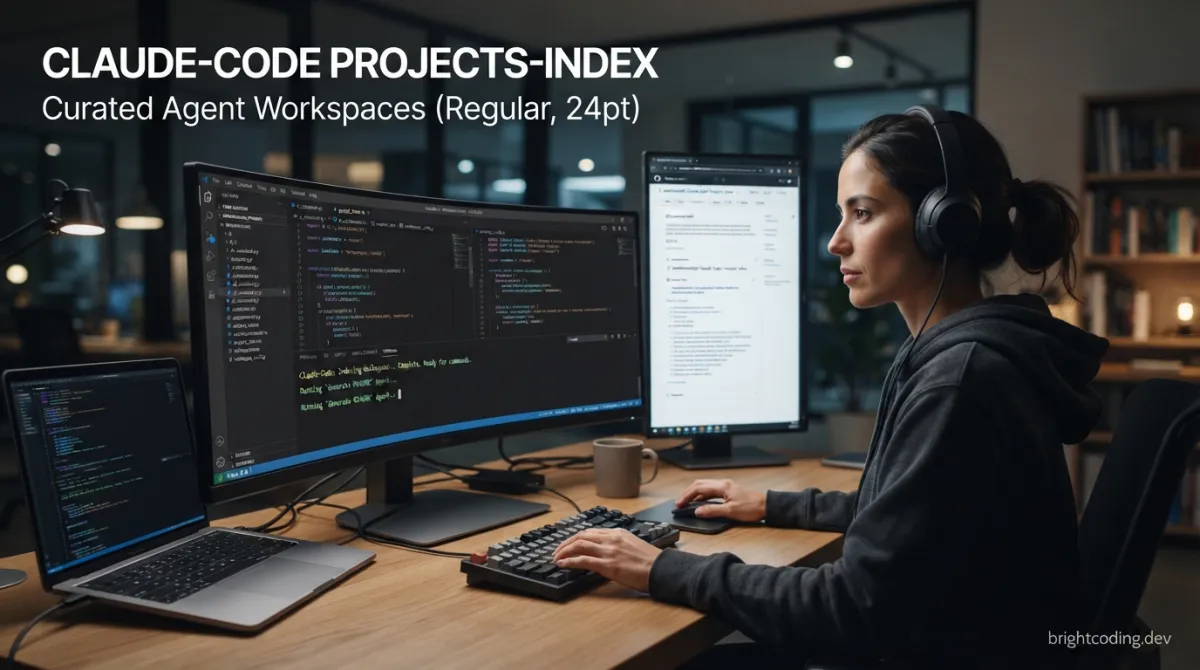
danielrosehill/Claude-Code-Projects-Index: A Curated Ecosystem of Claude Code Agent Workspaces
Developers experimenting with Claude Code quickly hit a familiar wall: you've got a powerful agentic CLI, but every new domain requires reinventing the workspace structure, context patterns, and tooling setup. The danielrosehill/Claude-Code-Projects-Index addresses this friction directly—offering a categorized index of 75+ repositories that treat Claude Code not as a coding assistant, but as a general-purpose agent workspace for everything from systems administration to legal research, health documentation, and financial planning.
With 516 stars and 68 forks, this open-source index (built in Astro, last updated May 2026) has become a reference point for developers extending Claude Code beyond traditional software development. This article breaks down what's in the index, how the agent workspace pattern works, and whether it fits your workflow.
What is danielrosehill/Claude-Code-Projects-Index?
The danielrosehill/Claude-Code-Projects-Index is a curated collection of Claude Code projects, agent workspace blueprints, and related resources maintained by Daniel Rosehill. Rather than scattered one-off experiments, Rosehill has organized these into a coherent system with a browsable web interface at claude.danielrosehill.com and a dedicated documentation portal.
The core insight driving this index: Git repositories can serve as complete, self-contained workspaces for any activity—not just code. Each workspace follows a consistent pattern: defined folder structure, a CLAUDE.md file for agent instructions, slash commands, MCP configurations, and subagent definitions. This structure has been applied to domains as varied as remote server management, therapy tracking, SEO↗ Bright Coding Blog analysis, and audio editing.
The index also serves as the gateway to Rosehill's broader tooling ecosystem, including a 28-plugin marketplace (danielrosehill/Claude-Code-Plugins) that ships domain primitives globally and provisions per-project scaffolds on demand. The project has been recognized by community curators including awesome-claude-code, which noted the breadth across "CMS, system design, deep research, IoT, agentic workflows, server management, personal health."
Notably, the tooling architecture shifted in April 2026: where scaffolds were previously distributed as ~100 standalone template repos, they're now bundled inside cluster plugins using a "primitives globally, scaffolds per-cluster" model.
Key Features
Agent Workspace Pattern
Every repository in the index follows a standardized workspace model: CLAUDE.md for agent instructions, topical context files, slash commands for common operations, and MCP server configurations for external tool integration. This consistency means skills transfer across domains—a sysadmin workspace and a legal research workspace share the same structural grammar.
28 Cluster Plugins
The plugin system consolidates domain-specific tooling into installable units. Each plugin ships commands, skills, and agent definitions globally, then provisions fresh project scaffolds on demand via /plugin install <name>@danielrosehill. Domains covered include sysadmin, research, media, writing, planning, legal, health, career, business, and more.
Multi-Agent Tooling
Several repositories address orchestration challenges: Agent-Junction provides an MCP server for encrypted peer-to-peer communication between Claude Code instances; Claude-Agent-Picker-Pattern optimizes multi-agent crew assembly; Claude-Task-Manager implements sequential task queuing to mitigate context window exhaustion.
Context & Personalization Infrastructure
The index includes multiple projects for managing agent context: Claude-Code-Context-Toolkit bridges human-friendly CONTEXT.md files with AI-optimized CLAUDE.md briefings; Claude-User-Context-Pattern organizes user-level ~/.claude/ context with topical routing; Batch-ClaudeMD-Repo-Creator automates CLAUDE.md propagation across repositories.
MCP Integration Support
Dedicated tooling for Model Context Protocol setup: Claude-Code-MCP-Command-Generator, How-To-MCP (with a tiered decision matrix for agent-provisioned connections), Claude-Code-MCP-List (14+ categories of servers), and Smithery-Claude-Code-MCP-Jumpstarter (35+ servers with interactive installer).
Slash Command Library
The companion Claude-Slash-Commands repository hosts 350+ commands, with individual repos for specific workflows like filesystem organization (Claude-File-Organiser-Super-Slash), dead code removal (Claude-App-Optimiser), and autonomous action mode (Claude-Calls-The-Shots).
Use Cases
Systems Administration & Recovery
Multiple workspaces target Linux sysadmin workflows: Bash-Alias-Manager-Claude with YADM sync, Claude-Rescue for recovery shell deployment, and Claude-System-Recovery-Mode with a custom GRUB boot entry. KDE Plasma integration includes Dolphin context menu actions for Konsole window layouts.
Legal & Investigative Work
Workspaces for case management, evidence handling, document analysis, redaction, and brief generation. The Claude-Legal-Investigative-Plugin bundles these primitives with PII obfuscation workflows.
Health Documentation & Personal Planning
Therapy tracking, medical visit management, and health-related research workspaces. The Claude-Personal-Planning-Plugin covers diary, health, therapy, preparedness, and personal development variants.
Research & Synthesis
Deep research, technical research, OSINT, geo-reaction, stack/ecosystem analysis, and competitor research workflows via the Claude-Research-Space-Plugin. Dedicated Claude-Change-My-View workspace for policy modeling through synthesized debate.
Content & Communications
Automated website update emails via Resend MCP (Claude-Website-Update-Sender), personalized text rewriting rules (Declaude), and PR/media coverage scanning (Claude-PR-Media-Work-Plugin).
Installation & Setup
The index itself is browsable online, but to use the plugin system and workspaces, you'll need Claude Code installed and the plugin marketplace configured.
Step 1: Install Claude Code Follow the official Anthropic installation for your platform. The index assumes a working Claude Code CLI.
Step 2: Browse the Index Visit claude.danielrosehill.com or the GitHub repository to identify relevant workspaces or plugins for your domain.
Step 3: Install a Cluster Plugin Rather than cloning template repos, install the relevant domain plugin:
# Example: install the research plugin
/plugin install Claude-Research-Space-Plugin@danielrosehill

# Example: install the sysadmin plugin
/plugin install Claude-Sysadmin-Homelab-Plugin@danielrosehill
Step 4: Provision a Workspace Scaffold Once installed, request a fresh scaffold for your specific project:
# Within Claude Code, after plugin installation
/scaffold new-project-name
The plugin writes the folder structure, CLAUDE.md, context files, and MCP configurations appropriate to that domain.
Step 5: Configure Context
Populate your user-level context using the Claude-User-Context-Pattern:
# Create topical context directory
mkdir -p ~/.claude/context

# Add domain-specific context files
touch ~/.claude/context/system-environment.md
touch ~/.claude/context/git-rules.md
touch ~/.claude/context/mcp-usage.md
The top-level ~/.claude/CLAUDE.md routes to these files only when relevant, keeping context lean.
Real Code Examples
The README provides structural patterns rather than extensive code snippets. Here are the documented configurations and commands, reproduced accurately:
Plugin Installation Command Pattern
/plugin install <name>@danielrosehill
This is the standard format for installing from the marketplace. The @danielrosehill namespace distinguishes these from other plugin sources. The README notes 28 cluster plugins covering workflows across sysadmin, research, media, writing, planning, and more.
CLAUDE.md Context Routing Pattern
From the Claude-User-Context-Pattern repository, the lean top-level structure:
# ~/.claude/CLAUDE.md
# Routes to topical context files only when relevant

- System environment: context/system-environment.md
- Git rules: context/git-rules.md
- MCP usage: context/mcp-usage.md
- File organization: context/file-organization.md
This depersonalized pattern keeps the main briefing minimal while making domain context available on demand.
MCP Server Configuration (How-To-MCP) The tiered decision matrix for agent-provisioned MCP connections:
# Tier 1: Essential connections (always provision)
- Filesystem access
- Git operations

# Tier 2: Domain-specific (provision per workspace)
- Research: web search, academic databases
- Sysadmin: SSH, cloud provider APIs

# Tier 3: Optional enhancements (user discretion)
- Specialized format converters
- Niche API integrations
The README explicitly notes this is a "guide for instructing AI agents on how to provision and manage MCP server connections according to user-specific preferences."
Slash Command: Declaude Text Refinement
From the Declaude repository, personalized rewriting rules consolidate into:
/declaude
This slash command applies user-defined rules for refining AI-generated documentation, addressing the common problem of generic or overly formal AI output.
The README contains these documented examples; developers should consult individual repositories for implementation details.
Advanced Usage & Best Practices
Prefer Plugins Over Forks The April 2026 reshape consolidated ~100 template repos into cluster plugins. The recommended workflow: install once, scaffold repeatedly. This avoids the maintenance burden of keeping forked templates synchronized with upstream improvements.
Context Hygiene
Rosehill's CONTEXT.md methodology separates human-authored context from structured AI briefings. Maintain this separation: human notes in CONTEXT.md, agent-optimized instructions in CLAUDE.md. The Claude-Code-Context-Toolkit automates this bridging.
Model Verification
Use the Claude-Model-Identifier prompt template at conversation start to confirm which Claude variant is active—particularly important when context window size or tool availability varies by model.
Multi-Agent Guardrails
When using Agent-Junction or similar peer-to-peer setups, the README emphasizes encrypted localhost/LAN communication. For production orchestration, evaluate whether Claude Code's current multi-agent patterns meet your reliability requirements, or whether dedicated frameworks like [INTERNAL_LINK: agent-orchestration-tools] better suit your scale.
Voice Typing Accommodation
The The-User-Voice-Types snippet tells Claude to infer around transcription errors and stray keystrokes—valuable for accessibility and mobile usage.
Comparison with Alternatives
| Tool | Approach | Best For | Trade-off |
|---|---|---|---|
| danielrosehill/Claude-Code-Projects-Index | Curated workspace ecosystem with plugins | Developers wanting pre-structured, domain-specific Claude Code environments | Astro-based site; plugin system requires Claude Code CLI |
| awesome-claude-code (wong2) | Community curated list | Discovery of diverse community projects | No standardized workspace pattern; no plugin system |
| Claude Code official docs | Vendor documentation | Core CLI features and API reference | No domain-specific workspace templates or community plugins |
| OpenAI Codex CLI | Alternative agentic CLI | Teams already in OpenAI ecosystem | Different context model; no equivalent plugin marketplace |
The index's distinctive value is the systematization of Claude Code usage patterns across non-code domains. Where awesome-claude-code lists projects, Rosehill's index provides an architectural pattern with tooling to replicate it.
FAQ
Is this officially affiliated with Anthropic? No. Daniel Rosehill is an independent developer; the index is community-built and human-designed, though repos are generated with Claude Code.
What's the license? The repository does not specify a license. Check individual linked repositories for their terms.
Can I use these workspaces without the plugin system? Yes. Many repositories remain directly cloneable, though the plugin-based scaffold provisioning is the recommended path.
How current is the index? Last commit was May 13, 2026. The plugin marketplace and documentation portal are actively maintained.
Does this work with other agentic CLIs? The README states most patterns "adapt to other agentic AI CLIs and frameworks," though configurations are Claude Code-specific.
What's the difference between a workspace and a template? Workspaces are pre-configured environments for a specific activity; templates are forkable starting points for customization. The plugin system blurs this by provisioning scaffolds on demand.
How many slash commands are available? The dedicated slash commands repository hosts 350+ commands, with additional commands embedded in cluster plugins.
Conclusion
The danielrosehill/Claude-Code-Projects-Index solves a genuine problem for Claude Code power users: the repetitive work of structuring new domain workspaces from scratch. With 75+ repositories spanning sysadmin, legal, health, research, and creative workflows—plus a plugin architecture that provisions scaffolds on demand—it offers a mature, opinionated approach to agent workspace design.
This is best suited for developers who've moved past "Claude as coding assistant" and are exploring "Claude as general-purpose agent interface." The 516-star community and recognition from curators like awesome-claude-code suggest the approach resonates. If you're building non-trivial workflows with Claude Code, the index provides both inspiration and reusable infrastructure.
Explore the full index at https://github.com/danielrosehill/Claude-Code-Projects-Index or browse online at claude.danielrosehill.com.
Outils recommandés
Explore on the BrightCoding network
Hand-picked resources from our other sites.
JordanCoin/codemap: Give LLMs Instant Project Context Without Token Waste
JordanCoin/codemap is an open-source Go tool that maps project architecture for LLMs, offering token-efficient context generation, multi-agent handoff protocols...
wilwaldon/Claude-Code-Frontend-Design-Toolkit: 70+ Skills for Better AI UI
Curated collection of 70+ Claude Code skills, MCP servers, and CLAUDE.md patterns to eliminate generic AI frontend output. Organized by functional area with exa...
elvismdev/claude-wordpress-skills: WordPress Code Reviews in Claude
elvismdev/claude-wordpress-skills adds professional WordPress engineering capabilities to Claude Code, with wp-performance-review available now and security, Gu...
Continuez votre lecture

Why Alexandrie is the Ultimate Markdown Note-Taking App

Why CrossPaste is the Ultimate Game Changer for Clipboard Management

Why Chandra is the Ultimate OCR Tool for Handwriting and Tables

Stop Coding Alone: OPC-Skills Gives Your AI Agent Superpowers
Commentaires 0
Aucun commentaire pour l'instant. Soyez le premier à réagir !