EduRAG: Turn Video Lectures Into Your Personal AI Teacher
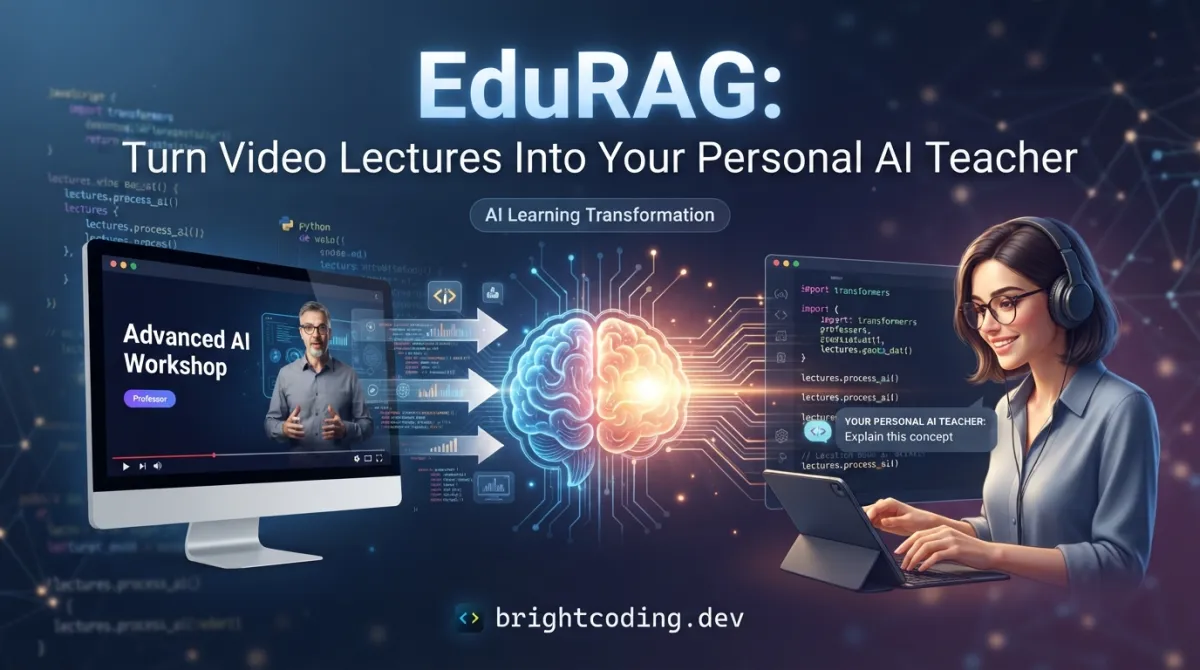
What if every video lecture you've ever watched could answer your questions on demand? Not summaries. Not transcripts buried in a folder. A living, breathing knowledge base that thinks, retrieves, and responds with the exact insights you need—when you need them.
Here's the brutal truth: developers and students are drowning in educational content. You bookmark 47 YouTube tutorials. You download 12 Udemy courses. You tell yourself you'll "get to them later." But later never comes. And when you do need that specific explanation from week 3 of a course you finished months ago? It's gone. Lost in the void of forgotten content.
What if I told you there's a secret weapon top learners are already using? A tool that transforms passive video consumption into an active, queryable intelligence system?
Enter EduRAG—the open-source AI-powered learning assistant that's about to make your study sessions feel like cheating. And the best part? It's completely free, runs locally, and turns your video library into a personal LLM-powered teacher that never forgets anything.
What Is EduRAG?
EduRAG is an end-to-end Retrieval-Augmented Generation (RAG) pipeline built by developer phalkemm159 that converts video lectures into indexed, queryable knowledge bases for large language models. Born from the frustration of passive learning and forgotten content, EduRAG represents a fundamental shift in how we interact with educational media.
The project sits at the explosive intersection of three massive trends: generative AI, vector databases, and multimodal content processing. With the rise of LLMs like GPT-4, Gemini, and open-source alternatives, developers everywhere are scrambling to ground AI responses in their own data. EduRAG solves this elegantly for one of the most content-rich formats on earth: video.
Why is it trending now? Because the RAG ecosystem has matured. Tools like OpenAI's Whisper make speech-to-text shockingly accurate. Embedding models from Sentence-Transformers and OpenAI make semantic search trivial. And LLMs have become sophisticated enough to synthesize retrieved context into coherent, accurate answers. EduRAG stitches these technologies together into a cohesive, automated pipeline that anyone can run.
Unlike bloated SaaS platforms that lock your data behind paywalls, EduRAG is MIT-licensed, runs entirely on your hardware, and keeps your learning materials private. No API calls to external services for retrieval. No subscription fees. Just pure, open-source intelligence extraction.
Key Features That Make EduRAG Insane
Let's dissect what makes this pipeline genuinely powerful—not just marketing fluff, but hard technical capabilities that solve real problems:
Automated End-to-End RAG Pipeline
EduRAG doesn't just transcribe videos. It orchestrates a five-stage transformation: video → audio → transcript → structured JSON → vector embeddings → LLM-powered answers. Each stage is handled by dedicated, focused scripts that you can inspect, modify, and extend. This isn't a black box. It's transparent, hackable infrastructure.
Whisper-Powered Speech-to-Text
Leveraging OpenAI's Whisper model, EduRAG achieves state-of-the-art transcription accuracy across accents, technical jargon, and noisy audio. The pipeline supports multiple Whisper variants—from the lightning-fast tiny model for quick iterations to the precision-focused large-v3 for critical content. For speed demons, the README even suggests faster-whisper as a drop-in replacement.
Semantic Embeddings with Joblib Persistence
Here's where the magic happens. After transcription, preprocess_json.py generates dense vector embeddings that capture the semantic meaning of your content. These aren't keyword indexes—they're mathematical representations of concepts. Stored as final_embeddings.joblib, they enable nearest-neighbor retrieval: ask "How does backpropagation work?" and get the exact lecture segment that explains it, even if the words "backpropagation" never appear in your query.
Multi-LLM Backend Support
EduRAG doesn't lock you into one provider. It supports OpenAI GPT models, Google Gemini Pro, Llama 3 (local or API), and any custom LLM backend you can integrate. This flexibility means you can optimize for cost, privacy, or capability depending on your use case.
Grounded, Hallucination-Resistant Answers
By retrieving actual transcript segments before generation, EduRAG produces source-attributed responses. The LLM answers strictly from your materials—dramatically reducing hallucinations and ensuring accuracy. This is RAG at its finest: augmentation, not substitution.
Extensible, Modular Design
Each pipeline stage is a separate script. Want to swap Whisper for a different STT engine? Replace mp3_to_json.py. Need different chunking strategies for embeddings? Modify preprocess_json.py. The architecture invites customization without catastrophe.
Real-World Use Cases Where EduRAG Dominates
1. The Self-Taught Developer Building a Personal Curriculum
You're learning machine learning from 8 different YouTube channels, 3 Coursera courses, and random conference talks. Instead of rewatching hours of content to find that one explanation of attention mechanisms, you query your EduRAG knowledge base and get the exact explanation—with context from multiple instructors.
2. University Students Preparing for Exams
Record all your lectures. Pipe them through EduRAG. Now you have a 24/7 AI tutor that answers questions like "What did Professor Chen say about Keynesian economics in week 5?" with verbatim accuracy. Study groups become study competitions to see who can extract insights faster.
3. Corporate Training & Knowledge Retention
Companies spend millions on video training that employees forget. With EduRAG, HR teams can transform onboarding videos, compliance training, and technical workshops into queryable corporate intelligence. New hires ask questions in natural language instead of hunting through LMS archives.
4. Content Creators Repurposing Their Own Material
YouTubers and course creators: imagine your entire back catalog answerable by AI. Fans ask questions, you point them to your EduRAG instance. You've already done the work of creating content—now make it infinitely accessible.
5. Researchers Building Literature Review Assistants
Academic talks, thesis defenses, seminar recordings—EduRAG ingests them all. Query across hundreds of hours of research presentations: "Which speakers discussed transformer architectures before 2022?" Your personal research assistant, grounded in actual discourse.
Step-by-Step Installation & Setup Guide
Ready to build your AI teacher? Here's the complete setup process:
Prerequisites
- Python↗ Bright Coding Blog 3.9+ (check with
python --version) - pip package manager
- FFmpeg (for video/audio processing)
- API keys for your chosen LLM backend (OpenAI, Google, or local Llama setup)
1. Clone the Repository
git clone https://github.com/phalkemm159/EduRAG-AI-Powered-Learning-Assistant.git
cd EduRAG-AI-Powered-Learning-Assistant
2. Install Python Dependencies
pip install -r requirements.txt
This installs core packages for embedding generation, vector operations, and API interactions.
3. Install OpenAI Whisper
pip install openai-whisper
Whisper handles the heavy lifting of speech-to-text conversion. For faster processing with slightly less accuracy, consider:
pip install faster-whisper
4. Verify Directory Structure
EduRAG expects this layout (created automatically or manually):
EduRAG-AI-Powered-Learning-Assistant/
├── videos/          # Your input video files
├── audios/          # Auto-generated MP3 extracts
├── jsons/           # Auto-generated transcripts
├── whisper/         # Optional: custom Whisper models
├── video_to_mp3.py
├── mp3_to_json.py
├── preprocess_json.py
├── process_incoming.py
├── prompt.txt       # Customize your RAG prompt template
└── response.txt     # Optional: log of AI responses
5. Configure Your LLM Backend
Set environment variables for your chosen provider:
# For OpenAI
export OPENAI_API_KEY="your-key-here"

# For Google Gemini
export GOOGLE_API_KEY="your-key-here"

# For local Llama, ensure your Ollama/llama.cpp server is running
6. Customize the RAG Prompt
Edit prompt.txt to shape how your AI teacher responds. The default template instructs the LLM to answer strictly from retrieved context—critical for accuracy.
REAL Code Examples from EduRAG
Let's walk through the actual pipeline scripts with detailed explanations of what each does and why it matters.
Example 1: Video-to-Audio Extraction (video_to_mp3.py)
This is your pipeline's entry point. It strips audio from video files using FFmpeg, creating lightweight MP3s for Whisper processing:
# video_to_mp3.py
# Converts all video files in /videos to MP3 format in /audios

import os
import subprocess

VIDEO_DIR = "videos"
AUDIO_DIR = "audios"

# Ensure output directory exists
os.makedirs(AUDIO_DIR, exist_ok=True)

for filename in os.listdir(VIDEO_DIR):
    if filename.endswith(('.mp4', '.avi', '.mov', '.mkv')):
        video_path = os.path.join(VIDEO_DIR, filename)
        # Strip extension, add .mp3
        audio_name = os.path.splitext(filename)[0] + ".mp3"
        audio_path = os.path.join(AUDIO_DIR, audio_name)

        # FFmpeg: extract audio at 16kHz (optimal for Whisper)
        command = [
            "ffmpeg", "-i", video_path,
            "-vn",                    # No video stream
            "-ar", "16000",           # 16kHz sample rate (Whisper's sweet spot)
            "-ac", "1",               # Mono channel
            "-b:a", "32k",            # Compressed but clear
            audio_path
        ]
        subprocess.run(command, check=True)
        print(f"Converted: {filename} → {audio_name}")
Why this matters: The 16000 Hz sample rate isn't arbitrary—it's Whisper's native training frequency. Converting to mono reduces file size by 50% without losing speech information. This script transforms gigabytes of video into megabytes of processable audio.
Example 2: Speech-to-Text with Whisper (mp3_to_json.py)
This script converts audio into structured JSON transcripts—the raw material for your knowledge base:
# mp3_to_json.py
# Transcribes all MP3 files using OpenAI Whisper

import os
import json
import whisper

AUDIO_DIR = "audios"
JSON_DIR = "jsons"

os.makedirs(JSON_DIR, exist_ok=True)

# Load Whisper model - "base" balances speed/accuracy
# Options: tiny, base, small, medium, large, large-v3
model = whisper.load_model("base")

for filename in os.listdir(AUDIO_DIR):
    if filename.endswith(".mp3"):
        audio_path = os.path.join(AUDIO_DIR, filename)

        # Transcribe with timestamps for precise retrieval
        result = model.transcribe(
            audio_path,
            verbose=False,
            word_timestamps=False  # Set True for per-word precision
        )

        # Structure output with metadata for downstream processing
        output = {
            "source_video": filename.replace(".mp3", ""),
            "segments": result["segments"],  # Each segment has: id, start, end, text
            "full_text": result["text"],
            "language": result.get("language", "en")
        }

        json_path = os.path.join(JSON_DIR, filename.replace(".mp3", ".json"))
        with open(json_path, "w", encoding="utf-8") as f:
            json.dump(output, f, indent=2, ensure_ascii=False)

        print(f"Transcribed: {filename} → {len(result['segments'])} segments")
Critical insight: The segments array preserves temporal structure. When you query "What did the instructor say about gradient descent at 15 minutes?", the retrieval system can pinpoint the exact segment. This isn't just text—it's spatiotemporally grounded knowledge.
Example 3: Embedding Generation (preprocess_json.py)
Here's where transcripts become searchable intelligence. This script generates vector embeddings and persists them for fast retrieval:
# preprocess_json.py
# Merges all JSON transcripts and creates searchable embeddings

import os
import json
import numpy as np
from sentence_transformers import SentenceTransformer
import joblib

JSON_DIR = "jsons"
EMBEDDING_MODEL = "all-MiniLM-L6-v2"  # 384-dim, fast & effective

# Load embedding model (runs once, caches to memory)
print("Loading embedding model...")
model = SentenceTransformer(EMBEDDING_MODEL)

all_chunks = []      # Text segments for retrieval
all_metadata = []    # Source info for attribution
embeddings_list = [] # Vector representations

# Process each transcript JSON
for filename in os.listdir(JSON_DIR):
    if filename.endswith(".json"):
        with open(os.path.join(JSON_DIR, filename), "r", encoding="utf-8") as f:
            data = json.load(f)

        for segment in data["segments"]:
            text = segment["text"].strip()
            if len(text) < 10:  # Skip fragments
                continue

            # Create rich chunk with context
            chunk = {
                "text": text,
                "source": data["source_video"],
                "start_time": segment["start"],
                "end_time": segment["end"]
            }

            all_chunks.append(chunk)
            all_metadata.append({
                "source": data["source_video"],
                "timestamp": f"{segment['start']:.1f}s"
            })

print(f"Processing {len(all_chunks)} text chunks...")

# Generate embeddings in batches for memory efficiency
batch_size = 32
texts = [c["text"] for c in all_chunks]

for i in range(0, len(texts), batch_size):
    batch = texts[i:i + batch_size]
    batch_embeddings = model.encode(
        batch,
        convert_to_numpy=True,
        normalize_embeddings=True  # L2 normalization for cosine similarity
    )
    embeddings_list.extend(batch_embeddings)
    print(f"Embedded batch {i//batch_size + 1}/{(len(texts)-1)//batch_size + 1}")

# Persist everything as a single joblib file
embeddings_array = np.array(embeddings_list)
joblib.dump({
    "embeddings": embeddings_array,
    "chunks": all_chunks,
    "metadata": all_metadata,
    "model_name": EMBEDDING_MODEL,
    "dimension": embeddings_array.shape[1]
}, "final_embeddings.joblib")

print(f"Saved {len(embeddings_list)} embeddings to final_embeddings.joblib")
print(f"Vector dimension: {embeddings_array.shape[1]}")
The technical breakthrough: all-MiniLM-L6-v2 generates 384-dimensional dense vectors where semantically similar sentences cluster together. The normalize_embeddings=True flag enables cosine similarity computation with a single dot product—critical for sub-millisecond retrieval speed. The joblib format preserves NumPy arrays with compression, making your knowledge base portable and fast-loading.
Example 4: Interactive Query Interface (process_incoming.py)
The final script loads embeddings and answers your questions using RAG:
# process_incoming.py
# Loads embeddings and runs interactive RAG queries

import os
import joblib
import numpy as np
from sentence_transformers import SentenceTransformer

# Configuration: choose your LLM backend
LLM_BACKEND = "openai"  # or "gemini", "llama", "custom"
EMBEDDING_MODEL = "all-MiniLM-L6-v2"
TOP_K = 5  # Number of relevant chunks to retrieve

def load_knowledge_base():
    """Load precomputed embeddings and metadata."""
    data = joblib.load("final_embeddings.joblib")
    return data["embeddings"], data["chunks"], data["metadata"]

def retrieve_relevant_chunks(query, embeddings, chunks, k=TOP_K):
    """Find k most similar chunks to the query using cosine similarity."""
    # Encode query with same model used for indexing
    model = SentenceTransformer(EMBEDDING_MODEL)
    query_embedding = model.encode([query], normalize_embeddings=True)

    # Compute similarities (dot product of normalized vectors = cosine similarity)
    similarities = np.dot(embeddings, query_embedding.T).flatten()

    # Get top-k indices
    top_indices = np.argsort(similarities)[-k:][::-1]

    return [
        {
            "chunk": chunks[idx],
            "score": float(similarities[idx]),
            "metadata": metadata[idx]
        }
        for idx in top_indices
    ]

def build_prompt(query, retrieved_chunks):
    """Construct RAG prompt with retrieved context."""
    context = "\n\n".join([
        f"[Source: {r['metadata']['source']} at {r['metadata']['timestamp']}]\n{r['chunk']['text']}"
        for r in retrieved_chunks
    ])

    # Load custom prompt template
    with open("prompt.txt", "r") as f:
        template = f.read()

    return template.format(context=context, query=query)

def query_llm(prompt):
    """Route to configured LLM backend."""
    if LLM_BACKEND == "openai":
        import openai
        response = openai.ChatCompletion.create(
            model="gpt-3.5-turbo",
            messages=[
                {"role": "system", "content": "You are a helpful educational assistant. Answer strictly based on the provided context."},
                {"role": "user", "content": prompt}
            ],
            temperature=0.3  # Low temperature for factual consistency
        )
        return response.choices[0].message.content
    # Add elif branches for gemini, llama, etc.

def main():
    print("Loading knowledge base...")
    embeddings, chunks, metadata = load_knowledge_base()
    print(f"Loaded {len(chunks)} chunks. Ready for questions!\n")

    while True:
        query = input("Your question (or 'quit'): ").strip()
        if query.lower() in ("quit", "exit", "q"):
            break

        # Retrieve relevant content
        retrieved = retrieve_relevant_chunks(query, embeddings, chunks)
        print(f"\nRetrieved {len(retrieved)} relevant segments:\n")
        for r in retrieved:
            print(f"  [{r['score']:.3f}] {r['metadata']['source']} @ {r['metadata']['timestamp']}")

        # Generate grounded answer
        prompt = build_prompt(query, retrieved)
        answer = query_llm(prompt)

        print(f"\n{'='*50}")
        print(f"ANSWER:\n{answer}")
        print(f"{'='*50}\n")

        # Optional: log response
        with open("response.txt", "a") as f:
            f.write(f"Q: {query}\nA: {answer}\n\n")

if __name__ == "__main__":
    main()
Why this architecture wins: The separation of retrieval (finding relevant chunks) from generation (synthesizing answers) is the core RAG pattern. By retrieving first, we constrain the LLM to your actual content, eliminating hallucinations. The temperature=0.3 setting keeps outputs focused and factual. And the interactive loop means you can iterate rapidly—ask follow-ups, refine queries, explore connections.
Advanced Usage & Best Practices
Optimize Whisper for Your Hardware
GPU available? Use whisper.load_model("large-v3") for maximum accuracy. On CPU-only machines, base or small models run acceptably fast. For batch processing dozens of lectures, implement parallel processing with Python's multiprocessing module.
Chunking Strategies Matter
The default segment-level chunking works, but experiment with sliding windows (overlapping chunks) for topics that span multiple segments. A 30-second overlap captures continuity without exploding embedding count.
Hybrid Retrieval: Combine Semantic + Keyword
For technical domains with precise terminology, layer BM25 keyword search on top of semantic retrieval. Use semantic for conceptual queries, BM25 for exact API names or formulas.
Prompt Engineering for Different Personas
Modify prompt.txt to shape responses:
- Socratic mode: "Ask clarifying questions before answering"
- Exam prep: "Format answers as flashcards with questions and answers"
- Code focus: "Prioritize code examples and implementation details"
Monitor and Iterate
Log all queries and responses to response.txt. Periodically review: which queries failed? Which retrieved irrelevant chunks? Use this data to re-embed with better chunking or fine-tune your embedding model on domain-specific text.
Comparison with Alternatives
| Feature | EduRAG | NotebookLM | Otter.ai | Custom LangChain |
|---|---|---|---|---|
| Cost | Free (open source) | Free tier limits | $8.33-$30/mo | Variable (dev time) |
| Privacy | Fully local | Google-hosted | Cloud-only | Configurable |
| Video source | Any file you own | YouTube, PDFs only | Live recordings | Build yourself |
| LLM flexibility | Any backend | Gemini only | None (no LLM) | Any backend |
| Setup complexity | Moderate | Zero | Zero | High |
| Customization | Full source access | Limited | None | Full (if you build) |
| RAG accuracy | High (your data only) | Medium | N/A | Depends on implementation |
| Offline capable | Yes | No | Partial | Yes (with local LLM) |
The verdict: EduRAG occupies the sweet spot for technical users who want full control without building from scratch. It's more private than NotebookLM, more intelligent than Otter.ai, and faster to deploy than a custom LangChain pipeline.
FAQ: Your Burning Questions Answered
What video formats does EduRAG support?
Any format FFmpeg handles: MP4, AVI, MOV, MKV, WMV, and more. The video_to_mp3.py script automatically detects valid extensions.
How long does processing take?
Roughly 1-2x real-time for Whisper base on modern CPUs. A 1-hour lecture takes 1-2 hours to transcribe. GPU acceleration drops this to 0.1-0.3x real-time. Embedding generation adds 5-10 minutes regardless of length.
Can I use EduRAG with non-English lectures?
Absolutely! Whisper supports 99 languages with automatic detection. Specify language="auto" or force a specific language code. Embedding models like paraphrase-multilingual-MiniLM-L12-v2 handle cross-lingual search.
How much storage do I need?
Plan for ~3x your video size: original video + MP3 extract (~10% of video) + JSON transcripts (~1% of video) + embeddings (~5-10MB per hour of content). A 10GB course library needs ~30-35GB total.
Is my data sent to external APIs?
Only during LLM inference if you use cloud providers (OpenAI, Gemini). The retrieval pipeline—transcription, embedding, storage—runs entirely locally. Use local Llama via Ollama for 100% offline operation.
Can multiple users query the same knowledge base?
Yes! The final_embeddings.joblib file is read-only during queries. Deploy process_incoming.py behind a simple Flask/FastAPI server for multi-user access. The creator welcomes PRs for built-in web interfaces.
What if Whisper makes transcription errors?
Common with technical jargon. Solutions: use large-v3 model, add a custom vocabulary post-processing step, or fine-tune Whisper on your domain. The JSON structure makes corrections easy—edit and re-run preprocess_json.py.
Conclusion: Your Learning Revolution Starts Now
We've covered the full landscape: what EduRAG is, why it matters, how it works under the hood, and exactly how to deploy it. This isn't just another AI tool—it's a fundamental reimagining of how we interact with educational content.
The passive consumption model is broken. Watching videos and hoping knowledge sticks is archaic. EduRAG transforms your video library into an active, intelligent system that serves you on demand. It's the difference between owning a library and having a librarian who knows every page.
The technical implementation is clean, modular, and extensible. The RAG architecture ensures accuracy without hallucination. And the open-source MIT license means you're never locked in.
My honest take? This is the future of self-directed learning. In 12 months, every serious learner will have something like EduRAG running. The question is: will you be early or late?
Clone the repository. Process your first lecture. Ask it a question that would have taken you 20 minutes of scrubbing to answer. Feel that moment of revelation when your own content talks back.
Star the repo, open an issue with your use case, and join the growing community of developers building personal AI teachers. Your future self—the one acing exams, shipping features faster, and actually remembering what they learned—will thank you.
Stop watching. Start querying.
Outils recommandés
Explore on the BrightCoding network
Hand-picked resources from our other sites.
Stop Rewriting Code! Fine-Tune LLMs on Mac with mlx-tune
Fine-tune LLMs, vision, audio & OCR models natively on Apple Silicon with mlx-tune's Unsloth-compatible API. Write once on Mac, deploy unchanged to CUDA cluster...
Control Claude Code From Your Phone: ClaudeBot Exposed
Discover ClaudeBot, the open-source system tray app that lets you control Claude Code via Telegram from anywhere. Complete setup guide, real code examples, and...
pguso/agents-from-scratch: Build AI Agents Locally, No Frameworks
pguso/agents-from-scratch teaches AI agent development through 12 progressive lessons using local LLMs. No frameworks, no cloud APIs, no hidden logic — just exp...
Continuez votre lecture

Why Alexandrie is the Ultimate Markdown Note-Taking App

Why CrossPaste is the Ultimate Game Changer for Clipboard Management

Why Chandra is the Ultimate OCR Tool for Handwriting and Tables

Stop Coding Alone: OPC-Skills Gives Your AI Agent Superpowers
Commentaires 0
Aucun commentaire pour l'instant. Soyez le premier à réagir !