Electrobun: Why Devs Are Ditching Electron for 14MB Apps
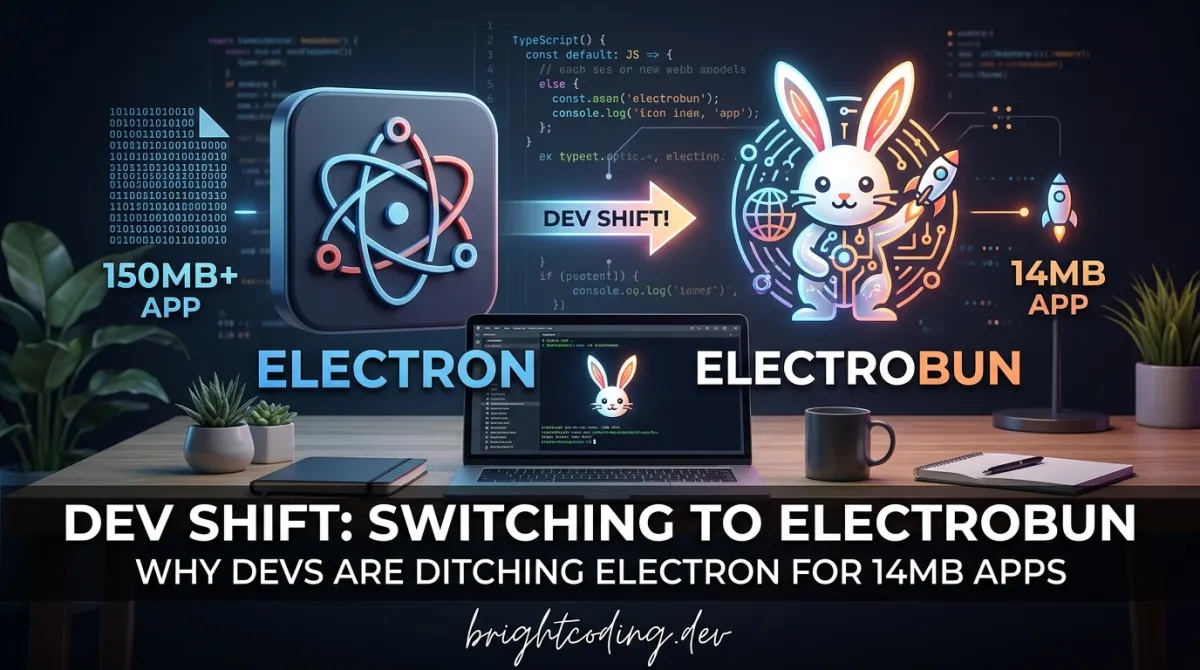
Electrobun: Why Devs Are Ditching Electron for 14MB Apps
Here's a dirty secret the desktop development world doesn't want you to know: your Electron app is a bloated resource hog, and your users are paying the price. We've normalized 300MB+ installers, sluggish startups, and memory footprints that would make a Chrome tab blush. But what if I told you there's a framework shipping production desktop apps as small as 14MB—with updates weighing in at a mind-bending 4KB?
Enter Electrobun, the TypeScript-native desktop framework that's making seasoned developers question everything they thought they knew about cross-platform apps. Built on top of the blazing-fast Bun runtime and leveraging native code in Objective-C, C++, and Zig, Electrobun isn't just another Electron alternative—it's a complete reimagining of what desktop development should look like in 2024.
The framework has already powered everything from DOOM ports to AI coding workspaces, with a rapidly growing ecosystem of real-world applications. If you're still bundling Chromium with every app, you're about to discover why top developers are making the switch. Let's pull back the curtain on this game-changing tool.
What is Electrobun?
Electrobun is a solution-in-a-box for building, updating, and shipping ultra-fast, tiny, cross-platform desktop applications written entirely in TypeScript. Created by Yoav Geva and the team at Blackboard Technologies, it represents a fundamental shift in how we approach desktop development.
Unlike traditional frameworks that force you to choose between web technologies and native performance, Electrobun bridges both worlds. Under the hood, it uses Bun to execute the main process and bundle webview TypeScript, while native bindings written in Objective-C, C++, and Zig handle the heavy lifting. This polyglot architecture isn't just for show—it directly translates to measurable performance gains.
The project has exploded in popularity, with its GitHub star history showing a steep upward trajectory that signals serious developer interest. But why now? The timing couldn't be better. As developers grow increasingly frustrated with Electron's bloat and Tauri's Rust learning curve, Electrobun arrives as the Goldilocks solution: familiar TypeScript syntax, Bun's revolutionary speed, and native performance without the complexity.
What truly sets Electrobun apart is its obsessive focus on the entire distribution pipeline. Most frameworks stop at "it works on my machine." Electrobun ships with self-extracting bundles using ZSTD compression, a Zig-optimized BSDIFF implementation for microscopic updates, and even options to bundle Chromium or WebGPU when your use case demands it. It's not just a framework—it's a complete commercialization toolkit disguised as developer tooling.
Key Features That Change Everything
Let's dissect what makes Electrobun technically superior to anything else in the desktop framework space:
Bun-Native Execution
Electrobun doesn't just support Bun—it is Bun. The main process runs on Bun's JavaScriptCore engine, delivering startup times that make Node.js feel prehistoric. Webview TypeScript gets bundled through Bun's native bundler, eliminating the webpack/Rollup configuration dance entirely.
Ridiculously Small Bundle Sizes
Using system webviews (the native OS rendering engines), Electrobun produces self-extracting bundles as small as 14MB. For context, that's roughly the size of three MP3 files. Even when you opt to bundle Chromium for rendering consistency, the compression strategy keeps things reasonable. The secret sauce? ZSTD compression tuned specifically for executable payloads.
4KB Delta Updates
This feature alone justifies switching frameworks. Electrobun's Zig-optimized BSDIFF implementation analyzes binary differences between versions and generates patches as small as 4KB. Your users download mere kilobytes instead of full application reinstalls. For SaaS companies and indie developers alike, this transforms update friction from a dealbreaker into a non-event.
WebGPU Without the Webview
The bundleWGPU flag unlocks something unprecedented: Bun TypeScript controlling native GPU surfaces via WebGPU, completely bypassing the webview layer. This isn't theoretical—Electrobun ships with Three.js and Babylon.js adapters that run directly in Bun, enabling high-performance 3D applications that would choke in traditional web-based renderers.
Custom HTML Elements for Native Composition
Electrobun introduces <electrobun-webview> and <electrobun-wpgu> HTML elements, enabling true Out-of-Process Iframes (OOPIFs) and native GPU surface composition within your UI. This architectural decision provides both isolation and performance—webview crashes don't bring down your main process, and GPU operations run at native speeds.
Typed RPC Between Processes
The framework enforces strict isolation between main and webview processes, with fast, typed, easy-to-implement RPC bridging them. No more fragile postMessage hacks or context bridge security nightmares. You get type safety across process boundaries with minimal boilerplate.
Real-World Use Cases Where Electrobun Dominates
1. AI-Native Developer Tools
The explosion of AI coding agents has created demand for desktop interfaces that feel native but iterate like web apps. Projects like PiBun (GUI for the Pi coding agent), VibesOS (Claude Code interface), and Codex Agents Composer prove Electrobun's sweet spot: tools that need web-like flexibility with desktop-grade reliability.
2. Media and Creative Applications
From Audio TTS (voice cloning and generation) to Guerilla Glass (creator studio for Record → Edit → Deliver workflows), Electrobun handles media pipelines that would buckle under Electron's weight. The WebGPU path is particularly transformative here—direct GPU access means real-time audio visualization and video processing without the browser sandbox penalty.
3. Gaming and Emulation
Yes, someone ported DOOM to Electrobun—twice. One version runs native C DOOM through bundled WebGPU; the other is a complete TypeScript port. Both demonstrate frame rates and responsiveness that browser-based emulation simply cannot match. For indie game developers, this opens distribution channels without Steam's 30% cut or browser security restrictions.
4. Security-Critical Utilities
peekachu stores secrets in the OS keychain and scrubs AI assistant outputs, while dotlock manages .env files across projects. Electrobun's process isolation and native system access make it ideal for tools where security isn't negotiable. The typed RPC layer prevents entire classes of injection vulnerabilities common in less structured frameworks.
5. Rapid Productivity Tools
Deskdown converts any web address to a desktop app in under 20 seconds. MarkBun delivers Typora-like markdown↗ Smart Converter editing. These tools share a pattern: they needed to ship yesterday, iterate constantly, and feel premium. Electrobun's "start coding in 5 minutes, distribute in 10" promise isn't marketing fluff—it's architectural reality.
Step-by-Step Installation & Setup Guide
Ready to escape Electron's gravitational pull? Here's your complete onboarding path.
Prerequisites
macOS:
# Install Xcode command line tools
xcode-select --install

# Install cmake via Homebrew
brew install cmake
Windows:
- Install Visual Studio Build Tools or Visual Studio with C++ development tools
- Install CMake
Linux (Ubuntu/Debian):
sudo apt install build-essential cmake pkg-config \
  libgtk-3-dev libwebkit2gtk-4.1-dev \
  libayatana-appindicator3-dev librsvg2-dev
Method 1: Quick Start with Template (Recommended)
The fastest path to a running app:
# Initialize a new Electrobun project from an official template
npx electrobun init

# Follow the interactive prompts to select your preferred template
# Options include React↗ Bright Coding Blog, vanilla TypeScript, and more
This single command scaffolds a complete project with proper TypeScript configuration, build scripts, and distribution pipeline ready to go.
Method 2: Add to Existing Project
# Navigate to your project directory
cd your-existing-project

# Add Electrobun as a dependency
npm add electrobun

# Or with Bun (recommended)
bun add electrobun
Development Workflow
For contributing to Electrobun itself or debugging deeply:
# Clone with all submodules (critical for native dependencies)
git clone --recurse-submodules https://github.com/blackboardsh/electrobun.git
cd electrobun/package

# Install dependencies
bun install

# Clean build for fresh start
bun dev:clean

# Start development server with hot reload
bun dev
Key development commands from /package directory:
| Command | Purpose |
|---|---|
bun dev |
Full rebuild after source changes |
bun dev:rerun |
Quick restart when only kitchen sink changed |
bun dev:clean |
Nuke everything and start fresh |
bun dev:canary |
Test bleeding-edge features |
bun build:dev |
Development build of core framework |
bun build:release |
Optimized release build |
Debugging Production Builds
macOS:
# Attach LLDB to release bundle for native debugging
lldb /path/to/YourApp.app/Contents/MacOS/launcher
(lldb) run
REAL Code Examples from Electrobun
Let's examine actual patterns from the Electrobun ecosystem, starting with the canonical development setup.
Example 1: First-Time Repository Setup
This is the exact initialization flow from Electrobun's documentation, with detailed commentary:
# Clone recursively—submodules contain native Zig/ObjC/C++ code
# Skipping this step causes cryptic build failures
git clone --recurse-submodules https://github.com/blackboardsh/electrobun.git

# Enter the package directory where all commands execute
cd electrobun/package

# Install dependencies through Bun's lockfile for reproducible builds
bun install

# Clean development environment setup
# This compiles native bindings and prepares the kitchen sink demo
bun dev:clean
The --recurse-submodules flag is non-negotiable. Electrobun's native layer lives in separate repositories linked as submodules. Without this, you'll chase phantom "module not found" errors for hours.
Example 2: Daily Development Loop
# All commands run from /package directory
cd electrobun/package

# Standard development cycle after code changes
# Rebuilds native components and restarts the kitchen sink demo
bun dev

# Faster iteration when only modifying demo/test code
# Skips native recompilation—massive time saver
bun dev:rerun

# Nuclear option: wipe all build artifacts and start pristine
# Use when native bindings act weird or dependencies shift
bun dev:clean
The distinction between bun dev and bun dev:rerun is crucial for productivity. Native compilation of Zig/ObjC/C++ code takes significant time; dev:rerun bypasses this when you're only iterating on TypeScript application logic.
Example 3: Production Build Pipeline
# Development build with debug symbols and assertions
# Use for internal testing and CI validation
bun build:dev

# Release build with full optimizations
# Produces the tiny, fast binaries Electrobun is famous for
bun build:release

# Canary builds test upcoming features
# May break—never ship these to users
bun dev:canary
The build:release command triggers Electrobun's ZSTD compression pipeline and prepares self-extracting bundles. This is where the 14MB magic happens—aggressive dead code elimination, system webview utilization, and compression tuned for executable data.
Example 4: Project Initialization via npx
# The recommended entry point for new projects
# Interactive wizard selects template, configures TypeScript,
# and sets up the distribution pipeline
npx electrobun init
This command encapsulates Electrobun's core philosophy: start writing code in 5 minutes, distribute in 10. The templates include preconfigured build scripts, update mechanisms, and platform-specific packaging logic.
Advanced Usage & Best Practices
Choose Your Webview Strategy Wisely
Electrobun defaults to system webviews for minimal size, but the bundleCEF flag lets you pin Chromium when rendering consistency matters. The tradeoff is real: ~14MB vs. ~100MB+, but identical CSS behavior across platforms. For B2B tools where IT departments control OS versions, system webviews win. For consumer apps targeting diverse environments, bundled Chromium eliminates "works on my machine" support nightmares.
Leverage WebGPU for Performance-Critical Paths
The bundleWGPU flag isn't just for games. Any heavy visualization—charts, image processing, video effects—benefits from bypassing the webview entirely. The Three.js and Babylon.js adapters mean you can port existing 3D code with minimal changes.
Master the Update Pipeline
Electrobun's BSDIFF updates are revolutionary, but they require disciplined versioning. Never skip patch levels; the diff algorithm works best with incremental changes. Structure your release cadence around small, frequent updates to maximize the 4KB advantage.
Use Typed RPC for Security
The automatic process isolation is only as strong as your RPC contracts. Define strict TypeScript interfaces for all main-to-webview communication. This prevents privilege escalation bugs and makes your architecture self-documenting.
Comparison with Alternatives
| Feature | Electrobun | Electron | Tauri | Flutter Desktop |
|---|---|---|---|---|
| Bundle Size (min) | ~14MB | ~150MB | ~600KB | ~20MB |
| Language | TypeScript | JavaScript↗ Bright Coding Blog | Rust | Dart |
| Runtime | Bun | Node.js + Chromium | OS webview | Custom engine |
| Update Size | ~4KB (bsdiff) | Full reinstall | Varies | Full reinstall |
| Native GPU Access | WebGPU direct | Limited | Limited | Excellent |
| Learning Curve | Low (TS familiar) | Low | High (Rust) | Medium |
| Process Isolation | Built-in, typed RPC | Manual context bridge | Built-in | Single process |
| Distribution Speed | 10 min setup | Hours of config | Hours of config | Moderate |
The Verdict: Electron wins on ecosystem maturity but loses catastrophically on size and updates. Tauri matches Electrobun's efficiency but demands Rust expertise. Flutter delivers native performance but forces a different paradigm entirely. Electrobun occupies the rare intersection of familiar syntax, modern performance, and commercial-ready distribution.
FAQ
Is Electrobun production-ready?
With 50+ real applications shipped, including commercial tools like Co(lab), Electrobun has proven stability. macOS 14+, Windows 11+, and Ubuntu 22.04+ are officially supported.
Can I use React/Vue/Svelte with Electrobun?
Absolutely. Templates exist for major frameworks, and the webview layer runs standard web technologies. The electrobun-rms template demonstrates React + Tailwind + Vite integration.
How does Electrobun achieve 4KB updates?
The Zig-optimized BSDIFF algorithm computes binary diffs between versions, transmitting only changed bytes. For typical patches (bug fixes, UI tweaks), this compresses to kilobytes.
What's the catch with system webviews?
Rendering inconsistencies across OS versions. The bundleCEF option exists precisely for this tradeoff. Most developers start with system webviews and add Chromium only if user reports justify it.
Is Bun required, or can I use Node.js?
Bun is deeply integrated—it's not just supported, it's the foundation. The performance gains from JavaScriptCore and Bun's bundler are architectural, not optional.
How do I debug native crashes?
macOS: Use LLDB as shown in the setup guide. Windows: Visual Studio debugger. The native layer's Zig/ObjC/C++ code is intentionally thin; most bugs manifest in TypeScript where standard debugging applies.
What's the long-term viability?
Follow @YoavCodes and @BlackboardTech for roadmap visibility. The project's star velocity and commercial adoption signal sustained investment.
Conclusion: The Desktop Framework You've Been Waiting For
Electrobun isn't incrementally better than Electron—it's fundamentally different. By betting on Bun's speed, Zig's efficiency, and TypeScript's ubiquity, it delivers what developers actually need: tiny bundles, instant updates, and zero-friction distribution, all without leaving familiar territory.
The evidence is in the ecosystem. From AI agents to DOOM ports, from password managers to creative studios, developers are shipping real products with Electrobun today. Not prototypes. Not demos. Production applications that users install, update, and rely on.
If you're building desktop software in 2024, you have three choices: accept Electron's bloat, climb Tauri's Rust learning curve, or embrace the framework that respects both your time and your users' bandwidth. The 14MB future is here. The 4KB update pipeline is real. The only question is whether you'll be early or late to the party.
Star electrobun on GitHub, run npx electrobun init, and ship your first tiny desktop app today. Your users—and your CI pipeline—will thank you.
Outils recommandés
Explore on the BrightCoding network
Hand-picked resources from our other sites.
gokapso/whatsapp-cloud-inbox: Open-Source WhatsApp Inbox for Cloud API
gokapso/whatsapp-cloud-inbox is an open-source WhatsApp inbox built with Next.js and TypeScript. It provides a WhatsApp Web-style UI for the Cloud API via Kapso...
MyTube: A Media Server Built Entirely by AI Prompts
Discover MyTube, the revolutionary self-hosted media server built entirely through AI prompt engineering. Download, organize, and stream from YouTube, Bilibili,...
muesli/duf: A Better 'df' Alternative for Disk Usage Analysis
muesli/duf is a modern Go-based replacement for the df command, offering color-coded, categorized disk usage output with JSON export, flexible filtering, and cr...
Continuez votre lecture

Why Alexandrie is the Ultimate Markdown Note-Taking App

Why CrossPaste is the Ultimate Game Changer for Clipboard Management

Why Chandra is the Ultimate OCR Tool for Handwriting and Tables

Stop Coding Alone: OPC-Skills Gives Your AI Agent Superpowers
Commentaires 0
Aucun commentaire pour l'instant. Soyez le premier à réagir !