Firecrawl CLI: Stop Writing Scrapers, Start Extracting Data
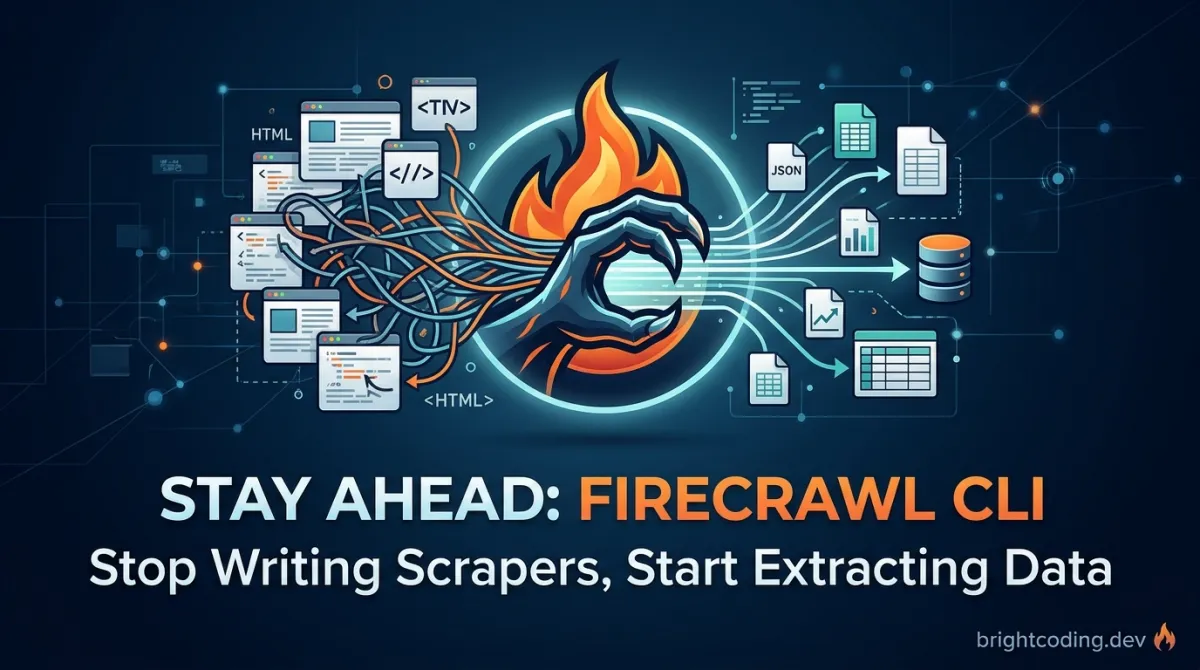
Firecrawl CLI: Stop Writing Scrapers, Start Extracting Data
What if you never had to write another web scraper again? No more battling with headless browsers, no more debugging CSS selectors at 2 AM, no more getting blocked by Cloudflare because you forgot to rotate your user agent. Every developer who has ever tried to extract data from the modern web knows this pain—and most have accepted it as unavoidable.
But what if the solution was hiding in plain sight, right inside your terminal?
Enter firecrawl/cli—the command-line interface that transforms web data extraction from a week-long engineering project into a single shell command. Built by the team behind the popular Firecrawl API, this CLI doesn't just scrape websites. It searches, crawls, maps, interacts with live browser sessions, and even deploys AI agents that autonomously browse and extract structured data based on nothing more than a natural language prompt.
In this deep dive, I'll show you why thousands of developers are abandoning their custom scraping stacks for Firecrawl CLI, how to get productive in under five minutes, and the exact commands that will replace your most painful data extraction workflows. By the end, you'll wonder why you ever wrote puppeteer.launch() in the first place.
What Is Firecrawl CLI?
Firecrawl CLI is the official command-line interface for Firecrawl, a powerful web data extraction platform. Created by the Firecrawl team and actively maintained at github.com/firecrawl/cli, this tool brings the full capabilities of the Firecrawl API directly into your terminal with zero boilerplate code.
The CLI serves dual purposes: it's both a standalone productivity tool for developers who need quick data extraction, and an agent skill system that teaches AI coding assistants like Cursor, Claude Code, and Windsurf how to perform live web operations. This means your AI pair programmer can suddenly search the web, scrape documentation, crawl entire sites, and generate research deliverables—all without you writing integration code.
What makes Firecrawl CLI genuinely different from tools like curl, wget, or Python↗ Bright Coding Blog's requests + BeautifulSoup? Three critical architectural decisions:
- Intelligent content extraction: Instead of dumping raw HTML, Firecrawl returns clean markdown↗ Smart Converter, structured JSON, or AI-generated summaries by default. The underlying engine understands page structure and strips navigation, footers, ads, and other noise automatically.
- JavaScript↗ Bright Coding Blog-rendered content handling: Modern SPAs (Single Page Applications) don't serve content in initial HTML. Firecrawl waits for JavaScript execution, handles dynamic rendering, and can even take screenshots or interact with pages before extraction.
- AI-native design: The
agentcommand lets you describe what you want in plain English, then watches as an autonomous AI browses multiple pages, makes decisions, and returns structured data. This isn't scraping—it's delegated research.
The tool is trending now because it arrives at a perfect intersection: AI agents need real-time web access, developers are exhausted by scraping maintenance, and the "vibe coding" movement demands tools that just work from a single command.
Key Features That Eliminate Scraping Pain
Firecrawl CLI packs capabilities that would require a dozen separate tools to replicate. Here's what makes it indispensable:
Six Core Commands, Infinite Possibilities
The CLI centers around six primary operations: scrape for single-page extraction, search for web search with optional result scraping, map for URL discovery, crawl for multi-page site traversal, agent for AI-powered autonomous extraction, and interact for live browser manipulation. Each command inherits global options for API key management, custom endpoints, and output formatting.
Format Flexibility Without Formatting Code
Extract data in markdown (default), html, rawHtml, links, images, screenshot, summary, json, changeTracking, attributes, or branding formats. Request multiple formats simultaneously and receive structured JSON output. No more regex parsing or DOM traversal—just specify what you want and receive clean data.
Concurrent Operations at Scale
Pass multiple URLs to scrape and they're processed concurrently, with automatic saving to .firecrawl/. The crawl command supports configurable concurrency limits, delays between requests, and depth controls—essential for respectful, rate-limited site traversal.
Self-Hosted and Local Development Ready
Point the CLI at your own Firecrawl instance with --api-url or the FIRECRAWL_API_URL environment variable. Local development requires no API key, making it ideal for testing pipelines before production deployment.
Agent Skill Integration
The init command automatically installs skills across detected AI coding editors. Your AI assistant gains three capability layers: CLI skills for live web operations, build skills for SDK integration, and workflow skills for generating research briefs, SEO↗ Bright Coding Blog audits, QA reports, lead lists, knowledge bases, and design-system extractions.
Structured Extraction with JSON Schema
Define exact output shapes using JSON Schema for both scrape and agent commands. Extract product catalogs, contact information, or technical specifications into typed, validated structures—no post-processing required.
Real-World Use Cases Where Firecrawl CLI Dominates
1. Competitive Intelligence and Pricing Monitoring
Track competitor pricing without maintaining fragile selectors. Use the agent command with a schema to extract product names, prices, and features across multiple sites. The AI handles pagination, variant selection, and dynamic content that breaks traditional scrapers.
# Extract structured pricing data autonomously
firecrawl agent "Find all pricing plans for competitor SaaS products" \
  --schema '{"type":"object","properties":{"plans":{"type":"array","items":{"type":"object","properties":{"name":{"type":"string"},"price":{"type":"string"},"features":{"type":"array","items":{"type":"string"}}}}}}}' \
  --wait -o competitor-pricing.json --pretty
2. Documentation Migration and Knowledge Base Construction
Migrate legacy documentation sites to modern formats. Use crawl with --include-paths to target specific sections, --wait --progress for large jobs, and output clean markdown for import into GitBook, Docusaurus, or Notion.
# Crawl entire docs site with progress tracking
firecrawl crawl https://docs.legacy-system.com \
  --include-paths /api,/guides \
  --limit 500 --max-depth 5 \
  --wait --progress -o docs-migration.json --pretty
3. SEO Audit and Content Analysis
Generate comprehensive SEO reports using workflow skills or custom scripts. Map site structure, extract meta descriptions, headings, and links. Identify orphan pages, analyze internal linking patterns, and track content changes over time with changeTracking format.
4. Lead Generation and Market Research
Search for companies matching criteria, scrape their websites for contact information, and structure the results. The search command's category filtering (github, research, pdf) and location targeting make targeted research effortless.
# Find AI startups in Berlin with full content extraction
firecrawl search "AI startups Berlin" \
  --location "Berlin,Germany" --country DE \
  --scrape --scrape-formats markdown,links \
  --limit 20 -o berlin-ai-startups.json --pretty
5. Automated QA and Visual Regression Testing
Use --screenshot and --full-page-screenshot options to capture page states. Combine with changeTracking format to detect unauthorized content modifications. Integrate into CI/CD pipelines for automated visual regression detection.
6. Authentication-Required Data Extraction
The --profile system persists browser state across sessions. Log in once, save the profile, then scrape authenticated dashboards, admin panels, or member-only content without re-authenticating.
Step-by-Step Installation & Setup Guide
Prerequisites
- Node.js 18+ installed
- A Firecrawl account (free tier available) or a self-hosted instance
Global Installation
# Install globally via npm
npm install -g firecrawl-cli
One-Command Complete Setup (Recommended)
The fastest path to productivity uses npx for installation, authentication, and skill deployment in a single command:
# Install CLI, authenticate via browser, and deploy skills to all detected AI editors
npx -y firecrawl-cli@1.16.2 init -y --browser
| Flag | Purpose |
|---|---|
-y |
Non-interactive setup (accepts all defaults) |
--browser |
Opens browser for Firecrawl authentication automatically |
This command detects Cursor, Claude Code, Windsurf, VS Code, and other AI coding agents, installing skills globally across all found editors.
Manual Skill Installation
If you prefer granular control or missed the automatic setup:
# Install CLI skills (live web operations)
firecrawl setup skills

# Install workflow skills (research briefs, audits, reports)
firecrawl setup workflows

# Install MCP server for editor integration
firecrawl setup mcp
Scope to specific editors with --agent <agent> if you don't want global installation.
Authentication Configuration
The CLI supports multiple authentication patterns for different workflows:
# Interactive browser login (most secure, recommended)
firecrawl login

# Direct API key for CI/CD or headless environments
firecrawl login --api-key fc-your-api-key-here

# Environment variable (ideal for CI/CD pipelines)
export FIRECRAWL_API_KEY=fc-your-api-key-here

# Per-command override (useful for multiple accounts)
firecrawl scrape https://example.com --api-key fc-alternate-key
Self-Hosted / Local Development Setup
# Point to local Firecrawl instance (no API key needed)
export FIRECRAWL_API_URL=http://localhost:3002
firecrawl scrape https://example.com

# Or use per-command flag
firecrawl --api-url http://localhost:3002 scrape https://example.com

# Self-hosted with authentication
firecrawl --api-url https://firecrawl.mycompany.com --api-key fc-xxx scrape https://example.com
Verify Installation
# Check version, auth status, and credit balance
firecrawl --status
Expected output shows authentication method, concurrency limits, and remaining credits.
REAL Code Examples from the Repository
The Firecrawl CLI README contains extensive, production-ready examples. Here are five critical patterns extracted directly from the documentation, with detailed explanations.
Example 1: Basic Scrape with Format Selection
# Default behavior: extract clean markdown from any URL
firecrawl https://example.com

# Equivalent explicit command
firecrawl scrape https://example.com

# Extract raw HTML instead of processed markdown
firecrawl https://example.com --html
# Short form: -H
firecrawl https://example.com -H

# Multiple formats returned as structured JSON
firecrawl https://example.com --format markdown,links,images
What's happening here? The default scrape behavior intelligently processes page content into clean markdown—stripping navigation, ads, and decorative elements. The --html flag bypasses this cleaning for cases where you need the processed HTML structure. When multiple formats are requested, the CLI returns a JSON object with keys for each format, making downstream processing trivial.
Example 2: Concurrent Multi-URL Scraping with Auto-Save
# Scrape multiple URLs concurrently; each result auto-saved to .firecrawl/
firecrawl scrape https://firecrawl.dev https://firecrawl.dev/blog https://docs.firecrawl.dev
The power move: Instead of sequential curl requests or complex async Python scripts, pass multiple URLs as positional arguments. Firecrawl handles concurrency automatically, respecting rate limits, and persists each result to the .firecrawl/ directory with derived filenames. This pattern replaces entire microservices for batch content processing.
Example 3: AI Agent with Structured Schema Extraction
# Define expected output shape with inline JSON Schema
firecrawl agent "Extract company info" \
  --schema '{"type":"object","properties":{"name":{"type":"string"},"employees":{"type":"number"}}}'

# Complex extraction with file-based schema, cost limits, and file output
firecrawl agent "Extract product data" \
  --schema-file ./product-schema.json \
  --wait \
  --max-credits 100 \
  -o products.json \
  --pretty
Why this matters: Traditional scraping requires you to know page structure in advance. The agent command inverts this—you describe what you want, and the AI navigates autonomously. The --schema parameter guarantees type-safe output without post-processing. --max-credits provides cost control for unpredictable workloads. This is particularly powerful for sites with varying layouts, A/B tests, or JavaScript-heavy rendering where selectors break constantly.
Example 4: Live Browser Interaction with Session Persistence
# Step 1: Scrape with named profile to persist browser state
firecrawl scrape "https://app.example.com/login" --profile my-app

# Step 2: Interact using natural language
firecrawl interact "Fill in email and click login"

# Step 3: Access authenticated pages using saved profile
firecrawl scrape "https://app.example.com/dashboard" --profile my-app

# Step 4: Extract data from authenticated session
firecrawl interact "Extract the dashboard data"

# Step 5: Execute Playwright code directly
firecrawl interact -c "await page.title()"

# Step 6: Clean termination
firecrawl interact stop
The authentication breakthrough: Scraping authenticated content historically required managing cookies, tokens, and session state manually. The --profile system handles this transparently. After initial login, subsequent commands reuse the persisted browser context. The interact command accepts both natural language instructions and raw Playwright code (-c flag), with --python support for Python/Playwright syntax. This enables complex multi-step workflows: login, navigate through wizard flows, handle dynamic forms, then extract results.
Example 5: Search with Category Filtering and Result Scraping
# Research recent academic papers with full content extraction
firecrawl search "large language models" \
  --categories research \
  --tbs qdr:m \
  --limit 10 \
  --scrape \
  --scrape-formats markdown \
  --json \
  -o llm-research.json

# Find GitHub repositories with location-targeted business search
firecrawl search "web data library" \
  --categories github \
  --limit 20 \
  --json
The research accelerator: This combines web search, result filtering, and content extraction into one command. --categories research targets academic sources; --tbs qdr:m restricts to the past month. The --scrape flag automatically fetches and processes each result's content, eliminating the manual "search, click, copy, repeat" cycle. For competitive analysis, swap --categories github for --categories pdf to target documentation or whitepapers.
Advanced Usage & Best Practices
Pipeline Integration with Unix Philosophy
Firecrawl CLI embraces composability. Chain outputs through standard Unix pipes:
# Extract links and feed to parallel processing
firecrawl https://example.com --format links | jq '.links[].url' | xargs -P 4 -I {} firecrawl scrape {}

# Convert documentation to PDF
firecrawl https://example.com/docs | pandoc -o documentation.pdf

# Grep within scraped content for rapid debugging
firecrawl https://example.com | grep -i "error\|exception\|deprecated"
CI/CD Deployment Patterns
# GitHub Actions example: documentation freshness check
export FIRECRAWL_API_KEY=${{ secrets.FIRECRAWL_API_KEY }}
firecrawl crawl https://docs.example.com \
  --wait \
  -o docs-snapshot.json \
  --pretty

# Fail build if content changed significantly (custom script)
node ./compare-docs.js docs-snapshot.json baseline.json
Credit Management at Scale
# Monitor usage before large jobs
firecrawl credit-usage --json --pretty

# Cap agent costs for unpredictable workloads
firecrawl agent "Research competitor features" --max-credits 50 --wait

# Use cheaper model for large-scale extraction
firecrawl agent "Extract all blog post titles" --model spark-1-mini --wait
Rate Limiting and Respectful Crawling
# Polite crawl with delays and concurrency limits
firecrawl crawl https://example.com \
  --delay 1000 \
  --max-concurrency 2 \
  --limit 100 \
  --exclude-paths /admin,/api
Telemetry Opt-Out
# Disable anonymous usage data collection
export FIRECRAWL_NO_TELEMETRY=1
Comparison with Alternatives
| Capability | Firecrawl CLI | curl/wget |
Python + BeautifulSoup | Puppeteer/Playwright | Scrapy |
|---|---|---|---|---|---|
| Installation time | 30 seconds | Pre-installed | 5+ minutes + dependencies | 10+ minutes + browser | 15+ minutes |
| JavaScript rendering | ✅ Built-in | ❌ None | ❌ None | ✅ Full browser | ❌ None |
| Clean content extraction | ✅ AI-powered | ❌ Raw HTML only | Manual parsing | Manual parsing | Manual parsing |
| Structured data output | ✅ JSON Schema | ❌ | Manual | Manual | Item pipelines |
| AI autonomous extraction | ✅ Native | ❌ | ❌ | ❌ | ❌ |
| Concurrent operations | ✅ Built-in | ❌ | Manual async | Manual | ✅ Built-in |
| Authentication persistence | ✅ Profiles | ❌ | Manual cookies | Manual context | Manual middleware |
| CI/CD readiness | ✅ Environment keys | Manual | Complex | Complex | Complex |
| Maintenance burden | Zero | Low | High | Very high | High |
| Cost model | API credits | Free | Free + infrastructure | Infrastructure + dev time | Infrastructure + dev time |
When to choose alternatives: Use curl for simple, static HTML retrieval. Use Scrapy for massive, recurring crawls where you control infrastructure and need custom middleware. Use Puppeteer directly when you need pixel-perfect browser automation beyond data extraction. For everything else—especially rapid development, AI integration, and maintenance-free operation—Firecrawl CLI dominates.
FAQ: Common Developer Concerns
Is Firecrawl CLI free to use?
The CLI itself is free and open-source. It consumes Firecrawl API credits, with generous free tiers available. Self-hosted instances require no API key and incur no usage costs beyond your infrastructure.
Can I use Firecrawl CLI without Node.js?
Currently, Node.js 18+ is required for installation. The npx method avoids global installation but still needs Node.js present. Docker↗ Bright Coding Blog packaging or standalone binaries may arrive in future releases.
How does it handle sites with aggressive bot protection?
Firecrawl operates with sophisticated browser fingerprinting, proxy rotation (via --proxy auto), and request pattern randomization. For maximum success rates, use the agent command which mimics genuine human browsing behavior with decision-making delays.
What's the difference between crawl and agent commands?
crawl follows links systematically based on URL patterns and depth limits—ideal for known site structures. agent uses AI to make navigation decisions, handle search forms, interpret results, and extract based on semantic understanding—essential for unknown or complex sites.
Can I extract data from PDFs or documents?
Yes, via the search command's --categories pdf filter, or by scraping URLs that serve PDFs. Firecrawl handles text extraction from PDF content automatically.
How do I update installed agent skills?
Re-run firecrawl setup skills and firecrawl setup workflows to pull latest skill definitions. The init command with a specific version tag (@1.16.2) ensures reproducible installations.
Is my data secure when using the hosted API?
Firecrawl processes requests without storing scraped content persistently. For sensitive data, use self-hosted instances where all processing remains within your infrastructure.
Conclusion: Your Scraping Stack Just Became Obsolete
Web data extraction has been stuck in a paradox: the information we need has never been more accessible, yet extracting it reliably has never been more complex. JavaScript frameworks, dynamic content, authentication walls, and anti-bot measures have turned what should be simple requests into engineering quagmires.
Firecrawl CLI shatters this status quo. In the time it takes to write a single Puppeteer launch script, you can install the tool, authenticate, and extract clean, structured data from any site on the internet. The agent command doesn't just automate scraping—it delegates the entire research task to an AI that understands context, navigates dynamically, and returns precisely structured results.
For AI-assisted development workflows, the skill integration transforms your coding agent from a static code generator into a live web researcher capable of producing SEO audits, competitive analyses, and knowledge bases on demand.
The terminal is your most powerful interface. Firecrawl CLI finally makes the web as accessible as your local filesystem. Stop maintaining scrapers. Start extracting value.
Get started now: Install with npx -y firecrawl-cli@1.16.2 init -y --browser or visit github.com/firecrawl/cli for the latest documentation and source code.
Have you replaced your scraping stack with Firecrawl CLI? Share your most creative use case—I'd love to hear how you're pushing this tool beyond the obvious.
Outils recommandés
Explore on the BrightCoding network
Hand-picked resources from our other sites.
botswin/BotBrowser: Unified Fingerprint Defense for Privacy Research
botswin/BotBrowser is a privacy-first Chromium core with unified cross-platform fingerprint defense, validated across 31+ tracking scenarios. Built in TypeScrip...
Stop Letting LLMs Guess Your Genome: ClawBio Exposed
ClawBio is the first bioinformatics-native AI agent skill library, built on OpenClaw. It encodes expert analytical decisions into versioned, reproducible skills...
yoshiko-pg/difit: Local Git Diff Viewer with AI Prompt Generation
yoshiko-pg/difit is a 2,983-star MIT-licensed CLI tool that renders Git diffs in a local GitHub-style web UI with AI-ready comment prompts. Built in TypeScript...
Continuez votre lecture
Why Alexandrie is the Ultimate Markdown Note-Taking App

Why CrossPaste is the Ultimate Game Changer for Clipboard Management
Why Chandra is the Ultimate OCR Tool for Handwriting and Tables

Stop Coding Alone: OPC-Skills Gives Your AI Agent Superpowers
Commentaires 0
Aucun commentaire pour l'instant. Soyez le premier à réagir !