fjykTec/ModernWMS: Open-Source WMS with .NET 7 and Vue 3
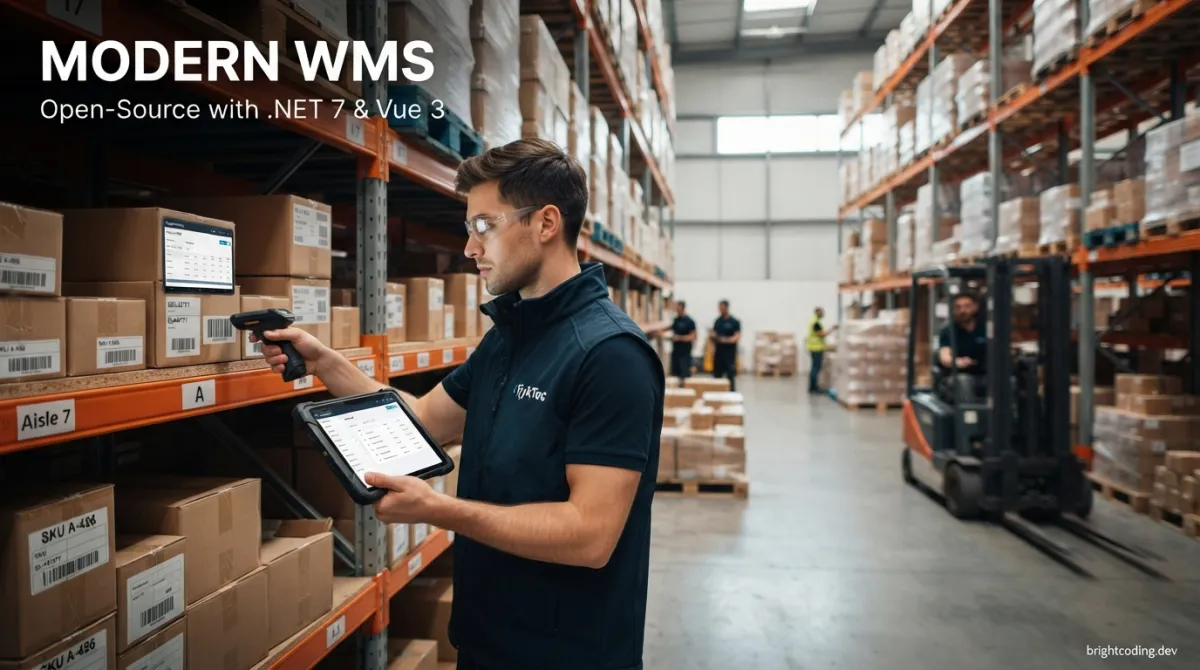
fjykTec/ModernWMS: Open-Source WMS with .NET 7 and Vue 3
Small and mid-sized businesses often face a frustrating gap in warehouse management: commercial ERP systems carry enterprise price tags, yet the operational need for inventory tracking, receiving, and fulfillment is very real. Many teams resort to spreadsheets or fragmented tools that don't scale. fjykTec/ModernWMS addresses this directly — an open-source warehouse management system derived from years of ERP implementation experience, stripped to its essential WMS functions and made freely available.
This article examines what ModernWMS offers technically, how to deploy it, and whether it fits your stack.
What is fjykTec/ModernWMS?
fjykTec/ModernWMS is an open-source warehouse management system maintained by fjykTec, released under the Apache License 2.0. The project originates from commercial ERP project experience — specifically, the WMS functionality was extracted and open-sourced to help small and medium-sized enterprises without large IT budgets.
The repository shows 1,601 stars and 440 forks as of the last commit on June 22, 2025. The primary language is Vue, with the backend built on .NET 7.0.0 and the frontend on Vue 3.2.45 with Vuetify 3.0.4 and TypeScript 4.1.2. The build pipeline uses Vite 4.0.0 and VXE Table 4.3.7 for data grids.
ModernWMS targets cross-platform deployment — the README documents installation on Ubuntu, CentOS Stream, RHEL, Debian, openSUSE, Windows 10/11, and Windows Server 2012+. It supports multiple databases: MySQL↗ Bright Coding Blog 8.0+, SQL Server 2017+, and PostgreSQL↗ Bright Coding Blog 12. Additional capabilities include QR code support, internationalization (i18n), and Docker↗ Bright Coding Blog deployment.
The project's stated motivation is pragmatic: many SMEs have genuine warehouse management needs but cannot afford appropriate commercial systems. ModernWMS attempts to fill this space without the feature bloat of full ERP suites.
Key Features
ModernWMS's feature set reflects its origin as a focused WMS module rather than an all-in-one platform:
Multi-Database Backend Flexibility
The system supports three major relational databases — MySQL 8.0+, SQL Server 2017+, and PostgreSQL 12. This matters for teams with existing database infrastructure or specific performance requirements. The default deployment includes a SQLite file (wms.db) for quick testing.
Cross-Platform Runtime Built on .NET 7, the backend runs on Linux distributions (Ubuntu 18.04–22.04 LTS, CentOS Stream 8/9, RHEL 8/9, Debian 10/11, openSUSE 15) and Windows (10 1607+, 11 21H2+, Server 2012+). The frontend compiles to static assets served by Nginx.
Modern Frontend Stack Vue 3 with Composition API, TypeScript, Vuetify 3 for Material Design components, and VXE Table for high-performance data grids. Vite provides fast development builds. This stack will be immediately familiar to frontend developers working in enterprise Vue ecosystems.
QR Code Integration Native QR code support for warehouse operations — scanning locations, SKUs, or batch identifiers without additional modules.
Internationalization (i18n) Built-in i18n support for multi-language deployments, relevant for teams operating across regions.
Docker Deployment
Two approaches documented: pulling a pre-built image from Docker Hub (modernwms/modernwms:1.0) or building from source with a provided Dockerfile.
Offline-Capable Default
The included wms.db SQLite file allows immediate testing without database server setup.
Use Cases
ModernWMS fits several concrete operational scenarios:
Small Manufacturing or Distribution Operations A mid-sized manufacturer with 1–3 warehouses needing basic receiving, putaway, inventory tracking, and shipping without the cost structure of SAP, Oracle WMS, or even mid-tier solutions. The .NET backend integrates reasonably with existing Windows-centric manufacturing IT environments.
Rapid Prototyping or MVP Validation Teams validating warehouse automation concepts before committing to commercial software licenses. The Docker deployment allows standing up a test environment in minutes, and the Apache 2.0 license permits modification and internal use without legal review cycles.
Educational or Training Environments Universities or corporate training programs teaching supply chain management or ERP fundamentals. The open codebase lets students trace business logic through a real system rather than black-box simulations.
Regional or Branch Warehouse Systems Organizations with centralized ERPs but needing lightweight WMS at satellite locations. ModernWMS can operate independently with periodic data synchronization, reducing licensing costs for low-volume sites.
Custom WMS Development Base Development shops building vertical-specific warehouse solutions (cold storage, hazardous materials, etc.) can fork ModernWMS and extend rather than starting from zero. The Vue 3 frontend and .NET backend provide a familiar, maintainable foundation.
Installation & Setup
The README documents three installation paths. Below are the exact commands, reproduced precisely with explanatory context.
Linux: Source Compilation
Step 1 — Download source:
cd /tmp/ && wget https://gitee.com/modernwms/ModernWMS/repository/archive/master.zip
Step 2 — Install .NET 7 SDK and Node.js 16:
wget https://packages.microsoft.com/config/ubuntu/20.04/packages-microsoft-prod.deb -O packages-microsoft-prod.deb
sudo dpkg -i packages-microsoft-prod.deb
sudo apt-get update && sudo apt-get install -y dotnet-sdk-7.0
curl -fsSL https://deb.nodesource.com/setup_16.x | sudo -E bash -
sudo apt install -y nodejs
sudo apt-get install gcc g++ make
sudo npm install -g yarn
Step 3 — Compile frontend and backend:
sudo apt install unzip
cd /tmp/ && unzip master.zip && cd ./ModernWMS-master
mkdir -p /ModernWMS/frontend/ /ModernWMS/backend/
cd /tmp/ModernWMS-master/frontend/
# Replace with your actual server IP
sed -i 's#http://127.0.0.1#http://IP address#g' ./.env.production
yarn && yarn build && cp -rf /tmp/ModernWMS-master/frontend/dist/* /ModernWMS/frontend/
cd /tmp/ModernWMS-master/backend/ && sudo dotnet publish && cp -rf /tmp/ModernWMS-master/backend/ModernWMS/bin/Debug/net7.0/publish/* /ModernWMS/backend/
cp -rf /tmp/ModernWMS-master/backend/ModernWMS/wms.db /ModernWMS/backend/
Step 4 — Install and configure Nginx:
cd /tmp/ && wget http://nginx.org/download/nginx-1.18.0.tar.gz
tar -zxvf nginx-1.18.0.tar.gz && cd nginx-1.18.0
./configure --prefix=/etc/nginx --with-http_secure_link_module --with-http_stub_status_module --with-http_realip_module --without-http_rewrite_module --without-http_gzip_module
make && make install
cp -rf /ModernWMS/frontend/* /etc/nginx/html/
nohup /etc/nginx/sbin/nginx -g 'daemon off;' &
cd /ModernWMS/backend/ && dotnet ModernWMS.dll --urls http://0.0.0.0:20011
Note: The Nginx build from source with disabled rewrite and gzip modules is unconventional — most production deployments would use distribution packages with standard modules enabled.
Windows: Source Compilation
The Windows path parallels Linux with PowerShell/CMD equivalents:
cd C:\
wget -Uri https://gitee.com/modernwms/ModernWMS/repository/archive/master.zip -OutFile master.zip
Expand-Archive -Path C:\master.zip -DestinationPath C:\
.NET 7 SDK and Node.js 16 installation via direct downloads, then:
cd C:\ModernWMS-master\backend
dotnet publish
copy-item -path "C:\ModernWMS-master\backend\ModernWMS\bin\Debug\net7.0\publish\*" -destination "C:\ModernWMS\backend\" -recurse
copy-Item "C:\ModernWMS-master\backend\ModernWMS\wms.db" -Destination "C:\ModernWMS\backend\"
Frontend build with yarn and yarn build, then Nginx 1.16.1 for Windows.
Docker: Pre-built Image
sudo apt install docker.io
sudo docker pull modernwms/modernwms:1.0
sudo docker run -d -p 20011:20011 -p 80:80 modernwms/modernwms:1.0 ./run.sh
Post-deployment, update the frontend API endpoint:
sudo docker ps -a | awk 'NR>1 && $2=="modernwms/modernwms:1.0" {print $1}'
sudo docker exec -it <CONTAINER ID> /bin/bash
grep -rl "http://127.0.0.1:20011" /frontend | xargs sed -i 's#http://127.0.0.1:20011#http://IP address:20011#g'
exit
sudo docker restart <CONTAINER ID>
Real Code Examples
The README contains limited executable code beyond installation commands. Below are the documented examples with context.
Default Admin Access
After any deployment method, access the system via browser:
http://127.0.0.1          # local
http://<deployed IP>      # remote
Credentials:
- Account:
admin - Password:
1
This minimal credential setup enables immediate evaluation but requires hardening before production use — the README does not document password change procedures or RBAC configuration.
Frontend Environment Configuration
The production build requires API endpoint substitution:
sed -i 's#http://127.0.0.1#http://IP address#g' ./.env.production
This single-line configuration is critical: the Vue frontend compiles with baked-in API URLs, not runtime configuration. Teams with dynamic infrastructure (Kubernetes, auto-scaling groups) will need build-time parameterization or Nginx rewrite layers.
Docker Container Network Update
The post-container IP replacement uses grep and sed across built frontend assets:
grep -rl "http://127.0.0.1:20011" /frontend | xargs sed -i 's#http://127.0.0.1:20011#http://IP address:20011#g'
This approach modifies compiled JavaScript↗ Bright Coding Blog bundles inside the running container — functional but not idempotent. Container rebuilds or orchestrated deployments would benefit from environment-variable-driven configuration instead.
Note: The README does not provide application-level code examples (API calls, data models, or customization hooks). Developers should expect to examine the source directly for integration patterns.
Advanced Usage & Best Practices
Based on the documented architecture, several operational patterns emerge:
Database Selection for Scale
The included wms.db SQLite file suits evaluation only. For production, migrate to PostgreSQL or MySQL 8.0+ — the README's badge matrix suggests first-class support, though specific migration procedures are undocumented. Teams should verify ORM compatibility (likely Entity Framework Core given .NET 7) before committing.
Reverse Proxy Hardening
The Nginx configuration shown compiles from source with minimal modules. Production deployments should use distribution-maintained packages with standard security headers, rate limiting, and TLS termination. The backend listens on 0.0.0.0:20011 — ensure firewall rules restrict direct access.
Frontend Build Pipeline The Vue 3 + Vite stack supports modern development workflows. Teams extending the UI should note the VXE Table dependency for data grids — replacing this component would require significant refactoring. The TypeScript 4.1.2 version is dated; verify compatibility before upgrading.
Container Image Updates
The Docker Hub image (modernwms/modernwms:1.0) appears version-locked. Teams requiring current builds should use the "Build your own image" path, though this lengthens deployment time substantially.
For [INTERNAL_LINK: Vue 3 enterprise patterns], teams may find additional architectural guidance relevant to extending ModernWMS's frontend.
Comparison with Alternatives
| Aspect | fjykTec/ModernWMS | Odoo Inventory | ERPNext Stock |
|---|---|---|---|
| Scope | Dedicated WMS | Full ERP with WMS module | Full ERP with WMS module |
| License | Apache 2.0 | LGPLv3 (community) | GPLv3 |
| Backend | .NET 7 | Python↗ Bright Coding Blog/PostgreSQL | Python/MariaDB |
| Frontend | Vue 3 + Vuetify | OWL Framework | Frappe Framework |
| Deployment | Source, Docker | SaaS, self-hosted | SaaS, self-hosted |
| Community | 1,601 GitHub stars | 45,000+ GitHub stars | 18,000+ GitHub stars |
| Best for | .NET shops, focused WMS | Integrated business needs | Open-source purists, Python ecosystems |
ModernWMS trades ecosystem breadth for stack specificity. Teams already invested in .NET infrastructure gain faster integration; those needing CRM, accounting, or manufacturing modules should evaluate Odoo or ERPNext despite higher complexity.
FAQ
Q: What are the minimum server requirements? Undocumented explicitly; the software runs on modest hardware given .NET 7 and Nginx's efficiency. Monitor memory with SQLite — concurrent writes may bottleneck.
Q: Can I use a newer Node.js version? The README specifies Node.js 16.13.1. Later versions may work but are untested by the maintainers.
Q: Is there a cloud-hosted option? No SaaS offering is documented. Self-hosted only, with Docker as the quickest path.
Q: How do I change the default admin password? Not documented in the README. Examine the database schema or source code for user management tables.
Q: Does ModernWMS support barcode scanners? QR code support is advertised; dedicated barcode hardware integration depends on scanner HID emulation or API-level integration.
Q: What about mobile warehouse apps? No native mobile application is mentioned. The Vue frontend may be responsive; test on target devices.
Q: Is commercial support available? The README mentions donation channels (Alipay, WeChat) but does not document support tiers or SLAs.
Conclusion
fjykTec/ModernWMS delivers a focused, open-source warehouse management system for teams prioritizing .NET and Vue expertise over ecosystem breadth. Its 1,601 stars and active maintenance through mid-2025 indicate sustained interest, though the documentation gaps (API reference, security hardening, operational runbooks) require teams to invest in source-level understanding.
This tool fits best for: small-to-mid warehouses needing basic WMS without ERP complexity, .NET development shops building vertical solutions, and organizations validating warehouse digitization before larger investments.
It fits poorly for: teams needing integrated CRM/accounting, multi-warehouse orchestration at scale, or extensive commercial support infrastructure.
Evaluate the live demo and examine the codebase at https://github.com/fjykTec/ModernWMS before committing to deployment.
Explore on the BrightCoding network
Hand-picked resources from our other sites.
onyx-dot-app/onyx-foss: Open-Source AI Platform with 50+ Connectors
onyx-dot-app/onyx-foss is the MIT-licensed FOSS edition of Onyx, an open-source AI platform with agentic RAG, 50+ connectors, custom agents, and enterprise gove...
PatchMon/PatchMon: Outbound-Only Linux Patch Management
PatchMon/PatchMon is an open-source Linux patch management platform with outbound-only agents, multi-OS support, and a single Go binary deployment. AGPL v3 lice...
FSoft-AI4Code/CodeWiki: Automated Documentation for Large Codebases
FSoft-AI4Code/CodeWiki is an open-source framework that generates holistic, structured documentation for large multilingual codebases using hierarchical decompo...
Continuez votre lecture

Why Alexandrie is the Ultimate Markdown Note-Taking App

Why CrossPaste is the Ultimate Game Changer for Clipboard Management

Why Chandra is the Ultimate OCR Tool for Handwriting and Tables

Stop Coding Alone: OPC-Skills Gives Your AI Agent Superpowers
Commentaires 0
Aucun commentaire pour l'instant. Soyez le premier à réagir !