Frame: The FFmpeg GUI That Makes Video Conversion Effortless
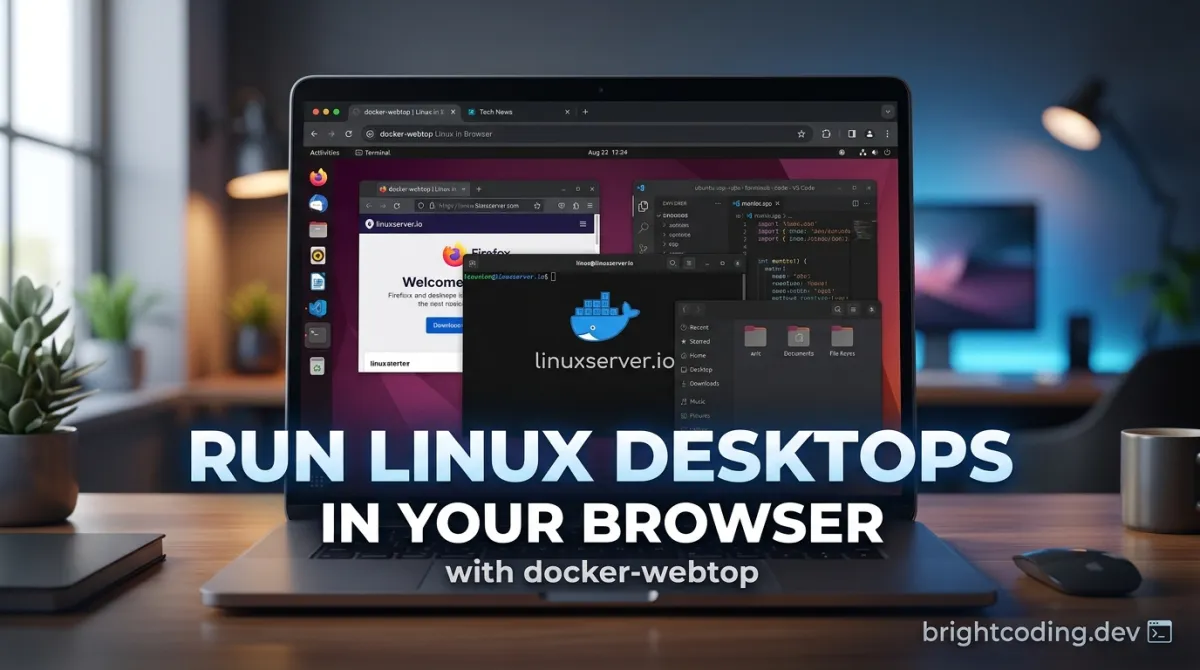
Frame: The FFmpeg GUI That Makes Video Conversion Effortless
Stop memorizing cryptic FFmpeg flags. There's a better way.
If you've ever spent twenty minutes crafting the perfect FFmpeg command—only to watch it fail with an inscrutable error about filter graphs—you're not alone. The power of FFmpeg is undeniable. It's the backbone of modern video processing, powering everything from YouTube's transcoding pipeline to your favorite streaming service. But that power comes with a cost: a command-line interface that feels hostile to mere mortals.
What if you could harness FFmpeg's full capabilities without touching a terminal? What if granular control over codecs, bitrates, and hardware acceleration came wrapped in a blazing-fast native interface that respects your time?
Enter Frame—the open-source FFmpeg GUI that's making waves across the developer community. Built on a Rust backend with Svelte 5 frontend, Frame delivers the performance of native code with the polish of modern web technology. No more guessing CRF values. No more debugging filter syntax at 2 AM. Just pure, effortless media conversion with the precision you demand.
In this deep dive, I'll expose why Frame is rapidly becoming the secret weapon for developers, content creators, and video professionals who refuse to compromise between power and usability.
What Is Frame?
Frame is a high-performance media conversion utility built on the Tauri v2 framework, providing a native interface for FFmpeg operations with granular control over video, audio, and image conversion parameters. The project lives at github.com/66HEX/frame and has been gaining serious traction among developers tired of existing solutions.
Created by 66HEX, Frame represents a deliberate architectural choice: Rust for the backend, Svelte 5 for the frontend, bridged by Tauri's lightweight native shell. This isn't Electron bloat masquerading as desktop software. We're talking about a sub-10MB footprint with true native performance.
Why It's Trending Now
The timing is no accident. Several converging trends make Frame uniquely relevant:
- Rust's mainstream adoption in systems programming has proven its viability for performance-critical applications
- Svelte 5's Runes API offers reactivity without the virtual DOM overhead that plagues React↗ Bright Coding Blog-based tools
- Tauri v2's maturity finally delivers on the promise of web-tech-native hybrids without the Electron baggage
- AV1's emergence demands accessible encoding tools—Frame ships with
libsvtav1andav1_nvencsupport out of the box
The repository's star history tells the story: steady, organic growth driven by word-of-mouth among developers who've hit the limits of HandBrake's presets or Shutter Encoder's quirks.
Key Features That Set Frame Apart
Frame isn't a shallow wrapper around FFmpeg. It's a deeply engineered tool that exposes the encoder's full power while eliminating its friction points.
Media Conversion Core
Multi-format dominance. Frame handles video (MP4, MKV, WebM, MOV, GIF), audio (MP3, M4A, WAV, FLAC), and image (PNG, JPG, WebP, BMP, TIFF) conversions through a unified interface. No context switching between tools.
Professional-grade encoders. The video encoder lineup reads like a who's-who of modern codecs:
libx264/libx265for maximum compatibility and efficiencyvp9for web-optimized deliveryproresfor professional post-production workflowslibsvtav1for next-generation bandwidth savings
Hardware acceleration that actually works. Frame leverages Apple Silicon VideoToolbox (h264_videotoolbox, hevc_videotoolbox), NVIDIA NVENC (h264_nvenc, hevc_nvenc, av1_nvenc), and exposes them through simple dropdown selections—no arcane -hwaccel flags required.
AI-powered upscaling. Integrated Real-ESRGAN brings machine learning to your workflow with 2x and 4x upscaling for video and images. This isn't gimmicky "enhance" button territory—it's the same technology powering professional restoration pipelines.
Architecture & Workflow
Concurrent processing with backpressure. The Rust backend uses tokio::mpsc channels to manage an async task queue, limiting concurrent FFmpeg processes to prevent system thrashing. Default concurrency: 2 simultaneous jobs, tunable for your hardware.
Real-time telemetry from stderr. Frame parses FFmpeg's notoriously verbose stderr output in real-time, extracting accurate progress percentages and structured logs. No more guessing if your 4K render is 10% or 90% complete.
Preset management for power users. Save and load reusable conversion profiles—your perfect YouTube upload settings, archival parameters, or mobile-optimization presets, all one click away.
Real-World Use Cases Where Frame Dominates
1. Content Creator Pipeline Optimization
You're producing 4K YouTube videos with a specific delivery spec: H.264, CRF 18, faststart for streaming, 48kHz AAC audio. Previously, you maintained a shell script or memorized flags. With Frame, you save this as a preset and drag-drop batch process your renders. The Rust backend queues jobs efficiently while you edit the next video.
2. Cross-Platform Game Development Asset Pipeline
Indie studios need texture compression (WebP, PNG variants), audio format conversion (WAV to compressed Ogg for shipping), and trailer encoding (multiple bitrate ladders). Frame's multi-format support and concurrent processing turn asset baking from a blocking operation to a background task.
3. Archival and Digitization Workflows
Libraries and archives are digitizing analog media at massive scale. Frame's ProRes support preserves maximum quality for preservation masters, while FFV1 and x265 options create access copies. The ffprobe integration automatically extracts technical metadata for cataloging systems.
4. AI-Enhanced Video Restoration
Combine Frame's Real-ESRGAN integration with its format flexibility for old film restoration: upscale SD sources to HD, denoise via FFmpeg filters, encode to modern codecs. The entire pipeline stays within one application, with progress tracking for quality control checkpoints.
5. Web Developer Media Optimization
Modern web performance demands multiple format variants: AV1 for capable browsers, H.264 fallback, WebP/AVIF images. Frame's preset system lets you define these once, then batch-generate your entire media library's responsive variants.
Step-by-Step Installation & Setup Guide
Frame offers multiple installation paths depending on your platform and preferences.
Prebuilt Binaries (Fastest Path)
Download the latest release directly from GitHub:
# Visit the releases page
open https://github.com/66HEX/frame/releases
⚠️ Security Note: The application is currently unsigned. See platform-specific handling below.
Windows: WinGet Installation
# Install Frame via Windows Package Manager
winget install --id 66HEX.Frame -e

# Update to latest version
winget upgrade --id 66HEX.Frame -e
SmartScreen Handling: Windows may block execution. Click "More info" → "Run anyway" to proceed.
macOS: Homebrew Tap
# Add the custom tap and install
brew tap 66HEX/frame
brew install --cask frame

# Remove quarantine attribute for unsigned app
xattr -dr com.apple.quarantine /Applications/Frame.app
Linux: System Dependencies + Build
Linux requires WebKitGTK and GStreamer for Tauri's rendering and media handling:
Ubuntu/Debian:
sudo apt update
sudo apt install libwebkit2gtk-4.1-0 gstreamer1.0-plugins-base \
  gstreamer1.0-plugins-good gstreamer1.0-libav xdg-desktop-portal \
  xdg-desktop-portal-gtk zenity
Arch Linux:
sudo pacman -S --needed webkit2gtk-4.1 gst-plugins-base \
  gst-plugins-good gst-libav xdg-desktop-portal \
  xdg-desktop-portal-gtk zenity
Fedora:
sudo dnf install webkit2gtk4.1 gstreamer1-plugins-base \
  gstreamer1-plugins-good gstreamer1-libav xdg-desktop-portal \
  xdg-desktop-portal-gtk zenity
KDE Users: Substitute
xdg-desktop-portal-kdefor native Plasma dialogs.Advertisement
Build From Source (Developers & Contributors)
Prerequisites:
- Rust toolchain
- Bun (or Node.js)
- Tauri system dependencies
Clone and setup:
# Clone the repository
git clone https://github.com/66HEX/frame.git
cd frame

# Install JavaScript↗ Bright Coding Blog dependencies
bun install

# Fetch required sidecar binaries
bun run setup:ffmpeg        # FFmpeg/FFprobe binaries
bun run setup:upscaler      # Real-ESRGAN AI upscaling assets
Development or production build:
# Hot-reload development server
bun tauri dev

# Optimized production build
bun tauri build
REAL Code Examples: Inside Frame's Architecture
Let's examine how Frame actually works under the hood, with authentic code patterns from the repository.
Example 1: FFmpeg Sidecar Execution via Tauri Plugin
Frame leverages tauri-plugin-shell for secure, sandboxed process execution. This Rust pattern shows how the backend spawns FFmpeg with proper argument construction:
// Rust backend: Executing FFmpeg as a sidecar process
use tauri_plugin_shell::ShellExt;
use std::process::Stdio;

// The app handle provides access to Tauri's shell plugin
let shell = app_handle.shell();

// Spawn FFmpeg with constructed arguments
// Arguments are passed as a vector for proper escaping
let command = shell
    .command("ffmpeg")
    .args([
        "-i", &input_path,           // Input file
        "-c:v", &video_codec,        // Video codec selection
        "-crf", &crf_value,          // Quality control
        "-preset", &preset,          // Encoding speed/efficiency tradeoff
        "-c:a", &audio_codec,        // Audio codec
        "-y", &output_path           // Overwrite output, specify path
    ])
    .stdout(Stdio::piped())          // Capture stdout for progress parsing
    .stderr(Stdio::piped());         // FFmpeg logs to stderr—critical for progress

// Execute and obtain handle for real-time monitoring
let mut child = command.spawn()
    .expect("Failed to spawn FFmpeg process");
Why this matters: The tauri-plugin-shell abstraction provides cross-platform binary resolution and security sandboxing. Frame doesn't assume FFmpeg is in your PATH—it manages sidecar binaries explicitly, eliminating "command not found" failures that plague wrapper scripts.
Example 2: Async Task Queue with Tokio Channels
The concurrent processing backbone uses Tokio's multi-producer, single-consumer channels for job distribution:
// Rust backend: Concurrent task management with backpressure
use tokio::sync::mpsc;
use tokio::sync::Semaphore;
use std::sync::Arc;

// Channel for job submission (bounded for backpressure)
let (tx, mut rx) = mpsc::channel::<ConversionJob>(32);

// Semaphore limits concurrent FFmpeg processes (default: 2)
let concurrency_limit = Arc::new(Semaphore::new(2));

// Spawn worker task that processes queue
let worker = tokio::spawn(async move {
    while let Some(job) = rx.recv().await {
        // Acquire permit—blocks if at concurrency limit
        let permit = concurrency_limit.clone()
            .acquire_owned()
            .await
            .expect("Semaphore closed");

        // Spawn conversion in new task, permit released on completion
        tokio::spawn(async move {
            let _permit = permit; // Owns the permit, auto-released on drop
            execute_conversion(job).await;
        });
    }
});
The engineering insight: This pattern prevents system thrashing from unlimited parallel encodes. Two 4K HEVC encodes might saturate your CPU; twenty would crash the system. The semaphore provides cooperative scheduling with graceful degradation.
Example 3: Svelte 5 Runes for Reactive State Management
The frontend uses Svelte 5's Runes API—no more $: labels or store boilerplate:
<!-- Svelte 5: Reactive conversion state with Runes -->
<script>
  // $state creates deeply reactive state
  let conversionState = $state({
    status: 'idle',        // 'idle' | 'running' | 'completed' | 'error'
    progress: 0,           // 0-100 percentage
    currentFile: '',       // Active filename
    logs: []               // Real-time FFmpeg output
  });

  // $derived for computed values—automatic dependency tracking
  let isActive = $derived(conversionState.status === 'running');
  let progressPercent = $derived(`${conversionState.progress.toFixed(1)}%`);

  // $props for component inputs (replaces export let)
  let { preset, onComplete } = $props();

  // Async function triggered by user action
  async function startConversion() {
    conversionState.status = 'running';

    // Invoke Tauri command—typed RPC to Rust backend
    await invoke('convert_media', {
      input: selectedFiles,
      options: preset
    });
  }
</script>

<!-- Template reactivity is automatic—no manual subscriptions -->
<div class="progress-bar" style:width={progressPercent}>
  {progressPercent}
</div>

{#if isActive}
  <LiveLogViewer logs={conversionState.logs} />
{/if}
Why Svelte 5 changes everything: The $state and $derived runes eliminate the indirection of Svelte stores while maintaining fine-grained reactivity. The compiler optimizes updates without virtual DOM diffing—critical for smooth progress animations during intensive conversions.
Example 4: Real-Time Progress Parsing from FFmpeg stderr
Frame's telemetry system extracts meaningful progress from FFmpeg's notoriously unstructured output:
// Rust backend: Parsing FFmpeg progress from stderr lines
use regex::Regex;

// Regex captures: frame, fps, time, bitrate, speed
let progress_re = Regex::new(
    r"frame=\s*(\d+)\s+fps=\s*([\d.]+)\s+.*time=(\d+:\d+:\d+\.\d+)\s+bitrate=\s*([\d.]+)\s+speed=\s*([\d.]+)x"
).unwrap();

// Stream reader processing stderr line-by-line
while let Some(line) = stderr_reader.next_line().await? {
    if let Some(caps) = progress_re.captures(&line) {
        let progress = ConversionProgress {
            frame: caps[1].parse().unwrap(),
            fps: caps[2].parse().unwrap(),
            time: parse_time(&caps[3]),      // Convert HH:MM:SS.ms to seconds
            bitrate_kbps: caps[4].parse().unwrap(),
            speed_multiplier: caps[5].parse().unwrap(),
            // Calculate percentage from duration metadata
            percent: (parse_time(&caps[3]) / total_duration * 100.0)
                .min(99.9)  // Cap until true completion
        };

        // Emit event to frontend via Tauri's event system
        app_handle.emit("conversion:progress", progress)?;
    }

    // Also capture raw logs for the detailed view
    app_handle.emit("conversion:log", line)?;
}
The parsing challenge: FFmpeg's progress output is designed for human readability, not machine parsing. Frame's regex handles the variable whitespace formatting across versions, while the dual emission (structured progress + raw logs) serves both UI progress bars and power-user debugging.
Advanced Usage & Best Practices
Optimize Your Presets
Create format-specific profiles rather than adjusting per-job. Frame's preset persistence rewards upfront investment:
- "YouTube 4K": H.264, CRF 17, faststart, 48kHz AAC
- "Archive Master": FFV1 or ProRes 422 HQ, PCM audio
- "Web Delivery": AV1 (SVT-AV1), Opus audio, 1080p max
- "Mobile Preview": H.264 baseline, 720p, aggressive bitrate
Hardware Acceleration Strategy
Know your encoder's strengths:
| Scenario | Recommended Encoder | Why |
|---|---|---|
| Speed priority | h264_nvenc / hevc_videotoolbox |
5-10x faster, larger files |
| Quality priority | libx264 / libx265 |
Best efficiency, slower |
| Future-proofing | libsvtav1 / av1_nvenc |
30% better than HEVC |
| Professional post | prores |
Editing-friendly, massive files |
AI Upscaling Workflow
Real-ESRGAN excels at specific content types. Use it for:
- Anime/cartoon: Clean lines upscale beautifully
- Digital art: Illustrations gain clarity without artifacts
- Avoid: Noisy analog sources (denoise first), fine grain film
Frame vs. Alternatives: The Honest Comparison
| Feature | Frame | HandBrake | Shutter Encoder | FFmpeg CLI |
|---|---|---|---|---|
| Native Performance | ✅ Rust/Tauri, ~5MB | ⚠️ Electron-based | ❌ Electron-based | ✅ Terminal |
| Hardware Acceleration | ✅ Full NVENC/VideoToolbox | ✅ Limited | ✅ Limited | ✅ Manual flags |
| AI Upscaling | ✅ Built-in Real-ESRGAN | ❌ None | ❌ None | ⚠️ External tools |
| Preset System | ✅ Save/load profiles | ✅ Extensive | ✅ Basic | ❌ Scripts only |
| Real-time Progress | ✅ Accurate % + logs | ✅ Basic | ⚠️ Limited | ❌ Manual parsing |
| Cross-platform | ✅ macOS/Win/Linux | ✅ Yes | ✅ Yes | ✅ Yes |
| Open Source | ✅ GPL-3.0 | ✅ GPL-2.0 | ✅ GPL-3.0 | ✅ LGPL/GPL |
| Modern Stack | ✅ Rust + Svelte 5 | ❌ C + GTK | ❌ C++ + Qt | ✅ C |
The verdict: HandBrake remains excellent for simple DVD ripping with its built-in presets. Shutter Encoder covers broader format support but suffers Electron bloat. FFmpeg CLI offers unlimited flexibility at the cost of usability. Frame occupies the sweet spot: power-user features with modern performance and genuine native feel.
FAQ: Developer Concerns Addressed
Is Frame truly native, or another Electron wrapper?
Absolutely native. Frame uses Tauri v2, which compiles to platform-native binaries with WebKit/WebView2 for UI rendering—not a bundled Chromium. The Rust backend runs as native machine code. Result: ~5MB downloads versus 100MB+ Electron apps.
Why GPL-3.0? Can I use it commercially?
Frame's GPL-3.0 license requires source disclosure if you distribute modified versions. For internal commercial use, you're free to use it without restriction. The license ensures community contributions remain open.
How does Frame handle FFmpeg version compatibility?
Frame bundles tested FFmpeg sidecar binaries via the setup:ffmpeg script, ensuring version consistency. You can override with system FFmpeg, but bundled versions are validated for feature compatibility.
Is the AI upscaling done locally or cloud-based?
100% local. Real-ESRGAN runs on your GPU/CPU via the sidecar binary. No data leaves your machine—critical for sensitive content and offline workflows.
Can I contribute or extend Frame?
The Rust + Svelte 5 + Tauri stack is intentionally modern and contributor-friendly. The build system uses Bun for speed. Check the repository's issue tracker for good first issues and the project's funding goals for priority features.
What's the roadmap for code signing?
The project is actively seeking sponsorship for Apple Developer Program ($99/year) and Microsoft code-signing certificates ($300-700/year). Code signing will eliminate the manual approval steps currently required.
Conclusion: Why Frame Deserves Your Attention
Frame represents something rare in open-source media tools: a project that respects both technical depth and user experience. The Rust backend isn't performative systems programming—it's genuinely necessary for managing concurrent FFmpeg processes without choking your system. The Svelte 5 frontend isn't chasing framework trends—it's delivering reactive UI performance that keeps pace with real-time encoding telemetry.
For developers who've outgrown HandBrake's presets but refuse to maintain shell scripts, Frame offers a third path. For content creators batch-processing deliverables, its preset system and concurrent queue reclaim hours of waiting time. For the AI-curious, integrated Real-ESRGAN opens restoration possibilities without Python↗ Bright Coding Blog environment hell.
The project is young, hungry, and technically ambitious. The unsigned builds are a temporary friction—the architecture is built for longevity.
Ready to stop fighting FFmpeg and start using it?
👉 Download Frame from GitHub
⭐ Star the repository to support development
💰 Sponsor 66HEX to accelerate code signing and new features
Your command line will miss you. Your productivity won't.
Built with Rust. Powered by FFmpeg. Designed for humans.
Explore on the BrightCoding network
Hand-picked resources from our other sites.
Stop Paying SaaS Fees! Build Your Own Apps with Every App
Every App is the open source personal software platform that lets developers self-host unlimited web apps on Cloudflare with AI integration. Free to start, $5/m...
ruvnet/RuVector: Self-Learning Vector DB with Graph Neural Networks
RuVector is a Rust-based self-learning vector database with 4,356 GitHub stars that uses graph neural networks to improve search quality from usage signals. It...
x007xyz/flycut-caption: Local AI Subtitle Editing for React Apps
x007xyz/flycut-caption is a React 19 component for AI-powered video subtitle editing with 1,691 stars. Features local Whisper speech recognition via Transformer...
Continuez votre lecture
Why Alexandrie is the Ultimate Markdown Note-Taking App
Why CrossPaste is the Ultimate Game Changer for Clipboard Management
Why Chandra is the Ultimate OCR Tool for Handwriting and Tables
Stop Coding Alone: OPC-Skills Gives Your AI Agent Superpowers
Commentaires 0
Aucun commentaire pour l'instant. Soyez le premier à réagir !