getAsterisk/claudia: A GUI Toolkit for Claude Code Session Management
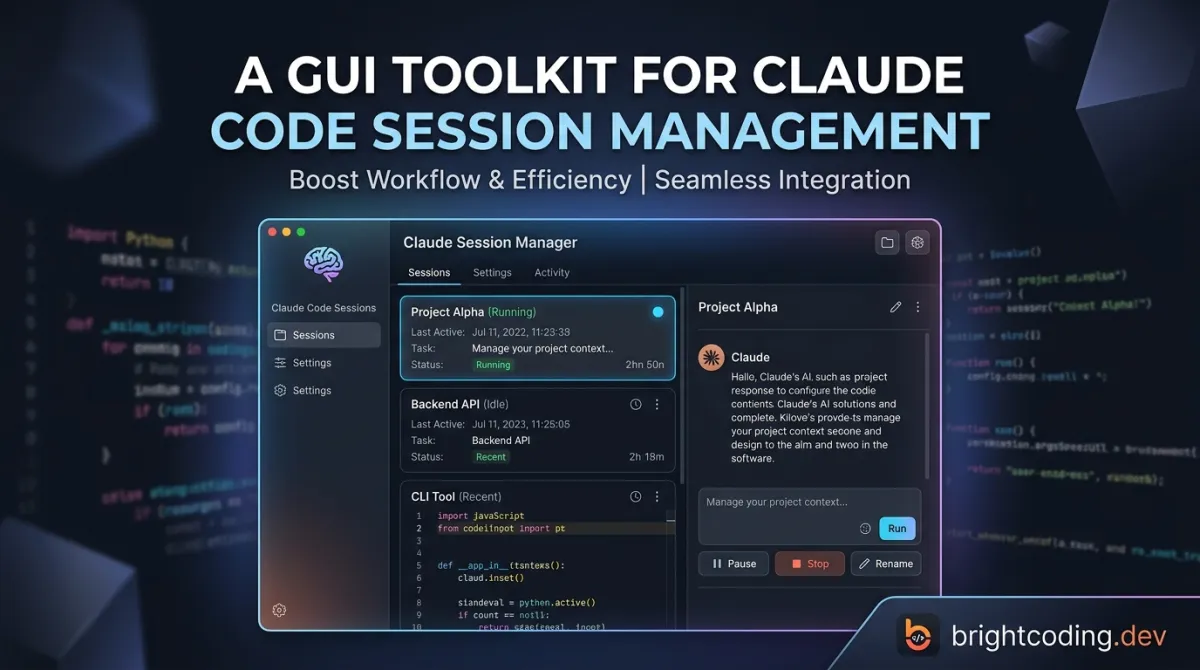
Developers using Claude Code face a familiar friction: the tool is powerful but entirely terminal-bound. Sessions pile up in ~/.claude/projects/. Context gets lost between restarts. Custom agents require manual configuration files. Background tasks block your shell. For teams and individual developers running multiple Claude Code workflows daily, this command-line-only experience creates real operational overhead.
getAsterisk/claudia (also referred to as "opcode" in its codebase) addresses this directly. It's an open-source desktop application that wraps Claude Code in a visual interface—providing project browsing, session management, custom agent creation, usage analytics, and MCP server management from a single GUI. With 22,179 GitHub stars and active development through October 2025, it represents one of the most mature community efforts to extend Claude Code's usability.
This article breaks down what getAsterisk/claudia actually does, how it works under the hood, and whether it deserves a place in your Claude Code workflow.
What is getAsterisk/claudia?
getAsterisk/claudia is a desktop GUI application and toolkit for Claude Code, maintained by Asterisk and licensed under the GNU Affero General Public License v3.0. The project is explicitly not affiliated with Anthropic—it's an independent developer effort that builds on top of Claude Code's CLI capabilities.
Technically, it's a Tauri 2 application: Rust handles the backend (process management, SQLite persistence, filesystem operations), while a React↗ Bright Coding Blog 18 + TypeScript frontend provides the interface. This architecture matters—Tauri's lightweight footprint (especially compared to Electron) keeps the app responsive, while Rust's process isolation capabilities directly support the security model for agent execution.
The project reached significant traction with 22,179 stars and 1,707 forks, suggesting broad interest from developers seeking to operationalize Claude Code. The primary language is TypeScript (frontend-heavy), with Rust powering the Tauri backend. Last commit activity as of October 16, 2025 indicates active maintenance.
The core value proposition is session lifecycle management. Where Claude Code CLI creates opaque project directories, getAsterisk/claudia surfaces them as browsable, searchable, resumable sessions with metadata visualization, checkpointing, and branching. It transforms Claude Code from a stateless command-line tool into a managed development environment.
Key Features
Project & Session Management
The app automatically detects your ~/.claude/projects/ directory and renders a visual browser. Each project exposes its session history with first messages, timestamps, and metadata. Sessions can be resumed with full context intact or forked into new branches. A built-in search indexes across projects and sessions—critical when you're managing dozens of Claude Code conversations.
CC Agents (Custom Agents) Users create specialized agents with custom system prompts, model selection (across available Claude models), and granular permissions (file read/write, network access). Agents execute in separate background processes, preventing blocking operations. Execution history with logs and performance metrics is retained for debugging and optimization.
Timeline & Checkpoints
Session versioning is built-in. Checkpoints can be created at any point, with a visual branching timeline for navigation. The diff viewer shows exact changes between checkpoints. This addresses a genuine pain point: Claude Code sessions can drift significantly, and without versioning, recovering prior states requires manual git intervention or context loss.
MCP Server Management Model Context Protocol servers are managed through a central registry UI. Servers can be added manually, imported via JSON, or pulled from Claude Desktop configurations. Connection testing verifies connectivity before deployment.
Usage Analytics Dashboard Real-time cost tracking, token analytics broken down by model/project/time period, visual trend charts, and data export for accounting. This directly addresses enterprise and freelance needs for API spend visibility.
CLAUDE.md Management Built-in editor with live preview, project-wide scanning for CLAUDE.md files, and full markdown↗ Smart Converter syntax highlighting. This centralizes a convention that many Claude Code users already adopt informally.
Use Cases
Multi-Project Development Teams Teams running Claude Code across multiple repositories gain a shared operational view. Session history prevents knowledge siloing when developers switch contexts. The usage dashboard enables cost allocation by project or team member.
Complex Agent Workflows Developers building specialized agents—code reviewers, documentation generators, test writers—can iterate on prompts and permissions without hand-editing configuration files. Background execution means long-running agents don't block terminal access.
Regulatory and Compliance Environments Checkpointing with diff visualization creates an audit trail for AI-assisted code changes. The local-only storage model (SQLite on your machine, no telemetry) satisfies data residency requirements that cloud-based alternatives cannot.
Freelance and Consulting Work Usage analytics with export capability simplifies client billing for API consumption. Project-based organization separates client contexts cleanly.
Claude Power Users Anyone running 10+ Claude Code sessions weekly benefits from search, session resumption, and the visual timeline. The time saved on context recovery compounds significantly.
Installation & Setup
Prerequisites
Claude Code CLI must be installed first from Claude's official site and available in your PATH. Verify with:
claude --version
Build from Source
The project currently requires building from source—release executables are noted as "coming soon" in the documentation.
System Requirements:
- Windows 10/11, macOS 11+, or Linux (Ubuntu 20.04+)
- 4GB RAM minimum (8GB recommended)
- 1GB free storage
Required Tools:
# Rust (1.70.0+)
curl --proto '=https' --tlsv1.2 -sSf https://sh.rustup.rs | sh

# Bun (latest)
curl -fsSL https://bun.sh/install | bash

# Git (usually pre-installed)
Platform-Specific Dependencies:
Linux (Ubuntu/Debian):
sudo apt update
sudo apt install -y \
  libwebkit2gtk-4.1-dev \
  libgtk-3-dev \
  libayatana-appindicator3-dev \
  librsvg2-dev \
  patchelf \
  build-essential \
  curl \
  wget \
  file \
  libssl-dev \
  libxdo-dev \
  libsoup-3.0-dev \
  libjavascriptcoregtk-4.1-dev
macOS:
xcode-select --install
brew install pkg-config  # optional but recommended
Windows: Install Microsoft C++ Build Tools and WebView2.
Build Commands:
# Clone repository
git clone https://github.com/getAsterisk/opcode.git
cd opcode

# Install frontend dependencies
bun install

# Development build with hot reload
bun run tauri dev

# Production build
bun run tauri build
Production artifacts appear in src-tauri/target/release/ with platform-specific installers (.deb, .AppImage, .dmg, .msi, .exe).
Verification:
# Linux/macOS
./src-tauri/target/release/opcode

# Windows
./src-tauri/target/release/opcode.exe
Real Code Examples
The README documents workflow patterns rather than extensive API code. Here are the concrete examples provided:
Project Navigation Workflow:
Projects → Select Project → View Sessions → Resume or Start New
This linear flow reflects the actual UI navigation. Each arrow represents a view transition in the React frontend, with session resumption handled by Tauri commands that read from the SQLite database and reconstruct Claude Code's context state.
Agent Creation Workflow:
CC Agents → Create Agent → Configure → Execute
The configuration step involves setting name, icon, system prompt, model selection, and permissions. The "Execute" step triggers a Tauri command that spawns a separate Rust-managed process:
// Conceptual: src-tauri/src/process/ handler pattern
// Agents run in isolated processes with configurable capabilities
The actual Rust implementation in src-tauri/src/process/ handles process spawning, IPC, and lifecycle management. The permission system (file read/write, network access) maps to OS-level restrictions where possible.
Usage Dashboard Access:
Menu → Usage Dashboard → View Analytics
The analytics backend queries SQLite for token counts, cost data, and timestamps, then aggregates for the React frontend's chart components.
MCP Server Addition:
Menu → MCP Manager → Add Server → Configure
Configuration supports manual UI entry, raw JSON paste, or import from Claude Desktop's configuration files. The "Test Connection" step verifies server health before registration.
Note: The README does not provide extensive code-level API examples. The tool is primarily GUI-driven, with workflows documented as navigation paths rather than programmatic interfaces. Developers seeking headless or scripted operation may need to examine the Tauri command layer directly.
Advanced Usage & Best Practices
Checkpoint Strategy: Treat checkpoints like Git commits—create them at meaningful boundaries (feature completion, before experimental prompts, after successful refactors). The branching timeline supports exploratory work; use forks rather than overwriting stable session states.
Agent Permission Minimalism: The permission system is powerful but not sandboxed at the OS level. Grant file write access only to project directories, and disable network access for agents handling sensitive code. Review execution logs regularly—background processes can accumulate significant API costs if left running.
MCP Server Hygiene: Test connections before adding servers to production projects. The import from Claude Desktop is convenient but may bring deprecated configurations. Audit imported servers for relevance.
CLAUDE.md Conventions: Use the built-in editor to standardize project context files. The live preview catches formatting errors that degrade Claude Code's context parsing. Scanning across projects helps identify drift in conventions.
Performance: SQLite handles the documented scale well, but heavy usage (1000+ sessions) may benefit from occasional database maintenance. The Tauri backend's process isolation has memory overhead—monitor with your OS tools if running many concurrent agents.
Comparison with Alternatives
| Tool | Architecture | Key Difference | Trade-off |
|---|---|---|---|
| Claude Code CLI (native) | Terminal-only | Official, zero setup | No session management, no GUI |
| getAsterisk/claudia | Tauri desktop | Full session lifecycle, agents, analytics | Requires build from source |
| Claude Desktop | Electron desktop | Official Anthropic support | No Claude Code integration, no custom agents |
| Aider (paul-gauthier) | Python↗ Bright Coding Blog CLI | Multi-model, git-native | No GUI, different workflow paradigm |
getAsterisk/claudia occupies a specific niche: Claude Code users who need operational tooling rather than just a different interface. It's not a replacement for Claude Desktop (which targets casual chat) or Aider (which has different git-centric semantics). The build-from-source requirement is a genuine barrier compared to native CLI tools, though the Tauri architecture keeps the binary relatively lightweight once built.
FAQ
Is getAsterisk/claudia officially affiliated with Anthropic? No. The README explicitly states: "This project is not affiliated with, endorsed by, or sponsored by Anthropic."
What license covers the project? GNU Affero General Public License v3.0. This has implications for commercial use and network deployment—review the license terms.
Can I use it without Claude Code CLI installed? No. Claude Code CLI is a hard prerequisite; the app manages and extends it rather than replacing it.
Is there a pre-built binary available? Not currently. The README notes "Release Executables Will Be Published Soon" as of the last documentation update.
Does it collect telemetry or send data externally? No. The security documentation claims "No Telemetry: No data collection or tracking" with all data stored locally in SQLite.
What Rust version is required? 1.70.0 or later, installed via rustup.
Can agents run truly isolated from my main system? Agents run in separate processes with configurable permissions, but this is not full OS-level sandboxing. Review permissions carefully for untrusted agent code.
Conclusion
getAsterisk/claudia solves a concrete problem for Claude Code power users: operational visibility and session management that the native CLI simply doesn't provide. The 22,179-star traction suggests this pain point is widely felt.
The tool fits best for developers running multiple Claude Code projects daily, teams needing usage accountability, or anyone who has lost context reconstructing a complex session from terminal history. The Tauri architecture is a sound technical choice—performant and secure-by-design for desktop applications.
The current build-from-source requirement limits adoption to developers comfortable with Rust toolchain setup. If pre-built executables arrive as promised, accessibility will improve substantially. The AGPL license requires consideration for commercial contexts.
For Claude Code users hitting friction with session management, agent configuration, or cost tracking, getAsterisk/claudia is a credible, actively maintained open-source option worth evaluating. The project welcomes contributions across bug fixes, features, documentation, and test coverage.
Explore the repository and build instructions at https://github.com/getAsterisk/claudia.
Outils recommandés
Explore on the BrightCoding network
Hand-picked resources from our other sites.
Stop Guessing What's Killing Your Battery: Jolt Exposed
Discover jolt, the Rust-powered terminal battery monitor that exposes hidden power drains on macOS and Linux. Real-time process tracking, historical graphs, and...
Stop Sending Your Data to AI Giants! IronClaw Changes Everything
IronClaw is a privacy-first Agent OS with WASM sandboxing, local encryption, and multi-channel AI assistance. Learn installation, security architecture, and why...
amitshekhariitbhu/ai-engineering-interview-questions: Complete AI Engineering Prep
Open-source AI engineering interview questions covering LLMs, RAG, agents, and production systems. 2,185 stars, Apache 2.0, maintained by Amit Shekhar with link...
Continuez votre lecture

The Ultimate Guide to Self-Hosted Workflow Automation Executors: Take Control of Your Automation Empire

AI Research Assistant: How Real-Time Web Scraping is Revolutionizing Knowledge Work in 2025

🎮 The Ultimate Guide to Open Source JavaScript Games: 100+ Free Games & Dev Tools You Can Use Today

Stop Coding Alone: OPC-Skills Gives Your AI Agent Superpowers
Commentaires 0
Aucun commentaire pour l'instant. Soyez le premier à réagir !