json87/SphereSfM: 3D Reconstruction from Spherical ERP Images
json87/SphereSfM: 3D Reconstruction from Spherical ERP Images
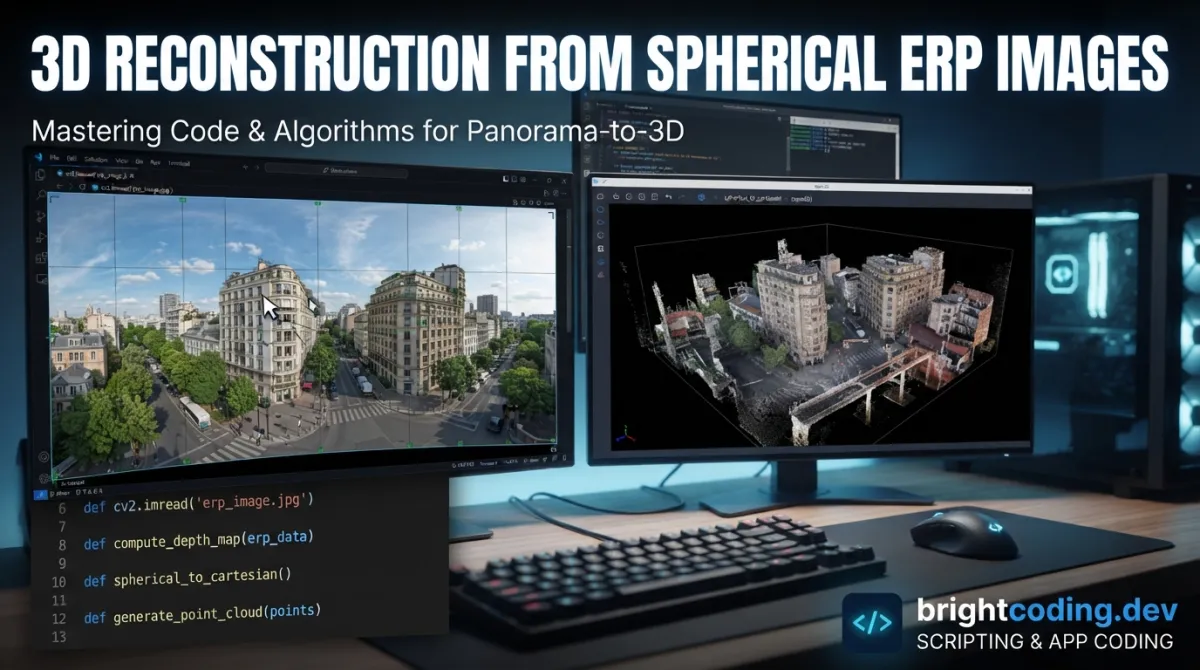
Spherical cameras like Insta360 and Ricoh Theta capture full 360° environments in a single shot, making them invaluable for documenting complex urban scenes, near-ground buildings, and street-level environments. Yet standard Structure from Motion (SfM) pipelines were built for perspective cameras, leaving developers to wrestle with equirectangular projection (ERP) distortion or awkward cubic conversions before they can even begin reconstruction. json87/SphereSfM addresses this gap directly: a COLMAP-based package that performs sparse reconstruction natively on spherical images in ERP format, then converts results to cubic projections for dense multi-view stereo (MVS) workflows.
What is json87/SphereSfM?
json87/SphereSfM is an open-source C++ software package for image orientation and sparse 3D reconstruction of spherical images, built as an extension to the well-known COLMAP SfM engine. The project is maintained by researchers including San Jiang and Kan You, with published methodology in ISPRS Journal of Photogrammetry and Remote Sensing (2026), International Journal of Remote Sensing (2024), and related venues.
With 311 GitHub stars, 48 forks, and a BSD 3-Clause license, the project sits at a modest but credible scale for a specialized computer vision tool. The last commit was February 24, 2026, indicating active maintenance. Its primary language is C++, consistent with COLMAP's architecture.
The tool's relevance has grown alongside spherical camera adoption. Traditional photogrammetry pipelines assume pinhole camera models; ERP images introduce severe distortion near the poles and discontinuities at the 180° seam. json87/SphereSfM handles these natively through a dedicated SPHERE camera model, incremental SfM with fixed intrinsics, and a built-in cubic conversion step for downstream dense reconstruction. This makes it particularly suited for urban documentation, street-level surveying, and any scenario where a single spherical capture replaces multiple perspective shots.
Key Features
Native ERP spherical camera model. The tool implements a SPHERE camera model within COLMAP's framework, accepting equirectangular projections without requiring pre-processing warps or artificial cube map generation before feature extraction.
Incremental Structure from Motion pipeline. Following COLMAP's proven architecture, the system builds sparse reconstructions incrementally—starting from an initial image pair, adding images sequentially, and performing bundle adjustment with camera parameters held fixed (ba_refine_focal_length 0, ba_refine_principal_point 0, ba_refine_extra_params 0).
Spatial matching with POS data support. When position/orientation data is available, the spatial_matcher uses spatial proximity to limit matching pairs. Without POS data, vocabulary tree-based matching provides acceleration.
Integrated cubic conversion for dense MVS. A dedicated sphere_cubic_reprojecer command transforms spherical reconstructions into cubic format, enabling standard COLMAP dense pipelines (patch_match_stereo, stereo_fusion) to operate without modification.
GUI and command-line interfaces. Both interactive (COLMAP GUI) and scripted workflows are supported, with the README documenting a clear 6-step CLI process.
Published, peer-reviewed methodology. Four academic papers underpin the implementation, covering fast feature matching with cascade hashing, spherical image 3D reconstruction techniques, and learned descriptors with geometric rectification.
Use Cases
Urban street documentation. Spherical cameras mounted on vehicles or backpacks capture continuous 360° street environments. json87/SphereSfM's spatial matching with POS data (e.g., from GNSS/INS systems) efficiently handles large sequential datasets where adjacent frames have known approximate overlap.
Near-ground building facades. For structures where perspective cameras cannot capture complete elevations without extreme vantage points or excessive images, a single spherical capture per station provides full coverage. The ERP format preserves vertical relationships that would be fragmented across multiple perspective shots.
Campus and heritage site surveying. The provided campus parterre and campus building datasets demonstrate applicability to structured outdoor environments where complete scene coverage matters more than metric precision from calibrated rigs.
Rapid deployment photogrammetry. Teams already using COLMAP can adopt json87/SphereSfM with minimal workflow disruption—same database format, same GUI, same dense pipeline after cubic conversion. This reduces tooling fragmentation for organizations standardizing on COLMAP-derived stacks.
Spherical video keyframe extraction. For 360° video workflows, extracting ERP keyframes and feeding them through json87/SphereSfM yields oriented camera stations that can anchor subsequent dense reconstruction or NeRF/gaussian splatting pipelines.
Installation & Setup
Since json87/SphereSfM extends COLMAP, build procedures follow COLMAP's official documentation. The core dependency is a working COLMAP build environment (C++ compiler, CMake, CUDA optional but recommended for dense MVS).
Clone the repository:
git clone https://github.com/json87/SphereSfM.git
cd SphereSfM
Build using COLMAP's standard CMake workflow. The README does not specify custom build flags beyond COLMAP's own requirements, so consult [INTERNAL_LINK: COLMAP installation guide] if you need platform-specific dependencies (e.g., Boost, Eigen, FLANN, FreeImage on Ubuntu; Homebrew packages on macOS).
After building, the colmap binary gains spherical-specific commands: feature_extractor with --ImageReader.camera_model SPHERE, mapper with --Mapper.sphere_camera 1, and sphere_cubic_reprojecer.
The authors provide three sample datasets for validation:
- Campus parterre (Google Drive, Baidu Disk)
- Campus building (Google Drive, Baidu Disk)
- Urban street (Google Drive, Baidu Disk)
Real Code Examples
The README documents a complete 6-step CLI workflow. Below are the key commands, reproduced exactly as provided.
Step 1: Create Database
colmap database_creator --database_path ./colmap/database.db
Initialize the COLMAP SQLite database that will store features, matches, and reconstruction data.
Step 2: Feature Extraction with Spherical Camera Model
colmap feature_extractor \
  --database_path ./colmap/database.db \
  --image_path ./images \
  --ImageReader.camera_model SPHERE \
  --ImageReader.camera_params "1,3520,1760" \
  --ImageReader.single_camera 1 \
  --ImageReader.camera_mask_path ./camera_mask.png \
  --ImageReader.pose_path ./POS.txt
The SPHERE camera model is critical here. Camera parameters "1,3520,1760" specify the spherical model with image dimensions 3520×1760 (2:1 aspect ratio typical for ERP). The camera_mask.png excludes regions (e.g., tripod, photographer), and POS.txt provides prior pose data enabling spatial matching.
Step 3: Spatial Feature Matching
colmap spatial_matcher \
  --database_path ./colmap/database.db \
  --SiftMatching.max_error 4 \
  --SiftMatching.min_num_inliers 50 \
  --SpatialMatching.is_gps 0 \
  --SpatialMatching.max_distance 50
With is_gps 0, the spatial matcher uses relative positions from the POS file rather than geodetic coordinates. The 50-unit max_distance threshold limits candidate pairs, reducing matching complexity from O(n²) to near-linear for sequential captures.
Step 4: Incremental SfM with Fixed Intrinsics
colmap mapper \
  --database_path ./colmap/database.db \
  --image_path ./images \
  --output_path ./colmap/sparse \
  --Mapper.ba_refine_focal_length 0 \
  --Mapper.ba_refine_principal_point 0 \
  --Mapper.ba_refine_extra_params 0 \
  --Mapper.sphere_camera 1
The sphere_camera 1 flag activates spherical-specific bundle adjustment. Intrinsics remain fixed because spherical cameras have known, stable parameters—refining them would be ill-conditioned given ERP's non-uniform resolution distribution.
Step 6: Cubic Conversion for Dense MVS
colmap sphere_cubic_reprojecer \
  --image_path ./images \
  --input_path ./colmap/sparse/0/ \
  --output_path ./colmap/sparse-cubic
This transforms the spherical reconstruction into six cubic faces, enabling standard COLMAP dense processing:
colmap image_undistorter \
  --image_path ./colmap/sparse-cubic \
  --input_path ./colmap/sparse-cubic/sparse \
  --output_path ./colmap/dense \
  --output_type COLMAP

colmap patch_match_stereo \
  --workspace_path ./colmap/dense \
  --PatchMatchStereo.geom_consistency false

colmap stereo_fusion \
  --workspace_path ./colmap/dense \
  --output_path ./colmap/dense/fused.ply \
  --input_type photometric
Note: The README labels this "Step 6" with no Step 5 described beyond GUI model viewing.
Advanced Usage & Best Practices
POS data quality significantly impacts matching performance. The spatial matcher assumes reasonably accurate relative positions. For handheld or drone-mounted spherical captures without RTK-GNSS, consider using visual odometry pre-processing to generate approximate poses rather than running exhaustive matching.
Camera masks are strongly recommended. Spherical images inevitably include the capture rig, photographer, or tripod in the nadir region. A properly designed camera_mask.png prevents feature extraction from these regions, reducing false matches and improving reconstruction stability.
Resolution trade-offs in ERP vs. cubic. The ERP format concentrates pixels at the poles; cubic conversion redistributes resolution more uniformly but introduces seam artifacts. For applications requiring maximum equatorial detail, consider capturing at higher ERP resolution than your target dense output.
Bundle adjustment constraints. The fixed-intrinsic assumption holds for factory-calibrated spherical cameras. If you're using modified lenses or non-standard rigs, you may need to fork and extend the bundle adjustment configuration—this is not exposed in current CLI options.
Comparison with Alternatives
| Tool | Spherical Native | COLMAP-Based | Dense MVS Integration | License |
|---|---|---|---|---|
| json87/SphereSfM | Yes (ERP) | Extension | Via cubic conversion | BSD-3 |
| COLMAP (vanilla) | No | N/A | Native | BSD-3 |
| OpenMVG + custom | Partial | No | Via external MVS | MPL-2 |
| Meshroom | No | No | Native (AliceVision) | MPL-2 |
COLMAP vanilla requires pre-converting spherical images to cubic or perspective projections before feature extraction, adding workflow complexity and potential quality loss at seams. json87/SphereSfM eliminates this step but adds the cubic conversion after sparse reconstruction—arguably the correct stage, as sparse geometry benefits from native spherical feature matching.
OpenMVG supports spherical cameras through custom implementations but lacks the integrated dense pipeline that COLMAP's ecosystem provides. Meshroom does not natively handle ERP images.
The trade-off: json87/SphereSfM ties you to COLMAP's architecture and C++ build requirements. For teams already invested in that ecosystem, it's a natural extension; for Python↗ Bright Coding Blog-centric pipelines or cloud-native workflows, the build dependency may be a barrier.
FAQ
Q: What spherical image formats are supported?
A: Equirectangular projection (ERP) with 2:1 aspect ratio. The SPHERE camera model expects this format.
Q: Can I use this without POS data?
Yes. Omit --ImageReader.pose_path and use vocabulary tree matching instead of spatial_matcher, though matching will be slower for large datasets.
Q: What does the BSD-3-Clause license permit? Commercial use, modification, and distribution with attribution. No patent grant is explicitly included.
Q: Is CUDA required?
For sparse reconstruction, no. For dense MVS (patch_match_stereo), CUDA significantly accelerates processing.
Q: Why are camera parameters fixed in bundle adjustment? Spherical cameras have stable factory calibrations; ERP distortion is deterministic. Refining these parameters would be under-constrained.
Q: Can I contribute or report issues? The GitHub repository (https://github.com/json87/SphereSfM) accepts issues and pull requests. Given the academic origin, direct researcher contact may also be viable.
Q: What image resolution should I use? The example uses 3520×1760. Higher resolutions improve feature density but increase matching time proportionally.
Conclusion
json87/SphereSfM fills a specific, well-defined niche: sparse 3D reconstruction from spherical ERP images without leaving the COLMAP ecosystem. It's best suited for photogrammetry practitioners, urban mapping teams, and researchers already comfortable with COLMAP's CLI or GUI, who need to process Insta360, Ricoh Theta, or similar captures in their native format.
The tool is not a general-purpose replacement for vanilla COLMAP—it's an extension for spherical workflows. Its academic backing provides methodological confidence, while the BSD license permits commercial integration. The modest star count (311) reflects specialization rather than deficiency; for the right use case, it's a precise fit.
If your work involves spherical camera 3D reconstruction, explore json87/SphereSfM on GitHub, download the sample datasets, and evaluate against your specific capture conditions.
Explore on the BrightCoding network
Hand-picked resources from our other sites.
Adaptix-Framework/AdaptixC2: Modular C2 for Red Team Operations
AdaptixC2 is an open-source, extensible post-exploitation framework with a Golang server, C++/Qt cross-platform GUI, plugin-based listeners/agents, and visual s...
FlaxEngine: Why Pro Devs Are Ditching Unity in 2024
Discover why professional developers are switching to FlaxEngine, the open-source C++/C# 3D game engine offering modern rendering, full source access, and freed...
Greedeks/GTweak: Portable Windows Hardening and Debloating Tool
Greedeks/GTweak is a portable C# utility for Windows 10/11 that removes bloatware, disables telemetry, manages system services, and provides granular control ov...
Continuez votre lecture
Why Alexandrie is the Ultimate Markdown Note-Taking App

Why CrossPaste is the Ultimate Game Changer for Clipboard Management

Why Chandra is the Ultimate OCR Tool for Handwriting and Tables

Stop Coding Alone: OPC-Skills Gives Your AI Agent Superpowers
Commentaires 0
Aucun commentaire pour l'instant. Soyez le premier à réagir !