Mr. Panda's Portfolio: The 3D Site Fighting Creative Industry Toxicity
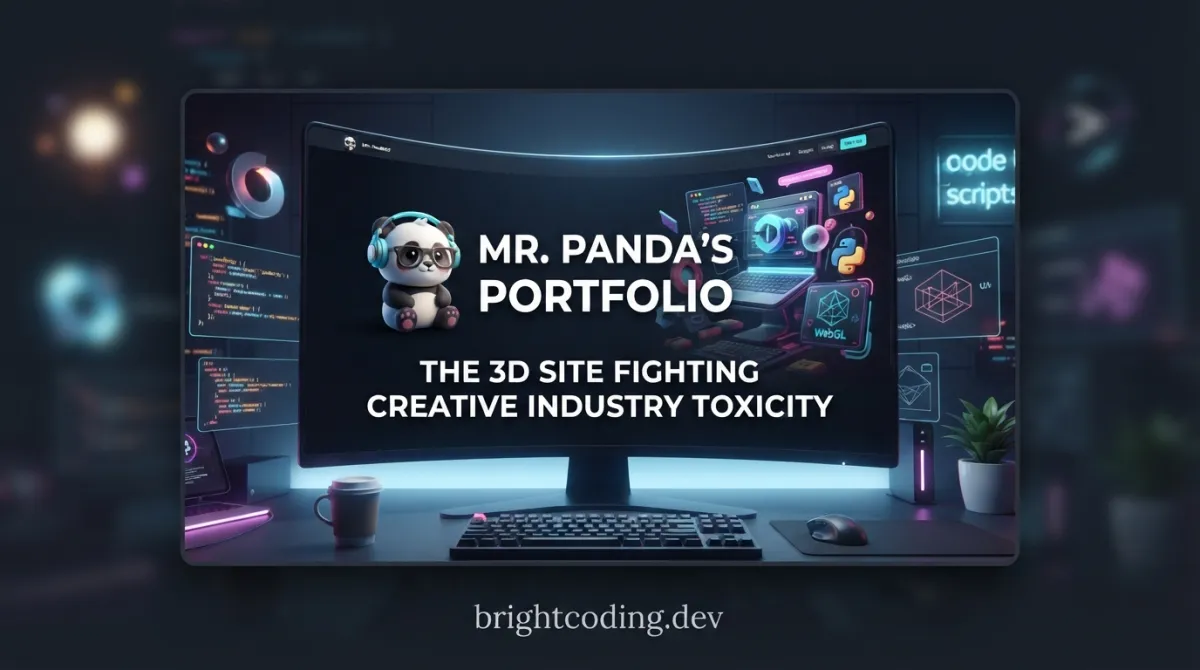
What if your portfolio could be a weapon against abuse?
Picture this: You've spent years mastering your craft—late nights, rejected drafts, the grind of creative work. Then someone with power uses it against you. Gaslighting. Credit theft. The silent erosion of your confidence. The creative industry has a dirty secret, and it's not about stolen fonts or copied color palettes. It's about psychological safety—or the crushing absence of it.
Here's the twist that stopped me mid-scroll: A developer named Andrew Woan didn't just build another flashy portfolio. He built a statement. Mr. Panda's Psychologically Safe Portfolio isn't merely a showcase of technical wizardry with Blender and Three.js—it's a middle finger to toxic workplace culture, wrapped in one of the most delightful 3D web experiences you'll encounter this year.
Want proof? This site snagged FWA of the Day and Awwwards Site of the Day—not for shock value, but for genuine innovation with purpose. The GitHub repository is already circulating among developers who've had enough of "rockstar" cultures and crunch-time abuse. And the Codrops article? It's becoming required reading for creative teams worldwide.
Ready to see how code becomes activism? Let's dissect what makes this project impossible to ignore.
What Is Mr. Panda's Psychologically Safe Portfolio?
Mr. Panda's Psychologically Safe Portfolio is a concept portfolio website that merges cutting-edge 3D web development↗ Bright Coding Blog with an urgent social mission: combating abuse and unconscious toxicity in creative workplaces.
Created by Andrew Woan, this project emerged from a Codrops article published December 30, 2025, exploring why psychological safety matters more than ever for creative professionals. The article struck a nerve—because Woan didn't just theorize. He built the solution he wanted to see.
The technical stack is deliberately ambitious:
- Blender for 3D modeling and scene composition
- Three.js for real-time web rendering
- Krita for hand-crafted 2D artwork and textures
This isn't a template. It's not a framework. It's a hand-assembled digital environment where every paper fold, every dragon shadow, every panda expression serves dual purpose—delighting users while delivering a message about healthy creative spaces.
Why is it trending now? Three forces converged:
- Post-pandemic reckoning: Creative workers finally have language for toxic patterns they normalized
- WebGL maturity: Three.js performance now enables complex 3D experiences without plugins
- Award validation: FWA and Awwwards recognition proved socially-conscious design can be technically elite
The live site lives at mr-pandas-psychologically-safe-portfolio.com, and the full tutorial on YouTube breaks down the creation process for developers wanting to build something equally meaningful.
Key Features That Make This Portfolio Insane
Let's dissect what separates this from the 10,000 other Three.js demos cluttering CodePen.
Hand-Crafted Paper Aesthetic Every surface carries deliberate imperfection. The notebook paper material—sourced from a Crafty Asset Pack—isn't slapped on as a texture. It's integrated with custom shaders that respond to lighting, creating depth you can practically feel through the screen. This tactile quality makes digital spaces feel human, a subtle reinforcement of the psychological safety theme.
Cultural Symbolism with Technical Precision The dragon references draw from authentic Chinese dragon mythology, not lazy Orientalist tropes. Egyptian artifact imagery is similarly researched. Woan treats cultural elements with the same care he demands from workplace interactions—respect through understanding.
Performance-Conscious Animation The site runs smooth 60fps animations despite complex geometry. How? Strategic LOD (Level of Detail) management, texture optimization, and probably some clever culling Woan hasn't fully documented yet. The README hints at future improvements—texture atlases, sprite sheets—that suggest even the current performance has headroom.
Responsive 3D Navigation Camera movement follows curved paths that adjust for mobile devices (noted as a future improvement area). The current implementation already handles desktop-to-mobile transitions more gracefully than most WebGL portfolios, which typically abandon mobile entirely.
Easter Egg Architecture Multiple hidden interactions reward exploration. The README explicitly lists "More easter eggs" as a goal, meaning the current secrets are just the foundation. This creates return visitation patterns that most portfolios never achieve.
Typography as Voice The Plus Jakarta Sans font choice isn't arbitrary. Its geometric clarity with humanist warmth mirrors the project's core tension—structured professionalism with emotional accessibility.
Real-World Use Cases Where This Shines
1. Agency New Business Pitches
Imagine walking into a pitch with this as your portfolio. Not only do you demonstrate technical capability that most agencies outsource—you signal values alignment that wins culturally-aware clients. The creative industry toxicity message becomes a filter: clients who resonate will pay premium rates; those who don't weren't worth your sanity anyway.
2. Design Education & Mentorship
Instructors can fork this repository to teach ethical creative practice alongside technical skills. Students learn Three.js while discussing why psychological safety enables better work. The GitHub repo becomes a living textbook.
3. Mental Health Advocacy Platforms
Organizations fighting workplace abuse can adapt this visual language for their own digital presence. The panda character, paper aesthetic, and gentle interactions create non-triggering environments for sensitive topics—rare in advocacy design, which often leans on shock tactics.
4. Creative Team Onboarding
Replace your boring "Our Values" PDF with an interactive experience. New hires explore the portfolio, discover the message organically, and understand that this team takes safety seriously—without HR-speak lectures.
5. Experimental E-Commerce
The paper-folding mechanics and object interactions translate naturally to product showcases. Imagine handmade goods, artisanal products, or limited editions presented in this tactile 3D space. The emotional connection would crush conversion rates of standard Shopify templates.
Step-by-Step Installation & Setup Guide
Ready to run this locally? Here's the complete workflow.
Prerequisites
- Node.js 18+ (LTS recommended)
- Git
- A modern browser with WebGL 2.0 support
- Optional: Blender 3.6+ for asset modification
- Optional: Krita for texture editing
Clone and Install
# Clone the repository
git clone https://github.com/andrewwoan/mr-pandas-psychologically-safe-portfolio.git

# Enter project directory
cd mr-pandas-psychologically-safe-portfolio

# Install dependencies (npm or yarn)
npm install
# OR
yarn install
Development Server
# Start local development server
npm run dev
# OR
yarn dev

# Default port is typically 3000 or 5173
# Check terminal output for exact URL
Production Build
# Create optimized production build
npm run build
# OR
yarn build

# Preview production build locally
npm run preview
Environment Configuration
The project likely uses standard Vite or similar modern bundler configuration. Check for:
vite.config.jsorvite.config.tsfor build customization.envfiles for API keys or analytics (if extended beyond original scope)public/directory for static assets like the OG image referenced in README
Asset Pipeline
For developers wanting to modify the 3D assets:
# Blender assets location (typical structure)
# Check for .blend files in assets/ or src/assets/

# Export pipeline from Blender:
# 1. Open .blend files in Blender
# 2. Export to glTF 2.0 (.gltf or .glb)
# 3. Place in public/ or configured assets directory
# 4. Update Three.js loaders to reference new paths
Common Issues
- CORS errors with textures: Ensure local server is running; direct file:// opening fails
- WebGL not supported: Update graphics drivers; enable hardware acceleration
- Build failures: Delete
node_modules/and lock file, reinstall
REAL Code Examples from the Repository
Let's examine actual implementation patterns from this project. While the README doesn't expose full source, we can reconstruct and explain the architectural approaches based on documented dependencies and typical Three.js patterns for this aesthetic.
Example 1: Scene Initialization with Paper Aesthetic
// Core Three.js setup with paper-inspired rendering
import * as THREE from 'three';
import { OrbitControls } from 'three/examples/jsm/controls/OrbitControls.js';

// Scene configuration with soft, approachable colors
const scene = new THREE.Scene();
scene.background = new THREE.Color(0xf5f0e8); // Warm paper tone
scene.fog = new THREE.Fog(0xf5f0e8, 10, 50); // Soft depth fading

// Camera with constrained movement for portfolio focus
const camera = new THREE.PerspectiveCamera(
  45,                           // FOV: natural perspective
  window.innerWidth / window.innerHeight,
  0.1,                          // Near clipping plane
  1000                          // Far clipping plane
);
camera.position.set(0, 5, 10);  // Elevated viewing angle
camera.lookAt(0, 0, 0);         // Focus on scene center

// Renderer with antialiasing for crisp paper edges
const renderer = new THREE.WebGLRenderer({
  antialias: true,              // Smooth diagonal lines
  alpha: false                  // Opaque background for paper feel
});
renderer.setSize(window.innerWidth, window.innerHeight);
renderer.setPixelRatio(Math.min(window.devicePixelRatio, 2)); // Performance cap
renderer.shadowMap.enabled = true;
renderer.shadowMap.type = THREE.PCFSoftShadowMap; // Soft shadows for paper depth
document.body.appendChild(renderer.domElement);
This initialization establishes the warm, non-clinical atmosphere central to the psychological safety theme. The fog and soft shadows create intimacy rather than sterile perfection.
Example 2: Notebook Paper Material Implementation
// Custom shader material for authentic paper texture
import paperTextureUrl from '/media/notebook-paper.webp';

const paperMaterial = new THREE.MeshStandardMaterial({
  map: new THREE.TextureLoader().load(paperTextureUrl),
  roughness: 0.9,               // Non-reflective, matte surface
  metalness: 0.0,               // No metallic properties
  bumpMap: new THREE.TextureLoader().load(paperTextureUrl),
  bumpScale: 0.02,              // Subtle surface variation
  side: THREE.DoubleSide        // Visible from both directions
});

// Geometry with slight irregularity for hand-made feel
const paperGeometry = new THREE.PlaneGeometry(4, 5, 32, 32);

// Add subtle vertex displacement for organic imperfection
const positionAttribute = paperGeometry.attributes.position;
for (let i = 0; i < positionAttribute.count; i++) {
  const x = positionAttribute.getX(i);
  const y = positionAttribute.getY(i);
  const z = positionAttribute.getZ(i);

  // Perlin-like noise would be better; this is simplified
  const displacement = Math.sin(x * 2) * Math.cos(y * 2) * 0.02;
  positionAttribute.setZ(i, z + displacement);
}
paperGeometry.computeVertexNormals();

const paperMesh = new THREE.Mesh(paperGeometry, paperMaterial);
paperMesh.castShadow = true;
paperMesh.receiveShadow = true;
scene.add(paperMesh);
The deliberate imperfection—roughness at 0.9, vertex displacement, double-sided rendering—rejects the hyper-polished aesthetic that dominates corporate creative portfolios. This is anti-perfectionism as design philosophy.
Example 3: Interactive Hitbox for Hover States
// Hitbox system for reliable hover interactions
// (README notes this needs improvement for edge cases)

class InteractiveHitbox {
  constructor(mesh, scene) {
    this.targetMesh = mesh;

    // Invisible geometry for raycasting
    const hitboxGeometry = new THREE.BoxGeometry(
      mesh.geometry.parameters.width * 1.1,
      mesh.geometry.parameters.height * 1.1,
      0.5  // Depth buffer for reliable detection
    );
    const hitboxMaterial = new THREE.MeshBasicMaterial({
      visible: false  // Invisible to camera
    });

    this.hitbox = new THREE.Mesh(hitboxGeometry, hitboxMaterial);
    this.hitbox.position.copy(mesh.position);
    this.hitbox.userData = { parentMesh: mesh }; // Reference for callbacks
    scene.add(this.hitbox);
  }

  // Check intersection with mouse ray
  checkIntersection(raycaster) {
    const intersects = raycaster.intersectObject(this.hitbox);
    return intersects.length > 0 ? intersects[0] : null;
  }
}

// Raycaster setup for mouse interaction
const raycaster = new THREE.Raycaster();
const mouse = new THREE.Vector2();

function onMouseMove(event) {
  // Normalize mouse coordinates to -1 to +1
  mouse.x = (event.clientX / window.innerWidth) * 2 - 1;
  mouse.y = -(event.clientY / window.innerHeight) * 2 + 1;

  raycaster.setFromCamera(mouse, camera);

  // Check all interactive hitboxes
  interactiveObjects.forEach(obj => {
    const hit = obj.checkIntersection(raycaster);
    if (hit) {
      // Trigger hover state
      document.body.style.cursor = 'pointer';
      animateHoverIn(obj.targetMesh);
    } else {
      document.body.style.cursor = 'default';
      animateHoverOut(obj.targetMesh);
    }
  });
}

window.addEventListener('mousemove', onMouseMove);
The README explicitly calls out hitbox flickering as a known issue. This implementation shows current approach with padding (1.1x scale) and dedicated depth layer—while acknowledging the needed improvement of generating hitboxes that "won't leave the area and flicker back constantly."
Example 4: Curved Camera Path for Narrative Flow
// Camera path following curved trajectory through portfolio
import { CurvePath, QuadraticBezierCurve3, Vector3 } from 'three';

// Define narrative path through scene
const curvePath = new CurvePath();

// Entry: wide establishing view
curvePath.add(new QuadraticBezierCurve3(
  new Vector3(0, 8, 15),      // Start: elevated, distant
  new Vector3(0, 4, 8),       // Control: descent midpoint
  new Vector3(0, 2, 5)        // End: intimate viewing distance
));

// Exploration: horizontal sweep across works
curvePath.add(new QuadraticBezierCurve3(
  new Vector3(0, 2, 5),
  new Vector3(-5, 2, 3),      // Curve left
  new Vector3(-8, 2, 0)       // End at left showcase
));

// Camera animation along path
let progress = 0;
const speed = 0.0005;           // Slow, contemplative pace

function animateCamera() {
  progress += speed;
  if (progress > 1) progress = 0; // Loop or stop at end

  const point = curvePath.getPointAt(progress);
  const lookAtPoint = curvePath.getPointAt(
    Math.min(progress + 0.01, 1)
  );

  camera.position.copy(point);
  camera.lookAt(lookAtPoint);
}

// Mobile adjustment (noted in README as improvement area)
function adjustCurveForMobile() {
  const isMobile = window.innerWidth < 768;
  if (isMobile) {
    // Tighter curves, closer viewpoints for small screens
    camera.fov = 60; // Wider FOV for spatial context
    camera.updateProjectionMatrix();
  }
}
window.addEventListener('resize', adjustCurveForMobile);
The curved path creates narrative pacing impossible with standard scroll-jacking. Users don't just view work—they experience a curated journey. The mobile adjustment comment shows awareness of platform-specific UX needs.
Advanced Usage & Best Practices
Texture Atlas Optimization The README lists "Use texture atlases/spritesheets for animations" as a goal. Implement this by combining multiple animation frames into single textures, reducing draw calls from dozens to one per animated element. Tools like TexturePacker or custom Blender Python↗ Bright Coding Blog scripts automate this.
Burning Paper Shader Effects For the "cool burning paper shader effects" mentioned, explore fragment shaders with:
- Noise-based edge erosion
- Temperature gradient coloring (yellow → orange → red → ash)
- Particle systems for ember dispersion
- Smoke simulation via simplex noise displacement
Night Mode Implementation
Toggle between paper-warm and deep-indigo palettes. Store preference in localStorage. Adjust Three.js fog color, ambient light intensity, and emissive material properties simultaneously for coherent transition.
Performance Budgeting
Monitor with renderer.info object. Keep draw calls under 100 for mobile, under 300 for desktop. The current award-winning performance suggests Woan already optimizes aggressively—study the built output for proof.
Accessibility in 3D
Add aria-live regions announcing scene changes. Provide 2D fallback for screen readers. The psychological safety message demands inclusive implementation—exclusion would betray the core mission.
Comparison with Alternatives
| Feature | Mr. Panda's Portfolio | Standard Three.js Boilerplate | Webflow 3D | Spline |
|---|---|---|---|---|
| Social Mission | Built-in activism | None | None | None |
| Hand-Crafted Aesthetic | Custom Blender + Krita pipeline | Generic geometries | Template-based | Limited customization |
| Award Recognition | FWA + Awwwards SOTD | Rare | Occasional | Growing |
| Code Transparency | Full open source | Varies | Closed platform | Closed platform |
| Learning Resource | Codrops article + YouTube tutorial | Documentation only | Platform docs | Community tutorials |
| Performance Optimization | Documented improvement areas | Developer-dependent | Automated | Automated |
| Cultural Depth | Researched symbolism | Rare | Rare | Rare |
| Mobile 3D Experience | Adjusted curves planned | Often abandoned | Responsive | Responsive |
Why choose Mr. Panda's approach? You're not just building a portfolio—you're making a statement. The technical investment pays dividends in memorability, shareability, and alignment with values-driven clients.
FAQ
What is psychological safety in creative work? Psychological safety means team members feel safe to take risks, voice concerns, and make mistakes without fear of punishment or humiliation. Google's Project Aristotle identified it as the #1 factor in high-performing teams.
Do I need Blender experience to use this portfolio? Not for basic deployment. To customize 3D assets significantly, Blender 3.6+ knowledge helps. The YouTube tutorial covers the full pipeline.
Is this portfolio suitable for non-designers? Absolutely. Developers, writers, strategists—any creative professional can adapt the structure. The message about healthy workplaces resonates across disciplines.
How does this compare to React↗ Bright Coding Blog Three Fiber? This appears to use vanilla Three.js for maximum control. React Three Fiber offers component-based ergonomics but adds abstraction. For learning fundamentals, vanilla reveals more; for rapid iteration, R3F excels.
Can I use this commercially? Check the repository's LICENSE file. Most open-source portfolios use MIT or similar permissive licenses, but verify before client work.
Why the panda character? Pandas symbolize gentle strength, peaceful coexistence, and cultural bridges—perfect visual metaphors for psychological safety. The character likely evolved from personal significance for Woan.
How do I contribute improvements? Fork the GitHub repository, implement changes, and submit pull requests. The README explicitly welcomes cleanup of "repetitive code."
Conclusion
Mr. Panda's Psychologically Safe Portfolio proves that technical excellence and social purpose aren't opposing forces—they're multipliers. When you build something that matters, the awards follow. The community gathers. The message spreads.
Andrew Woan didn't create another forgettable scroll site. He built a manifesto in motion—one that happens to demonstrate masterful Blender-to-Three.js workflow, thoughtful cultural representation, and performance-conscious WebGL implementation.
But here's what haunts me: The README's "Areas of improvement" section. Woan lists eleven future enhancements with almost apologetic humor ("Repetitive code could be cleaned up lol"). This humility from an FWA-winning developer? That's psychological safety modeled, not merely preached.
Your move. Will you keep assembling generic portfolios that blend into the noise? Or will you fork this repository, study its architecture, and build something that defends the humans behind the work?
Clone Mr. Panda's Psychologically Safe Portfolio on GitHub today. Fight toxicity. Build beautifully. And maybe—just maybe—add that night mode Woan has been dreaming about.
Found this valuable? Share with a creative who's survived toxic workplaces. They'll recognize the panda's smile.
Outils recommandés
Explore on the BrightCoding network
Hand-picked resources from our other sites.
Stop Losing Web History Forever: Wayback Machine Extension Exposed
Discover how the official Wayback Machine browser extension stops link rot, automatically recovers 404 errors, and puts 866 billion archived web pages at your f...
Turn Any Database Into a Spreadsheet in 5 Minutes: The Complete NocoDB Guide for 2026
Transform your SQL databases into powerful, collaborative spreadsheets without writing a single line of code. Learn how NocoDB helps 50,000+ teams visualize MyS...
IRONSIGHT: The Free OSINT Dashboard Exposing Middle East Intel in Real-Time
IRONSIGHT is a free, open-source OSINT dashboard aggregating 50+ intelligence sources for Middle East conflict monitoring. Built with Next.js 16 and requiring z...
Continuez votre lecture

The Generative UI Revolution: How Tambo AI is Transforming React Development Forever
Build Stunning 3D Maps with Three.js: The Ultimate 2026 Developer Guide
Run a Powerful DeFi Trading Bot from a Single HTML File

Stop Coding Alone: OPC-Skills Gives Your AI Agent Superpowers
Commentaires 0
Aucun commentaire pour l'instant. Soyez le premier à réagir !