MyTube: A Media Server Built Entirely by AI Prompts
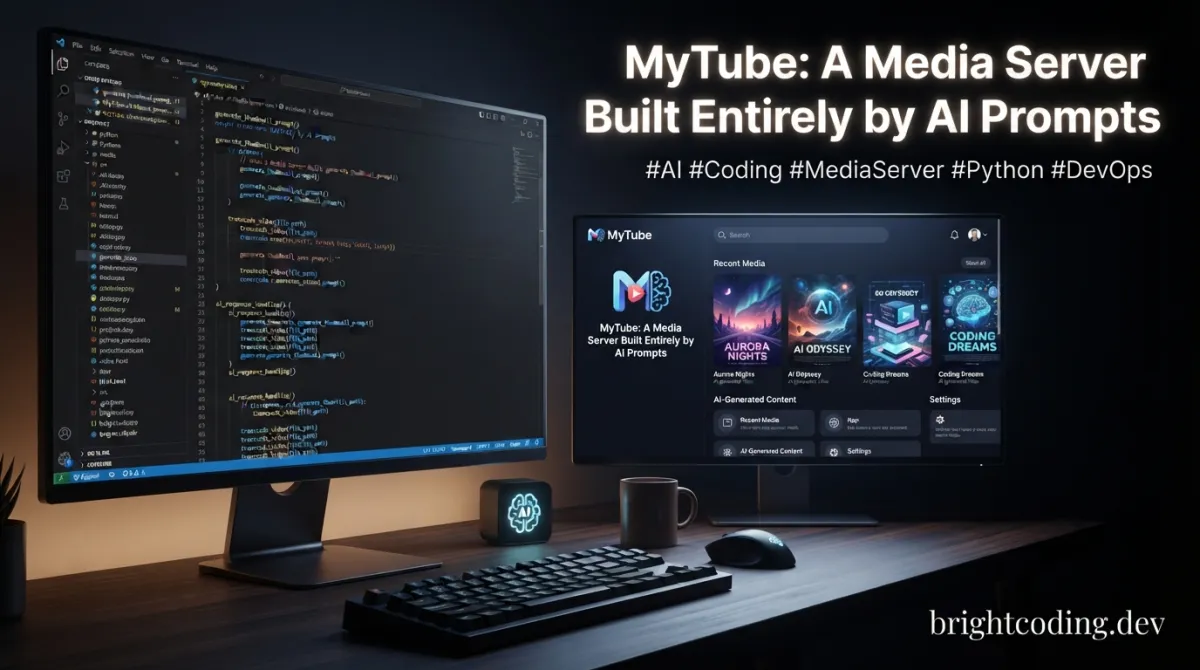
What if I told you that one of the most capable self-hosted media platforms ever created was built without a single line of manually written code?
Not a typo. Not hyperbole. The entire application—backend, frontend, database schema, Docker↗ Bright Coding Blog configurations, browser extension, even the Android client—was 100% prompt-engineered. No human fingers touched a keyboard to craft logic. No late-night debugging sessions fueled by caffeine. Just conversations with AI, iteratively refined, until a full-stack media server emerged that rivals tools teams of developers have spent years building.
If you're still hand-coding CRUD apps while AI can generate entire platforms, you're working too hard. And if you've been searching for the perfect self-hosted alternative to YouTube Premium, Plex, or jellyfin for your downloaded content, your hunt ends here. MyTube isn't just another media downloader. It's a revelation about what's possible when prompt engineering meets ambitious product vision.
Let me show you why developers everywhere are starring this repository—and why you should too.
What is MyTube?
MyTube is a self-hosted downloader and media player for YouTube, Bilibili, Twitch, MissAV, and virtually any site supported by yt-dlp. Created by developer franklioxygen, this open-source project delivers channel subscriptions, automatic downloads, local media storage, collection organization, and private RSS feeds—all wrapped in a sleek, responsive UI.
But here's what makes jaws drop: the entire codebase was generated through prompt engineering. Zero manual code. This isn't a prototype or demo. It's a production-ready application with automated CI/CD, Docker images, Lighthouse performance monitoring, Codacy code quality gates, and a thriving Discord community.
The project leverages a modern, battle-tested stack: Node.js with TypeScript and Express.js on the backend, React↗ Bright Coding Blog 19 with Vite on the frontend, SQLite with Drizzle ORM for data persistence, and Material-UI for components. The architecture follows clean layered patterns—Routes → Controllers → Services → Database—with modular storage services and platform-specific downloader implementations.
MyTube exploded in popularity because it solves a genuine pain point while demonstrating the insane potential of AI-assisted development. In an era where developers worry about AI replacing coding jobs, franklioxygen flipped the script: use AI to build something so comprehensive that it outclasses traditionally developed alternatives.
The repository includes not just the core application, but a Chrome browser extension for one-click downloads, a native Android client (mytube-android), and even MikMok—a dedicated short-form video client that connects via API for TikTok-style browsing. This is ecosystem-level thinking, entirely AI-generated.
Key Features That Destroy the Competition
MyTube doesn't just download videos. It orchestrates your entire media workflow with features that would take a traditional team months to implement:
Multi-Platform Downloading: Drop any URL from YouTube, Bilibili, Twitch, MissAV, or 1000+ yt-dlp-supported sites. The abstracted downloader pattern handles platform-specific quirks automatically, with concurrent queue management and duplicate prevention across sessions.
Intelligent Metadata Enrichment: Upload local files and watch MyTube automatically scrape TMDB metadata—titles, descriptions, posters, directors, years, ratings—by intelligently parsing filenames. It even supports localized content matching your site's language setting.
Subscription Automation: Subscribe to channels across platforms and auto-download new content as it drops. Combined with concurrent download limits and bandwidth management, you get a personal DVR that never sleeps.
Cloud Storage Pipeline: Automatically push completed downloads and thumbnails to OpenList/Alist cloud storage. Your local server becomes a staging area for unlimited cloud archives.
Enterprise-Grade Access Control: Password protection with optional WebAuthn passkeys, read-only visitor roles for safe sharing, and three-tier admin trust boundaries (application | container | host) for deployment flexibility.
Cloudflare Tunnel Integration: Expose your instance securely without port forwarding. Built-in tunnel support means remote access from anywhere, encrypted through Cloudflare's edge network.
RSS Feed Generation: Create private, filterable RSS links for external readers. Per-link controls for channels, authors, tags, sources, recency, and item limits give you granular syndication power.
Automation Hooks & Notifications: Execute custom shell scripts at download lifecycle stages (start, success, fail, cancel) for integration with external tools. Get Telegram bot notifications for immediate download status updates.
Auto-Subtitles & Cookie Support: Automatically grab default language subtitles from YouTube/Bilibili. Upload cookies.txt to bypass age restrictions and access premium content.
Internationalization: Full i18n support for 10 languages including English, Chinese, Spanish, French, German, Japanese, Korean, Arabic, Portuguese, and Russian.
Real-World Use Cases Where MyTube Dominates
The Cord-Cutter's Archive
You're done with streaming subscriptions that rotate content away. MyTube becomes your personal media preservation engine—subscribe to creators, auto-download new releases, organize into collections like "Documentaries 2024" or "Coding Tutorials," and access everything through a gorgeous UI that beats any streaming app.
The Remote Educator
Teachers and trainers need offline access to instructional content across platforms. MyTube's batch download, auto-subtitles, and RSS feeds let you curate course materials from YouTube and Bilibili, then share read-only access with students. The visitor role prevents accidental modifications while maintaining full content access.
The Bilingual Content Creator
Working across Chinese and English platforms? MyTube's localized TMDB matching and multi-language UI let you manage Bilibili and YouTube content in unified collections. Auto-downloaded subtitles in both languages become reference material for translation and content adaptation.
The Privacy-First Homelabber
You refuse cloud services but need remote media access. Deploy MyTube with Cloudflare Tunnel, enable WebAuthn passkeys, and access your entire library from anywhere without exposing ports or trusting third-party streaming services with your watch history.
The Automated Content Pipeline
Using task hooks, integrate MyTube into larger workflows: trigger video processing on download completion, automatically archive to cold storage on success, or alert your team via Telegram when batch jobs finish. The shell script hooks make it infinitely extensible.
Step-by-Step Installation & Setup Guide
MyTube is Docker-ready with official images on both Docker Hub and GitHub Container Registry. Here's how to get running in minutes:
Quick Start with Docker Compose
Create a docker-compose.yml using the official single-container configuration:
version: '3.8'

services:
  mytube:
    image: ghcr.io/franklioxygen/mytube:latest
    container_name: mytube
    ports:
      - "5551:5551"
    volumes:
      - ./data:/app/backend/data
      - ./uploads:/app/backend/uploads
    environment:
      - PORT=5551
      # Optional: set admin trust level
      # - MYTUBE_ADMIN_TRUST_LEVEL=container
    restart: unless-stopped
Launch with:
# Create directories for persistent storage
mkdir -p data uploads

# Start the container
docker compose up -d

# Check logs to confirm startup
docker logs -f mytube
Access your instance at http://localhost:5551.
Environment Configuration
Copy and customize environment files for advanced setups:
Backend (backend/.env):
PORT=5551
# Admin trust boundary: application | container | host
# Controls security assumptions for deployment
MYTUBE_ADMIN_TRUST_LEVEL=container
Frontend (frontend/.env):
VITE_API_URL=/api
# Override for external API access
VITE_BACKEND_URL=
Data persists in backend/data/mytube.db (SQLite, auto-migrated) and backend/uploads/ for media files. The database automatically creates and migrates on first startup—no manual schema management needed.
Cloudflare Tunnel Setup (Optional but Recommended)
Enable secure remote access without port forwarding:
- Install
cloudflaredon your host - Authenticate:
cloudflared tunnel login - Create tunnel:
cloudflared tunnel create mytube - Configure DNS routing in Cloudflare dashboard
- MyTube's built-in integration handles the rest—no reverse proxy complexity
Browser Extension Installation
For one-click downloads from your browser, install the Chrome extension following the official guide. It communicates with your MyTube instance API to queue downloads directly from supported sites.
REAL Code Examples from the Repository
Let's examine actual implementation patterns from MyTube's codebase to understand its technical depth.
Backend Environment Configuration
The backend uses a clean environment variable pattern with sensible defaults:
PORT=5551
# Optional: declare the admin trust boundary for this deployment.
# Valid values: application | container | host
# Default: container
# MYTUBE_ADMIN_TRUST_LEVEL=container
This trust level is architecturally significant. The container default assumes Docker isolation, meaning authentication can be relaxed for local development. In host mode—deployed directly on a server without containerization—security mechanisms tighten automatically. The application mode provides maximum paranoia for untrusted multi-tenant environments. This three-tier model shows sophisticated security thinking, not just feature checkbox ticking.
Frontend API Configuration
The React frontend uses Vite's environment system for flexible API routing:
VITE_API_URL=/api
VITE_BACKEND_URL=
VITE_API_URL=/api enables proxy-based development where API calls route through the Vite dev server to avoid CORS issues. In production, this becomes a relative path served by the same origin. VITE_BACKEND_URL remains empty for same-origin deployment but can be populated for split frontend/backend hosting—critical for CDN-optimized deployments or mobile client connections.
Database Schema Architecture
MyTube's SQLite schema, managed by Drizzle ORM, reveals the product's data model sophistication:
Key tables include:
videos: Core metadata and file path referencescollections: User-defined organization containerssubscriptions: Channel monitoring for auto-download triggersrss_tokens: Per-token access control with filter predicates and usage countersdownloads/download_history: Active and completed queue managementvideo_downloads: Deduplication tracking across sessionssettings: Runtime configuration persistence
The rss_tokens table deserves special attention—each token carries embedded filter logic (channels, authors, tags, sources, recency windows, item limits), enabling personalized syndication feeds without server-side feed regeneration. This is how you scale RSS generation: pre-computed tokens with client-filtered delivery, not dynamic queries per request.
Docker Compose Single-Container Deployment
The recommended deployment uses a unified container with volume-mounted persistence:
# Simplified from stacks/docker-compose.single-container.yml
services:
  mytube:
    image: ghcr.io/franklioxygen/mytube:latest
    ports:
      - "5551:5551"
    volumes:
      - ./data:/app/backend/data
      - ./uploads:/app/backend/uploads
Volume mounting data and uploads outside the container is critical for data survival. Without this, stopping the container obliterates your library. The path mapping /app/backend/data reflects the container's internal working directory structure, matching the backend's default SQLite location.
Task Hook Integration Pattern
MyTube's extensibility shines through shell script hooks executed at download lifecycle stages. Configure scripts for:
| Hook | Trigger Timing | Typical Use |
|---|---|---|
start |
Download begins | Logging, resource allocation |
success |
Download completes | Transcoding, cloud upload, notification |
fail |
Download errors | Alerting, retry logic, cleanup |
cancel |
User or system cancellation | Resource cleanup, state reset |
These hooks receive environment variables with task metadata, enabling rich integrations without modifying core code. See the full hooks guide for implementation details.
Advanced Usage & Best Practices
Optimize Concurrent Downloads: The concurrent download limit prevents bandwidth saturation. Set based on your connection—fiber users can push 5-10 concurrent streams, while asymmetric connections need lower limits to preserve upload capacity for Cloudflare Tunnel responsiveness.
Leverage TMDB API Key: Configure your personal TMDB API key in settings for unlimited metadata requests. Without it, you hit rate limits quickly on large libraries. The filename parser intelligently handles common naming conventions: Movie.Name.2024.1080p.WEB-DL becomes clean title extraction.
Cookie Management Strategy: Maintain separate cookies.txt files per platform. YouTube cookies enable age-restricted and premium content; Bilibili cookies unlock 1080p+ streams. Rotate cookies periodically to prevent expiration-related failures.
RSS Feed Security: Each RSS token is a capability—treat it like an API key. Use per-feed filtering to minimize exposure: create dedicated tokens for specific collections rather than broad access. The access counter helps detect unexpected usage.
Backup Strategy: The SQLite database at backend/data/mytube.db contains all metadata. Back this up alongside your uploads/ directory. For Docker deployments, snapshot the mounted volumes. The database is portable—restore to any MyTube instance for instant library migration.
Hook Performance: Task hooks run synchronously—slow scripts block download queue progression. For heavy processing (video transcoding, cloud uploads), delegate to background jobs from your hook script using nohup or queue systems.
Comparison with Alternatives
| Feature | MyTube | jellyfin | Plex | YouTube Premium |
|---|---|---|---|---|
| Self-hosted | ✅ Full control | ✅ Full control | ✅ Partial (calls home) | ❌ Cloud only |
| Multi-platform download | ✅ yt-dlp ecosystem | ❌ Manual only | ❌ Manual only | ❌ Streaming only |
| Auto-download subscriptions | ✅ Built-in | ❌ Plugins only | ❌ Unsupported | ✅ Limited |
| Cloudflare Tunnel | ✅ Built-in | ❌ Manual setup | ❌ Manual setup | N/A |
| RSS feeds | ✅ Granular filters | ❌ Unsupported | ❌ Unsupported | ❌ Unsupported |
| TMDB metadata | ✅ Auto-scrape | ✅ Limited | ✅ Good | N/A |
| Mobile apps | ✅ Android + Web | ✅ Multiple | ✅ Multiple | ✅ Official |
| Browser extension | ✅ Chrome | ❌ Unsupported | ❌ Unsupported | N/A |
| AI-generated codebase | ✅ 100% prompts | ❌ Traditional | ❌ Traditional | N/A |
| Cost | Free (MIT) | Free | Freemium | $13.99/month |
MyTube uniquely bridges download automation with media server presentation. jellyfin and Plex excel at serving existing libraries but lack native downloading. YouTube Premium streams but never lets you own content. MyTube gives you ownership with convenience—automatic acquisition, intelligent organization, and beautiful playback.
Frequently Asked Questions
Is MyTube really 100% prompt-engineered?
Yes. The creator explicitly states zero lines of manual code. All functionality emerged through iterative AI conversations, with human guidance on architecture and feature direction. This makes it a fascinating case study in AI-assisted development.
Can I use MyTube without Docker?
Yes, though Docker is recommended. You'll need Node.js, build the frontend with Vite, start the backend with the Express server, and ensure SQLite dependencies are available. The Getting Started guide covers manual deployment.
Is downloading YouTube videos legal?
MyTube's disclaimer emphasizes personal learning, research, and technical exchange. YouTube's Terms of Service prohibit downloading, though jurisdiction varies on enforceability. The tool itself is neutral—compliance depends on your usage. Respect copyright and platform terms.
How does the Cloudflare Tunnel integration work?
MyTube bundles cloudflared configuration, automatically creating secure outbound connections to Cloudflare's edge. No inbound port opening, no dynamic DNS, no certificate management. Your local instance gets a public URL through Cloudflare's infrastructure.
Can I contribute to MyTube?
Absolutely. Despite the AI-generated origin, the project welcomes human contributions. See CONTRIBUTING.md for the development workflow. The layered architecture (Routes → Controllers → Services → Database) makes it approachable for modifications.
What's the performance on large libraries?
SQLite handles thousands of videos efficiently. For massive collections (10,000+ items), consider periodic database optimization and adequate storage I/O. The Lighthouse performance badge in the README tracks ongoing optimization efforts.
How do I update MyTube?
Pull the latest Docker image (docker pull ghcr.io/franklioxygen/mytube:latest) and restart your container. Database migrations run automatically on startup. Back up your data/ and uploads/ volumes before major updates.
Conclusion
MyTube isn't just a media server. It's a proof of concept that explodes assumptions about software development. When a single developer using AI prompts can build a multi-platform downloader, metadata enricher, subscription manager, RSS generator, and secure remote access platform—with mobile apps and browser extensions—you have to recalibrate what's possible.
For users, MyTube delivers unmatched value: free, self-hosted, infinitely extensible media automation that rivals paid services. For developers, it's a masterclass in prompt engineering architecture and a glimpse of the future.
The modern stack—React 19, Express, Drizzle ORM, SQLite, Docker, Cloudflare—proves that "AI-generated" doesn't mean "toy project." This is production-grade engineering, just achieved through conversation rather than keystrokes.
Your move. Star the repository, deploy your instance, and experience what happens when ambitious vision meets AI capability. The future of development is being written in prompts, not just code—and MyTube is already living there.
👉 Get MyTube on GitHub — Star, fork, and start building your personal media empire today.
Have questions or want to share your MyTube setup? Join the Discord community and connect with thousands of self-hosting enthusiasts.
Outils recommandés
Explore on the BrightCoding network
Hand-picked resources from our other sites.
Stop Wrestling with Backend Analytics! SQLRooms Brings DuckDB to React
SQLRooms is a React framework powered by DuckDB-WASM that enables blazing-fast browser-native analytics without any backend. Build privacy-first, AI-assisted da...
Sparkle: The Secret Tool That Fixes Windows in Minutes
Discover Sparkle, the open-source Windows debloating tool that combines PowerShell automation with a modern React GUI. Learn installation, real code examples, a...
K-Dense-AI/k-dense-byok: Self-Hosted AI Research Assistant for Scientists
K-Dense BYOK is a free, MIT-licensed, self-hosted AI research assistant with 149 scientific skills, 326 workflows, and 21 specialist sub-agents. Runs locally wi...
Continuez votre lecture
Self-Hosted IPTV: Transform Your Streaming with neTV's Server-Side Transcoding
Digital Command Center: The Complete Guide to Self-Hosted Startpages with Drag-and-Drop Magic in 2026
HomeHub: The Self-Hosted Family Dashboard That Just Works

Stop Coding Alone: OPC-Skills Gives Your AI Agent Superpowers
Commentaires 0
Aucun commentaire pour l'instant. Soyez le premier à réagir !