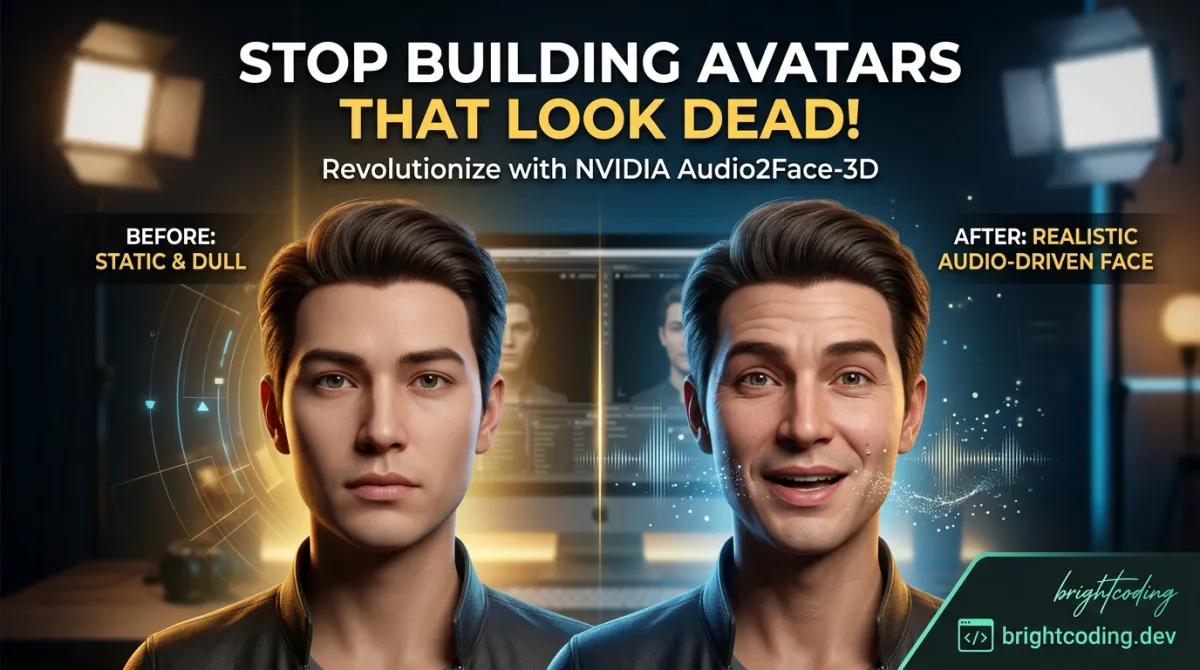
NVIDIA Audio2Face-3D: Stop Building Avatars That Look Dead
NVIDIA Audio2Face-3D: Stop Building Avatars That Look Dead
Your avatar just blinked at the wrong moment. Again. The lips moved three seconds after the audio finished. And that "subtle smile" you programmed? It looks like a glitch in a horror game. Here's the brutal truth: most AI avatars are technically impressive and emotionally catastrophic. Developers pour weeks into 3D models, rigging, and motion capture—only to watch their digital humans fall into the uncanny valley every single time someone hits play.
But what if your avatar could feel the speech? Not just lip-sync, but genuinely express joy, concern, or excitement based purely on the audio it hears?
That's exactly what NVIDIA Audio2Face-3D delivers. This isn't another clunky blendshape generator that maps phonemes to mouth positions like a 1990s video game. We're talking about a generative AI microservice that converts speech into emotionally intelligent facial animation using Apple's ARKit standard—automatically detecting emotions in audio and translating them into nuanced facial performances. No motion capture suits. No weeks of manual keyframing. Just real-time, emotionally aware avatar animation powered by NVIDIA's latest NIM architecture.
If you're building digital humans, virtual assistants, or any voice-driven 3D character, this technology could be the difference between users cringing and users believing. Let's dive deep into how Audio2Face-3D works, why it's trending among top developers, and how you can deploy it in minutes—not months.
What is NVIDIA Audio2Face-3D?
NVIDIA Audio2Face-3D NIM (A2F-3D NIM) is a production-ready microservice that transforms audio input into facial blendshape animations compatible with Apple's ARKit standard. Released as part of NVIDIA's broader ACE (Avatar Cloud Engine) initiative, this tool represents a fundamental shift in how developers approach real-time avatar animation.
Unlike traditional lip-sync solutions that rely on rigid phoneme-to-viseme mapping, Audio2Face-3D leverages generative AI to interpret not just what is being said, but how it's being said. The system analyzes prosody, pitch, rhythm, and emotional cues in speech to generate appropriate facial expressions—from subtle eyebrow raises during questions to full emotional states like excitement or sadness.
Why it's exploding right now:
- NIM Architecture: Deployed as a NVIDIA Inference Microservice, it containerizes the entire inference pipeline for scalable, cloud-native deployment
- Emotion-First Design: Automatically detects emotions from audio or accepts direct emotion parameters as input
- Industry Standard Output: Native ARKit blendshape compatibility means instant integration with Unreal Engine, Unity, and custom renderers
- Enterprise Ready: Available through NVIDIA's NGC Catalog with proper licensing for commercial applications
The project lives at NVIDIA/Audio2Face-3D-Samples, which serves as the official resource hub for configuration examples, deployment scripts, and integration patterns. This isn't experimental research code—it's battle-tested infrastructure that NVIDIA itself uses for production digital human deployments.
Key Features That Separate Audio2Face-3D from the Pack
Let's dissect what makes this microservice genuinely powerful for developers building next-generation avatar experiences:
Generative AI-Driven Animation
Traditional blendshape interpolation feels robotic because it is robotic—mathematical blending between predefined extremes. Audio2Face-3D uses neural networks to generate contextually appropriate facial configurations that go beyond simple lip movement. The AI understands conversational dynamics, generating anticipatory expressions before words even land.
Dual Emotion Input System
Here's where it gets interesting. The microservice operates in two distinct emotional modes:
- Auto-Detection: The built-in Audio2Emotion model analyzes your audio stream and infers emotional state automatically
- Explicit Control: Feed direct emotion parameters (valence, arousal, specific emotional labels) for precise artistic direction
This dual approach means your avatar can react↗ Bright Coding Blog genuinely to user speech or maintain consistent emotional branding when needed.
ARKit Blendshape Standardization
By outputting to the 52-standard ARKit blendshape topology, Audio2Face-3D eliminates pipeline friction. Your technical artists already know these shapes. Your existing Unreal Engine MetaHuman or Unity avatar rigs already support them. Zero retargeting. Zero custom integration work.
Microservice Architecture
Packaged as a NIM with gRPC APIs, it integrates cleanly into modern MLOps workflows. The containerized deployment means:
- Horizontal scaling for concurrent avatar sessions
- Kubernetes orchestration for production environments
- Clean separation between your application logic and AI inference
Telemetry and Observability
Built-in telemetry collection (configurable via deployment options) gives you visibility into inference latency, throughput, and system health—critical for SLA-bound production services.
Real-World Use Cases Where Audio2Face-3D Dominates
1. Customer Service Digital Humans
Imagine a bank's virtual assistant that doesn't just answer questions but reacts with appropriate concern when a customer describes fraud, or genuine enthusiasm when discussing savings goals. Audio2Face-3D's emotion detection makes scripted interactions feel improvisational and authentic.
2. Real-Time Gaming NPCs
Your open-world RPG has thousands of lines of voiced dialogue. Instead of recording separate facial animation for every line, pipe voice actor audio through Audio2Face-3D for procedurally generated performances that match emotional context. Cut localization costs dramatically—same facial animation pipeline works across languages.
3. Virtual Production and Broadcasting
News anchors, weather presenters, and entertainment hosts delivered as real-time avatars. The microservice's low-latency inference enables live broadcast scenarios where a human voice drives a 3D character in real-time, complete with emotionally appropriate reactions to breaking news or co-host banter.
4. Accessibility and Communication Tools
For users who prefer avatar-based communication (neurodivergent communities, privacy-conscious users, or gaming environments), Audio2Face-3D enables voice-driven self-expression without complex animation tools. Your voice becomes your avatar's complete emotional instrument.
5. Training and Simulation
Medical training scenarios with patient avatars that show anxiety during symptom descriptions. Sales training with customer avatars that display skepticism or interest. The emotional fidelity transforms roleplay from awkward to actionable.
Step-by-Step Installation & Setup Guide
Ready to deploy? Here's your complete path from zero to animated avatar.
Prerequisites
- NVIDIA GPU with CUDA support (check NGC documentation for specific requirements)
- Docker↗ Bright Coding Blog and Docker Compose installed
- NVIDIA Container Toolkit configured
- NGC API key for authenticated NIM access
Step 1: Obtain the NIM from NGC
The Audio2Face-3D NIM is distributed through NVIDIA's NGC Catalog. You'll need to authenticate and pull the appropriate container:
# Log in to NGC with your API key
ngc config set

# Pull the latest Audio2Face-3D NIM container
docker pull nvcr.io/nim/nvidia/audio2face-3d:latest
Alternatively, use the Helm chart for Kubernetes deployment:
# Add the NGC Helm repository
helm repo add nvidia https://helm.ngc.nvidia.com/nvidia
helm repo update

# Install the Audio2Face-3D chart
helm install audio2face-3d nvidia/audio2face-3d --version 2.0.0
Step 2: Quick-Start with Docker Compose
The repository provides ready-to-use Docker Compose configurations in the quick-start/ folder:
# Clone the samples repository
git clone https://github.com/NVIDIA/Audio2Face-3D-Samples.git
cd Audio2Face-3D-Samples/quick-start

# Deploy with telemetry collection enabled
docker-compose up -d
This launches the Audio2Face-3D microservice with default configuration and exposes the gRPC endpoint for client connections.
Step 3: Verify Deployment
Check container health and inspect logs:
# Verify running containers
docker ps | grep audio2face

# Check service logs for successful model loading
docker logs audio2face-3d --follow
You should see confirmation that the Audio2Face and Audio2Emotion models loaded successfully.
Step 4: Configure Your Client Application
Install the protocol buffer definitions from the proto/ folder to generate client code in your preferred language:
# Navigate to proto definitions
cd ../proto

# Python↗ Bright Coding Blog example: generate gRPC client
python -m grpc_tools.protoc -I. --python_out=. --grpc_python_out=. audio2face.proto
REAL Code Examples from the Repository
Let's examine actual implementation patterns from NVIDIA's official samples, with detailed explanations of how to integrate Audio2Face-3D into your applications.
Example 1: Basic gRPC Client Connection
The proto/ folder contains the service definitions you'll need. Here's how to establish a connection and send your first audio stream for facial animation:
import grpc
import audio2face_pb2
import audio2face_pb2_grpc

# Establish insecure channel (use TLS in production!)
channel = grpc.insecure_channel('localhost:50051')
stub = audio2face_pb2_grpc.Audio2FaceStub(channel)

# Prepare audio stream request
# Audio2Face-3D accepts raw PCM audio at 16kHz, mono, 16-bit
audio_request = audio2face_pb2.AudioStreamRequest(
    audio_data=pcm_audio_bytes,  # Your raw PCM audio bytes
    sample_rate=16000,            # Required: 16kHz
    emotion_override=None         # Auto-detect emotions when None
)

# Stream audio and receive blendshape weights
blendshape_stream = stub.ProcessAudioStream(iter([audio_request]))

for response in blendshape_stream:
    # response.blendshape_weights contains 52 ARKit blendshape values
    # Each value is 0.0 to 1.0 intensity
    apply_to_avatar(response.blendshape_weights, response.timestamp)
What's happening here? The client streams audio chunks to the microservice, which returns synchronized blendshape weights. The emotion_override=None triggers automatic emotion detection—perfect for reactive scenarios. The timestamp field enables precise audio-visual synchronization in your renderer.
Example 2: Explicit Emotion Control
For scenarios requiring consistent emotional performance, bypass auto-detection and specify emotions directly:
from audio2face_pb2 import EmotionParameters

# Define explicit emotional state
explicit_emotion = EmotionParameters(
    emotion_type=EmotionParameters.JOY,
    intensity=0.75,              # 75% intensity for subtle happiness
    blend_weight=0.8             # 80% emotion, 20% neutral base
)

# Override auto-detection with explicit parameters
controlled_request = audio2face_pb2.AudioStreamRequest(
    audio_data=pcm_audio_bytes,
    sample_rate=16000,
    emotion_override=explicit_emotion  # Direct emotional control
)

# Process with controlled emotion
response = stub.ProcessAudio(controlled_request)
Why this matters: Brand-consistent avatars need predictable emotional range. A corporate training avatar shouldn't suddenly appear ecstatic because the speaker's voice had unexpected energy. Explicit control gives you artistic direction over AI inference.
Example 3: Configuration-Driven Deployment
The configs/ folder contains deployment configurations. Here's an advanced static deployment pattern with custom stylization:
# configs/advanced_deployment.yaml
service:
  model_path: /models/audio2face-3d
  emotion_model: audio2emotion-v3.0

inference:
  batch_size: 1              # Real-time: process single streams
  max_latency_ms: 50         # Strict latency budget for live use

blendshape_output:
  format: arkit_standard     # 52 standard shapes
  smoothing_window: 3        # Reduce jitter with 3-frame average

emotion:
  auto_detect: true
  fallback_emotion: neutral  # When detection confidence is low

telemetry:
  enabled: true
  endpoint: http://telemetry-collector:4317
Deploy with custom config:
# Mount custom configuration into container
docker run -v $(pwd)/configs/advanced_deployment.yaml:/app/config.yaml \
  -p 50051:50051 \
  nvcr.io/nim/nvidia/audio2face-3d:latest
This configuration demonstrates production-hardening: latency constraints for real-time use, smoothing to prevent visual jitter, and telemetry for operational monitoring.
Example 4: Batch Processing from Example Audio
Process the sample files in example_audio/ for testing and validation:
import wave

# Load example audio from repository samples
with wave.open('example_audio/sample_speech.wav', 'rb') as wav_file:
    # Verify format matches requirements
    assert wav_file.getframerate() == 16000
    assert wav_file.getnchannels() == 1

    audio_bytes = wav_file.readframes(wav_file.getnframes())

# Send for processing with emotion detection
batch_request = audio2face_pb2.AudioRequest(
    audio_data=audio_bytes,
    return_emotion_metadata=True  # Get detected emotions for debugging
)

response = stub.ProcessAudio(batch_request)
print(f"Detected emotion: {response.detected_emotion}")
print(f"Blendshape count: {len(response.blendshape_weights)}")
Advanced Usage & Best Practices
Latency Optimization for Real-Time
For live applications, every millisecond counts. Enable streaming inference with chunked audio (50-100ms chunks) rather than sending complete utterances. The microservice processes incrementally, reducing perceived latency dramatically.
Emotion Smoothing Strategies
Raw emotion detection can produce jarring transitions. Implement exponential smoothing on blendshape weights:
smoothed = alpha * new_weights + (1 - alpha) * previous_weights
# alpha = 0.3 provides responsive yet smooth transitions
Multi-Avatar Scaling
Deploy behind a load balancer with session affinity—each user session should hit the same inference instance to maintain emotional context across conversational turns.
Custom Blendshape Mapping
While ARKit standard is recommended, the proto/ definitions support custom blendshape topologies. Map to your rig's specific naming convention at the application layer, not by modifying the microservice.
Version Migration
Upgrading from previous A2F-3D versions? The migration/ folder contains automated scripts. Always test blendshape output ranges—NVIDIA occasionally adjusts weight scaling between major versions.
Comparison with Alternatives
| Feature | NVIDIA Audio2Face-3D | Traditional Lip-Sync | Other AI Solutions |
|---|---|---|---|
| Emotion Detection | ✅ Built-in, automatic | ❌ Manual keyframes only | ⚠️ Often separate pipeline |
| Output Standard | ✅ Native ARKit | ❌ Custom/proprietary | ⚠️ Varies widely |
| Real-Time Inference | ✅ <50ms latency | ✅ Fast (but limited) | ⚠️ Often batch-only |
| Deployment Model | ✅ Containerized NIM | ❌ Plugin-dependent | ⚠️ Cloud API lock-in |
| Multi-Language | ✅ Prosody-based, language agnostic | ❌ Per-language phoneme maps | ⚠️ Training-dependent |
| Emotion Control | ✅ Auto + explicit dual mode | ❌ None | ⚠️ Usually one or other |
| Commercial Licensing | ✅ Clear enterprise terms | ⚠️ Varies by tool | ⚠️ Often restrictive |
| Custom Model Training | ❌ Pre-trained only | ✅ Fully controllable | ⚠️ Sometimes available |
The Verdict: Audio2Face-3D dominates for production deployments needing emotional intelligence with minimal integration friction. Traditional tools win for stylized animation requiring artistic exaggeration beyond realistic expression. Other AI solutions may offer customization but rarely match NVIDIA's deployment maturity.
Frequently Asked Questions
Q: Does Audio2Face-3D work with languages other than English? A: Yes. The prosody-based emotion detection is largely language-agnostic. Lip-sync quality may vary for tonal languages (Mandarin, Thai) where pitch carries semantic meaning—test thoroughly with your target languages.
Q: Can I use this for real-time streaming or only batch processing? A: Both. The gRPC streaming API supports real-time chunk processing with sub-50ms latency. Batch mode is available for offline content generation.
Q: What hardware do I need for production deployment? A: NVIDIA GPUs with Tensor Cores (RTX series, A100, H100). Specific VRAM requirements depend on concurrent stream count—consult NGC documentation for sizing guidance.
Q: How does the Audio2Emotion model handle ambiguous emotional content? A: The system returns confidence scores alongside predictions. Configure a fallback emotion in deployment settings for low-confidence scenarios, or blend detected emotion with neutral base.
Q: Can I fine-tune the models for my specific use case? A: Currently, NVIDIA provides pre-trained NIMs without fine-tuning interfaces. For custom emotional ranges, use the explicit emotion control API with your own classification layer.
Q: Is there a cost for commercial use? A: The samples repository is Apache 2 licensed. The NIM containers require NGC authentication and are subject to NVIDIA's Software License Agreement—review terms for your scale and use case.
Q: How do I integrate with Unreal Engine or Unity? A: Stream blendshape weights via your application layer and apply to ARKit-compatible morph targets. Community plugins are emerging; until official integrations arrive, use gRPC clients in C++ or C#.
Conclusion: The Future of Avatar Animation Is Emotional
NVIDIA Audio2Face-3D represents more than incremental improvement—it's a fundamental reframing of what avatar animation means. The shift from "move lips when sound plays" to "understand and express emotional subtext" transforms digital humans from animated puppets into believable conversational partners.
For developers building the next generation of virtual assistants, gaming experiences, or broadcast content, this microservice eliminates the hardest problem in avatar creation: making audiences forget they're looking at code. The ARKit standardization, containerized deployment, and dual-mode emotion system mean you spend less time on pipeline engineering and more time crafting experiences.
The technology isn't perfect—artistic stylization still demands traditional tools, and hardware requirements keep it firmly in professional deployment territory. But for emotionally intelligent, production-ready avatar animation, Audio2Face-3D currently sits in a class of one.
Ready to bring your avatars to life? Clone the NVIDIA/Audio2Face-3D-Samples repository, pull the NIM from NGC, and have your first emotionally aware avatar running in under an hour. Your users will notice the difference—and they'll believe what they see.
Found this guide valuable? Star the repository, share with your team, and start building avatars that don't just speak—they feel.
Explore on the BrightCoding network
Hand-picked resources from our other sites.
nv-tlabs/kimodo: Generate 3D Human & Robot Motion from Text Prompts
nv-tlabs/kimodo is NVIDIA's open-source kinematic motion diffusion model for generating controllable 3D human and robot motion from text prompts and constraints...
tugot17/pmpp: Complete CUDA Solutions for PMPP 4th Edition
tugot17/pmpp provides complete MIT-licensed solutions to all exercises in Programming Massively Parallel Processors 4th Edition, with dual CUDA C and Python imp...
cfregly/ai-performance-engineering: GPU Training & Inference Scaling Guide
Open-source companion to O'Reilly's AI Systems Performance Engineering book. GPU optimization, distributed training, and inference scaling with PyTorch, CUDA, a...
Continuez votre lecture
Why Alexandrie is the Ultimate Markdown Note-Taking App

Why CrossPaste is the Ultimate Game Changer for Clipboard Management

Why Chandra is the Ultimate OCR Tool for Handwriting and Tables
Stop Coding Alone: OPC-Skills Gives Your AI Agent Superpowers
Commentaires 0
Aucun commentaire pour l'instant. Soyez le premier à réagir !