onyx-dot-app/onyx-foss: Open-Source AI Platform with 50+ Connectors
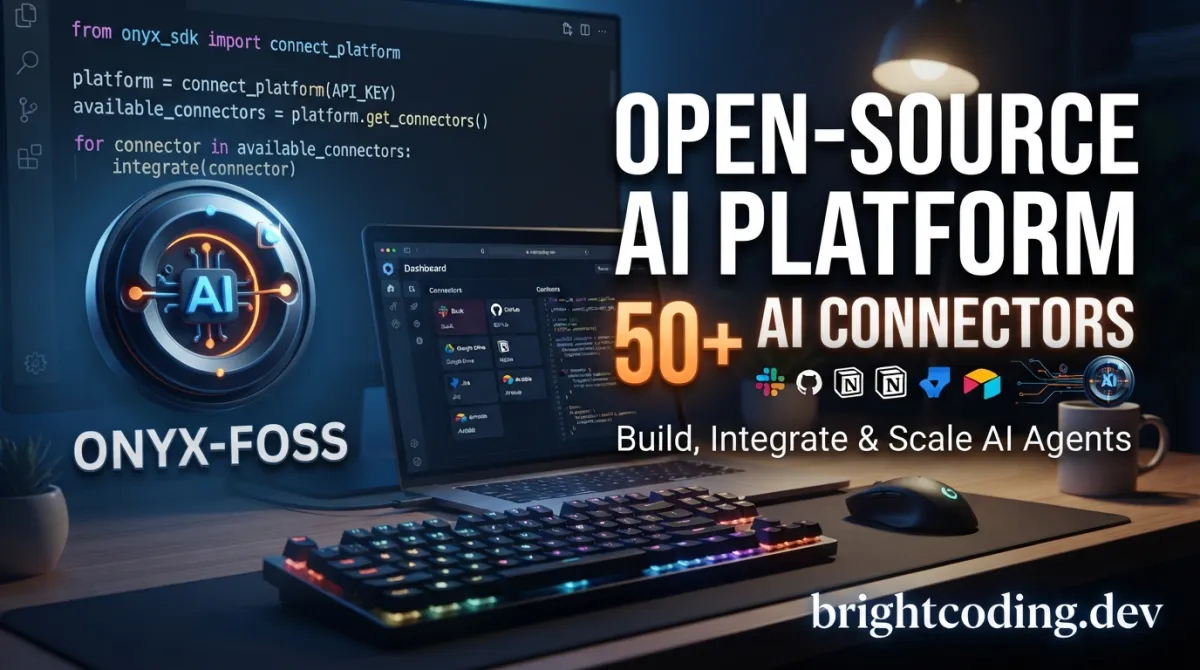
onyx-dot-app/onyx-foss: Open-Source AI Platform with 50+ Connectors
Developers building with LLMs face a recurring infrastructure problem: every project reinvents the same application layer. Authentication, context retrieval, tool use, deployment orchestration, connector integrations — these concerns pile up fast. Teams want to ship AI features, not maintain yet another chat wrapper or vector pipeline. onyx-dot-app/onyx-foss addresses this directly. It is a MIT-licensed, self-hostable AI platform that provides the application layer for LLMs — RAG, agents, web search, code execution, and 50+ pre-built connectors — without locking you into proprietary infrastructure. With 298 GitHub stars, 74 forks, and active development through July 2026, it represents a pragmatic middle ground between building from scratch and surrendering to closed-source SaaS offerings.
What is onyx-dot-app/onyx-foss?
onyx-dot-app/onyx-foss is the Free and Open Source Software (FOSS) edition of Onyx, an application layer for large language models. The repository is 100% MIT-licensed and automatically synced with the main Onyx repository at github.com/onyx-dot-app/onyx. The maintainers recommend the main repository for most users; this FOSS version exists specifically for organizations with strict open-source licensing requirements.
Primary language: Python↗ Bright Coding Blog. License: MIT. Last commit: July 15, 2026.
The project occupies a distinct niche in the current tooling landscape. It is not merely a chat UI (though it includes one), nor just a vector database wrapper. It is a full application platform spanning indexing, retrieval, agent orchestration, tool execution, and enterprise governance. This breadth distinguishes it from narrower tools like LangChain (a framework) or raw vector stores like Weaviate.
The timing is relevant: as organizations move from LLM experiments to production deployments, the "build vs. buy" calculus shifts. Proprietary platforms charge per-seat or per-token and create data residency concerns. Frameworks like LangChain or LlamaIndex require substantial assembly. onyx-dot-app/onyx-foss offers a third path: a complete, auditable, self-hostable system with commercial-grade features under a permissive license.
The project provides two deployment tiers — Lite and Standard — reflecting different operational commitments. Lite mode runs under 1GB memory and offers chat UI plus agents. Standard mode adds vector/keyword indexing, background job workers, model inference servers, Redis caching, and MinIO blob storage for production scale.
Key Features
Agentic RAG with hybrid indexing. Onyx implements retrieval-augmented generation combining vector and keyword indexes, augmented by AI agents for information retrieval. The maintainers note a benchmark is forthcoming. As of February 2026, their deep research capability ranked top on the onyx_deep_research_bench leaderboard.
Deep research workflows. Multi-step research flows generate in-depth reports, not single-turn answers. This targets use cases requiring synthesis across multiple sources — competitive analysis, technical due diligence, literature reviews.
Custom agents with tool use. Build agents with unique instructions, knowledge bases, and actions. Integration with external applications uses MCP (Model Context Protocol) with flexible authentication options.
Web search and crawling. Native web search supports Serper, Google PSE, Brave, SearXNG, and others. Includes an in-house web crawler plus Firecrawl/Exa integration for content extraction.
Code execution sandbox. Execute code to analyze data, render graphs, or modify files — isolated from the host environment.
Artifacts generation. Produce documents, graphics, and downloadable outputs directly from conversations.
Voice mode and image generation. Text-to-speech/speech-to-text interfaces and image generation from prompts.
Universal LLM support. Works with self-hosted models (Ollama, LiteLLM, vLLM) and proprietary APIs (Anthropic, OpenAI, Gemini).
Enterprise governance. SSO via Google OAuth, OIDC, SAML. SCIM user provisioning. RBAC for agents and actions. Query audit history. Usage analytics by team, LLM, or agent. Custom code injection for PII removal or sensitive query rejection. Whitelabeling with custom branding.
Use Cases
Internal knowledge base with RAG. Connect Confluence, Notion, Slack, GitHub, and 50+ other sources via pre-built connectors. Employees query across all documentation with source citations, reducing repetitive questions and onboarding friction. The hybrid index handles both semantic similarity and exact keyword matches, improving recall on technical terms and proper nouns.
Research and competitive intelligence. The deep research workflow automates multi-source synthesis. A product team investigating a market could task Onyx with analyzing competitor documentation, recent papers, and news — receiving a structured report rather than scattered search results. The February 2026 leaderboard position suggests this capability is competitive with specialized research tools.
Code-aware operations engineering. With code execution and MCP actions, DevOps↗ Bright Coding Blog teams can build agents that query logs, run diagnostics, generate runbooks, and create incident artifacts. The sandboxed execution limits blast radius while enabling genuine automation.
Regulated environments requiring audit trails. Financial services, healthcare, and government organizations often cannot use cloud AI services due to data residency or audit requirements. The self-hosted deployment, MIT license, query history, and custom PII filtering code address these constraints directly.
Rapid prototyping before enterprise commitment. Teams evaluating AI investments can deploy Onyx Lite locally, validate use cases with stakeholders, then migrate to Standard or the commercial Enterprise Edition without architectural rewrites.
Installation & Setup
Onyx provides multiple deployment paths. The simplest entry point:
# One-line installer for quick evaluation
curl -fsSL https://onyx.app/install_onyx.sh | bash
This script handles Docker↗ Bright Coding Blog-based deployment. For production or specific infrastructure requirements, consult the deployment documentation.
Deployment modes:
| Mode | Resource Requirements | Best For |
|---|---|---|
| Onyx Lite | Under 1GB memory | Quick testing, chat UI only, small teams |
| Standard Onyx | Multiple containers, Redis, MinIO | Production RAG, connectors, enterprise scale |
Supported platforms: Docker, Kubernetes, Helm, Terraform. Cloud provider guides are documented separately.
Cloud alternative: For evaluation without infrastructure commitment, Onyx Cloud offers managed hosting.
The Lite mode stack is intentionally minimal — single-container or small compose setup. Standard mode introduces:
- Vector + keyword indexing infrastructure
- Background job queues and connector sync workers
- AI model inference servers for embedding and reranking
- Redis for in-memory caching
- MinIO for blob storage
Real Code Examples
The README does not contain extensive inline code samples for API usage or configuration. The following examples are reproduced directly from the documented deployment commands and architecture descriptions. Where configuration details are implied by the feature list but not explicitly shown, this is noted.
One-line deployment:
# Official quick-start installer
curl -fsSL https://onyx.app/install_onyx.sh | bash
This downloads and executes the installation script. Review scripts before piping to shell in production environments — standard security practice for curl | bash patterns.
Connector configuration (conceptual, based on documented architecture):
The 50+ connectors are configured through the web UI or API, not via static config files. Each connector requires:
- Authentication credentials (OAuth, API key, or service account)
- Scope definition (which spaces, channels, or repositories to index)
- Sync schedule (continuous, periodic, or manual)
The MCP-based action system enables agents to call external APIs. Configuration includes:
- MCP server endpoint
- Authentication method (from the "flexible Auth options" noted in the README)
- Tool schemas exposed to the agent
Custom code injection for governance:
The README notes enterprise users can "run custom code to remove PII, reject sensitive queries, or to run custom analysis." This implies a plugin or webhook architecture, though specific implementation details (Python module path, function signature) are not documented in the provided source material.
Explicit documentation gap: The README emphasizes features and deployment architecture over API client code or configuration schemas. Developers integrating programmatically should refer to the full documentation for OpenAPI specifications or SDK references.
Advanced Usage & Best Practices
Start with Lite, prove value, then scale. The resource difference between Lite and Standard is substantial. Validate user adoption and identify which connectors matter before provisioning vector infrastructure.
Plan connector permissions carefully. Each of the 50+ connectors represents a potential data exfiltration or over-permissioning risk. Use service accounts with minimal read scopes. Enable query audit history before granting broad access.
Self-hosted models for cost control at scale. While proprietary APIs reduce operational burden, token costs accumulate unpredictably. For high-volume deployments, evaluate vLLM or Ollama with Onyx's model-agnostic routing.
Use custom code hooks for compliance, not just PII. The documented ability to inject custom code for query rejection enables policy enforcement — rate limiting, topic restrictions, mandatory disclaimers — that static RBAC cannot express.
Monitor the sync pipeline. Background workers for connector indexing are a common failure point in RAG systems. The Standard deployment includes these explicitly; ensure queue depth and worker health are observable.
Comparison with Alternatives
| Dimension | onyx-dot-app/onyx-foss | LangChain/LlamaIndex | Proprietary (ChatGPT Enterprise, etc.) |
|---|---|---|---|
| License | MIT (fully open) | MIT/Apache (frameworks only) | Proprietary, SaaS terms |
| Scope | Complete application platform | Libraries requiring assembly | Closed product, limited customization |
| Deployment | Self-hosted, Docker, K8s | Bring your own infrastructure | Cloud-only, data leaves premises |
| Connectors | 50+ pre-built | Community ecosystem, DIY | Vendor-controlled, limited |
| Governance | RBAC, SSO, SCIM, audit logs | Implement yourself | Varies; often per-seat pricing |
| Customization | Custom agents, code injection, MCP | Maximum flexibility, more effort | API-level only, constrained |
| Operational burden | Moderate (managed deployment) | High (build and maintain) | Low (but loss of control) |
LangChain and LlamaIndex offer greater architectural flexibility for novel applications but require building authentication, deployment, and UI from components. Proprietary solutions minimize operational work at the cost of data control and per-seat economics. onyx-dot-app/onyx-foss occupies a middle ground: opinionated enough to deploy quickly, open enough to audit and modify.
FAQ
Is onyx-dot-app/onyx-foss actively maintained? Yes — last commit July 15, 2026, with automatic sync to the main repository.
What's the difference between this and the main Onyx repo? This FOSS version is MIT-licensed for strict open-source requirements. The main repo is recommended for most users and may include additional features or faster updates.
Can I use this commercially? Yes, MIT license permits commercial use, modification, and distribution with attribution.
What are the hardware requirements? Lite mode runs under 1GB RAM. Standard mode requires multiple containers with Redis, MinIO, and inference servers — plan for several GB minimum.
Does it support my LLM provider? All major providers are supported: Anthropic, OpenAI, Gemini, Ollama, LiteLLM, vLLM, and others.
Is there a managed option? Yes, Onyx Cloud provides hosted deployment without infrastructure management.
How does Enterprise Edition differ from Community Edition? Community Edition covers core Chat, RAG, Agents, and Actions. Enterprise Edition adds primarily organizational features — detailed comparison at onyx.app/pricing.
Conclusion
onyx-dot-app/onyx-foss is a credible, production-oriented platform for teams that need LLM application infrastructure without proprietary lock-in. Its strength is breadth: RAG, agents, connectors, code execution, and enterprise governance in a single deployable system. The MIT license and self-hosting options make it viable for regulated industries and cost-conscious organizations.
It is best suited for teams past the prototyping phase — those with existing data sources to connect, compliance requirements to satisfy, or scale demands that make per-token SaaS pricing untenable. The Lite mode lowers the evaluation barrier; the Standard deployment supports serious production workloads.
The 298-star count reflects early traction rather than mass adoption, which is honest context for risk assessment. For teams evaluating whether to build internally or adopt a platform, onyx-dot-app/onyx-foss offers a concrete middle path worth testing.
Ready to explore? Clone the repository, run the one-line installer, or browse the full documentation. For the latest source, visit github.com/onyx-dot-app/onyx-foss.
Outils recommandés
Explore on the BrightCoding network
Hand-picked resources from our other sites.
Stop Losing Code Notes! Host CodiMD and Own Your Data
Discover CodiMD, the open-source real-time collaborative markdown editor. Learn deployment, configuration, and advanced patterns to own your team's documentatio...
ruzin/stenoai: Privacy-First Local AI Notepad for Meetings
ruzin/stenoai is an open-source, privacy-first AI notepad for meetings. Built with TypeScript and Python, it runs entirely on-device for transcription, summariz...
Gen-Verse/LatentMAS: Latent-Space Multi-Agent Reasoning with 50-80% Fewer Tokens
LatentMAS moves multi-agent collaboration from token space to latent space, achieving 50-80% token reduction and 3-7x speedups without training. ICML 2026 Spotl...
Continuez votre lecture
The Ultimate Guide to Self-Hosted Workflow Automation Executors: Take Control of Your Automation Empire
AI Research Assistant: How Real-Time Web Scraping is Revolutionizing Knowledge Work in 2025

🎮 The Ultimate Guide to Open Source JavaScript Games: 100+ Free Games & Dev Tools You Can Use Today

Stop Coding Alone: OPC-Skills Gives Your AI Agent Superpowers
Commentaires 0
Aucun commentaire pour l'instant. Soyez le premier à réagir !