PasteBarApp: Why Developers Are Ditching Paid Clipboard Tools
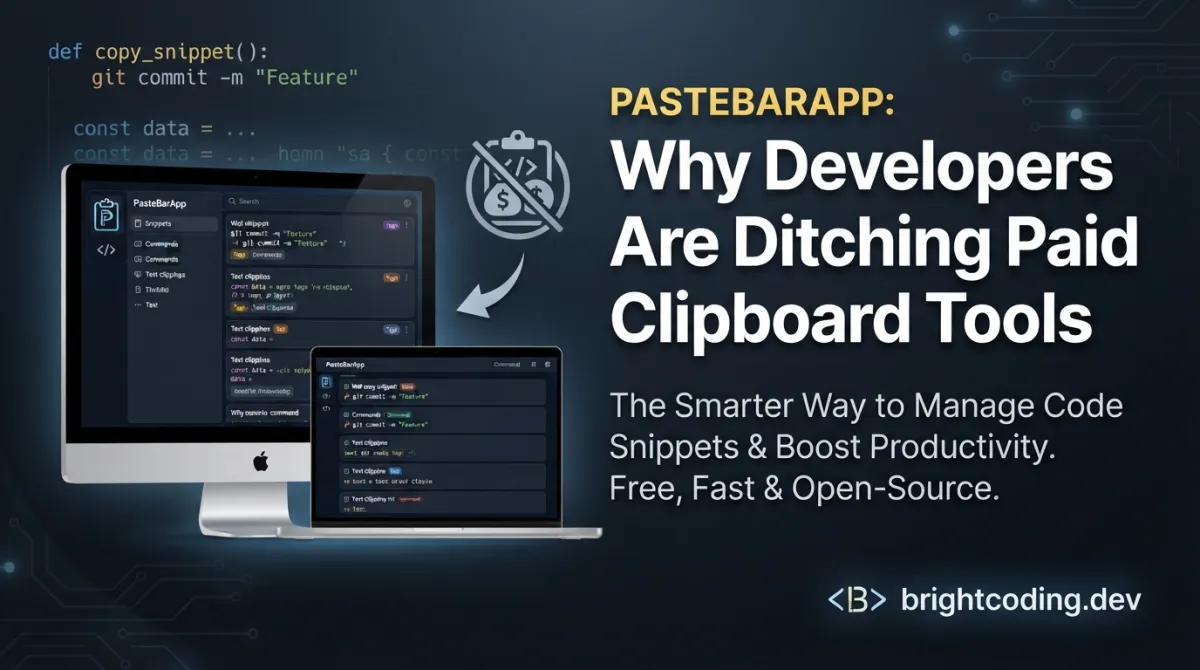
Stop losing your copy history forever. Every developer knows the soul-crushing moment: you hit Ctrl+C on that perfect code snippet, copy something else, and realize your precious clip has vanished into the digital void. You've been there. I've been there. We've all frantically pressed Ctrl+Z hoping to resurrect what we lost, only to stare at a blinking cursor in defeat. But what if I told you there's a free, open-source solution that's making expensive clipboard managers obsolete overnight? Enter PasteBarApp — the limitless clipboard manager that's secretly becoming the weapon of choice for developers who refuse to pay subscription fees for basic productivity.
What is PasteBarApp?
PasteBarApp is a free and open-source clipboard manager built for macOS and Windows that transforms how you handle copy-paste operations. Born from the frustration of developers tired of paywalled clipboard tools, this project leverages a powerful Rust + TypeScript/React stack to deliver enterprise-grade clipboard management without the enterprise-grade price tag.
The project is actively maintained with its latest version 0.7.0 bringing game-changing features like PIN-protected collections and advanced keyboard shortcuts. What makes PasteBarApp genuinely special isn't just its zero-dollar price — it's the unlimited history, intelligent organization system, and local-first privacy architecture that puts you in complete control of your clipboard data.
Unlike cloud-dependent alternatives that ship your sensitive clips to who-knows-where, PasteBarApp stores everything locally by default. Your API keys, database passwords, and proprietary code snippets never leave your machine unless you explicitly choose otherwise. This local-first philosophy, combined with its Creative Commons license with limited commercial use exception, makes it uniquely positioned for both personal productivity and small-team deployments.
The technology stack reveals serious engineering intent: Tauri Apps (Rust-based framework for lightweight desktop apps), Diesel ORM for database operations, React 19 with Signals and Jotai for reactive UI state, and TailwindCSS for polished interfaces. This isn't a weekend hackathon project — it's architected for performance and longevity.
Key Features That Demand Your Attention
Unlimited Clipboard History — PasteBarApp doesn't impose artificial limits on your copy history. Every text snippet, image, file reference, and code block gets preserved with full-text searchability. The searchable history includes notes support, letting you annotate clips for context that saves precious mental overhead.
Military-Grade Organization — The Collections, Tabs, and Boards system transforms chaotic clipboards into structured knowledge bases. Create dedicated boards for different projects, organize snippets by programming language, or build quick-access menus for repetitive workflows. This isn't just storage — it's intentional information architecture.
PIN-Protected Collections (v0.7.0) — Sensitive credentials deserve special treatment. The new protected collections feature lets you lock specific clip groups behind a PIN, creating secure vaults within your broader clipboard ecosystem. Share your general clipboard with teammates while keeping production passwords compartmentalized.
Smart Auto-Search — The Quick Paste window automatically activates search when you type — no manual Ctrl+F required. Combined with automatic programming language detection and syntax highlighting, finding that specific regex pattern or SQL query becomes instantaneous.
Advanced Keyboard Shortcuts — Configure up to 3-key combinations for any operation. Power users can navigate entire workflows without touching the mouse, while the customizable tray icon behavior ensures PasteBarApp integrates seamlessly into your existing muscle memory.
Cross-Platform Native Performance — Available for macOS (Apple Silicon M1, Intel) and Windows (AMD, ARM), with native compilation via Tauri ensuring minimal resource footprint compared to Electron-based alternatives. The multi-language support (English, Chinese, Ukrainian, Spanish, Italian, French, Russian, Turkish, German) demonstrates genuine global ambition.
Real-World Use Cases Where PasteBarApp Dominates
The Multi-Project Developer
You're switching between three client projects, each with different coding standards, API endpoints, and authentication patterns. PasteBarApp's board-based organization lets you maintain separate clip collections per project. That obscure GraphQL mutation for Client A? Saved in their dedicated board with a descriptive note. The OAuth flow for Client B? PIN-protected and instantly accessible. No more context-switching penalty.
The DevOps↗ Bright Coding Blog Engineer on Call
3 AM production incident. You need that specific kubectl command, the database connection string, and the Slack webhook URL — fast. PasteBarApp's global search surfaces everything across all collections. The syntax highlighting makes command flags readable at a glance, and quick-access paste menus mean you're executing fixes while others are still opening documentation.
The Content Creator & Technical Writer
Writing tutorials requires repetitive insertion of code blocks, terminal outputs, and formatted URLs. PasteBarApp's Markdown↗ Smart Converter support in notes, image clipboard handling, and custom saved clips transform content production. Save your standard boilerplate, author bio, and common code templates as permanent clips with single-keystroke insertion.
The Security-Conscious Contractor
Your clients' AWS credentials, SSH keys, and database passwords can't touch cloud services. PasteBarApp's local storage default, custom data location (point it at your encrypted VeraCrypt volume), and PIN-protected collections create a fortress around sensitive data. The backup and restore functionality exports your entire database for encrypted archival — no vendor lock-in, no subscription anxiety.
Step-by-Step Installation & Setup Guide
Prebuilt Binaries (Recommended)
The fastest path to clipboard enlightenment:
- Visit https://www.pastebar.app
- Download the appropriate installer for your platform
- Run the installer and grant accessibility permissions (required for clipboard monitoring)
- Launch PasteBarApp — it starts monitoring immediately
Building From Source
For developers wanting to customize or contribute:
Prerequisites:
- Rust toolchain (install via rustup.rs)
- Node.js 18+ with npm
- SQLite development libraries
Step 1: Clone the Repository
# Get the latest source from GitHub
git clone https://github.com/PasteBar/PasteBarApp.git
cd PasteBarApp
Step 2: Install Diesel CLI for Database Operations
# Install Diesel CLI with SQLite support only (lighter than full install)
cargo install diesel_cli --no-default-features --features sqlite
This command installs the Diesel ORM command-line tool specifically configured for SQLite databases, which PasteBarApp uses for local data storage.
Step 3: Install JavaScript↗ Bright Coding Blog Dependencies
# Install all Node.js dependencies including React 19, Vite, TailwindCSS
npm install
Step 4: Development or Production Build
# Start development server with hot reload
npm start

# OR build production-ready application
npm run build
Step 5: Configure Your Environment
After first launch:
- Open Settings → General to set your preferred custom data location
- Navigate to Settings → Hotkeys to configure your 3-key combinations
- Create your first Collection and enable PIN protection for sensitive clips
REAL Code Examples from PasteBarApp
Let's examine actual implementation patterns from the PasteBarApp repository, demonstrating how this application leverages modern web technologies within a native desktop context.
Development Environment Setup
The README provides clear setup instructions that reveal the project's architecture:
# Install Diesel CLI for database management
# This Rust-based ORM tool handles SQLite schema migrations and queries
cargo install diesel_cli --no-default-features --features sqlite

# Install dependencies and start development server
# Pulls in React 19, Vite build tooling, TailwindCSS, and state management libraries
npm install
npm start
What's happening here? The cargo install command compiles Diesel CLI from Rust source, targeting SQLite exclusively. This keeps the build lean — no PostgreSQL↗ Bright Coding Blog or MySQL bloat. The --no-default-features flag strips unnecessary database backends, demonstrating the project's performance-conscious philosophy. The npm install then resolves the JavaScript dependency tree, including the cutting-edge React 19 with its experimental features.
Build Pipeline
npm install
npm run build
Deceptively simple, powerfully effective. These two commands trigger Vite's optimized production build, which bundles the React TypeScript application and hands off to Tauri's Rust-based compilation. Tauri then generates a native executable — not a bloated Electron wrapper — resulting in dramatically smaller binary sizes and lower memory consumption. The build process automatically handles:
- TypeScript compilation with strict type checking
- TailwindCSS purging for minimal stylesheet footprint
- React tree-shaking to eliminate unused components
- Rust code compilation with release optimizations
Technology Stack Integration
The documented stack reveals sophisticated architectural decisions:
Rust: Tauri Apps, Diesel ORM, Reqwest, Anyhow, Serde, Tokio
JavaScript: TypeScript, React 19, React Query, Vite, TailwindCSS, Signals, Jotai, Zustand
Let's decode this power stack:
- Tauri Apps: Replaces Electron with Rust-based WebView wrappers, cutting bundle sizes from 100MB+ to under 10MB
- Diesel ORM: Type-safe SQL queries compiled at build time — no runtime SQL injection risks
- Reqwest + Tokio: Async HTTP client and runtime for web scraping capabilities, enabling API data extraction features
- Anyhow + Serde: Ergonomic error handling and serialization/deserialization throughout the Rust layer
- React 19 + Signals: Next-generation React with fine-grained reactivity, bypassing traditional virtual DOM overhead
- Jotai + Zustand: Dual state management — atomic state for UI components, global store for application data
- React Query: Server-state synchronization for web scraping features, with intelligent caching and background updates
This stack isn't accidental — it's deliberately chosen for performance, type safety, and developer experience.
Advanced Usage & Best Practices
Master the Quick Paste Window: Press your configured hotkey (default varies by platform) to summon the floating search interface. Start typing immediately — Smart Auto-Search activates without explicit focus. Pro tip: configure a 3-key combination like Ctrl+Shift+V that's distinct from your system paste command.
Architect Your Collections Strategically: Don't dump everything into one board. Create hierarchical organization: top-level boards for projects, collections within for categories ("API Keys", "Snippets", "References"), and PIN-protect anything sensitive. The 30+ specialized copy/paste operations become exponentially more powerful when your data structure supports them.
Leverage Custom Data Locations for Sync: Point PasteBarApp's storage to a Dropbox, Syncthing, or iCloud Drive folder for cross-device synchronization. Your clipboard history follows you between work and personal machines — encrypted in transit if your sync solution supports it. The backup and restore feature provides additional safety nets before major system changes.
Optimize with Text Filtering: Enable auto-trim spaces and text length filtering in settings to prevent clipboard pollution from accidental whitespace copies or massive file dumps. Your search performance and mental clarity will thank you.
Contribute Translations: The project actively seeks translation help at https://github.com/PasteBar/pastebar-localization — contribute to expand accessibility while deepening your understanding of the codebase.
Comparison with Alternatives
| Feature | PasteBarApp | Ditto (Windows) | CopyClip (macOS) | Paste (Paid) |
|---|---|---|---|---|
| Price | Free, Open Source | Free | Freemium | $14.99/year |
| Cross-Platform | macOS + Windows | Windows only | macOS only | macOS only |
| Unlimited History | ✅ Yes | ✅ Yes | ❌ Paid tier | ✅ Yes |
| PIN Protection | ✅ Yes | ❌ No | ❌ No | ❌ No |
| Custom Data Location | ✅ Yes | ❌ No | ❌ No | ❌ No |
| Syntax Highlighting | ✅ Auto-detect | ❌ No | ❌ No | ✅ Yes |
| Local Storage Default | ✅ Yes | ✅ Yes | ✅ Yes | ❌ Cloud |
| Web Scraping | ✅ Built-in | ❌ No | ❌ No | ❌ No |
| 3-Key Hotkeys | ✅ Yes | ❌ Limited | ❌ Limited | ✅ Yes |
| Active Development | ✅ Rapid (v0.7.0) | ⚠️ Slow | ⚠️ Slow | ✅ Yes |
The verdict? PasteBarApp uniquely combines zero cost, cross-platform support, advanced security features, and active open-source development. Paid alternatives lock features behind subscriptions; native free alternatives stagnate; PasteBarApp delivers professional-grade functionality with community-driven evolution.
Frequently Asked Questions
Is PasteBarApp really free for commercial use? The CC BY-NC license with Limited Commercial Use Exception permits personal and small-scale commercial use. Review the LICENSE file for specific boundaries — enterprise deployments may require negotiation.
Does PasteBarApp store my clipboard in the cloud? Absolutely not by default. All data stores locally on your machine. The optional custom data location feature lets you choose cloud-synced folders, but this remains entirely under your control.
How does PasteBarApp compare to macOS's built-in clipboard history? Apple's built-in history (Command+Shift+V) is ephemeral and unorganized — limited to recent items with no search, no persistence across restarts, and no organization. PasteBarApp provides permanent, searchable, categorized clipboard management.
Can I migrate from another clipboard manager? The backup and restore functionality exports your entire PasteBarApp database. For third-party tools, manual migration via copy-paste into organized collections is straightforward given PasteBarApp's efficient input methods.
Is my data secure with PIN-protected collections? PIN protection provides access control within the application, not encryption at rest. For sensitive data, combine PIN collections with full-disk encryption (FileVault, BitLocker) and custom data locations on encrypted volumes.
What programming languages does syntax highlighting support? PasteBarApp's automatic language detection covers all major languages including Python↗ Bright Coding Blog, JavaScript, Rust, Go, SQL, Bash, and 20+ others. The React-based editor component leverages established syntax highlighting libraries.
How can I contribute to PasteBarApp development? Star the repository, report issues, suggest features, improve translations, or submit pull requests. The Rust + TypeScript/React stack welcomes developers of both backgrounds.
Conclusion
Your clipboard deserves better than forgetfulness. PasteBarApp represents a rare convergence in developer tooling: genuinely free, aggressively capable, and ethically architected with local-first privacy. The v0.7.0 release proves active, responsive development that listens to real user needs — PIN protection, custom data locations, and enhanced keyboard shortcuts didn't appear by accident.
I've watched too many developers hemorrhage money on subscription productivity tools that should be baseline infrastructure. PasteBarApp shatters that paradigm. Whether you're organizing API documentation, securing production credentials, or simply tired of losing that perfect Stack Overflow answer, this tool delivers.
The clipboard is your second brain — stop letting it have amnesia. Head to https://github.com/PasteBar/PasteBarApp now. Star the repository, download the latest release, and join thousands of developers who've already upgraded their copy-paste game. Your future self, frantically searching for that lost snippet, will thank you.
Ready to never lose a copy again? Download PasteBarApp or star the GitHub repository to support open-source clipboard innovation.
Outils recommandés
Explore on the BrightCoding network
Hand-picked resources from our other sites.
muesli/duf: A Better 'df' Alternative for Disk Usage Analysis
muesli/duf is a modern Go-based replacement for the df command, offering color-coded, categorized disk usage output with JSON export, flexible filtering, and cr...
Control Claude Code From Your Phone: ClaudeBot Exposed
Discover ClaudeBot, the open-source system tray app that lets you control Claude Code via Telegram from anywhere. Complete setup guide, real code examples, and...
OpenAdapt: Automate Any GUI With Vision AI (No Code)
OpenAdapt is open-source Generative RPA that uses Large Multimodal Models to automate desktop and web GUIs through demonstration. Record tasks, train vision-lan...
Continuez votre lecture

Why Alexandrie is the Ultimate Markdown Note-Taking App

Why CrossPaste is the Ultimate Game Changer for Clipboard Management

Why Chandra is the Ultimate OCR Tool for Handwriting and Tables

Stop Coding Alone: OPC-Skills Gives Your AI Agent Superpowers
Commentaires 0
Aucun commentaire pour l'instant. Soyez le premier à réagir !