PicoClaw: Run AI on $10 Hardware with 10MB RAM
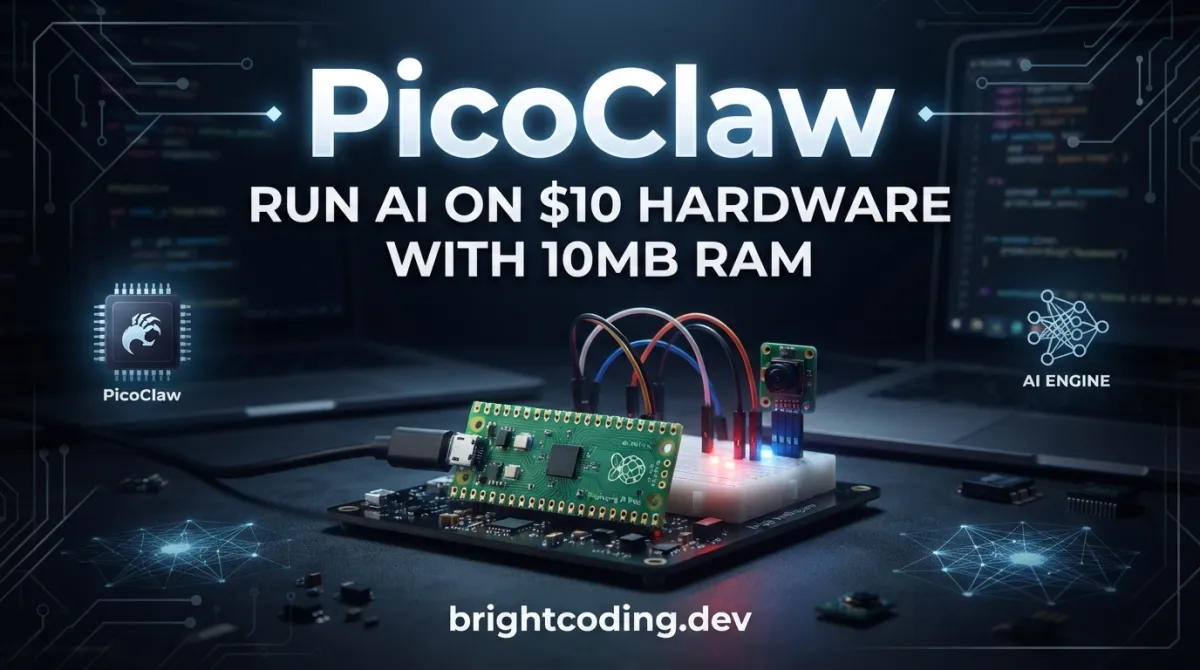
PicoClaw: Run AI on $10 Hardware with 10MB RAM
What if I told you that everything you believe about running AI is wrong? You don't need a $599 Mac mini. You don't need 16GB of RAM. You don't even need a machine that costs more than your lunch.
PicoClaw just proved it.
In 15 hours, this project exploded to 500 GitHub stars. Not because of hype. Not because of marketing. But because developers finally saw what was possible: a full AI assistant running on 10MB of RAM, booting in under 1 second on a 0.6GHz single-core processor, deployed on hardware that costs less than $10.
Let that sink in. While the rest of the world chases bigger GPUs and cloud credits, PicoClaw went the opposite direction — and won. This is the story of how a tiny Go binary is about to change everything you thought you knew about AI deployment.
What is PicoClaw?
PicoClaw is an ultra-lightweight personal AI assistant initiated by Sipeed, a company known for pushing the boundaries of accessible edge computing hardware. Written entirely in Go from scratch — not a fork of OpenClaw, NanoBot, or any other project — PicoClaw represents a fundamental reimagining of what an AI agent can be.
The project's origin story is almost unbelievable. It was built in a single day to bring AI agents to the most resource-constrained environments imaginable. But here's where it gets wild: 95% of the core code was generated by an AI agent itself, through a "self-bootstrapping" process where the agent drove its own architecture migration and code optimization. Human reviewers fine-tuned the output, creating a rare genuine case of AI building AI that actually works.
PicoClaw draws inspiration from NanoBot but diverges radically in implementation. Where NanoBot requires Python↗ Bright Coding Blog's heavy runtime, PicoClaw leverages Go's compiled efficiency. The result? A 99% reduction in memory usage compared to OpenClaw and a 98% cost reduction compared to typical deployment hardware.
The project has already reached 26,000+ GitHub stars as of version 0.2.4, with momentum that shows no signs of slowing. Its official website at picoclaw.io auto-detects your platform for one-click downloads, and the community has grown across Discord, WeChat, and X (Twitter) with remarkable speed.
What makes PicoClaw genuinely different isn't just the numbers — it's the philosophy. This is AI democratization at its most extreme: intelligence that runs anywhere, on anything, for anyone.
Key Features That Break Every Rule
🪶 Ultra-Lightweight Core
The headline figure is real: <10MB RAM for core operation. Recent rapid development has pushed some builds to 10-20MB due to merged PRs, but resource optimization is explicitly planned for post-v1.0 stabilization. Compare this to OpenClaw's >1GB requirement or NanoBot's >100MB footprint.
⚡️ Insane Boot Speed
400x faster startup than alternatives. We're talking <1 second boot time on a 0.8GHz single-core chip. This isn't theoretical — it's benchmarked against real hardware. The Go compilation model eliminates interpreter startup overhead entirely.
🌍 True Hardware Portability
One binary, every architecture. PicoClaw ships as a single compiled binary supporting x86_64, ARM64, MIPS, RISC-V, and LoongArch. No Docker↗ Bright Coding Blog complexity. No dependency hell. No "works on my machine." Cross-compile for your target, deploy, done.
🤖 AI-Bootstrapped Architecture
The meta-narrative matters here. PicoClaw's development process — where an AI agent generated 95% of core code — demonstrates a new paradigm for software creation. This isn't just a tool; it's proof of concept for autonomous software engineering.
🔌 Native MCP Integration
Model Context Protocol support isn't bolted-on; it's built-in. Connect any MCP server to extend capabilities with external tools and data sources. This positions PicoClaw as a genuine platform, not just a chatbot.
👁️ Vision Pipeline
Send images and files directly to the agent with automatic base64 encoding for multimodal LLMs. The vision handling is transparent and efficient, designed for edge deployment where bandwidth matters.
🧠 Smart Model Routing
Rule-based routing sends simple queries to lightweight models, complex tasks to capable ones. This isn't just convenient — it's cost-optimization at the architecture level, saving API fees with every interaction.
Real-World Use Cases Where PicoClaw Dominates
1. The $10 Home Assistant
Deploy on a LicheeRV-Nano ($9.90 with Ethernet or WiFi6) for a minimal home automation brain. Control lights, query weather, manage schedules — all without sending every command to cloud APIs. The RISC-V architecture and minimal power draw make this genuinely sustainable.
2. Automated Server Operations via NanoKVM
The NanoKVM ($30-50) or NanoKVM-Pro ($100) becomes a self-healing infrastructure monitor. PicoClaw watches logs, restarts services, alerts on anomalies, and executes recovery procedures — all from a device smaller than a pack of gum.
3. Smart Surveillance on MaixCAM
The MaixCAM ($50) or MaixCAM2 ($100, 4K-capable) transforms into an intelligent camera with local AI processing. No cloud subscription. No privacy concerns. Face detection, object recognition, and anomaly alerting happen on-device.
4. Reviving E-Waste: Old Android Phones
That drawer of obsolete smartphones? PicoClaw runs natively on Android via APK or Termux. A 2014 phone with 1GB RAM becomes a capable AI assistant. This is environmental sustainability meets practical utility — e-waste reduction with genuine functionality.
5. Raspberry Pi Zero: The Impossible Deployment
A 512MB Raspberry Pi Zero runs PicoClaw "like a breeze" according to the project's own testing. This is hardware that costs $5-15, often given away free with magazines, running conversational AI. The implications for education and developing-world access are profound.
Step-by-Step Installation & Setup Guide
Method 1: Official Website (Recommended)
The simplest path: visit picoclaw.io. The site auto-detects your platform and serves the correct binary. No architecture decisions, no manual selection.
Method 2: GitHub Releases
Download precompiled binaries from GitHub Releases for your specific platform.
Method 3: Build from Source
Prerequisites:
- Go 1.25+
- Node.js 22+ and pnpm 10.33.0+ (for Web UI / launcher builds)
# Clone the repository
git clone https://github.com/sipeed/picoclaw.git
cd picoclaw

# Install dependencies
make deps

# Install frontend dependencies for Web UI
(cd web/frontend && pnpm install --frozen-lockfile)

# Build core binary for current platform
make build

# Build Web UI Launcher (required for WebUI mode)
make build-launcher

# Build for all Makefile-managed platforms
make build-all

# Raspberry Pi Zero 2 W specific builds
# 32-bit Raspberry Pi OS: make build-linux-arm
# 64-bit: make build-linux-arm64
make build-pi-zero

# Install to system
make install
Critical note for Pi Zero users: Match your binary to your OS architecture. 32-bit Raspberry Pi OS requires make build-linux-arm; 64-bit needs make build-linux-arm64. The convenience target make build-pi-zero builds both variants.
Docker Deployment
# 1. Clone repository
git clone https://github.com/sipeed/picoclaw.git
cd picoclaw

# 2. First run — auto-generates docker/data/config.json then exits
# Only triggers when both config.json and workspace/ are missing
docker compose -f docker/docker-compose.yml --profile launcher up
# Container prints "First-run setup complete." and stops

# 3. Configure API keys
vim docker/data/config.json

# 4. Start services
docker compose -f docker/docker-compose.yml --profile launcher up -d
# Access at http://localhost:18800
Docker/VM networking note: The Gateway listens on 127.0.0.1 by default. Set PICOCLAW_GATEWAY_HOST=0.0.0.0 or use the -public flag for external access.
# Essential Docker operations
docker compose -f docker/docker-compose.yml logs -f    # View logs
docker compose -f docker/docker-compose.yml --profile launcher down  # Stop
docker compose -f docker/docker-compose.yml pull       # Update images
REAL Code Examples from the Repository
Example 1: Terminal Launcher Configuration (Minimal Environments)
For resource-constrained deployments without the WebUI, configure via JSON directly:
{
  "agents": {
    "defaults": {
      "model_name": "gpt-5.4"
    }
  },
  "model_list": [
    {
      "model_name": "gpt-5.4",
      "model": "openai/gpt-5.4"
      // api_key loaded from .security.yml — never hardcode secrets
    }
  ]
}
What's happening here: This defines the minimal viable configuration. The agents.defaults section sets the fallback model for all agent operations. The model_list array registers available LLMs using the protocol/model naming convention. Critical security practice: API keys are referenced but not stored here; they're loaded from .security.yml, separating sensitive credentials from version-controlled configuration.
Initialize and run:
# Create ~/.picoclaw/config.json and workspace directory
picoclaw onboard

# One-shot query — perfect for scripting and automation
picoclaw agent -m "What is 2+2?"

# Interactive mode for ongoing conversation
picoclaw agent

# Start gateway for chat app integration
picoclaw gateway
Example 2: Local Ollama Deployment
Run entirely offline with local models:
{
  "model_list": [
    {
      "model_name": "local-llama",
      "model": "ollama/llama3.1:8b",
      "api_base": "http://localhost:11434/v1"
    }
  ]
}
The power of this pattern: Zero API costs. Zero network dependency. Full privacy. The api_base points to Ollama's OpenAI-compatible endpoint, so PicoClaw's generic HTTP client works without modification. The model_name is your friendly label; model uses the ollama/ protocol prefix with the exact model tag.
For vLLM deployments, the pattern is nearly identical:
{
  "model_list": [
    {
      "model_name": "local-vllm",
      "model": "vllm/your-model",
      "api_base": "http://localhost:8000/v1"
    }
  ]
}
Example 3: MCP Server Integration
Extend capabilities with Model Context Protocol servers:
{
  "tools": {
    "mcp": {
      "enabled": true,
      "servers": {
        "filesystem": {
          "enabled": true,
          "command": "npx",
          "args": ["-y", "@modelcontextprotocol/server-filesystem", "/tmp"]
        }
      }
    }
  }
}
Architecture insight: This configures a stdio-based MCP server. When PicoClaw needs filesystem access, it spawns npx as a subprocess, communicating over standard input/output. The -y flag auto-accepts npm package installation. The /tmp argument restricts filesystem access to a sandboxed directory — security through capability restriction.
The CLI provides ergonomic management without hand-editing JSON:
# Add MCP server with automatic config generation
picoclaw mcp add filesystem -- npx -y @modelcontextprotocol/server-filesystem /tmp

# Verify configured servers
picoclaw mcp list

# Test connectivity and capability discovery
picoclaw mcp test filesystem
Important distinction: picoclaw mcp manages configuration only. It updates config.json but doesn't keep server processes running. The actual process lifecycle is handled by PicoClaw's runtime when tools are invoked.
For advanced configurations — SSE transport, HTTP endpoints, environment variables, deferred initialization — use picoclaw mcp edit for direct JSON manipulation.
Example 4: Skill Registry Configuration
Install and manage modular capabilities:
{
  "tools": {
    "skills": {
      "registries": {
        "clawhub": {
          "auth_token": "your-clawhub-token"
        },
        "github": {
          "base_url": "https://github.com",
          "auth_token": "your-github-token",
          "proxy": ""
        }
      }
    }
  }
}
Note the migration path: Older configurations used tools.skills.github.* directly; current versions nest under tools.skills.registries.*. The CLI abstracts this:
# Search community skills
picoclaw skills search "web scraping"

# Install by name
picoclaw skills install <skill-name>

# List installed capabilities
picoclaw skills list
Skills are loaded from SKILL.md files in your workspace, creating a discoverable, versionable capability system.
Advanced Usage & Best Practices
Security Hardening (v0.2.4+)
PicoClaw introduced .security.yml for credential isolation and sensitive data filtering. Never store API keys in config.json directly — the migration path to version 1+ configs enforces this separation automatically.
Gateway Deployment Patterns
For remote access, Docker, or VM deployments, always consider network exposure:
picoclaw-launcher -public # Listen on all interfaces, not just localhost
Set PICOCLAW_GATEWAY_HOST=0.0.0.0 for containerized environments where 127.0.0.1 isn't accessible from the host.
Model Routing for Cost Optimization
Configure multiple models with routing rules: lightweight local models for simple queries, premium APIs for complex reasoning. The model_list priority and agent defaults create sophisticated fallback chains.
Cron-Based Automation
Use picoclaw cron add for scheduled tasks — system health checks, data aggregation, periodic reporting. The cron system supports one-time reminders, recurring intervals, and full cron expressions with command-job gating for security.
Sub-Agent Orchestration
Version 0.2.4's architecture overhaul introduced SubTurn, Hooks, Steering, and EventBus patterns. For complex workflows, spawn sub-agents with spawn_status monitoring, inject messages mid-execution with Steering, and intercept events with Hooks for approval workflows.
Comparison with Alternatives
| Dimension | OpenClaw | NanoBot | PicoClaw |
|---|---|---|---|
| Language | TypeScript | Python | Go |
| RAM | >1GB | >100MB | <10MB* |
| Boot Time (0.8GHz core) | >500s | >30s | <1s |
| Min Hardware Cost | Mac Mini $599 | ~$50 Linux board | $10 any Linux board |
| Binary Portability | Node.js runtime required | Python env required | Single static binary |
| Architectures | x86_64, ARM64 | x86_64, ARM64 | x86_64, ARM64, MIPS, RISC-V, LoongArch |
| MCP Support | Community plugins | Limited | Native integration |
| Vision Pipeline | Varies | Basic | Built-in base64 encoding |
| AI-Bootstrapped | No | No | Yes — 95% agent-generated |
*Recent builds may use 10-20MB due to rapid PR merges; optimization planned post-v1.0.
The verdict: OpenClaw and NanoBot serve different needs — feature richness, ecosystem maturity. But for edge deployment, cost minimization, and hardware accessibility, PicoClaw operates in a category of one.
FAQ
Q: Is PicoClaw a fork of OpenClaw or NanoBot? A: No. It's an independent project written entirely in Go from scratch, inspired by NanoBot's concept but architecturally distinct.
Q: Can I really run this on a $10 board? A: Yes. The LicheeRV-Nano at $9.90 is officially tested and documented. Performance is functional for assistant workflows, not just "hello world."
Q: How does the 10MB RAM claim hold up? A: Original builds achieved <10MB. Rapid feature development has increased this to 10-20MB in recent builds. The team has explicitly committed to resource optimization after v1.0 feature stabilization.
Q: Is it production-ready? A: The project explicitly warns: "Do not deploy to production before v1.0." Early rapid development may contain unresolved security issues.
Q: What LLM providers work? A: 30+ providers including OpenAI, Anthropic, Google Gemini, DeepSeek, local Ollama/vLLM, and enterprise options like Azure OpenAI and AWS↗ Bright Coding Blog Bedrock.
Q: How do I contribute? A: PRs are welcomed. The codebase is intentionally small and readable. Join the developer group after your first merged PR.
Q: Is there really no cryptocurrency involved? A: Correct. The project explicitly states: "NO CRYPTO." Any tokens on trading platforms are scams. Only trust picoclaw.io and sipeed.com.
Conclusion
PicoClaw isn't just another AI project. It's a fundamental challenge to the assumption that intelligence requires scale. In a field obsessed with bigger models, bigger clusters, bigger budgets, PicoClaw asks: what if we went smaller? What if AI could run on the hardware already surrounding us — the forgotten phones, the cheap single-board computers, the e-waste we were about to discard?
The technical achievement is real: Go's efficiency, AI-bootstrapped development, native MCP support, and genuine cross-architecture portability. But the philosophical shift matters more. This is AI as infrastructure, not AI as service. Intelligence at the edge, not in the cloud. Accessibility over exclusivity.
The 26,000+ stars in mere months tell us developers are hungry for this. The $10 hardware deployments prove it's not theoretical. The self-bootstrapping origin story hints at where software development itself might be heading.
Ready to deploy intelligence anywhere? Grab your binary from picoclaw.io, flash it to whatever hardware you have lying around, and join the community redefining what's possible. The future of AI isn't just bigger — it's smaller, faster, and everywhere.
⭐ Star the project on GitHub: github.com/sipeed/picoclaw
PicoClaw: Tiny, Fast, and Deployable anywhere — automate the mundane, unleash your creativity.
Explore on the BrightCoding network
Hand-picked resources from our other sites.
gokapso/whatsapp-cloud-inbox: Open-Source WhatsApp Inbox for Cloud API
gokapso/whatsapp-cloud-inbox is an open-source WhatsApp inbox built with Next.js and TypeScript. It provides a WhatsApp Web-style UI for the Cloud API via Kapso...
Stop Struggling With Math Animations! Use Manim Instead
Discover ManimCommunity/manim, the Python animation engine behind 3Blue1Brown's viral math videos. Learn installation, real code examples, and why this fork bea...
GraphiteEditor/Graphite: Open-Source Node-Based 2D Graphics Engine in Rust
GraphiteEditor/Graphite is a community-built, open-source 2D graphics engine in Rust featuring node-based procedural design, nondestructive editing, and unified...
Continuez votre lecture

Why Alexandrie is the Ultimate Markdown Note-Taking App

Why CrossPaste is the Ultimate Game Changer for Clipboard Management

Why Chandra is the Ultimate OCR Tool for Handwriting and Tables

Stop Coding Alone: OPC-Skills Gives Your AI Agent Superpowers
Commentaires 0
Aucun commentaire pour l'instant. Soyez le premier à réagir !