RaspyJack: The Secret Offensive Pi Toolkit Red Teams Are Hiding
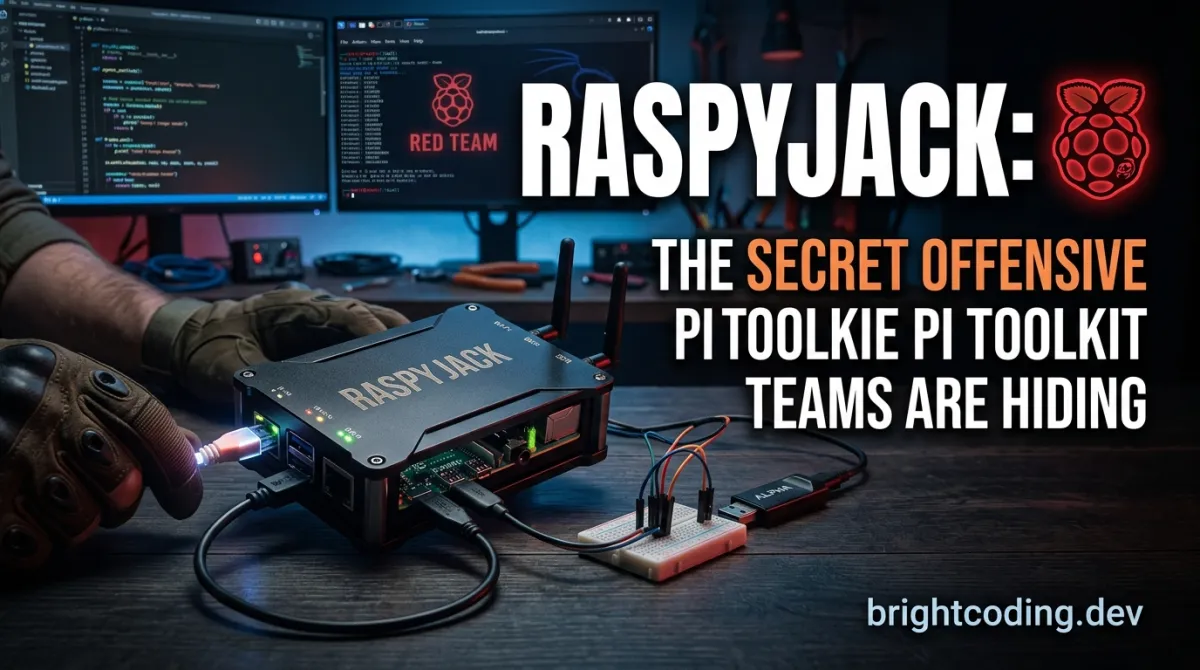
RaspyJack: The Secret Offensive Pi Toolkit Red Teams Are Hiding
What if I told you that the most dangerous device in a red team's arsenal isn't a $5,000 laptop—it's a $15 computer the size of a credit card?
Picture this: You're on a physical engagement. Security is tight. Laptops get searched. Phones get scrutinized. But that innocent-looking Raspberry Pi in your pocket? It looks like a toy. Except it's not. In under 60 seconds, it can deauthenticate an entire corporate network, spawn an evil twin access point, capture handshakes, and exfiltrate data over BLE—all while displaying a cute game of Pac-Man on its tiny screen if anyone gets suspicious.
This isn't science fiction. This is RaspyJack, and it's about to change how you think about portable offensive security forever.
Built by 7h30th3r0n3 and inspired by the legendary Pwnagotchi and SharkJack, RaspyJack transforms humble Raspberry Pi hardware into a full-fledged offensive network toolkit. With 231 payloads across 13 categories, a handheld LCD interface, a remote WebUI dashboard, and even a built-in Payload IDE, it's the Swiss Army knife that fits in your palm. Whether you're a red team operator, a penetration tester, or a security researcher hungry for hands-on learning, RaspyJack delivers capabilities that rival tools costing 50x more.
Ready to see what the hype is about? Let's dive deep.
What is RaspyJack?
RaspyJack is an open-source offensive network toolkit specifically engineered for Raspberry Pi devices, with optional support for the Cardputer Zero form factor. Created by the security researcher 7h30th3r0n3 and released under the MIT license, it represents a new evolution in portable, discrete penetration testing platforms.
The project draws direct inspiration from two iconic tools in the offensive security space: the Pwnagotchi (the AI-driven WiFi cracking companion) and the SharkJack (Hak5's network attack implant). But RaspyJack isn't just a clone—it expands dramatically on both concepts by adding a full graphical LCD interface, comprehensive WebUI remote control, and a staggering payload ecosystem that covers everything from WiFi attacks to Bluetooth Low Energy exploitation.
What makes RaspyJack genuinely trend-worthy right now? Three converging factors:
-
The hardware accessibility revolution: Raspberry Pi Zero 2 W boards are finally available at reasonable prices, and Waveshare's LCD HATs cost less than a dinner out. The total build cost for a fully functional RaspyJack sits around $30-50.
-
The shift toward discrete physical tooling: Modern red teams increasingly need tools that don't look like tools. A Raspberry Pi with a small screen reads as "hobbyist electronics" to 99% of observers.
-
The educational security boom: With cybersecurity skills gaps widening, hands-on learning platforms like RaspyJack are exploding in popularity across universities, training programs, and self-directed learners.
The project is explicitly designed for authorized security testing, research, and education only—a critical ethical boundary that the maintainer enforces through clear documentation and community norms.
Key Features That Make RaspyJack Insane
Let's unpack what actually ships with RaspyJack. This isn't marketing fluff—these are battle-tested capabilities that operators are using in the field right now.
Handheld LCD Interface with Dual-Display Support
RaspyJack runs a custom Python3 GUI engine (raspyjack.py) that drives either the Waveshare 1.44" LCD HAT (128x128, ST7735) or the Waveshare 1.3" LCD HAT (240x240, ST7789). The joystick and three-button input scheme creates a genuine handheld experience. Switching displays requires only a JSON config change—no code rewrites.
231 Payloads Across 13 Categories
This is where RaspyJack separates from the pack. The payload library spans:
- Reconnaissance: Nmap scanning, Shodan integration, OSINT tools, Pwnagotchi compatibility
- WiFi Attacks: Deauthentication, evil twin deployment, SSID injection (CIW Zeroclick), beacon flooding
- Network Attacks: ARP MITM, DNS spoofing, handshake hunting with auto-upload, WPA cracking
- Credential Harvesting: Responder integration, hash capture, credential extraction
- Bluetooth Low Energy: Scanner, spam, beacon flood, MITM, replay attacks, audio injection, DoS
- USB Attacks: DuckyScript generator for HID-based payloads
- Exfiltration Channels: HTTP, DNS, BLE, Discord, SMB, FTP, USB, and Dropbox
- Remote Access: Reverse shells, Discord C2, HTTPS stealth shells
- Evil Portal: 84 captive portal templates with whitelist control and credential capture
- Dead Drop: WiFi file sharing with dashboard for covert data exchange
- Evasion Techniques: Anti-forensics and detection avoidance
- Utilities: Weather, IRC, morse code, translator, video player, system monitor
- Games: 25 titles including Pac-Man, Tetris, Tron, LLM adventure, and labyrinth
WebUI Remote Control + Payload IDE
The built-in web server (web_server.py + device_server.py) provides a full browser-based dashboard. The Payload IDE lets you write, edit, and execute custom payloads directly from any device with a browser—no SSH required. This is a game-changer for rapid payload development during time-sensitive engagements.
Ragnar Integration
RaspyJack now includes a vendored port of Ragnar (from PierreGode), a vulnerability scanning platform. It runs as a separate headless stack on port 8091, controllable directly from the RaspyJack payload menu.
Loot Collection and Browsing
All captured data—handshakes, credentials, scan results—gets organized in the loot/ directory with built-in browsing capabilities.
Real-World Use Cases Where RaspyJack Dominates
Scenario 1: The Corporate Physical Engagement
You're tasked with assessing a client's physical security. Building access is controlled, but the guest WiFi extends to the parking garage. You deploy RaspyJack from your car: it deauths the corporate SSID, spawns an evil twin with a matching captive portal, and captures credentials while you review "notes" on the tiny screen. The LCD shows a weather widget if anyone glances over.
Scenario 2: The Red Team Drop Box
RaspyJack's small footprint and low power consumption make it perfect for long-term deployments. Hide it in a ceiling tile with a USB WiFi dongle and power bank. The WebUI lets you check status, trigger scans, and exfiltrate data remotely without ever returning to the device. Discord C2 provides command-and-control that blends with normal traffic.
Scenario 3: The Wireless Security Assessment
Traditional WiFi auditing tools require bulky laptops and conspicuous antennas. RaspyJack with an Alfa AWUS036ACH dongle fits in a pocket yet performs full-spectrum attacks: multi-target deauth on both 2.4 GHz and 5 GHz, automatic handshake capture with cloud upload, and WPA cracking integration.
Scenario 4: BLE Device Testing
With Bluetooth Low Energy payloads for scanning, spamming, beacon flooding, and MITM attacks, RaspyJack becomes a specialized IoT/IIoT assessment tool. Test smart locks, fitness trackers, medical devices, and industrial sensors in ways that most general-purpose tools simply can't match.
Step-by-Step Installation & Setup Guide
Building your RaspyJack is straightforward. Here's the complete process from fresh hardware to operational toolkit.
Hardware Assembly
- Flash Raspberry Pi OS Lite to your microSD card (32GB+ recommended)
- Attach the Waveshare LCD HAT to your Raspberry Pi's GPIO header
- Insert a compatible USB WiFi dongle (critical for attack payloads—onboard WiFi won't work)
- Connect power and boot
Software Installation
From a fresh Raspberry Pi OS Lite terminal, execute:
# Update system packages
sudo apt update

# Install git if not present
sudo apt install -y git

# Switch to root for installation
sudo -i

# Clone the RaspyJack repository
git clone https://github.com/7h30th3r0n3/raspyjack.git Raspyjack

# Enter the project directory
cd Raspyjack

# Make installer executable
chmod +x install_raspyjack.sh

# Run the automated installer
./install_raspyjack.sh

# Reboot to initialize all services
reboot
The installer will prompt you to select your LCD type (ST7735_128 for 1.44" or ST7789_240 for 1.3"). It handles all dependency installation, service configuration, and payload setup automatically.
Post-Installation Verification
After reboot:
- The LCD should display the main RaspyJack menu
- WebUI should be accessible at
https://<device-ip>/orhttp://<device-ip>:8080 - Payload IDE should load at
https://<device-ip>/ideorhttp://<device-ip>:8080/ide
Display Configuration (If Switching Screens)
Edit gui_conf.json:
{
  "DISPLAY": {
    "type": "ST7789_240"
  }
}
Then reboot. The codebase automatically adapts all drawing operations via ScaledDraw and scaled_font() helpers.
Update Procedure
To update to the latest version:
sudo -i
cd /root
rm -rf Raspyjack
git clone https://github.com/7h30th3r0n3/raspyjack.git Raspyjack
cd Raspyjack
chmod +x install_raspyjack.sh
./install_raspyjack.sh
reboot
Critical: Always back up your loot/ and config/ directories before major updates.
REAL Code Examples from the Repository
Let's examine actual code from the RaspyJack repository to understand how payloads work and how you can build your own.
Example 1: Minimal Payload Template
This is the foundational template for creating custom LCD-driven payloads:
#!/usr/bin/env python3
import os, sys, time
# Add project root to Python↗ Bright Coding Blog path for importing shared modules
sys.path.append(os.path.abspath(os.path.join(__file__, '..', '..', '..')))

import RPi.GPIO as GPIO
import LCD_1in44, LCD_Config
from PIL import Image, ImageDraw, ImageFont
# Critical imports for cross-display compatibility
from payloads._display_helper import ScaledDraw, scaled_font
from payloads._input_helper import get_button

# GPIO pin mapping for joystick and buttons
PINS = {"UP": 6, "DOWN": 19, "LEFT": 5, "RIGHT": 26,
        "OK": 13, "KEY1": 21, "KEY2": 20, "KEY3": 16}

# Initialize GPIO with pull-up resistors
GPIO.setmode(GPIO.BCM)
for pin in PINS.values():
    GPIO.setup(pin, GPIO.IN, pull_up_down=GPIO.PUD_UP)

# Initialize LCD with default scan direction
LCD = LCD_1in44.LCD()
LCD.LCD_Init(LCD_1in44.SCAN_DIR_DFT)

# Get actual display dimensions and create scaled font
WIDTH, HEIGHT = LCD.width, LCD.height
font = scaled_font()

try:
    # Main payload loop
    while True:
        # Poll for button input
        btn = get_button(PINS, GPIO)
        if btn == "KEY3":
            break  # Exit payload on KEY3

        # Create fresh image buffer
        img = Image.new("RGB", (WIDTH, HEIGHT), "black")
        # Use ScaledDraw for automatic 128-base coordinate scaling
        d = ScaledDraw(img)
        # Draw text at scaled coordinates (works on both 128x128 and 240x240)
        d.text((6, 6), "Hello Payload", font=font, fill="#00FF00")
        # Push to LCD
        LCD.LCD_ShowImage(img, 0, 0)
        time.sleep(0.05)  # 20 FPS refresh rate
finally:
    # Cleanup: clear screen and release GPIO
    LCD.LCD_Clear()
    GPIO.cleanup()
Key insight: The ScaledDraw abstraction is brilliant. You write all coordinates for 128x128, and it automatically scales to 240x240 when that display is detected. This means one payload codebase runs on both hardware variants—no #ifdef hell or duplicate maintenance.
Example 2: Using Extension Helpers
For payloads needing reusable capabilities, the EXTENSIONS/ system provides clean abstractions:
from EXTENSIONS.api import WAIT_FOR_PRESENT, REQUIRE_CAPABILITY

try:
    # Verify required binary exists before proceeding
    REQUIRE_CAPABILITY("binary", "bluetoothctl")

    # Wait for specific BLE device to appear (timeout prevents infinite hang)
    WAIT_FOR_PRESENT(name="TestRJ", timeout_seconds=30)

    # Main payload logic here
    while True:
        btn = get_button(PINS, GPIO)
        if btn == "KEY3":
            break
finally:
    # Always cleanup, even on exceptions
    LCD.LCD_Clear()
    GPIO.cleanup()
Why this matters: The REQUIRE_CAPABILITY pattern prevents runtime failures mid-engagement. The WAIT_FOR_PRESENT helper with timeout prevents your payload from hanging indefinitely if target conditions aren't met. These are operational safety features that separate amateur tools from professional ones.
Example 3: WebUI JavaScript↗ Bright Coding Blog Validation
For developers extending the WebUI, RaspyJack includes automated JS validation:
# Run from project root
./scripts/check_webui_js.sh
This validates syntax for three critical files:
web/shared.js— Shared utilities and API wrappersweb/app.js— Main application logicweb/ide.js— Payload IDE functionality
Development workflow tip: Always run this before submitting PRs. Broken JavaScript in the WebUI means remote operators lose control of deployed devices—potentially mid-engagement.
Example 4: Ragnar Port Installation
When the Ragnar launcher reports missing dependencies:
# Install optional bridge dependencies for Ragnar integration
./scripts/install_ragnar_port.sh
This script handles the complex dependency chain for the vulnerability scanning stack, which runs independently on port 8091 while remaining controllable from RaspyJack's LCD interface.
Advanced Usage & Best Practices
Hardware Optimization
- For WiFi attacks: The onboard Broadcom 43430 cannot enter monitor mode. Always use external dongles like the Alfa AWUS036ACH (RTL8812AU) or TP-Link TL-WN722N v1 (AR9271). The installer auto-detects compatible dongles.
- For headless operation: Raspberry Pi Zero 1/2 can run entirely through WebUI, but requires at minimum an Ethernet module for initial access.
- Power considerations: The LCD HAT + WiFi dongle + active scanning pulls significant current. Use quality 2.5A+ power supplies or 10,000mAh+ power banks for field deployments.
Operational Security
- Change default WebUI credentials immediately
- Use HTTPS stealth shells over Discord C2 for blended traffic
- Leverage the 25 built-in games as plausible deniability—Pac-Man is a surprisingly effective cover story
- Exfiltrate via BLE or USB dead drop when network monitoring is suspected
Payload Development Tips
- Always use
ScaledDrawandscaled_font()for UI payloads - Reserve
KEY3universally for exit—operators expect this muscle memory - For games, render at native 128x128 then resize to
(WIDTH, HEIGHT)for performance - Add FontAwesome icons in
menu_icons.jsonfor professional presentation
Comparison with Alternatives
| Feature | RaspyJack | Pwnagotchi | SharkJack | WiFi Pineapple |
|---|---|---|---|---|
| Base Cost | ~$30-50 | ~$35-60 | $119.99 | $199.99+ |
| Display | ✅ Built-in LCD | ✅ E-ink | ❌ LED only | ❌ External req. |
| Payload Count | 231 | ~50 plugins | 15 built-in | 30+ modules |
| WebUI Control | ✅ Full + IDE | ❌ No | ✅ Basic | ✅ Full |
| BLE Attacks | ✅ Native | ❌ No | ❌ No | ❌ No |
| USB HID | ✅ DuckyScript | ❌ No | ✅ Native | ❌ No |
| Game Cover | ✅ 25 games | ✅ Pwnagotchi AI | ❌ No | ❌ No |
| Open Source | ✅ MIT | ✅ GPL | ❌ Proprietary | ❌ Partial |
| Custom Payloads | ✅ IDE + Python | ✅ Python | ✅ Bash/Lua | ✅ Limited |
| Community | Growing | Established | Hak5 ecosystem | Established |
The verdict: RaspyJack wins on versatility per dollar and openness. Pwnagotchi remains unbeatable for passive WiFi credential harvesting with its AI personality. SharkJack offers polished commercial support. WiFi Pineapple dominates enterprise WiFi assessments. But no competitor matches RaspyJack's combination of LCD portability, massive payload library, BLE capabilities, and sub-$50 build cost.
FAQ
Is RaspyJack legal to use?
RaspyJack is legal only for authorized security testing, research, and education. Using it on networks you don't own or lack explicit permission to test violates laws in virtually all jurisdictions. The maintainers explicitly disclaim responsibility for misuse.
What Raspberry Pi models work with RaspyJack?
The Raspberry Pi Zero 2 W is the sweet spot—compact, wireless, and sufficiently powerful. Pi 3B, 4B (4GB), and 5 (8GB) are supported but may need LCD driver adjustments. Pi Zero 1 W works for headless WebUI-only operation with an Ethernet HAT.
Why won't WiFi attacks work with the onboard wireless?
The Broadcom 43430 chipset in Raspberry Pi devices lacks monitor mode and frame injection capabilities required for deauth, handshake capture, and evil twin attacks. You must use a compatible USB WiFi dongle with Atheros or Realtek chipsets.
Can I develop payloads without the LCD hardware?
Yes! The Payload IDE in the WebUI lets you write, test, and execute payloads entirely through your browser. The web/ directory includes full documentation in web/README.md.
How do I switch between the 1.44" and 1.3" LCD displays?
Edit gui_conf.json and change the "type" field to "ST7735_128" or "ST7789_240", then reboot. The ScaledDraw system ensures your payloads work on both without modification.
Is the Ragnar vulnerability scanner included by default?
RaspyJack includes a vendored port of Ragnar, but some Python dependencies may need separate installation via ./scripts/install_ragnar_port.sh. It runs on port 8091 and is accessible from the Payload -> Utilities -> Ragnar menu.
Can I contribute my own payloads?
Absolutely. Fork the repository, create payloads following the template in payloads/examples/_payload_template.py, include FontAwesome icons, and submit a PR with screenshots and ./scripts/check_webui_js.sh output.
Conclusion
RaspyJack represents something rare in offensive security tooling: genuine innovation at an accessible price point. It doesn't just clone existing tools—it reimagines what's possible when you combine Raspberry Pi's hardware ecosystem with thoughtful software architecture, a massive payload library, and interfaces that work equally well in your palm or from across the world via browser.
The dual-display abstraction through ScaledDraw. The 231 payloads spanning WiFi, BLE, USB, and network attacks. The WebUI with integrated IDE. The Ragnar vulnerability scanner port. The 25 games that turn your attack platform into plausible hobby electronics. These aren't random features—they're the product of someone who actually operates in this space and understands what matters when you're standing in a parking garage at 2 AM trying to exfiltrate data before security does their next round.
Is it perfect? No. The Pi 4/5 support needs community testing. Some BLE attack payloads require specific firmware versions. The documentation, while solid, grows with community contribution.
But for under $50 and an afternoon of build time, you get capabilities that would have required thousands of dollars and custom hardware just five years ago. That's the RaspyJack promise.
Build yours today. Test ethically. And never underestimate what fits in your pocket.
👉 Get RaspyJack on GitHub — Star the repo, read the wiki, and join the growing community of operators who've already made the switch.
Build responsibly. Test ethically. 🧌
Outils recommandés
Tags
Explore on the BrightCoding network
Hand-picked resources from our other sites.
jazwa/rackstack: A Modular 3D-Printable Mini Rack for Home Labs
jazwa/rackstack is an MIT-licensed, OpenSCAD-based modular mini rack system for 3D printing. Designed for SBCs, mini PCs, and small networking gear, it features...
ElectronicCats/CatSniffer: Multiprotocol IoT Security Research Board
CatSniffer is an open-source multiprotocol IoT research board integrating TI CC1352, Semtech SX1262, and RP2040/SAMD21. It supports LoRa, Sub-1 GHz, and 2.4 GHz...
MobSF: Automated Mobile App Security Testing for Android & iOS
MobSF is an open-source mobile security framework with 21,431+ stars that automates static and dynamic analysis for Android, iOS, and Windows apps. Features Doc...
Continuez votre lecture

Username Reconnaissance: The Ultimate 2025 Guide to Scanning Social & Developer Platforms Like a Pro

Build a Secure SSH Workspace with SFTP & Terminals

403-Bypass-lab: The Essential Web Security Training Ground

Stop Coding Alone: OPC-Skills Gives Your AI Agent Superpowers
Commentaires 0
Aucun commentaire pour l'instant. Soyez le premier à réagir !