Retro ADS-B Radar: Build Your Own Military-Grade Flight Tracker
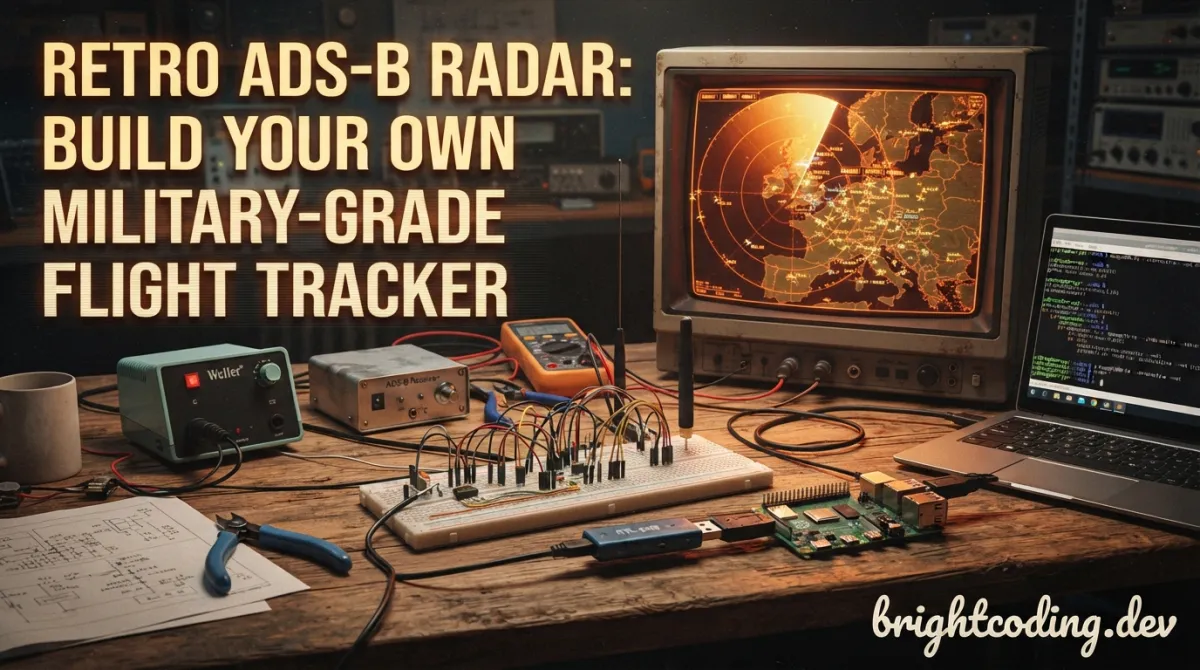
What if you could build a professional aircraft radar display in your bedroom—for under $50?
Every aviation enthusiast has stared at FlightRadar24, mesmerized by the dance of aircraft across the globe. But here's the painful truth: you're looking at someone else's data through someone else's interface. You're a passenger, not a pilot. The real magic? Building your own radar station. The problem? Most ADS-B visualization tools look like spreadsheet nightmares or require enterprise-grade hardware that costs more than a used car.
Enter retro-adsb-radar by nicespoon—a Python↗ Bright Coding Blog-powered radar display that transforms your Raspberry Pi into something that belongs in an air traffic control tower from 1987. We're talking phosphor-green aesthetics, real-time military aircraft detection, live ATC audio streaming, and hardware compatibility that just works. This isn't just another flight tracker. This is your flight tracker.
Whether you're a maker hungry for your next weekend project, a developer craving retro UI inspiration, or an aviation geek who wants to actually decode the skies above your home, this repository delivers something genuinely rare: open-source software that feels like finished product.
What Is Retro ADS-B Radar?
Retro ADS-B Radar is an open-source aircraft radar visualization application built with Python and Pygame. Created by GitHub user nicespoon, it connects to a tar1090 ADS-B data server and renders real-time aircraft positions through a meticulously crafted retro interface that would make any Cold War-era radar operator weep with joy.
ADS-B (Automatic Dependent Surveillance-Broadcast) is the technology modern aircraft use to broadcast their position, altitude, velocity, and identification. Ground stations with cheap RTL-SDR dongles can receive these signals from hundreds of kilometers away. The raw data is powerful but ugly. What nicespoon has done is transform that raw JSON feed into something visually stunning and functionally rich.
The project is trending in maker circles for three reasons:
- It solves the "ugly DIY" problem: Most homebrew ADS-B tools look like engineering prototypes. This looks like a finished product you'd pay $200 for.
- It ships with sensible defaults: The configuration works out-of-the-box with the popular Hagibis Mini PC USB-C Hub—a compact display perfect for permanent radar installations.
- It goes beyond passive tracking: Military aircraft detection, live audio integration, and configurable trails make this an active tool, not just a pretty picture.
The repository sits at the intersection of software-defined radio (SDR), retro computing aesthetics, and Python game development—a niche that's exploding as makers rediscover the joy of physical, always-on displays in our notification-saturated world.
Key Features That Separate It From the Pack
Let's dissect what makes this radar display genuinely special, feature by feature:
Real-Time Radar Visualization with Configurable Range
The core engine pulls aircraft data from your tar1090 server at configurable intervals (default: 10 seconds) and renders positions relative to your ground station. The RADIUS_NM setting lets you zoom from local airport traffic (10 nautical miles) to regional overview (100+ NM). Aircraft positions update smoothly with trail rendering that visualizes flight paths—critical for identifying holding patterns, approach vectors, and unusual flight behavior.
Military Aircraft Detection with Blinking Alerts
This is where it gets spicy. The MIL_PREFIX_LIST configuration accepts comma-separated ICAO hex code prefixes used by military aircraft. When a matching aircraft appears, it triggers a configurable blinking effect that makes military traffic impossible to miss. Default prefix 7CF covers Australian military; add AE for US, 43C for UK, or any other national military allocations. For aviation enthusiasts and plane spotters, this transforms casual tracking into selective intelligence gathering.
Retro Aesthetic Down to the Pixel
The visual design isn't an afterthought—it's the product. The default Terminus TTF font delivers that crisp bitmap-terminal feel. The phosphor-green-on-black color palette evokes vintage radar displays without sacrificing readability. Every element—range rings, bearing markers, aircraft labels, data tables—follows consistent retro design language. The optional BACKGROUND_PATH even lets you load custom background images for themed installations.
Live ATC Audio Streaming
Perhaps the most immersive feature: integrate a live ATC stream URL and your radar display becomes an audio-visual command center. Toggle audio with the A key. Imagine tracking an aircraft's position while hearing its actual controller instructions in real-time. The AUTO_START option enables unattended operation—power on your Pi, and the radar and audio fire up automatically.
Tabular Data Display with Smart Sorting
The right-side data table shows callsign, altitude, speed, distance, and track for up to MAX_TABLE_ROWS aircraft (default: 10). This isn't just decoration—it's functional flight data presented in the same format real controllers use, making the tool genuinely educational for aspiring aviators.
Use Cases: Where This Radar Truly Shines
1. The Permanent Desktop Aviation Display
Mount a small LCD (the Hagibis hub at 960×640 is perfect) beside your workstation. Set RADIUS_NM to your local airport's approach pattern. Now you have ambient awareness of all traffic—commercial, general aviation, and military—without launching apps or unlocking phones. The retro aesthetic makes it decorative even when skies are quiet.
2. Military Aircraft Spotting Station
Configure MIL_PREFIX_LIST for your region's military allocations. Position your antenna with clear horizon views. When that blinking contact appears, cross-reference with flight tracking forums for exclusive first sightings of rare aircraft movements. The trail history helps identify orbital patterns, refueling tracks, and training areas.
3. STEM Education and Museum Exhibits
The visual impact is immediate and intuitive. Students grasp ADS-B concepts instantly when they see aircraft appear as their own RTL-SDR dongle receives real signals. Museums and science centers can deploy this as interactive exhibits—visitors see live traffic above the building, with historical radar styling that bridges past and present aviation technology.
4. ATC Training and Aviation Enthusiast Communities
Combine the radar display with ATC audio for procedural training. Student pilots practice correlating radio calls with visual traffic representation. Virtual aviation communities use it for realistic background ambiance during flight simulation sessions. The 6 FPS default even mimics the refresh rate of genuine mechanical radar displays.
Step-by-Step Installation & Setup Guide
Ready to build your own radar station? Here's the complete path from zero to tracking.
Hardware Prerequisites
| Component | Purpose | Estimated Cost |
|---|---|---|
| RTL-SDR USB Dongle | Receive 1090 MHz ADS-B signals | $25-40 |
| 1090 MHz Antenna | Optimized ADS-B reception | $15-30 |
| Raspberry Pi 4 (2GB+) | Host tar1090 server and radar UI | $35-75 |
| MicroSD Card (32GB+) | Storage | $10 |
| Display (Hagibis Hub recommended) | Visual output | $40-80 |
Step 1: Prepare Your ADS-B Receiver
First, your RTL-SDR must be feeding data to tar1090. The standard approach:
# Install dump1090-fa (FlightAware's decoder)
sudo apt update
sudo apt install dump1090-fa

# Or install tar1090 for enhanced web interface
sudo bash -c "$(wget -q -O - https://raw.githubusercontent.com/wiedehopf/tar1090/master/install.sh)"
Verify tar1090 is serving JSON data:
curl http://localhost/tar1090/data/aircraft.json | head
You should see live aircraft data. No aircraft visible yet? Check your antenna positioning and SDR gain settings.
Step 2: Clone and Configure Retro ADS-B Radar
# Clone the repository
git clone https://github.com/nicespoon/retro-adsb-radar.git
cd retro-adsb-radar

# Create isolated Python environment
python3 -m venv venv
source venv/bin/activate

# Install Python dependencies
pip install -r requirements.txt
Step 3: Configure Your Radar Station
# Copy example configuration
cp config.ini.example config.ini

# Edit with your location and preferences
nano config.ini
Critical configuration values to customize:
[General]
FETCH_INTERVAL = 10
MIL_PREFIX_LIST = AE,7CF,43C  # Add your region's military prefixes
TAR1090_URL = http://localhost/tar1090/data/aircraft.json
BLINK_MILITARY = true

[Location]
LAT = 40.7128           # YOUR latitude (decimal degrees)
LON = -74.0060          # YOUR longitude (decimal degrees)
AREA_NAME = NEW YORK    # Your location name
RADIUS_NM = 40          # Adjust for your antenna range

[Audio]
ATC_STREAM_URL = https://your-atc-stream-url/stream  # Optional: LiveATC.net URL
AUTO_START = false
Pro tip: Find your precise coordinates with GPS Coordinates and verify your tar1090 URL matches your server setup.
Step 4: Install System Dependencies (If Needed)
# Check Pygame SDL support
python3 -c "import pygame; pygame.init(); print(pygame.get_sdl_version())"

# If Video/Font/Image show "Not available", install:
sudo apt update
sudo apt install libsdl2-2.0-0 libsdl2-ttf-2.0-0 libsdl2-image-2.0-0
Step 5: Launch Your Radar
python3 main.py
Controls:
QorESC: Quit applicationA: Toggle ATC audio on/off (when configured)
REAL Code Examples From the Repository
Let's examine actual implementation patterns from the codebase, with detailed explanations of how the magic happens.
Example 1: The Core Configuration Structure
The entire application is driven by a clean INI configuration. Here's the exact structure from the repository:
[General]
FETCH_INTERVAL = 10                # Data fetch interval (seconds)
MIL_PREFIX_LIST = 7CF              # Comma-separated list of military aircraft hex prefixes
TAR1090_URL = http://localhost/tar1090/data/aircraft.json  # tar1090 data source URL
BLINK_MILITARY = true              # Toggle blinking effect for military aircraft

[Audio]
ATC_STREAM_URL =                   # URL of live ATC audio stream (leave blank to disable)
AUTO_START = false                 # Start ATC stream automatically

[Location]
LAT = -31.9522                     # Radar centre latitude
LON = 115.8614                     # Radar centre longitude
AREA_NAME = PERTH                  # Displayed area name
RADIUS_NM = 60                     # Radar range (nautical miles)

[Display]
SCREEN_WIDTH = 960                 # Window width (pixels)
SCREEN_HEIGHT = 640                # Window height (pixels)
FPS = 6                            # Frames per second - intentionally low for retro feel
MAX_TABLE_ROWS = 10                # Maximum aircraft in data table
FONT_PATH = fonts/TerminusTTF-4.49.3.ttf  # Bitmap-style terminal font
BACKGROUND_PATH =                  # Optional background image
TRAIL_MIN_LENGTH = 8               # Minimum history trail dots
TRAIL_MAX_LENGTH = 25              # Maximum trail at high speed
TRAIL_MAX_SPEED = 500              # Speed threshold for max trail length
Why this matters: The configuration separates concerns cleanly—network settings, geographic context, audio integration, and visual parameters each have dedicated sections. The FPS = 6 setting is intentional—it creates that authentic mechanical radar sweep feel while reducing CPU load on Raspberry Pi hardware. The TRAIL_* parameters implement physics-based visualization where faster aircraft leave longer trails, just like real radar systems.
Example 2: Dependency Verification Pattern
The repository includes robust SDL subsystem checking. Here's the exact startup verification:
# This runs at application startup to diagnose environment issues
# Expected output when properly configured:
"""
Checking Pygame module support...
Video: Supported
Font: Supported
Image: Supported
"""

# If dependencies are missing, you'll see diagnostic messages:
"""
Checking Pygame module support...
Video: Not available - install libsdl2-2.0-0
Font: Not available - install libsdl2-ttf-2.0-0
Image: Not available - install libsdl2-image-2.0-0
"""
Implementation insight: This pattern prevents cryptic crashes. Instead of failing mid-render with pygame.error, users get actionable installation commands. The explicit subsystem mapping (Video→libsdl2, Font→libsdl2-ttf, Image→libsdl2-image) makes troubleshooting trivial even for Linux newcomers.
Example 3: Installation and Launch Commands
The repository's quick-start commands demonstrate Python best practices for hardware projects:
# Standard git clone workflow
git clone https://github.com/nicespoon/retro-adsb-radar.git
cd retro-adsb-radar

# Virtual environment isolation—critical for Pi projects
# Prevents dependency conflicts with system Python packages
python3 -m venv venv
source venv/bin/activate  # Use 'venv\Scripts\activate' on Windows

# Dependency installation from lock file
pip install -r requirements.txt

# Configuration templating pattern—never commit secrets
cp config.ini.example config.ini
nano config.ini  # Edit with your location, URLs, preferences

# Launch with explicit Python interpreter
python3 main.py
Advanced pattern: The cp config.ini.example config.ini approach is a security best practice. Your actual coordinates, local server URLs, and potentially ATC stream credentials never enter version control. The .example file documents available options without exposing your deployment.
Example 4: Runtime Control Interface
The application implements a minimal but effective control scheme:
# Runtime controls (documented in README):
# Q or ESC: Clean shutdown—releases Pygame resources, closes audio streams
# A: Toggle ATC audio—useful when multiple aircraft create audio chaos

# The ATC_STREAM_URL integration enables this workflow:
# 1. Configure LiveATC.net stream for your local airport
# 2. Set AUTO_START = true for unattended operation
# 3. Power on → radar starts → audio starts automatically
# 4. Press 'A' to mute during calls or when away from display
Design philosophy: Minimal controls reflect the appliance-like nature of this application. It's designed to run for hours or days, not require constant interaction. The audio toggle acknowledges that continuous ATC chatter becomes fatiguing—flexibility without complexity.
Advanced Usage & Best Practices
Optimize Your Antenna Placement
ADS-B reception is line-of-sight. Even 3 meters of elevation gain dramatically extends your range. The theoretical maximum at sea level is ~480 km; practical rooftop installations regularly achieve 250-350 km. Use your radar's trail visualization to identify reception boundaries—aircraft disappearing at consistent distances reveal terrain or building obstructions.
Customize Military Detection for Your Region
ICAO hex codes follow national allocations. Research your country's military prefixes and build comprehensive detection:
- United States:
AE(plusADFfor some Coast Guard) - United Kingdom:
43C,43E,43F - Australia:
7CF - NATO/International:
3F,3D(various programs)
Update MIL_PREFIX_LIST seasonally—military exercises often bring unusual allocations.
Build Multi-Station Networks
Run tar1090 on multiple Pis with shared mlat (multilateration) for aircraft position calculation without ADS-B transponders. Point retro-adsb-radar at any station in your network for flexible display placement.
Theme Your Installation
The BACKGROUND_PATH and font configuration enable complete visual customization:
- Cold War aesthetic: Custom scanline overlay background
- Modern dark mode: Different color palette via modified Pygame surfaces
- Airport-specific: Background sectional chart of your coverage area
Comparison With Alternatives
| Feature | Retro ADS-B Radar | FlightRadar24 (Free) | dump1090 Web Interface | Virtual Radar Server |
|---|---|---|---|---|
| Cost | Free (open source) | Free tier limited | Free | Free |
| Data Source | Your own receiver | Crowdsourced network | Your own receiver | Your own receiver |
| Visual Style | Retro/customizable | Modern/generic | Basic/utilitarian | Moderate/modern |
| Military Detection | ✅ Built-in, configurable | ❌ Filtered/limited | ❌ Manual only | ⚠️ Plugin required |
| ATC Audio Integration | ✅ Native streaming | ❌ None | ❌ None | ❌ None |
| Hardware Display Ready | ✅ Hagibis optimized | ❌ Browser required | ❌ Browser required | ❌ Browser required |
| Offline Operation | ✅ Fully offline | ❌ Internet required | ✅ Offline | ✅ Offline |
| Customization | ✅ Full source access | ❌ None | ⚠️ CSS only | ⚠️ Limited |
| CPU Efficiency | ✅ Optimized for Pi | N/A (cloud) | ✅ Efficient | ⚠️ Java-heavy |
The verdict: Choose retro-adsb-radar when you want a dedicated, visually distinctive, always-on display with military tracking and audio immersion. Choose web interfaces when you need detailed aircraft history and database lookups. Use FlightRadar24 for global coverage when you lack local reception.
FAQ: Your Burning Questions Answered
Do I need a ham radio license to receive ADS-B?
No. ADS-B reception is entirely passive—your RTL-SDR only listens. No transmission means no license required in most jurisdictions. Always verify local regulations, but this is generally unregulated worldwide.
Can I run this on Windows or macOS?
Yes, with caveats. The Python/Pygame code is cross-platform, but tar1090 installation differs. Windows users typically run dump1090 via WSL or native builds. macOS requires Homebrew-installed dependencies. The repository's SDL dependency checking helps diagnose platform-specific issues.
How far can I realistically detect aircraft?
Typical range: 50-250 nautical miles depending on antenna quality, height, and terrain. The RADIUS_NM setting should match your actual reception—excessive values create empty radar screens. Start with 40-60 NM and adjust based on observed traffic density.
Will this detect all military aircraft?
No—and that's intentional security design. Military aircraft can disable ADS-B transponders for operational security. This tool detects broadcasting military traffic, which includes training flights, transports, and many routine operations. Stealth fighters on missions? Invisible by design.
Can I contribute to the project?
Absolutely. The MIT license encourages forks and improvements. Popular community additions include: additional color themes, aircraft type identification from databases, screenshot/ recording functionality, and MQTT integration for home automation. Submit pull requests via the GitHub repository.
Why 6 FPS instead of smooth 60 FPS?
Authenticity and efficiency. Mechanical radar displays historically refreshed at 4-12 RPM (rotations per minute). The 6 FPS setting creates perceptible sweep timing that feels genuine while keeping Raspberry Pi CPU usage minimal for 24/7 operation. Increase FPS in config if you prefer smoother animation.
How do I find ATC stream URLs?
LiveATC.net provides global ATC audio streams. Navigate to your airport, select a feed, and extract the direct MP3 stream URL. Some feeds require membership for direct streaming links. Test URLs with vlc your-url before adding to config.ini.
Conclusion: The Sky Is Yours to Decode
There's something profoundly satisfying about building a tool that reveals the invisible infrastructure above us. Every blip on your retro radar represents real people traveling real distances, coordinated by a system most never consider. retro-adsb-radar doesn't just visualize data—it creates presence. The green glow, the sweep line, the occasional blinking military contact, the murmur of controllers guiding aircraft through your airspace: this is ambient awareness elevated to art.
The technical achievement is significant—clean Python architecture, thoughtful hardware integration, genuine problem-solving for dependency management. But the emotional achievement matters more. In an era of ephemeral digital experiences, this is something that stays on. A display that earns its place in your environment. A project that justifies the soldering, the antenna tuning, the configuration debugging.
Whether you're building your first Raspberry Pi project or adding to a fleet of homebrew instruments, nicespoon/retro-adsb-radar delivers rare combination: genuine utility and genuine beauty. The skies have never looked better.
Ready to build your station? Clone the repository now, order that RTL-SDR dongle, and join the community of makers who don't just track flights—they own the experience.
Found this guide valuable? Star the repository, share your build photos, and tag your radar installations with #RetroADSB. Clear skies and strong signals.
Explore on the BrightCoding network
Hand-picked resources from our other sites.
Stop Running AI Code Blindly! Daytona Is the Secure Runtime You Need
Discover Daytona: the secure, elastic open-source infrastructure for running AI-generated code. Learn how sub-90ms sandboxes with true kernel isolation transfor...
sgl-project/mini-sglang: 5,000 Lines of Readable LLM Inference
sgl-project/mini-sglang is a 5,000-line Python inference framework for large language models, featuring Radix Cache, chunked prefill, and tensor parallelism wit...
gokapso/whatsapp-cloud-inbox: Open-Source WhatsApp Inbox for Cloud API
gokapso/whatsapp-cloud-inbox is an open-source WhatsApp inbox built with Next.js and TypeScript. It provides a WhatsApp Web-style UI for the Cloud API via Kapso...
Continuez votre lecture

Why Alexandrie is the Ultimate Markdown Note-Taking App

Why CrossPaste is the Ultimate Game Changer for Clipboard Management

Why Chandra is the Ultimate OCR Tool for Handwriting and Tables

Stop Coding Alone: OPC-Skills Gives Your AI Agent Superpowers
Commentaires 0
Aucun commentaire pour l'instant. Soyez le premier à réagir !