rixinhahaha/snip: Visual Mode for Claude Code and AI Agents
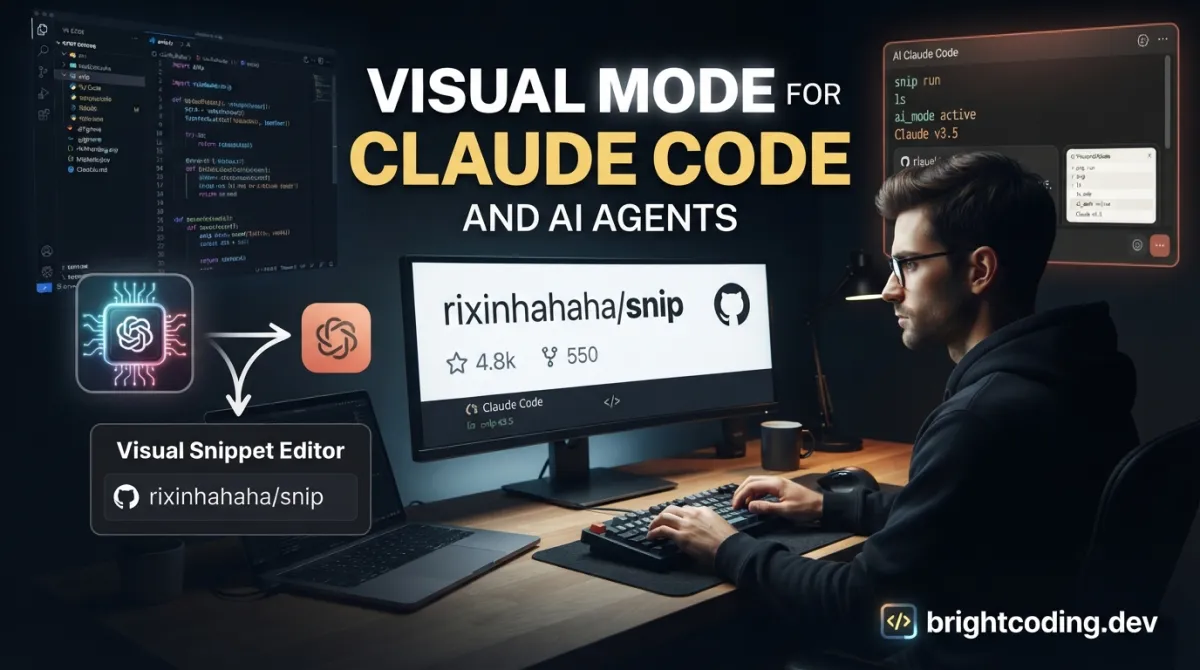
rixinhahaha/snip: Visual Mode for Claude Code and AI Agents
AI coding agents excel at generating code, but they remain trapped in text. When Claude Code describes an architecture diagram in paragraphs, or Cursor explains a UI layout through monospaced characters, developers lose the spatial reasoning that visual tools provide. The friction compounds: you copy Mermaid syntax into a renderer, screenshot the result, paste it back, then describe what's wrong in more text.
rixinhahaha/snip breaks this loop. It's an open-source Electron app that sits between you and your AI agent — rendering diagrams, previewing components, and capturing your annotations as structured feedback. Run snip setup and Claude Code starts outputting visuals you can circle, arrow, and approve. The agent sees your marks and iterates. No context switching, no text-only descriptions.
This article covers what rixinhahaha/snip does, how to install it, and how it fits into agent-driven development workflows.
What is rixinhahaha/snip?
rixinhahaha/snip is a visual communication layer for AI coding agents, maintained by a two-developer team and released under the MIT License. Built on Electron 33 with a JavaScript↗ Bright Coding Blog codebase, it currently holds 233 GitHub stars and 23 forks — modest traction for a tool in active development with its last commit on 2026-05-07.
The project occupies a specific niche: local-first visual tooling for agentic coding workflows. Unlike cloud-based diagram services or general screenshot utilities, snip is designed to be called by AI agents and reviewed by humans in a tight loop. It runs as a menu bar / system tray application on macOS 14+ and Linux (Wayland), with all AI processing happening locally via Ollama — no API keys, no data leaving your machine.
The timing matters. As Claude Code, Cursor, Windsurf, and Cline mature, developers increasingly delegate entire coding tasks to agents. But these agents lack eyes. They cannot show you a rendered component, a sequence diagram, or a data model in any form you can intuitively parse. snip fills this sensory gap without adding cloud dependencies or complex infrastructure.
The tool also functions as a standalone screenshot and annotation app, with semantic search powered by local vision models. This dual identity — agent interface and personal visual library — makes it more than a narrow utility.
Key Features
Agent-Driven Rendering
snip exposes a CLI that any AI agent with shell access can invoke. Claude Code writes a Mermaid diagram to stdout, pipes it through snip render --format mermaid, and the diagram appears in a review window. Same for HTML previews. The agent receives structured JSON back: approval status, edited image path, and text feedback. This closes the loop on visual iteration without human context-switching.
Spatial Annotation
The built-in editor supports rectangle, arrow, text, tag, blur brush, and AI-powered segment selection. Circle what's wrong. Add an arrow. Write a note directly on the render. Your marks become part of the feedback payload the agent consumes. Undo stack handles annotations, crop operations, and segment cutouts in sequence.
MCP Server for Sandboxed Agents
For agents without shell access — Claude Desktop, hosted environments — snip ships an MCP (Model Context Protocol) server exposing equivalent capabilities: render_diagram, open_in_snip, search_screenshots, and more. Configure it as an MCP server and the agent gains visual output without filesystem or shell privileges.
Local-First AI
All core AI features run through Ollama with vision models. Screenshot organization, semantic search, and transcription use HuggingFace Transformers.js and SlimSAM (ONNX). No cloud APIs required, no usage quotas, no data exfiltration risk.
Standalone Screenshot Workflow
Beyond agent integration, snip operates as a full capture tool: region select, window snap, quick clipboard copy, save with automatic AI categorization. Semantic search finds screenshots by describing their contents — "login page error" returns matching captures without manual tagging.
Use Cases
Architecture Reviews with Claude Code
You're discussing a microservice refactor. Instead of reading Claude's text description of service boundaries, you run /diagram and Claude generates a Mermaid architecture diagram rendered through snip. You circle the load balancer placement, add a text note about failover logic, and hit approve. Claude sees the structured feedback and regenerates with corrections.
UI Component Iteration
Building a React↗ Bright Coding Blog component with Cursor? The agent outputs HTML, pipes it through snip render --format html, and you see the rendered preview. You annotate margin issues with arrows, approve the color scheme, and Cursor adjusts the CSS in the next pass. Visual feedback replaces descriptive guesswork.
Screenshot Documentation with AI Organization
You capture twenty screenshots during a bug bash. snip saves each one, queues it for local vision model analysis, and auto-names files by content — "checkout_flow_validation_error.png" instead of "Screenshot 2026-05-07 at 10.43.12.png". Months later, snip search "expired session modal" surfaces the relevant capture without folder archaeology.
Annotated Bug Reports
A teammate reports a visual regression. You snip open screenshot.png --message "Is the layout correct?", annotate the misaligned element, and export the marked image with metadata. The structured output includes your spatial annotations as machine-readable data, not just pixels.
Remote Pairing with MCP-Only Agents
In a locked-down environment where your agent lacks shell access, the MCP server still enables visual renders. Configure the server in Claude Desktop's settings and maintain the same review workflow without security exceptions.
Installation & Setup
macOS
The recommended path uses Homebrew:
brew install --cask rixinhahaha/snip/snip
This installs the signed and notarized application. Alternatively, download the Apple Silicon DMG directly from the Releases page.
Linux
Two distribution formats are available from Releases:
# Portable AppImage — works on any distro
./Snip-x.y.z-x86_64.AppImage

# Debian/Ubuntu package
dpkg -i Snip-x.y.z-amd64.deb
Replace x.y.z with the current version from the releases page.
Agent Configuration
After installation, enable visual mode for your agent:
snip setup
This command configures Claude Code with rules, the /diagram skill, and necessary permissions. It also applies to Cursor, Windsurf, and Cline. Once configured, agents automatically route visual output through snip instead of text descriptions.
Development Build
For contributors or those needing native module compilation:
npm install
npm run rebuild    # compile native modules (macOS)
npm start          # launches with tray icon visible
Requirements: macOS 14+ or Linux (Wayland), Node.js 18+.
Real Code Examples
The README documents several CLI patterns that agents invoke directly. Below are the verified examples with context.
Rendering a Mermaid Diagram
# Claude writes Mermaid syntax to a file, then renders for review
snip render --format mermaid < architecture.mmd
The agent generates architecture, sequence, or ER diagrams in Mermaid syntax, writes to architecture.mmd, and pipes through snip. The render window opens, blocks until you finish review, and returns JSON with your approval status and any annotations. This replaces the manual copy-paste-render-describe cycle entirely.
Rendering an HTML Component Preview
# Claude renders an HTML component preview
snip render --format html < preview.html
For UI work, the agent outputs complete HTML (including inline CSS) and renders it as a preview. You evaluate layout, spacing, and visual hierarchy directly. The same annotation tools apply — circle misaligned elements, arrow to problematic areas, type correction notes.
Opening an Image for Annotated Review
# Open any image for annotated review with context message
snip open screenshot.png --message "Is the layout correct?"
This pattern supports general visual QA. The --message parameter sets context that agents can include in their reasoning. Your annotations and approval status feed back as structured data, not unstructured chat.
Searching Your Screenshot Library
# Semantic search by description
snip search "login page error"
The local vision model indexes screenshot contents. Natural language queries match visual semantics — no manual tagging required. Results include metadata and paths for agent consumption.
Advanced Usage & Best Practices
MCP Server for Restricted Environments
When shell access is unavailable, configure the MCP server in your agent's settings:
{
  "mcpServers": {
    "snip": {
      "command": "node",
      "args": ["/path/to/snip/src/mcp/server.js"]
    }
  }
}
This exposes render_diagram, open_in_snip, and search capabilities without filesystem or shell privileges. Ideal for Claude Desktop users or containerized agent deployments.
Keyboard-Driven Annotation Workflow
Learn the single-key tool switches: V select, C crop, R rectangle, T text, A arrow, G tag, B blur, S segment. The Cmd+Z undo stack handles annotations, then crop, then segment operations in reverse order. Esc or Enter copies to clipboard and exits — efficient for quick captures.
Local Model Selection
AI organization quality depends on your Ollama vision model. The README notes Ollama as the local LLM provider but doesn't specify default models. Experiment with available vision-capable models (llava variants, moondream) to balance speed and categorization accuracy for your screenshot volume.
Version Pinning in CI
For team environments, pin the AppImage or deb version rather than tracking latest. The 233-star project is early-stage; breaking changes between releases are plausible. Lock versions in your development environment documentation.
Comparison with Alternatives
| Tool | Primary Function | Agent Integration | Local-First | Annotation |
|---|---|---|---|---|
| rixinhahaha/snip | Visual layer for AI agents | Native CLI + MCP | Yes (Ollama) | Built-in, spatial |
| Mermaid Live Editor | Diagram authoring | None | N/A | None |
| Shottr / CleanShot | Screenshot utility | None | Yes | Basic markup |
| Excalidraw | Collaborative whiteboard | Manual export/import | Optional | Extensive |
Mermaid Live Editor remains useful for manual diagram crafting but lacks any agent connectivity — you copy-paste both ways. Shottr and similar screenshot tools handle capture and basic annotation but don't participate in agent loops or provide structured feedback. Excalidraw offers richer drawing but requires manual export/import and has no native agent integration.
snip's trade-off: narrower scope, deeper agent integration. It won't replace general whiteboarding or polished design tools, but it uniquely closes the visual feedback loop in agent-driven coding.
FAQ
Does snip work with Windows?
No — macOS 14+ and Linux (Wayland) only. Windows is not listed in requirements.
Is my screenshot data sent to cloud services?
No. Core AI features use local Ollama and ONNX models. No API keys required.
Can I use snip without Claude Code?
Yes. It works with Cursor, Windsurf, Cline, and any agent that can execute shell commands. The MCP server enables Claude Desktop and similar.
What license covers snip?
MIT License — free for commercial and personal use.
How active is development?
Last commit 2026-05-07, maintained by two developers. Sponsorships fund Apple Developer Program fees and CI/CD costs.
Does the CLI block until I finish review?
Yes — render and open commands block, returning structured JSON only after you complete review.
What's required for semantic search to work?
Ollama with a vision-capable model for indexing. Search itself runs against the local index.
Conclusion
rixinhahaha/snip addresses a genuine friction point in agent-driven development: the text-only bottleneck between AI-generated visuals and human review. For developers already using Claude Code, Cursor, or similar tools, it removes the context-switching cost of diagram rendering and replaces descriptive feedback with precise spatial annotation.
The tool suits teams prioritizing local-first operation and tight agent integration over general-purpose visual editing. Its 233-star, actively maintained status suggests a project finding its audience rather than mass adoption — appropriate for early adopters comfortable with occasional rough edges.
If your workflow involves frequent architecture diagrams, UI previews, or visual QA with AI agents, snip merits evaluation. Install via Homebrew or AppImage, run snip setup, and test the /diagram workflow in your next Claude Code session.
Get started: https://github.com/rixinhahaha/snip
For related coverage of local AI tooling and developer workflow optimization, see [INTERNAL_LINK: local-llm-developer-tools].
Outils recommandés
Explore on the BrightCoding network
Hand-picked resources from our other sites.
Stop Losing Context! cmux Is the Terminal AI Agents Actually Need
cmux is a free, open-source Ghostty-based macOS terminal with vertical tabs, smart notifications for AI coding agents, and an integrated scriptable browser. Sto...
Pantheon-Security/medusa: AI-First Security Scanner for 40,000+ Threat Patterns
Pantheon-Security/medusa is an AI-first security scanner with 40,000+ detection patterns for AI/ML applications, LLM agents, and MCP servers. Features zero-setu...
wuyoscar/gpt_image_2_skill: Curated GPT Image 2 Prompts, Agent Skills & CLI
wuyoscar/gpt_image_2_skill is an open-source Python project combining 162+ curated GPT Image 2 prompts, installable agent skills for Claude Code/Codex/OpenClaw,...
Continuez votre lecture
The Ultimate Guide to Self-Hosted Workflow Automation Executors: Take Control of Your Automation Empire

AI Research Assistant: How Real-Time Web Scraping is Revolutionizing Knowledge Work in 2025
🎮 The Ultimate Guide to Open Source JavaScript Games: 100+ Free Games & Dev Tools You Can Use Today

Stop Coding Alone: OPC-Skills Gives Your AI Agent Superpowers
Commentaires 0
Aucun commentaire pour l'instant. Soyez le premier à réagir !