shanteacontrols/OpenDeck: Build MIDI/OSC Controllers Without Firmware Coding
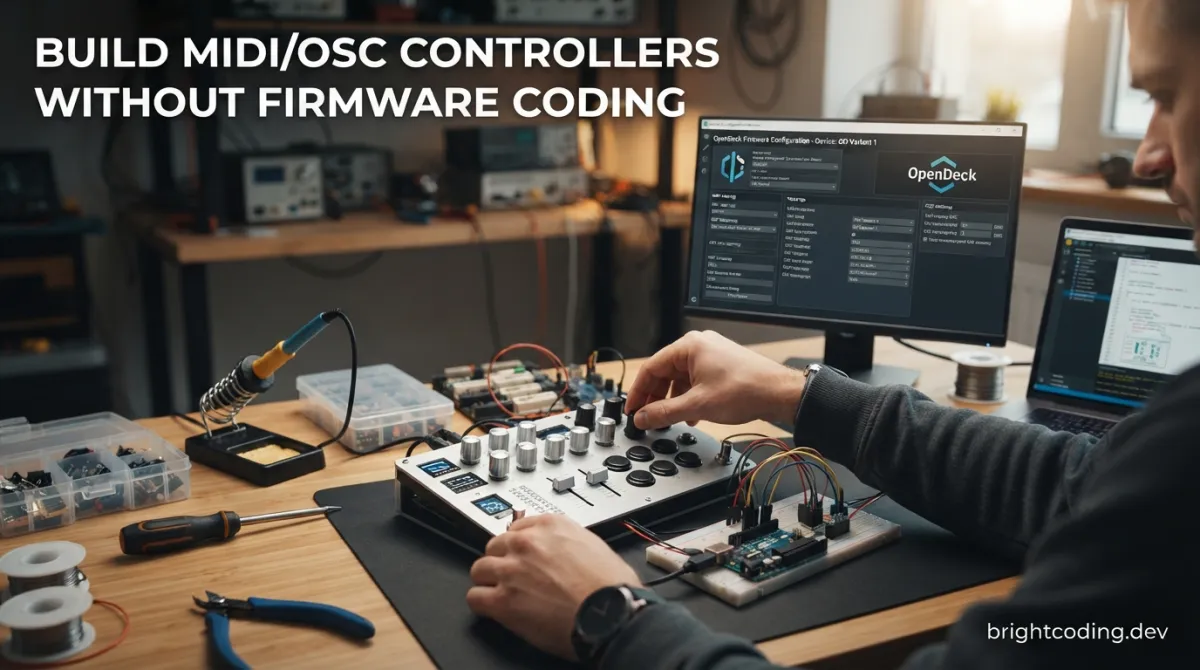
shanteacontrols/OpenDeck: Build MIDI/OSC Controllers Without Firmware Coding
Building custom MIDI controllers, DAW control surfaces, or sensor-driven interactive installations traditionally demands deep embedded firmware expertise—real-time constraints, protocol stacks, hardware abstraction layers, and weeks of debugging. For developers and hardware designers who want to focus on interaction design rather than register-level programming, this barrier is significant. shanteacontrols/OpenDeck addresses this directly: it is an open-source platform built on Zephyr RTOS that enables interactive control and sensing devices via MIDI and OSC, with browser-based configuration and no firmware development required. With 936 GitHub stars, 68 forks, and active maintenance (last commit June 26, 2026), it represents a mature, community-supported approach to embedded control systems.
What is shanteacontrols/OpenDeck?
shanteacontrols/OpenDeck is a hardware-independent platform for constructing interactive control and sensing devices. Maintained by shanteacontrols and licensed under Apache 2.0, it sits at the intersection of embedded systems, digital music interfaces, and networked sensor applications. The project is built on [INTERNAL_LINK: Zephyr RTOS], which itself carries the same Apache 2.0 license—reducing legal friction for commercial and personal projects alike.
The platform's core value proposition is abstraction: it handles the firmware complexity, exposing configuration through a web-based interface. This shifts the developer's focus from interrupt service routines and timer configurations to hardware topology and interaction semantics. The firmware supports multiple MCU families and development boards, from low-cost Raspberry Pi Pico variants to Ethernet-enabled STM32 and ESP32 platforms.
OpenDeck's relevance stems from the growing demand for bespoke physical interfaces in music production, live performance, and interactive art—domains where off-the-shelf controllers rarely match specific spatial or ergonomic requirements. By decoupling hardware design from firmware engineering, it enables faster iteration and broader participation: industrial designers, electronic musicians, and installation artists can prototype without recruiting embedded specialists. The project's longevity (evidenced by sustained commit activity) and substantial star count suggest it has crossed from experimental to dependable for production builds.
Key Features
Browser-Based Configuration. The entire device behavior—MIDI mappings, OSC destinations, sensor thresholds, LED feedback logic—is configured through the OpenDeck Configurator, available online or as an offline release. This eliminates compile-flash-debug cycles for behavioral changes.
Hardware Independence. The firmware abstracts across MCU families. Supported platforms include RP2040, STM32F4/H5/H7, ESP32-S3, nRF52840/5340, and Teensy 4.x. Board-specific variants are maintained, and custom boards can be added via documented procedures.
MIDI Implementation. OpenDeck handles USB MIDI, DIN MIDI (5-pin), and Bluetooth MIDI. Technical capabilities include 7-bit and 14-bit NRPN transmission, latching button messages, multiple quadrature encoder encoding modes, per-component MIDI channel assignment, and MIDI In-driven output control.
OSC Over Ethernet. For networked installations, OpenDeck provides Ethernet-based OSC transport with configurable destinations, automatic mDNS discovery, sensor data streaming, output control, and network-based configuration and firmware updates. This is particularly relevant for distributed media installations where wired reliability outweighs wireless convenience.
Sensor Integration. Beyond basic I/O, the platform supports specialized sensors: APDS-9960 (proximity/light/RGB/gesture), CAP1188 (capacitive touch), VL53L4CX/VL53L5CX (time-of-flight distance, including 8×8 array), and BNO085 (9-DOF IMU). Each sensor offers configurable smoothing and event output selection. Note that sensor outputs are currently OSC-only.
Display Support. Visual feedback is available through Nextion HMI touchscreen displays and SSD1306-based OLED screens, both configurable through the same browser interface.
Use Cases
Custom DAW Control Surfaces. Music producers with specific workflow needs—unusual knob layouts, motorized fader banks, or footswitch arrays—can design hardware matched to their DAW and configure MIDI mappings without writing device firmware. The per-component channel assignment allows hybrid controllers addressing multiple software instruments simultaneously.
Networked Installation Control. Museums and galleries deploying multi-node interactive works benefit from OSC over Ethernet with mDNS auto-discovery. A VL53L5CX 8×8 ToF sensor can track visitor proximity across a grid, streaming spatial data to a central media server, while the same node accepts OSC commands for LED feedback patterns—all without custom networking code.
BLE-Enabled Portable Controllers. The nRF52840/nRF5340 support enables battery-operated, Bluetooth MIDI controllers. Dance and movement performers can wear sensor-equipped garments or handheld devices, transmitting to laptops or iOS devices without cable entanglement.
Rapid Hardware Prototyping. Product designers validating physical interaction concepts can iterate enclosure and control layouts using supported development boards, reconfiguring behavior in minutes through the browser rather than hours of firmware rebuilds. The RP2040-based OpenDeck L board (128 digital inputs, 64 outputs, 64 analog inputs) provides a dense I/O reference design for high-channel-count MIDI applications.
Sensor-to-Software Bridges. Environmental sensing projects—gesture recognition via APDS-9960, orientation tracking via BNO085—can stream processed data over OSC to Max/MSP, Pure Data, TouchDesigner, or custom software, with OpenDeck handling sensor initialization, filtering, and network transport.
Installation & Setup
OpenDeck does not require traditional "installation" of the platform itself—the firmware is compiled for specific boards and flashed accordingly. However, the configuration workflow involves several steps:
Step 1: Obtain Firmware. Precompiled firmware binaries are available from the GitHub releases page. For custom boards or bleeding-edge features, build from source following the wiki instructions.
Step 2: Flash Firmware. Use standard tools for your board family:
- RP2040: UF2 bootloader (hold BOOTSEL, copy file)
- STM32: STM32CubeProgrammer or dfu-util
- ESP32: esptool.py
- nRF: nRF Connect Programmer or J-Link
Step 3: Connect to Configurator. With firmware running, connect the board via USB or (for Ethernet boards) network. Open the online configurator or the offline equivalent. The tool communicates directly with the device—no separate driver installation is required for modern operating systems.
Step 4: Configure Components. Map physical inputs to MIDI/OSC messages, set sensor parameters, assign display pages, and configure network settings. Changes are applied in real time; persistent storage writes to the device's flash.
Step 5: Verify Operation. Use standard MIDI monitors (MIDI-OX, snoize MIDI Monitor) or OSC inspection tools (Protokol, Wireshark with OSC dissector) to verify message generation matches configuration intent.
For board-specific wiring diagrams and pin mappings, consult the wiki's board documentation.
Real Code Examples
The OpenDeck README does not contain traditional source code snippets for application development—this reflects the platform's design philosophy of firmware abstraction. Instead, configuration is performed through the browser interface. However, the project's architecture and build system can be examined from the repository structure. Below are representative patterns based on documented capabilities:
Example 1: Zephyr RTOS Integration Point
OpenDeck is built as a Zephyr application. The repository structure follows Zephyr conventions:
# Typical Zephyr build invocation for a supported board
west build -b rpi_pico
# or for the official OpenDeck L board variant
west build -b opendeck_l
The west meta-tool handles Zephyr RTOS and module dependencies. Board definitions in boards/ specify pin mappings and hardware capabilities. This is standard Zephyr workflow—no OpenDeck-specific build magic is introduced.
Example 2: Custom Board Variant Skeleton
For adding unsupported hardware, the wiki documents creating a board variant. The minimal structure involves:
// In your custom board's device tree overlay
// Configure I2C for sensor bus
&i2c0 {
    status = "okay";
    clock-frequency = <I2C_BITRATE_FAST>;

    apds9960@39 {
        compatible = "avago,apds9960";
        reg = <0x39>;
        status = "okay";
    };
};
This device tree snippet enables the APDS-9960 on the I2C bus at address 0x39. OpenDeck's sensor subsystem consumes this binding; no additional driver code is required if the sensor is supported. The platform's abstraction layer maps Zephyr sensor channels to OSC output paths.
Example 3: OSC Destination Configuration (Conceptual)
While configured via browser, the resulting runtime structure follows this pattern internally:
// Representative of platform internals, not user-facing code
// OSC message construction for sensor stream
osc::Message msg("/opendeck/sensor/proximity");
msg.add(sensor_value);           // float32 from smoothed reading
msg.add(timestamp);              // millisecond counter

UdpSocket::send(dest_ip, dest_port, msg.encode());
Users do not write this code; it illustrates how the platform translates sensor readings to OSC bundles with configurable destination endpoints and update rates.
The absence of extensive code examples in the README is intentional and honest: OpenDeck targets users who configure rather than compile. Developers extending the platform itself should refer to the Zephyr documentation and the [INTERNAL_LINK: C++ embedded development] patterns used throughout the codebase.
Advanced Usage & Best Practices
Sensor Smoothing Tuning. Each sensor offers configurable smoothing filters. For gestural control (APDS-9960, BNO085), aggressive smoothing reduces jitter but increases latency—experiment with performance context. For proximity-triggered events (VL53L4CX), minimal smoothing ensures responsive threshold crossings.
Network Segmentation for OSC. mDNS discovery simplifies setup but broadcasts service presence. For permanent installations, consider static IP assignment and firewalling OSC ports (typically 8000-9000 range) to prevent unintended control access.
Power Budgeting for Dense I/O. The OpenDeck L board's 128 digital inputs and 64 outputs can exceed USB power delivery for fully populated, LED-heavy builds. Plan external 5V supplies; the board provides dedicated 5V+GND connectors for this purpose.
Firmware Update Strategy. Ethernet-enabled boards support over-the-network firmware updates. Validate updates on staging hardware before deploying to inaccessible installations. The offline configurator ensures field updates without internet dependency.
Custom Board Development. When adding variants, inherit from the closest existing board definition and modify only pin mappings and peripheral availability. This minimizes maintenance burden when the core platform updates.
Comparison with Alternatives
| Aspect | shanteacontrols/OpenDeck | Arduino MIDI Library | Daisy Seed (Electro-Smith) |
|---|---|---|---|
| Firmware required | No (browser config) | Yes (C++ coding) | Yes (C++ coding) |
| Protocol support | MIDI + OSC | MIDI only | MIDI + audio + CV |
| Hardware scope | 20+ boards, multiple MCUs | Arduino ecosystem | Daisy hardware only |
| Sensor abstraction | Built-in, configurable | Manual integration | Manual integration |
| Target user | Hardware designers, artists | Embedded developers | Synth/DIY audio builders |
| RTOS foundation | Zephyr | None (bare metal/Arduino) | Custom (libDaisy) |
OpenDeck trades ultimate flexibility for configuration velocity. Arduino MIDI Library offers finer-grained control for those comfortable with embedded C++. Daisy Seed excels where audio synthesis and analog CV are primary requirements. OpenDeck's distinctive position is networked OSC installations and non-programmer accessibility.
FAQ
Does OpenDeck require programming knowledge? No. Core usage is browser-based configuration. Custom board variants require device tree familiarity.
Which board should I start with? For MIDI-only projects, the Raspberry Pi Pico or official OpenDeck L board. For OSC, any Ethernet-capable variant like W5500-EVB-Pico or LILYGO T-ETH Elite.
Is Bluetooth MIDI reliable for live performance? The nRF boards support BLE MIDI; latency and stability depend on environmental RF conditions. Test thoroughly in venue conditions.
Can I use multiple sensors simultaneously? Yes, within I2C address constraints and bus bandwidth. The VL53L5CX 8×8 sensor generates substantial data—verify Ethernet throughput for multi-sensor streaming.
What license covers commercial use? Apache 2.0 for OpenDeck and Zephyr RTOS. Third-party components (u8g2, VL53Lx libraries, zlibs) carry BSD/MIT terms—verify individual licenses for compliance.
Is the configurator open source? The offline configurator releases are available; check the OpenDeckUI repository for specifics.
How do I request features? Open a discussion thread in the GitHub Discussions section.
Conclusion
shanteacontrols/OpenDeck serves developers, designers, and artists who need bespoke physical control interfaces without embedded firmware expertise. Its strength lies in credible hardware abstraction—Zephyr RTOS underneath, browser configuration above—and genuine protocol depth in both MIDI and OSC domains. The platform is best suited for: music hardware builders prioritizing I/O density over audio synthesis, installation artists requiring networked sensor distribution, and product designers iterating rapidly on interaction prototypes.
It is not a universal solution: those needing custom digital signal processing, non-standard protocols, or ultra-compact bespoke PCBs will still require traditional firmware development. But within its stated scope, OpenDeck delivers rare combination of accessibility and capability.
Explore the project, browse supported hardware, and download the configurator at https://github.com/shanteacontrols/OpenDeck.
Explore on the BrightCoding network
Hand-picked resources from our other sites.
Your MacBook Has a Secret Sensor (And This Repo Exposes It)
Discover how the apple-silicon-accelerometer project exposes the hidden MEMS IMU in Apple Silicon MacBooks. Read raw accelerometer and gyroscope data at 800Hz v...
Serial-Studio/Serial-Studio: Open-Source Telemetry Dashboard for Hardware
Serial-Studio/Serial-Studio is an open-source telemetry dashboard with 7,043 GitHub stars that combines serial monitoring, live visualization, and data logging...
json87/SphereSfM: 3D Reconstruction from Spherical ERP Images
json87/SphereSfM extends COLMAP for native sparse 3D reconstruction of spherical ERP images from cameras like Insta360 and Ricoh Theta, with integrated cubic co...
Continuez votre lecture

Why Alexandrie is the Ultimate Markdown Note-Taking App

Why CrossPaste is the Ultimate Game Changer for Clipboard Management

Why Chandra is the Ultimate OCR Tool for Handwriting and Tables

Stop Coding Alone: OPC-Skills Gives Your AI Agent Superpowers
Commentaires 0
Aucun commentaire pour l'instant. Soyez le premier à réagir !