Steam-Headless/docker-steam-headless: Self-Hosted Game Streaming Server
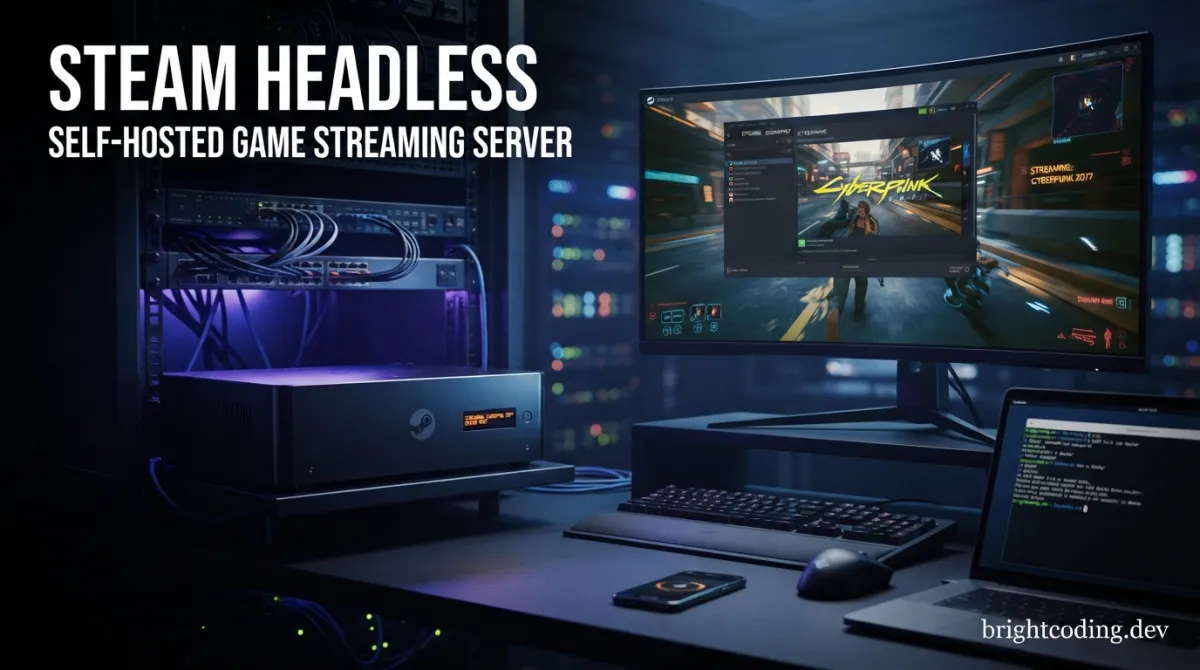
Steam-Headless/docker↗ Bright Coding Blog-steam-headless: Self-Hosted Game Streaming Server
Running Steam games on a headless Linux server and streaming them remotely shouldn't require a dedicated gaming PC sitting in your living room. For developers and homelab enthusiasts who want centralized game libraries accessible from any device, Steam-Headless/docker-steam-headless offers a containerized solution that wraps Steam, GPU acceleration, and multiple streaming protocols into a single deployable unit.
This project addresses a specific infrastructure problem: how to run a Steam client with full desktop environment and hardware-accelerated video encoding on a server without a physical display, then access it through a browser, Steam Link, or Moonlight. With 4,450 GitHub stars and active maintenance through April 2026, it has gained traction among self-hosters who prefer Docker-based workflows for their media and gaming stacks.
What is Steam-Headless/docker-steam-headless?
Steam-Headless/docker-steam-headless is a Docker image that packages a complete headless Steam environment built on Debian Trixie. The project, licensed under GNU General Public License v2.0, is primarily implemented in Shell and maintained by the Steam-Headless GitHub organization. Its last commit was dated April 20, 2026, indicating ongoing development.
The container provides a full Xfce4 desktop environment accessible via noVNC web interface, with the Steam client pre-configured for Linux gaming through Proton. Unlike simpler SteamCMD containers that only handle game downloads, this project delivers a complete graphical session with video and audio forwarding, making it suitable for actual gameplay rather than just server management.
The technical significance lies in its integration of multiple streaming technologies. Users can access games through: browser-based noVNC with audio, Steam Remote Play (formerly In-Home Streaming), Steam Link clients, or Moonlight for NVIDIA GameStream-compatible streaming. This flexibility matters for developers who have already standardized on specific streaming protocols in their home or small office environments.
GPU support spans NVIDIA, AMD, and Intel hardware, which is critical for hardware-accelerated video encoding that makes remote gameplay responsive. The container also includes Flatpak support for installing additional game launchers like Heroic Games Launcher, Lutris, and EmuDeck—tools that expand compatibility beyond Steam's native Linux catalog.
Key Features
Pre-configured Steam Environment: The container ships with Steam already set up for Linux operation using Proton for Windows game compatibility. This eliminates the manual configuration typically required when running Steam on a minimal Linux server installation.
Multiple Streaming Endpoints: The project supports four distinct access methods: noVNC for browser-based access with full audio, Moonlight server compatibility for low-latency streaming, Steam Link for ecosystem integration, and Steam Remote Play for client-to-client streaming. This multi-protocol approach lets users match their streaming method to their network conditions and client devices.
GPU Acceleration Across Vendors: NVIDIA, AMD, and Intel GPU support enables hardware-accelerated video encoding regardless of which graphics hardware is available in the host server. For NVIDIA users specifically, this unlocks Moonlight compatibility through the project's integrated streaming server.
Desktop Environment via Web Browser: Full Xfce4 desktop access through noVVC means users can perform system-level tasks—installing software, managing files, configuring controllers—without requiring a separate SSH session or terminal access.
Flatpak and AppImage Support: The container supports modern Linux application distribution formats, enabling installation of third-party game stores and emulators. The README specifically documents easy installation of EmuDeck, Heroic, and Lutris through Flatpak.
Controller Support: Full controller passthrough is implemented, which is essential for game streaming scenarios where keyboard and mouse are impractical.
Root Access: The container provides root privileges, enabling system-level modifications for advanced users who need to install custom drivers, kernel modules, or system libraries.
Debian Trixie Base: Built on Debian's testing branch, the container receives relatively current packages while maintaining the stability expected of Debian-derived systems.
Use Cases
Homelab Game Server: Developers running Proxmox, TrueNAS, or bare-metal Linux servers can deploy Steam-Headless as a persistent VM alternative. The container starts automatically with Steam running, making the game library available immediately after host reboot without manual intervention.
Remote Development Workstation: The full Xfce4 desktop and root access make this viable as a general-purpose remote Linux workstation when GPU acceleration benefits development tasks. Machine learning practitioners can leverage the GPU passthrough for CUDA workloads during non-gaming hours, though this is not the project's primary design goal.
Multi-User Household Gaming: A single powerful server can serve multiple family members with different client preferences—one using Moonlight on an Android tablet, another using Steam Link on a smart TV, a third using browser access from a work laptop during travel.
Cloud Gaming Prototype: For developers building self-hosted cloud gaming services, this container provides a functional reference implementation demonstrating Docker-based GPU workload orchestration with multiple streaming protocol support.
Legacy Game Compatibility: The Proton + Lutris + Heroic combination enables access to games from GOG, Epic Games Store, and other platforms that lack native Linux clients, all within the same containerized environment.
Installation & Setup
The project provides platform-specific documentation for Docker Compose, Unraid, and Ubuntu Server deployments. For Docker Compose, the recommended approach begins with creating a configuration that mounts persistent storage and passes through GPU devices.
Critical configuration requirements from the README:
Storage Persistence: All data that must survive container updates must reside in the home directory or explicitly mounted Docker volumes. Files stored outside these paths are ephemeral and will be lost on container recreation.
Games Library Mount: The README recommends mounting a dedicated games library to /mnt/games and adding this path within Steam's library folders configuration. This separates game installations from container state.
Network Configuration for Steam Remote Play: To function as a Steam Remote Play host without routing through internet servers, the container requires a custom Docker network with its own IP address assignment. Without this, Steam interprets the connection as remote rather than local, degrading performance.
GPU Device Passthrough: NVIDIA containers require the NVIDIA Container Toolkit with appropriate runtime configuration. AMD and Intel GPUs typically use standard /dev/dri device passthrough.
For detailed compose files and Unraid template configurations, refer to the project's documentation:
Real Code Examples
The README contains specific configuration patterns rather than complete deployment manifests. These examples are reproduced directly from the source documentation.
Host X Server Integration
For hosts already running an X server, the container can use the existing display rather than starting its own X instance:
# Environment variables for host X server mode
DISPLAY=:0          # Configures the screen to use the primary display
MODE=secondary      # Configures the container to not start an X server
HOST_DBUS=true      # Optional: use host dbus process
With corresponding volume mount:
# Docker mount for host dbus access (optional)
/run/dbus:/run/dbus:ro
This mode reduces resource overhead when the host is already a graphical Linux workstation, avoiding nested X server complexity. The MODE=secondary variable is the critical switch that disables the container's internal Xfce4 session in favor of the host's display server.
Initialization Script Directory
For automated software installation at startup:
# Place scripts in ~/init.d with .sh extension
# These execute automatically on container startup
~/init.d/custom-install.sh
This pattern enables declarative container customization without modifying the base image. Users can version-control their initialization scripts alongside their Docker Compose configuration.
WebUI Software Installation Path
The README documents a graphical installation method through the noVNC interface:
Navigation path in WebUI:
Applications > System > Software
From this interface, users can install Lutris, Heroic Games Launcher, and EmuDeck without manual Flatpak command execution. This bridges the gap between container deployment and ongoing software management for users who prefer graphical administration.
Note: The README does not provide a complete Docker Compose file in its main body—users must reference the linked documentation for full deployment manifests. The examples above represent the explicit configuration fragments present in the source material.
Advanced Usage & Best Practices
Persistent Data Strategy: Treat the container as ephemeral. Mount all valuable data—Steam library, game saves, configuration files, custom initialization scripts—to host volumes. The README explicitly warns that files outside home directory mounts are wiped on updates.
Auto-Start Service Management: Steam is pre-configured to auto-start. For additional services, use the Xfce4 session manager at Applications > Settings > Session and Startup in the WebUI rather than modifying system init scripts. This keeps configuration within the graphical environment where it can be easily audited.
Network Isolation Considerations: The custom network requirement for Steam Remote Play has security implications. Assigning a static IP to the container places it on the same L2 segment as other LAN devices, which may conflict with network segmentation policies. Evaluate whether Moonlight or browser access better suits restricted network environments.
GPU Resource Contention: For hosts running multiple GPU workloads, consider time-slicing or exclusive container assignment. The README does not address multi-container GPU scheduling—this falls to the host's container runtime configuration.
Security Posture: The TODO list indicates planned removal of SSH and password-protected sudo. Current deployments should evaluate whether root access and SSH availability align with their threat model, particularly for internet-exposed instances.
Comparison with Alternatives
| Feature | Steam-Headless/docker-steam-headless | Steam Link hardware | Moonlight on host OS | Parsec self-hosted |
|---|---|---|---|---|
| Deployment | Docker container | Dedicated hardware | Native application | Native application |
| Client protocols | noVNC, Moonlight, Steam Link, Remote Play | Steam Link only | Moonlight only | Parsec only |
| GPU vendors | NVIDIA, AMD, Intel | N/A (client device) | NVIDIA primarily | NVIDIA, AMD, Intel |
| Additional launchers | Flatpak (Heroic, Lutris, EmuDeck) | No | Manual installation | Manual installation |
| Desktop environment | Full Xfce4 | None | Host desktop | Host desktop |
| Root access | Yes | No | Yes | Yes |
Steam Link hardware is discontinued and client-only, making it incomparable as a server solution. Moonlight running directly on a host OS requires manual NVIDIA GameStream setup and lacks the containerized isolation that simplifies updates and rollback. Parsec offers comparable streaming quality but lacks the integrated Steam+Proton+alternative launcher ecosystem that Steam-Headless packages.
The primary trade-off is complexity versus flexibility. Steam-Headless/docker-steam-headless demands Docker and Linux server knowledge but delivers a unified, reproducible deployment. Native application approaches reduce abstraction layers but increase configuration drift and update coordination effort.
FAQ
What license covers Steam-Headless/docker-steam-headless? GNU General Public License v2.0.
Does this require an NVIDIA GPU? No. NVIDIA, AMD, and Intel GPUs are supported, though Moonlight streaming specifically benefits from NVIDIA hardware.
Can I install non-Steam games? Yes. Flatpak support enables Heroic, Lutris, and EmuDeck for GOG, Epic Games Store, and emulation.
Will my games persist after container updates? Only if stored in mounted volumes or the home directory. The README explicitly warns that external files are ephemeral.
Is SSH access required? No. The full desktop is accessible via noVNC browser interface. SSH is currently included but marked for removal in the TODO list.
Can multiple users stream simultaneously? The README does not document multi-user concurrency. Single-user sessions are the explicit design target.
What Debian version is the base? Debian Trixie (testing branch as of the README's writing).
Conclusion
Steam-Headless/docker-steam-headless serves a well-defined niche: developers and technical users who want containerized, self-hosted game streaming with multiple protocol support and alternative launcher integration. Its 4,450 stars and active maintenance through 2026 suggest a healthy community finding value in this specific approach.
The project is best suited for users already comfortable with Docker, Linux server administration, and GPU passthrough configuration. It is not a turnkey solution for non-technical users—network configuration for Steam Remote Play, storage mounting, and GPU setup all require informed decisions.
For homelab operators seeking to consolidate gaming workloads alongside existing containerized services, or for developers exploring self-hosted cloud gaming infrastructure, this project provides a credible, open-source foundation. The GPL v2.0 license ensures derivative work remains open, aligning with community expectations for infrastructure tooling.
Review the complete documentation and source at https://github.com/Steam-Headless/docker-steam-headless. Fork the repository to customize the initialization layer, or open issues for platforms not yet documented—the TODO list explicitly mentions TrueNAS Scale and other server OS guides as pending contributions.
Outils recommandés
Explore on the BrightCoding network
Hand-picked resources from our other sites.
onyx-dot-app/onyx-foss: Open-Source AI Platform with 50+ Connectors
onyx-dot-app/onyx-foss is the MIT-licensed FOSS edition of Onyx, an open-source AI platform with agentic RAG, 50+ connectors, custom agents, and enterprise gove...
OWASP/Nettacker: Automate Penetration Testing and Network Audits
OWASP Nettacker is an open-source Python framework for automated penetration testing with modular scanning, drift detection, and CLI/API/Web UI interfaces. 5,31...
apocas/restai: Deploy AI Projects as REST APIs with Full UI
apocas/restai is an open-source AIaaS platform that packages RAG, agents, multimodal inference, and visual workflows behind REST APIs with built-in analytics, t...
Continuez votre lecture

Why Alexandrie is the Ultimate Markdown Note-Taking App

Why CrossPaste is the Ultimate Game Changer for Clipboard Management

Why Chandra is the Ultimate OCR Tool for Handwriting and Tables

Stop Coding Alone: OPC-Skills Gives Your AI Agent Superpowers
Commentaires 0
Aucun commentaire pour l'instant. Soyez le premier à réagir !