Stop Building 3D Wireframes by Hand! Wireframed.js Does It in Minutes
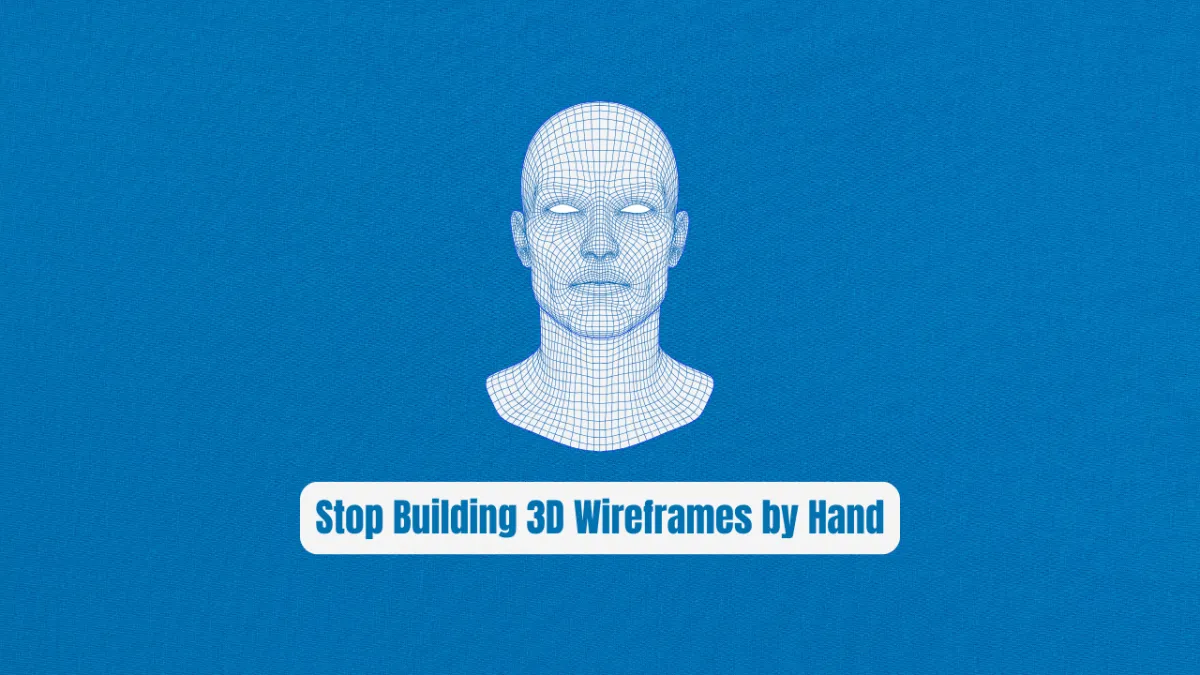
Stop Building 3D Wireframes by Hand! Wireframed.js Does It in Minutes
What if I told you that your next portfolio piece—the one that took you 14 hours in Blender—could be generated in under three minutes? No plugins. No node installations. No cryptic build errors at 2 AM. Just you, your browser, and a drag-and-drop canvas that turns any 3D model into hypnotic wireframe art.
Sound impossible? That's exactly what I thought until I discovered Wireframed.js.
Here's the brutal truth most creative developers won't admit: procedural 3D art is a time vampire. You either master Houdini's steep learning curve, wrestle with Blender's geometry nodes, or write thousands of lines of custom Three.js shaders. The barrier between "cool idea" and "working demo" is a canyon filled with abandoned side projects.
But what if the entire pipeline—model loading, edge extraction, post-processing glow, chromatic aberration, physics-based animation—lived in a single HTML file? What if you could chain visual effects like LEGO blocks, hit a button, and generate infinite variations without writing a single import statement?
That's not a hypothetical. That's Wireframed.js. And it's about to change how you think about browser-based 3D forever.
What is Wireframed.js?
Wireframed.js is a visual node-graph processing suite built entirely in the browser using Three.js r168 and vanilla JavaScript↗ Bright Coding Blog ES2022. Created by developer Lywald, this open-source project (MIT licensed) brings the power of procedural node-based workflows—think Houdini's SOP network or Blender's Geometry Nodes—to web developers with zero installation overhead.
The repository's tagline says it all: "Load any 3D model. Chain visual effects. Generate infinite procedural variations."
But here's what makes it genuinely revolutionary: there is no build step. You don't npm install dependencies to run the editor. You don't configure Webpack or Vite. You literally open index.html in your browser, and the entire node-graph interface, 3D viewport, and 30+ processing nodes spring to life.
This matters because it demolishes the activation energy problem. Most creative coding tools require 30 minutes of setup before you make your first pixel. Wireframed.js inverts that: you're experimenting within 30 seconds of downloading the ZIP.
The project is trending in creative developer circles for three reasons:
- The "Deep Randomize" feature — one click generates entirely new graph topologies from 20 curated layouts, each with randomized parameters. It's like having a generative art collaborator who never sleeps.
- The runtime embedding system —
wireframed-runtime.jslets you export any preset and drop it into existing Three.js projects with roughly 15 lines of code. - The format agnosticism — GLTF, GLB, OBJ, and FBX all import natively, with automatic centering and scaling.
In an ecosystem where "no build step" usually means "we hid the complexity somewhere else," Wireframed.js actually delivers. The entire application weighs in as vanilla modules served over ES modules with an import map. It's a technical choice that prioritizes accessibility without sacrificing capability.
Key Features That Separate Wireframed.js from Everything Else
Let's dissect what makes this engine tick—and why you'll abandon your current wireframe workflow within an hour of trying it.
True Zero-Configuration Deployment
The index.html entry point contains everything: the import map resolving Three.js from CDN, the UI mount points, the canvas initialization. No package.json audit warnings. No dependency hell. This isn't a demo—it's production architecture that happens to be simple.
30+ Specialized Nodes Across 6 Categories
The node library isn't a toy collection. It's a serious processing toolkit:
- Base nodes handle the fundamentals: model loading, wireframe extraction with gradient coloring and noise displacement, geometry merging, spatial transforms, and scene output.
- Fractal nodes generate procedural geometry from mathematical primitives—L-system trees, Mandelbulb raymarched meshes, Sierpinski tetrahedrons, Koch snowflakes lifted into 3D, and Dragon Curve line geometries.
- Mesh generation nodes transform edges into tubes, ribbons, Voronoi cells, metaballs, particle swarms, and instanced primitives.
- Aesthetic nodes apply Unreal Bloom glow, RGB chromatic aberration with radial vignette, animated Perlin/Simplex/Worley displacement, screen-space distortion effects, axis-mapped gradients, and beveled line thickening.
- Animation nodes run Verlet physics simulations, progressive growth algorithms, adaptive subdivision with noise jitter, strange attractor trails (Lorenz, Halvorsen, Thomas), and procedural orbital camera paths.
- Export nodes capture frames as PNG at any resolution or export processed scenes as GLTF.
Live DAG Evaluation with Dirty Propagation
The engine uses a directed acyclic graph with BFS-based dirty propagation. Change a parameter on any node, and only downstream dependencies recompute. Kahn's algorithm ensures topological execution order. This isn't brute-force re-rendering—it's intelligent incremental evaluation that stays responsive even with complex graphs.
Preset System with Built-in Aesthetics
Four one-click presets ship with the editor: CyberCrystal (electric cyan with bloom and chromatic split), OrganicNeural (pulsing amber Verlet physics), FractalVoid (violet Mandelbulb-L-system chaos), and ElegantMinimal (museum-quality monochrome with orbital camera). Save your own as compact JSON and share them like Photoshop actions.
Headless Runtime for Production Integration
The wireframed-runtime.js module strips away all UI chrome, exposing only the execution pipeline. Embed presets in existing Three.js projects, drive parameters programmatically, and maintain full post-processing compatibility through EffectComposer integration.
Use Cases: Where Wireframed.js Absolutely Dominates
Generative Portfolio Pieces
Creative developers need distinctive portfolio work, but hand-crafting every variation is unsustainable. Wireframed.js's Deep Randomize generates 20+ unique aesthetics from a single model in seconds. Export the best, refine in the editor, embed in your site. Your "generative art practice" just became your actual practice.
Music Visualizers and Event Projections
The planned audio-reactive binding (mentioned in future extensions) is already achievable through the runtime API. Map frequency bands to noise displacement strength, glow radius, or attractor parameters. The 60fps browser performance and post-processing pipeline make it ideal for live VJ sets or installation art.
Rapid Prototyping for Game Environments
Need alien architecture, crystalline structures, or organic neural networks for your indie game? The fractal and mesh generation nodes produce game-ready geometry without leaving the browser. Export as GLTF, import into Unity or Godot. The procedural seeding means infinite variations from a single design language.
Technical Art Exploration
Learning Three.js post-processing? Studying L-systems or strange attractors? Wireframed.js makes every parameter explorable through sliders and real-time feedback. It's an interactive textbook where you see the mathematical consequences immediately. The node graph visualizes data flow in ways raw code never could.
Client Presentation Mockups
When a client asks "what if it looked more... digital?" you don't return to Blender. You load their product model, try three wireframe presets, toggle glow and chromatic aberration, and screen-share the result. The .exe build option even lets non-technical stakeholders run it locally without installation.
Step-by-Step Installation & Setup Guide
Option A: Windows Portable Executable (Recommended for Distribution)
Build a standalone .exe that requires nothing from end users—not even a browser installation.
# Clone or download the repository
git clone https://github.com/Lywald/Wireframed.js.git
cd Wireframed.js

# Install Electron build dependencies (~200 MB, one-time)
npm install

# Build the distributable
npm run dist
The output appears in dist/Wireframed*.exe. Double-click to launch. This bundles Chromium and the entire application; recipients need no technical knowledge.
Option B: Local Development Server (No npm Required)
Windows users: Simply double-click launch.bat.
Mac/Linux users:
chmod +x launch.sh
./launch.sh
Both scripts attempt node server.js first, then fall back to Python↗ Bright Coding Blog's built-in HTTP server. Your default browser opens automatically at http://localhost:8080.
Manual alternatives if you prefer direct control:
node server.js                  # Auto-opens browser
python -m http.server 8080      # Then navigate to http://localhost:8080
npx serve .                     # If npm is available
First-Time Workflow
Once loaded in browser:
- Click Load Model in the top bar and select any
.glb,.gltf,.obj, or.fbxfile. - Drag nodes from the left panel onto the center canvas.
- Click and drag between node ports to create connections.
- Select any node to edit parameters in the right panel—sliders update in real time.
- Click Save Preset to export your graph as a
.jsonfile for later use or embedding.
REAL Code Examples from the Repository
Example 1: Minimal Embedding with the Runtime API
The sampleProject/index.html demonstrates production integration. Here's the complete implementation with detailed annotations:
<!DOCTYPE html>
<html>
<head>
  <meta charset="UTF-8">
  <title>Wireframed Sample</title>

  <!--
    Zero-margin layout with dark background matching the wireframe
    aesthetic. The overflow: hidden prevents scrollbars during
    fullscreen canvas rendering.
  -->
  <style>body { margin: 0; overflow: hidden; background: #05080f }</style>

  <!--
    Import maps resolve bare module specifiers without bundlers.
    Pinning to Three.js r168 ensures compatibility with Wireframed's
    internal Three.js usage—version mismatch causes subtle bugs.
  -->
  <script type="importmap">
    {
      "imports": {
        "three":          "https://cdn.jsdelivr.net/npm/three@0.168.0/build/three.module.js",
        "three/addons/":  "https://cdn.jsdelivr.net/npm/three@0.168.0/examples/jsm/"
      }
    }
  </script>
</head>
<body>
<script type="module">

// ── Core Three.js imports ────────────────────────────────────────────────────
import * as THREE           from 'three'
import { OrbitControls }    from 'three/addons/controls/OrbitControls.js'
import { GLTFLoader }       from 'three/addons/loaders/GLTFLoader.js'

// EffectComposer and passes—mandatory for Wireframed post-processing
import { EffectComposer }   from 'three/addons/postprocessing/EffectComposer.js'
import { RenderPass }       from 'three/addons/postprocessing/RenderPass.js'
import { OutputPass }       from 'three/addons/postprocessing/OutputPass.js'

// The headless engine—no UI, just graph execution
import { WireframedRuntime } from '../wireframed-runtime.js'


// ── Renderer setup ───────────────────────────────────────────────────────────
const renderer = new THREE.WebGLRenderer({ antialias: true })
renderer.setSize(innerWidth, innerHeight)
renderer.setPixelRatio(devicePixelRatio)

// ACESFilmic tone mapping is crucial for realistic bloom falloff
// and HDR color reproduction when using the Glow node
renderer.toneMapping = THREE.ACESFilmicToneMapping
document.body.appendChild(renderer.domElement)


// ── Scene composition ────────────────────────────────────────────────────────
const scene  = new THREE.Scene()
const camera = new THREE.PerspectiveCamera(60, innerWidth / innerHeight, 0.01, 1000)
camera.position.set(0, 0.5, 2)

const controls = new OrbitControls(camera, renderer.domElement)
controls.enableDamping = true  // Smooth inertia feels premium


// ── Post-processing chain ────────────────────────────────────────────────────
// WireframedRuntime injects its passes (Bloom, ChromaticAber, etc.)
// between RenderPass and OutputPass automatically based on graph contents
const composer = new EffectComposer(renderer)
composer.addPass(new RenderPass(scene, camera))
composer.addPass(new OutputPass())  // Final tone-mapping and sRGB output


// ── Responsive handling ──────────────────────────────────────────────────────
window.addEventListener('resize', () => {
  camera.aspect = innerWidth / innerHeight
  camera.updateProjectionMatrix()
  renderer.setSize(innerWidth, innerHeight)
  composer.setSize(innerWidth, innerHeight)
})


// ── Wireframed runtime initialization ────────────────────────────────────────
const wf = new WireframedRuntime({ renderer, scene, camera, composer })

// Load preset—this defines the entire node graph topology and parameters
await wf.loadPreset('./sampleProject/testPreset.wf.json')

// Inject geometry into the graph's ModelLoader node
const gltf = await new GLTFLoader().loadAsync('./sampleProject/testModel.glb')
wf.applyToModel(gltf.scene)  // Graph re-evaluates automatically


// ── Animation loop ───────────────────────────────────────────────────────────
renderer.setAnimationLoop(() => {
  controls.update()
  wf.tick()        // Advances physics, growth, attractors, camera paths
  composer.render()  // Executes all Wireframed post-processing passes
})

</script>
</body>
</html>
Why this matters: The entire integration is ~40 lines of application code. The runtime handles node graph deserialization, topological execution, dirty propagation, and post-pass injection without exposing complexity.
Example 2: Preset JSON Format
Presets are plain JSON—human-readable, version-controllable, programmatically generatable:
{
  "name": "testPreset",
  "version": "0.1.0",
  "nodes": [
    { "id": "n1", "type": "base/ModelLoader", "position": { "x": 60,  "y": 200 }, "params": {} },
    { "id": "n2", "type": "base/Wireframe",   "position": { "x": 340, "y": 200 },
      "params": { "colorA": "#00d4ff", "colorB": "#7b2fff", "opacity": 1.0, "glowWidth": 0.6 } },
    { "id": "n3", "type": "aesthetic/Glow",   "position": { "x": 340, "y": 380 },
      "params": { "strength": 1.5, "radius": 0.4, "threshold": 0.05 } },
    { "id": "n4", "type": "base/Output",      "position": { "x": 620, "y": 280 }, "params": {} }
  ],
  "connections": [
    { "id": "c1", "fromNodeId": "n1", "fromPort": "geometry", "toNodeId": "n2", "toPort": "geometry" },
    { "id": "c2", "fromNodeId": "n2", "fromPort": "geometry", "toNodeId": "n4", "toPort": "geometry" },
    { "id": "c3", "fromNodeId": "n3", "fromPort": "postpass", "toNodeId": "n4", "toPort": "postpass" }
  ]
}
Key insight: The graph separates data flow (geometry ports) from post-processing flow (postpass ports). The Output node multiplexes both streams into the final scene. This dual-port architecture lets aesthetic effects like Glow operate on the composited image without altering geometry.
Example 3: Runtime API for Dynamic Control
const wf = new WireframedRuntime({ renderer, scene, camera, composer })

await wf.loadPreset(urlOrJsonObject)

// Multiple injection strategies for different use cases
wf.applyToModel(object3D)           // Single model → first ModelLoader
wf.applyToModels([obj1, obj2])      // Array maps to multiple ModelLoaders
wf.applyToScene()                   // Process all existing scene meshes

// Animation advancement—call every frame
wf.tick()                           // Auto-calculated delta time
wf.tick(0.016)                      // Or specify exact delta for deterministic playback

// Live parameter manipulation without graph rebuild
wf.setParam('base/Wireframe', 'colorA', '#ff0000')  // Target by node type
wf.setParam('My Label', 'strength', 2.0)            // Or by custom label

// Complete cleanup when removing from scene
wf.dispose()  // Removes objects, clears passes, frees GPU resources
Advanced pattern: The setParam API enables real-time external control. Bind it to MIDI controllers, WebSocket messages, or audio analysis for interactive installations.
Advanced Usage & Best Practices
Optimize Graph Topology for Performance
Long linear chains recompute everything on any change. Use Merge nodes to parallelize independent processing branches, then combine results. The dirty propagation only traverses affected subgraphs—structure matters.
Leverage Deep Randomize as a Discovery Tool
Don't treat randomization as final output. Click Deep Randomize 10-15 times, screenshot promising variations, then dissect their node topologies in the editor. You'll learn graph patterns that no documentation teaches.
ACESFilmic Tone Mapping Is Non-Negotiable
Without it, bloom appears blown-out and gradients clip unnaturally. Always configure renderer.toneMapping = THREE.ACESFilmicToneMapping before creating the WireframedRuntime instance.
Version-Pin Your Import Maps
The runtime expects Three.js r168. CDN-based import maps should specify exact versions. Floating ranges (three@latest) will eventually break when Three.js post-processing APIs evolve.
Pre-process Heavy Models
While Wireframed.js auto-centers and scales, extremely dense meshes (1M+ vertices) slow edge extraction. Decimate in Blender first, then import. The wireframe aesthetic often looks better on simplified topology anyway.
Comparison with Alternatives
| Feature | Wireframed.js | Blender Geometry Nodes | Houdini Apprentice | Custom Three.js Shaders |
|---|---|---|---|---|
| Installation | None (open HTML) | 500MB+ download | 1GB+ download | Node.js + build tools |
| Learning curve | Minutes | Months | Years | Weeks to months |
| Browser-native | ✅ Yes | ❌ No | ❌ No | ✅ Yes |
| Real-time preview | ✅ Instant | ✅ Near-instant | ⚠️ Cook time | ✅ With hot reload |
| Post-processing chain | Built-in nodes | Compositor (separate) | COPs/SOPs | Manual setup |
| Embedding in web projects | 15-line runtime | Export static mesh | Export static mesh | Full integration |
| Procedural variation | One-click randomize | Manual parameter scatter | VEX coding | Shader math |
| Cost | Free (MIT) | Free | Free (limited) | Free |
| Community sharing | JSON presets | .blend files | .hip files | Gist/code snippets |
The verdict: Blender and Houdini remain superior for final production assets and film pipelines. But for web-native delivery, rapid iteration, and creative coding exploration, Wireframed.js eliminates entire categories of friction. The runtime embedding specifically has no equivalent—no other tool lets you design visually in a node editor, then drop the result into a live Three.js scene with sub-20-line integration.
FAQ
Does Wireframed.js work offline?
Yes. Once loaded, the application runs entirely client-side. The HTML/JS files and your models can live on a local machine with no internet connection. The CDN import map can be replaced with local Three.js files for fully air-gapped usage.
Can I use my own Three.js scene alongside Wireframed.js?
Absolutely. The runtime is designed for coexistence. It adds objects to your existing scene and injects passes into your existing EffectComposer. Your own lights, cameras, and meshes remain untouched.
What file formats are supported for import?
GLTF, GLB, OBJ, and FBX all import natively through unified loader utilities with automatic format detection. Exported geometry outputs as GLTF via the dedicated export node.
Is there a limit to graph complexity?
Practical limits apply. The browser's single-threaded JavaScript execution means extremely deep graphs (50+ nodes) may cause frame drops. The architecture is optimized for typical creative coding graphs of 5-20 nodes. Future WebGPU compute extensions aim to lift this ceiling.
Can I create custom nodes?
Not yet through a plugin API, but the architecture is designed for extension. The NodeRegistry.js central registry and BaseNode.js class provide clear patterns for adding new node types. The codebase is vanilla JavaScript—no transpilation barriers to modification.
How does Deep Randomize differ from Superficial Randomize?
Superficial Randomize keeps your node topology fixed and only randomizes numeric/color parameters—useful for fine-tuning an existing design. Deep Randomize rebuilds the entire graph from 20 curated layout templates, then randomizes everything. It's generative exploration versus parametric refinement.
Can I export animations?
Static export only currently—PNG frames and GLTF scenes. The future extension roadmap includes MP4/image-sequence export via MediaRecorder API. For now, screen recording or frame-by-frame capture works for animation needs.
Conclusion
Wireframed.js is the tool I wish existed five years ago—a bridge between the visual immediacy of node-based editors and the open accessibility of web standards. It doesn't replace Blender or Houdini for production pipelines. It replaces the friction that stops creative developers from starting at all.
The zero-build architecture, the 15-line runtime embedding, the one-click procedural variation—each decision reflects deep understanding of where developers actually struggle. This isn't feature bloat for GitHub stars. It's surgical precision applied to creative workflow.
My recommendation? Download it now. Load a model you've never known what to do with. Hit Deep Randomize until something surprises you. Then embed that preset in a webpage and watch someone's reaction when they realize it runs in their browser, no installation required.
The future of creative coding on the web just got a lot more visual. Don't watch from the sidelines.
⭐ Star Wireframed.js on GitHub | 📥 Download the Latest Release | 🚀 Try the Live Demo
Have you built something with Wireframed.js? Share your presets and tag the project—generative art thrives on community remixing.
Outils recommandés
Explore on the BrightCoding network
Hand-picked resources from our other sites.
Stop Building Boring 3D Demos! This Solar System Repo Changes Everything
Discover Solar-System-3D, a production-ready THREE.js simulation with bloom effects, procedural asteroid belts, custom shaders, and interactive controls. Clone...
Web Flight Simulator: The Browser Aviation Tool
Web Flight Simulator delivers high-fidelity aerial combat in your browser using Three.js and CesiumJS. Explore real-world terrain, master F-15 weapons systems,...
Tabler Dashboard: The Essential Bootstrap UI Kit Developers Crave
Tabler is a free, open-source Bootstrap dashboard template that revolutionizes admin panel development. This comprehensive guide covers installation, real code...
Continuez votre lecture

The Generative UI Revolution: How Tambo AI is Transforming React Development Forever

Build Stunning 3D Maps with Three.js: The Ultimate 2026 Developer Guide
Run a Powerful DeFi Trading Bot from a Single HTML File

Stop Coding Alone: OPC-Skills Gives Your AI Agent Superpowers
Commentaires 0
Aucun commentaire pour l'instant. Soyez le premier à réagir !