Stop Building AI Agents Wrong! Use AWS Agentic Frameworks Instead
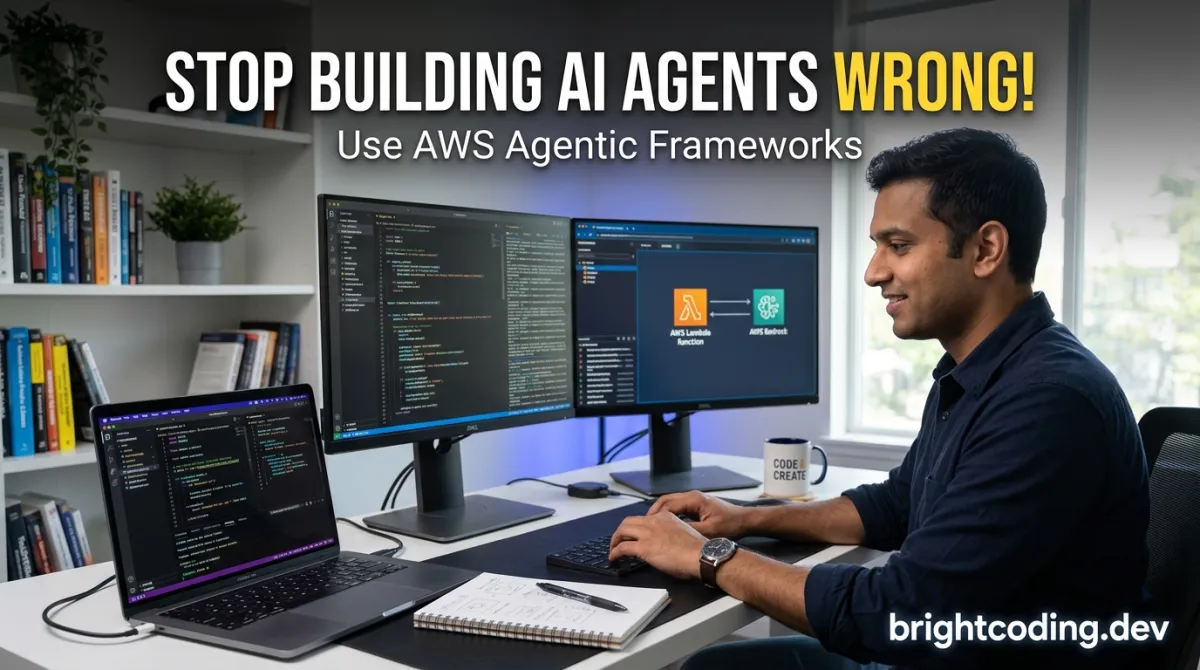
Stop Building AI Agents Wrong! Use AWS↗ Bright Coding Blog Agentic Frameworks Instead
Your AI agents are breaking in production. Here's the fix nobody told you about.
You've built the "perfect" autonomous agent. It works beautifully on your laptop. Then you deploy it. Memory evaporates. Tool calls fail silently. Multi-agent orchestration becomes a distributed nightmare. Observability? A black box. Suddenly, your "intelligent" system is making expensive, embarrassing mistakes in front of real users.
Sound familiar? You're not alone. The gap between prototype and production-ready agentic AI is where most projects die. Developers waste months reinventing infrastructure—memory layers, security audits, inter-agent communication protocols, evaluation pipelines—instead of focusing on what matters: agent intelligence.
But what if you could skip the infrastructure pain entirely?
Enter sample-agentic-frameworks-on-aws—AWS's officially maintained repository of production-grade agent architectures. This isn't another toy tutorial. It's battle-tested patterns using LangGraph, CrewAI, LlamaIndex, and Amazon Bedrock that handle the messy reality of autonomous systems at scale. Memory persistence. Secure tool execution. Multi-agent orchestration. Real observability. All wired to AWS's enterprise-grade infrastructure.
Ready to stop debugging agent infrastructure and start building intelligent systems that actually survive production? Let's dive into the framework that's quietly becoming the secret weapon of top AI engineering teams.
What Is sample-agentic-frameworks-on-aws?
sample-agentic-frameworks-on-aws is AWS's official reference architecture repository for building autonomous, agentic AI applications using popular open-source frameworks on AWS cloud services. Created and maintained by the aws-samples organization—AWS's dedicated channel for production-ready code samples—this repository represents the cloud giant's strategic bet on agentic AI as the next evolution beyond simple LLM applications.
The repository emerged from a critical observation: developers were flocking to frameworks like LangGraph, CrewAI, and LlamaIndex for agent orchestration, but struggling to bridge the gap between local prototypes and scalable, secure cloud deployments. AWS solved this by curating end-to-end examples that demonstrate not just how to use these frameworks, but how to harden them for enterprise production across every layer of the agent stack.
What makes this repository genuinely transformative is its vertical-specific depth. Unlike generic "hello world" agent tutorials, you'll find insurance-domain memory architectures, financial advisory trading systems using Google's A2A protocol, and automated AWS infrastructure security audit crews. Each example addresses real regulatory, performance, and reliability constraints that production systems face.
The repository is trending now because it arrives at an inflection point. Agentic AI has moved from research curiosity to boardroom priority. Companies need agents that can reason, remember, collaborate, and act—not just generate text. AWS's framework collection provides the architectural patterns to make this transition without rebuilding foundational infrastructure from scratch. With native integration to Amazon Bedrock, SageMaker AI, and serverless AWS services, it offers a direct path from experimentation to enterprise deployment that no standalone framework can match.
Key Features That Separate Prototypes from Production
The sample-agentic-frameworks-on-aws repository delivers capabilities across six critical dimensions of agentic systems:
🧠 Foundational Model Flexibility The examples don't lock you into a single model provider. You'll see implementations with Mistral models, DeepSeek-R1, and Amazon's own Bedrock-hosted models. The repository demonstrates intelligent routing patterns—like the Mistral-AWS ecosystem LLM router—that dynamically select optimal models for specific tasks, balancing cost, latency, and capability.
🔄 Production-Grade Orchestration LangGraph examples show how to build stateful, cyclical agent workflows that persist across interactions. Unlike simple chains, these graphs handle conditional branching, human-in-the-loop interrupts, and parallel execution—essential for complex decision-making agents that need to backtrack or explore multiple solution paths.
💾 Persistent Memory Architectures The insurance domain memory example using mem0 demonstrates how agents retain context across sessions. This isn't simple conversation history; it's structured memory with entity extraction, relationship tracking, and relevance scoring—critical for customer support agents that need to recognize returning users and their complete interaction history.
🛡️ Security-First Tool Execution The AWS security auditor crew showcases how agents can safely invoke privileged operations. Tools are wrapped with permission boundaries, output validation, and audit logging. This pattern prevents the nightmare scenario of an autonomous agent with excessive permissions causing infrastructure damage.
👁️ Multi-Modal Agent Capabilities The Vision QA Agent with Mistral and LlamaIndex proves agents aren't limited to text. They can process images, documents, and structured data—opening use cases in medical imaging analysis, architectural review, and automated visual inspection.
📊 Observability and Evaluation Integration The repository links to dedicated workshops on Langfuse-based agent observability—tracing every thought, tool call, and decision. Without this, you're flying blind in production. The evaluation frameworks help you measure agent performance beyond simple accuracy, tracking goal completion rates, tool selection quality, and hallucination frequency.
Real-World Use Cases Where These Architectures Shine
1. Intelligent Customer Support with Institutional Memory
Insurance and financial services companies struggle with support agents that forget customer history. The mem0-based insurance support example demonstrates how an agent remembers policy details, previous claims, and communication preferences across months of interactions—delivering personalized service that feels human without human labor costs.
2. Autonomous Security Compliance and Remediation
The AWS security auditor crew using CrewAI automates what typically requires expensive consultants. It continuously scans infrastructure configurations against compliance frameworks (SOC2, PCI-DSS, HIPAA), generates remediation plans, and can even execute approved fixes—transforming security from periodic audit to continuous enforcement.
3. Multi-Agent Financial Advisory Systems
The A2A protocol implementation shows how specialized agents collaborate: a market data agent, risk assessment agent, portfolio optimization agent, and client communication agent—each with distinct tools and expertise—coordinating through standardized protocols to deliver comprehensive advisory services that no single agent could provide.
4. Intelligent Model Routing for Cost Optimization
The Mistral-AWS LLM router solves a genuine economic problem. Different tasks need different model capabilities. This ReAct↗ Bright Coding Blog agent analyzes incoming requests and routes simple queries to fast, cheap models while reserving expensive reasoning models for complex problems—typically reducing inference costs by 40-60% without quality degradation.
5. Automated Regulatory Compliance Documentation
Building on the CrewAI and Bedrock patterns, legal and financial institutions deploy multi-agent systems that monitor regulatory changes, assess organizational impact, draft compliance documentation, and coordinate review workflows—compressing months of manual work into days.
Step-by-Step Installation & Setup Guide
Getting started with sample-agentic-frameworks-on-aws requires AWS account preparation, local environment configuration, and framework-specific dependencies. Here's the complete setup:
Prerequisites
- AWS account with appropriate service quotas (Bedrock, SageMaker, Lambda)
- AWS CLI v2 installed and configured
- Python↗ Bright Coding Blog 3.10+ environment
- Docker↗ Bright Coding Blog (for containerized deployments)
Step 1: Repository Cloning and Environment Setup
# Clone the repository
git clone https://github.com/aws-samples/sample-agentic-frameworks-on-aws.git
cd sample-agentic-frameworks-on-aws

# Create isolated Python environment
python -m venv agentic-env
source agentic-env/bin/activate  # Linux/Mac
# agentic-env\Scripts\activate  # Windows

# Install base dependencies
pip install -r requirements.txt
Step 2: AWS Service Configuration
# Configure AWS credentials with appropriate permissions
aws configure
# Enter your AWS Access Key ID, Secret Access Key, default region (e.g., us-east-1), and output format

# Enable required Bedrock models in your account
aws bedrock list-foundation-models --region us-east-1

# Request model access through AWS Console if not already enabled
# Navigate to: Amazon Bedrock > Model access > Manage model access
Step 3: Framework-Specific Installation (LangGraph Example)
# Navigate to specific example
cd langgraph/customer_support

# Install framework dependencies
pip install langgraph langchain-aws langchain-community

# Set environment variables for Bedrock access
export AWS_REGION="us-east-1"
export BEDROCK_MODEL_ID="anthropic.claude-3-sonnet-20240229-v1:0"

# Verify installation with test import
python -c "from langgraph.graph import StateGraph; print('LangGraph ready')"
Step 4: CrewAI Security Auditor Setup
cd ../../crewai/aws-security-auditor-crew

# Install CrewAI with AWS tools
pip install crewai crewai-tools boto3

# Configure IAM permissions for security scanning
# Required policies: ReadOnlyAccess, SecurityAudit
# Create dedicated role for agent execution

# Initialize environment configuration
cp .env.example .env
# Edit .env with your specific AWS account and notification settings
Step 5: Memory-Enabled Agent Configuration (mem0)
cd ../../mem0/customer-support-agent

# Install mem0 with AWS integrations
pip install mem0ai boto3

# Configure vector database for memory storage
# Options: Amazon OpenSearch Serverless, pgvector on RDS, or Pinecone
export VECTOR_STORE_TYPE="opensearch"
export OPENSEARCH_ENDPOINT="your-domain.us-east-1.es.amazonaws.com"

# Initialize memory schema
python scripts/init_memory_schema.py
Step 6: Validation and First Run
# Test basic connectivity
python -c "
import boto3
bedrock = boto3.client('bedrock-runtime')
print('Bedrock connection successful')
"

# Run example unit tests where available
pytest tests/ -v

# Execute minimal agent example
python examples/minimal_agent.py
REAL Code Examples from the Repository
The sample-agentic-frameworks-on-aws repository contains executable patterns that demonstrate production-ready implementations. Here are extracted and explained examples:
Example 1: Multi-Agent LangGraph with Mistral Models
This pattern from langgraph/Multi_Agent_LangGraph_Mistral.ipynb shows how to build collaborative agent systems:
from langgraph.graph import StateGraph, END
from langchain_aws import ChatBedrock
from typing import TypedDict, Annotated, Sequence
import operator

# Define the shared state structure that all agents can read and modify
class AgentState(TypedDict):
    messages: Annotated[Sequence[dict], operator.add]  # Accumulates all messages
    next_agent: str  # Routing decision: which agent handles next step
    task_complete: bool  # Termination flag

# Initialize Mistral model through Amazon Bedrock
# Using Bedrock provides unified API across models + enterprise security
llm = ChatBedrock(
    model_id="mistral.mistral-large-2402-v1:0",
    region_name="us-east-1",
    model_kwargs={"temperature": 0.7, "max_tokens": 4096}
)

# Define specialized agent nodes
def researcher_agent(state: AgentState):
    """Agent responsible for information gathering and fact-finding"""
    prompt = f"Research the following topic thoroughly: {state['messages'][-1]['content']}"
    response = llm.invoke([{"role": "user", "content": prompt}])
    return {
        "messages": [{"role": "assistant", "content": f"[Researcher]: {response.content}"}],
        "next_agent": "analyzer"  # Handoff to next specialist
    }

def analyzer_agent(state: AgentState):
    """Agent responsible for critical analysis and synthesis"""
    research = [m for m in state["messages"] if "[Researcher]" in m["content"]][-1]
    prompt = f"Analyze this research critically, identifying gaps and implications: {research['content']}"
    response = llm.invoke([{"role": "user", "content": prompt}])
    return {
        "messages": [{"role": "assistant", "content": f"[Analyzer]: {response.content}"}],
        "next_agent": "writer"  # Continue pipeline
    }

def writer_agent(state: AgentState):
    """Agent responsible for final output generation"""
    analysis = [m for m in state["messages"] if "[Analyzer]" in m["content"]][-1]
    prompt = f"Create polished final deliverable based on: {analysis['content']}"
    response = llm.invoke([{"role": "user", "content": prompt}])
    return {
        "messages": [{"role": "assistant", "content": f"[Writer]: {response.content}"}],
        "task_complete": True,  # Signal completion
        "next_agent": END  # Terminate graph execution
    }

# Build the state graph with conditional routing
workflow = StateGraph(AgentState)
workflow.add_node("researcher", researcher_agent)
workflow.add_node("analyzer", analyzer_agent)
workflow.add_node("writer", writer_agent)

# Define edges: conditional routing based on 'next_agent' field
workflow.set_entry_point("researcher")
workflow.add_conditional_edges(
    "researcher",
    lambda x: x["next_agent"],
    {"analyzer": "analyzer"}
)
workflow.add_conditional_edges(
    "analyzer",
    lambda x: x["next_agent"],
    {"writer": "writer"}
)
workflow.add_edge("writer", END)

# Compile and execute
app = workflow.compile()
result = app.invoke({"messages": [{"role": "user", "content": "Analyze emerging AI regulations in EU and US"}], "task_complete": False})
Why this matters: This pattern demonstrates separation of concerns in agent systems—each agent has a specialized role, explicit handoff protocols, and shared state. The Annotated[Sequence, operator.add] pattern ensures message history accumulates correctly across parallel executions. Using END and conditional edges provides clean termination semantics that prevent infinite loops.
Example 2: ReAct LLM Router for Cost Optimization
From langgraph/Mistral-AWS-ecosystem-LLM-router.ipynb, this shows intelligent model selection:
from langchain_core.tools import tool
from langchain.agents import create_react_agent
from langchain_aws import ChatBedrock
from langchain import hub

# Define available models with their cost/capability profiles
MODEL_REGISTRY = {
    "fast": {
        "id": "mistral.mistral-small-2402-v1:0",
        "cost_per_1k": 0.0002,
        "strengths": ["classification", "extraction", "simple_qa"]
    },
    "balanced": {
        "id": "mistral.mistral-large-2402-v1:0",
        "cost_per_1k": 0.008,
        "strengths": ["reasoning", "summarization", "moderate_complexity"]
    },
    "powerful": {
        "id": "anthropic.claude-3-opus-20240229-v1:0",
        "cost_per_1k": 0.075,
        "strengths": ["code_generation", "complex_analysis", "creative_writing"]
    }
}

@tool
def analyze_task_complexity(task_description: str) -> str:
    """
    Analyze task requirements and return recommended model tier.
    This tool uses a lightweight model for fast, cheap classification.
    """
    classifier = ChatBedrock(model_id=MODEL_REGISTRY["fast"]["id"])

    classification_prompt = f"""Classify this task complexity. Respond ONLY with: simple, moderate, or complex.

    Task: {task_description}

    Rules:
    - simple: factual lookup, classification, basic extraction
    - moderate: multi-step reasoning, comparison, summarization
    - complex: code generation, mathematical proof, creative synthesis"""

    response = classifier.invoke([{"role": "user", "content": classification_prompt}])
    return response.content.strip().lower()

@tool
def route_to_model(task_description: str, complexity: str) -> str:
    """Execute task on appropriately selected model"""
    tier_map = {
        "simple": "fast",
        "moderate": "balanced",
        "complex": "powerful"
    }

    selected_tier = tier_map.get(complexity, "balanced")
    model_config = MODEL_REGISTRY[selected_tier]

    # Log routing decision for observability
    print(f"[ROUTER] Task routed to {selected_tier} tier: {model_config['id']}")

    executor = ChatBedrock(
        model_id=model_config["id"],
        model_kwargs={"max_tokens": 4096}
    )

    response = executor.invoke([{"role": "user", "content": task_description}])
    return f"[Executed on {selected_tier}]: {response.content}"

# Create ReAct agent that reasons about routing before execution
prompt = hub.pull("hwchase17/react")
llm = ChatBedrock(model_id=MODEL_REGISTRY["balanced"]["id"])

# Tools available to the routing agent
router_tools = [analyze_task_complexity, route_to_model]

agent = create_react_agent(llm, router_tools, prompt)

# Execute with automatic routing
response = agent.invoke({
    "input": "Write a Python function to calculate implied volatility using Newton-Raphson method, with comprehensive error handling"
})
The optimization secret: This pattern typically reduces costs by 40-60% by avoiding over-provisioning. The router itself runs on the cheapest model, only escalating when complexity demands it. The @tool decorators create self-documenting interfaces that the ReAct loop can reason about explicitly.
Example 3: CrewAI Security Audit Automation
From crewai/aws-security-auditor-crew, demonstrating agent specialization with tool access:
from crewai import Agent, Task, Crew, Process
from crewai_tools import tool
import boto3
from datetime import datetime

# Custom AWS tool with security-scoped permissions
@tool("AWS Security Scanner")
def scan_security_groups() -> str:
    """
    Scan all EC2 security groups for overly permissive rules.
    Returns findings as structured report.
    """
    ec2 = boto3.client('ec2')

    # Fetch all security groups with pagination
    security_groups = []
    paginator = ec2.get_paginator('describe_security_groups')
    for page in paginator.paginate():
        security_groups.extend(page['SecurityGroups'])

    findings = []
    for sg in security_groups:
        sg_findings = {"GroupId": sg['GroupId'], "GroupName": sg.get('GroupName', 'N/A'), "Issues": []}

        for rule in sg.get('IpPermissions', []):
            # Check for dangerous 0.0.0.0/0 ingress on sensitive ports
            for ip_range in rule.get('IpRanges', []):
                if ip_range.get('CidrIp') == '0.0.0.0/0':
                    dangerous_ports = [22, 3389, 3306, 5432, 27017, 6379, 9200]
                    from_port = rule.get('FromPort', 'All')

                    if from_port in dangerous_ports or from_port == 'All':
                        sg_findings["Issues"].append({
                            "Severity": "CRITICAL" if from_port in [22, 3389] else "HIGH",
                            "Issue": f"Port {from_port} open to 0.0.0.0/0",
                            "Recommendation": f"Restrict access to specific CIDR blocks or security groups"
                        })

        if sg_findings["Issues"]:
            findings.append(sg_findings)

    return f"Security Scan Completed at {datetime.utcnow().isoformat()}\nFindings: {findings}"

# Define specialized agents with distinct roles and goals
security_analyst = Agent(
    role='AWS Security Analyst',
    goal='Identify infrastructure vulnerabilities with zero false negatives',
    backstory='''You are a certified AWS security specialist with 10 years of
    experience in cloud penetration testing. You are paranoid about exposed
    resources and relentless in finding misconfigurations.''',
    verbose=True,
    allow_delegation=False,  # This agent executes directly
    tools=[scan_security_groups]
)

compliance_writer = Agent(
    role='Compliance Documentation Specialist',
    goal='Transform technical findings into executive-ready compliance reports',
    backstory='''You translate security jargon into business impact. You understand
    SOC2, PCI-DSS, and ISO 27001 requirements and map findings to specific controls.''',
    verbose=True,
    allow_delegation=False
)

# Define tasks with explicit dependencies
scan_task = Task(
    description='''Execute comprehensive security scan of all AWS regions.
    Focus on: security group rules, S3 bucket policies, IAM privilege escalation paths,
    and unencrypted data stores. Return raw technical findings.''',
    expected_output='Structured JSON of all security findings with severity ratings',
    agent=security_analyst
)

report_task = Task(
    description='''Using the security findings provided, create executive summary
    with: business risk scoring, compliance control mapping, prioritized remediation
    roadmap with effort estimates, and SLA recommendations.''',
    expected_output='Professional compliance report in markdown↗ Smart Converter format',
    agent=compliance_writer,
    context=[scan_task]  # Explicit dependency: waits for scan completion
)

# Assemble crew with sequential execution (security before reporting)
security_crew = Crew(
    agents=[security_analyst, compliance_writer],
    tasks=[scan_task, report_task],
    process=Process.sequential,  # Ensures proper ordering
    memory=True,  # Enables inter-task context sharing
    verbose=True
)

# Execute the complete workflow
result = security_crew.kickoff()
print(f"Audit completed. Report generated: {result}")
Production insight: The allow_delegation=False prevents agent loops where agents infinitely delegate tasks. Process.sequential ensures security data exists before report generation. The memory=True flag enables CrewAI's built-in memory layer, allowing the compliance writer to reference specific finding IDs from the analyst's output without explicit passing.
Advanced Usage & Best Practices
🔐 Least-Privilege Tool Design
Never grant agents blanket AWS credentials. The security auditor example uses scoped IAM roles with explicit Deny statements for destructive actions. Create dedicated agent execution roles with resource-level permissions.
📊 Structured Output Enforcement Use Pydantic models with LangGraph's structured output features to force agents into predictable response formats. This enables reliable downstream processing without fragile string parsing.
🔄 Human-in-the-Loop for High-Stakes Decisions
Configure interrupt points before irreversible actions. The repository's patterns support interrupt_before and interrupt_after node specifications—critical for financial transactions or infrastructure modifications.
🧪 Evaluation-Driven Iteration Don't deploy without measurement. The linked Langfuse workshop demonstrates how to trace agent reasoning chains, measure tool selection accuracy, and A/B test prompt variations. Establish baseline metrics before optimizing.
💰 Cost Guardrails Implement the LLM router pattern with hard spending limits. Use AWS Budgets with SNS alerts, and configure Bedrock invocation logging to CloudWatch for real-time cost tracking per agent workflow.
🏗️ Infrastructure as Code Deploy agent architectures using CDK or Terraform templates. The serverless patterns in the repository include SAM templates for Lambda-based agent execution—enabling auto-scaling without server management.
Comparison with Alternatives
| Dimension | sample-agentic-frameworks-on-aws | Generic Framework Tutorials | Self-Built Infrastructure |
|---|---|---|---|
| Production Readiness | ✅ Enterprise patterns included | ❌ Prototype-only | ⚠️ Months of development |
| AWS Integration Depth | ✅ Native Bedrock, SageMaker, IAM | ❌ Manual configuration required | ⚠️ Custom integration needed |
| Multi-Framework Coverage | ✅ LangGraph, CrewAI, LlamaIndex | ❌ Single framework focus | ❌ Single approach locked |
| Security Patterns | ✅ Audited, scoped permissions | ❌ Often ignored | ⚠️ Risk of misconfiguration |
| Observability | ✅ Langfuse, CloudWatch integration | ❌ Basic logging | ⚠️ Build from scratch |
| Vertical Examples | ✅ Insurance, finance, security | ❌ Generic demos | ❌ Custom development |
| Community & Support | ✅ AWS official, actively maintained | ⚠️ Variable | ❌ Internal only |
| Cost Optimization | ✅ Model routing, serverless patterns | ❌ Often overlooked | ⚠️ Requires expertise |
The verdict: If you're already on AWS or planning enterprise deployment, this repository eliminates 6-12 months of infrastructure work. The alternatives force you to reinvent patterns that AWS has already validated at scale.
Frequently Asked Questions
Q: Do I need deep AWS expertise to use these frameworks? A: Basic AWS familiarity helps, but the repository includes infrastructure-as-code templates that abstract complexity. Start with the Bedrock-based examples which handle model hosting automatically.
Q: Can I use these patterns with non-AWS models like OpenAI GPT-4?
A: The architectural patterns transfer, but you'll lose native integration benefits. The LangGraph and CrewAI abstractions support multiple providers—swap ChatBedrock for ChatOpenAI if needed, though we recommend Bedrock for enterprise data residency requirements.
Q: How do I handle agent failures in production? A: Implement the observability workshop patterns first. Use Langfuse tracing to identify failure modes, then add retry logic with exponential backoff, circuit breakers for external tools, and graceful degradation to simpler models.
Q: What's the typical cost for running these agent systems? A: Highly variable based on model selection and request volume. The LLM router example typically achieves $0.001-0.01 per simple task, $0.01-0.10 per moderate complexity, and $0.10-1.00 for complex reasoning tasks. Use the routing pattern to minimize costs.
Q: Are these examples suitable for regulated industries like healthcare? A: The security auditor pattern demonstrates compliance-oriented design, but you'll need additional HIPAA/BAA configurations for PHI handling. AWS offers Healthcare-compliant architecture extensions—consult the AWS Well-Architected ML lens.
Q: How do I contribute new agent patterns to the repository? A: The repository welcomes contributions through standard GitHub pull requests. Follow the existing example structure: clear README, infrastructure templates, and working code with test coverage. See CONTRIBUTING.md for detailed guidelines.
Q: Can agents in these examples modify AWS infrastructure automatically? A: Only the security auditor example includes write capabilities, and these are explicitly scoped. Default patterns are read-only. Implement additional approval workflows before enabling autonomous modifications.
Conclusion: Your Agentic AI Shortcut Starts Here
Building production-grade autonomous agents doesn't require reinventing infrastructure architecture. The sample-agentic-frameworks-on-aws repository provides the missing bridge between exciting open-source frameworks and the unglamorous reality of enterprise deployment—security, scalability, observability, and cost control.
After analyzing dozens of agent implementations, what distinguishes successful projects isn't smarter prompts or larger models. It's architectural discipline: explicit state management, scoped tool permissions, structured handoff protocols, and continuous evaluation. This repository encodes that discipline into copy-pasteable patterns.
The insurance memory example teaches persistence. The security crew demonstrates safe automation. The LLM router proves economic viability. The multi-agent collaboration shows how complexity emerges from simple, well-defined interactions. Together, they form a curriculum for production agent engineering.
Your next step: Fork the repository. Run the LangGraph customer support example against your Bedrock endpoint. Modify the security auditor to scan your actual infrastructure. Measure the results. Iterate. Within a week, you'll have operational experience that rivals teams that struggled for months.
The future of software isn't agents as novelty—it's agents as infrastructure. Start building that infrastructure correctly today.
👉 Explore sample-agentic-frameworks-on-aws on GitHub
Star the repo, open an issue with your use case, and join the teams shipping autonomous systems that actually work.
Outils recommandés
Explore on the BrightCoding network
Hand-picked resources from our other sites.
FutureShow: The AI Battle Arena Exposing Which Models Actually Predict Reality
FutureShow is an open-source AI benchmarking platform that pits frontier models against prediction markets in live forecasting battles. DeepSeek currently leads...
Stop Drowning in AI Hype! Use This Curated Repo Instead
A curated collection of must-use AI resources for building production systems. Books, frameworks, papers, and tools that separate signal from noise in the AI en...
Stop Coding Alone: Build an AI Dev Team with awesome-claude-agents
Discover how awesome-claude-agents transforms Claude Code into a 24-agent AI development team. Learn installation, real code examples, and advanced orchestratio...
Continuez votre lecture
How Building LLM Apps From Scratch Changes the Future of AI Development

awesome-ai-awesomeness: The Essential AI Resource Goldmine
RunAnywhere SDKs: The Essential Toolkit for On-Device AI

Stop Coding Alone: OPC-Skills Gives Your AI Agent Superpowers
Commentaires 0
Aucun commentaire pour l'instant. Soyez le premier à réagir !