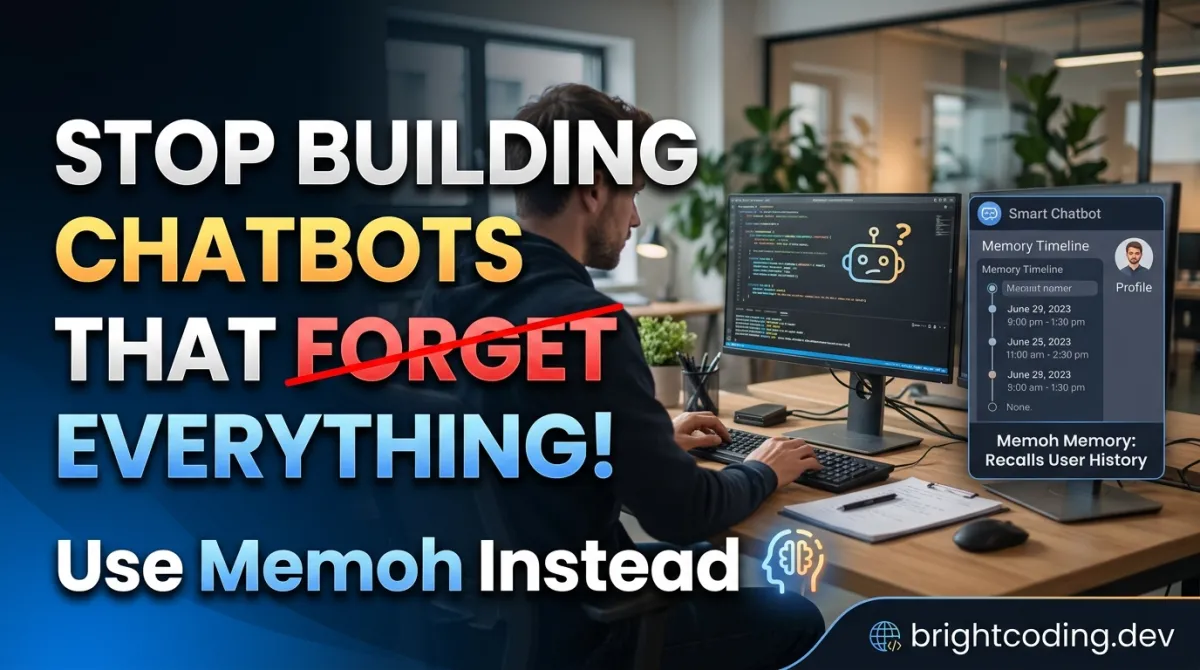
Stop Building Chatbots That Forget Everything! Use Memoh Instead
Stop Building Chatbots That Forget Everything! Use Memoh Instead
What if your AI assistant remembered that API key you shared three weeks ago? What if it recalled your project structure, your preferences, your team's inside jokes—across every platform you use? Here's the brutal truth: most AI bots today are goldfish. They start from zero every single conversation. You paste the same context, repeat the same instructions, burn the same tokens. Again. And again. And again.
Sound familiar?
You've felt this pain. The "oh right, let me re-explain my codebase" moment. The "which environment variable did I set last time?" loop. The sinking realization that your "smart" assistant is actually a very expensive amnesiac. Developers are duct-taping memory solutions onto LLMs with vector databases, Redis caches, and prayer. It's fragile. It's complex. And it breaks at 2 AM when your production bot hallucinates a user preference from a corrupted embedding.
Enter Memoh — the self-hosted, always-on AI agent platform that gives every bot its own containerized brain. Persistent memory isn't bolted on. It's engineered from the ground up. And it's about to change how you build autonomous AI systems forever.
The Memoh AI agent platform solves the memory crisis with LLM-driven fact extraction, hybrid retrieval, and containerized isolation that keeps each bot's knowledge pristine. No more context window juggling. No more "sorry, I don't have access to previous messages." Just AI agents that actually know you.
Ready to build bots that don't forget? Let's dive deep.
What is Memoh?
Memoh (pronounced /ˈmemoʊ/) is an open-source, self-hosted AI agent orchestrator built in Go. Created by the MemohAI team, it deploys containerized AI bots—each with isolated filesystems, persistent memory, and multi-platform connectivity. Think of it as giving every bot its own computer, its own long-term memory, and its own suite of tools.
The project lives at github.com/memohai/Memoh and has been gaining serious traction among developers who refuse to compromise on privacy, control, or capability.
Why it's trending now:
The AI agent space is exploding, but most solutions force painful trade-offs. Cloud platforms own your data. Local tools lack production features. Frameworks require weeks of plumbing. Memoh threads this needle with a hybrid split: cloud inference for frontier model capability, local-first memory and indexing for privacy. Your prompts hit OpenAI, Claude, or local models—but your memories stay on your infrastructure, encrypted and indexed on your terms.
Memoh is explicitly multi-user first, not an afterthought. It enforces privacy boundaries between users and bots. It runs efficiently on edge devices thanks to its Go foundation. And it ships with a modern Vue 3 + Tailwind CSS↗ Bright Coding Blog web UI that makes complex configuration feel effortless.
The AGPLv3 license keeps it genuinely open. No freemium traps. No "contact sales for memory features." Just infrastructure you own, end to end.
Key Features That Make Memoh Insane
Memoh isn't a chat wrapper. It's a full agent operating system. Here's what separates it from the pack:
🤖 Multi-Bot & Multi-User Architecture Create unlimited bots that chat privately, in groups, or with each other. Critically, bots distinguish individual users in group contexts—your memories don't leak to other participants. This is table stakes for production deployments, yet embarrassingly rare in open-source tools.
📦 True Containerized Workspaces Each bot runs in an isolated Docker↗ Bright Coding Blog or Kubernetes container with dedicated filesystem, network namespace, and tool access. Snapshots, data export/import, and versioning come standard. One bot's experiments can't corrupt another's environment.
🖥️ Desktop Environment Inside Containers This is where Memoh gets wild. Bots get full graphical desktops accessible via VNC, including headed browsers for sites that break headless automation. Your bot can literally click through a CAPTCHA or use a web app that requires a real GUI session.
🧠 Production-Grade Memory Engineering LLM-driven fact extraction parses conversations into structured memories—not raw transcript dumps. Hybrid retrieval combines dense vectors, sparse vectors, and BM25 for bulletproof recall. Memory compaction keeps indexes lean. And you can inspect, edit, or rebuild everything from the web UI.
🔧 Full MCP (Model Context Protocol) Support HTTP, SSE, Stdio, and OAuth transports. Each bot manages independent MCP connections to external tool servers. This isn't partial compatibility—it's spec-complete implementation that unlocks the growing ecosystem of MCP tools.
🌐 Browser & Computer Use Playwright-driven Chromium/Firefox automation with accessibility trees, screenshots, and tab control. Plus visual desktop observation—clicking, typing, scrolling, recovering from GUI flows that headless browsers can't handle.
💬 Massive Channel Coverage Telegram, Discord, Lark (Feishu), QQ, Matrix, Misskey, DingTalk, WeCom, WeChat, WeChat Official Account, Email (Mailgun/SMTP/Gmail OAuth), and built-in Web UI. Your bot meets users where they already are.
⏰ Cron-Based Automation Scheduled tasks and periodic heartbeats for truly autonomous operation. Bots don't just respond—they initiate.
Real-World Use Cases Where Memoh Dominates
1. DevOps↗ Bright Coding Blog Team Assistant with Infrastructure Memory
Your SRE bot remembers every incident, every runbook edit, every kubectl command that worked. After a 3 AM page, it recalls: "Last time this service flapped, the root cause was a memory leak in v2.3.1. Here's the rollback command." Team members get personalized responses based on their expertise level and past interactions.
2. Customer Support That Actually Knows Your Users
Deploy across Telegram, Discord, and email. The bot remembers purchase history, previous complaints, and communication preferences per user. In group channels, it privately notes which user needs enterprise escalation versus standard troubleshooting. No CRM integration required—the memory is the CRM.
3. Autonomous Research Agent with Persistent Knowledge Base
A bot that browses academic papers, extracts findings, and builds a cumulative knowledge graph. Week 1: it reads 50 papers on transformer architectures. Week 6: you ask about attention mechanisms, and it synthesizes insights across everything it's processed—with citations to specific papers and sections.
4. Multi-Platform Community Manager
Manage Discord, Matrix, and Lark communities from one brain. The bot remembers moderator decisions, recurring user questions, and community inside jokes. It schedules weekly digests, welcomes new members with context-aware intros, and escalates sensitive issues to human mods with full conversation history attached.
Step-by-Step Installation & Setup Guide
Memoh offers two deployment paths. Choose your adventure:
Deploy Version (Server/Production)
For always-on, multi-user, multi-tenant usage with external channel integrations.
One-Click Docker Install (requires Docker):
# Standard installation
curl -fsSL https://memoh.sh | sh

# Silent install with all defaults
curl -fsSL https://memoh.sh | sh -s -- -y

# Install specific version
curl -fsSL https://memoh.sh | MEMOH_VERSION=v0.6.0 sh

# Use China mirror for faster image pulls
curl -fsSL https://memoh.sh | USE_CN_MIRROR=true sh
Important: Don't run with sudo. The installer handles privilege escalation internally when needed.
Manual Docker Compose (for customization):
# Clone repository
git clone --depth 1 https://github.com/memohai/Memoh.git
cd Memoh

# Copy and edit configuration
cp conf/app.docker.toml config.toml
# Edit config.toml with your settings

# Start services
docker compose up -d
Kubernetes Deployment (uses Kubernetes workspaces by default):
kubectl apply -k deploy/kubernetes
After startup, visit http://localhost:8082. Default credentials: admin / admin123.
Desktop Version (Personal/Local)
For single-user desktop workflows without server maintenance.
- Download from memoh.ai/desktop
- Open Memoh — it auto-starts the local server, prepares storage, and connects the UI
- Optional: Install the bundled
memohCLI from the app menu for terminal access
Environment Requirements:
- Docker (for workspace containers)
- Or Kubernetes cluster (for scalable deployments)
- Sufficient disk space for vector databases and bot filesystems
See DEPLOYMENT.md for production hardening, custom domains, SSL, and advanced networking.
REAL Code Examples from the Repository
Let's examine actual patterns from Memoh's implementation and documentation.
Example 1: One-Click Installation Script
The streamlined installer demonstrates production deployment best practices:
# Standard one-line installer - downloads and configures everything
curl -fsSL https://memoh.sh | sh

# Silent mode for CI/CD pipelines - no interactive prompts
curl -fsSL https://memoh.sh | sh -s -- -y

# Pin to specific release for reproducible deployments
curl -fsSL https://memoh.sh | MEMOH_VERSION=v0.6.0 sh

# Geographic optimization for image pull speed
curl -fsSL https://memoh.sh | USE_CN_MIRROR=true sh
What's happening here? The installer script detects your environment, pulls appropriate Docker images, initializes the database, starts the web UI, and configures container runtime support. The pipe-to-shell pattern is controversial in security circles, but Memoh mitigates risks by serving from HTTPS with version pinning available. For maximum security, use the manual git clone path and audit config.toml before deployment.
Example 2: Manual Docker Compose Deployment
For teams needing configuration control:
# Shallow clone for faster download, latest state only
git clone --depth 1 https://github.com/memohai/Memoh.git
cd Memoh

# Copy Docker-optimized configuration template
cp conf/app.docker.toml config.toml

# EDIT THIS FILE: Set your API keys, domain, memory backends
# Key sections: providers (OpenAI/Anthropic/Google), channels (Telegram/Discord tokens),
# memory configuration, ACL rules, and workspace runtime settings

# Start all services detached
docker compose up -d
Critical configuration points in config.toml:
- Provider credentials: LLM API keys with per-bot assignment
- Channel tokens: Bot tokens for Telegram (@BotFather), Discord (Developer Portal), etc.
- Memory backend: Choose
off,sparse,dense, or external (Mem0/OpenViking) - Workspace runtime: Docker socket path or Kubernetes kubeconfig
- ACL rules: Priority-based access control by channel identity and conversation scope
Example 3: Kubernetes Deployment for Scale
# Apply Kustomize configuration for Kubernetes-native workspaces
kubectl apply -k deploy/kubernetes
This deploys Memoh with Kubernetes as the workspace runtime instead of Docker. Each bot container becomes a Pod with proper RBAC, network policies, and resource limits. Ideal for:
- Multi-tenant isolation at the Kubernetes namespace level
- Auto-scaling bot workloads based on demand
- GitOps workflows with ArgoCD or Flux
- Enterprise environments with existing Kubernetes investment
Example 4: Memory System Configuration
Memoh's memory system is configurable per-bot via the web UI, with these backend modes:
| Mode   | Backend                                      | When to use                                      |
|--------|----------------------------------------------|--------------------------------------------------|
| Off    | Plain file storage, no vector search         | Small bots, debugging, minimal moving parts      |
| Sparse | Neural sparse vectors via local model + BM25 | Zero API cost, entirely local, strong recall     |
| Dense  | Embedding model + Qdrant vector DB           | Best semantic recall—finds by meaning, not words |
Under the hood architecture:
- LLM-driven fact extraction: Raw conversations → structured, deduplicated memory entries
- Hybrid retrieval: Combines dense (semantic meaning), sparse (keyword overlap), and BM25 (probabilistic ranking) with re-ranking for precision
- Memory compaction: LLM periodically merges redundant entries, preventing index bloat
- Inspection tools: Browse, search, manually edit, rebuild index, visualize Top-K distribution and CDF curves
The sparse mode is particularly clever for privacy-conscious deployments—zero external API calls for embeddings, yet surprisingly effective for factual recall. The dense mode with Qdrant unlocks true semantic search: "that project about renewable energy" finds entries even if they never used those exact words.
Advanced Usage & Best Practices
🔒 Security Hardening
- Rotate default
admin/admin123credentials immediately - Use ACL rules to restrict bot access by channel type—prevent email bots from executing shell commands
- Run workspace containers with read-only root filesystems where possible
- Enable OAuth for MCP connections instead of long-lived tokens
⚡ Performance Optimization
- Use
sparsememory for high-frequency, low-complexity bots;densefor knowledge-intensive agents - Schedule memory compaction during off-peak hours via cron
- Pin embedding models locally to avoid cold-start latency
- Monitor Qdrant memory usage—vector indexes can grow substantially with long-running bots
🔄 Backup & Disaster Recovery
- Bot filesystems support snapshot and export—automate nightly dumps to S3-compatible storage
- Database migrations run automatically on deploy, but test upgrades in staging
- Document your
config.tomlin version control; it's your infrastructure-as-code
🧪 Testing Patterns
- Use "Off" memory mode for integration tests to ensure deterministic behavior
- Create dedicated test bots with restricted ACL scopes
- Leverage subagents for risky operations—isolate experimental behaviors from production memory
Comparison with Alternatives
| Feature | Memoh | LangChain Agents | Botpress | AutoGPT | Dify |
|---|---|---|---|---|---|
| Self-hosted | ✅ Native | ⚠️ Complex | ⚠️ Enterprise only | ✅ Yes | ⚠️ Limited |
| Containerized workspaces | ✅ Per-bot isolation | ❌ No | ❌ No | ❌ No | ❌ No |
| Persistent memory | ✅ Built-in, multiple backends | ⚠️ DIY | ⚠️ Basic | ⚠️ Fragile | ⚠️ Basic |
| Multi-platform channels | ✅ 10+ native | ⚠️ Via integrations | ✅ Good | ❌ Limited | ⚠️ Growing |
| Desktop environment in containers | ✅ Unique feature | ❌ No | ❌ No | ❌ No | ❌ No |
| MCP support | ✅ Full spec | ⚠️ Partial | ❌ No | ❌ No | ❌ No |
| Memory inspection/editing | ✅ Web UI | ❌ Debug only | ❌ No | ❌ No | ❌ No |
| Go-based / lightweight | ✅ ~50MB binary | ❌ Python↗ Bright Coding Blog heavy | ❌ Node heavy | ❌ Python heavy | ❌ Python/Node |
| AGPLv3 open source | ✅ Truly open | ⚠️ Mixed licenses | ❌ Proprietary core | ✅ MIT | ⚠️ Mixed |
Why Memoh wins: It's the only solution combining true container isolation, production memory engineering, and multi-platform deployment in a lightweight, fully open-source package. LangChain gives you building blocks; Memoh gives you a running system. Botpress locks features behind enterprise tiers; Memoh exposes everything. AutoGPT pioneered autonomous agents but lacks the infrastructure for reliable production deployment.
FAQ
Q: Does Memoh require cloud LLM APIs, or can I use local models? A: Both! Memoh supports OpenAI, Anthropic, Google, OpenAI Codex, GitHub Copilot, and OpenAI-compatible endpoints—including local servers like Ollama, vLLM, or LM Studio. Configure providers per-bot for cost optimization.
Q: How does persistent memory work technically? A: Conversations pass through LLM-driven fact extraction to create structured memory entries. These are indexed via sparse vectors (local neural model), dense vectors (embedding model + Qdrant), or external providers (Mem0, OpenViking). Retrieval combines all signals with re-ranking for relevance.
Q: Can I migrate bots between servers? A: Yes. Each bot's filesystem supports export/import, and the database includes migration tools. Container snapshots capture complete state for transfer or rollback.
Q: Is Memoh suitable for enterprise multi-tenant deployments? A: Absolutely. Kubernetes deployment provides namespace isolation, RBAC integration, and resource quotas. The ACL system supports priority-based rules with channel identity scoping. Memory boundaries enforce user separation.
Q: What's the resource overhead per bot? A: Container workspaces use minimal base resources—typically 50-200MB RAM plus model inference costs. The Go server itself is lightweight. Dense memory mode requires Qdrant, which scales with indexed memory volume.
Q: How do I add custom tools or integrations? A: Via MCP (Model Context Protocol) servers—connect HTTP, SSE, Stdio, or OAuth transports. Each bot maintains independent MCP connections. The Supermarket provides curated templates for common integrations.
Q: Can bots interact with each other? A: Yes. Memoh supports bot-to-bot communication in discuss mode, subagent delegation for complex tasks, and shared channel contexts where appropriate.
Conclusion
Memoh solves the fundamental crisis in AI agent development: amnesia at scale. By combining containerized isolation, engineered persistent memory, and multi-platform connectivity, it transforms fragile chatbots into reliable, autonomous digital workers.
The architecture choices impress: Go for efficiency, Vue 3 for usability, Docker/Kubernetes for deployment flexibility, and a memory system that actually understands the difference between semantic meaning and keyword matching. The AGPLv3 license guarantees this infrastructure remains community-owned, not venture-capital-captured.
For developers building production AI agents, Memoh isn't just another option—it's the reference implementation of what agent infrastructure should be. Self-hosted. Memory-rich. Platform-agnostic. Actually autonomous.
Your move. Stop rebuilding context for every conversation. Stop praying your vector database doesn't corrupt. Stop accepting "sorry, I don't remember" as acceptable UX.
👉 Deploy your first persistent-memory agent today: github.com/memohai/Memoh
Star the repo. Join the Telegram community. Build bots that finally remember your name.
Built with ❤️ by the MemohAI Team. Licensed under AGPLv3.
Outils recommandés
Explore on the BrightCoding network
Hand-picked resources from our other sites.
benchflow-ai/skillsbench: Gym-Style Benchmarking for AI Agent Skills
SkillsBench is an open-source benchmark for evaluating AI agent skill composition through gym-style task environments. It features native task.md packages, orac...
Stop Chunking Documents Blindly: Agentic File Search Exposed
Discover agentic-file-search, the AI-powered document explorer that reasons through files instead of destroying context with naive chunking. Features 6 speciali...
breferrari/obsidian-mind: Persistent Memory for AI Coding Agents
obsidian-mind is an open-source Obsidian vault template that gives AI coding agents persistent memory. Built for Claude Code with hooks for Codex CLI and Gemini...
Continuez votre lecture
Why Alexandrie is the Ultimate Markdown Note-Taking App
Why CrossPaste is the Ultimate Game Changer for Clipboard Management
Why Chandra is the Ultimate OCR Tool for Handwriting and Tables
Stop Coding Alone: OPC-Skills Gives Your AI Agent Superpowers
Commentaires 0
Aucun commentaire pour l'instant. Soyez le premier à réagir !