Stop Building Form Backends From Scratch! Use FormBee Instead
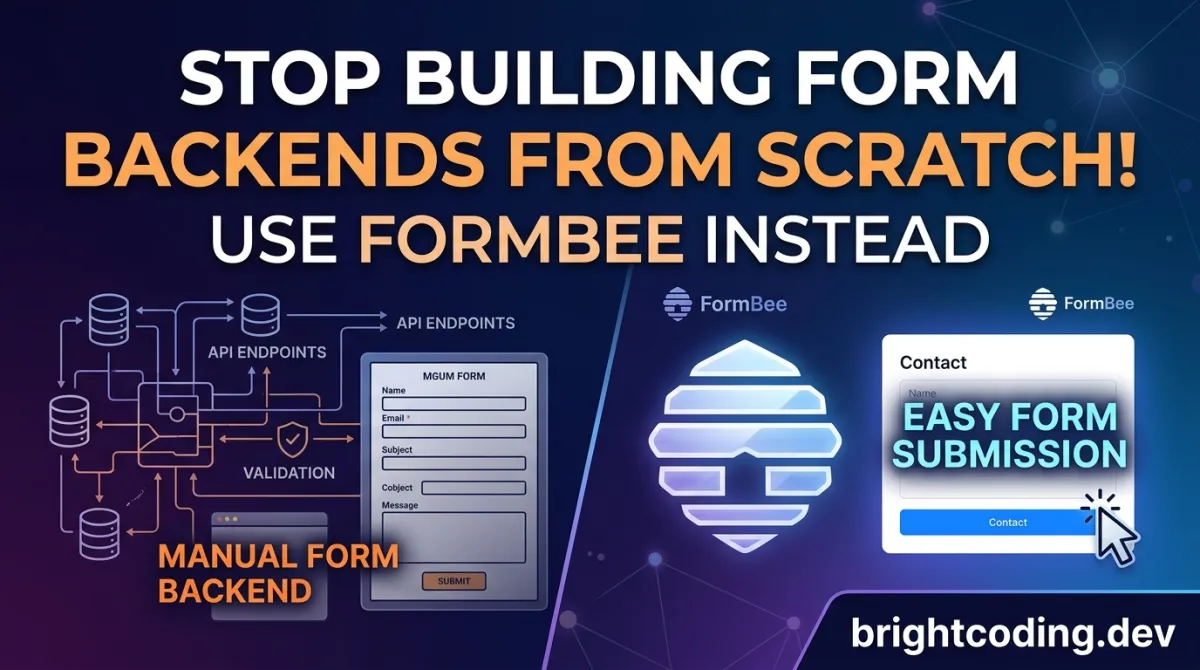
Stop Building Form Backends From Scratch! Use FormBee Instead
What if every form submission on your website became a data privacy nightmare waiting to happen?
You've been there. A client needs a contact form. Simple enough, right? Until you're wrestling with SMTP configurations at 2 AM, debugging CORS errors that make no sense, and realizing your "quick solution" is now storing user data in ways that would make GDPR auditors weep. The brutal truth? Building form backends from scratch is where developer productivity goes to die.
Here's what nobody tells you: every hour spent on form infrastructure is an hour stolen from features that actually matter. Worse, most developers cobble together solutions that leak data, break under load, or become maintenance zombies that haunt your codebase for years.
But what if you could deploy a production-ready form backend in minutes—one that handles email, Telegram, Discord, webhooks, and more without writing a single line of server code? What if it was open-source, self-hostable, and built by developers who actually lose sleep over data privacy?
Enter FormBee—the form backend that makes "it just works" feel like an understatement. Born from the frustration of repetitive form plumbing, this tool is quietly becoming the secret weapon of privacy-conscious developers who refuse to compromise. Ready to see why your next form project will never be the same?
What Is FormBee?
FormBee is an open-source form backend platform that eliminates the need to write server-side code for form submissions. Created and maintained by Jacob Dement, FormBee bridges the gap between static frontends and functional form processing—handling everything from spam protection to multi-channel notifications.
The project lives at github.com/FormBee/FormBee and represents a growing movement among developers who want data sovereignty without the infrastructure headache. Unlike proprietary alternatives that lock your form data in opaque cloud services, FormBee gives you complete control: host it yourself, audit every line of code, or use their managed service if self-hosting isn't your priority.
Why it's trending now:
The timing couldn't be better. With GDPR enforcement tightening, CCPA expanding, and users increasingly aware of data exploitation, developers face mounting pressure to handle form data responsibly. Yet most solutions force an impossible choice—sacrifice privacy for convenience, or burn weeks building compliant infrastructure. FormBee destroys this false dichotomy.
The project's modular Docker↗ Bright Coding Blog architecture is particularly resonating with DevOps↗ Bright Coding Blog teams tired of monolithic deployments. Need email-only functionality? There's a container for that. Want the full plugin suite? Deploy the complete stack. This "compose your backend" approach mirrors modern microservices philosophy while remaining accessible to solo developers.
FormBee's Proof-of-Work CAPTCHA system also deserves attention. Instead of subjecting users to distorted image puzzles (which are increasingly AI-solvable anyway), FormBee uses computational proof-of-work challenges—spam bots hate them, humans barely notice them. It's the kind of elegant security thinking that signals a project built by people who've actually battled production spam at scale.
Key Features That Set FormBee Apart
FormBee isn't another form builder with delusions of grandeur. It's a purpose-built backend that solves specific, painful problems with surgical precision. Here's what makes developers switch:
🌍 True Open Source Freedom
MIT-licensed and fully transparent. No "open core" bait-and-switch. No feature gates. You get the complete codebase, modify it for your needs, and deploy without licensing anxiety. This matters when you're building client projects or products where vendor lock-in is unacceptable.
🔌 Plugin Architecture for Multi-Channel Delivery
Form submissions rarely live in isolation. FormBee's plugin system routes data to:
- Email — Direct SMTP delivery with automatic return emails
- Telegram — Instant bot notifications for real-time monitoring
- Discord — Team channel alerts for collaborative workflows
- Make.com (Integromat) — Visual automation integration
- n8n — Self-hosted workflow automation
- Webhooks — Universal HTTP callbacks for custom integrations
Each plugin operates independently, so a Telegram failure won't block your email delivery. This fault-tolerant design is what separates production tools from weekend projects.
🔒 Proof-of-Work CAPTCHA
Traditional CAPTCHAs are broken. Image recognition AI solves them effortlessly, while legitimate users struggle with accessibility nightmares. FormBee's PoW approach flips the script: spam bots face computationally expensive challenges that crater their throughput, while real users experience near-instant validation. It's spam protection that actually protects without humiliating your visitors.
🔑 Domain Whitelisting
Form endpoint abuse is real. Attackers scrape your form URL and flood it with garbage submissions, or worse, use it for phishing campaigns. FormBee's domain whitelist ensures your backend only accepts submissions from authorized origins. Simple. Effective. Often overlooked by competing solutions.
↩️ Automatic Return Emails
Acknowledgment emails shouldn't require Zapier gymnastics. FormBee bakes this in—configure your templates, and every submitter receives confirmation automatically. This single feature eliminates an entire class of "did my message go through?" support tickets.
🐳 Modular Self-Hosting with Docker
The docker-images directory contains purpose-built containers for different deployment scenarios. Don't need Telegram? Don't deploy it. This composability reduces attack surface, resource consumption, and cognitive load. The official Railway templates make cloud deployment genuinely one-click.
Real-World Use Cases Where FormBee Dominates
1. The Privacy-Focused SaaS Startup
You're building a healthcare scheduling tool. HIPAA compliance isn't optional, and every third-party service is a potential audit liability. FormBee's self-hosted option keeps patient intake forms entirely within your infrastructure. No data passes through external form services. No compliance spreadsheets tracking subprocessors. Just clean, auditable code you control.
2. The Jamstack Agency
Your agency pumps out Gatsby and Next.js↗ Bright Coding Blog sites weekly. Each needs contact forms, quote requests, newsletter signups. Previously, you either:
- Used expensive form services that charge per submission
- Built custom Netlify Functions for each client
- Prayed client hosting supported PHP↗ Bright Coding Blog mail()
FormBee replaces all three with a single, brandable backend you deploy once and reuse across projects. Whitelist each client's domain, configure their preferred notification channels, and move on to actual creative work.
3. The Indie Hacker's Side Project
You're bootstrapping a tool on nights and weekends. The last thing you need is another $29/month SaaS subscription for basic form handling. FormBee's open-source model means your form backend costs whatever your VPS costs—often $5/month total. When you finally get paying customers, you're not trapped in pricing tiers that punish success.
4. The Enterprise Internal Tools Team
Large organizations drown in internal forms: IT requests, HR complaints, facilities tickets. These contain sensitive employee data that shouldn't reach external SaaS providers. FormBee deploys behind the corporate firewall, integrates with existing SMTP relays and Slack/Teams webhooks, and satisfies security teams who reject anything without source code access.
5. The Automation-Obsessed Developer
Your home lab runs n8n, Home Assistant, and a dozen other services. FormBee's webhook plugin becomes the bridge between your public-facing forms and private automation workflows. A contact form submission triggers a complex n8n flow: create CRM entry, send personalized Slack notification, schedule follow-up task, generate PDF receipt. All without writing a single API integration yourself.
Step-by-Step Installation & Setup Guide
Ready to escape form backend hell? Here's your complete deployment path, from first clone to first submission.
Prerequisites
- Node.js 18+ and npm
- PostgreSQL↗ Bright Coding Blog database (local or cloud)
- Git
- Docker (optional, for containerized deployment)
Clone the Repository
# Grab the complete monorepo
git clone https://github.com/FormBee/FormBee.git
cd FormBee
Client-Side Setup (Angular Dashboard)
# Navigate to the Angular application
cd client/FormBee

# Install dependencies
npm install

# Point the frontend to your local backend
# Edit src/app/global-vars.ts and set:
# fetchUrl = 'http://localhost:3000'

# Launch the development server
ng serve
Verify: Visit http://localhost:4200 — you should see the FormBee dashboard.
Server-Side Setup (Node.js/Express API)
# Navigate to the backend
cd server/formbee

# Install dependencies
npm install

# Create environment configuration from template
cp .env.example .env
Configure your .env file:
# Database connection for development
DEV_DB_HOST=localhost
DEV_DB_PORT=5432
DEV_DB_USERNAME=formbee_user
DEV_DB_PASSWORD=your_secure_password
DEV_DB_DATABASE=formbee_dev

# Email service configuration
EMAIL_HOST=smtp.yourprovider.com
EMAIL_PORT=587
EMAIL_USER=notifications@yourdomain.com
EMAIL_PASS=your_app_password
EMAIL_FROM="FormBee Notifications <noreply@yourdomain.com>"
Critical: Switch to development database configuration
// In src/data-source.ts, ensure development config is active:

// UNCOMMENT this block for development:
export const AppDataSource = new DataSource({
  type: "postgres",
  host: process.env.DEV_DB_HOST,
  port: parseInt(process.env.DEV_DB_PORT || "5432"),
  username: process.env.DEV_DB_USERNAME,
  password: process.env.DEV_DB_PASSWORD,
  database: process.env.DEV_DB_DATABASE,
  synchronize: true, // Auto-create schema (dev only!)
  logging: true,
  entities: [/* your entities */],
});

// COMMENT OUT the production AppDataSource below it
Fix CORS for local development:
// In src/index.ts, set:
const redirectUrl = 'http://localhost:4200';
// This allows your Angular frontend to communicate with the API
Launch the server:
npm run dev
Verify: The API should respond at http://localhost:3000.
Docker Deployment (Production-Ready)
For production, explore the docker-images directory. Each variant targets specific use cases:
# Example: Deploy email-only backend
cd docker-images/email-only
docker build -t formbee-email .
docker run -p 3000:3000 --env-file .env formbee-email
The official self-hosting documentation provides comprehensive guides for Railway, DigitalOcean, AWS, and other platforms.
REAL Code Examples From the Repository
Let's dissect actual implementation patterns from FormBee's codebase. These aren't toy examples—they're production patterns you can adapt immediately.
Example 1: The Complete Local Development Bootstrap
This sequence from the README represents the fastest path to a running FormBee instance:
# Clone once, use everywhere
git clone https://github.com/FormBee/FormBee.git

# Frontend initialization
cd FormBee\client\FormBee
npm install
# Edit: src/app/global-vars.ts → fetchUrl = 'http://localhost:3000'
ng serve  # Dashboard live at localhost:4200

# Backend initialization (new terminal)
cd FormBee/server/formbee
npm install
cp .env.example .env
# Configure DEV_DB_* and EMAIL_* variables in .env
# Edit: src/data-source.ts → uncomment dev config, comment prod
# Edit: src/index.ts → redirectUrl = 'http://localhost:4200'
npm run dev  # API live at localhost:3000
What's happening here? The monorepo structure separates concerns cleanly. The Angular client (client/FormBee) provides the administrative dashboard for managing forms, plugins, and viewing submissions. The Express server (server/formbee) handles the actual form ingestion, validation, and routing. The global-vars.ts and redirectUrl configurations establish the client-server trust boundary—without these matching, CORS errors will block all API communication.
Example 2: Environment Configuration Pattern
FormBee's .env.example reveals the configuration philosophy:
# Database tiers for different environments
DEV_DB_HOST=localhost
DEV_DB_PORT=5432
DEV_DB_USERNAME=formbee_dev
DEV_DB_PASSWORD=dev_password_change_in_prod
DEV_DB_DATABASE=formbee_development

# Production database (separate credentials, never commit)
PROD_DB_HOST=prod.postgres.provider.com
PROD_DB_PORT=5432
PROD_DB_USERNAME=formbee_prod
PROD_DB_PASSWORD=use_strong_random_password
PROD_DB_DATABASE=formbee_production

# Email delivery service
EMAIL_HOST=smtp.sendgrid.net
EMAIL_PORT=587
EMAIL_USER=apikey
EMAIL_PASS=SG.your_sendgrid_api_key
EMAIL_FROM="Forms <forms@yourdomain.com>"
The critical insight: FormBee uses environment-specific database configurations with explicit DEV_ and PROD_ prefixes. The data-source.ts file selects the appropriate configuration based on your deployment context. This prevents the classic "oops, I wiped production" disasters that occur when development and production credentials aren't clearly separated.
Example 3: Database Source Selection Logic
The TypeORM configuration demonstrates environment-aware initialization:
// src/data-source.ts — Development configuration
export const AppDataSource = new DataSource({
  type: "postgres",
  host: process.env.DEV_DB_HOST,
  port: parseInt(process.env.DEV_DB_PORT || "5432"),
  username: process.env.DEV_DB_USERNAME,
  password: process.env.DEV_DB_PASSWORD,
  database: process.env.DEV_DB_DATABASE,
  synchronize: true,  // ⚠️ Auto-migrates schema — NEVER in production!
  logging: true,      // Verbose query logging for debugging
  entities: [
    FormSubmission,
    PluginConfig,
    DomainWhitelist,
    // ... other entities
  ],
  subscribers: [],
  migrations: [],
});

// Production configuration (commented during development)
/*
export const AppDataSource = new DataSource({
  type: "postgres",
  host: process.env.PROD_DB_HOST,
  // ... stricter settings, migration-based schema changes
  synchronize: false,  // Require explicit migrations
  logging: false,      // Performance: disable in production
  ssl: { rejectUnauthorized: false },  // Managed DB SSL
});
*/
Why this matters: The synchronize: true flag is a development convenience that auto-creates database tables from entity definitions. It's dangerous in production—accidental entity changes could destroy data. FormBee's explicit toggle between dev (convenience) and prod (safety) configurations reflects mature database engineering. The commented production block serves as both documentation and guardrail.
Example 4: CORS Configuration for Local Development
The redirectUrl variable in src/index.ts controls Cross-Origin Resource Sharing:
// src/index.ts — CORS origin configuration
const redirectUrl = 'http://localhost:4200';

// Applied to Express CORS middleware
app.use(cors({
  origin: redirectUrl,
  credentials: true,  // Allow cookies/auth headers
  methods: ['GET', 'POST', 'PUT', 'DELETE', 'OPTIONS'],
  allowedHeaders: ['Content-Type', 'Authorization', 'X-Requested-With']
}));
Security implication: This strict origin validation prevents malicious websites from submitting to your FormBee instance. In production, this becomes your deployed domain. The credentials: true setting enables session-based authentication between dashboard and API—critical for the admin interface but carefully scoped to prevent CSRF vulnerabilities.
Advanced Usage & Best Practices
Plugin Chaining Strategy
Don't treat plugins as either/or. FormBee's architecture supports cascading notifications: a single submission triggers email to your team, Telegram alert for urgent response, and webhook to your CRM simultaneously. Configure priority ordering so critical channels fire first—if email fails, you still have Telegram as backup.
Domain Whitelist as Security Layer
Beyond spam prevention, use whitelisting as a deployment staging tool. Maintain separate FormBee instances for development, staging, and production, each accepting only their respective domain. This prevents accidental cross-environment submissions that corrupt analytics or trigger production workflows from test data.
Docker Image Optimization
The modular Docker images aren't just about resource savings—they're compliance tools. If your organization forbids certain communication channels (e.g., no external Telegram for government contracts), deploy only the email-only image. Your security review becomes trivial when unnecessary attack surfaces simply don't exist.
Database Migration Discipline
When moving to production, abandon synchronize: true. Create proper TypeORM migrations:
npx typeorm migration:create src/migrations/InitialSchema
# Edit generated file with explicit CREATE TABLE statements
npx typeorm migration:run -d src/data-source.ts
This transforms your database from fragile auto-magic to version-controlled, reviewable infrastructure.
FormBee vs. Alternatives: The Honest Breakdown
| Feature | FormBee | Formspree | Getform | Basin | Self-Built |
|---|---|---|---|---|---|
| Open Source | ✅ Full MIT | ❌ Proprietary | ❌ Proprietary | ❌ Proprietary | ✅ Your code |
| Self-Hosted Option | ✅ Native | ❌ No | ❌ No | ❌ No | ✅ Required |
| Data Privacy Control | ✅ Complete | ⚠️ Their TOS | ⚠️ Their TOS | ⚠️ Their TOS | ✅ Complete |
| Plugin Ecosystem | ✅ 6+ channels | ⚠️ Limited | ⚠️ Limited | ⚠️ Limited | ❌ Build yourself |
| Spam Protection | ✅ PoW CAPTCHA | ⚠️ reCAPTCHA | ⚠️ Basic | ⚠️ Basic | ❌ Your problem |
| Domain Whitelisting | ✅ Built-in | ⚠️ Paid tiers | ❌ No | ❌ No | ❌ Build yourself |
| Setup Complexity | ⚠️ Moderate | ✅ Simple | ✅ Simple | ✅ Simple | ❌ High |
| Ongoing Cost | ✅ Server only | ⚠️ $8-99/mo | ⚠️ $5-49/mo | ⚠️ $4-24/mo | ⚠️ Your time |
| Customization Depth | ✅ Unlimited | ❌ Limited | ❌ Limited | ❌ Limited | ✅ Unlimited |
The verdict: Choose FormBee when data sovereignty, customization, and cost predictability outweigh the convenience of managed services. Choose alternatives when you need instant deployment and have minimal compliance requirements.
Frequently Asked Questions
Is FormBee really free for commercial use?
Yes. The MIT license permits unrestricted commercial use, modification, and distribution. No attribution required (though appreciated). Your only costs are infrastructure.
Can I use FormBee without self-hosting?
Yes. The hosted option at formbee.dev provides immediate deployment without server management. Self-hosting is optional for those needing complete control.
How does Proof-of-Work CAPTCHA compare to reCAPTCHA v3?
PoW challenges computational resources rather than image recognition. Bots face exponentially harder work, while legitimate users experience sub-second validation. Unlike reCAPTCHA, there's no Google tracking or accessibility barriers. However, very old devices may experience slightly longer validation times.
What happens if my PostgreSQL database goes down?
Submissions queue temporarily (implementation-dependent on your setup). For production, implement database connection pooling and consider read replicas for the dashboard. The TypeORM layer handles reconnection automatically with appropriate configuration.
Can I contribute plugins for additional services?
Absolutely. The plugin architecture is designed for extension. Fork the repository, implement the plugin interface, and submit a pull request. Popular requests include Slack, Microsoft Teams, and Zapier native integration.
Is Angular required for the frontend?
For the admin dashboard, yes. However, your actual form submissions come from any HTML form—no framework required. The Angular application is purely for configuration and submission review.
How do I migrate from Formspree or Getform?
Update your form's action attribute to your FormBee endpoint. The submission format (application/x-www-form-urlencoded or multipart/form-data) is compatible. Map your existing notification emails to FormBee's plugin configuration.
Conclusion: Your Forms Deserve Better
Form backends are the invisible plumbing of the web—until they break, leak, or become compliance liabilities. FormBee transforms this overlooked infrastructure from afterthought to advantage. With its open-source transparency, modular deployment, and genuine privacy-first engineering, it represents what developer tools should be: powerful without being predatory, flexible without being fragile.
The choice is stark. Continue duct-taping form solutions that erode user trust and consume development hours. Or deploy FormBee in the time it takes to read this article, and redirect that energy toward features that differentiate your product.
The repository is waiting. Star it, fork it, deploy it, improve it. Your future self—and your users' data—will thank you.
👉 Get FormBee on GitHub — because every form submission deserves a backend you can trust.
Give it a go and receive your form submissions easier than you ever have before.
Outils recommandés
Explore on the BrightCoding network
Hand-picked resources from our other sites.
withoneai/cli: One CLI to Connect AI Agents to 400+ APIs
withoneai/cli is a TypeScript CLI that connects AI agents to 400+ platforms through a unified proxy. Install with npx, authenticate once per platform, and execu...
agmmnn/awesome-blender: Curated Resources for 3D Artists & Developers
agmmnn/awesome-blender is a CC0-licensed, community-curated directory of 700+ Blender add-ons, tools, tutorials, and 3D resources. With 7,101 GitHub stars and a...
Stop Using Screen Recorders! Terminalizer Makes CLI GIFs Effortless
Terminalizer is the open-source tool that records terminal sessions and generates stunning animated GIFs with customizable themes, window frames, and web player...
Continuez votre lecture
The Ultimate Guide to Self-Hosted Workflow Automation Executors: Take Control of Your Automation Empire

AI Research Assistant: How Real-Time Web Scraping is Revolutionizing Knowledge Work in 2025

🎮 The Ultimate Guide to Open Source JavaScript Games: 100+ Free Games & Dev Tools You Can Use Today

Stop Coding Alone: OPC-Skills Gives Your AI Agent Superpowers
Commentaires 0
Aucun commentaire pour l'instant. Soyez le premier à réagir !