Stop Clicking in n8n UI! Code Your Workflows with n8n-as-code
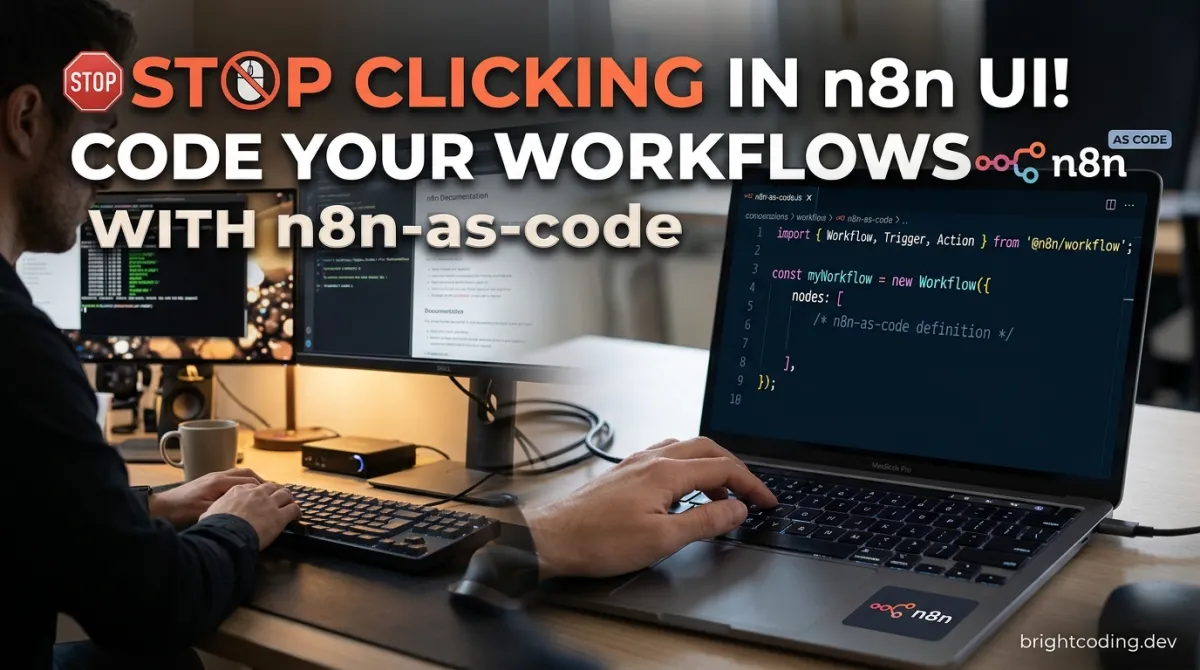
Stop Clicking in n8n UI! Code Your Workflows with n8n-as-code
What if every n8n workflow you built could live in Git, be reviewed in pull requests, and be edited by your AI agent while you sleep?
Here's the brutal truth that automation veterans know but rarely admit: the n8n visual editor is a trap. It seduces you with drag-and-drop simplicity, then locks your business logic inside a black box of JSON blobs that no human can meaningfully diff. Your team can't review changes. Your CI/CD pipeline can't validate them. And when that critical 3 AM alert fires? You're squinting at a canvas of 47 interconnected nodes trying to find which "Set" node corrupted your data.
The pain is real. Version control for n8n workflows has been a hack at best—manual JSON exports, cryptic diffs, merge conflicts that make grown developers weep. Meanwhile, AI coding agents are revolutionizing how we build software, yet n8n workflows remain stubbornly outside their reach. No context. No schemas. No safe way for Claude or Cursor to touch your automations without breaking production.
Enter n8n-as-code—the open-source project that's about to flip your entire n8n workflow on its head. Built by Etienne Lescot as an independent community project, this isn't some half-baked exporter. It's a complete agentic toolkit that transforms your repository into a full n8n development workspace with 537 nodes featuring complete schemas, 7,700+ community templates, Git-like explicit sync, and—here's the kicker—TypeScript workflow authoring that makes your automations readable, reviewable, and AI-agent accessible.
The secret? n8n-as-code doesn't replace n8n. It liberates it from the browser tab and brings it into your editor where modern development actually happens. VS Code. Cursor. The terminal. Claude Code. Your workflows become first-class code citizens. And your AI agent? It finally gets the grounded context it needs to build, edit, and debug n8n workflows safely.
Ready to never export a JSON file again? Let's dive in.
What is n8n-as-code?
n8n-as-code is an open-source agentic toolkit that bridges the gap between n8n's powerful workflow automation engine and modern developer workflows. Created by Etienne Lescot as an independent community project (with zero affiliation to n8n GmbH), it addresses a fundamental architectural tension: n8n's visual editor excels at accessibility, but falters at scale, collaboration, and AI-agent integration.
At its core, n8n-as-code transforms any repository into a complete n8n development workspace. This isn't merely about exporting workflows to files—it's about creating a bidirectional, GitOps-style synchronization layer where workflows live as version-controlled source code, environments are explicitly configured, and AI agents operate with full schema awareness and validation guardrails.
The project is structured as a modular ecosystem:
- VS Code/Cursor Extension: Provides native editor integration with sidebar workflow browsing, visual canvas rendering, and an integrated Agent Workbench
n8nacCLI: The command-line interface for environment management, sync operations, validation, and AI context generation- Agent Skills: Portable, embeddable n8n knowledge packages that give AI agents grounded understanding of nodes, schemas, and safe operations
- TypeScript Transformer: Converts between n8n's native JSON format and human-readable TypeScript workflow definitions
Why it's trending now: The convergence of three forces makes n8n-as-code explosively relevant. First, AI coding agents (Claude Code, Cursor, GitHub Copilot) are becoming standard developer tools, yet they lack structured context for specialized platforms. Second, GitOps practices have matured—developers now expect everything-as-code, with explicit sync and reviewable diffs. Third, n8n itself has crossed into enterprise adoption, where the visual editor's limitations around governance, testing, and team collaboration become blockers.
With 537 nodes featuring complete schemas and access to 7,700+ community workflow templates, n8n-as-code doesn't just solve the "code vs. GUI" problem—it gives AI agents the equivalent of "n8n superpowers," enabling them to reason about, construct, and modify workflows with the same confidence they bring to general-purpose programming.
Key Features That Change Everything
Editor-Native Workflow Development
Stop context-switching between your IDE and a browser tab. The VS Code/Cursor extension embeds n8n directly into your editor with a dedicated sidebar for browsing workflows, opening them in a visual canvas, and editing with full validation. The integrated Agent Workbench lets you prompt AI agents with natural language while maintaining workspace context. This isn't a webview wrapper—it's native editor integration that treats n8n workflows as first-class files.
Agent-Ready Context Generation
Here's where n8n-as-code diverges from every other n8n tool: it generates grounded instructions, schemas, examples, and node knowledge specifically structured for AI consumption. When Claude or Cursor asks "how do I build a Slack notification workflow?", the skill layer provides not just documentation, but validated schemas, parameter types, connection rules, and safe operation boundaries. Your agent doesn't guess. It knows.
Explicit GitOps Sync
No more mystery pushes. The sync model is explicit and reviewable:
n8nac pull <workflow-id>— fetch from n8n instance to repositoryn8nac push <file> --verify— push to n8n with validationn8nac resolve <id> --mode keep-current— handle conflicts deliberately
Workflow source lives in Git. Diffs are meaningful. Rollbacks are git revert. This is how infrastructure should be managed.
TypeScript Workflow Authoring
The @n8n-as-code/transformer package converts opaque JSON workflows into readable, typed TypeScript classes with decorators:
@workflow({ id: 'abc123', name: 'Slack Notifier', active: true })
export class SlackNotifierWorkflow {
  @node()
  Trigger = { /* ... */ };

  @node()
  Slack = { /* ... */ };

  @links([{ from: 'Trigger', to: 'Slack' }])
  connections = {};
}
Humans read and edit this. Agents generate it. The transformer compiles back to n8n-native JSON. Everyone wins.
Live n8n Operations
Connect to configured environments and perform real operations: verify workflow validity, inspect credentials (safely), run tests, activate/deactivate workflows, and inspect execution history. The n8n-manager subsystem handles local Docker↗ Bright Coding Blog instances, tunnels for remote access, and lifecycle management—keeping machine-local secrets separate from repository configuration.
Real-World Use Cases Where n8n-as-code Shines
1. AI-Agent-Driven Workflow Development
The scenario: Your product team needs a new customer onboarding automation—create CRM record, send welcome email, provision trial, notify Slack. Previously: you spend 2 hours in the n8n UI, or worse, explain the requirement to a developer who doesn't know n8n.
With n8n-as-code: You prompt Claude Code: "Build a customer onboarding workflow using HubSpot, SendGrid, and Slack nodes. Validate it against our Dev environment and push when tests pass." The n8n-architect skill handles workspace setup, schema validation, safe node selection, and explicit sync. The workflow emerges as a reviewed, tested TypeScript file in your repository. Development time: 15 minutes. Confidence: significantly higher.
2. Multi-Environment GitOps Pipelines
The scenario: You run n8n in development, staging, and production. Currently, promoting workflows means manual export/import, praying nothing breaks, and zero rollback capability.
With n8n-as-code: Each environment is explicitly configured via n8nac env add. Workflows live in Git with environment-specific folders. Your CI pipeline runs n8nac skills validate on pull requests, n8nac push --verify to staging on merge, and production promotion requires explicit approval with full diff review. Deployments become boring. This is the goal.
3. Team Collaboration with Code Review
The scenario: Three team members modify the same critical billing workflow. In the UI, last-save-wins silently destroys someone's changes. In JSON exports, diffs are unreadable and merge conflicts are unresolvable.
With n8n-as-code: TypeScript workflow files produce meaningful diffs. Code review in GitHub/GitLab becomes possible. The @links decorator makes connection changes explicit. Merge conflicts? Resolve them with standard tools, with validation catching structural errors before they reach n8n.
4. Disaster Recovery and Audit Compliance
The scenario: Your n8n instance crashes. Or worse, an auditor asks for change history on financial automation workflows.
With n8n-as-code: Every workflow change is a Git commit with author, timestamp, and diff. git log -- workflows/production/ tells the complete story. Recovery is git checkout plus n8nac push. Compliance becomes documentation generation, not forensic archaeology.
Step-by-Step Installation & Setup Guide
Prerequisites
- Node.js 18+ and npm
- VS Code or Cursor (for editor integration)
- An n8n instance (cloud, self-hosted, or local via
n8n-manager) - n8n API key for your instance
VS Code / Cursor Extension (Recommended)
The fastest path to productivity:
# Install via VS Code Marketplace or Open VSX
# Search: "n8n-as-code" by Etienne Lescot
# Or install from command line:
code --install-extension etienne-lescot.n8n-as-code
Configuration steps:
- Open a folder or
.code-workspacein VS Code/Cursor - Click the n8n-as-code extension icon in the sidebar
- Click the gear icon to open workspace configuration
- Create or select an n8n environment:
- For existing n8n: provide base URL and API key
- For new local instance: use
n8n-managerintegration
- Set your sync folder (e.g.,
workflows/dev) - Pull existing workflows or create new ones via the Agent Workbench
The configuration UI mirrors the CLI model: workspace environments are repository context, local managed instances are machine resources.
CLI-First Setup
For terminal enthusiasts and CI/CD integration:
# Install and run n8nac via npx (no global install needed)
npx --yes n8nac env add Dev \
  --base-url https://n8n.example.com \
  --sync-folder workflows/dev

# Authenticate securely via stdin (avoids shell history)
printf '%s' "$N8N_API_KEY" | npx --yes n8nac env auth set Dev --api-key-stdin

# Activate this environment
npx --yes n8nac env use Dev

# Generate AI context for your workspace
npx --yes n8nac update-ai
Local managed instance alternative:
# List available local instances
n8n-manager instance list

# Create and configure new environment from local instance
npx --yes n8nac env add Local \
  --managed-instance <id> \
  --sync-folder workflows/local

npx --yes n8nac env use Local
Your First Sync
# List workflows on the connected n8n instance
npx --yes n8nac list

# Pull a specific workflow to your repository
npx --yes n8nac pull <workflow-id>

# Edit the pulled .workflow.ts file, then push with validation
npx --yes n8nac push workflows/dev/my-workflow.workflow.ts --verify
Critical: Sync is always explicit. Nothing happens unless you command it. This is the GitOps contract.
Environment Variables for CI/CD
# In your CI environment, set:
export N8N_API_KEY="n8n_api_..."
export N8N_BASE_URL="https://n8n.production.company.com"

# Then run validation and deployment
npx n8nac env use Production
npx n8nac skills validate workflows/production/
npx n8nac push workflows/production/critical.workflow.ts --verify
REAL Code Examples from the Repository
The n8n-as-code repository contains production-ready code patterns that demonstrate its power. Here are the essential examples, extracted directly from the documentation and explained in depth.
Example 1: TypeScript Workflow Definition
This is the flagship feature—workflows as decorated TypeScript classes. The following example creates a webhook-triggered Slack notification, directly from the repository README:
import { workflow, node, links } from '@n8n-as-code/transformer';

// The @workflow decorator defines workflow-level metadata
// id: stable identifier for sync operations
// name: human-readable display name in n8n UI
// active: whether the workflow starts enabled
@workflow({ id: 'abc123', name: 'Slack Notifier', active: true })
export class SlackNotifierWorkflow {
  // @node() marks a property as a workflow node
  // Each property becomes a node in the n8n canvas
  @node()
  Trigger = {
    // type: the n8n node type identifier (from 537 available schemas)
    type: 'n8n-nodes-base.webhook',
    // parameters: node-specific configuration with full type safety
    parameters: {
      path: '/notify',      // webhook URL path
      method: 'POST',       // HTTP method to accept
    },
    // position: [x, y] coordinates for canvas layout
    position: [250, 300],
  };

  @node()
  Slack = {
    type: 'n8n-nodes-base.slack',
    parameters: {
      resource: 'message',           // Slack API resource
      operation: 'post',             // CRUD operation
      channel: '#alerts',            // target channel
      // Expression syntax: '={{ $json.message }}' references previous node output
      text: '={{ $json.message }}',  // dynamic content from webhook payload
    },
    position: [450, 300],
  };

  // @links() defines connections between nodes
  // Creates the execution flow: Trigger → Slack
  @links([{ from: 'Trigger', to: 'Slack' }])
  connections = {};  // populated by decorator, empty object as placeholder
}
Why this matters: The TypeScript format is diffable, type-checkable, and AI-friendly. Compare this to n8n's native JSON, where a simple workflow spans 200+ lines of nested objects with cryptic IDs. Here, the structure is self-documenting. Your IDE provides autocomplete for node types and parameters. Code review becomes trivial. And AI agents can generate this pattern reliably because it's standard TypeScript with clear conventions.
Example 2: Environment Configuration and Authentication
The CLI provides explicit, secure environment management. These commands from the README establish the foundation for all operations:
# Add a production environment with explicit sync folder
# --base-url: your n8n instance URL
# --sync-folder: local directory for workflow files
n8nac env add Dev --base-url https://n8n.example.com --sync-folder workflows/dev

# Authenticate using stdin to prevent API key exposure in shell history
# $N8N_API_KEY should be set as an environment variable
printf '%s' "$N8N_API_KEY" | n8nac env auth set Dev --api-key-stdin

# Select the active environment for subsequent commands
n8nac env use Dev

# Verify configuration
n8nac env list
Security insight: The --api-key-stdin pattern is deliberate. API keys never appear in ps output, shell history, or process listings. This aligns with the project's principle that secrets stay local—machine-local runtime state never contaminates the repository.
Example 3: AI Skills Query and Validation
The skills layer is what truly differentiates n8n-as-code for AI-agent workflows. These commands demonstrate how agents (or developers) query structured n8n knowledge:
# Search across 7,700+ templates and node documentation
# Returns structured results with node types, parameters, and examples
npx --yes n8nac skills search "send slack message when google sheet is updated"

# Get detailed schema information for a specific node
# Includes all parameters, valid values, defaults, and descriptions
npx --yes n8nac skills node-info slack

# Validate a TypeScript workflow file against live schemas
# Catches errors before push: missing required params, invalid values, broken connections
npx --yes n8nac skills validate workflows/dev/my-workflow.workflow.ts
Agent integration: When Claude Code uses the n8n-architect skill, these commands execute transparently. The agent doesn't hallucinate node parameters—it queries authoritative schemas. It doesn't guess connection validity—it validates structurally. This grounded knowledge is what makes n8n-as-code safe for autonomous agent operation.
Example 4: Bidirectional Sync Operations
The GitOps sync model is demonstrated through these explicit commands:
# Switch to the Dev environment context
n8nac env use Dev

# List workflows available on the remote n8n instance
n8nac list

# Pull a specific workflow by ID into your sync folder
# Creates or updates the .workflow.ts file
n8nac pull <workflow-id>

# After editing, push back with verification
# --verify: runs validation before push, prevents broken workflows in production
n8nac push workflows/dev/my-workflow.workflow.ts --verify

# Conflict resolution: when local and remote diverge
# --mode keep-current: preserve local version, discard remote changes
n8nac resolve <workflow-id> --mode keep-current
Operational discipline: Notice the explicit verbs—pull, push, resolve. There's no automatic sync, no background daemon. Every state change is intentional and auditable. This mirrors Git's design philosophy: explicit operations enable safe collaboration.
Example 5: Batch TypeScript Conversion
For existing n8n users with workflow libraries, the transformer enables bulk migration:
# Convert a single JSON workflow to TypeScript
n8nac convert workflow.json --format typescript

# Batch convert entire directory structures
# Preserves organization, generates consistent naming
n8nac convert-batch workflows/ --format typescript
Migration strategy: Run convert-batch on your existing exports, commit the TypeScript files, then gradually replace manual UI edits with code-driven workflows. The --format flag anticipates future output formats, future-proofing your automation investment.
Advanced Usage & Best Practices
Workspace Migration Strategy
Upgrading from V1? The migration path is deliberate and safe:
# Dry-run: see all operations without applying
n8nac workspace migrate --json

# Review the JSON output, then apply
n8nac workspace migrate --write
Always run --json first. The unified operations list shows exactly what changes across legacy workspace and global instance configurations.
Local Development with n8n-manager
For isolated development without cloud dependencies:
# Create, start, and tunnel a local n8n instance
n8n-manager instance create
n8n-manager instance start <id>
n8n-manager tunnel start <id>  # expose via public URL for webhook testing
Critical separation: n8n-manager handles machine-local operations only. Never use it as workspace source of truth—that's n8nac env's role.
AI Agent Optimization
For maximum agent effectiveness:
- Run
n8nac update-aiafter adding new environments or updating n8n versions—this regenerates the grounded context - Use explicit sync folders per environment (
workflows/dev,workflows/staging,workflows/production) to prevent accidental cross-environment pushes - Validate before every push—the
--verifyflag is your safety net - Commit
.workflow.tsfiles, never.json—TypeScript is your source of truth; JSON is build output
CI/CD Integration Pattern
# .github/workflows/n8n-deploy.yml
- name: Validate Workflows
  run: |
    npx n8nac env use Staging
    npx n8nac skills validate workflows/staging/

- name: Deploy to Staging
  if: github.ref == 'refs/heads/main'
  run: |
    npx n8nac push workflows/staging/ --verify
Comparison with Alternatives
| Capability | n8n Native Export/Import | Third-Party Backup Tools | n8n-as-code |
|---|---|---|---|
| Version Control | Manual JSON blobs, unreadable diffs | Scheduled backups, no diff | Native Git, meaningful TypeScript diffs |
| Code Review | Impossible | N/A | Full PR review with line comments |
| AI Agent Integration | None | None | Structured skills, schema grounding, safe operations |
| Type Safety | None | None | TypeScript decorators, compile-time validation |
| Multi-Environment | Manual, error-prone | Single-target | Explicit n8nac env with per-environment sync |
| Editor Integration | Browser-only | N/A | VS Code/Cursor native, sidebar, canvas, Agent Workbench |
| Rollback | Manual restore from backup | Point-in-time restore | git revert, instant, auditable |
| CI/CD Integration | Custom scripts | N/A | First-class CLI, validation, verify-before-push |
| Community Templates | Browse in UI | N/A | 7,700+ searchable via n8nac skills search |
| Node Schema Coverage | UI exploration | N/A | 537 nodes with complete programmatic schemas |
The verdict: n8n-as-code isn't competing with n8n—it's completing it. For solo hobbyists, the visual editor remains fine. For teams, regulated industries, AI-agent workflows, or any scenario where confidence, auditability, and scale matter? There's no meaningful alternative.
FAQ
Is n8n-as-code officially supported by n8n?
No—and that's explicitly stated. n8n-as-code is an independent community project under MIT license. It's not affiliated with, endorsed by, or sponsored by n8n GmbH. However, it builds against n8n's public APIs and maintains compatibility with latest stable releases.
Will this break my existing n8n workflows?
No. n8n-as-code operates bidirectionally. Your existing workflows remain untouched in n8n. Pull them to start, edit in TypeScript, push back with --verify validation. The native JSON format is always the interchange standard—TypeScript is a developer-friendly layer above it.
Do I need to learn TypeScript to use this?
Not necessarily. The VS Code extension provides visual editing. AI agents can generate TypeScript from natural language. But if you do know TypeScript, you gain diffability, IDE autocomplete, and structural validation that JSON cannot provide.
How does the AI agent know what nodes to use?
Grounded knowledge via skills. The n8n-architect skill embeds 537 node schemas, 7,700+ templates, validation rules, and safe operation patterns. When your agent asks "how do I send email?", it receives structured, authoritative information—not hallucinated guesses.
Can I use this with n8n Cloud?
Yes. Any n8n instance with API access works: n8n Cloud, self-hosted, or local n8n-manager instances. Just configure the base URL and API key via n8nac env add.
What happens when n8n releases new nodes?
Run n8nac update-ai. The bundled node schema is built against latest stable n8n. Keeping your n8n instance updated ensures best generation and validation results. The project tracks n8n releases actively.
Is the sync automatic or manual?
Explicitly manual. This is a feature, not a limitation. n8nac pull and n8nac push require intentional execution. Nothing syncs automatically, preventing accidental overwrites and enabling GitOps review workflows.
Conclusion
The future of workflow automation isn't in browser tabs. It's in repositories, code reviews, and AI-agent collaborations that happen while you focus on higher-order problems.
n8n-as-code represents a fundamental shift: n8n workflows become code, with all the tooling, governance, and AI accessibility that implies. The 537 node schemas, 7,700+ templates, GitOps sync, and TypeScript authoring aren't features in isolation—they're components of a cohesive developer experience that n8n alone cannot provide.
My assessment? If you're running n8n in production, collaborating with a team, or experimenting with AI agents for automation development, n8n-as-code isn't optional—it's corrective infrastructure. It fixes the structural gaps that become painful at scale.
The project is MIT-licensed, actively maintained, and ready for your workflows. Install the VS Code extension, grab the CLI with npx n8nac, or point Claude Code at the repository skills. Your future self—reviewing a clean TypeScript diff at 3 PM instead of debugging a canvas at 3 AM—will thank you.
Star n8n-as-code on GitHub → Explore the documentation → Stop clicking. Start coding.
Outils recommandés
Explore on the BrightCoding network
Hand-picked resources from our other sites.
team-attention/plugins-for-claude-natives: Extend Claude Code with 14 Plugins
14 MIT-licensed Claude Code plugins including multi-agent councils, YouTube digests with Korean translation, podcast generation, Gmail/Calendar integration, and...
Stop Wrestling With Claude Code's Defaults: tweakcc Exposed
Discover tweakcc, the powerful CLI tool that transforms Claude Code with custom system prompts, themes, toolsets, and hidden features. Learn installation, real...
Stop Building AI Agents From Scratch! Use AnyGen Skills Instead
Discover how AnyGen Skills revolutionizes AI agent development with 9 modular content generation skills for OpenClaw, Claude Code, and Cursor. Stop building fro...
Continuez votre lecture
Guide to Vibe Workflow Platforms: How Non-Technical Creators Are Automating Their Way to 6-Figure Incomes (2025)

The Ultimate Guide to Self-Hosted Workflow Automation Executors: Take Control of Your Automation Empire

AI Research Assistant: How Real-Time Web Scraping is Revolutionizing Knowledge Work in 2025

Stop Coding Alone: OPC-Skills Gives Your AI Agent Superpowers
Commentaires 0
Aucun commentaire pour l'instant. Soyez le premier à réagir !