Stop Coding Alone: Build an AI Dev Team with awesome-claude-agents
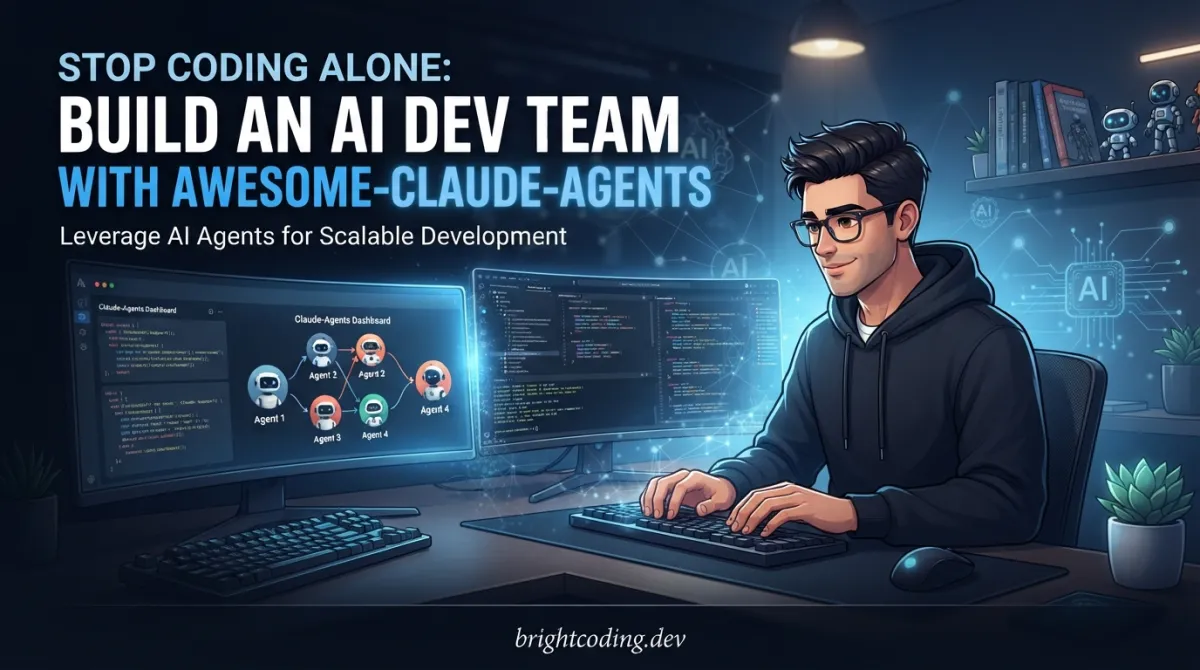
What if your next feature didn't take three days of Stack Overflow diving, two code review cycles, and that 2 AM debugging session where you question every career choice you've ever made?
What if you had a senior tech lead who never sleeps, a Laravel↗ Bright Coding Blog backend expert who lives and breathes Eloquent, a React architect who dreams in hooks, and a ruthless code reviewer who catches security flaws before they ship—all working simultaneously on your command?
This isn't science fiction. This is what happens when you stop treating AI coding assistants like fancy autocomplete and start treating them like actual team members.
Enter awesome-claude-agents—the experimental but explosively powerful open-source project that's turning Claude Code from a solo assistant into a 24-agent orchestrated development team. Created by vijaythecoder, this isn't just another prompt collection. It's a complete paradigm shift in how developers build software with AI.
But here's the catch nobody talks about: this will burn through tokens like a startup burns through runway. We're talking 10,000 to 50,000 tokens per complex feature. The creator is explicit about this—it's experimental, it's intensive, and it's not for the faint of wallet.
So why are developers still flocking to it? Because when you're shipping production-ready features in minutes instead of days, the math changes. The question stops being "Can I afford the tokens?" and starts being "Can I afford not to ship this fast?"
Let's pull back the curtain on the tool that's making solo developers feel like they're leading a Silicon Valley engineering team.
What is awesome-claude-agents?
awesome-claude-agents is an orchestrated sub-agent development team framework designed specifically for Claude Code—Anthropic's powerful CLI coding assistant. Think of it as the missing management layer that transforms one generalist AI into a specialized squad of domain experts.
The project was created by vijaythecoder, a developer who clearly understood something fundamental: a single AI, no matter how capable, can't simultaneously be an expert in Laravel Eloquent optimization, Django REST Framework patterns, Next.js↗ Bright Coding Blog SSR architecture, and legacy codebase archaeology. Expertise requires focus. Focus requires specialization. Specialization requires orchestration.
Here's the genius of the approach: instead of dumping your entire project context into one conversation and hoping Claude remembers everything, awesome-claude-agents breaks work down and routes it to agents with deep, curated knowledge in specific domains. Each agent is essentially a meticulously crafted system prompt—a persona with expertise, constraints, and best practices burned into its digital DNA.
The project is currently experimental and actively tested with Claude subscriptions. The creator is transparent about the token costs because this isn't a toy—it's a production-intent tool that happens to consume serious compute. Multi-agent orchestration means multiple context windows, multiple reasoning passes, and yes, multiple billing events.
But this transparency is exactly why it's trending. Developers are exhausted by AI tools that promise magic and deliver mediocrity. awesome-claude-agents promises something different: genuine expertise, genuinely coordinated, with honest accounting of the costs involved.
Key Features That Make This Insane
24 Specialized Agents, Zero Hiring
The roster reads like a recruiting pipeline you'd need six months and $500K in salaries to build:
-
3 Orchestrators including a Tech Lead Orchestrator that analyzes complex projects and coordinates multi-step development, a Project Analyst for intelligent stack detection, and a Team Configurator that auto-maps your project to optimal specialists.
-
13 Framework Specialists covering Laravel (2 agents), Django (3 agents), Rails (3 agents), React (2 agents), and Vue (3 agents). Each agent knows the current conventions, anti-patterns, and performance characteristics of their domain.
-
4 Universal Experts for polyglot backend, modern frontend, API architecture, and Tailwind CSS↗ Bright Coding Blog mastery.
-
4 Core Team members including a Code Archaeologist for legacy exploration, a security-focused Code Reviewer, a Performance Optimizer for scalable systems, and a Documentation Specialist.
Auto-Configuration Intelligence
The @agent-team-configurator doesn't just dump agents into your project. It reads your codebase—inspecting package.json, composer.json, requirements.txt, go.mod, Gemfile, and build configs to understand what you're actually building. Then it creates a timestamped "AI Team Configuration" section in your CLAUDE.md with a Task|Agent|Notes mapping table.
Smart Agent Routing
The system prefers framework-specific agents over universal ones when it detects matching technology. Building a Django API? You'll get the Django API Developer, not a generic backend agent. Always includes @agent-code-reviewer and @agent-performance-optimizer for quality assurance—because even AI teams need code review.
Symlink-Based Installation
The recommended installation uses symlinks, meaning updates to the repository automatically propagate to your Claude Code setup. No manual reinstallation when new agents drop.
Context Preservation
The configurator intelligently preserves your existing CLAUDE.md content outside the "AI Team Configuration" section—no more clobbering your carefully crafted project documentation.
Use Cases Where This Absolutely Dominates
1. Greenfield Feature Development
You need a complete user authentication system with JWT tokens, refresh logic, role-based access control, and OAuth integration. Solo Claude might give you a decent scaffold. With awesome-claude-agents, the Tech Lead Orchestrator breaks this into tasks, routes auth logic to your framework specialist, API design to the API Architect, security review to the Code Reviewer, and performance optimization to the Performance Optimizer. Parallel execution, expert quality.
2. Legacy Codebase Archaeology
Inherited a 50,000-line Rails monolith from 2016 with zero documentation? The Code Archaeologist agent explores, documents, and analyzes unfamiliar patterns. The Rails specialists understand legacy conventions. The Documentation Specialist generates comprehensive READMEs and architecture diagrams. What would take weeks of developer onboarding happens in hours.
3. Cross-Stack Modernization
Migrating from Vue 2 to Vue 3 with Composition API, adding TypeScript, and implementing Pinia state management? The Vue Component Architect knows the migration patterns. The State Manager designs your Pinia stores. The Performance Optimizer ensures your bundle size doesn't explode. Coordinated expertise prevents migration disasters.
4. Production Incident Response
Critical performance degradation in production. The Performance Optimizer identifies bottlenecks. The framework-specific agent applies targeted optimizations. The Code Reviewer checks for security implications of hotfixes. Structured crisis response instead of panic coding.
5. API-First Development
Building a Django REST API with complex nested serializers, pagination, filtering, and GraphQL federation? The Django API Developer handles DRF patterns. The API Architect ensures RESTful design consistency. The Backend Expert optimizes ORM queries. Specialist knowledge at every layer.
Step-by-Step Installation & Setup Guide
Ready to assemble your AI team? The setup takes under three minutes if you have prerequisites in place.
Prerequisites
Before starting, ensure you have:
- Claude Code CLI installed and authenticated with your Anthropic account
- Active Claude subscription—required for intensive multi-agent workflows
- An active project directory with your codebase
- Optional but recommended: Context7 MCP for enhanced documentation access
Step 1: Clone the Repository
git clone https://github.com/vijaythecoder/awesome-claude-agents.git
This downloads all 24 agent definitions and configuration tools.
Step 2: Install Agents (Choose Your Method)
Option A: Symlink Installation (Recommended)
Symlinks ensure you automatically receive agent updates when you git pull from the repository.
macOS/Linux:
# Create agents directory if it doesn't exist (preserves existing agents)
mkdir -p ~/.claude/agents

# Symlink the awesome-claude-agents collection
# $(pwd) resolves to current directory; -f forces overwrite if exists
ln -sf "$(pwd)/awesome-claude-agents/agents/" ~/.claude/agents/awesome-claude-agents
Windows PowerShell:
# Create agents directory with -Force to avoid errors if exists
New-Item -Path "$env:USERPROFILE\.claude\agents" -ItemType Directory -Force

# Create symbolic link using cmd /c for mklink compatibility
cmd /c mklink /D "$env:USERPROFILE\.claude\agents\awesome-claude-agents" "$(Get-Location)\awesome-claude-agents\agents"
Option B: Copy Installation (Static)
Use this if you want to modify agents without affecting the git repository, or if symlinks aren't supported in your environment.
# Create agents directory if it doesn't exist
mkdir -p ~/.claude/agents

# Copy all agents recursively (no auto-updates)
cp -r awesome-claude-agents/agents ~/.claude/agents/awesome-claude-agents
Step 3: Verify Installation
claude /agents
You should see all 24 agents listed. If not, check that your symlink or copy resolved correctly and that Claude Code can read ~/.claude/agents/.
Step 4: Initialize Your Project
Navigate to your project directory and run the auto-configuration:
claude "use @agent-team-configurator and optimize my project to best use the available subagents."
This single command triggers the full intelligence pipeline: stack detection, agent discovery, specialist selection, and CLAUDE.md generation.
Step 5: Start Building
claude "use @agent-tech-lead-orchestrator and build a user authentication system"
Your AI team automatically detects your stack and deploys the right specialists. The orchestrator manages coordination; you manage outcomes.
REAL Code Examples from the Repository
The awesome-claude-agents repository doesn't just contain abstract concepts—it provides concrete, copy-paste-ready commands that demonstrate the orchestration patterns. Let's examine the actual implementation examples from the README and understand what makes them powerful.
Example 1: Agent Installation and Verification
The repository provides exact commands for cross-platform installation. Here's the macOS/Linux symlink approach with detailed breakdown:
# Create agents directory if it doesn't exist (preserves existing agents)
mkdir -p ~/.claude/agents

# Symlink the awesome-claude-agents collection
# $(pwd) dynamically resolves to current working directory
# -sf flags: -s for symbolic link, -f to force overwrite existing
ln -sf "$(pwd)/awesome-claude-agents/agents/" ~/.claude/agents/awesome-claude-agents
Why this matters: The mkdir -p flag is defensive programming—it creates parent directories as needed and never fails if the directory exists. This preserves any existing custom agents you've already built. The ln -sf combination is equally defensive: -s creates a symbolic link (not hard link, so it works across filesystems), and -f silently replaces any previous installation. The trailing slash on the source path ensures proper directory linking behavior across different ln implementations.
The Windows equivalent demonstrates PowerShell's interoperability with legacy Windows tools:
# Create agents directory with -Force to suppress "already exists" errors
New-Item -Path "$env:USERPROFILE\.claude\agents" -ItemType Directory -Force

# Use cmd /c to invoke Windows mklink command from PowerShell
# /D creates directory symbolic link (critical for folder junction)
cmd /c mklink /D "$env:USERPROFILE\.claude\agents\awesome-claude-agents" "$(Get-Location)\awesome-claude-agents\agents"
Critical insight: PowerShell's native New-Item -ItemType SymbolicLink has permission quirks on Windows. The cmd /c mklink /D workaround uses the built-in Windows command with proper elevation handling. The $env:USERPROFILE environment variable correctly resolves across Windows versions, and $(Get-Location) provides the PowerShell equivalent of $(pwd).
Example 2: Auto-Configuration Invocation
claude "use @agent-team-configurator and optimize my project to best use the available subagents."
This single command triggers a six-stage intelligence pipeline:
-
CLAUDE.md Discovery: The configurator searches for existing project configuration, parsing markdown↗ Smart Converter structure to identify user content versus AI-generated sections.
-
Multi-Format Stack Detection: Inspects dependency manifests across ecosystems:
package.json→ Node.js, React, Vue, Next.js, Nuxt detectioncomposer.json→ Laravel, Symfony PHP detectionrequirements.txt→ Django, Flask Python↗ Bright Coding Blog detectiongo.mod→ Go ecosystem detectionGemfile→ Rails Ruby detection- Build configs (webpack, vite, etc.) for additional context
-
Agent Capability Scanning: Reads all
.mdfiles in~/.claude/agents/and.claude/directories, building a capability matrix mapping agent names to expertise domains. -
Intelligent Specialist Selection: Applies preference rules—framework-specific agents outrank universal agents. Mandatory inclusion of
@agent-code-reviewerand@agent-performance-optimizerregardless of stack. -
Atomic CLAUDE.md Update: Creates or updates the "AI Team Configuration" section with timestamp, preserving all user content outside this bounded region.
-
Interactive Usage Guidance: Outputs detected stack, selected agents, and sample commands for immediate productivity.
Example 3: Orchestrated Feature Development
claude "use @agent-tech-lead-orchestrator and build a user authentication system"
This command demonstrates the hierarchical delegation pattern that makes multi-agent systems powerful. The Tech Lead Orchestrator doesn't write auth code directly—it:
- Analyzes project structure and existing auth patterns
- Decomposes "user authentication system" into sub-tasks: session management, password hashing, JWT issuance, refresh token rotation, OAuth integration points
- Routes each sub-task to appropriate specialists (Django API Developer for DRF auth, Laravel Backend Expert for Sanctum/Fortify, etc.)
- Enforces quality gates through mandatory Code Reviewer involvement
- Consolidates outputs into coherent implementation
The use @agent-name syntax is Claude Code's native agent invocation protocol. awesome-claude-agents provides the agent definitions that make this protocol genuinely useful for complex development workflows.
Advanced Usage & Best Practices
Token Budget Management
With 10-50K tokens per complex feature, you need strategy:
- Scope features tightly—"build login" not "build entire auth system"
- Use the Team Configurator's output to understand which agents will activate
- Monitor usage with
claude /costor Anthropic dashboard - Batch related tasks to amortize context-loading overhead
Custom Agent Development
The repository includes docs/creating-agents.md for building specialists. Best practices:
- Inherit from existing agents for domain-adjacent expertise
- Define clear boundaries—agents should know what they don't handle
- Include concrete examples in agent prompts, not just abstract rules
- Version your custom agents with semantic versioning in filenames
Context7 MCP Integration
For enhanced documentation access, configure the optional Context7 MCP. This gives agents retrieval-augmented generation capabilities over your actual documentation, not just their training data. Critical for:
- Internal API documentation
- Proprietary framework conventions
- Regulatory compliance requirements
Workflow Optimization
- Start with configurator on every new project—don't assume previous mappings apply
- Use orchestrators for multi-file changes, specialists for single-component refinement
- Always include Code Reviewer in production-bound work
- Document agent decisions in commit messages for team transparency
Comparison with Alternatives
| Feature | awesome-claude-agents | Generic Claude Code | Cursor/Other IDEs | Custom GPTs |
|---|---|---|---|---|
| Agent Specialization | 24 domain-specific agents | Single generalist | Limited or none | Requires manual switching |
| Auto Stack Detection | Yes, multi-format parsing | No | Partial (file extensions) | No |
| Orchestration Layer | Built-in hierarchical delegation | Manual conversation | None | None |
| Framework Expertise Depth | Current conventions, anti-patterns | General knowledge | Varies by model | Depends on prompt quality |
| Token Transparency | Explicit 10-50K warnings | Usage visible but not warned | Opaque | Opaque |
| Open Source | MIT License | Proprietary CLI | Proprietary | Proprietary |
| Custom Agent Creation | Documented, community patterns | Limited | Plugin ecosystems | Yes, but isolated |
| Cross-Platform | macOS, Linux, Windows | All Claude Code platforms | Editor-dependent | Web-only |
| Cost Model | Your Claude subscription | Your Claude subscription | Separate subscription | OpenAI subscription |
| Community Ecosystem | Growing GitHub community | Anthropic official | Large but fragmented | Large but fragmented |
The decisive advantage: awesome-claude-agents is the only solution that combines deep specialization, intelligent orchestration, and transparent operation within a single open-source framework. You're not locked into a proprietary IDE, not dependent on a single model provider's roadmap, and not manually context-switching between disconnected "experts."
FAQ
Is awesome-claude-agents free to use?
The framework itself is MIT licensed and free. However, it requires an active Claude subscription for the intensive token consumption. Budget 10-50K tokens per complex feature—roughly $0.30-$1.50 at current Claude Pro rates.
Can I use this without Claude Code CLI?
No. This is specifically designed for Claude Code's agent invocation protocol (use @agent-name). The agents are markdown prompt definitions that Claude Code interprets. No other AI coding tool currently supports this orchestration pattern.
How do I reduce token consumption?
Scope tasks narrowly, use the Team Configurator to understand which agents activate, and batch related operations. Consider using individual specialists rather than full orchestrators for single-component work. Monitor with claude /cost.
What if my technology stack isn't covered?
The 4 Universal Experts (Backend Developer, Frontend Developer, API Architect, Tailwind Expert) handle polyglot scenarios. For deeper specialization, follow the Creating Custom Agents guide to build your own.
Will this overwrite my existing CLAUDE.md?
No. The Team Configurator specifically preserves content outside the "AI Team Configuration" section. It uses timestamped, bounded updates. However, always version control your CLAUDE.md before first configuration.
How often are agents updated?
The repository is actively maintained by vijaythecoder with community contributions. Using the symlink installation method ensures you receive updates automatically when you git pull from the repository.
Is this production-ready?
It's experimental but production-intent. The creator explicitly warns about token costs and actively tests with real Claude subscriptions. Start with non-critical features, establish cost baselines, and scale confidence before mission-critical deployments.
Conclusion
The future of AI-assisted development isn't a smarter solo assistant—it's a coordinated team of specialists that scales with your project's complexity. awesome-claude-agents delivers this future today, with honest transparency about the costs involved.
Yes, it's token-intensive. Yes, it's experimental. But when you're staring at a complex feature request and realizing your AI team can architect, implement, review, and optimize it in the time it used to take just to write the ticket description—the trade-off becomes obvious.
The developers who thrive in the next phase of AI coding won't be those with the best prompts. They'll be those with the best orchestration—the ability to assemble the right expertise, delegate effectively, and maintain quality at velocity.
Star the repository, install your team, and stop coding alone. Your 24-agent development squad is waiting.
Ready to transform your Claude Code experience? Clone awesome-claude-agents now and run your first orchestrated build. Share your wins in the community discussions—the team you build might inspire the next developer to stop coding alone.
Outils recommandés
Explore on the BrightCoding network
Hand-picked resources from our other sites.
Sparkle: The Secret Tool That Fixes Windows in Minutes
Discover Sparkle, the open-source Windows debloating tool that combines PowerShell automation with a modern React GUI. Learn installation, real code examples, a...
Gowtham-Darkseid/AutoPentestX: Automated Pentesting for Security Workflows
Gowtham-Darkseid/AutoPentestX is a Python 3.8+ automated penetration testing toolkit for Linux that orchestrates multi-stage security workflows and generates vu...
Stop Wrestling with CLI: OpenClaw Mission Control Exposed
OpenClaw Mission Control is a zero-configuration, self-hosted GUI that transforms terminal-based AI agent management into visual clarity. Monitor agents, track...
Continuez votre lecture

Why Alexandrie is the Ultimate Markdown Note-Taking App

Why CrossPaste is the Ultimate Game Changer for Clipboard Management

Why Chandra is the Ultimate OCR Tool for Handwriting and Tables

Stop Coding Alone: OPC-Skills Gives Your AI Agent Superpowers
Commentaires 0
Aucun commentaire pour l'instant. Soyez le premier à réagir !