Stop Drawing Mindmaps by Hand! Markmap Turns Markdown Into Magic
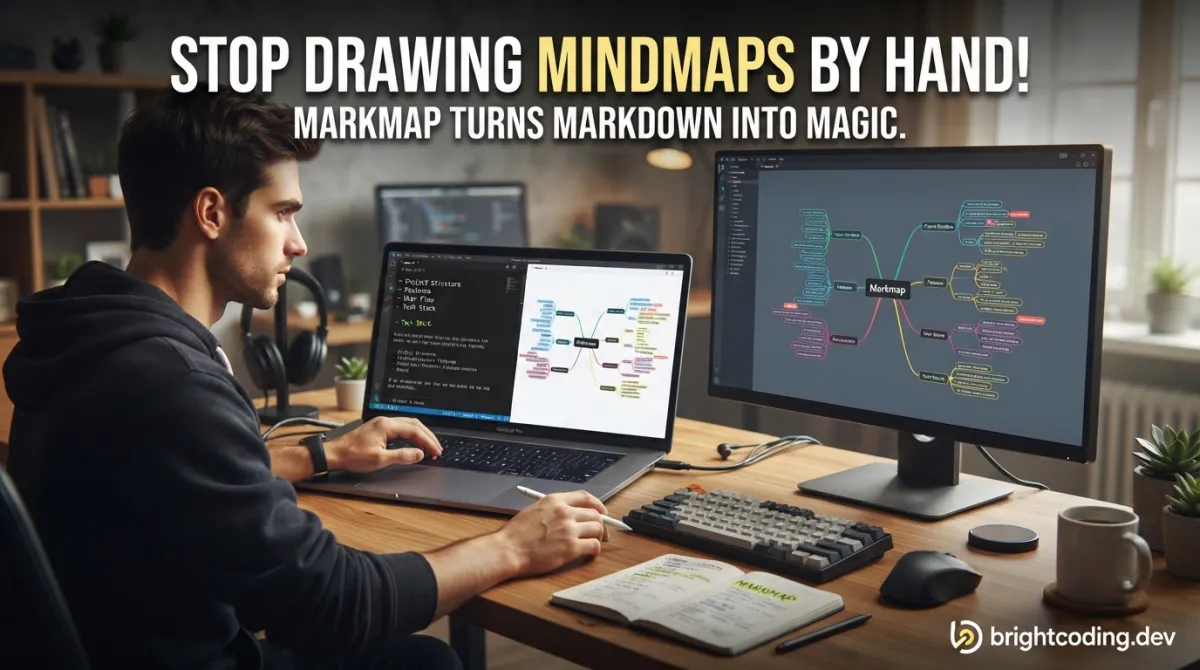
Stop Drawing Mindmaps by Hand! Markmap Turns Markdown↗ Smart Converter Into Magic
What if your plain-text notes could explode into beautiful, interactive mindmaps with zero effort?
Every developer, writer, and knowledge worker has been there. You're staring at a sprawling Markdown document—hundreds of headings, nested bullet points, and scattered ideas—trying to make sense of the chaos. Your brain craves visual structure, but traditional mindmapping tools demand you redraw everything by hand. The friction kills your flow. You abandon the tool, return to your wall of text, and your brilliant ideas stay trapped in linear format forever.
Here's the painful truth: we're wasting hours manually converting structured thoughts into visual formats when the structure already exists in our Markdown files. The headings, the indentation, the hierarchy—it's all there, screaming to be visualized. Yet most tools force you to start from scratch, clicking and dragging boxes like it's 2005.
Enter markmap—the open-source secret weapon that's making developers abandon traditional mindmapping tools in droves. This isn't just another diagram generator. It's a paradigm shift: write Markdown as you always have, and watch it transform into an interactive, collapsible, zoomable mindmap automatically. No redraws. No manual layout. No proprietary formats locking you in. Just pure, effortless visualization of the structure you already created.
The markmap project, hosted at github.com/markmap/markmap, is rapidly becoming the go-to solution for technical thinkers who refuse to compromise between the speed of plain text and the clarity of visual thinking. Ready to see why everyone's talking about it? Let's dive deep.
What Is Markmap? The Markdown Revolution You've Been Missing
Markmap is an open-source JavaScript↗ Bright Coding Blog ecosystem that renders Markdown documents as interactive, hierarchical mindmaps. Created by Gerald Yeo (gera2ld) and heavily inspired by dundalek's original markmap project, this modern reimagining has evolved into a multi-platform powerhouse with a singular mission: make mindmapping as effortless as writing bullet points.
The core philosophy is radical in its simplicity. Markdown was designed to be readable plain text that implicitly carries structure through its syntax. Headings (#, ##, ###) create hierarchy. Nested lists show relationships. Code blocks, blockquotes, and emphasis add semantic layers. Markmap reads this inherent structure and projects it into two-dimensional space—transforming linear text into radial, explorable knowledge graphs.
Why is markmap trending now? Three converging forces:
- The Markdown ubiquity explosion: From GitHub READMEs to Notion exports, Obsidian vaults to documentation sites, Markdown is the lingua franca of technical writing. Markmap meets users where they already are.
- Visual thinking renaissance: Remote work and complex systems have made visual knowledge organization non-negotiable. But professionals demand tools that respect their existing workflows, not disrupt them.
- Developer experience obsession: Modern developers expect CLI power, API flexibility, and editor integration. Markmap delivers all three with elegant JavaScript architecture.
The project's momentum is undeniable. With official extensions for VS Code, Vim/Neovim, Emacs, and even an MCP Server for AI integration, markmap has transcended its web roots to become infrastructure for thought. The live REPL lets anyone test-drive the magic instantly—paste Markdown, see mindmap. No accounts, no installs, no friction.
Key Features That Make Markmap Irresistible
Markmap isn't a toy—it's a precision instrument for thought. Here's what separates it from every other "Markdown to diagram" tool you've tried and abandoned:
🔥 Automatic Structure Extraction Markmap parses standard Markdown syntax and intelligently maps it to visual hierarchy. Headings become primary branches. Nested lists unfold as sub-branches. The parser respects your document's natural flow—no special annotations or front-matter required. This means any valid Markdown file is instantly visualizable, including files you wrote years ago.
🎯 Interactive Exploration The generated mindmaps aren't static images—they're living documents. Click to collapse and expand branches. Zoom and pan across complex structures. Hover for details. This interactivity transforms passive reading into active discovery, especially crucial for navigating dense technical documentation or sprawling project plans.
⚡ Multi-Platform Native Integration Unlike browser-only tools, markmap embeds directly where you work:
- VS Code extension: Preview mindmaps side-by-side with your Markdown editor↗ Smart Converter
- Vim/Neovim plugins: Terminal-native visualization via
coc-markmapor standalonemarkmap.vim - Emacs integration: Rich graphical rendering through EAF framework
- Programmatic API: Build custom pipelines with the core JavaScript libraries
🛠️ Developer-First Architecture
The project is modular and extensible. The core markmap-lib handles parsing and data transformation. markmap-view manages rendering with D3.js. markmap-toolbar provides UI controls. This separation lets you consume exactly what you need—whether building a custom documentation site or a specialized knowledge management tool.
🎨 Customizable Styling While defaults are polished, power users can inject CSS, configure color schemes, and adjust layout parameters. The mindmaps adapt to your brand or personal aesthetic without fighting the tool.
📦 Zero-Lockin Format Your source of truth remains plain Markdown. If markmap vanished tomorrow, you'd lose nothing but the visualization layer. Compare this to proprietary mindmapping tools that hold your data hostage in opaque binary formats.
Real-World Use Cases Where Markmap Dominates
Theory is cheap. Here's where markmap genuinely transforms workflows:
1. Technical Documentation Navigation
Complex API docs, architecture decision records, and runbooks often span thousands of lines. Before markmap, teams either accepted linear scrolling or maintained separate diagram files that instantly became stale. Now, paste your ARCHITECTURE.md into markmap and watch service boundaries, data flows, and component relationships emerge organically from your heading structure. New team members grasp system topology in minutes, not days.
2. Project Planning & Sprint Organization
Product managers and tech leads write epics and stories in Markdown. With markmap, that same document becomes a dynamic roadmap. Features, subtasks, and dependencies radiate from central goals. During standups, collapse completed work, expand upcoming priorities. The visual format surfaces bottlenecks that bullet lists obscure.
3. Research & Knowledge Synthesis
Academics and analysts accumulate hundreds of Markdown notes. Markmap reveals hidden connections between concepts when you aggregate files. A literature review's nested citations become a citation network. A competitive analysis's feature comparisons become a strategic landscape. Your notes' implicit structure becomes explicit insight.
4. Conference Talk & Presentation Outlines
Speakers draft talks in Markdown for portability. Markmap transforms those outlines into presentation aids that don't suck. Instead of static slide decks, navigate your talk's conceptual tree live. Audience questions about digressions? Expand that branch on the fly. It's the anti-PowerPoint for technical presenters.
5. Personal Knowledge Management (PKM)
Obsidian, Logseq, and Notion users export to Markdown. Markmap visualizes your second brain's ontology. Suddenly you see that your "Machine Learning" note cluster is three times larger than "Software Engineering"—is that the balance you want? The radial view makes your knowledge investments viscerally obvious.
Step-by-Step Installation & Setup Guide
Markmap's flexibility means multiple entry points. Here's how to get started with the most popular paths:
Option A: Instant Web REPL (Zero Install)
The fastest way to experience markmap:
# Simply open your browser to:
open https://markmap.js.org/repl
Paste any Markdown. See instant results. Bookmark for quick access.
Option B: VS Code Extension (Recommended for Daily Use)
# Install directly from marketplace
# Or search "gera2ld.markmap-vscode" in VS Code extensions panel

# Alternative: Open VSX for VS Code-compatible editors
code --install-extension gera2ld.markmap-vscode
After installation:
- Open any
.mdfile - Use command palette (
Cmd/Ctrl+Shift+P) → "Markmap: Open Preview" - Edit Markdown on left, watch mindmap update live on right
Option C: Programmatic Node.js Integration
# Create a new project
mkdir my-markmap-project && cd my-markmap-project
npm init -y

# Install core libraries
npm install markmap-lib markmap-view

# For CLI usage
npm install markmap-cli
Option D: Vim/Neovim (Terminal Power Users)
# With coc.nvim (recommended for full LSP features)
npm install -g coc-markmap

# Or standalone without coc.nvim
# Add to your plugin manager, e.g., for vim-plug:
# Plug 'Zeioth/markmap.nvim'
Option E: Emacs Integration
;; Via EAF (Emacs Application Framework)
;; Install eaf-markmap from MELPA or directly:
(use-package eaf-markmap
  :ensure t
  :after eaf)
Environment Configuration
For custom deployments or local development:
# Clone the repository for source exploration
git clone https://github.com/markmap/markmap.git
cd markmap

# Install dependencies
pnpm install  # or npm install / yarn

# Build packages
pnpm build

# Run local documentation site
pnpm dev
The monorepo uses pnpm workspaces. Key packages:
packages/markmap-lib: Core transformer (Markdown → markmap data)packages/markmap-view: Renderer (markmap data → interactive SVG)packages/markmap-toolbar: UI controls for zoom, fit, and export
REAL Code Examples: Markmap in Action
Let's examine actual patterns from the markmap ecosystem, with detailed explanations of what's happening under the hood.
Example 1: Basic Browser Embedding
This is the fundamental pattern for adding markmap to any web page. The library reads Markdown, transforms it to hierarchical data, and renders as SVG:
<!DOCTYPE html>
<html>
<head>
  <!-- Load markmap dependencies from CDN -->
  <script src="https://cdn.jsdelivr.net/npm/d3@7"></script>
  <script src="https://cdn.jsdelivr.net/npm/markmap-view"></script>
  <style>
    /* Container fills viewport for full immersion */
    #mindmap { width: 100vw; height: 100vh; }
  </style>
</head>
<body>
  <svg id="mindmap"></svg>

  <script>
    // Raw Markdown content—this is your single source of truth
    const markdown = `# Project Architecture
## Frontend
### React↗ Bright Coding Blog Components
- UserDashboard
- AdminPanel
### State Management
- Redux Toolkit
- React Query
## Backend
### API Layer
- REST endpoints
- GraphQL schema
### Data Layer
- PostgreSQL↗ Bright Coding Blog
- Redis cache`;

    // Transform: Markdown string → structured markmap data
    // This extracts headings, list nesting, and relationships
    const { root } = markmap.Transformer.transform(markdown);

    // Render: structured data → interactive SVG visualization
    // D3.js handles the tree layout, animations, and interactivity
    const mm = markmap.Markmap.create('#mindmap', null, root);
  </script>
</body>
</html>
What's happening here? The Transformer class parses Markdown using a unified/remark pipeline, converting syntax tree nodes into a custom INode structure with children arrays. The Markmap.create() call initializes a D3.js zoomable tree layout, computing node positions with a horizontal radial algorithm. Each heading level maps to depth, with automatic color coding for visual differentiation.
Example 2: VS Code Extension Workflow
The VS Code extension demonstrates markmap's real-time synchronization pattern. While you don't write this code directly, understanding it reveals the architecture:
// Simplified from the extension's preview provider
import { Transformer, Markmap } from 'markmap-lib';
import * as vscode from 'vscode';

class MarkmapPreviewProvider {
  private transformer = new Transformer();
  private mm: Markmap | undefined;

  // Called on every document change—debounced for performance
  updateContent(document: vscode.TextDocument) {
    const markdown = document.getText();

    // Transform with frontmatter extraction for custom options
    const { root, features } = this.transformer.transform(markdown);

    // Features tell us what JS/CSS to inject (KaTeX for math, etc.)
    const { scripts, styles } = this.transformer.getUsedAssets(features);

    // Render or update existing markmap instance
    if (this.mm) {
      this.mm.setData(root);  // Efficient diff-based update
      this.mm.fit();          // Auto-zoom to show all nodes
    }
  }
}
The insight: The extension uses setData() for incremental updates rather than full re-renders. This preserves user zoom/pan state while editing. The features system is particularly clever—markmap detects which Markdown extensions you're using (math, mermaid diagrams, etc.) and only loads required assets, keeping bundle size minimal.
Example 3: Custom CLI Pipeline with Node.js
For automated documentation builds or CI integration:
const { Transformer } = require('markmap-lib');
const { fillTemplate } = require('markmap-render');
const fs = require('fs');

// Initialize transformer with plugins for extended syntax
const transformer = new Transformer([
  // Remark plugins for math, directives, etc.
]);

// Read your Markdown file
const markdown = fs.readFileSync('docs/architecture.md', 'utf-8');

// Transform to structured data
const { root, features } = transformer.transform(markdown);

// Get required assets based on detected features
const assets = transformer.getUsedAssets(features);

// Generate standalone HTML file with embedded mindmap
const html = fillTemplate(root, assets, {
  title: 'Architecture Mindmap',
  // Custom CSS injection for brand alignment
  extraCss: ['.markmap-node { font-family: "Inter", sans-serif; }']
});

fs.writeFileSync('dist/architecture-mindmap.html', html);
console.log('Mindmap generated: dist/architecture-mindmap.html');
Production note: The fillTemplate utility creates self-contained HTML files—no external dependencies needed. This is perfect for archiving, email distribution, or hosting in restrictive environments. The assets object contains CDN URLs or inline code for all required libraries, intelligently bundled based on your Markdown's actual features.
Advanced Usage & Best Practices
Ready to go beyond basics? Here's how power users extract maximum value:
🧠 Structure for Visualization
Markmap rewards intentional heading hierarchy. Flat documents with ten # headings produce starbursts; deeply nested documents create drill-down experiences. For complex topics, prefer ## and ### depth over flat ## lists. Your future self exploring the mindmap will thank you.
⚡ Frontmatter Configuration Control rendering without touching code:
---
markmap:
  colorFreezeLevel: 2  # Lock colors at depth 2
  maxWidth: 300        # Prevent label overflow
  initialExpandLevel: 3 # Auto-expand to depth 3
---
🔗 Deep Linking to Branches
The SVG output supports fragment identifiers. Link directly to specific nodes from external documentation: architecture-mindmap.html#backend-data-layer.
📊 Integration with Static Site Generators Hook markmap into your Docusaurus, VitePress, or custom build pipeline. Generate mindmaps at build time, serve static SVG+JS bundles. Zero runtime Markdown parsing overhead for your users.
🤖 MCP Server for AI Workflows The experimental markmap-mcp-server exposes markmap functionality to AI assistants via the Model Context Protocol. Imagine: "Claude, visualize this requirements document as a mindmap and identify orphaned requirements."
Markmap vs. Alternatives: The Brutal Truth
| Feature | Markmap | XMind | MindMeister | Obsidian Canvas |
|---|---|---|---|---|
| Source format | Plain Markdown | Proprietary XML | Proprietary cloud | Proprietary JSON |
| Editor lock-in | None—use any tool | Must use XMind | Must use web app | Must use Obsidian |
| Version control friendly | ✅ Git-native diffs | ❌ Binary blobs | ❌ Cloud-only | ⚠️ Large JSON |
| Automation/API | ✅ Full JS/Node API | ⚠️ Limited | ❌ Enterprise only | ⚠️ Plugin API |
| Real-time sync | Via editor extensions | Cloud sync | Built-in | Obsidian Sync |
| Export portability | Self-contained HTML | PDF, PNG, limited | PDF, PNG | PNG, PDF |
| Cost | Free, open source | $59+/year | $8+/month | Free/$8 sync |
| Developer ecosystem | ✅ VS Code, Vim, Emacs, MCP | ❌ None | ❌ None | ⚠️ Community plugins |
The verdict: XMind and MindMeister optimize for drawing mindmaps. Obsidian Canvas optimizes for manual node arrangement. Markmap optimizes for thinking—capturing structure in the format you already use, then revealing it visually. Choose based on whether your priority is artistic control or cognitive friction elimination.
FAQ: What Developers Actually Ask
Q: Does markmap require special Markdown syntax?
A: Absolutely not. Any standard CommonMark or GitHub-flavored Markdown works. Headings, lists, and nesting are automatically interpreted. No <!-- markmap: ... --> annotations needed.
Q: Can I edit the mindmap visually and sync back to Markdown? A: Not currently—markmap is unidirectional (Markdown → visualization). This is intentional: your Markdown remains the authoritative source. For bidirectional editing, you'd need conflict resolution logic that compromises simplicity.
Q: How large can my Markdown files be?
A: Performance depends on browser/DOM complexity, but markmap handles hundreds of nodes smoothly. For massive documents, consider splitting or using initialExpandLevel to defer rendering deep branches.
Q: Is markmap suitable for collaborative editing? A: The core library is client-side only. For real-time collaboration, combine with operational transform libraries (Yjs, Automerge) and sync via your preferred backend. The VS Code extension supports Live Share natively.
Q: Can I customize colors, fonts, and node shapes? A: Yes—via CSS injection and runtime options. The D3.js foundation exposes standard SVG styling hooks. Custom node shapes require deeper renderer extension.
Q: Does markmap work offline? A: The VS Code/Vim/Emacs extensions work fully offline. The web REPL requires initial load but caches aggressively. Self-hosted deployments are trivial with the static HTML output.
Q: How does markmap compare to Mermaid's mindmap syntax? A: Mermaid requires learning a diagram-specific DSL. Markmap uses your existing Markdown—zero new syntax. Mermaid excels at programmatic diagram generation in CI/docs; markmap excels at organic note visualization.
Conclusion: Your Markdown Has Been Hiding Its True Potential
We've covered the landscape: markmap's philosophy of structure-through-simplicity, its multi-platform reach, its developer-honed architecture, and the concrete workflows it transforms. The pattern is clear—the best tools don't add steps to your process, they reveal what's already there.
Your Markdown files contain implicit knowledge graphs. Every heading hierarchy is a taxonomy. Every nested list is a decision tree waiting to be explored. Markmap simply provides the lens that makes this structure visible, navigable, and shareable.
My take? After fifteen years of cycling through mindmapping tools that demanded sacrifice—either my writing format, my editor, or my wallet—markmap feels like returning home. It respects the Markdown investment I've already made across thousands of files. It integrates where I work rather than fragmenting my attention. And it open-sources the entire stack, so I'm never trapped by acquisition or enshittification.
The call to action is simple: Stop letting your structured thoughts remain invisible. Visit github.com/markmap/markmap today. Star the repo. Try the live REPL with your most complex Markdown file. Install the VS Code extension. Feel that moment of recognition when your wall of text blooms into clarity.
Your brain is wired for visual thinking. Your workflow is wired for Markdown. Markmap is the bridge you've been missing. Cross it now.
Outils recommandés
Tags
Explore on the BrightCoding network
Hand-picked resources from our other sites.
Stop Manually Linking Notes! Notemd Builds Your Knowledge Graph on Autopilot
Discover how Notemd transforms Obsidian into an AI-powered knowledge engine. Auto-generate wiki-links, research topics, translate across 30+ languages, and buil...
Turn Any Database Into a Spreadsheet in 5 Minutes: The Complete NocoDB Guide for 2026
Transform your SQL databases into powerful, collaborative spreadsheets without writing a single line of code. Learn how NocoDB helps 50,000+ teams visualize MyS...
36 Free Brain Games for Developers: Train Focus, Memory & Logic Between Coding Sessions
Train your focus, memory and logic with 36 free brain games — reaction time, N-Back, coding challenges, IQ puzzles and more. No sign-up, no downloads.
Continuez votre lecture
Extracting Text from Images & QR Codes: Free Tools, Safety Secrets, and Game-Changing Use Cases

The Ultimate Restaurant Revolution: How Order & Reservation Systems Boost Revenue by 300% (2025 Guide)

The Ultimate 2026 Guide: Convert Any File Across 1000+ Formats (Free Tools & Safety Blueprint)

Stop Coding Alone: OPC-Skills Gives Your AI Agent Superpowers
Commentaires 0
Aucun commentaire pour l'instant. Soyez le premier à réagir !