Stop Drowning in Tabs! Use obsidian-rss-dashboard Instead
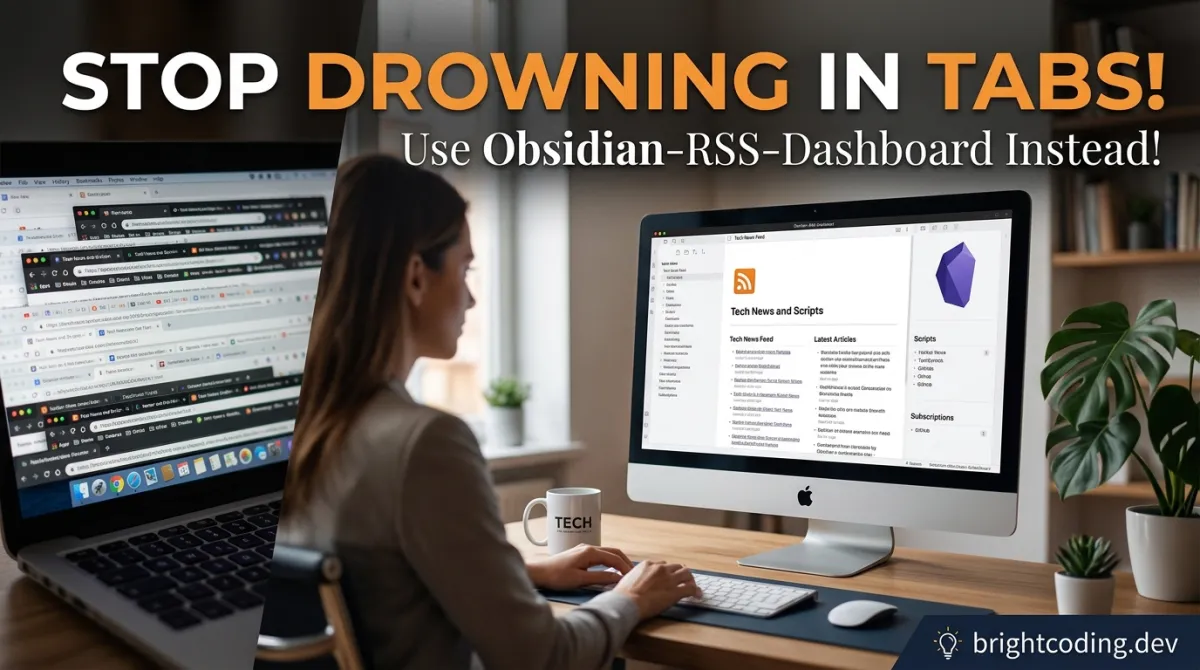
Stop Drowning in Tabs! Use obsidian-rss-dashboard Instead
Here's a brutal truth most developers won't admit: your browser has become a content graveyard. Dozens of tabs. Infinite scroll traps. Algorithmic feeds designed to hijack your attention, not serve your learning. You open Hacker News, then Reddit, then YouTube, then your favorite tech blog—and three hours later, you've consumed everything and retained nothing.
Sound familiar?
What if I told you there's a way to reclaim your information diet without leaving your knowledge management system? A tool that pulls RSS feeds, YouTube channels, podcasts, and even Twitter/X streams directly into Obsidian—where your notes actually live?
Enter obsidian-rss-dashboard, the open-source plugin that's quietly becoming the secret weapon of developers who refuse to let their learning get fragmented across twenty different platforms. No ads. No tracking. No paywalls. Just pure, organized content flowing straight into your vault where it belongs.
If you're tired of context-switching between apps and losing valuable insights in the chaos, this might be the most important plugin you install this year. Let's dive into why obsidian-rss-dashboard is rewriting how technical professionals consume information.
What is obsidian-rss-dashboard?
obsidian-rss-dashboard is a free, open-source community plugin for Obsidian—the beloved markdown↗ Smart Converter-based knowledge base used by developers, researchers, and writers worldwide. Created by Aditya Amatya, this plugin transforms Obsidian from a static note-taking app into a dynamic content consumption hub.
The plugin's core mission? Eliminate the friction between discovering content and processing it into knowledge. Instead of bouncing between browser tabs, RSS readers, podcast apps, and YouTube, everything converges in one dashboard inside your vault.
Here's why it's trending hard right now:
- Local-first architecture: All your data stays on your device. No cloud dependency, no surveillance capitalism.
- Seamless workflow integration: Content flows directly into your note-taking system—no copy-paste gymnastics required.
- Developer-friendly: Built with modern tooling (Node 22, TypeScript), actively maintained, and open for contribution.
The project has gained serious traction in the Obsidian community, with thousands of downloads and an active Discord server where users shape upcoming features. Version 2.2.0 dropped recently with significant enhancements, and the public roadmap promises even more powerful capabilities.
What makes obsidian-rss-dashboard different from generic RSS readers? Context preservation. When you save an article, it doesn't just sit in some isolated app—it becomes a first-class citizen in your knowledge graph, ready for linking, tagging, and transforming into permanent notes.
Key Features That Set It Apart
The obsidian-rss-dashboard packs serious firepower under its clean interface. Let's break down what makes this plugin exceptional:
Multi-Format Feed Mastery
| Feature | Technical Capability |
|---|---|
| RSS/Atom/XML/JSON | Universal feed parsing with auto-discovery |
| YouTube Integration | Channel-to-RSS conversion with embedded playback |
| Podcast Support | Full feed parsing with integrated audio player |
| Twitter/X Support | Automatic Nitter RSS conversion for chronological feeds |
| Media Detection | Intelligent identification of video vs. audio content |
The auto-discovery engine deserves special mention. Drop almost any URL into the feed adder, and obsidian-rss-dashboard hunts down the actual feed endpoint for you. No more digging through page source for that elusive RSS link.
Reading & Persistence Power
The built-in Article Reader View doesn't just display content—it performs full article extraction and Markdown conversion. This means articles become native Obsidian notes, not brittle HTML snapshots. The custom template system with variable substitution lets you define exactly how saved articles look, including frontmatter for metadata like author, publish date, and source URL.
Pagination with configurable page sizes keeps large feeds manageable. And yes, it works beautifully on mobile—both Android and iOS Obsidian apps handle the responsive interface gracefully.
Organization That Scales
- Hierarchical folders and subfolders for feed taxonomy
- Drag-and-drop reordering for intuitive structure management
- Custom tags at both feed and article levels
- Multi-dimensional filtering: read status, age, starred, saved
- Flexible sorting: newest/oldest, grouped by feed, date, or folder
- Auto-refresh with user-defined intervals
- OPML import/export for migration and backup
The Discover Page is a standout feature—a curated, community-built directory of quality feeds organized by category, plus integration with Kagi Smallweb for surfacing independent blogs outside the mainstream.
Real-World Use Cases Where It Dominates
1. The Research-Driven Developer
You're investigating a new technology—say, Rust async runtimes. Instead of checking five different blogs, GitHub releases, and YouTube channels manually, you aggregate them all into a dedicated folder in obsidian-rss-dashboard. Articles get saved with consistent frontmatter, tagged by topic, and immediately available for linking to your implementation notes. Research velocity increases 3x because discovery and documentation happen in the same mental space.
2. The Content Creator's Curation Engine
Technical writers and developer advocates need to track industry trends, competitor content, and community discussions. obsidian-rss-dashboard becomes your intelligence dashboard: YouTube tutorials, podcast episodes, blog posts, and Twitter threads—all organized, filterable, and ready to inspire your next piece. The Markdown conversion means quoted sources become instant draft material.
3. The Lifelong Learner's Podcast Companion
Podcast episodes often contain insights you want to capture. With obsidian-rss-dashboard's integrated player, you listen within Obsidian, pause to take timestamped notes, and save episode descriptions with links. No more separate podcast app + note app juggling. Your learning trail becomes searchable and interconnected.
4. The Team Knowledge Manager
Small engineering teams can maintain shared feed collections via OPML exports. Onboard new members with curated reading lists. Ensure everyone's consuming the same foundational content. The local-first approach means sensitive internal feeds (company blogs, private GitHub releases) never touch third-party servers.
5. The Focus-Seeking Minimalist
If you've embraced digital minimalism but still need to stay informed, obsidian-rss-dashboard is your antidote to algorithmic addiction. No infinite scroll. No recommended videos. No notification badges. Just the sources you deliberately chose, presented cleanly, consumed on your terms.
Step-by-Step Installation & Setup Guide
Getting obsidian-rss-dashboard running takes under two minutes. Here's every path to installation:
Method 1: Community Plugins Directory (Recommended)
# No terminal needed—entirely within Obsidian UI
- Open Settings → Community plugins
- Disable Restricted mode if enabled (required for all community plugins)
- Click Browse
- Search:
RSS Dashboard - Click Install, then Enable
Method 2: BRAT for Beta Access
Want bleeding-edge features before official release? BRAT (Beta Reviewers Auto-update Tool) is your friend.
# First, install BRAT itself from Community Plugins
# Then execute these steps in Obsidian's command palette
- Install BRAT from Community Plugins
- Copy repository URL:
https://github.com/amatya-aditya/obsidian-rss-dashboard - Open command palette (
Ctrl/Cmd + P) - Run:
BRAT: Add a beta plugin for testing - Paste the URL, select latest version
- Click Add Plugin and wait for completion
- Enable in Settings → Community plugins (refresh if needed)
Method 3: Manual Installation
For air-gapped environments or custom builds:
# Download release assets from GitHub
curl -L -o rss-dashboard-release.zip \
  https://github.com/amatya-aditya/obsidian-rss-dashboard/releases/latest/download/release.zip

# Or manually download: manifest.json, styles.css, main.js

# Create plugin directory in your vault
mkdir -p /path/to/your/vault/.obsidian/plugins/rss-dashboard

# Copy downloaded files into this directory
cp manifest.json styles.css main.js \
  /path/to/your/vault/.obsidian/plugins/rss-dashboard/

# Restart Obsidian, then enable in Settings → Community plugins
Initial Configuration
After enabling:
- Open the dashboard: Click the RSS icon in the left ribbon, or use command palette →
RSS Dashboard: Open Dashboard - Add your first feed: Click
+in sidebar, enter URL, select folder, click Add Feed - Explore Discover page: Use the compass icon for curated subscriptions
- Set refresh interval: Settings → RSS Dashboard → Auto-refresh interval
- Configure save templates: Customize how articles become notes
Pro tip: Start with 3-5 essential feeds. The temptation to add everything is real—resist it. Curated focus beats comprehensive overwhelm.
REAL Code Examples from the Repository
The obsidian-rss-dashboard repository includes development workflows worth studying. Here are actual patterns from the codebase:
Development Environment Setup
# Pin to Node 22 as specified in .nvmrc and .node-version
nvm use
# Switches to Node 22 automatically based on project configuration

npm ci
# Clean install—strictly uses package-lock.json for reproducible builds
# Essential for team consistency and CI reliability
This Node 22 targeting is deliberate. The maintainer uses modern JavaScript↗ Bright Coding Blog features while ensuring compatibility with Obsidian's Electron runtime. The dual .nvmrc and .node-version files accommodate both nvm and fnm version managers.
Live Development Build
nvm use
npm ci
npm run dev
# Starts watch mode with hot reload
# Changes to TypeScript source trigger automatic recompilation
# Essential for iterative plugin development with immediate feedback
The npm run dev command leverages esbuild or similar for sub-second builds. For plugin developers, this tight feedback loop is productivity gold—no more manual rebuild-and-reload cycles.
Production Build Verification
nvm use
npm ci
npm run build
# Mirrors exact release workflow
# Outputs optimized, minified assets: main.js, styles.css, manifest.json
# Verify output matches GitHub Releases before distribution
Running production builds locally before submitting PRs catches environment-specific issues early. The build output should be byte-for-byte compatible with CI artifacts when using locked dependencies.
Unit Testing with Coverage
nvm use
npm ci
npm run test:unit -- --coverage
# Executes full test suite with Istanbul/NYC coverage reporting
# --coverage flag generates detailed metrics for CI quality gates
# Run this before any contribution to ensure no regressions
The -- --coverage syntax passes flags through npm scripts to the underlying test runner (likely Jest or Vitest). Coverage thresholds in CI prevent untested code from reaching production.
Feed Auto-Discovery Implementation Pattern
While the core auto-discovery logic isn't exposed in README snippets, the feature description reveals sophisticated behavior:
// Conceptual implementation based on documented behavior
// Actual source may vary—inspect repository for exact implementation

async function discoverFeed(url: string): Promise<string | null> {
  // Attempts multiple strategies:
  // 1. Direct RSS/Atom feed validation
  // 2. HTML link rel="alternate" parsing
  // 3. Common path probing (/feed, /rss.xml, /atom.xml)
  // 4. Platform-specific patterns (YouTube channel ID extraction)

  const strategies = [
    validateDirectFeed,
    parseHtmlAlternates,
    probeCommonPaths,
    extractPlatformFeeds  // YouTube, Twitter/X via Nitter
  ];

  for (const strategy of strategies) {
    const result = await strategy(url);
    if (result) return result;  // Return first valid discovery
  }

  return null;  // No feed found—user can specify manually
}
This cascading strategy pattern explains why obsidian-rss-dashboard successfully discovers feeds where simpler tools fail. The YouTube channel-to-RSS conversion is particularly valuable—Google killed native YouTube RSS support years ago, but this plugin reverse-engineers workable solutions.
YouTube Privacy-Enhanced Embed
<!-- Actual embed pattern used by the plugin -->
<iframe
  src="https://www.youtube-nocookie.com/embed/{videoId}"
  referrerpolicy="strict-origin-when-cross-origin"
  allow="accelerometer; autoplay; clipboard-write; encrypted-media; gyroscope; picture-in-picture"
  allowfullscreen>
</iframe>

<!-- Accompanied by visible attribution link -->
<a href="https://www.youtube.com/watch?v={videoId}">
  Watch on YouTube
</a>
The youtube-nocookie.com domain with strict-origin-when-cross-origin referrer policy satisfies current YouTube embed requirements while minimizing tracking. The mandatory Watch on YouTube link ensures compliance with Terms of Service—this isn't a circumvention tool, it's a compliant integration.
Advanced Usage & Best Practices
Template Optimization for Knowledge Work
Customize article templates to auto-populate your Zettelkasten or PARA system:
---
source: {{feedUrl}}
author: {{author}}
published: {{date}}
tags: [inbox/rss, {{feedName}}]
status: #fleeting
---

# {{title}}

[Original Article]({{url}})

## Key Points

-

## Connections

-

## Actions

- [ ] Process into permanent note
This template immediately tags incoming articles as fleeting notes in your workflow, with structured sections for extraction and linking.
OPML Workflow for Team Synchronization
# Export your curated feeds
# Share .opml file via version control or shared drive
# Team members import for instant onboarding

# Monthly maintenance: prune dead feeds, update categories
# Re-export and commit to git for change tracking
Performance Optimization
- Limit YouTube feeds to ~15 active (documented limitation)
- Use folder hierarchies rather than flat tag structures for visual clarity
- Set refresh intervals strategically: hourly for breaking news, daily for long-form blogs, weekly for podcasts
- Archive old articles to prevent vault bloat—saved Markdown files are permanent; dashboard articles can be purged
Mobile-First Reading
The responsive design shines on tablets. Pair with Obsidian's Sync or Self-hosted LiveSync for seamless phone-to-desktop continuity. Start reading on commute, finish and save notes at your desk.
Comparison with Alternatives
| Feature | obsidian-rss-dashboard | Feedly | Inoreader | NetNewsWire | Readwise Reader |
|---|---|---|---|---|---|
| Obsidian Integration | Native, bidirectional | Export only | Export only | None | Manual sync |
| Local Data Storage | ✅ Full | ❌ Cloud | ❌ Cloud | ✅ Full | ❌ Cloud |
| YouTube Integration | ✅ Embedded player | ❌ None | ❌ None | ❌ None | ⚠️ Link only |
| Podcast Playback | ✅ Built-in | ❌ None | ❌ None | ❌ None | ❌ None |
| Custom Save Templates | ✅ Advanced | ❌ None | ⚠️ Basic | ❌ None | ⚠️ Fixed |
| OPML Support | ✅ Full | ✅ Full | ✅ Full | ✅ Full | ✅ Import only |
| Price | Free | Freemium | Freemium | Free | $7.99+/mo |
| Open Source | ✅ MIT | ❌ Proprietary | ❌ Proprietary | ✅ BSD | ❌ Proprietary |
| No Ads/Tracking | ✅ Guaranteed | ❌ Freemium ads | ❌ Freemium ads | ✅ Yes | ⚠️ Data collection |
The verdict? If you live in Obsidian and value workflow integration over feature breadth, obsidian-rss-dashboard is unbeatable. Feed readers like Feedly offer superior discovery algorithms, but they trap your reading history in silos. NetNewsWire is elegant for pure RSS, but lacks any note integration. Readwise Reader excels at highlighting, but at a subscription cost and without local control.
obsidian-rss-dashboard occupies a unique niche: the convergence of consumption and creation.
FAQ: Common Developer Concerns
Q: Does obsidian-rss-dashboard work offline? A: Partially. Feed content caches locally after first fetch, and saved articles are fully offline. Active feed refreshing requires connectivity. The podcast player buffers audio for offline playback.
Q: Can I migrate from my existing RSS reader? A: Absolutely. Export OPML from any major reader (Feedly, Inoreader, Feeder, etc.) and import directly. Folder structures may need manual adjustment.
Q: Is my reading data private? A: Completely. No analytics, no telemetry, no cloud dependency. Your reading habits remain yours alone. Even YouTube embeds use privacy-enhanced mode.
Q: How does the Twitter/X integration work? A: The plugin converts Twitter/X profile URLs to Nitter RSS feeds automatically. Note: Nitter instances have become less reliable since Twitter's API changes. This feature may evolve in future releases.
Q: Can I contribute to development? A: Yes! The project welcomes contributions. Join the Discord to discuss roadmap items, or submit PRs against the GitHub repository. Node 22 development environment is standardized.
Q: What about Obsidian Publish or mobile limitations? A: The plugin functions fully in mobile Obsidian. For Publish, saved Markdown articles can be included in your published vault; the live dashboard itself is local-only.
Q: How do I troubleshoot feeds that won't load? A: Check URL validity first. Try manual refresh. Some feeds require authentication (rare). For YouTube, verify channel ID format and respect the ~15 feed limitation. Consult GitHub Issues for known problems.
Conclusion: Reclaim Your Information Diet
The modern developer's greatest productivity killer isn't lack of tools—it's fragmented attention. Every app switch, every tab opened, every algorithmic feed scrolled represents cognitive overhead that compounds into hours of lost focus.
obsidian-rss-dashboard attacks this problem at its root. By bringing RSS feeds, YouTube channels, podcasts, and social streams into your knowledge management sanctuary, it collapses the gap between consumption and creation. Articles become notes. Videos become referenced sources. Podcasts become quotable insights. Everything lives where your thinking happens.
This isn't just convenience—it's cognitive architecture. The plugin respects your attention with local-first privacy, respects your workflow with deep Obsidian integration, and respects your time with intelligent automation.
Version 2.2.0 is available now, with an ambitious public roadmap ahead. The community is active, the codebase is clean, and the value proposition is undeniable.
Ready to stop drowning in tabs?
👉 Install obsidian-rss-dashboard from the Obsidian Community Plugins directory today
Star the repository, join the Discord community, and start building the information workflow you actually deserve. Your future self—focused, organized, and actually retaining what you read—will thank you.
Found this valuable? Support ongoing development: Buy Me a Coffee or Ko-fi. Check out Aditya's other plugins: Media Slider and Zen Space.
Outils recommandés
Explore on the BrightCoding network
Hand-picked resources from our other sites.
🚀 AiderDesk: The Ultimate Desktop Interface for AI Coding Assistants That's Revolutionizing Developer Productivity in 2025
Transform your coding workflow with the most powerful GUI for Aider AI – featuring multi-project management, Git worktrees, IDE integration, and autonomous agen...
Stop Guessing What You Did Yesterday: Dayflow Is the Open-Source Memory Hack Developers Crave
Dayflow is the open-source, local-first Mac app that automatically transforms your screen activity into an intelligent work journal. Stop guessing what you acco...
Stop Manually Taking Meeting Notes! Use meetscribe Instead
Discover meetscribe: fully local meeting transcription with speaker diarization, AI summaries, and PDF output. Works offline with any meeting app, respects your...
Continuez votre lecture
Extracting Text from Images & QR Codes: Free Tools, Safety Secrets, and Game-Changing Use Cases

The Ultimate Restaurant Revolution: How Order & Reservation Systems Boost Revenue by 300% (2025 Guide)

The Ultimate 2026 Guide: Convert Any File Across 1000+ Formats (Free Tools & Safety Blueprint)

Stop Coding Alone: OPC-Skills Gives Your AI Agent Superpowers
Commentaires 0
Aucun commentaire pour l'instant. Soyez le premier à réagir !