Stop Handing Off Designs! Let AI Agents Edit Figma Directly
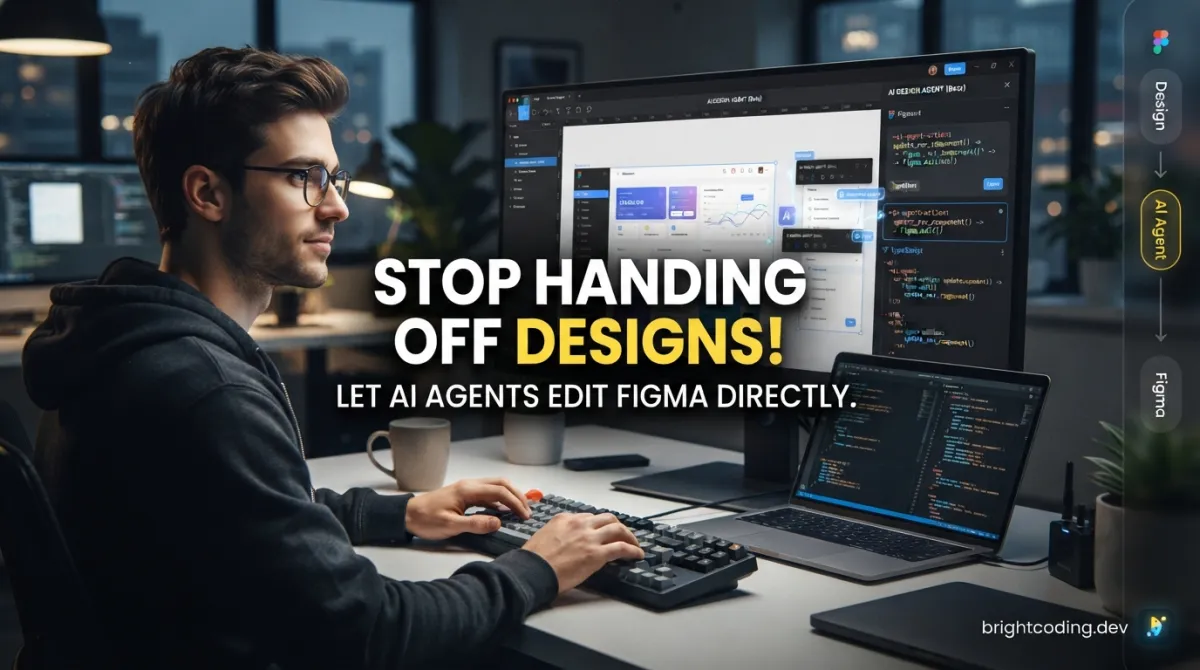
Stop Handing Off Designs! Let AI Agents Edit Figma Directly
What if your AI assistant could not only see your Figma designs but actually fix them? Not tomorrow. Not after another sprint. Right now, with a simple chat command.
Here's the brutal truth that keeps UX teams awake at night: design handoffs are broken. Developers squint at screenshots. Designers write pixel-perfect specs that nobody reads. Accessibility issues slip through because manual audits take hours. Rebranding means hunting through hundreds of frames, changing hex codes one by one like some digital Sisyphus.
But what if I told you there's a secret weapon that top product teams are already deploying? A tool that transforms Claude, Cursor, and other AI agents into autonomous design collaborators that can read your Figma files, analyze their structure, and push actual modifications—all through natural language commands.
Meet claude-talk-to-figma-mcp, the open-source Model Context Protocol that's making Figma's official MCP look like an overpriced toy. Unlike Figma's own solution, this powerhouse works with any Figma account, even free ones. No Dev Mode license. No enterprise negotiations. Just pure AI-design synergy.
Ready to 10x your design workflow? Let's dive into why developers and designers are abandoning traditional workflows for this game-changing integration.
What is claude-talk-to-figma-mcp?
claude-talk-to-figma-mcp is an open-source Model Context Protocol (MCP) server that bridges the gap between AI agents and Figma's design environment. Created by Xúlio Zé (@arinspunk) and based on Sonny Lazuardi's original cursor-talk-to-figma-mcp, this project has evolved into a production-ready tool for design automation.
But what exactly does "MCP" mean here? The Model Context Protocol is Anthropic's open standard for connecting AI assistants to external tools and data sources. Think of it as a universal API that lets Claude, Cursor, and other agentic tools "plug into" applications they normally couldn't touch. The claude-talk-to-figma-mcp implementation specifically exposes Figma's document structure, element properties, and modification capabilities as a set of callable tools that AI agents can invoke.
Why is this trending now? Three converging forces:
- The rise of agentic AI: Tools like Claude Code, Cursor, and Windsurf are moving beyond chat into autonomous execution
- Design-system maturity: Teams need programmatic ways to maintain consistency across growing component libraries
- Accessibility pressure: WCAG compliance is no longer optional, but manual audits don't scale
The project's killer differentiator? Democratization. Figma's official MCP requires a costly Dev Mode license. This community-driven alternative removes that barrier entirely, making AI-powered design accessible to freelancers, startups, and enterprise teams alike. With support for eight major AI platforms and safe parallel execution for multi-agent workflows, it's architected for real team collaboration—not solo experiments.
Key Features That Make It Irresistible
Let's dissect what makes claude-talk-to-figma-mcp technically superior to alternatives:
🔓 Zero License Lock-in
The most explosive feature isn't code—it's freedom. Figma's official MCP gates functionality behind Dev Mode subscriptions. This tool unlocks AI design automation for every account tier. For bootstrapped teams, that's the difference between experimenting with AI workflows and watching from the sidelines.
🤖 Universal Agent Compatibility
Eight platforms, one protocol. Whether you're team Claude Desktop, living in Cursor, or orchestrating with VS Code + GitHub Copilot, the MCP server speaks your agent's language. This isn't vendor lock-in; it's vendor liberation.
⚡ Safe Parallel Execution
Here's where engineering gets elegant. The server implements a command queue that serializes requests from multiple simultaneous agents. Why does this matter? Because modern AI workflows increasingly use sub-agents (Claude Code's research agents, for example) or team swarms where multiple developers collaborate on one file.
Without this queue, concurrent modifications would crash into each other, corrupting your design document. The built-in sequential processing prevents Figma API timeouts while maintaining data integrity. State management is explicitly blocked—agents must provide parentId parameters rather than relying on implicit page context, eliminating an entire class of race-condition bugs.
🛠️ Full CRUD on Design Elements
This isn't read-only access. The MCP exposes capabilities across three domains:
| Capability Category | Specific Actions |
|---|---|
| Design Analysis | Document info, selection state, style extraction, text scanning, component auditing, asset export |
| Element Creation | Shapes, text, frames with style control, cloning, grouping, organization |
| Modification | Colors, borders, corner radius, shadows, auto-layout, typography, local & team library components |
🐳 Docker↗ Bright Coding Blog-Ready Infrastructure
For teams needing consistent environments or shared WebSocket servers, containerized deployment is documented and supported. This isn't a side project hack—it's production infrastructure.
Real-World Use Cases Where It Dominates
1. Accessibility at Scale
"Find all text with contrast ratio <4.5:1 and suggest colors that meet WCAG AA"
Manual contrast checking is soul-crushing. Automated tools exist, but they can't fix what they find. With claude-talk-to-figma-mcp, your AI agent identifies violations and proposes compliant alternatives, then applies them across your entire document. A task that consumed hours now takes seconds.
2. Lightning Rebranding
"Change #FF6B6B to #E63946 in all primary buttons throughout the document"
Global color swaps, typography updates, spacing adjustments—executed with single commands. No more "find and replace" anxiety about missing instances. The agent traverses your component tree systematically, ensuring 100% consistency.
3. Intelligent Design Critique
"Analyze the visual hierarchy of this screen and suggest improvements based on design principles"
Stuck in a design rut? Your AI agent becomes a 24/7 design consultant, applying Gestalt principles, Fitts's Law, and cognitive load theory to evaluate your work. The feedback is grounded in your actual pixels, not generic advice.
4. Developer Handoff Revolution
"Generate the React↗ Bright Coding Blog component for 'CardProduct' including PropTypes and styles in CSS modules"
This is where claude-talk-to-figma-mcp transcends typical design-dev tools. It doesn't just extract specs—it generates production code with design tokens, typed interfaces, and framework-appropriate patterns. React, Vue, SwiftUI: your agent adapts output to your stack.
5. Multi-Agent Design Systems
Imagine a swarm where one agent audits accessibility, another updates brand tokens, and a third generates component documentation—all simultaneously on the same file. The parallel execution architecture makes this safe and practical, not theoretical.
Step-by-Step Installation & Setup Guide
Total setup time: 5 minutes. First automation: 2 minutes.
Prerequisites
Before starting, ensure you have:
- Node.js installed (LTS recommended)
- Figma Desktop (required for plugin development mode)
- Your preferred AI client from the supported list
Step 1: Install and Start the WebSocket Server
The WebSocket server is the communication bridge between your AI agent and Figma. Open your terminal and run:
npx claude-talk-to-figma-mcp
This single command performs three operations automatically: clones the repository, installs dependencies, and starts the server. For subsequent sessions, navigate to your project folder and use:
bun run socket
# Or if you prefer npm:
npm run socket
💡 Pro Tip: The
npxapproach is perfect for first-time exploration. Once you're committed, running from the local project folder withbungives you faster startup times and dependency caching.
Step 2: Install the Figma Plugin
This plugin receives commands from the agent and returns responses with document data.
- Open Figma Desktop
- Navigate to Menu → Plugins → Development → Import plugin from manifest
- Browse to your installation folder and select:
src/claude_mcp_plugin/manifest.json
The plugin now appears in your recent plugins list for quick access in future sessions.
Step 3: Configure Your AI Agent
For Claude Desktop (Easiest Path)
- Download claude-talk-to-figma-mcp.dxt from the latest release's Assets section
- Double-click the file
- Claude Desktop auto-configures itself—no manual JSON editing required
For Cursor (Manual Configuration)
Add this to your mcp.json:
{
  "mcpServers": {
    "ClaudeTalkToFigma": {
      "command": "npx",
      "args": ["-p", "claude-talk-to-figma-mcp@latest", "claude-talk-to-figma-mcp-server"]
    }
  }
}
Then restart Cursor to load the new server.
For Other Tools
Claude Code, Windsurf, VS Code + Copilot, Cline, and Roo Code users should follow the detailed installation guide.
Step 4: Establish the Connection
- Open the plugin in Figma Desktop
- Copy the channel ID (bold code in the green box)
- Chat with your agent:
Connect to Figma, channel {your-ID}
✅ You're live. Your AI agent now has read/write access to your Figma document.
Subsequent Sessions (Daily Workflow)
No full reinstallation needed:
# Terminal: Start the socket
cd your-project/claude-talk-to-figma-mcp
bun run socket

# Figma: Open from recent plugins
# AI: Connect with your channel ID
REAL Code Examples from the Repository
Let's examine actual implementation patterns from the claude-talk-to-figma-mcp codebase and documentation.
Example 1: Cursor MCP Configuration
The repository provides this exact configuration for Cursor integration:
{
  "mcpServers": {
    "ClaudeTalkToFigma": {
      "command": "npx",
      "args": ["-p", "claude-talk-to-figma-mcp@latest", "claude-talk-to-figma-mcp-server"]
    }
  }
}
What's happening here? This JSON registers a new MCP server named "ClaudeTalkToFigma" in Cursor's tool registry. The "command": "npx" tells Cursor to use Node's package executor, which dynamically downloads and runs the latest version (@latest tag). The -p flag ensures the package is available without global installation. The final argument claude-talk-to-figma-mcp-server is the entry point binary that starts the MCP server process.
Why this pattern matters: It enables zero-install onboarding—new team members don't need to manually clone repos or manage Node versions. The npx approach guarantees everyone runs the same latest stable version.
Example 2: Connection Command (Natural Language Interface)
Once configured, the actual interaction is purely conversational:
Connect to Figma, channel ABC123XYZ
This isn't code in the traditional sense—it's the natural language trigger that activates the MCP tools. Behind the scenes, your AI agent:
- Parses the intent (establish Figma connection)
- Extracts the channel ID (ABC123XYZ)
- Invokes the WebSocket connection tool with that parameter
- Receives confirmation from the Figma plugin
The channel ID acts as a secure session identifier, ensuring your agent connects to your specific Figma instance rather than interfering with other users.
Example 3: Real-World Automation Commands
The README showcases these production-ready prompt patterns:
Find all text with contrast ratio <4.5:1 and suggest colors that meet WCAG AA
When executed, this triggers a multi-step agentic workflow:
// Conceptual execution flow (not actual code):
1. SCAN_DOCUMENT → Retrieve all text nodes
2. ANALYZE_CONTRAST → Calculate foreground/background ratios for each
3. FILTER → Select nodes with ratio < 4.5
4. GENERATE_SUGGESTIONS → Compute WCAG AA-compliant alternatives
5. PRESENT_TO_USER → Display findings with apply/ignore options
Similarly, this rebranding command:
Change #FF6B6B to #E63946 in all primary buttons throughout the document
Executes:
// Conceptual execution flow:
1. QUERY_NODES → Find all elements matching #FF6B6B
2. FILTER_BY_TYPE → Restrict to button-like components
3. BATCH_UPDATE → Apply #E63946 to fill properties
4. VERIFY → Confirm changes, report count of modified nodes
Example 4: Daily Socket Startup
For returning users, the repository documents this streamlined startup:
# Navigate to project directory
cd your-project/claude-talk-to-figma-mcp

# Start WebSocket server with Bun (faster)
bun run socket

# Alternative with npm if Bun isn't installed
npm run socket
Why bun run socket over npx for daily use? Three reasons: speed (Bun's startup is ~3x faster than Node), caching (dependencies are already resolved locally), and stability (pinned versions in package-lock.json or bun.lockb prevent unexpected updates). The socket script is defined in package.json and handles environment setup, port binding, and error logging.
Advanced Usage & Best Practices
🎯 Master Parallel Execution Constraints
The multi-agent support is powerful but has architectural guardrails. Stateful commands like set_current_page are intentionally blocked because implicit context becomes unreliable when multiple agents modify simultaneously. Always provide explicit parentId parameters for creation commands. This seems restrictive, but it forces idempotent, reproducible workflows that survive agent restarts and concurrency.
🔄 Design Token Integration
For maximum value, establish naming conventions that your agent can programmatically target. Instead of "that blue button," use structured names like button/primary/default. The MCP can filter and modify by these identifiers, enabling systematic design system updates.
🧪 Version Control Your Prompts
Treat your most effective automation commands as infrastructure. Store tested prompts in your team's knowledge base. A well-crafted prompt like your WCAG audit command is reusable intellectual property that new team members can deploy instantly.
🐳 Docker for Team Environments
When multiple designers share a workspace or CI pipelines need Figma automation, the Docker installation path provides environment consistency and network accessibility that local installs can't match.
Comparison with Alternatives
| Feature | claude-talk-to-figma-mcp | Figma Official MCP | Manual Design Ops |
|---|---|---|---|
| License Required | ❌ Free accounts OK | ✅ Dev Mode only | N/A |
| AI Agent Support | 8+ platforms | Limited | None |
| Parallel Execution | ✅ Built-in queue | ❌ Single-threaded | N/A |
| Modification Scope | Full CRUD | Read-heavy | Full (manual) |
| Setup Complexity | 5 minutes | Enterprise negotiation | N/A |
| Open Source | ✅ MIT License | ❌ Proprietary | N/A |
| Community Extensibility | ✅ Active contributions | ❌ Figma-controlled | N/A |
| Code Generation | ✅ Native support | ❌ Not available | Manual |
The verdict? If you're a free-tier user, open-source advocate, or multi-agent power user, claude-talk-to-figma-mcp is objectively superior. Figma's official offering only makes sense for enterprises already locked into Dev Mode with no interest in agentic workflows.
FAQ: What Developers Ask Most
Does this work with Figma's free plan?
Absolutely yes. Unlike Figma's official MCP, claude-talk-to-figma-mcp requires zero paid licenses. This is the primary reason teams adopt it.
Which AI tools are supported?
Eight platforms: Claude Desktop, Claude Code, Cursor, Antigravity, Windsurf, VS Code + GitHub Copilot, Cline, and Roo Code. The MCP standard ensures broad compatibility.
Is it safe for production design files?
The project is marked "Stable production" by its maintainers. The command queue prevents concurrent modification conflicts. However, as with any automation tool, version history backups are recommended for critical files.
Can multiple agents work on the same file?
Yes, with intentional constraints. The parallel execution system queues requests to prevent API timeouts. Agents must use explicit parentId parameters rather than stateful context commands.
What's the difference from cursor-talk-to-figma-mcp?
This project extends and generalizes the original. Added features include Claude Desktop auto-configuration (.dxt files), broader agent support, enhanced command set, and safe parallel execution architecture.
How do I update to new versions?
For npx users, latest is automatic. For local installs, git pull and bun install (or npm install) fetches updates. Check the Changelog for breaking changes.
What if the WebSocket connection drops?
Simply restart the socket server (bun run socket) and reconnect with your channel ID. The Figma plugin maintains state; your agent re-establishes context.
Conclusion: The Future of Design is Agentic
claude-talk-to-figma-mcp isn't just a tool—it's a paradigm shift. For decades, design tools trapped creativity in manual workflows. Then Figma liberated collaboration. Now, this open-source MCP liberates automation.
The implications are staggering. Accessibility audits that took hours now complete in seconds. Rebranding exercises that risked human error become deterministic and complete. Developer handoffs evolve from static documentation to living, generated code.
But here's what excites me most: this is community-built infrastructure challenging proprietary gatekeeping. When Figma said "pay for Dev Mode," the open-source community said "watch us." That spirit—of democratizing powerful tools—is what drives genuine innovation.
My recommendation? Install it this week. Run your first accessibility audit. Generate your first React component from a real design. Feel that moment when your AI agent actually modifies your Figma file and you'll understand why this is inevitable, not optional.
The project is under active development with Figma Variables support and enhanced Tailwind CSS↗ Bright Coding Blog/SwiftUI exports coming. Your feedback shapes its evolution.
👉 Star the repository on GitHub, propose features in Issues, and join the teams already designing at the speed of thought.
The gap between imagining a design change and executing it just collapsed to the length of a sentence. What will you build with that power?
Outils recommandés
Explore on the BrightCoding network
Hand-picked resources from our other sites.
wilwaldon/Claude-Code-Frontend-Design-Toolkit: 70+ Skills for Better AI UI
Curated collection of 70+ Claude Code skills, MCP servers, and CLAUDE.md patterns to eliminate generic AI frontend output. Organized by functional area with exa...
rixinhahaha/snip: Visual Mode for Claude Code and AI Agents
rixinhahaha/snip is an open-source Electron app that adds visual rendering and spatial annotation to AI coding agents. It runs locally via Ollama, integrates wi...
Pantheon-Security/medusa: AI-First Security Scanner for 40,000+ Threat Patterns
Pantheon-Security/medusa is an AI-first security scanner with 40,000+ detection patterns for AI/ML applications, LLM agents, and MCP servers. Features zero-setu...
Continuez votre lecture

Why Alexandrie is the Ultimate Markdown Note-Taking App

Why CrossPaste is the Ultimate Game Changer for Clipboard Management

Why Chandra is the Ultimate OCR Tool for Handwriting and Tables

Stop Coding Alone: OPC-Skills Gives Your AI Agent Superpowers
Commentaires 0
Aucun commentaire pour l'instant. Soyez le premier à réagir !