Stop Juggling 10 Tools! WorkAny Runs Your Entire Desktop
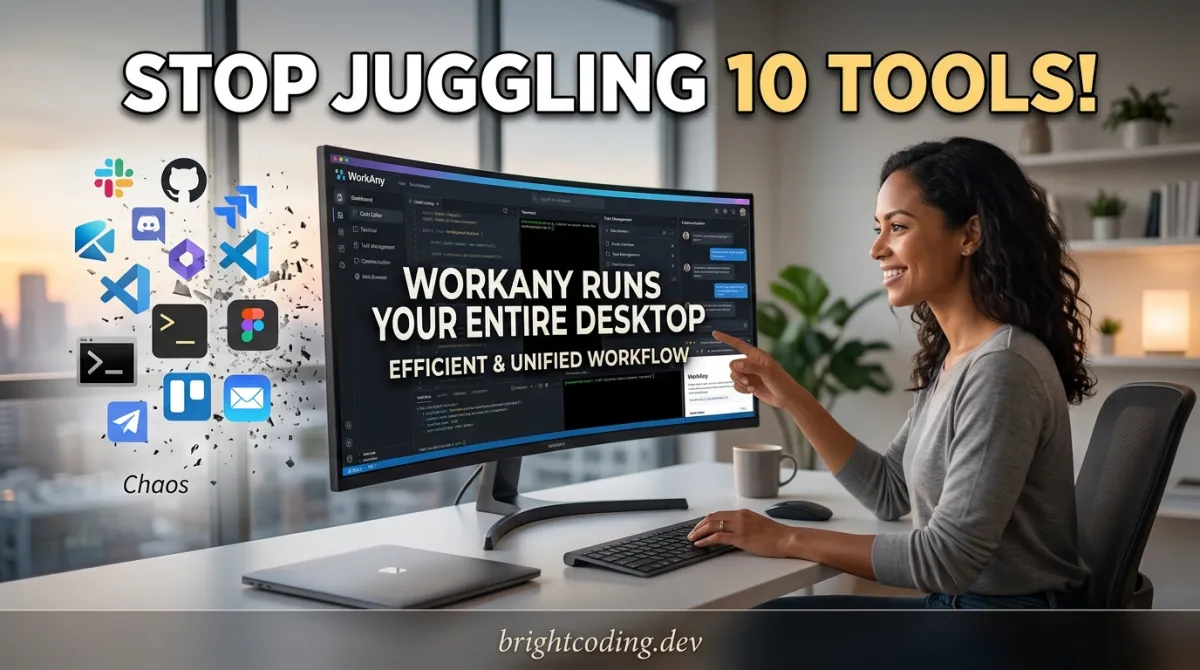
Stop Juggling 10 Tools! WorkAny Runs Your Entire Desktop
What if your computer actually understood what you wanted? Not just search results. Not clunky chatbots. But real task execution—files organized, websites built, documents generated, code written—all from a single sentence.
Here's the brutal truth: developers today waste 2-3 hours daily context-switching between IDEs, terminal windows, file managers, browsers, and AI chat interfaces. We type the same commands. We copy-paste between tools. We manually organize scattered projects. The "productivity stack" has become a productivity trap.
But what if one desktop application could replace that entire fragmented workflow?
Enter WorkAny—the open-source desktop AI agent that's making developers abandon their overstuffed toolchains. Built by the team at ThinkAny, LLC, this isn't another browser-based AI wrapper. It's a native desktop application that runs entirely on your machine, executes tasks through natural language, and integrates with 30+ built-in tools for file management, code generation, web search, and more.
In this deep dive, I'll expose why top developers are secretly switching to WorkAny, how its in-process agent runtime eliminates the CLI dependency nightmares of other tools, and exactly how you can set it up to 10x your productivity today. The repository is live at github.com/workany-ai/workany—and trust me, you'll want to star this before your competitors do.
What Is WorkAny? The Desktop Agent Developers Actually Needed
WorkAny is a desktop AI agent application that executes tasks through natural language input. Unlike cloud-based AI assistants that require constant internet connectivity and send your data to remote servers, WorkAny runs as a native desktop application built with Tauri 2 and Rust, giving you speed, privacy, and true system-level integration.
The project was created by ThinkAny, LLC and is actively maintained with a thriving community on Discord and X. Its official website, workany.ai, showcases the broader vision: an AI-powered workspace where natural language becomes the primary interface for computing.
Why It's Trending Now
The timing isn't accidental. Three converging trends make WorkAny explosive:
-
The MCP Revolution: Model Context Protocol (MCP) has standardized how AI agents connect to tools. WorkAny supports MCP servers via stdio, SSE, and HTTP—making it instantly compatible with the growing ecosystem of MCP-compatible services.
-
Local-First Movement: Developers are rejecting cloud-only solutions. WorkAny's in-process runtime means your code, files, and data never leave your machine unless you explicitly want them to.
-
The "Vibe Coding" Era: As Andrej Karpathy famously noted, developers increasingly want to describe what they want, not type every character. WorkAny's real-time streaming code generation makes this practical, not just theoretical.
The project structure reveals serious engineering:
workany/
├── src/                # Frontend (React↗ Bright Coding Blog 19 + TypeScript)
├── src-api/            # Backend API (Hono + @codeany/open-agent-sdk)
└── src-tauri/          # Desktop app (Tauri + Rust)
This isn't a hastily thrown-together Python↗ Bright Coding Blog script. It's a three-tier architecture with modern technologies: React 19 for the UI, Hono for the API layer, and Tauri 2 with Rust for the desktop shell. The result? Native performance with web-tech flexibility.
Key Features: The Technical Breakdown
WorkAny packs capabilities that would require five separate tools to replicate. Here's the deep technical dive:
Task Execution with Real-Time Streaming
The core interaction model is deceptively simple: type what you want in natural language, watch it happen. But under the hood, WorkAny streams responses token-by-token using the @codeany/open-agent-sdk, giving you immediate feedback rather than waiting for complete generation. This isn't just UX polish—it's essential for iterative refinement when you're describing complex tasks.
In-Process Agent Runtime (No External CLI!)
This is the secret weapon. Most AI agent frameworks (yes, looking at you, AutoGPT and its derivatives) require spawning external Python processes, managing virtual environments, and praying dependency versions align. WorkAny's agent runtime runs entirely in-process through the @codeany/open-agent-sdk. No external CLI. No version conflicts. No "it works on my machine" deployment nightmares.
30+ Built-in Tools
The tool ecosystem covers the full development lifecycle:
- File I/O: Read, write, move, organize files with natural language commands
- Shell Execution: Run terminal commands with safety confirmations
- Web Search: Research without leaving your workspace
- Code Editing: Direct file modification with diff-aware changes
- Sandbox: Isolated execution environment for untrusted code
Artifact Preview System
Generate HTML, React components, or data visualizations and see them live without switching to a browser. The built-in preview engine renders artifacts instantly—crucial for rapid prototyping.
MCP Server Integration
Model Context Protocol support means WorkAny isn't locked to its built-in tools. Connect any MCP-compatible server via stdio (local processes), SSE (server-sent events), or HTTP REST endpoints. This extensibility architecture future-proofs the platform.
Custom Skills System
Beyond MCP, WorkAny supports custom agent skills—reusable capability modules you define for domain-specific tasks. Think: "deploy to AWS" skill, "generate TypeScript types from JSON" skill, "create presentation deck" skill.
Multi-Provider LLM Support
No vendor lock-in. Connect to OpenRouter, Anthropic, OpenAI, or any OpenAI-compatible API endpoint. Use Claude for reasoning, GPT-4 for coding, local models for privacy—all switchable per task.
Real-World Use Cases: Where WorkAny Destroys Traditional Workflows
Use Case 1: The Chaotic Project Onboarding
You just cloned a massive monorepo. READMEs are outdated. Dependencies are unclear. Normally: hours of exploration. With WorkAny: "Analyze this codebase structure, identify the main entry points, and create a summary document of the architecture." The agent traverses files, extracts key information, and generates a structured document—with live preview as it writes.
Use Case 2: Rapid Prototyping Without Setup Hell
Need a quick landing page for validation? "Create a responsive landing page with hero section, feature grid, and email signup form using React and Tailwind." WorkAny generates the code, previews it instantly, and can even organize the files into a proper project structure. No npx create-react-app. No dependency resolution. Just results.
Use Case 3: Data Processing Pipeline
CSV files scattered across downloads? "Find all CSV files in my Downloads folder, combine them into a single dataset, clean missing values, and generate a summary statistics table." The file I/O tools locate data, the sandbox executes Python for processing, and the artifact preview shows interactive tables.
Use Case 4: Cross-Tool Documentation Generation
Your API changed. Documentation lives in code comments, a Notion page, and a README. "Read the OpenAPI schema in /api, update the README endpoint documentation, and generate a markdown↗ Smart Converter changelog of the differences." One command, three outputs, zero context switching.
Use Case 5: Custom MCP-Powered Workflows
Connect your company's internal MCP server for database access, then: "Query the user analytics table for last month's signups, generate a trend visualization, and create a presentation slide for the weekly standup." The MCP integration makes enterprise workflows as natural as chatting.
Step-by-Step Installation & Setup Guide
Ready to escape tool fragmentation? Here's the complete setup:
Prerequisites
WorkAny requires modern development tooling:
| Requirement | Version | Purpose |
|---|---|---|
| Node.js | >= 20 | Frontend build and API runtime |
| pnpm | >= 9 | Package management (faster, stricter than npm) |
| Rust | >= 1.70 | Tauri desktop compilation |
Verify your versions:
# Check Node.js version
node --version  # Should output v20.x.x or higher

# Check pnpm installation
pnpm --version  # Should output 9.x.x or higher

# Check Rust installation
rustc --version  # Should output 1.70.x or higher
Clone and Install
# Clone the repository
git clone https://github.com/workany-ai/workany.git
cd workany

# Install all dependencies (frontend, API, and Tauri)
pnpm install
The pnpm install command handles the monorepo structure automatically, installing dependencies for all three layers (src, src-api, src-tauri).
Development Mode Setup
WorkAny offers flexible development configurations:
# Start the API server (required for all modes)
pnpm dev:api

# Option A: Start Web + Desktop App (RECOMMENDED)
# This gives you the full native desktop experience with hot reload
pnpm dev:app

# Option B: Start Web only (browser-based development)
# Useful for quick UI iteration without Tauri compilation
pnpm dev:web
Pro tip: Use pnpm dev:app for the authentic experience. The Tauri shell provides native file system access, system notifications, and proper window management that the browser-only mode can't replicate.
Production Build
# Build optimized desktop application
pnpm tauri build
This compiles the Rust backend, bundles the React frontend, and produces platform-specific installers in src-tauri/target/release/bundle/.
Configuration
After first launch, navigate to Settings to configure your LLM provider:
- OpenRouter: Enter your API key for access to 100+ models
- Anthropic: Direct Claude integration with your API key
- OpenAI: GPT-4, GPT-4o, and compatible endpoints
- Custom: Any OpenAI-compatible API (Ollama for local, Azure, etc.)
The settings interface supports custom model providers for advanced use cases—perfect for enterprise deployments with private model hosting.
REAL Code Examples from the Repository
Let's examine actual patterns from WorkAny's codebase and documentation:
Example 1: Project Structure Analysis
The monorepo organization reveals architectural decisions:
workany/
├── src/                # Frontend (React + TypeScript)
├── src-api/            # Backend API (Hono + @codeany/open-agent-sdk)
└── src-tauri/          # Desktop app (Tauri + Rust)
What's happening here? The separation into three distinct directories enforces clean architecture boundaries. The src directory contains the React 19 frontend with Vite bundling and Tailwind CSS↗ Bright Coding Blog 4 for styling—modern, fast, and type-safe. The src-api directory houses the Hono-based API layer, which uses the @codeany/open-agent-sdk to orchestrate agent execution without spawning external processes. Finally, src-tauri contains the Rust-based desktop shell that compiles to native code for each platform.
This structure matters because it enables independent scaling: the frontend could become a web-only deployment, the API could serve multiple clients, and the Tauri layer could be replaced with Electron or native UI without touching business logic.
Example 2: Development Commands
The README provides explicit development workflows:
# Install dependencies
pnpm install

# Start API server
pnpm dev:api

# Start Web and Desktop App (recommended)
pnpm dev:app

# Start Web only (Optional)
pnpm dev:web
Critical insight: The command design reveals a service-oriented architecture. The API server (pnpm dev:api) must run first because it provides the agent runtime that both web and desktop clients consume. The pnpm dev:app command likely orchestrates both the API startup and Tauri compilation in parallel, while pnpm dev:web skips Tauri for faster iteration when testing UI changes.
Notice the pnpm requirement (not npm or yarn). This is intentional: pnpm's strict dependency resolution prevents the "works on my machine" issues common in Node projects, and its workspace features handle the monorepo structure efficiently.
Example 3: Tech Stack Configuration
The documented stack shows deliberate technology choices:
| Layer | Technologies |
|---|---|
| Frontend | React 19, TypeScript, Vite, Tailwind CSS 4 |
| Backend | Hono, @codeany/open-agent-sdk, MCP SDK |
| Desktop | Tauri 2, SQLite |
Why this stack wins:
- React 19 (not 18): Access to the latest concurrent features and improved Server Components support
- Vite (not Webpack): Sub-second cold starts and instant HMR for development velocity
- Tailwind CSS 4: The upcoming version with improved performance and CSS-native configuration
- Hono (not Express): Ultra-lightweight, Edge-compatible, with superior TypeScript inference
- Tauri 2 (not Electron): Rust-based, dramatically smaller bundle sizes, better security model, native performance
- SQLite: Embedded, zero-configuration database for local state persistence
The MCP SDK inclusion is particularly significant—it means WorkAny doesn't just use MCP; it's built with the official SDK, ensuring compatibility as the protocol evolves.
Example 4: Architecture Visualization
The repository includes an architecture diagram at /public/imgs/architecture.png. While we can't display it here, the described structure implies:
User Input → React Frontend → Hono API → Agent Runtime (@codeany/open-agent-sdk)
                                              ↓
                    ┌─────────────────────────┼─────────────────────────┐
                    ↓                         ↓                         ↓
                Tool Calls              MCP Servers               Skills System
                    ↓                         ↓                         ↓
              File I/O, Shell           External APIs            Custom Logic
              Web Search, etc.          (stdio/SSE/HTTP)          (User-defined)
                    ↓                         ↓                         ↓
                    └─────────────────────────┴─────────────────────────┘
                                              ↓
                                    Artifact Preview / Response Stream
This hub-and-spoke architecture centralizes agent orchestration while allowing unlimited extensibility through MCP and skills. The in-process runtime means all these components communicate through memory, not network sockets—eliminating latency and serialization overhead.
Advanced Usage & Best Practices
Optimization Strategy 1: Custom Skill Development
Don't just use built-in tools—create reusable skills for your team's repetitive workflows. A skill encapsulates: system prompt templates, tool selection preferences, and output formatting rules. Version control your skills and share across team members.
Optimization Strategy 2: MCP Server Curation
The MCP ecosystem is growing rapidly. Prioritize servers that expose composable capabilities rather than monolithic integrations. A good MCP server does one thing well (database queries, API calls, file format conversion). Chain multiple servers in complex workflows rather than relying on single "do everything" servers.
Optimization Strategy 3: Provider Routing
Use WorkAny's multi-provider support strategically:
- Claude 3.5 Sonnet for complex reasoning and architecture decisions
- GPT-4o for rapid code generation with broad language support
- Local models via Ollama for sensitive code that can't leave your machine
- OpenRouter for cost optimization and model fallback
Optimization Strategy 4: Sandbox Hardening
The built-in sandbox is powerful but review its permissions. For maximum security when executing untrusted code: restrict network access, limit file system scope to temporary directories, and enable execution timeouts.
Optimization Strategy 5: Workspace Templates
Standardize project initialization by creating workspace templates. A template defines: directory structure conventions, common file patterns, and pre-configured skills. New team members get productive immediately with your organization's best practices encoded.
Comparison with Alternatives
| Feature | WorkAny | AutoGPT | Claude Desktop | GitHub Copilot |
|---|---|---|---|---|
| Runtime | In-process (native) | External Python CLI | Cloud-based | IDE extension |
| Natural Language Tasks | ✅ Full workspace | ✅ But fragile | ✅ Limited scope | ❌ Code only |
| File System Access | ✅ Native integration | ✅ Via plugins | ❌ No direct access | ❌ Limited |
| MCP Support | ✅ stdio/SSE/HTTP | ❌ Custom plugins | ❌ Proprietary | ❌ No |
| Local Execution | ✅ Fully local possible | ⚠️ Requires setup | ❌ Cloud-dependent | ❌ Cloud-dependent |
| Code Preview | ✅ Live artifact preview | ❌ External tools | ❌ No | ✅ Inline |
| Multi-provider | ✅ OpenRouter, etc. | ✅ Via configuration | ❌ Anthropic only | ❌ OpenAI only |
| Open Source | ✅ Apache-based | ✅ MIT | ❌ Closed | ❌ Closed |
| Desktop Native | ✅ Tauri/Rust | ❌ Terminal/CLI | ✅ Electron | ❌ IDE plugin |
Why WorkAny wins: It's the only open-source solution combining native desktop performance, full workspace integration, MCP extensibility, and multi-provider flexibility. AutoGPT pioneered the space but remains CLI-centric and operationally complex. Claude Desktop is polished but locked to Anthropic's ecosystem. Copilot is code-only, not task-oriented.
FAQ: Developer Concerns Addressed
Is WorkAny free to use?
Yes! The core application is open-source under the WorkAny Community License (Apache 2.0-based). You pay only for LLM API usage through your chosen provider. No subscription required for the software itself.
How does WorkAny handle data privacy?
All task execution happens locally through the in-process runtime. Your code, files, and conversation history stay on your machine. LLM API calls go directly to your configured provider—no intermediary servers.
Can I use WorkAny without internet?
Partially. The application runs locally, but LLM inference requires API connectivity. For fully offline operation, configure a local model via Ollama or similar OpenAI-compatible local endpoints.
What makes @codeany/open-agent-sdk special?
Unlike frameworks that spawn external processes (Python scripts, Docker↗ Bright Coding Blog containers), this SDK runs entirely within the Node.js process. Eliminates cold start latency, version conflicts, and deployment complexity.
How do I add custom tools?
Two paths: implement an MCP server (standardized, portable across applications) or create a WorkAny Skill (deeper integration with custom UI components). Both are documented in the repository.
Is Tauri 2 stable enough for production?
Tauri 2 reached stable release with significant enterprise adoption. Its Rust foundation provides memory safety guarantees impossible in Electron's Chromium+Node architecture. Smaller bundles, faster startup, better security.
Can WorkAny replace my IDE?
Not entirely—yet. For complex debugging, specialized language support, and large-scale refactoring, traditional IDEs remain superior. But for rapid prototyping, file organization, documentation generation, and cross-tool workflows, WorkAny eliminates significant IDE context-switching.
Conclusion: The Desktop Agent Era Starts Now
WorkAny represents something rare: a tool that actually reduces complexity instead of adding to it. By unifying natural language task execution, code generation, file management, and extensible tool integration in a native desktop application, it solves the fragmentation problem that plagues modern development workflows.
The technical architecture is sound—React 19 frontend, Hono API, Tauri 2 desktop shell, and the crucial in-process @codeany/open-agent-sdk runtime. The 30+ built-in tools cover immediate needs, while MCP support ensures future extensibility. Multi-provider LLM support prevents vendor lock-in.
But here's my honest assessment: WorkAny is early. The project needs community contribution to reach its potential—more MCP servers, richer skills library, broader platform testing. The foundation is exceptional; the ecosystem needs builders.
If you're tired of orchestrating five tools for tasks that should take one sentence, this is your moment. Clone the repository, join the Discord community, and experience what desktop AI agents should have been all along.
Star the project, try the setup, and contribute your first skill. The future of workspace management isn't more tools—it's one agent that actually works.
👉 github.com/workany-ai/workany
Built with ❤️ by ThinkAny, LLC. Community contributions welcome.
Outils recommandés
Explore on the BrightCoding network
Hand-picked resources from our other sites.
plantuml/plantuml: Generate UML Diagrams from Text Descriptions
plantuml/plantuml is an open-source Java tool with 13K+ GitHub stars that generates UML and technical diagrams from textual descriptions. Features browser exten...
muesli/duf: A Better 'df' Alternative for Disk Usage Analysis
muesli/duf is a modern Go-based replacement for the df command, offering color-coded, categorized disk usage output with JSON export, flexible filtering, and cr...
MoneyPrinter: Automate YouTube Shorts Without Lifting a Finger
Discover MoneyPrinter, the open-source tool automating YouTube Shorts creation with local Ollama AI and MoviePy. Complete setup guide, real code examples, and a...
Continuez votre lecture

Why Alexandrie is the Ultimate Markdown Note-Taking App

Why CrossPaste is the Ultimate Game Changer for Clipboard Management

Why Chandra is the Ultimate OCR Tool for Handwriting and Tables

Stop Coding Alone: OPC-Skills Gives Your AI Agent Superpowers
Commentaires 0
Aucun commentaire pour l'instant. Soyez le premier à réagir !