Stop Juggling AI Agents! Emdash Runs 27 Coders in Parallel
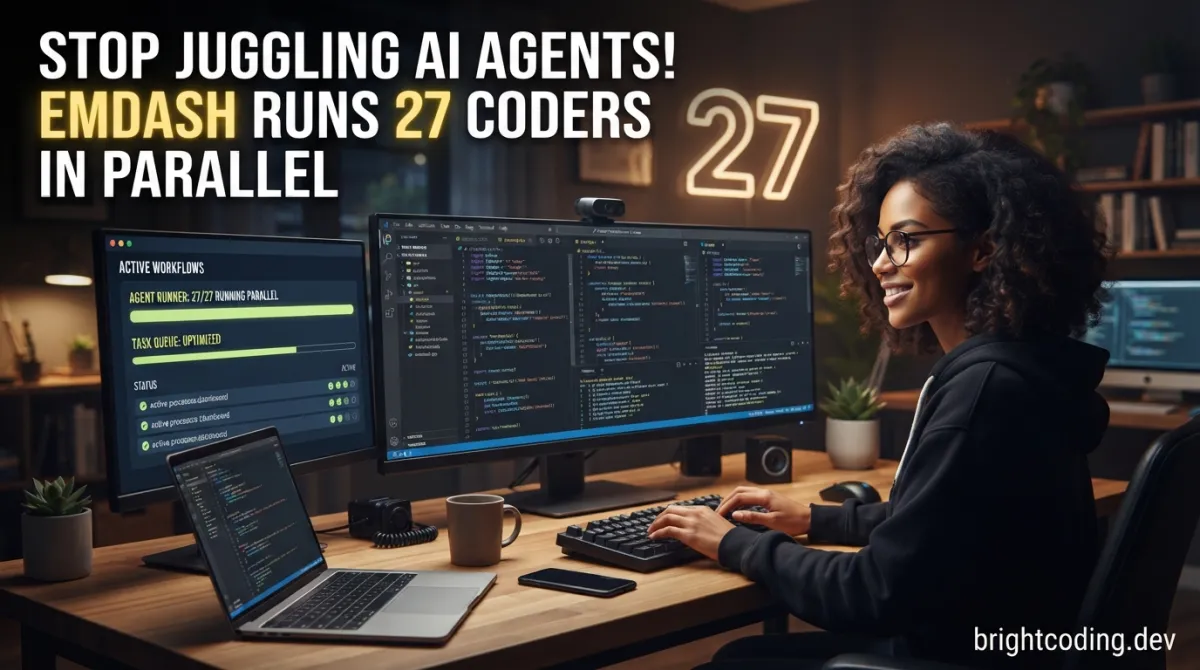
What if your next feature shipped in hours instead of days? Not because you worked harder—but because you unleashed an army of AI coding agents working simultaneously, each isolated in its own sandbox, never stepping on each other's toes.
Here's the brutal truth most developers won't admit: we're wasting insane amounts of time context-switching between AI tools. Claude Code for architecture. Codex for quick fixes. Gemini for documentation. Cursor for UI tweaks. Each switch kills momentum. Each conversation restart loses precious context. And running multiple agents on the same codebase? That's a recipe for merge conflicts, corrupted files, and existential dread.
But what if you could orchestrate dozens of AI agents in parallel, each working in complete isolation, then review, test, and merge their work with surgical precision?
Meet Emdash—the open-source Agentic Development Environment (ADE) backed by Y Combinator W26 that transforms chaotic AI tool-hopping into a streamlined, parallelized powerhouse. This isn't just another AI wrapper. It's a fundamental reimagining of how developers collaborate with artificial intelligence.
Stop treating AI agents like expensive autocomplete. Start treating them like a genuinely parallel engineering team.
What Is Emdash? The ADE Revolution Explained
Emdash is a provider-agnostic desktop application that lets you run multiple coding agents in parallel, each isolated in its own git worktree—either locally or over SSH on remote machines. Born from Y Combinator's W26 batch, it represents a new category of developer tooling: the Agentic Development Environment (ADE).
Unlike traditional IDEs that treat AI as a sidebar chatbot, Emdash treats AI agents as first-class parallel workers. The core insight is elegant in its simplicity: git worktrees provide lightweight, isolated working directories that share the same repository history but allow independent modifications. Emdash leverages this decades-old Git feature to create ephemeral, isolated sandboxes for each agent.
Why this matters now: The explosion of CLI-based coding agents—Claude Code, Codex, Gemini, Cursor's CLI, and dozens more—has created a paradox of choice. Each excels at different tasks, yet no workflow existed to harness them simultaneously. Emdash solves this orchestration crisis.
The project is fully open-source under Apache 2.0, with active development evidenced by consistent commit activity. The team maintains transparent telemetry policies and local-first data architecture—critical differentiators in an era of AI tools that quietly exfiltrate your codebase to cloud servers.
The bottom line: Emdash doesn't replace your favorite AI agents. It multiplies their effectiveness by letting them work together without collision.
Key Features: The Technical Architecture of Parallel Agent Execution
Emdash packs capabilities that sound futuristic but ship today. Here's the technical breakdown:
Git Worktree Isolation Engine
At Emdash's core lies sophisticated worktree orchestration. Each agent spawns in a dedicated worktree—no Docker↗ Bright Coding Blog overhead, no VM sluggishness, just native Git isolation. This means:
- Zero merge conflicts during agent execution: Agents literally cannot see each other's in-progress work
- Instant cleanup: Abandoned worktrees delete without trace
- Shared object database: All worktrees share
.git/objects, keeping disk usage minimal despite dozens of parallel branches
27 CLI Providers with Unified Interface
Emdash abstracts 27 distinct agent CLIs behind a consistent interface:
| Category | Notable Providers |
|---|---|
| Anthropic | Claude Code |
| OpenAI | Codex |
| Gemini, Jules | |
| GitHub | Copilot |
| Specialized | Devin, Kiro (AWS↗ Bright Coding Blog), Qwen Code, Mistral Vibe |
The provider-agnostic architecture means you're never locked in. Today's Claude Code advantage might become tomorrow's Codex breakthrough—Emdash adapts instantly.
Native Issue-to-Agent Pipeline
Direct integrations transform tickets into agent tasks:
- Linear: API key authentication, automatic ticket fetching
- GitHub Issues: OAuth or
gh auth loginintegration - Jira: Site URL + email + Atlassian API token
- GitLab, Forgejo, Plain Threads: Comparable token-based flows
Remote SSH Development
Full SSH/SFTP support with OS keychain-backed credential storage:
- SSH agent forwarding (recommended)
- Private key authentication
- Password authentication (discouraged but supported)
- Identical parallel workflows on remote infrastructure
CI/CD Integration
Review diffs, run tests, create PRs, and monitor CI/CD checks—all within the agent workflow. Emdash bridges the gap between agent-generated code and production deployment.
Local-First Data Architecture
All app state lives in SQLite on your machine:
macOS:   ~/Library/Application Support/emdash/emdash.db
Windows: %APPDATA%\emdash\emdash.db
Linux:   ~/.config/emdash/emdash.db
No cloud dependency. No surprise data leaks. You own your workflow state.
Use Cases: Where Emdash Transforms Development Reality
1. Parallel Feature Implementation
Your product manager drops five related but independent features for the next sprint. Traditionally: sequential implementation, or risky parallel branches with constant git stash acrobatics. With Emdash: spawn five agents, each with a Linear ticket, each in its own worktree. Review all implementations simultaneously. Ship what works, iterate what doesn't—without any branch pollution.
2. Multi-Provider Architecture Reviews
Complex architectural decisions benefit from diverse reasoning. Claude Code might emphasize safety. Codex might optimize for brevity. Gemini might catch edge cases the others miss. Emdash lets you pose identical architectural prompts to multiple providers in parallel, then synthesize their approaches into a superior hybrid solution.
3. Legacy Codebase Modernization
Migrating a monolith? Emdash agents can tackle independent modules simultaneously—one agent refactoring authentication, another modernizing database access, a third updating API contracts. The worktree isolation means partial failures don't contaminate successful migrations.
4. Security Audit and Remediation
Run specialized agents for different vulnerability classes: one hunting SQL injections, another checking for XSS vectors, a third verifying dependency versions. Each operates in isolation, generating focused, non-overlapping patches that merge cleanly.
5. Remote Team Infrastructure Scaling
Your CI runners sit idle while developers wait for local agent completion. Emdash's SSH support lets you burst agent workloads to remote GPU instances during crunch periods, then spin down without reconfiguring local environments.
Step-by-Step Installation & Setup Guide
macOS Installation
The fastest path uses Homebrew:
# Install via Homebrew Cask
brew install --cask emdash
For direct downloads (Apple Silicon or Intel):
# Apple Silicon M1/M2/M3/M4
curl -L -o emdash.dmg https://releases.emdash.sh/emdash-arm64.dmg

# Intel x64
curl -L -o emdash.dmg https://releases.emdash.sh/emdash-x64.dmg
Windows Installation
# Download installer (recommended for permanent install)
Invoke-WebRequest -Uri https://releases.emdash.sh/emdash-x64.msi -OutFile emdash.msi

# Or portable executable (no installation required)
Invoke-WebRequest -Uri https://releases.emdash.sh/emdash-x64.exe -OutFile emdash.exe
Linux Installation
# AppImage (universal, no root required)
curl -L -o emdash.AppImage https://releases.emdash.sh/emdash-x86_64.AppImage
chmod +x emdash.AppImage
./emdash.AppImage

# Debian/Ubuntu package
curl -L -o emdash.deb https://releases.emdash.sh/emdash-amd64.deb
sudo dpkg -i emdash.deb
Post-Installation: Provider Setup
Emdash requires at least one CLI agent. Here's Claude Code as an example:
# Install Claude Code (Anthropic's official CLI)
curl -fsSL https://claude.ai/install.sh | bash

# Verify installation
claude --version
For OpenAI's Codex:
# Install via npm
npm install -g @openai/codex

# Configure with your API key
codex --configure
Issue Tracker Integration
Connect Linear for ticket-driven development:
- Navigate to Settings → Integrations → Linear
- Generate API key at linear.app/settings/api
- Paste key into Emdash
- Select tickets directly when spawning agents
REAL Code Examples: Emdash in Action
Example 1: Disabling Telemetry (Privacy-First Configuration)
Emdash respects developer privacy with granular telemetry controls. Here's the exact configuration from their documentation:
# Disable telemetry via environment variable before launch
TELEMETRY_ENABLED=false
Or toggle in-app: Settings → General → Privacy & Telemetry
Why this matters: Many AI tools silently transmit code snippets for "improvement." Emdash's allow-listed, anonymous event system (via PostHog) explicitly excludes code, file paths, repo names, prompts, and PII. The env var gives deterministic, auditable privacy guarantees for security-conscious environments.
Example 2: Installing Multiple Providers for Parallel Work
Emdash's power emerges when you install diverse agents. Here are verified installation commands from the official provider table:
# Install Claude Code (Anthropic)
curl -fsSL https://claude.ai/install.sh | bash

# Install OpenAI Codex
npm install -g @openai/codex

# Install Google Gemini CLI
npm install -g @google/gemini-cli

# Install GitHub Copilot CLI
npm install -g @github/copilot

# Install Cursor CLI
curl https://cursor.com/install -fsS | bash
Implementation pattern: Each installs to your global PATH, making them instantly available to Emdash's provider detection. No vendor lock-in—you can uninstall any provider without affecting Emdash's core functionality.
Example 3: SSH Remote Development Setup
For teams with dedicated build servers or GPU instances, Emdash supports full remote workflows. The setup requires:
# Verify SSH agent has your key loaded (local machine)
ssh-add -l

# If empty, add your key
ssh-add ~/.ssh/id_ed25519
Then in Emdash:
- Settings → SSH Connections → Add Server
- Enter hostname, username, port
- Select "SSH Agent" authentication (recommended over password)
- Add remote project with absolute server path
Critical requirement: Git must be installed on the remote server. Emdash creates worktrees via standard Git commands over SSH—no proprietary remote agent required.
Example 4: Resetting Local Database (Troubleshooting)
When you need a clean slate, Emdash's local-first architecture makes reset trivial:
# macOS: Quit Emdash first, then delete
rm ~/Library/Application\ Support/emdash/emdash.db

# Linux
rm ~/.config/emdash/emdash.db

# Windows (PowerShell)
Remove-Item "$env:APPDATA\emdash\emdash.db"
On next launch, Emdash recreates the database automatically. This SQLite-based approach means your configuration is:
- Portable: Copy the file between machines
- Version-controllable: Commit schema snapshots
- Inspectable: Query with any SQLite tool
Advanced Usage & Best Practices
Provider Selection Strategy
Don't default to one agent. Emdash enables deliberate poly-agent workflows:
- Claude Code: Complex refactoring, safety-critical changes
- Codex: Rapid prototyping, boilerplate generation
- Gemini: Long-context analysis, documentation tasks
- Specialized agents (Devin, Kiro): Domain-specific optimizations
Worktree Hygiene
Agents can spawn dozens of worktrees. Implement cleanup discipline:
- Review worktree list weekly:
git worktree list - Prune stale worktrees:
git worktree remove <path> - Emdash auto-cleans on successful merge, but failed agents may leave debris
Remote Cost Optimization
SSH targets incur compute costs. Use Emdash's parallel burst strategically:
- Pre-warm remote instances with
git fetchduring planning - Terminate idle instances with cloud provider automation
- Cache dependencies in remote base images to reduce agent startup time
Issue-Driven Agent Spawning
The highest-leverage pattern: connect Linear/GitHub Issues, then spawn agents with ticket context pre-loaded. This eliminates prompt engineering overhead and creates traceable agent-to-shipment pipelines.
Comparison with Alternatives
| Feature | Emdash | Cursor IDE | GitHub Copilot | Traditional Terminal |
|---|---|---|---|---|
| Multi-agent parallel execution | ✅ Native | ❌ Single agent | ❌ Single agent | ❌ Manual only |
| Provider agnosticism | ✅ 27+ providers | ❌ Proprietary | ❌ OpenAI only | ✅ Manual setup |
| Git worktree isolation | ✅ Automated | ❌ Manual branches | ❌ N/A | ❌ Manual |
| Remote SSH workflows | ✅ Built-in | ❌ Extensions | ❌ N/A | ✅ Manual SSH |
| Issue tracker integration | ✅ Native | ❌ Extensions | ❌ Limited | ❌ None |
| Open source | ✅ Apache 2.0 | ❌ Proprietary | ❌ Proprietary | ✅ N/A |
| Local-first data | ✅ SQLite | ❌ Cloud sync | ❌ Cloud dependent | ✅ N/A |
The verdict: Cursor and Copilot excel at single-agent, in-IDE assistance. Emdash occupies a distinct category—orchestration layer for multiple specialized agents. They're complementary, not competitive. Many Emdash users likely keep Cursor for daily editing while delegating parallel tasks to Emdash's agent swarm.
FAQ: Developer Concerns Addressed
Does Emdash send my code to its servers?
No. Emdash itself is local-first with SQLite storage. However, the AI providers you choose (Claude, Codex, etc.) transmit code to their respective APIs per their policies. Emdash is transparent about this distinction—review each provider's data handling before selection.
Can I use Emdash without internet access?
Partially. Emdash's core functionality works offline, but AI agents require API connectivity. For air-gapped environments, consider local models via Ollama integration (community extensions) or use Emdash purely for local worktree management.
How does worktree isolation compare to Docker containers?
Lighter and faster. Git worktrees share the object database (~zero overhead) and require no container runtime. They're ideal for code isolation, not process isolation. For untrusted agents, combine Emdash with Docker—run the CLI inside containers, managed by Emdash worktrees.
What's the maximum number of parallel agents?
Hardware-limited, not artificially capped. Each agent is a separate process. Practical limits depend on: API rate limits (provider-dependent), RAM (each CLI holds context), and disk I/O (worktree operations). Users report 10-20 concurrent agents on modern laptops.
How do I contribute a new provider?
Open a PR following CONTRIBUTING.md with: provider name, invocation command, authentication notes, and setup steps. The Emdash team actively merges community providers—27 existed at launch, with more added weekly.
Is YC backing significant for long-term viability?
Y Combinator W26 funding provides 18+ months of runway with mentorship access. The open-source Apache 2.0 license ensures community continuity even if commercial strategy pivots. Your contributions and forks are permanently protected.
Can I migrate existing agent conversations into Emdash?
Not directly. Emdash starts fresh worktrees per agent session. However, you can seed context by: committing relevant history to a branch, then spawning an agent from that branch. For Claude Code specifically, export conversation context manually before migration.
Conclusion: The Parallel Future Is Here
Emdash represents more than incremental improvement—it's a category redefinition. The Agentic Development Environment acknowledges a truth that single-agent tools ignore: modern development demands diverse, parallelized intelligence.
By harnessing git worktrees—Git's most underutilized power feature—Emdash creates genuine isolation without container complexity. By supporting 27 providers, it prevents the vendor lock-in that stifles innovation. By remaining open-source and local-first, it respects the developer autonomy that centralized AI services erode.
The question isn't whether you'll adopt parallel agent workflows. It's whether you'll lead or follow.
Early adopters are already shipping features in hours that previously consumed weeks. They're running security audits, modernization campaigns, and multi-variant architecture explorations simultaneously. The competitive advantage is temporary—tooling this powerful diffuses fast.
Download Emdash now for Windows, macOS, or Linux. Star the repository to follow development. Join the Discord to shape the roadmap.
Your agents are waiting. Stop making them take turns.
Outils recommandés
Explore on the BrightCoding network
Hand-picked resources from our other sites.
gokapso/whatsapp-cloud-inbox: Open-Source WhatsApp Inbox for Cloud API
gokapso/whatsapp-cloud-inbox is an open-source WhatsApp inbox built with Next.js and TypeScript. It provides a WhatsApp Web-style UI for the Cloud API via Kapso...
Stop Losing Video Knowledge Forever: transcribee Builds Your Brain
transcribee is an open-source macOS tool that auto-transcribes YouTube, TikTok, Instagram and local media into a self-organizing, LLM-ready knowledge base with...
alexta69/metube: Self-Hosted yt-dlp Web UI for Video Downloads
alexta69/metube is a self-hosted web UI for yt-dlp with 14,133 GitHub stars. It enables browser-based video, audio, and playlist downloads from YouTube and doze...
Continuez votre lecture

Why Alexandrie is the Ultimate Markdown Note-Taking App

Why CrossPaste is the Ultimate Game Changer for Clipboard Management

Why Chandra is the Ultimate OCR Tool for Handwriting and Tables

Stop Coding Alone: OPC-Skills Gives Your AI Agent Superpowers
Commentaires 0
Aucun commentaire pour l'instant. Soyez le premier à réagir !