Stop Locking Yourself Into Vendor Firmware! Use OpenWrt Instead
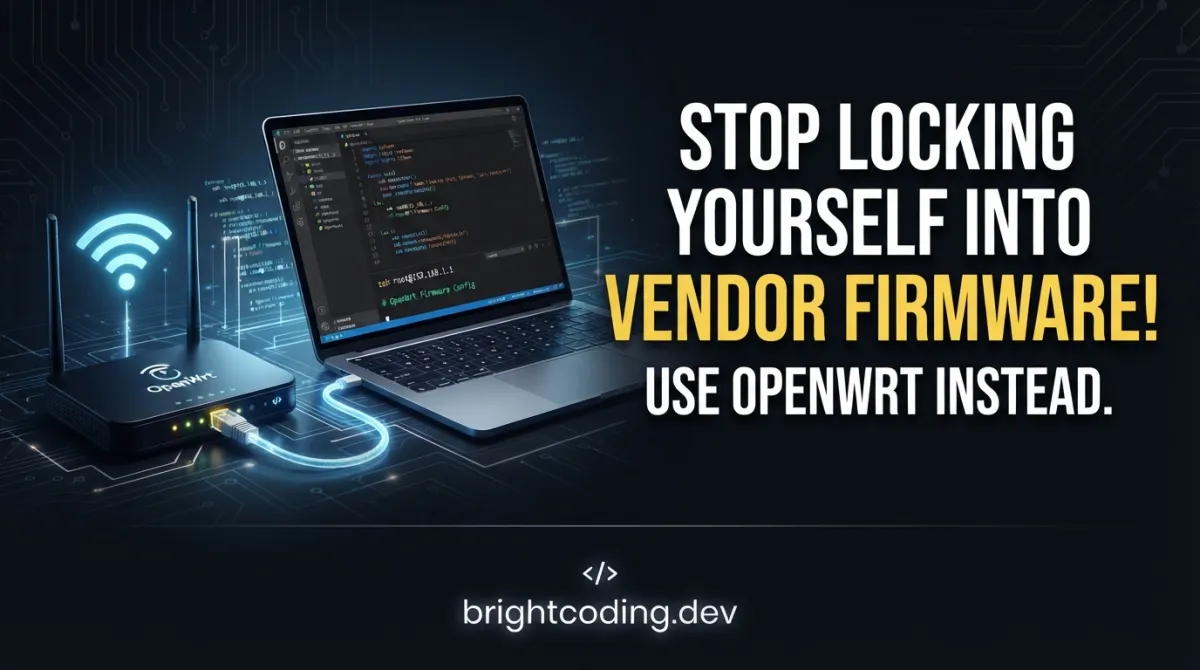
Your router is spying on you. Your IoT gateway is a sitting duck for attackers. Your embedded device—supposedly yours—runs code you cannot inspect, update, or remove. And the worst part? You paid for this digital prison.
Every day, millions of developers and tech enthusiasts accept this fate. They unwrap a shiny new embedded device, plug it in, and surrender to whatever proprietary firmware the vendor deigned to install. Want to run a VPN server? Sorry, not supported. Need modern encryption? Buy the next model. Dream of customizing the network stack? Keep dreaming.
But what if I told you there's a way to break free? A method to transform that locked-down gadget into a fully programmable Linux powerhouse? Enter OpenWrt—the Linux operating system for embedded devices that the vendor lobby doesn't want you to discover. This isn't just firmware replacement. It's digital emancipation.
In this deep dive, I'll expose why OpenWrt has become the secret weapon of network engineers, security researchers, and IoT pioneers worldwide. You'll learn how to build your own firmware from source, deploy real-world networking solutions, and finally own your hardware. The revolution starts now.
What is OpenWrt?
OpenWrt is a highly extensible Linux distribution specifically engineered for embedded devices—primarily routers, access points, and network appliances. Born from the ashes of Linksys's GPL source code release for the WRT54G router in 2004, the project has evolved into the most sophisticated embedded Linux platform available today.
Unlike conventional router firmware that presents a static, monolithic image, OpenWrt implements a fully writable filesystem with complete package management. This architectural decision fundamentally separates it from every competitor in the embedded space. You're not flashing a fixed configuration; you're installing a miniature Linux distribution that grows and adapts to your exact specifications.
The project maintains its canonical repository at git.openwrt.org, with GitHub serving as a mirror that accepts community contributions through Pull Requests. These contributions flow through staging trees before merging into the mainline—a rigorous quality assurance process that keeps the codebase remarkably stable despite its rapid evolution.
Why is OpenWrt exploding in popularity right now? Three forces are converging: the collapse of consumer router security (remember VPNFilter, Mirai, and the endless parade of CVEs?), the explosion of IoT deployments demanding custom networking stacks, and the global push for network sovereignty. Governments, enterprises, and privacy-conscious individuals are all waking up to the reality that black-box firmware is an unacceptable risk.
The project's architecture supports dozens of processor architectures—from ancient MIPS routers to modern ARM64 SoCs with multi-core processors and gigabytes of RAM. This isn't your grandfather's embedded Linux. It's a production-grade platform running everything from humble home routers to carrier-grade wireless infrastructure.
Key Features That Destroy the Competition
OpenWrt's feature set reads like a wishlist that proprietary vendors deliberately ignore. Here's what makes it genuinely revolutionary:
Writeable Root Filesystem with OverlayFS Traditional embedded firmware locks the root filesystem as read-only, forcing configuration into fragile flash partitions. OpenWrt employs OverlayFS, allowing persistent modifications while maintaining the ability to factory-reset cleanly. This means you can install packages, modify system files, and customize services without bricking your device or losing the safety net of a clean slate.
The opkg Package Manager
Derived from Debian's dpkg system but optimized for embedded constraints, opkg transforms your device from static appliance to dynamic platform. Install ad-blocking DNS servers, mesh networking protocols, intrusion detection systems, or custom monitoring agents—all through a familiar package management interface. The repository contains thousands of packages, from kmod-* kernel modules to full application stacks.
Procd Init System and ubus Message Bus
OpenWrt replaced traditional init systems with procd, a lightweight process supervisor designed for embedded realities. Combined with ubus (OpenWrt's micro message bus), services communicate efficiently without the bloat of D-Bus. This enables hot-plug configuration, service dependency management, and event-driven scripting that responds to network changes in milliseconds.
Unified Configuration Interface (UCI)
Forget scattering configuration across /etc in incompatible formats. UCI provides a consistent, scriptable API for all system configuration. Network interfaces, firewall rules, DHCP parameters, wireless settings—all manipulated through uci command-line tools or exposed via LuCI's web interface. This abstraction layer makes automation trivial and reduces configuration errors dramatically.
Image Builder and SDK for Custom Firmware For production deployments, OpenWrt offers the Image Builder to assemble firmware from pre-compiled packages without rebuilding everything from source. The SDK enables cross-compilation of custom applications against OpenWrt's libraries and kernel headers. These tools separate development workflows from deployment workflows, slashing iteration time for product teams.
Robust Build System Based on Buildroot The OpenWrt build system extends Buildroot with sophisticated package dependency resolution, multiple toolchain support, and parallel compilation optimizations. It handles the entire cross-compilation toolchain construction automatically—from downloading GCC sources to generating bootable firmware images with correct partition layouts for hundreds of devices.
Use Cases Where OpenWrt Absolutely Dominates
Theoretical superiority means nothing without practical victories. Here are four battle-tested scenarios where OpenWrt crushes proprietary alternatives:
1. Enterprise-Grade Home Network Security
Consumer routers receive security updates for maybe two years—if you're lucky. OpenWrt devices run the latest Linux kernel with prompt security patches. Deploy DNS-over-TLS through unbound, network-wide ad blocking via adblock, and VLAN segmentation for IoT quarantine. One enthusiast replaced a $3,000 Fortinet appliance with a $200 mini-PC running OpenWrt, achieving superior throughput and infinitely more auditability.
2. Mesh Network Deployments for Rural Connectivity
Organizations like Freifunk and countless WISP operators build community networks using OpenWrt's batman-adv and 802.11s mesh packages. The ability to customize routing protocols, implement custom captive portals, and optimize radio parameters for non-standard antenna configurations makes vendor firmware utterly inadequate. A single OpenWrt image can serve diverse hardware while maintaining centralized configuration management.
3. Industrial IoT Gateway Customization
Manufacturing facilities need edge gateways that speak legacy protocols (Modbus, CAN bus, PROFINET) while bridging to modern cloud infrastructure. OpenWrt's package ecosystem includes protocol converters, MQTT brokers, and container runtimes. Unlike locked-down industrial gateways with $5,000 price tags and 1990s web interfaces, OpenWrt gateways run modern software stacks with proper TLS, certificate management, and automated deployment pipelines.
4. Penetration Testing and Security Research
The security community embraces OpenWrt for creating portable attack platforms. Install aircrack-ng suite, kismet, ettercap, and custom exploit frameworks on pocket-sized travel routers. The ability to build minimal images with only necessary tools—then pivot through VPN tunnels, implement covert channels, and exfiltrate data through DNS tunneling—makes OpenWrt indispensable for red team operations and wireless security assessments.
Step-by-Step Installation & Setup Guide
Ready to liberate your device? The build process demands a proper development environment. Here's the complete workflow:
Prerequisites Installation
First, ensure your build machine runs GNU/Linux, BSD, or macOS with a case-sensitive filesystem. Windows users: Cygwin is explicitly unsupported. Use WSL2 with a case-sensitive ext4 filesystem instead.
Install the required toolchain packages. Names vary by distribution; consult OpenWrt's Build System Setup documentation for distribution-specific commands. The universal requirements include:
# Core build dependencies (Debian/Ubuntu example)
sudo apt update
sudo apt install -y \
    binutils bzip2 diff find flex gawk gcc-6+ getopt grep install \
    libc-dev libz-dev make4.1+ perl python3.7+ rsync subversion \
    unzip which git-core build-essential libncurses5-dev \
    zlib1g-dev gawk gcc-multilib flex git-core gettext \
    libssl-dev python3-distutils rsync unzip wget file
Critical: Python↗ Bright Coding Blog 3.7+ and Make 4.1+ are hard requirements. Older versions will fail cryptically during toolchain compilation.
Repository Cloning and Feed Setup
# Clone the OpenWrt source repository
git clone https://github.com/openwrt/openwrt.git
cd openwrt

# Update all package feeds to latest definitions
./scripts/feeds update -a

# Install symlinks for all feed packages into package/feeds/
./scripts/feeds install -a
The feeds system is OpenWrt's secret sauce. feeds.conf.default defines multiple repositories—packages, LuCI, routing, telephony—each a separate Git repository. This modular architecture keeps the core lean while enabling massive package diversity.
Configuration and Build
# Launch interactive configuration menu
make menuconfig
This ncurses interface lets you select:
- Target System: Your device's processor architecture (e.g., MediaTek Ralink MIPS, Qualcomm Atheros ARM)
- Subtarget: Specific SoC family
- Target Profile: Exact device model (critical for correct flash layout and wireless calibration data)
- Package Selection: Base system, kernel modules, and applications
# Compile everything: toolchain, kernel, and selected packages
make -j$(nproc)
The first build downloads and compiles the entire cross-compilation toolchain—expect 1-3 hours depending on hardware. Subsequent builds incrementally compile only changes. Use make -j1 V=s for verbose, single-threaded debugging when builds fail.
Firmware Installation
Built images appear in bin/targets/<target>/<subtarget>/. Factory images flash through vendor web interfaces; sysupgrade images update existing OpenWrt installations. Always verify SHA256 checksums and have serial console access for recovery.
REAL Code Examples from the Repository
Let's examine actual patterns from OpenWrt's build system and runtime environment. These aren't toy examples—they're production mechanisms that power millions of devices.
Example 1: Feed Update and Package Installation Commands
The README specifies these exact commands for environment preparation:
# Update all package feeds from their source repositories
# This fetches the latest package definitions from feeds.conf / feeds.conf.default
./scripts/feeds update -a

# Install symbolic links for all obtained packages
# Creates symlinks in package/feeds/ pointing to feed repositories
./scripts/feeds install -a
Why this matters: The feeds architecture decouples core OpenWrt development from package maintenance. The -a flag operates on all configured feeds—packages, luci, routing, telephony, video. Without running these commands, make menuconfig won't display available packages, and builds will fail with "No rule to make target" errors. The symlink approach enables in-place package development: modify code in feeds/packages/ and rebuild without re-cloning.
Example 2: The Complete Build Workflow
The README's Quickstart distills the entire build process:
# Step 1: Obtain latest package definitions
./scripts/feeds update -a

# Step 2: Install package symlinks
./scripts/feeds install -a

# Step 3: Interactive configuration
# Select toolchain, target system, and firmware packages
make menuconfig

# Step 4: Build firmware
# Downloads sources, builds cross-compile toolchain,
# cross-compiles GNU/Linux kernel & chosen applications
make
Deep dive on make menuconfig: This invokes Kconfig, Linux's configuration system. Choices persist in .config, which you can version-control for reproducible builds. The interface shows package dependencies dynamically—select kmod-wireguard and required crypto modules auto-enable. Target profile selection determines device tree, flash partitioning, and default network setup. Choose wrong, and your device won't boot or lacks WiFi calibration.
Example 3: Runtime Package Management with opkg
While not explicitly in the README, opkg is the documented package manager. Here's typical post-installation usage:
# Update package lists from configured repositories
opkg update

# Search available packages
opkg list | grep wireguard

# Install a package with automatic dependency resolution
opkg install wireguard-tools kmod-wireguard

# Remove package and unused dependencies
opkg remove --autoremove abandoned-package
Critical implementation detail: OpenWrt's root filesystem uses a squashfs + overlay combination. Base system resides in compressed, read-only squashfs; modifications and installed packages live in writable overlay partition. This means opkg install consumes overlay space—often limited to 8-128MB on routers. For space-constrained devices, use the Image Builder to bake packages into squashfs, freeing overlay for configuration data only.
Example 4: Makefile Structure for Custom Packages
OpenWrt packages use a specific Makefile format. Here's the conceptual structure you'll encounter:
# Example package Makefile structure (conceptual)
include $(TOPDIR)/rules.mk

PKG_NAME:=my-custom-app
PKG_VERSION:=1.0.0
PKG_RELEASE:=1

PKG_SOURCE:=$(PKG_NAME)-$(PKG_VERSION).tar.gz
PKG_SOURCE_URL:=https://example.com/downloads/
PKG_HASH:=sha256_checksum_here

include $(INCLUDE_DIR)/package.mk

define Package/my-custom-app
  SECTION:=net
  CATEGORY:=Network
  TITLE:=My Custom Application
  DEPENDS:=+libopenssl +libpthread
endef

define Package/my-custom-app/description
  Brief description of what this package provides
  and why it's useful on embedded devices.
endef

define Build/Compile
    $(MAKE) -C $(PKG_BUILD_DIR) \
        CC="$(TARGET_CC)" \
        CFLAGS="$(TARGET_CFLAGS)" \
        LDFLAGS="$(TARGET_LDFLAGS)"
endef

define Package/my-custom-app/install
    $(INSTALL_DIR) $(1)/usr/bin
    $(INSTALL_BIN) $(PKG_BUILD_DIR)/my-app $(1)/usr/bin/
    $(INSTALL_DIR) $(1)/etc/init.d
    $(INSTALL_BIN) ./files/my-app.init $(1)/etc/init.d/my-app
endef

$(eval $(call BuildPackage,my-custom-app))
Why this pattern dominates: The rules.mk and package.mk includes provide cross-compilation magic. TARGET_CC automatically becomes mips-openwrt-linux-musl-gcc or appropriate toolchain. The Build/Compile and install definitions separate compilation from installation staging. Init scripts in files/ integrate with procd for proper service management. This template scales from simple C utilities to complex multi-package applications.
Advanced Usage & Best Practices
Master these techniques to elevate your OpenWrt deployments from functional to exceptional:
Custom Feed Integration for Proprietary Packages
Add private Git repositories to feeds.conf for internal packages. This enables corporate deployments where proprietary code cannot enter public repositories. Version-pin feeds to specific commits for reproducible builds in CI/CD pipelines.
Configuration Layering with UCI Defaults
Pre-seed configurations using files/etc/uci-defaults/ scripts in your build directory. These execute on first boot, applying network settings, SSH keys, and custom firewall rules. Eliminate manual post-flash configuration entirely for fleet deployments.
Kernel Configuration Hardening
Run make kernel_menuconfig to modify kernel options directly. Disable unnecessary drivers, enable security features like CONFIG_SECURITY_SELINUX or CONFIG_STACKPROTECTOR_STRONG, and tune scheduler parameters for your workload. Document deviations from defaults in version control.
Binary Patch Management with quilt
The build system integrates quilt for patch management. Place patches in package/<name>/patches/ to modify upstream source without forking. This maintains upgrade paths—refresh patches when updating package versions rather than maintaining divergent codebases.
Image Builder for Rapid Iteration Once your toolchain is stable, switch to the Image Builder for package assembly without recompilation. Generate customized firmware images in minutes rather than hours. Essential for iterative testing or building per-customer variants from a common base.
Comparison with Alternatives
| Feature | OpenWrt | DD-WRT | Tomato | Vendor Firmware |
|---|---|---|---|---|
| Package Management | Full opkg system |
Limited | None | None or app store |
| Filesystem | Writable with overlay | Read-only root | Read-only root | Varies, often locked |
| Build from Source | Complete toolchain | Partial, fragmented | No | Impossible |
| Supported Devices | 1000+ | 200+ | 50+ | Single device only |
| Kernel Updates | Latest stable, frequent | Lagging, sporadic | Abandoned/legacy | Ended with product lifecycle |
| Configuration API | UCI + ubus |
Proprietary NVRAM | Proprietary NVRAM | Web-only, often broken |
| Container Support | podman, docker↗ Bright Coding Blog (some targets) |
No | No | Rarely |
| Community Size | Massive, global | Large | Shrinking | None (vendor-controlled) |
| Security Auditability | Complete source | Partial | Partial | Zero |
The verdict: DD-WRT offers simpler installation for popular routers but locks you into its feature set. Tomato provides superior QoL for specific Broadcom hardware but is effectively abandoned. Vendor firmware? You're the product, not the customer. OpenWrt alone delivers true ownership with sustainable community governance.
Frequently Asked Questions
Q: Will OpenWrt brick my router? A: Risk exists but is manageable. Verify exact hardware revision compatibility, use serial console for recovery, and never flash during power instability. The OpenWrt Wiki documents recovery procedures for every supported device.
Q: How much storage and RAM does OpenWrt require? A: Minimum 4MB flash and 32MB RAM for basic functionality. Modern features (WireGuard, ad blocking, containers) need 16MB+ flash and 128MB+ RAM. The ath79 and ramips targets include many suitable low-cost devices.
Q: Can I run OpenWrt on non-networking embedded devices? A: Absolutely. While routers dominate, OpenWrt supports development boards (Raspberry Pi, Orange Pi), x86 mini-PCs, and various SBCs. The package ecosystem suits any Linux-capable embedded application.
Q: How do I contribute packages or device support? A: Submit Pull Requests via the GitHub mirror. For packages, target the appropriate feed repository. Follow the Developer Documentation for coding standards and submission procedures.
Q: Is OpenWrt suitable for commercial products? A: Yes, with GPL-2.0 compliance. Many companies ship OpenWrt-based products. The SDK and Image Builder support branded firmware creation. Consult legal counsel for license obligations regarding source code distribution.
Q: What's the difference between stable releases and snapshots? A: Stable releases (e.g., 23.05) receive security updates but freeze package versions. Snapshots offer bleeding-edge features but may introduce instability. Production deployments should track stable; development can use snapshots with proper testing.
Q: How does OpenWrt compare to building raw Buildroot or Yocto? A: OpenWrt optimizes for networking devices with excellent wireless stack integration and package repository. Buildroot suits minimal custom systems. Yocto excels at complex multi-platform industrial projects with heavy customization needs. Choose based on your team's expertise and target use case.
Conclusion: Take Back Your Hardware
OpenWrt represents something increasingly rare in our industry: genuine user empowerment. In an era of locked bootloaders, cloud-dependent services, and surveillance capitalism masquerading as convenience, this project hands you the keys to your own infrastructure.
I've walked you through the architecture that makes this possible—the writeable filesystems, the sophisticated package management, the industrial-strength build system. You've seen real commands that compile production firmware, real patterns for package development, and real comparisons that expose the inadequacy of proprietary alternatives.
The question isn't whether OpenWrt can serve your needs. The question is whether you'll continue accepting the limitations others impose, or seize the freedom to build exactly what you require.
Your router, your IoT gateway, your embedded device—it can be yours in the only way that matters. The source code is waiting. The community is welcoming. The only barrier is your decision to begin.
Start your OpenWrt journey today: Clone the repository at https://github.com/openwrt/openwrt, explore the Hardware Database for your device, and join thousands who've already escaped vendor firmware imprisonment. The future of your network belongs in your hands—not theirs.
Sunshine!
Outils recommandés
Explore on the BrightCoding network
Hand-picked resources from our other sites.
GraphiteEditor/Graphite: Open-Source Node-Based 2D Graphics Engine in Rust
GraphiteEditor/Graphite is a community-built, open-source 2D graphics engine in Rust featuring node-based procedural design, nondestructive editing, and unified...
OpenAdapt: Automate Any GUI With Vision AI (No Code)
OpenAdapt is open-source Generative RPA that uses Large Multimodal Models to automate desktop and web GUIs through demonstration. Record tasks, train vision-lan...
Stop Struggling With Math Animations! Use Manim Instead
Discover ManimCommunity/manim, the Python animation engine behind 3Blue1Brown's viral math videos. Learn installation, real code examples, and why this fork bea...
Continuez votre lecture
Stop Wasting Money on IoT Modules! TTGO-LoRa32-V2.1 Does It All
Stop Wrestling with Vendor Firmware! Use Lienol/openwrt Instead
$96 DIY Guided Rocket: The MANPADS Prototype Exposed

Stop Coding Alone: OPC-Skills Gives Your AI Agent Superpowers
Commentaires 0
Aucun commentaire pour l'instant. Soyez le premier à réagir !