Stop Losing SSH Sessions on iOS: Clauntty Exposed
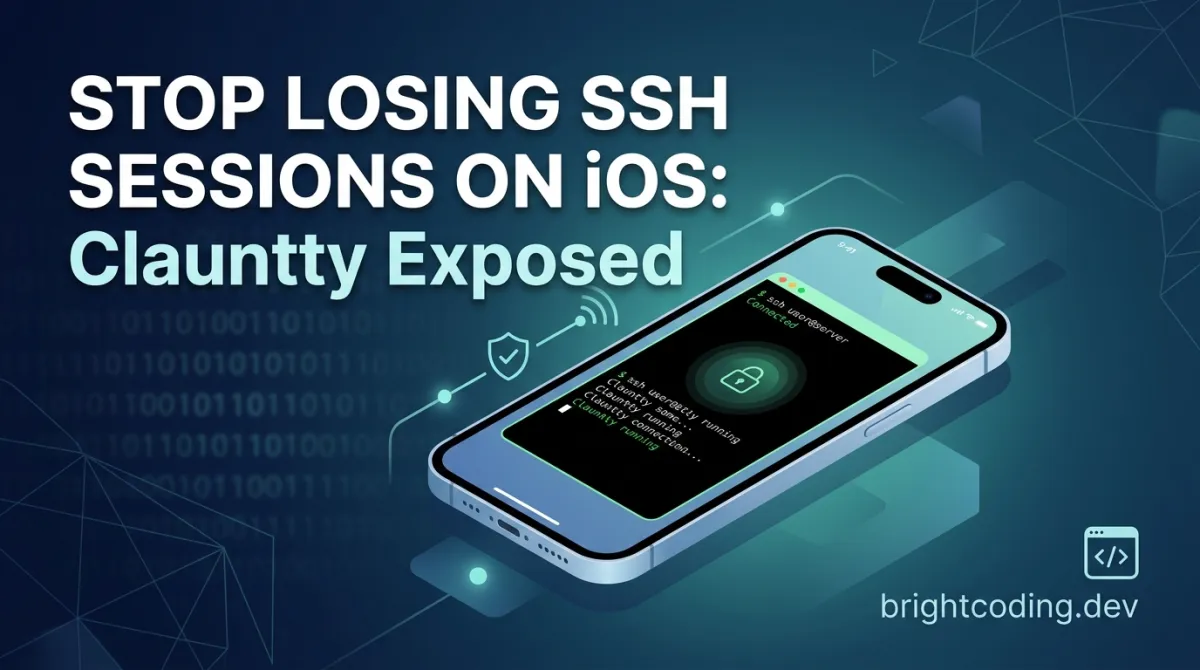
Stop Losing SSH Sessions on iOS: Clauntty Exposed
Picture this: You're three hours deep into a critical production fix, thumbs flying across your iPhone's keyboard, SSH'd into a remote server. Your boss calls. You switch apps for thirty seconds. You come back. Gone. Your session evaporated. Your scrollback history? Poof. That carefully crafted command pipeline? History. If you've ever tried to do real work from an iOS device, you know this pain intimately. Mobile terminals have always been second-class citizens—fragile, ephemeral toys that mock the very idea of "mobile productivity."
But what if I told you a developer named Erik Langille cracked this problem wide open? What if your iOS terminal could survive app backgrounding, connection drops, even full device restarts—without touching tmux, screen, or any server-side configuration? Enter Clauntty, the open-source iOS terminal that's making senior developers do double-takes. With GPU-accelerated Metal rendering via Ghostty and an ingenious session persistence engine called rtach, this isn't just another mobile SSH client. It's a paradigm shift. And the kicker? It's completely free, with zero accounts, zero telemetry, and zero subscriptions. Intrigued? You should be. Let's tear this thing apart and see what makes it tick.
What is Clauntty?
Clauntty is an iOS SSH terminal application engineered from the ground up to solve the fundamental fragility of mobile terminal sessions. Created by Erik Langille, this open-source project combines three powerful innovations: persistent sessions through a custom protocol called rtach, GPU-accelerated terminal rendering via a fork of Ghostty, and a native iOS experience that doesn't compromise on power user features.
The name itself hints at its ambitious scope—positioned as a terminal with "native Claude Code support," Clauntty targets developers who need serious computing power in their pocket. Unlike commercial alternatives such as Blink Shell or Termius, Clauntty refuses to lock features behind paywalls or demand cloud accounts. It's raw, hackable, and completely transparent.
Why is it trending now? The timing is perfect. Apple's silicon has matured to where iPads and iPhones are legitimate development machines. Remote development via SSH has exploded with tools like Claude Code, Cursor, and GitHub Codespaces. Yet the terminal layer remained broken—until Clauntty. The project leverages Zig for systems programming, SwiftUI for the interface, and SwiftNIO for SSH connectivity—a modern, opinionated stack that signals serious engineering rather than weekend hackery. With iOS 17+ support and a build process that rewards technical users, Clauntty sits at the intersection of power and accessibility.
Key Features That Change Everything
Automatic Session Persistence via rtach This is Clauntty's killer feature. The rtach protocol maintains your terminal session independently of your SSH connection. When your app backgrounds, your connection drops, or you reboot your device, rtach keeps your shell alive on the remote server. Upon reconnection, you get full scrollback history replay—every line of output, restored exactly as you left it. The rtach binary auto-deploys on first connection, requiring zero server-side setup. The protocol even implements battery-optimized pause/resume, so your mobile device isn't burning power maintaining idle connections.
GPU-Accelerated Rendering via Ghostty Clauntty doesn't use some janky software renderer. It embeds a fork of Ghostty, Mitchell Hashimoto's next-generation terminal emulator, using Metal for hardware-accelerated rendering. The result? Silky 60fps scrolling, proper Unicode and emoji support, and 20+ built-in themes including Dracula, Monokai, and Solarized. This is desktop-class terminal performance on a phone.
Native iOS Power User Experience Multi-tab interface with swipe gestures. A keyboard accessory bar with Esc, Tab, Ctrl, arrows, and signal keys (^C, ^L, ^D). Long-press text selection that actually works. Built-in port forwarding with an in-app browser for web services. Ed25519 SSH key authentication for modern security. Every interaction is optimized for thumbs, not mice.
Zero-Compromise Open Source No accounts. No telemetry. No subscriptions. No dark patterns. The entire stack is auditable, forkable, and yours to modify. This is software as it should be.
Real-World Use Cases Where Clauntty Dominates
Production Incident Response
You're at dinner. PagerDuty screams. You SSH into your Kubernetes cluster, start tracing a failing pod. Your date arrives—you switch to Messages to say you're running late. With any other mobile terminal, your session is dead. With Clauntty, you return, reconnect, and your kubectl logs -f is still streaming, scrollback intact. The incident gets resolved. Your relationship might too.
Long-Running Build Processes
Compiling a Rust project on a remote ARM server? That takes twenty minutes. Previously, you'd chain nohup and disown, or pray your connection held. With Clauntty's rtach persistence, start your build, background the app, check Twitter, come back to a completed compilation with full output history. No tmux learning curve required.
Remote Development with Claude Code The project's explicit target: running Claude Code sessions from iOS. Start an AI-assisted coding session on your remote dev box, switch apps to reference documentation, return seamlessly. The session persistence means Claude's context window and your working state survive interruption.
Secure Administration on Untrusted Networks Hopping between coffee shop WiFi? Your SSH connection drops every time you move. Clauntty's rtach layer abstracts connection volatility away. The underlying session persists even as your network interface changes, with Ed25519 keys ensuring cryptographic security throughout.
On-Call Rotation Without Laptop For teams with rotating on-call, Clauntty enables genuine incident response from a pocket device. The in-app browser for port-forwarded dashboards, combined with persistent terminal sessions, means you can diagnose and mitigate without hunting for your MacBook at 3 AM.
Step-by-Step Installation & Setup Guide
Building Clauntty requires precision—the project is a monorepo with four interdependent repositories. Directory layout matters because Ghostty references ../libxev at build time.
Prerequisites
- Xcode 15+ (full install, not just command-line tools—you need iOS SDK, simulator, and signing capabilities)
- iOS 17.0+ target device or simulator
- Zig 0.15.2+ — install via
brew install zigor from ziglang.org/download - Apple Developer account — free Apple ID works for simulator and personal device builds; paid membership ($99/year) required for TestFlight distribution
Step 1: Clone the Monorepo
Create the parent directory and clone all four repositories:
mkdir clauntty && cd clauntty
git clone https://github.com/eriklangille/clauntty.git clauntty
git clone https://github.com/eriklangille/ghostty.git ghostty
git clone https://github.com/eriklangille/rtach.git rtach
git clone https://github.com/eriklangille/libxev.git libxev
Your final structure must be:
clauntty/
├── clauntty/   # iOS app (this repo)
├── ghostty/    # Ghostty fork (terminal emulator)
├── rtach/      # Session persistence daemon
└── libxev/     # Event loop (iOS fixes)
Step 2: Build Dependencies in Order
# Build GhosttyKit framework first (requires libxev at ../libxev)
cd ghostty && zig build -Demit-xcframework -Doptimize=ReleaseFast && cd ..

# Build rtach Linux binaries (auto-copies to clauntty/Clauntty/Resources/rtach/)
cd rtach && zig build cross && cd ..
Verify the framework symlink exists:
ls clauntty/Frameworks/GhosttyKit.xcframework
If missing, create it manually:
ln -s ../../ghostty/zig-out/GhosttyKit.xcframework clauntty/Frameworks/GhosttyKit.xcframework
Step 3: Build for Simulator
Install Facebook's IDB for simulator automation:
./scripts/setup-idb.sh
Then build, install, and launch:
cd clauntty
./scripts/sim.sh run                    # Full build and launch
./scripts/sim.sh debug <connection>     # Debug cycle with logs
./scripts/sim.sh quick <connection>     # Skip build for faster iteration
Replace <connection> with a saved SSH profile name, or use the Docker↗ Bright Coding Blog test server for local validation.
Step 4: Build for Physical Device
Replace iPhone 16 with your actual device name from Xcode → Window → Devices:
xcodebuild -project Clauntty.xcodeproj -scheme Clauntty \
  -destination 'platform=iOS,name=<YOUR DEVICE>' -quiet build

xcrun devicectl device install app --device "<YOUR DEVICE>" \
  ~/Library/Developer/Xcode/DerivedData/Clauntty-*/Build/Products/Debug-iphoneos/Clauntty.app
Customizing for Your Own Distribution
To ship under your identity, update these values:
| What | Where | Current value |
|---|---|---|
| Bundle ID | Xcode → Target → Signing & Capabilities | com.octerm.clauntty |
| Team ID | Xcode → Target → Signing & Capabilities | 65533RB4LC |
| Team ID | ExportOptions.plist → teamID |
65533RB4LC |
| URL scheme | Clauntty/Info.plist → CFBundleURLSchemes |
clauntty |
The easiest path: open Clauntty.xcodeproj in Xcode, select the Clauntty target, navigate to Signing & Capabilities, and select your team. Xcode handles bundle ID and signing automatically.
REAL Code Examples from the Repository
Let's examine actual implementation patterns from Clauntty's codebase, starting with the monorepo clone commands that establish the critical directory structure:
# Create the parent directory that will contain all four repositories
mkdir clauntty && cd clauntty

# Clone the iOS application itself
git clone https://github.com/eriklangille/clauntty.git clauntty

# Clone the Ghostty fork with iOS/Metal modifications
git clone https://github.com/eriklangille/ghostty.git ghostty

# Clone rtach, the session persistence daemon written in Zig
git clone https://github.com/eriklangille/rtach.git rtach

# Clone libxev with iOS-specific event loop fixes
git clone https://github.com/eriklangille/libxev.git libxev
This isn't arbitrary organization—Ghostty's build system hardcodes ../libxev as a relative path. Deviate from this structure and your build fails cryptically. The naming convention where the app repository sits inside a same-named subdirectory (clauntty/clauntty) enables clean Xcode project references while maintaining logical separation from the supporting frameworks.
The Zig build commands reveal sophisticated cross-compilation strategy:
# Build GhosttyKit as an XCFramework for iOS embedding
# -Demit-xcframework produces the Apple-specific framework bundle format
# -Doptimize=ReleaseFast enables aggressive optimizations while keeping safety checks
cd ghostty && zig build -Demit-xcframework -Doptimize=ReleaseFast && cd ..

# Cross-compile rtach binaries for multiple Linux architectures
# These auto-deploy to the iOS app bundle for server-side installation
cd rtach && zig build cross && cd ..
Notice the dual use of Zig: ReleaseFast optimization for the rendering engine where performance is critical, but cross-compilation for the server-side component that must run on arbitrary remote architectures. The rtach binaries embed directly into the iOS app bundle at Clauntty/Resources/rtach/, then transfer to servers on first connection—a clever zero-configuration deployment pattern.
The simulator automation script demonstrates modern iOS development workflow:
# Full development cycle: build, install to simulator, launch, attach debugger
./scripts/sim.sh debug <connection>

# Rapid iteration: skip compilation when only SwiftUI views changed
./scripts/sim.sh quick <connection>

# Stream logs with optional duration limit
./scripts/sim.sh logs 30s
The <connection> parameter references saved SSH profiles managed by the app's ConnectionStore. This design decouples build automation from credential management—your scripts don't hardcode server addresses or passwords.
For physical device deployment, the project uses modern Apple tooling:
# Quiet build to reduce noise in CI/logs
xcodebuild -project Clauntty.xcodeproj -scheme Clauntty \
  -destination 'platform=iOS,name=<YOUR DEVICE>' -quiet build

# devicectl replaces older ios-deploy for iOS 17+ device management
xcrun devicectl device install app --device "<YOUR DEVICE>" \
  ~/Library/Developer/Xcode/DerivedData/Clauntty-*/Build/Products/Debug-iphoneos/Clauntty.app
The devicectl tool is Apple's modern replacement for direct installation—note the wildcard path for DerivedData, which handles Xcode's hashed directory names automatically.
Finally, the Docker-based testing infrastructure enables safe local validation:
# Start local SSH server with known credentials
./scripts/docker-ssh/ssh-test-server.sh start
# Connect to: localhost:22, user: testuser, pass: testpass
This isolated test environment prevents accidental connections to production systems during development, with predictable credentials for automated testing scenarios.
Advanced Usage & Best Practices
Connection Pooling Optimization
Clauntty's SessionManager reuses SSH connections to identical servers across tabs. Open multiple terminal tabs to the same host without multiplying connection overhead. The lazy reconnect policy only maintains active tab connections—background tabs pause their sessions at the rtach layer, preserving state without consuming bandwidth or battery.
Theme Customization Pipeline
The GhosttyApp.swift wrapper manages 20+ built-in themes, but power users can inject custom themes via the Resources/Themes/ directory. Themes use Ghostty's TOML format, enabling precise color specification for ANSI 0-15, foreground, background, and cursor colors. Test themes in the simulator with ./scripts/sim.sh quick for rapid visual validation.
SSH Key Security Hardening
The SSHKeyStore and KeychainHelper integrate with iOS Secure Enclave for Ed25519 private keys. Generate keys within the app rather than importing—this ensures private key material never exists in clipboard or filesystem. For multi-server administration, leverage the connection profile system to organize credentials by environment (staging, production, etc.).
Port Forwarding Workflows
The in-app browser for forwarded ports enables mobile debugging of web applications. Forward port 3000 from your remote dev server, then browse http://localhost:3000 within Clauntty—no separate browser app needed. This maintains your terminal context alongside the web interface.
Crash Analysis When things go wrong, use the Python↗ Bright Coding Blog crash parser:
uv run scripts/parse_crash.py --latest
This extracts symbolicated stack traces from iOS crash reports, essential for debugging Metal renderer issues or rtach protocol edge cases.
Comparison with Alternatives
| Feature | Clauntty | Blink Shell | Termius | a-Shell |
|---|---|---|---|---|
| Session Persistence | Native (rtach) | Manual (mosh) | None | N/A (local) |
| GPU Rendering | Metal (Ghostty) | Software | Software | Software |
| Server Setup | Zero (auto-deploy) | Requires mosh install | N/A | N/A |
| Open Source | Full stack↗ Bright Coding Blog | Partial | Proprietary | Partial |
| Pricing | Free | $19.99 one-time | Subscription | Free |
| SSH Key Types | Ed25519 | RSA/Ed25519 | RSA/Ed25519 | Limited |
| Build Customization | Full (Zig/Swift) | None | None | Limited |
| Telemetry | None | Minimal | Extensive | Unknown |
Why Clauntty wins: The combination of automatic session persistence without server prerequisites, GPU-accelerated rendering, and complete source availability creates a category of one. Blink Shell requires mosh installation on every server. Termius locks features behind subscriptions and collects usage data. a-Shell is local-only, not a true SSH client. For developers who value control, performance, and zero ongoing costs, Clauntty is the clear choice.
FAQ
Is Clauntty available on the App Store? Currently, Clauntty requires building from source. The repository provides complete build instructions for simulator and personal device deployment. TestFlight distribution would require a paid Apple Developer account.
Why Zig instead of Rust or C++ for the backend components? Zig's cross-compilation capabilities and C interoperability make it ideal for producing small, portable binaries like rtach. The build system integrates cleanly with Xcode's dependency management.
Does rtach work with any shell? Yes—rtach wraps the PTY layer, so bash, zsh, fish, and any other POSIX-compliant shell work transparently. No shell plugins or configuration required.
Can I use Clauntty with mosh instead of rtach? Clauntty's architecture is built around rtach for persistence. While you could theoretically adapt the SSH layer, the native integration assumes rtach's specific protocol for scrollback replay and battery optimization.
How does GPU rendering affect battery life? Metal acceleration actually improves efficiency for terminal workloads. The GPU handles glyph rasterization and compositing, freeing the CPU and reducing overall power consumption versus software rendering.
Is there iPad support? The iOS 17+ target includes iPadOS. The SwiftUI interface adapts to larger screens, though the project currently optimizes for iPhone form factors.
What happens if rtach crashes on the remote server? The session terminates normally—no worse than a standard SSH disconnection. The rtach daemon is designed for stability, but standard Unix process semantics apply.
Conclusion
Clauntty represents something rare in today's software landscape: a genuinely innovative open-source tool that solves a real problem without extractive monetization. The combination of rtach's invisible session persistence, Ghostty's blistering Metal rendering, and a native iOS experience that respects power users creates a mobile terminal that finally doesn't feel like a compromise.
Is it perfect? No—you'll need to build it yourself, and the monorepo structure demands attention to detail. But for developers who've been burned by subscription traps and session drops, Clauntty is liberation. It's the terminal that stays with you, that survives your interruptions, that treats your mobile device as a first-class citizen rather than an afterthought.
My verdict? This is the future of mobile development infrastructure. The architecture is sound, the performance is exceptional, and the philosophy is uncompromising. Whether you're debugging production at midnight, running Claude Code sessions from a coffee shop, or simply refusing to carry a laptop everywhere, Clauntty earns its place in your toolchain.
Ready to never lose a session again? Head to the GitHub repository, clone the monorepo, and build your freedom. The source is waiting. Your persistent sessions await.
Found this breakdown valuable? Star the repo, share with your mobile-dev friends, and watch for rtach's potential extraction as a standalone tool—this architecture has legs far beyond iOS.
Outils recommandés
Explore on the BrightCoding network
Hand-picked resources from our other sites.
agmmnn/awesome-blender: Curated Resources for 3D Artists & Developers
agmmnn/awesome-blender is a CC0-licensed, community-curated directory of 700+ Blender add-ons, tools, tutorials, and 3D resources. With 7,101 GitHub stars and a...
Control Claude Code From Your Phone: ClaudeBot Exposed
Discover ClaudeBot, the open-source system tray app that lets you control Claude Code via Telegram from anywhere. Complete setup guide, real code examples, and...
Stop Chunking Documents Blindly: Agentic File Search Exposed
Discover agentic-file-search, the AI-powered document explorer that reasons through files instead of destroying context with naive chunking. Features 6 speciali...
Continuez votre lecture
Why Alexandrie is the Ultimate Markdown Note-Taking App

Why CrossPaste is the Ultimate Game Changer for Clipboard Management
Why Chandra is the Ultimate OCR Tool for Handwriting and Tables
Stop Coding Alone: OPC-Skills Gives Your AI Agent Superpowers
Commentaires 0
Aucun commentaire pour l'instant. Soyez le premier à réagir !