Stop Managing Agent Configs Manually! Use OpenPackage Instead
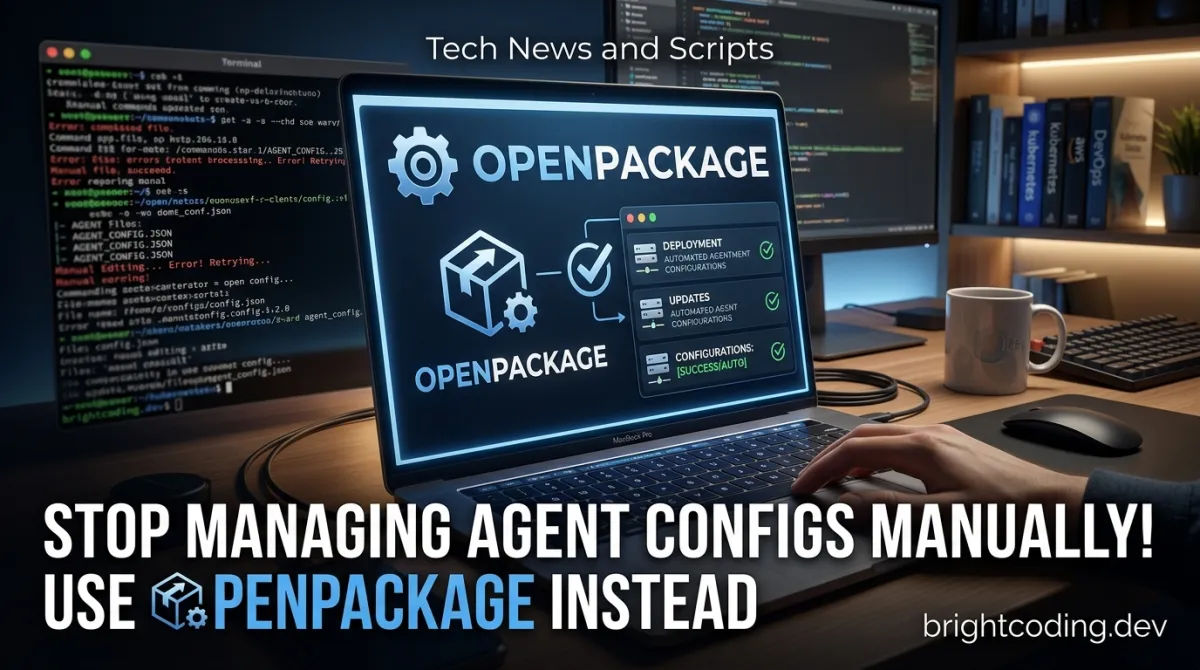
Stop Managing Agent Configs Manually! Use OpenPackage Instead
Your .cursor/rules/ folder is a disaster. Fifty-seven markdown↗ Smart Converter files with names like final_final_v3_reviewed.md. A CLAUDE.md that hasn't been updated since the Clinton administration. Three different "coding standards" that contradict each other. And now your team lead wants you to sync all of this to the new AI tool they just adopted—which one this week? Cursor? Claude Code? That experimental thing from the Discord server?
Here's the brutal truth: modern AI coding tools are phenomenally powerful, but their configuration management is stuck in 2008. We're copy-pasting markdown files between directories like savages. We're maintaining parallel rule sets for every platform. We're treating agent configurations like tribal knowledge instead of versioned, reusable, composable code.
What if I told you there's a single command that could install a curated set of rules, skills, agents, and commands into any coding platform? What if you could publish your team's coding standards as a package and install them with opkg install your-team/standards? What if cross-platform sync wasn't a weekend-destroying migration project, but a package.json-style dependency declaration?
That future exists. It's called OpenPackage—the open, universal package manager for coding agent configurations. And if you're still managing agent configs by hand, you're leaving hours of productivity on the table every single week.
What is OpenPackage?
OpenPackage is a lightweight, open-source CLI tool created by Hyeric Lee that brings the power of package management—think npm, pip, or cargo—to the wild west of AI coding agent configurations. It provides unified installation, management, and packaging of rules, commands, agents, skills, and MCP (Model Context Protocol) configurations for any platform, any codebase.
Born from the frustration of watching developers manually juggle .cursor/rules/, .claude/CLAUDE.md, .github/copilot-instructions.md, and dozens of other platform-specific config locations, OpenPackage treats agent configurations as first-class artifacts. Just as you wouldn't copy jQuery files into every project by hand in 2024, you shouldn't be manually curating AI agent configs.
The project is explicitly positioned as "a much more powerful, universal, and open source version of Vercel Skills and Claude Code Plugins"—proprietary, locked-down alternatives that work within their own ecosystems but fail to bridge the growing platform divide. With AI coding tools fragmenting across Cursor, Claude Code, GitHub Copilot, Windsurf, and literally 40+ other platforms, the need for a universal abstraction layer has become critical.
OpenPackage is trending now because it hits a perfect storm: the explosion of AI coding tools, the standardization of configuration patterns (rules as markdown, skills as structured files, agents as prompts), and the open-source community's hunger for interoperability over vendor lock-in. It's not just a tool—it's a declaration of independence from platform-specific config hell.
Key Features That Make OpenPackage Essential
Universal Cross-Platform Installation
OpenPackage doesn't just dump files into a directory. It intelligently converts and routes configurations to platform-specific conventions. Install a rule once, and it lands in .cursor/rules/ for Cursor, .claude/rules/ for Claude Code, .augment/rules/ for Augment Code—automatically. This isn't simple copying; it's semantic translation with built-in install target resolution.
Modular, Selective Installation
Why install an entire plugin when you only need one agent? OpenPackage's granular options let you cherry-pick exactly what you need:
--skills react↗ Bright Coding Blog-best-practices— install only specific skills--agents ui-designer— grab just the agent you want--commands code-review— pull individual slash commands--platforms cursor claudecode— target only your active platforms
This modularity means no config bloat. Your projects stay lean, your agents stay focused.
Dependency Tracking & Reproducibility
Every installation is tracked. OpenPackage maintains knowledge of file sources and dependencies, so you can:
- See exactly what's installed and where it came from
- Reproduce environments across machines
- Update packages atomically when upstream changes
- Uninstall cleanly without orphaned files
Interactive & Programmatic Workflows
The -i, --interactive flag transforms installation into a TUI experience—browse available resources, preview what will change, confirm before committing. Perfect for exploration. For CI/CD and automation, drop the flag and script everything.
Global vs. Project-Scoped Management
Install team standards globally with -g for consistent defaults across all projects, or keep project-specific configs scoped to individual workspaces. The scope system (project, global, or root) gives you fine-grained control over where configurations live.
Open Registry & Community Composability
Packages compose. Install essentials for base rules, layer on gh@wshobson/agents for specialized agents, then add your team's private standards. The community-driven model means workflows evolve collectively—no more rebuilding the same prompt engineering from scratch in every repo.
Real-World Use Cases Where OpenPackage Shines
1. Multi-Platform Development Teams
Your frontend team loves Cursor. Your ML engineers swear by Claude Code. Your DevOps↗ Bright Coding Blog person is experimenting with Goose. Without OpenPackage, you're maintaining parallel rule sets in three different directory structures, guaranteed to diverge. With OpenPackage, publish one package, install everywhere, stay synchronized.
2. Agency & Consulting Work
You ship between client codebases weekly. Each has different standards, different tools, different expectations. OpenPackage lets you install your personal productivity suite—your curated agents, your battle-tested commands, your signature rules—in seconds, then cleanly uninstall when the engagement ends.
3. Enterprise Standards Distribution
Your organization finally documented coding standards. Great! Now how do 200 developers get them into their respective tools? Email attachments? A Confluence page nobody reads? Publish an internal OpenPackage and make compliance a single command: opkg install yourcompany/standards --global.
4. Open Source Project Onboarding
Contributors to your project need to understand your codebase's patterns, your testing philosophy, your architectural decisions. Package these as skills and rules in an OpenPackage. New contributors run one command and immediately get contextual guidance from their AI assistant—reducing maintainer burden and improving PR quality.
5. MCP Configuration Management
Model Context Protocol servers are multiplying—file systems, databases, APIs, each needing JSON configuration. OpenPackage treats mcp.jsonc files as first-class packageable resources, so your agent's tool access travels with your codebase, versioned and reproducible.
Step-by-Step Installation & Setup Guide
Prerequisites
OpenPackage requires Node.js 18+ and npm. Verify with:
node --version  # Should print v18.0.0 or higher
npm --version
Global Installation
Install the opkg CLI globally for system-wide access:
# Install from npm registry
npm install -g opkg

# Verify installation
opkg --version
The -g flag ensures opkg is available in any directory, essential for the workflow-oriented nature of config management.
Initial Configuration (Optional)
OpenPackage works out of the box, but power users can customize platform definitions:
# Create global config directory
mkdir -p ~/.openpackage

# Copy built-in platforms.jsonc as starting point
# Then edit to add custom platforms or override defaults
cp $(npm root -g)/opkg/assets/platforms.jsonc ~/.openpackage/platforms.jsonc
The configuration system uses deep merging: local workspace configs override global configs, which override built-in defaults. This lets you:
- Add experimental platforms before official support
- Customize directory mappings for your organization's tooling
- Extend platform definitions with proprietary internal tools
Workspace Setup
Navigate to any project and start installing:
cd ~/projects/my-awesome-app

# Install a community package
opkg install essentials

# Install from GitHub with specific components
opkg install gh@anthropics/claude-code --plugins code-review
No init command needed—OpenPackage operates statelessly where possible, tracking installs through metadata in .openpackage/ directories.
REAL Code Examples from the Repository
Let's examine actual usage patterns from OpenPackage's documentation, with detailed explanations of what each command accomplishes and when to use it.
Example 1: Basic Resource Installation
# Install all files from a specified resource into current workspace
opkg install <resource>
This is the foundational command—the npm install equivalent for agent configs. The <resource> placeholder accepts multiple source types, demonstrated below. When executed, OpenPackage:
- Resolves the resource location (registry, GitHub, local path)
- Reads the package manifest (
openpackage.yml) - Converts files to target platform conventions
- Installs to appropriate directories in current working directory
- Records installation metadata for tracking and updates
Critical detail: The conversion step is where OpenPackage's value lies. A rule written for Claude Code's markdown format gets adapted for Cursor's expectations, Augment Code's structure, etc.
Example 2: Multi-Source Installation with Granular Selection
# Install from OpenPackage registry (local or remote)
opkg install essentials

# Install from GitHub repo, selecting only specific plugin
opkg install gh@anthropics/claude-code --plugins code-review

# Install from GitHub repo, selecting specific plugin AND agent
opkg install gh@wshobson/agents --plugins ui-design --agents ui-designer

# Direct path to nested resource
opkg install gh@wshobson/agents/plugins/ui-design/agents/ui-designer

# Install from full GitHub URL
opkg install https://github.com/anthropics/claude-code/tree/main/plugins/code-review

# Install skill from specific branch/path
opkg install https://github.com/vercel-labs/agent-skills/tree/main/skills/react-best-practices
This example showcases OpenPackage's flexible sourcing system. Notice the progression from simple to precise:
essentials— registry shorthand, installs everything in that packagegh@owner/repo— GitHub shorthand with selective flags (--plugins,--agents)- Full GitHub URLs — direct resource addressing for specific files or directories
- Nested paths — surgical precision, installing just one agent from a larger collection
The --plugins code-review pattern is essential for avoiding config pollution. Many GitHub repositories contain dozens of resources; selective installation keeps your workspace focused.
Example 3: Package Creation with Proper Structure
# Scaffold new package with interactive prompts
opkg new my-team-standards

# Create with specific scope
opkg new my-team-standards --scope project
After running opkg new, you manually populate this structure:
my-team-standards/
│
│   # Package metadata (REQUIRED)
├── openpackage.yml       # Manifest: name, version, dependencies, description
├── README.md             # Human documentation
│
│   # Content directories (create as needed)
├── rules/                # Coding standards, review guidelines, architecture rules
├── commands/             # Slash commands (e.g., /refactor, /document)
├── agents/               # Subagent definitions with specialized prompts
├── skills/               # Reusable skill modules for specific tasks
├── root/                 # Arbitrary files: specs/, docs/, tests/, etc.
├── AGENTS.md             # Platform-specific root file (auto-routed)
├── mcp.jsonc             # MCP server configurations
│
│   # Custom extensions
└── <other>               # Defined via platforms.jsonc overrides
The openpackage.yml manifest is non-negotiable—it declares dependencies, version, and metadata. The directory structure follows convention over configuration: name directories correctly, and OpenPackage handles routing to platform-specific locations during installation.
Example 4: Interactive File Management
# Interactively select files from current workspace to add to package
opkg add --to my-team-standards

# Add specific file directly
opkg add .cursor/commands/clean.md --to my-team-standards

# Interactively remove files from package
opkg remove --from my-team-standards

# Remove specific file directly
opkg remove commands/clean.md --from my-team-standards
These commands solve the package maintenance problem. As your standards evolve:
opkg addcaptures new rules, commands, or agents you've developed--copyvs. dependency recording lets you choose between duplicating files or referencing them--platform-specificpreserves variants when a rule needs platform-tuned versionsopkg removecleans deprecated resources without manual directory spelunking
The interactive mode (-i) is invaluable for discovery—when you inherit a project and need to understand what's installed, or when you're packaging and want to review available files.
Example 5: Listing and Verification
# Overview of installed packages in workspace
opkg list

# Detailed file listing for specific package
opkg list my-team-standards

# Show all files with paths, flat structure
opkg list --files --flat

# Filter by platform
opkg list --platforms cursor claude
The list command is your audit and debugging tool. The --tracked vs. --untracked distinction is particularly powerful: tracked resources were installed through OpenPackage and can be managed/updated; untracked resources were manually placed and may conflict or become stale.
Advanced Usage & Best Practices
Compose Packages for Team Workflows
Don't build monolithic packages. Create focused, composable units:
# Base standards everyone uses
opkg install company/core-standards --global

# Frontend-specific additions
opkg install company/frontend-patterns

# Project-specific experimental agents
opkg install gh@experimental/agents --dev
The --dev flag marks packages as development-only, keeping production deployments clean.
Platform Pinning for Stability
When a team standardizes on specific tools, pin installations:
opkg install company/standards --platforms cursor claudecode
This prevents accidental installation to platforms you're not using, reducing noise and potential conflicts.
Registry Hygiene with Remote/Local Flags
# Force fresh fetch from registry (ignore cached local version)
opkg install company/standards --remote

# Air-gapped or verified environments: use only local registry
opkg install company/standards --local
Use --remote when you suspect upstream changes or need guaranteed freshness. Use --local for reproducible builds in CI/CD or restricted environments.
Version Your Packages Semantically
While OpenPackage's registry evolves, treat your packages with semver discipline. The openpackage.yml manifest supports dependency versioning—lock to compatible ranges and test upgrades explicitly.
Comparison with Alternatives
| Feature | OpenPackage | Vercel Skills | Claude Code Plugins | Manual Management |
|---|---|---|---|---|
| Open Source | ✅ Apache-2.0 | ❌ Proprietary | ❌ Proprietary | N/A |
| Cross-Platform | ✅ 40+ platforms | ❌ Vercel only | ❌ Claude only | Painful |
| Universal Registry | ✅ Open registry + GitHub | ❌ Vercel-controlled | ❌ Anthropic-controlled | None |
| Selective Install | ✅ Granular flags | ❌ All-or-nothing | ❌ All-or-nothing | Manual selection |
| Dependency Tracking | ✅ Built-in | ❌ None | ❌ None | Spreadsheet? |
| Community Packages | ✅ Anyone can publish | ❌ Invite/approval | ❌ Invite/approval | N/A |
| Self-Hosted Registry | ✅ Configurable | ❌ No | ❌ No | N/A |
| MCP Support | ✅ First-class | ❌ None | ❌ None | Manual JSON |
| Uninstall Cleanly | ✅ opkg uninstall |
❌ Manual deletion | ❌ Manual deletion | Hope and pray |
The verdict: Vercel Skills and Claude Code Plugins are excellent within their walled gardens. OpenPackage is what you need when your team, your projects, or your career spans multiple tools. And manual management? That's not a strategy—that's technical debt accumulating in real-time.
FAQ: Common Developer Concerns
Does OpenPackage replace my existing config files?
No—it manages them. Existing files remain untouched unless you explicitly install over them. The --interactive flag previews changes before applying. For conflicting files, OpenPackage's behavior is configurable through platform overrides.
Can I use OpenPackage with private repositories?
Absolutely. GitHub URLs with authentication, SSH remotes, and local paths all work. For enterprise use, configure a private registry or reference internal Git repositories directly.
What happens when a platform updates its config format?
OpenPackage's platforms.jsonc is user-extendable and overrideable. The community updates built-in definitions, or you can patch locally immediately without waiting for releases. Deep merging ensures your customizations persist across updates.
Is there a GUI or web interface?
Currently CLI-only, which enables scripting, CI/CD integration, and universal compatibility. The interactive TUI mode (-i) provides guided experiences for complex operations. A web registry browser is planned per the roadmap.
How do I publish my own packages?
Create with opkg new, populate the structure, commit to GitHub, and share the gh@owner/repo reference. For registry publication, submit to the official OpenPackage registry—details in the packages documentation.
Does OpenPackage work with non-coding AI tools?
The architecture is extensible through platforms.jsonc. While optimized for coding agents, the file routing and dependency management concepts apply broadly. Community extensions for documentation generators, design tools, and more are emerging.
What about security? Can malicious packages harm my system?
OpenPackage only installs to designated config directories—never to system paths, executables, or sensitive locations. Review package contents before installation (GitHub URLs let you inspect source directly). As with any package manager, install from trusted sources.
Conclusion: The Future of Agent Configuration is Packaged
We've accepted that managing dependencies by hand is absurd. We use npm, cargo, poetry without a second thought. Yet somehow, the most transformative developer tool of the decade—AI coding assistants—still relies on copy-paste configuration management.
OpenPackage changes the equation. It brings structure, reproducibility, and composability to agent configurations. It liberates your team's standards from platform lock-in. It turns tribal knowledge into versioned, installable, updatable packages.
The 40+ platform support table in OpenPackage's documentation isn't just impressive—it's a statement of intent. In a fragmented ecosystem, universal tools win. In a fast-moving space, open standards win. In a collaborative discipline, community-driven registries win.
Stop managing agent configs manually. Your future self—and your teammates—will thank you.
👉 Install OpenPackage now — npm install -g opkg — and join the Discord community to help build the universal agent configuration ecosystem.
Follow @hyericlee on X for updates, and star the repository to signal that open, interoperable agent tooling matters to you. The package manager revolution for AI coding starts here—and you're early.
Outils recommandés
Explore on the BrightCoding network
Hand-picked resources from our other sites.
Stop Wrestling with macOS Settings Windows! Use SettingsKit Instead
SettingsKit by david-swift eliminates the pain of adding native settings windows to SwiftUI macOS apps. Stop writing AppKit boilerplate—learn installation, real...
withoneai/cli: One CLI to Connect AI Agents to 400+ APIs
withoneai/cli is a TypeScript CLI that connects AI agents to 400+ platforms through a unified proxy. Install with npx, authenticate once per platform, and execu...
Stop Wasting Money on LLM Calls! Pezzo Cuts Costs by 90%
Discover how Pezzo, the open-source LLMOps platform, helps developers slash AI costs by 90% through intelligent prompt management, semantic caching, and real-ti...
Continuez votre lecture
Why Alexandrie is the Ultimate Markdown Note-Taking App
Why CrossPaste is the Ultimate Game Changer for Clipboard Management
Why Chandra is the Ultimate OCR Tool for Handwriting and Tables
Stop Coding Alone: OPC-Skills Gives Your AI Agent Superpowers
Commentaires 0
Aucun commentaire pour l'instant. Soyez le premier à réagir !