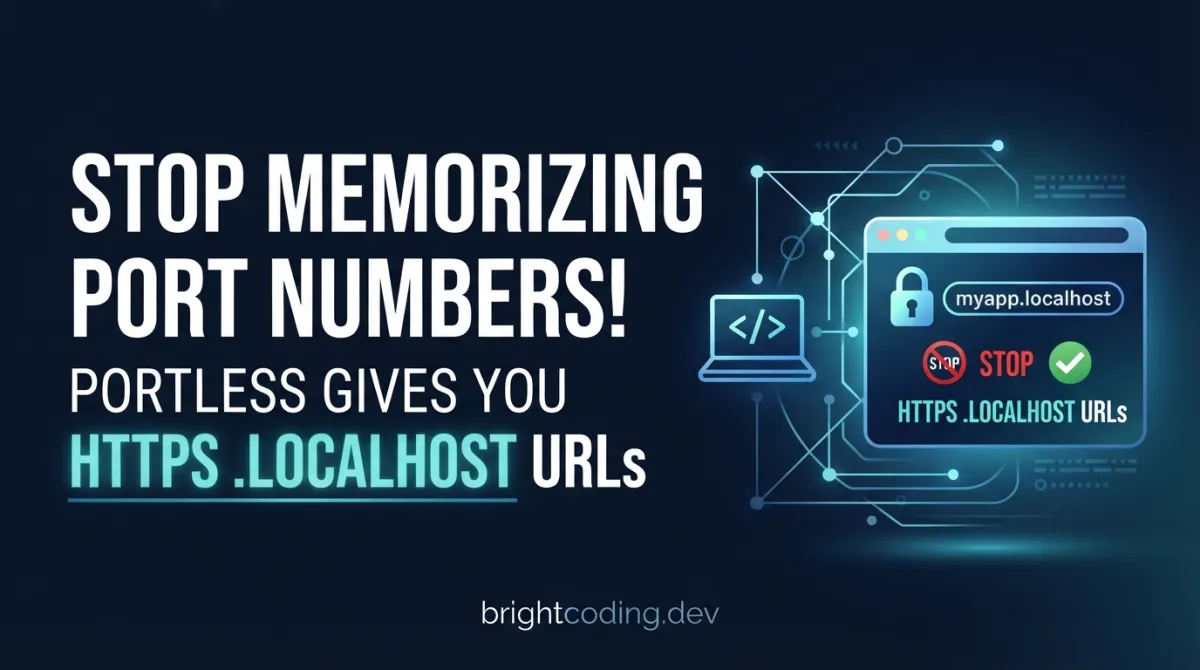
Stop Memorizing Port Numbers! Portless Gives You HTTPS .localhost URLs
You're three hours into a complex debugging session. Your terminal is a graveyard of localhost:3000, localhost:3001, localhost:8080 tabs. You just accidentally refreshed the wrong port and wiped your carefully reproduced state. Again. Or worse—you're pair programming and mutter "it's on localhost thirty... no, thirty-oh-one... wait, which service is this?"
Sound familiar? Port numbers are a cognitive tax that every developer pays, every single day. They're arbitrary, unstable, and fundamentally hostile to human memory. We invented DNS to solve this problem on the internet. So why are we still typing localhost:3000 in 2024?
Enter portless—a deceptively simple tool from Vercel Labs that replaces port numbers with stable, named .localhost URLs. Not localhost:3000. https://myapp.localhost. With HTTPS. With HTTP/2. With zero configuration. And it's about to become the most addictive tool in your development workflow.
What is Portless?
Portless is a local development proxy that eliminates port numbers entirely, replacing them with human-readable, stable .localhost URLs. Created by Vercel Labs—the experimental arm of the company behind Next.js↗ Bright Coding Blog, Turborepo, and the Vercel platform—portless represents a fundamental rethinking of how local development environments should work.
The tool sits between your browser and your development servers, acting as a transparent reverse proxy. When you run portless myapp next dev, it automatically assigns an ephemeral port to your Next.js application (somewhere in the 4000-4999 range), starts an HTTPS proxy on port 443, and routes https://myapp.localhost to your app. The browser never sees a port number. You never type one. The URL is stable across restarts, reboots, and even different machines.
Why it's trending now: The developer experience movement has reached a tipping point. Tools like Next.js, Vite, and Turborepo have dramatically improved how we build applications, but the local development infrastructure has remained stuck in the 1990s. Portless addresses this gap with surgical precision. It's particularly resonating with teams running micro-frontends, monorepos, or any setup where multiple services run simultaneously. The addition of Tailscale integration for secure sharing and LAN mode for mobile device testing has pushed it from "nice-to-have" to "how did I live without this?"
The project's tagline—"For humans and agents"—hints at a deeper vision. As AI coding assistants become ubiquitous, stable, predictable URLs become infrastructure that both humans and automated agents can rely on. No more parsing console output to find "Local: http://localhost:5173/".
Key Features That Make Portless Irresistible
Zero-Configuration HTTPS with Auto-Trusted Certificates
Portless generates a local Certificate Authority on first run and automatically adds it to your system trust store. The result? Real HTTPS on https://myapp.localhost with zero browser warnings. No more mkcert setup, no more clicking through "Your connection is not private" screens. On Linux, it supports Debian/Ubuntu, Arch, Fedora/RHEL/CentOS, and openSUSE automatically.
HTTP/2 by Default Here's where it gets technically interesting. Browsers limit HTTP/1.1 to 6 concurrent connections per host. Modern dev servers—especially Vite and Nuxt—serve many unbundled files, creating a bottleneck that manifests as slow initial loads. Portless enables HTTP/2 multiplexing by default, collapsing all requests into a single connection. The performance difference on complex applications is genuinely noticeable.
Framework-Aware Port Injection
Most frameworks (Next.js, Express, Nuxt) respect the PORT environment variable. But some—Vite, Astro, React↗ Bright Coding Blog Router, Angular, Expo, React Native—stubbornly ignore it. Portless doesn't just fail; it auto-injects the correct --port flag and, when needed, --host flags. This isn't documented in most frameworks' "getting started" guides, and discovering it manually costs hours.
Intelligent Monorepo Discovery
Place one portless.json at your repository root, and portless discovers all workspace packages from pnpm-workspace.yaml or package.json workspaces. Run portless from the root, and all your services start with sensible names. The naming convention (<package>.<project>.localhost) eliminates collisions without configuration.
Git Worktree Auto-Detection
Working with git worktrees? Portless automatically prepends branch names as subdomains. Your fix-ui branch becomes https://fix-ui.myapp.localhost—no manual configuration, no port collisions between worktrees, no --force flags.
Persistent Proxy State
The proxy remembers its configuration (port, TLS, TLD, LAN mode) across restarts. Reboot your machine, run portless again, and your URLs are identical. Explicit environment variables always override, giving you predictable behavior when you need it.
Real-World Use Cases Where Portless Shines
Micro-Frontend Development↗ Bright Coding Blog
Running a shell app with three micro-frontends and two APIs? Without portless, you're managing localhost:3000 through localhost:3004, creating a mental map that evaporates after lunch. With portless: https://shell.localhost, https://catalog.localhost, https://cart.localhost, https://api.localhost, https://legacy.localhost. Your browser history becomes documentation.
Mobile Development with HTTPS Requirements
Modern web features—Service Workers, Geolocation, Camera access, Payment Request API—require secure contexts. Testing on actual devices means tunneling or complex certificate setup. Portless's LAN mode advertises services via mDNS as <name>.local, reachable from any device on your network. Your iPhone can hit https://myapp.local with valid HTTPS, no configuration.
Monorepo Service Orchestration
In a Turborepo with 8 packages, pnpm dev traditionally starts a wall of ports. Portless transforms this into a coherent URL scheme. The apps configuration lets you explicitly map paths to names, or auto-discover from package names. New team members understand the architecture by looking at their browser tabs.
Secure Collaboration with Tailscale
Need to share your in-progress feature with a teammate? portless myapp --tailscale next dev creates both a local URL and a Tailscale tailnet URL (https://devbox.yourteam.ts.net). No ngrok, no public exposure, no expiration timers. For public demos, --funnel exposes via Tailscale Funnel with a single flag.
API-to-Frontend Proxying Without Configuration Hell
When your Vite dev server proxies to your API, portless handles the Host header rewriting automatically. It even detects misconfigurations that would cause infinite loops and responds with 508 Loop Detected—saving you from the silent failure that has consumed countless debugging hours.
Step-by-Step Installation & Setup Guide
Global Installation (Recommended)
Global installation ensures consistent behavior across all your projects and prevents version drift between team members:
npm install -g portless
Why global? Portless is pre-1.0, and per-project installations risk different contributors running incompatible versions. The state directory format can change between releases, potentially requiring re-running portless trust.
Project-Level Installation
If you prefer explicit dependencies:
npm install -D portless
First Run: Trust the Certificate Authority
On first execution, portless generates a local CA and prompts for trust installation:
portless myapp next dev
# Follow the system prompt to trust the certificate
If you skip the prompt, trust later with:
portless trust
Basic Usage Patterns
Simplest form (infers name from package.json):
portless # Runs "dev" script, creates https://<project>.localhost
Explicit name and command:
portless myapp next dev
# -> https://myapp.localhost
With package.json script integration:
{
  "scripts": {
    "dev": "portless run next dev"
  }
}
Or with portless.json for cleaner scripts:
{ "name": "myapp" }
{
  "scripts": {
    "dev": "next dev"
  }
}
Then simply:
portless # -> https://myapp.localhost
Monorepo Configuration
Create portless.json at repository root:
{
  "apps": {
    "apps/web": { "name": "myapp" },
    "apps/api": { "name": "api.myapp" }
  }
}
Run from root to start all workspace packages with "dev" scripts, or cd into individual packages.
OS Startup Service (Optional)
For URLs available immediately after reboot:
portless service install    # macOS/Linux: root service on 443; Windows: SYSTEM task
portless service status     # Verify operation
portless service uninstall  # Remove when needed
Real Code Examples from the Repository
Let's examine actual patterns from the portless documentation, with detailed explanations of what's happening under the hood.
Example 1: Basic Transformation
The core value proposition, expressed as a diff:
- "dev": "next dev"                  # http://localhost:3000
+ "dev": "portless run next dev"     # https://myapp.localhost
What's happening here? The original Next.js dev script binds to localhost:3000 with HTTP. The portless-wrapped version intercepts the command, assigns an ephemeral port (4000-4999) via the PORT environment variable, starts the HTTPS proxy on 443 if not running, and registers the route. Next.js respects PORT automatically, so no framework changes are needed. The result is a stable, memorable URL with production-like HTTPS and HTTP/2.
Example 2: Turborepo Integration
For teams using Turborepo, portless integrates without modifying turbo.json:
{
  "scripts": {
    "dev": "portless",
    "dev:app": "next dev"
  },
  "portless": { "name": "myapp", "script": "dev:app" }
}
Deep dive: Turbo runs each package's dev script. Here, that script invokes portless (no arguments), which reads the "portless" configuration object. It detects name: "myapp" and script: "dev:app", then runs pnpm run dev:app (or yarn/bun/npm as appropriate) through the proxy. The magic is in portless's package manager detection—it doesn't hardcode pnpm, it inspects your project. People without portless installed can still run pnpm run dev:app directly, maintaining backward compatibility.
Example 3: package.json Shorthand and Full Configuration
The "portless" key in package.json supports progressive disclosure—from simple to complex:
{
  "name": "@myorg/web",
  "portless": "myapp"
}
String shorthand sets just the name. For full control:
{
  "name": "@myorg/web",
  "portless": { "name": "myapp", "script": "dev:app" }
}
Precedence rules matter here: The package.json "portless" key overrides portless.json app entries, but CLI flags (--name, --script) override everything. This lets you commit sensible defaults while allowing temporary overrides for experimentation.
Example 4: Vite Proxy Configuration for API Routing
When proxying between portless apps, the Host header must be rewritten. Here's the Vite configuration:
// vite.config.ts
export default {
  server: {
    proxy: {
      "/api": {
        target: "https://api.myapp.localhost",
        changeOrigin: true,  // Critical: rewrites Host header to target
        ws: true,            // Enable WebSocket proxying
      },
    },
  },
}
Why changeOrigin: true is essential: Without this, Vite preserves the original Host: myapp.localhost header when proxying to api.myapp.localhost. Portless receives a request for api.myapp.localhost with a mismatched Host header, routes it back to the frontend app, creating an infinite loop. Portless detects this and returns 508 Loop Detected, but fixing the configuration eliminates the problem entirely. The ws: true enables WebSocket forwarding for hot module replacement and real-time APIs.
Example 5: Next.js with LAN Mode
For mobile testing with Next.js in LAN mode:
// next.config.js
module.exports = {
  allowedDevOrigins: ["myapp.local", "*.myapp.local"],
}
Next.js 14+ restricts dev origins for security. LAN mode advertises myapp.local via mDNS, but Next.js must explicitly allow this origin. The wildcard *.myapp.local covers git worktree subdomains automatically.
Advanced Usage & Best Practices
Environment Variable Overrides Set persistent defaults in your shell profile:
export PORTLESS_LAN=1        # Default to LAN mode
export PORTLESS_TAILSCALE=1  # Auto-share on tailnet
Subdomain Wildcards for Multi-Tenant Testing
portless proxy start --wildcard
This allows tenant1.myapp.localhost, tenant2.myapp.localhost to route to the same myapp service without explicit registration—essential for testing multi-tenant SaaS applications.
Custom Certificates for Corporate Environments
portless proxy start --cert ./corp-cert.pem --key ./corp-key.pem
Disabling Portless Temporarily
PORTLESS=0 pnpm dev # Bypasses proxy, uses framework defaults
Cleaning Up Completely
portless clean # Removes all state, CA, hosts entries
Safari-Specific DNS Handling
Safari's system DNS resolver sometimes fails with .localhost subdomains:
portless hosts sync    # Add routes to /etc/hosts
portless hosts clean   # Remove when done
Auto-sync is enabled by default; set PORTLESS_SYNC_HOSTS=0 to disable.
Comparison with Alternatives
| Feature | Portless | ngrok | localtunnel | Caddy + mkcert |
|---|---|---|---|---|
| Local-only URLs | ✅ .localhost |
❌ Public URLs | ❌ Public URLs | ✅ Manual setup |
| Auto HTTPS trust | ✅ Built-in | ✅ Built-in | ❌ HTTP only | ⚠️ Manual mkcert |
| HTTP/2 default | ✅ Yes | ✅ Yes | ❌ No | ✅ Yes |
| Framework port injection | ✅ Auto-detect | ❌ Manual | ❌ Manual | ❌ Manual |
| Monorepo awareness | ✅ Native | ❌ No | ❌ No | ❌ No |
| Git worktree support | ✅ Auto | ❌ No | ❌ No | ❌ No |
| Tailscale integration | ✅ Native | ❌ No | ❌ No | ❌ No |
| LAN/mDNS mode | ✅ Built-in | ❌ No | ❌ No | ⚠️ Manual Avahi |
| OS startup service | ✅ Built-in | ❌ No | ❌ No | ⚠️ Manual systemd |
| Free for team use | ✅ Yes | ⚠️ Limited | ✅ Yes | ✅ Yes |
| Configuration required | Minimal | Minimal | Minimal | Significant |
The verdict: ngrok excels at public tunneling but exposes your dev server to the internet. localtunnel is simpler but lacks HTTPS and features. Caddy is powerful but requires substantial configuration. Portless occupies a unique niche: local-first development with production-like infrastructure, then optional secure sharing when needed.
FAQ
Is portless free to use? Yes, portless is open-source under the Vercel Labs organization. Tailscale integration requires a Tailscale account (free tier available).
Does portless work with Docker↗ Bright Coding Blog?
Use portless alias <name> <port> to register static routes for Docker containers. Portless routes traffic to the specified port without managing the process.
Will this conflict with my existing localhost:3000 workflow?
No—portless assigns ephemeral ports (4000-4999) to child processes. Your existing ports remain available. Set PORTLESS=0 to bypass entirely.
How does portless handle port 443 permissions?
On first run, portless auto-elevates with sudo on macOS/Linux to bind port 443. The OS startup service runs as root. Custom ports (-p 8080) avoid elevation entirely.
Can I use my own domain instead of .localhost?
Yes—--tld test creates myapp.test. The proxy syncs /etc/hosts for resolution. Avoid .dev (HSTS-forced HTTPS) and .local (mDNS conflicts).
What happens if the proxy crashes?
Run portless prune to kill orphaned dev servers from crashed sessions. portless proxy stop && portless proxy start restarts cleanly.
Is Windows fully supported?
Yes, with OS startup via Task Scheduler and certificate trust via certutil. Some LAN mode features depend on Windows mDNS support.
Conclusion
Port numbers are a relic that modern development has outgrown. They're arbitrary, unmemorable, and create friction at every turn—from onboarding new team members to debugging complex service interactions to testing on real devices.
Portless eliminates this friction with a tool that feels like it should have existed years ago. The HTTPS-by-default, HTTP/2-by-default, zero-configuration approach means you're not just getting prettier URLs—you're getting a development environment that more closely mirrors production infrastructure.
The monorepo awareness, git worktree auto-detection, and Tailscale integration show thoughtful attention to real developer workflows, not just demo scenarios. This isn't a tool that solves one problem and creates three new ones.
My recommendation? Install it globally today. Wrap your dev script. Experience the momentary confusion when you instinctively reach for a port number, then the lasting relief when you realize you'll never need to again. Your browser history, your teammates, and your future self will thank you.
Ready to stop memorizing port numbers? Grab portless from github.com/vercel-labs/portless and never look back.
Have you tried portless? What local development pain points would you like to see solved next? Drop your thoughts below.
Explore on the BrightCoding network
Hand-picked resources from our other sites.
IRONSIGHT: The Free OSINT Dashboard Exposing Middle East Intel in Real-Time
IRONSIGHT is a free, open-source OSINT dashboard aggregating 50+ intelligence sources for Middle East conflict monitoring. Built with Next.js 16 and requiring z...
thedaviddias/Front-End-Checklist: 385 Rules for Modern Web Quality
Front-End Checklist by thedaviddias is an open-source quality system with 385 rules across 11 categories for modern web development. Features website browsing,...
Web Flight Simulator: The Browser Aviation Tool
Web Flight Simulator delivers high-fidelity aerial combat in your browser using Three.js and CesiumJS. Explore real-world terrain, master F-15 weapons systems,...
Continuez votre lecture

The Generative UI Revolution: How Tambo AI is Transforming React Development Forever

Build Stunning 3D Maps with Three.js: The Ultimate 2026 Developer Guide

Run a Powerful DeFi Trading Bot from a Single HTML File

Stop Coding Alone: OPC-Skills Gives Your AI Agent Superpowers
Commentaires 0
Aucun commentaire pour l'instant. Soyez le premier à réagir !