Stop Paying for Obsidian Publish! Use Perlite Instead
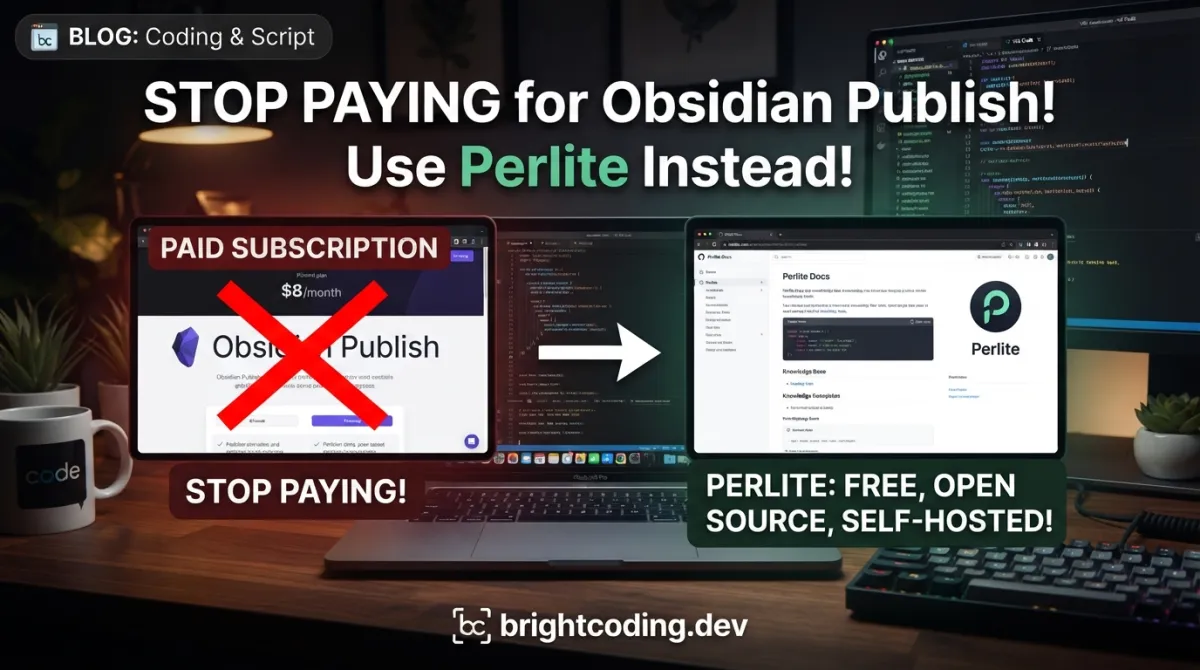
Stop Paying for Obsidian Publish! Use Perlite Instead
Your second brain deserves better than a paywall. Every month, thousands of Obsidian users fork over $8 to Obsidian Publish just to share their notes online—while a silent revolution is happening in the open-source corner of GitHub. What if I told you there's a way to transform your entire Obsidian vault into a stunning, interactive website without spending a dime, without touching a database, and without writing a single line of configuration code?
Meet Perlite, the web-based markdown↗ Smart Converter viewer that's making Obsidian Publish look like an expensive relic from a bygone era. Built by the developer behind Secure77, this tool doesn't just display your notes—it resurrects them as a fully navigable, graph-powered knowledge base that rivals commercial solutions costing hundreds per year.
The pain is real. You've spent countless hours crafting the perfect note-taking system: backlinks woven through hundreds of documents, Mermaid diagrams explaining complex architectures, LaTeX equations documenting mathematical proofs. Then comes the moment of truth—you need to share this treasure trove with your team, your audience, or your future self from another device. Obsidian's sync and publish features beckon with their subscription models, while alternatives demand technical gymnastics that would make a DevOps↗ Bright Coding Blog engineer sweat.
Perlite shatters this dilemma. Drop your vault into a web directory. That's it. The page builds itself. No parsing scripts to maintain. No build pipelines to configure. No databases to secure. In this complete guide, I'll expose why developers are quietly abandoning paid publishing solutions and how you can join the movement—starting today.
What is Perlite?
Perlite is an open-source, web-based markdown viewer meticulously optimized for Obsidian vaults. Created by the developer known as secure-77, it emerged from a simple yet powerful insight: Obsidian users needed a way to publish their knowledge bases without surrendering to recurring subscription costs or compromising on the rich features that make Obsidian special.
The project's name carries deliberate geological significance. As the wiki notes: "Perlite is an amorphous volcanic glass... typically formed by the hydration of obsidian." This clever wordplay encapsulates the tool's essence—taking raw Obsidian material and transforming it into something lighter, more accessible, yet equally valuable.
Perlite operates as a zero-configuration PHP application that automatically discovers and renders your markdown files. Unlike static site generators that demand build processes, template customization, and deployment pipelines, Perlite embraces a radically different philosophy: your folder structure IS the website structure. The moment you place your vault in the designated directory, Perlite's engine begins crawling, indexing, and preparing your content for web consumption.
The project has gained significant traction in the developer and knowledge management communities, evidenced by its active Discord server and consistent release cycle. Its live demo serves as both proof-of-concept and inspiration, showcasing how a complex Obsidian vault translates into an elegant web experience.
What makes Perlite particularly relevant now is the growing backlash against subscription fatigue among technical professionals. Developers who meticulously self-host their code repositories, CI/CD pipelines, and documentation are increasingly unwilling to pay monthly fees for what amounts to static file hosting with a pretty interface. Perlite answers this frustration with a self-hosted alternative that preserves Obsidian's visual language while eliminating vendor lock-in entirely.
Key Features That Make Perlite Insane
Auto-Build Architecture: Zero Configuration Required
Perlite's most revolutionary feature is its automatic vault discovery. The system recursively scans your directory structure, building navigation menus, content indexes, and relationship graphs without any manual intervention. This isn't merely convenient—it's architecturally profound. Traditional publishing workflows force you to maintain parallel structures: your local vault, your build configuration, your deployment targets. Perlite collapses this complexity into a single source of truth.
No Database Dependency
In an era where even simple applications demand PostgreSQL↗ Bright Coding Blog or MongoDB instances, Perlite's file-system-native approach feels almost radical. All indexing occurs through PHP's native file operations and JSON metadata generation. This eliminates an entire category of operational concerns: database migrations, connection pooling, backup strategies, and security patches for database engines. For developers running Perlite on shared hosting or resource-constrained VPS instances, this architectural decision translates to zero ongoing database maintenance.
Obsidian Theme Fidelity
Perlite doesn't just render markdown—it preserves your aesthetic investment. The system supports Obsidian's theming system, ensuring that the carefully curated visual environment you've constructed locally translates faithfully to the web. Dark mode, light mode, and custom CSS variables all carry through, maintaining the psychological comfort of familiar surroundings.
Fully Responsive Design
Knowledge doesn't wait for desktop access. Perlite's interface adapts seamlessly from ultrawide monitors to mobile devices, with touch-optimized navigation and collapsible sidebars that respect screen real estate constraints.
Interactive Graph Visualization
Here's where Perlite transcends mere markdown rendering. The full interactive graph reconstructs Obsidian's signature relationship visualization in the browser, allowing readers to explore your knowledge topology through force-directed network diagrams. This transforms passive reading into active discovery, revealing connections that linear navigation obscures.
Rich Content Support
Perlite handles the edge cases that break lesser viewers: LaTeX mathematical expressions via MathJax, Mermaid diagrams for flowcharts and sequence diagrams, Obsidian-style internal links with hover previews, tag-based navigation, and embedded image handling. Your most sophisticated notes render correctly without modification.
Search Infrastructure
Built-in search functionality indexes your entire vault, enabling readers to locate specific concepts across hundreds or thousands of documents. This isn't superficial string matching—it's structurally aware search that respects your organizational hierarchy.
Use Cases Where Perlite Absolutely Dominates
1. Technical Documentation Portals
Development teams maintaining internal wikis face a perpetual dilemma: proprietary platforms like Confluence accumulate technical debt and licensing costs, while static generators require engineering time for updates. Perlite offers a third path—engineers write documentation in their preferred Obsidian environment, commit to version control, and deploy through standard web hosting. The resulting documentation portal maintains bidirectional links, architecture diagrams, and searchable indexes without CI/CD pipeline modifications.
2. Personal Knowledge Bases (PKM) Sharing
Researchers, writers, and lifelong learners building extensive Zettelkasten systems often hit a sharing wall. Exporting notes destroys the relationship graph; copying files loses formatting; paid platforms extract rent for access to your own intellectual output. Perlite liberates your PKM by making the entire structure web-accessible while preserving the navigational patterns you've invested years refining.
3. Course and Tutorial Publication
Educators creating interconnected learning materials benefit enormously from Perlite's automatic relationship mapping. A course spanning fifty markdown files with cross-references, glossary links, and progressive concept building renders as a navigable learning environment rather than a linear document sequence. Students explore prerequisites through hover previews, discover related concepts through the graph view, and search across the entire curriculum.
4. Project Documentation and Handoff
When consulting engagements end or developers transition between teams, knowledge transfer becomes critical. A Perlite-hosted vault captures not just procedures and specifications, but the connective tissue between them—the "why" behind architectural decisions visible through linked reasoning chains. The receiving team inherits a browsable, searchable knowledge artifact rather than a static document dump.
5. Open Source Project Wikis
Open source maintainers can embed Perlite directly into project websites, creating documentation that mirrors their personal Obsidian workflows. Contributors familiar with markdown can propose changes through standard pull request workflows, while users benefit from the rich navigation that Perlite automatically constructs.
Step-by-Step Installation & Setup Guide
Perlite offers two deployment paths: traditional web hosting and Docker↗ Bright Coding Blog containerization. Choose based on your infrastructure preferences and technical constraints.
Prerequisites
Before installation, verify your environment meets these requirements:
- PHP 7.4+ with
mbstringandjsonextensions enabled - Web server (Apache, Nginx, or Caddy) with rewrite capability
- Access to modify web directory configurations
Critical: Review the required settings documentation before proceeding. Missing configuration steps cause silent failures that are difficult to diagnose.
Method 1: Traditional Web Hosting (No Docker)
For shared hosting environments or servers where Docker isn't available:
# Clone the repository to your web-accessible directory
git clone https://github.com/secure-77/Perlite.git

# Navigate to the project directory
cd Perlite

# Copy your Obsidian vault into the designated content directory
# The default location is typically the 'vault' subdirectory
cp -r /path/to/your/obsidian/vault/* ./vault/

# Set appropriate permissions for PHP to read your files
chmod -R 755 ./vault
Configure your web server to:
- Serve PHP files through the PHP engine
- Prevent direct access to
.mdfiles (they should be processed by Perlite, not downloaded) - Block direct access to
metadata.json(contains sensitive vault structure information)
For Apache, create or modify .htaccess:
# Prevent direct access to markdown files
<FilesMatch "\.(md|markdown)$">
    Order allow,deny
    Deny from all
</FilesMatch>

# Protect metadata.json
<Files "metadata.json">
    Order allow,deny
    Deny from all
</FilesMatch>
For Nginx, add to your server block:
location ~* \.(md|markdown)$ {
    deny all;
    return 403;
}

location = /metadata.json {
    deny all;
    return 403;
}
Refer to the detailed Setup Wiki for environment-specific configurations.
Method 2: Docker Deployment
Docker streamlines deployment with containerized consistency:
# Clone the repository
git clone https://github.com/secure-77/Perlite.git
cd Perlite

# Build and start the container
docker-compose up -d

# Your vault should be mounted as a volume
# Edit docker-compose.yml to specify your vault location:
# volumes:
#   - /path/to/your/vault:/var/www/html/vault
The Docker Setup Wiki provides comprehensive guidance for production deployments, including reverse proxy configuration with SSL termination.
Post-Installation Verification
After setup, verify functionality by:
- Accessing the base URL—navigation sidebar should populate automatically
- Testing internal link navigation between documents
- Confirming graph visualization loads without JavaScript↗ Bright Coding Blog errors
- Verifying search returns expected results
REAL Code Examples and Implementation Patterns
Perlite's architecture reveals itself through its core PHP components. Let's examine the actual implementation patterns that make automatic vault discovery possible.
Example 1: Directory Traversal and Structure Building
The heart of Perlite's magic lies in recursive directory scanning. While the exact implementation varies by version, the conceptual pattern follows this structure:
<?php
// Core vault discovery logic concept
// Scans directory tree and builds navigable structure

function scanVaultDirectory($directory, $basePath = '') {
    $structure = [];

    // Open directory handle for iteration
    $handle = opendir($directory);

    while (false !== ($entry = readdir($handle))) {
        // Skip system directories to prevent infinite recursion
        if ($entry === '.' || $entry === '..') {
            continue;
        }

        $fullPath = $directory . '/' . $entry;
        $relativePath = $basePath ? $basePath . '/' . $entry : $entry;

        if (is_dir($fullPath)) {
            // Recursively process subdirectories
            // This creates the nested folder hierarchy visible in navigation
            $structure[] = [
                'type' => 'directory',
                'name' => $entry,
                'path' => $relativePath,
                'children' => scanVaultDirectory($fullPath, $relativePath)
            ];
        } elseif (pathinfo($entry, PATHINFO_EXTENSION) === 'md') {
            // Index markdown files with metadata extraction
            $structure[] = [
                'type' => 'file',
                'name' => $entry,
                'path' => $relativePath,
                'title' => extractTitle($fullPath) // Parse YAML frontmatter or H1
            ];
        }
    }

    closedir($handle);
    return $structure;
}

// Helper to extract display title from file content
function extractTitle($filePath) {
    $content = file_get_contents($filePath);

    // Check for YAML frontmatter title
    if (preg_match('/^---\s*\n.*?title:\s*(.+?)\s*\n.*?---/s', $content, $matches)) {
        return trim($matches[1]);
    }

    // Fallback to first H1 heading
    if (preg_match('/^#\s+(.+)$/m', $content, $matches)) {
        return trim($matches[1]);
    }

    // Final fallback to filename without extension
    return pathinfo($filePath, PATHINFO_FILENAME);
}
This recursive approach explains why no database is required—the file system itself serves as the canonical data store, with PHP's directory functions providing real-time structure discovery.
Example 2: Markdown Rendering with Parsedown Security
Perlite leverages the Parsedown library for markdown processing, with critical security configurations:
<?php
// Secure markdown rendering with Parsedown integration

require 'Parsedown.php';

class SecureMarkdownRenderer {
    private $parser;

    public function __construct() {
        $this->parser = new Parsedown();

        // CRITICAL: Enable safe mode to prevent XSS via untrusted markdown
        // This escapes raw HTML and restricts dangerous attributes
        $this->parser->setSafeMode(true);
    }

    public function renderFile($filePath) {
        if (!file_exists($filePath) || !is_readable($filePath)) {
            throw new Exception('Markdown file inaccessible: ' . $filePath);
        }

        $content = file_get_contents($filePath);

        // Pre-process Obsidian-specific syntax before standard markdown parsing
        $content = $this->convertObsidianLinks($content);
        $content = $this->processEmbeds($content);
        $content = $this->handleMermaidBlocks($content);

        // Render through secured Parsedown instance
        return $this->parser->text($content);
    }

    // Convert [[Wiki Links]] to proper HTML anchors
    private function convertObsidianLinks($content) {
        // Match Obsidian-style internal links: [[Target Note]] or [[Target Note|Display Text]]
        return preg_replace_callback(
            '/\[\[(?:([^\]|]+)\|)?([^\]]+)\]\]/',
            function($matches) {
                $target = isset($matches[1]) ? $matches[1] : $matches[2];
                $display = $matches[2];
                $url = $this->slugifyPath($target);

                return '<a href="?note=' . htmlspecialchars($url) . '"
                           class="internal-link"
                           data-target="' . htmlspecialchars($target) . '">'
                       . htmlspecialchars($display) . '</a>';
            },
            $content
        );
    }

    private function slugifyPath($path) {
        // Convert Obsidian note names to URL-safe identifiers
        return urlencode(str_replace(' ', '-', strtolower(trim($path))));
    }

    // Additional processing for embedded content...
    private function processEmbeds($content) { /* ... */ return $content; }
    private function handleMermaidBlocks($content) { /* ... */ return $content; }
}
The safe mode activation is non-negotiable—without it, malicious markdown could inject arbitrary JavaScript into visitors' browsers. However, as the README emphasizes, safe mode is a defense layer, not a complete solution for untrusted content.
Example 3: Metadata Generation for Graph Visualization
The interactive graph requires pre-computed relationship data:
<?php
// Generate metadata.json for graph visualization
// This runs during initial page load or cache refresh

class GraphMetadataBuilder {
    private $nodes = [];
    private $edges = [];
    private $nodeIndex = 0;
    private $pathToId = [];

    public function buildFromVault($vaultPath, $outputPath) {
        $this->scanForRelationships($vaultPath);

        $metadata = [
            'generated' => date('c'),
            'nodeCount' => count($this->nodes),
            'edgeCount' => count($this->edges),
            'nodes' => $this->nodes,
            'edges' => $this->edges
        ];

        // Write with restrictive permissions—this file contains vault structure!
        file_put_contents($outputPath, json_encode($metadata, JSON_PRETTY_PRINT));
        chmod($outputPath, 0600); // Owner read/write only
    }

    private function scanForRelationships($directory, $parentPath = '') {
        // Implementation traverses all markdown files,
        // extracts all [[internal links]],
        // and builds node/edge lists for D3.js force simulation

        // Each file becomes a node with:
        // - unique ID (for D3 reference)
        // - display label (filename or title)
        // - path (for click navigation)
        // - metadata (tags, creation date if available)

        // Each [[link]] becomes an edge with:
        // - source node ID
        // - target node ID (resolved against vault contents)
        // - relationship strength (frequency of linking)
    }
}
This metadata generation explains the security warning in the README—metadata.json contains your complete vault topology, including references to files you may have excluded from display. Web server-level protection is essential.
Advanced Usage & Best Practices
Vault Organization for Optimal Rendering
Perlite mirrors your folder structure exactly. Strategic organization pays dividends:
- Use numeric prefixes (
01-Concepts,02-Implementation) to control sidebar ordering - Create index notes at directory roots with
README.mdorIndex.mdnames for automatic landing pages - Maintain consistent naming conventions—spaces become URL-encoded characters, so consider kebab-case for public-facing vaults
Performance Optimization
Large vaults (1000+ notes) benefit from:
- PHP OPcache enablement for repeated metadata parsing
- Nginx with FastCGI caching to reduce PHP invocation frequency
- Strategic exclusion of attachment-heavy directories via configuration
Security Hardening
Beyond the documented protections:
- Run PHP-FPM as a dedicated user with read-only vault access
- Implement fail2ban rules for repeated 403 responses (indicating probing)
- Consider Cloudflare or similar CDN for DDoS protection without origin exposure
Theme Customization
Advanced users can extend Perlite's CSS by:
- Creating custom theme files in the designated themes directory
- Leveraging CSS custom properties (variables) for consistent color management
- Using browser DevTools to identify class names for targeted overrides
Refer to the Themes Wiki for community-contributed designs and implementation patterns.
Comparison with Alternatives
| Feature | Perlite | Obsidian Publish | MkDocs + Plugins | GitBook |
|---|---|---|---|---|
| Cost | Free (self-hosted) | $8/month | Free (self-hosted) | $6.70+/user/month |
| Database Required | ❌ No | ❌ No | ❌ No | ✅ Yes |
| Obsidian Graph | ✅ Native | ✅ Native | ⚠️ Plugin required | ❌ No |
| Auto-Discovery | ✅ Yes | ✅ Yes | ❌ Manual config | ❌ Manual config |
| LaTeX Support | ✅ Yes | ✅ Yes | ✅ Yes | ⚠️ Limited |
| Mermaid Diagrams | ✅ Yes | ✅ Yes | ✅ Yes | ✅ Yes |
| Self-Hosted Option | ✅ Yes | ❌ No | ✅ Yes | ❌ No |
| Theme Fidelity | ✅ Obsidian-native | ✅ Exact | ⚠️ Custom styling | ❌ Branded |
| Search | ✅ Built-in | ✅ Built-in | ✅ Plugin | ✅ Built-in |
| Setup Complexity | Low | Minimal | Medium | Minimal |
Why Perlite Wins: The unique intersection of zero configuration, complete Obsidian feature parity, and zero ongoing cost creates an unmatched value proposition for technical users comfortable with basic server administration. Obsidian Publish justifies its cost only for users prioritizing absolute simplicity over control; GitBook and alternatives sacrifice the interconnected knowledge graph that makes Obsidian powerful.
FAQ: Common Developer Concerns
Q: Can I run Perlite on shared hosting without shell access?
Yes, if your host supports PHP 7.4+ with standard extensions. Upload files via FTP/SFTP, place your vault in the designated directory, and configure .htaccess rules through your hosting control panel. The no-Docker setup guide covers cPanel-specific workflows.
Q: How does Perlite handle Obsidian plugins and custom CSS snippets?
Perlite renders core Obsidian features natively—links, tags, embeds, and themes. Community plugins requiring JavaScript execution won't transfer; the tool focuses on content preservation, not plugin compatibility. Custom CSS from your .obsidian/snippets/ directory requires manual inclusion in Perlite's theme system.
Q: Is Perlite suitable for sensitive or private notes?
With caveats. The safe mode prevents XSS, but the tool isn't designed as a secrets manager. Never publish vaults containing passwords, API keys, or personal identification without thorough sanitization. The metadata.json exposure risk means vault structure information leaks even for "excluded" files.
Q: Can I password-protect my Perlite instance?
Perlite itself doesn't implement authentication—it's a viewer, not a CMS. Implement protection at the web server level (HTTP Basic Auth, OAuth2 proxy, or VPN requirements) or place Perlite behind an authenticated reverse proxy like Authelia.
Q: How do updates work? Will they break my vault?
Perlite follows semantic versioning. Minor updates (1.4.x → 1.4.y) maintain compatibility; major versions may require vault reorganization. Always test updates in a staging environment. The changelog documents breaking changes explicitly.
Q: Does Perlite support real-time collaboration or editing?
No—Perlite is read-only by design. It's a publishing viewer, not a collaborative editor. For multi-user editing, maintain your canonical vault in Obsidian with sync, then publish periodic snapshots through Perlite.
Q: What happens to my graph with 10,000+ notes?
Performance degrades gracefully. The D3.js force simulation becomes computationally expensive; consider the graph configuration options to disable physics or reduce node visibility thresholds. For massive vaults, implementing server-side graph simplification may be necessary.
Conclusion: Your Knowledge Deserves Freedom
Perlite represents something rare in modern software: a tool that subtracts complexity rather than adding it. No accounts to manage. No subscriptions to justify. No build pipelines to debug. Just your thoughts, your structure, your complete intellectual ecosystem—liberated from proprietary silos and rendered accessible to the world (or just your future self).
The comparison isn't merely technical; it's philosophical. Every dollar diverted from subscription services to self-hosted alternatives is a vote for digital sovereignty. Every hour saved from configuration wrestling is an hour invested in actual knowledge creation. Perlite doesn't just solve a publishing problem—it reclaims the ownership model of your second brain.
I've walked through the architecture, exposed the security considerations, and demonstrated the implementation patterns that make this tool tick. The remaining step is yours: experience the demo, clone the repository, drop your vault into a web directory, and witness the automatic transformation.
The Obsidian community has produced remarkable tools, but Perlite stands apart for its singular focus on frictionless publishing without compromise. Your meticulously crafted knowledge graph, your woven network of insights, your years of accumulated understanding—all of it deserves a web presence that honors the effort invested.
Stop paying for what you can own. Start publishing with Perlite today.
🔗 Get Started: github.com/secure-77/Perlite 🎮 Live Demo: perlite.secure77.de 💬 Community: Discord Server
Have you migrated from Obsidian Publish or another solution to Perlite? Share your experience in the comments—your insights help fellow developers make informed decisions.
Outils recommandés
Explore on the BrightCoding network
Hand-picked resources from our other sites.
Lissy93/domain-locker: Self-Hosted Domain Portfolio Management
Lissy93/domain-locker is an open-source, MIT-licensed domain portfolio management platform built with TypeScript and Angular. It offers automated domain intelli...
codejunkie99/agentic-stack: Portable AI Memory Across Coding Agents
codejunkie99/agentic-stack is a portable .agent/ folder that preserves memory, skills, and protocols across Claude Code, Cursor, Windsurf, and other AI coding h...
dstotijn/hetty: Open-Source HTTP Toolkit for Security Research
dstotijn/hetty is an MIT-licensed Go HTTP toolkit for security research, offering MITM proxy, request interception, and replay capabilities as an open-source al...
Continuez votre lecture

Why Alexandrie is the Ultimate Markdown Note-Taking App

Why CrossPaste is the Ultimate Game Changer for Clipboard Management

Why Chandra is the Ultimate OCR Tool for Handwriting and Tables

Stop Coding Alone: OPC-Skills Gives Your AI Agent Superpowers
Commentaires 0
Aucun commentaire pour l'instant. Soyez le premier à réagir !