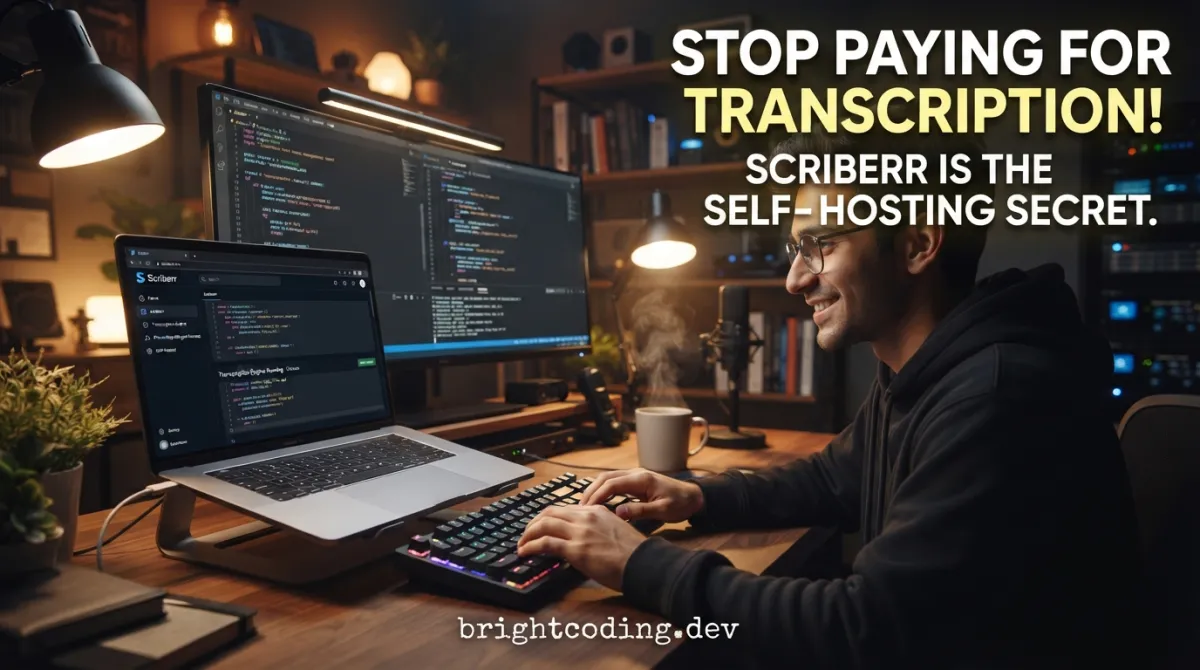
Stop Paying for Transcription! Scriberr Is the Self-Hosting Secret
What if every voice memo, meeting recording, and podcast you own was being mined by a corporation? That's not paranoia—it's the business model of virtually every cloud transcription service on the market today. Upload your audio, pay subscription fees, and quietly surrender your most sensitive conversations to servers you don't control.
Sound familiar? You've felt that sting. The $240 annual bill for "unlimited" transcription that comes with invisible strings attached. The nagging doubt when your doctor's appointment recording sits on someone else's hard drive. The frustration of hitting arbitrary monthly limits right when you need the tool most.
Here's the truth they don't want you to know: you never needed them in the first place.
Enter Scriberr—the open-source, completely offline audio transcription application that's making cloud-based services obsolete for privacy-conscious developers and self-hosters. Built by an ML/AI researcher who refused to pay premium prices for what should be free, Scriberr delivers state-of-the-art transcription using NVIDIA Parakeet, Canary, and Whisper models—entirely on your own hardware. No data leaves your machine. No subscriptions drain your wallet. No corporate entity analyzes your voice.
Ready to reclaim your audio? Let's dive into why developers everywhere are quietly switching to this self-hosted powerhouse.
What Is Scriberr?
Scriberr is an open-source, offline-first audio and video transcription platform designed specifically for self-hosters who refuse to compromise on privacy or performance. Created by Rishikanth Chandrasekaran, an ML/AI researcher with over a decade of programming experience, this project emerged from a deeply personal frustration with existing solutions.
The origin story is relatable to any developer who's ever thought "I could build this better myself." After purchasing a Plaud Note voice recorder, Rishikanth loved the hardware but balked at the cloud dependency and subscription costs: $100/year for 20 hours monthly, or $240/year for unlimited access. For someone with his technical background, paying a premium to upload private recordings to third-party servers felt fundamentally wrong.
What started as a personal project has evolved into a production-ready application with a polished UI, comprehensive API, and support for cutting-edge AI models. Scriberr leverages NVIDIA's Parakeet and Canary architectures alongside the ubiquitous OpenAI Whisper models, delivering word-level timing accuracy without network connectivity.
The project is currently in a temporary development pause—Rishikanth was affected by layoffs at eBay and is actively seeking new opportunities. However, he emphasizes the project is "definitely not abandoned" with extensive plans for future evolution. Community contributions are actively welcomed during this transition period.
Scriberr's architecture separates application data (database, uploads, transcripts) from model environments, enabling clean upgrades and flexible deployment strategies. It supports both CPU-only operation and NVIDIA GPU acceleration through CUDA, with specific compatibility layers for GPU generations from Pascal through the latest Blackwell architecture.
Key Features That Set Scriberr Apart
Scriberr transcends basic transcription with a feature set that rivals expensive SaaS alternatives:
🔒 Complete Privacy by Design Every audio byte stays local. No cloud APIs, no data exfiltration, no training on your conversations. Your recordings never traverse the public internet—a non-negotiable for legal, medical, or sensitive business contexts.
🎯 Smart Speaker Diarization Automatically detect and label different speakers using advanced diarization. Scriberr identifies "who said what" with precision, eliminating the manual speaker-labeling drudgery that plagues other tools.
💬 Conversational AI Integration Connect to Ollama for entirely local LLM inference, or use OpenAI-compatible APIs for cloud-augmented intelligence. Generate summaries, ask questions, extract action items, or have full conversations with your transcripts—without leaving the application.
📁 Automated Workflow Integration The Folder Watcher automatically processes new audio files dropped into designated directories. Combined with extensive REST APIs, Scriberr slots seamlessly into automation pipelines using tools like n8n, Zapier alternatives, or custom scripts.
🎙️ Built-in Recording & Note-Taking Capture thoughts instantly with the integrated audio recorder, then annotate transcripts with highlights and notes while listening. The playback-follows-text feature creates an immersive review experience.
📱 Progressive Web App (PWA) Install Scriberr as a native-feeling application on desktop or mobile. Offline capability, responsive design, and dark mode support ensure comfortable usage across devices and lighting conditions.
⚡ GPU Acceleration Support From GTX 10-series Pascal cards through RTX 50-series Blackwell GPUs, Scriberr leverages CUDA for dramatically faster transcription. Separate Docker↗ Bright Coding Blog images ensure compatibility across NVIDIA's evolving compute capabilities.
Real-World Use Cases Where Scriberr Dominates
1. Journalism & Investigative Reporting
Reporters handling sensitive sources cannot risk cloud transcription leaks. Scriberr enables complete source protection while delivering interview transcripts with speaker identification. The chat feature helps journalists quickly extract quotes and verify facts against recordings.
2. Healthcare & Therapy Practices
HIPAA compliance makes cloud transcription legally perilous for medical professionals. Scriberr runs entirely on-premise, enabling session note generation, patient interview transcription, and progress tracking without regulatory exposure. Local LLM integration through Ollama keeps even AI analysis in-house.
3. Legal Depositions & Court Proceedings
Law firms require chain-of-custody documentation and confidentiality guarantees. Scriberr's offline operation satisfies stringent security requirements, while diarization accurately attributes statements to specific individuals in multi-party proceedings.
4. Developer Content Creation
Podcasters, YouTubers, and technical educators can automate transcript generation for accessibility compliance and SEO↗ Bright Coding Blog. The folder watcher processes new episodes automatically, and API integration publishes transcripts to content management systems without manual intervention.
5. Enterprise Meeting Intelligence
Organizations using self-hosted collaboration tools (Nextcloud, Jitsi, Mattermost) can complete their stack with private meeting transcription. Scriberr integrates with existing infrastructure rather than forcing migration to proprietary platforms like Otter.ai or Fireflies.
6. Personal Knowledge Management
Researchers, students, and lifelong learners build searchable audio archives. Voice memos become queryable knowledge bases through conversational AI, with notes and highlights creating rich, interconnected information networks.
Step-by-Step Installation & Setup Guide
Prerequisites
- Docker and Docker Compose (recommended), or
- Homebrew (macOS/Linux), or
- Manual installation with UV Python↗ Bright Coding Blog environment manager
Option 1: Homebrew Installation (Quickest)
# Add the Scriberr tap to your Homebrew installation
brew tap rishikanthc/scriberr

# Install Scriberr (automatically handles UV dependency)
brew install scriberr

# Launch the server
scriberr
Navigate to http://localhost:8080—Scriberr is ready.
Option 2: Docker Deployment (Recommended for Production)
Standard CPU Deployment:
Create docker-compose.yml:
services:
  scriberr:
    image: ghcr.io/rishikanthc/scriberr:v1.2.0
    ports:
      - "8080:8080"
    volumes:
      - scriberr_data:/app/data      # Persistent application data
      - env_data:/app/whisperx-env    # ML models and Python environments
    environment:
      - PUID=${PUID:-1000}           # Match host user ID
      - PGID=${PGID:-1000}           # Match host group ID
      - APP_ENV=production           # Required: do not modify
      # - ALLOWED_ORIGINS=https://your-domain.com  # Production CORS
      # - SECURE_COOKIES=false       # ONLY for HTTP (non-SSL) access
    restart: unless-stopped

volumes:
  scriberr_data: {}
  env_data: {}
Launch:
docker compose up -d
NVIDIA GPU Acceleration:
Ensure NVIDIA Container Toolkit is installed, then create docker-compose.cuda.yml:
services:
  scriberr:
    image: ghcr.io/rishikanthc/scriberr-cuda:v1.2.0
    ports:
      - "8080:8080"
    volumes:
      - scriberr_data:/app/data
      - env_data:/app/whisperx-env
    restart: unless-stopped
    deploy:
      resources:
        reservations:
          devices:
            - driver: nvidia
              count: all
              capabilities:
                - gpu
    environment:
      - NVIDIA_VISIBLE_DEVICES=all
      - NVIDIA_DRIVER_CAPABILITIES=compute,utility
      - PUID=${PUID:-1000}
      - PGID=${PGID:-1000}
      - APP_ENV=production
      # - ALLOWED_ORIGINS=https://your-domain.com
      # - SECURE_COOKIES=false       # Uncomment for HTTP-only access

volumes:
  scriberr_data: {}
  env_data: {}
Deploy with GPU support:
docker compose -f docker-compose.cuda.yml up -d
RTX 50-series (Blackwell) Users:
The latest NVIDIA cards require specialized PyTorch builds:
docker compose -f docker-compose.blackwell.yml up -d
Critical First-Run Configuration
Set correct permissions to prevent SQLite errors:
# Identify your user ID
echo $(id -u):$(id -g)  # Typically outputs 1000:1000

# Apply to Docker volumes if using named volumes
sudo chown -R 1000:1000 /var/lib/docker/volumes/scriberr_scriberr_data/_data
sudo chown -R 1000:1000 /var/lib/docker/volumes/scriberr_env_data/_data
Environment variables for customization (create .env in binary directory for non-Docker installs):
# Server configuration
HOST=0.0.0.0
PORT=8080
APP_ENV=production

# Data paths
DATABASE_PATH=/var/lib/scriberr/data/scriberr.db
UPLOAD_DIR=/var/lib/scriberr/data/uploads
TRANSCRIPTS_DIR=/var/lib/scriberr/data/transcripts
WHISPERX_ENV=/var/lib/scriberr/data/whisperx-env

# Optional integrations
OPENAI_API_KEY=sk-your-key-here  # For cloud LLM features
JWT_SECRET=your-super-secret-key-change-this-immediately
⚠️ Security Warning: When
APP_ENV=production,SECURE_COOKIES=trueby default. Accessing via HTTP (not HTTPS) causes "Unable to load audio stream" errors. Either deploy behind an SSL-terminating reverse proxy (Nginx, Caddy, Traefik) or explicitly setSECURE_COOKIES=falsefor internal networks only.
First startup takes several minutes—Scriberr downloads Whisper, PyAnnote, and NVIDIA NeMo models. Subsequent launches are instantaneous.
Monitor logs for the ready signal:
docker logs -f scriberr-scriberr-1
# Watch for: msg="Scriberr is ready" url=http://0.0.0.0:8080
REAL Code Examples: Scriberr in Action
Let's examine practical implementation patterns drawn directly from Scriberr's architecture and deployment configurations.
Example 1: Production Docker Compose with Security Hardening
This enhanced configuration demonstrates enterprise deployment patterns with explicit security controls:
services:
  scriberr:
    image: ghcr.io/rishikanthc/scriberr:v1.2.0
    ports:
      - "127.0.0.1:8080:8080"  # Bind to localhost only; reverse proxy handles external access
    volumes:
      - ./scriberr_data:/app/data:rw      # Host-mounted for direct backup access
      - ./env_data:/app/whisperx-env:rw   # Separate model storage for migration flexibility
    environment:
      # Identity mapping prevents permission conflicts with SQLite
      - PUID=1000
      - PGID=1000
      # Production mode enables secure defaults
      - APP_ENV=production
      # Explicit CORS for known origins only
      - ALLOWED_ORIGINS=https://transcribe.yourdomain.com,https://scribe.internal.net
      # JWT secret from Docker secrets or environment injection
      - JWT_SECRET=${SCRIBERR_JWT_SECRET}
      # Disable only for internal HTTP-only networks
      - SECURE_COOKIES=true
    restart: unless-stopped
    # Resource limits prevent transcription jobs from starving other services
    deploy:
      resources:
        limits:
          cpus: '4.0'
          memory: 8G
        reservations:
          memory: 2G
Key implementation insights: Binding to 127.0.0.1 forces traffic through your reverse proxy, where SSL termination and additional access controls apply. The separated volume mounts reflect Scriberr v1.2.0's architectural split between application state and ML environments—critical for clean upgrades.
Example 2: Environment Configuration for Hybrid LLM Operation
Scriberr's flexibility shines in its dual LLM support. This .env configuration enables local-primary, cloud-fallback operation:
#!/bin/bash
# Scriberr hybrid LLM configuration
# Place as .env in the same directory as the scriberr binary

# ============================================
# CORE SERVER SETTINGS
# ============================================
HOST=0.0.0.0              # Listen on all interfaces for container/VM access
PORT=8080                 # Standard HTTP port; proxy handles 443 externally
APP_ENV=production        # REQUIRED: enables secure cookie handling

# ============================================
# DATA PERSISTENCE PATHS
# ============================================
# Use absolute paths for systemd service compatibility
DATABASE_PATH=/opt/scriberr/data/scriberr.db
UPLOAD_DIR=/opt/scriberr/data/uploads
TRANSCRIPTS_DIR=/opt/scriberr/data/transcripts
WHISPERX_ENV=/opt/scriberr/data/whisperx-env

# ============================================
# SECURITY CONFIGURATION
# ============================================
# Generate with: openssl rand -base64 32
JWT_SECRET=REPLACE_THIS_WITH_CRYPTOGENIC_VALUE

# ============================================
# OPTIONAL: CLOUD LLM FALLBACK
# ============================================
# Set for OpenAI-compatible API access (summary generation, chat)
# Leave empty to force 100% local operation via Ollama
OPENAI_API_KEY=${OPENAI_API_KEY:-}

# ============================================
# CORS: COMMA-SEPARATED ALLOWED ORIGINS
# ============================================
ALLOWED_ORIGINS=https://scribe.home.arpa,https://transcribe.local
Operational pattern: The ${OPENAI_API_KEY:-} syntax enables conditional cloud usage—unset the variable for air-gapped environments, populate it for enhanced capabilities. This matches Scriberr's design philosophy of progressive enhancement without dependency.
Example 3: GPU-Accelerated Deployment with Compute Capability Detection
Automated GPU detection ensures correct image selection:
#!/bin/bash
# detect-and-deploy.sh - Intelligent Scriberr deployment

# Query NVIDIA driver for compute capability
COMPUTE_CAP=$(nvidia-smi --query-gpu=compute_cap --format=csv,noheader | head -n1 | tr -d '.')

echo "Detected CUDA compute capability: sm_${COMPUTE_CAP}"

# Map compute capability to required image
case $COMPUTE_CAP in
    61)
        IMAGE="ghcr.io/rishikanthc/scriberr-cuda:v1.2.0"
        COMPOSE_FILE="docker-compose.cuda.yml"
        ;;
    75|86|89)
        IMAGE="ghcr.io/rishikanthc/scriberr-cuda:v1.2.0"
        COMPOSE_FILE="docker-compose.cuda.yml"
        ;;
    120)
        echo "WARNING: Blackwell architecture requires special image"
        IMAGE="ghcr.io/rishikanthc/scriberr-cuda-blackwell:v1.2.0"
        COMPOSE_FILE="docker-compose.blackwell.yml"
        ;;
    *)
        echo "Unknown compute capability ${COMPUTE_CAP}, falling back to CPU"
        IMAGE="ghcr.io/rishikanthc/scriberr:v1.2.0"
        COMPOSE_FILE="docker-compose.yml"
        ;;
esac

# Export for compose substitution
export SCRIBERR_IMAGE=$IMAGE
export PUID=$(id -u)
export PGID=$(id -g)

# Deploy with detected configuration
docker compose -f $COMPOSE_FILE up -d

echo "Scriberr deployed. Monitor with: docker logs -f $(docker compose -f $COMPOSE_FILE ps -q scriberr)"
Why this matters: PyTorch's CUDA bindings are tightly coupled to compute capabilities. The RTX 50-series Blackwell (sm_120) incompatibility with standard CUDA images is a hard failure—not a performance degradation. This detection script prevents frustrating debugging cycles.
Example 4: Migration from v1.1.0 to v1.2.0
The architectural separation in v1.2.0 requires explicit data migration:
#!/bin/bash
# migrate-to-v1.2.sh - Safe upgrade path

BACKUP_DIR="./scriberr-backup-$(date +%Y%m%d)"
OLD_DATA="./scriberr_data"
NEW_APP_DATA="./scriberr_data_v12"
NEW_ENV_DATA="./env_data_v12"

echo "Creating backup at ${BACKUP_DIR}..."
cp -a $OLD_DATA $BACKUP_DIR

# CRITICAL: Remove old Python environment
# v1.2.0 will fail silently or with cryptic errors if old env persists
if [ -d "${OLD_DATA}/whisperx-env" ]; then
    echo "Removing incompatible whisperx-env (will be rebuilt)..."
    rm -rf "${OLD_DATA}/whisperx-env"
fi

# Create new directory structure
mkdir -p $NEW_APP_DATA $NEW_ENV_DATA

# Migrate application data (database, uploads, transcripts)
cp -r ${BACKUP_DIR}/scriberr.db ${NEW_APP_DATA}/ 2>/dev/null || true
cp -r ${BACKUP_DIR}/jwt_secret ${NEW_APP_DATA}/ 2>/dev/null || true
cp -r ${BACKUP_DIR}/transcripts ${NEW_APP_DATA}/ 2>/dev/null || true
cp -r ${BACKUP_DIR}/uploads ${NEW_APP_DATA}/ 2>/dev/null || true

echo "Update your docker-compose.yml volumes:"
echo "  - ${NEW_APP_DATA}:/app/data"
echo "  - ${NEW_ENV_DATA}:/app/whisperx-env"
echo ""
echo "Then run: docker compose up -d"
Migration critical path: The whisperx-env deletion is non-negotiable. Scriberr v1.2.0's dependency versions differ significantly; old environments trigger compatibility failures that manifest as model loading errors or transcription crashes.
Advanced Usage & Best Practices
Performance Optimization
GPU Memory Management: Transcription of long files (>2 hours) can exhaust VRAM. Process in segments or use CPU fallback for marathon recordings:
# In docker-compose.yml, add resource constraints
deploy:
  resources:
    limits:
      memory: 16G  # Prevent OOM kills on shared hosts
Model Caching: The env_data volume persists downloaded models. Pre-populate in CI/CD pipelines for faster auto-scaling deployments:
# Warm cache on build nodes
docker run --rm -v $(pwd)/env_data:/app/whisperx-env \
  ghcr.io/rishikanthc/scriberr:v1.2.0 \
  sh -c "python -c 'import whisperx; whisperx.load_model(\"large-v2\")'"
Security Hardening
Reverse Proxy Configuration (Caddy example):
scribe.yourdomain.com {
    reverse_proxy localhost:8080
    header {
        # Prevent clickjacking
        X-Frame-Options "SAMEORIGIN"
        # Enforce HTTPS
        Strict-Transport-Security "max-age=31536000; includeSubDomains"
    }
}
Backup Strategy: SQLite databases require consistent snapshots. Use Scriberr's API to trigger graceful pauses during backup windows, or leverage volume snapshots at the storage layer.
Integration Patterns
n8n Workflow Automation:
- Webhook trigger on folder watcher completion
- HTTP Request node fetches transcript via Scriberr API
- OpenAI node (or local Ollama) generates summary
- Notion/Google Docs node archives results
Comparison with Alternatives
| Feature | Scriberr | Otter.ai | Whisper Web UI | MacWhisper |
|---|---|---|---|---|
| Cost | Free (self-hosted) | $8.33-$20/month | Free | €29 one-time |
| Privacy | Complete offline | Cloud-dependent | Offline possible | Offline |
| Speaker Diarization | ✅ Native | ✅ Premium | ⚠️ Manual setup | ❌ |
| LLM Integration | ✅ Ollama + OpenAI | ✅ Cloud only | ❌ | ❌ |
| API Access | ✅ Full REST | ✅ Paid tiers | ⚠️ Limited | ❌ |
| Folder Automation | ✅ Built-in | ❌ | ❌ | ❌ |
| PWA/Mobile | ✅ Yes | ✅ Yes | ❌ | ❌ |
| GPU Acceleration | ✅ CUDA optimized | N/A (cloud) | ⚠️ Manual | ⚠️ Apple Silicon |
| Self-Hostable | ✅ Native | ❌ | ✅ Complex | ❌ |
| Open Source | ✅ MIT | ❌ | ✅ Various | ❌ |
When to choose Scriberr: You need complete data sovereignty, want to eliminate subscription costs at scale, require workflow automation, or operate in regulated industries (healthcare, legal, government). The initial setup investment pays dividends in control and TCO reduction.
When alternatives win: Immediate zero-configuration deployment (Otter.ai), or pure macOS ecosystem integration (MacWhisper). These trade control for convenience.
FAQ: Common Developer Concerns
Is Scriberr actively maintained?
Development is temporarily paused due to the creator's employment transition, but explicitly not abandoned. The codebase is stable and production-ready. Community contributions are welcomed, and the creator plans to resume active development.
What hardware do I need for GPU acceleration?
Any NVIDIA GPU with compute capability 6.1+ (GTX 10-series and newer). RTX 30/40-series recommended for real-time transcription. RTX 50-series requires the special Blackwell image. CPU-only operation works on any modern processor but is 5-10x slower.
Can I use Scriberr without internet access?
Absolutely. Initial model download requires connectivity, but all core transcription and diarization functions operate entirely offline. LLM features work with local Ollama models; OpenAI integration is optional.
How accurate is transcription compared to cloud services?
Scriberr uses identical underlying models (Whisper Large v2/v3, NVIDIA Parakeet) as major cloud providers. Word-level timing and speaker diarization match or exceed commercial offerings. Accuracy depends primarily on audio quality and model selection.
Is my data really private?
100% local processing. No telemetry, no analytics, no cloud dependencies in core operation. Verify independently—Scriberr is open source and network-isolatable.
What's the difference between CPU and GPU Docker images?
CPU images (scriberr) run PyTorch on processors. GPU images (scriberr-cuda, scriberr-cuda-blackwell) enable CUDA acceleration for 5-10x speedup. GPU images require NVIDIA Container Toolkit and compatible hardware.
How do I contribute to development?
Visit github.com/rishikanthc/scriberr to review open issues, submit pull requests, or discuss features. The creator is actively seeking community maintainers during his job search period.
Conclusion: Reclaim Your Voice
Scriberr represents something increasingly rare in modern software: a tool that respects you as a user, not a data source. In an era where every whispered conversation becomes training fodder for opaque AI systems, choosing self-hosted transcription is an act of digital self-determination.
The technical implementation is polished—GPU acceleration, progressive web app deployment, comprehensive APIs, and intelligent automation. But the true value proposition is simpler: your recordings remain yours, period.
For developers already running homelabs, NAS systems, or self-hosted service stacks, Scriberr completes the privacy puzzle. For organizations navigating GDPR, HIPAA, or internal security mandates, it eliminates compliance friction. For individuals simply tired of subscription creep, it offers genuine financial relief.
The project needs community support during its creator's transition. Whether through code contributions, documentation improvements, or simply spreading awareness, engaging with Scriberr strengthens the open-source ecosystem we all depend upon.
Ready to transcribe without compromise?
👉 Star Scriberr on GitHub and deploy your instance today. Your future self—and your privacy—will thank you.
Have questions about deployment or integration? The Scriberr documentation and API reference provide comprehensive guidance. For opportunities in AI/ML engineering, connect with creator Rishikanth Chandrasekaran.
Outils recommandés
Explore on the BrightCoding network
Hand-picked resources from our other sites.
alexta69/metube: Self-Hosted yt-dlp Web UI for Video Downloads
alexta69/metube is a self-hosted web UI for yt-dlp with 14,133 GitHub stars. It enables browser-based video, audio, and playlist downloads from YouTube and doze...
pguso/agents-from-scratch: Build AI Agents Locally, No Frameworks
pguso/agents-from-scratch teaches AI agent development through 12 progressive lessons using local LLMs. No frameworks, no cloud APIs, no hidden logic — just exp...
Control Claude Code From Your Phone: ClaudeBot Exposed
Discover ClaudeBot, the open-source system tray app that lets you control Claude Code via Telegram from anywhere. Complete setup guide, real code examples, and...
Continuez votre lecture
Self-Hosted IPTV: Transform Your Streaming with neTV's Server-Side Transcoding

Digital Command Center: The Complete Guide to Self-Hosted Startpages with Drag-and-Drop Magic in 2026
HomeHub: The Self-Hosted Family Dashboard That Just Works

Stop Coding Alone: OPC-Skills Gives Your AI Agent Superpowers
Commentaires 0
Aucun commentaire pour l'instant. Soyez le premier à réagir !