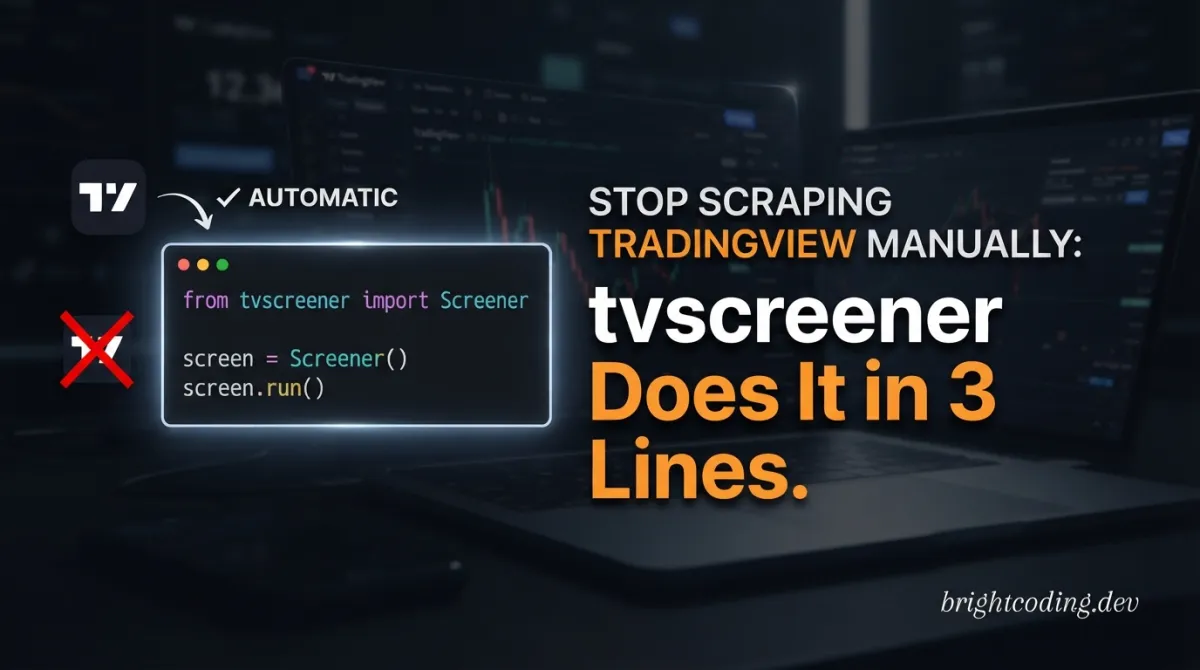
Stop Scraping TradingView Manually: tvscreener Does It in 3 Lines
What if your next winning trade is hiding in plain sight—and you're too slow to find it?
Every quantitative developer, algorithmic trader, and financial data engineer has been there. It's 9:28 AM, markets are about to open, and you're still wrestling with brittle web scrapers, rate-limited APIs, or—worst of all—manually copying data from TradingView's screener into a spreadsheet. The opportunity window slams shut while you're debugging XPath selectors or paying hundreds of dollars for data feeds you barely use. This is the dirty secret of retail quantitative finance: the data is free, but accessing it programmatically is a nightmare.
Until now.
Enter tvscreener, the open-source Python↗ Bright Coding Blog library that transforms TradingView's powerful screeners into a clean, pandas-native API. No more scraping. No more subscription tiers. No more praying your Selenium script doesn't break when TradingView pushes a UI update. With 13,000+ fields, six asset classes, and a fluent interface that feels like SQLAlchemy for market data, tvscreener is quietly becoming the secret weapon in every serious Python trader's arsenal.
In this deep dive, I'll expose exactly how this library works, why its latest MCP server integration changes everything for AI-assisted trading, and how you can go from zero to streaming real-time screeners in under ten minutes. If you've ever lost money because your data pipeline was too slow, this article might be the most profitable thing you read today.
What is tvscreener?
tvscreener is an unofficial Python library created by deepentropy that provides programmatic access to TradingView's screener functionality. It wraps the publicly available screener endpoints into an intuitive, type-safe API that returns pandas DataFrames—no authentication required, no API keys to manage, no usage quotas to fear.
The project emerged from a genuine pain point: TradingView offers one of the most comprehensive financial screening platforms on the internet, covering stocks, forex, cryptocurrencies, bonds, futures, and coins across virtually every global exchange. Yet until tvscreener, accessing this data programmatically meant either expensive third-party providers or fragile scraping solutions that violated terms of service.
What makes tvscreener genuinely exciting isn't just that it solves this problem—it's how thoroughly it solves it. The library supports 13,000+ fields per screener type, including technical indicators with arbitrary time intervals (1-minute through monthly), fundamental metrics, performance statistics, and even TradingView's proprietary recommendation ratings. You can query RSI on the 4-hour timeframe for Japanese stocks, filter cryptocurrencies by DEX liquidity, or screen government bonds by yield-to-maturity—all from the same consistent Python interface.
The project has gained serious momentum with its v0.2.0 release, which introduced MCP (Model Context Protocol) server integration. This means AI assistants like Claude can now query market data directly, enabling natural language financial analysis that would have required dedicated data science teams just months ago. With growing PyPI download numbers and active community contributions, tvscreener is rapidly becoming the de facto standard for free, programmatic access to TradingView's screening capabilities.
Key Features That Separate tvscreener from the Pack
Let's dissect what makes this library genuinely powerful for production trading systems:
Six Asset Classes, One Unified API
The library doesn't just do stocks. You get StockScreener, ForexScreener, CryptoScreener, BondScreener, FuturesScreener, and CoinScreener—each with field-specific validation ensuring you never accidentally query a P/E ratio on a forex pair or a bond duration on a cryptocurrency.
13,000+ Fields with Discovery Tools
The sheer field coverage is staggering. Every technical indicator (RSI, MACD, Bollinger Bands, Ichimoku, etc.) is available across multiple time intervals: 1, 5, 15, 30, 60, 120, 240 minutes, plus daily, weekly, and monthly. No TradingView Pro subscription required. The search() and technicals() methods let you discover fields programmatically rather than hunting through documentation.
Pythonic Comparison Syntax
Where other libraries force JSON query DSLs or raw SQL, tvscreener lets you write StockField.PRICE > 50 or StockField.MARKET_CAPITALIZATION.between(1e9, 50e9). This isn't syntactic sugar—it's type-safe validation that catches screener/field mismatches at definition time, not runtime when your overnight batch job fails.
Fluent API with Method Chaining
The select() and where() methods enable clean, readable query construction that mirrors modern ORM patterns. Build complex filters incrementally, inspect them before execution, and reuse screener configurations across strategies.
Streaming and Auto-Update
The stream() method with configurable intervals and callbacks transforms static screening into real-time monitoring. Set a 30-second refresh on momentum plays, or stream top gainers during market open with automatic KeyboardInterrupt handling.
TradingView-Styled Output
The beautify() function applies color-coded ratings, directional arrows, and K/M/B/T formatting—making Jupyter notebook outputs instantly interpretable without additional visualization code.
MCP Server for AI Integration Perhaps the most forward-looking feature: v0.2.0's Model Context Protocol support lets Claude and other AI assistants execute market queries through natural language, with tools for field discovery, custom queries, and specialized screeners.
Real-World Use Cases Where tvscreener Shines
1. Pre-Market Momentum Scanning
Professional traders know the first 30 minutes determine the day's direction. Use StockScreener with stream(interval=60) to monitor stocks gapping up on volume, filtering for float under 50M and relative volume over 3.0. The callback architecture lets you push alerts to Slack or execute paper trades via your broker's API.
2. Multi-Timeframe Technical Validation
Don't trust a single timeframe. Build a validation pipeline that requires RSI(14) < 30 on the daily and MACD bullish crossover on the 4-hour and price above VWAP on the 15-minute. tvscreener's .with_interval() method makes this trivial—something that would require three separate API calls with most commercial data providers.
3. Crypto Arbitrage Opportunity Detection
Use CoinScreener to monitor CEX/DEX price divergences across exchanges. Filter for coins with >$10M 24h volume, then stream price data every 10 seconds. When Binance price deviates >2% from Uniswap, your system flags potential arbitrage before the market corrects.
4. Fixed Income Yield Curve Analysis
The BondScreener is genuinely unique among free tools. Screen government bonds by yield-to-maturity, duration, and credit rating. Build yield curve visualizations by filtering for specific maturities (2Y, 5Y, 10Y, 30Y) and countries, then track curve flattening/steepening as recession indicators.
5. AI-Powered Natural Language Research
With MCP server integration, portfolio managers can ask Claude: "Find me large-cap tech stocks with P/E under 25, dividend yield over 3%, and RSI not overbought." The AI translates this to tvscreener queries, executes them, and presents formatted results—democratizing quantitative screening for non-technical investors.
Step-by-Step Installation & Setup Guide
Getting started takes under five minutes. Here's the complete setup:
Basic Installation
# From PyPI (recommended for stable releases)
pip install tvscreener

# From GitHub (latest features, potential instability)
pip install git+https://github.com/deepentropy/tvscreener.git
MCP Server Installation (v0.2.0+)
# Install with MCP dependencies for AI assistant integration
pip install tvscreener[mcp]

# Start the MCP server
tvscreener-mcp

# Register with Claude Code for natural language queries
claude mcp add tvscreener -- tvscreener-mcp
Environment Verification
import tvscreener as tvs
import pandas as pd

# Verify installation and check available screeners
print(tvs.__version__)  # Should show 0.2.0 or higher for MCP support

# Quick connectivity test
ss = tvs.StockScreener()
df = ss.get()
print(f"Connected successfully. Retrieved {len(df)} rows with {len(df.columns)} columns.")
Jupyter Notebook Setup (Optional)
For the full experience with styled output:
pip install jupyter ipywidgets
jupyter notebook
Then in your notebook:
# Enable rich display for TradingView-style formatting
from IPython.display import display
import tvscreener as tvs

ss = tvs.StockScreener()
df = ss.get()
styled = tvs.beautify(df, tvs.StockField)
display(styled)  # Shows colored output with arrows and formatting
Rate Limiting Considerations
The library enforces minimum 1-second intervals in stream() to avoid overloading TradingView's servers. For production use, implement exponential backoff and respect the unofficial rate limits—aggressive scraping risks IP temporary blocks.
REAL Code Examples from the Repository
Let's examine production-ready patterns using actual code from tvscreener's documentation, with detailed explanations of each implementation.
Example 1: Basic Screener Initialization Across All Asset Classes
import tvscreener as tvs

# Stock Screener - most common entry point
ss = tvs.StockScreener()
df = ss.get()  # Returns 150 rows by default; adjust with limit parameter

# Forex Screener - currency pairs across all major markets
fs = tvs.ForexScreener()
df = fs.get()

# Crypto Screener - cryptocurrencies on major exchanges
cs = tvs.CryptoScreener()
df = cs.get()

# Bond Screener (v0.1.0+) - government and corporate bonds
bs = tvs.BondScreener()
df = bs.get()

# Futures Screener (v0.1.0+) - commodity and index futures
futs = tvs.FuturesScreener()
df = futs.get()

# Coin Screener (v0.1.0+) - CEX and DEX coins with exchange-specific data
coins = tvs.CoinScreener()
df = coins.get()
What's happening here: Each screener class encapsulates the endpoint-specific logic for its asset class. The .get() method constructs the appropriate HTTP request to TradingView's screener API, handles pagination automatically, and normalizes the JSON response into a pandas DataFrame. The default 150-row limit balances comprehensiveness with response time; increase with ss.get(limit=1000) for deeper scans. Notice the consistency—all six screeners share identical initialization and retrieval patterns, minimizing cognitive load when switching between asset classes.
Example 2: Fluent API with Select/Where Pattern
from tvscreener import StockScreener, StockField

ss = StockScreener()

# Explicitly select columns for lean DataFrames (critical for performance)
ss.select(
    StockField.NAME,           # Company name for identification
    StockField.PRICE,          # Current market price
    StockField.CHANGE_PERCENT, # Daily percentage change
    StockField.VOLUME,         # Trading volume for liquidity assessment
    StockField.MARKET_CAPITALIZATION  # Size classification
)

# Apply filters using Pythonic comparison operators
ss.where(StockField.MARKET_CAPITALIZATION > 1e9)  # Large-cap only: >$1B
ss.where(StockField.CHANGE_PERCENT > 5)           # Momentum: up >5% today

df = ss.get()
Deep dive: This pattern mirrors SQL's SELECT/WHERE structure but with Python's readability. The select() method is performance-critical—without it, tvscreener retrieves all 13,000+ available fields, creating massive DataFrames and slow network transfers. The where() method builds a filter predicate chain; each call adds an AND condition. The comparison operators (>, <, ==, !=, >=, <=) are overridden on Field objects to construct the underlying API query parameters. The 1e9 scientific notation is clean Python for $1 billion—no manual zero-counting required.
Example 3: Multi-Timeframe Technical Analysis
from tvscreener import StockScreener, StockField

ss = StockScreener()

# Create interval-specific field variants for confluence analysis
rsi_1h = StockField.RELATIVE_STRENGTH_INDEX_14.with_interval("60")
# Available intervals: "1", "5", "15", "30", "60", "120", "240", "1D", "1W", "1M"

macd_4h = StockField.MACD_LEVEL_12_26.with_interval("240")  # 4-hour MACD

ss.specific_fields = [
    StockField.NAME,    # Always include identifier
    StockField.PRICE,   # Current price for reference
    rsi_1h,             # 1-hour RSI for momentum timing
    macd_4h,            # 4-hour MACD for trend confirmation
]

df = ss.get()
Technical breakdown: This is where tvscreener demonstrates genuine sophistication. The .with_interval() method returns a new Field instance configured for the specified timeframe—it's immutable and reusable, so you can define rsi_daily = StockField.RELATIVE_STRENGTH_INDEX_14.with_interval("1D") once and use it across multiple screeners. The interval strings map to TradingView's internal resolution codes. This pattern enables genuine multi-timeframe strategies without the data alignment headaches of merging separate API responses. For algorithmic traders, this means cleaner backtest code and fewer look-ahead bias opportunities.
Example 4: Streaming with Callback Architecture
import tvscreener as tvs
from datetime import datetime

def on_update(df):
    """Callback executed on each data refresh.
    Implement your trading logic here: alerts, order execution, logging."""
    timestamp = datetime.now().strftime("%H:%M:%S")
    print(f"[{timestamp}] Market update: {len(df)} instruments tracked")

    # Example: Detect unusual volume spikes
    high_volume = df[df['volume'] > df['volume'].quantile(0.95)]
    if len(high_volume) > 0:
        print(f"ALERT: {len(high_volume)} symbols showing unusual volume!")

# Configure streaming screener with filters
ss = tvs.StockScreener()
ss.set_markets(tvs.Market.AMERICA)  # Focus on US equities

try:
    # Stream every 30 seconds, maximum 10 iterations (5 minutes total)
    for df in ss.stream(interval=30, max_iterations=10, on_update=on_update):
        # df contains fresh screener results each iteration
        # Process for your strategy: ranking, signal generation, etc.
        pass
except KeyboardInterrupt:
    # Clean shutdown on Ctrl+C—critical for live trading systems
    print("Streaming stopped by user. No positions left hanging.")
Architecture insight: The streaming implementation uses Python's iterator protocol with a generator function, making it memory-efficient for long-running monitoring. The interval parameter enforces a minimum 1.0-second sleep between requests to prevent rate limiting. The try/except KeyboardInterrupt pattern is essential for production—it ensures your strategy can be halted cleanly without orphaning orders or corrupting state. The callback separation lets you unit-test your signal logic independently of the streaming infrastructure. For HFT-adjacent strategies, consider running this in a dedicated process with asyncio or multiprocessing for true concurrency.
Advanced Usage & Best Practices
Optimize Field Selection Aggressively
Always use select() or specific_fields to limit returned columns. A full-field query transfers ~50x more data than a focused 10-column selection. For production pipelines, define field presets as module-level constants and reuse across strategies.
Leverage Presets for Strategy Consistency
The built-in presets (STOCK_VALUATION_FIELDS, STOCK_OSCILLATOR_FIELDS, etc.) aren't just convenience—they represent curated domain knowledge. Start with presets, then customize rather than building from scratch. Document your deviations for reproducibility.
Implement Circuit Breakers for Streaming
Never stream without max_iterations or external timeout mechanisms. Network partitions, API changes, or unexpected data formats can hang generators indefinitely. Wrap streams in signal.alarm() or use asyncio.wait_for() for hard timeouts.
Cache Field Discovery Results
StockField.search() and StockField.technicals() hit the API. Cache results at module initialization rather than calling repeatedly in loops. The 13,000-field metadata changes infrequently—daily refresh is sufficient.
Validate in Staging First TradingView's screener API isn't formally documented and may change. Run integration tests against live endpoints in CI/CD, but gate production deployments behind staged validation. Monitor the GitHub repository for breaking change announcements.
Comparison with Alternatives
| Feature | tvscreener | yfinance | Alpha Vantage | Manual Scraping | TradingView Pro API |
|---|---|---|---|---|---|
| Cost | Free (open source) | Free | Free tier (5 calls/min) | Free (labor intensive) | $60-300/month |
| Screener Depth | 13,000+ fields | Limited | Basic | Full (if implemented) | Full |
| Asset Classes | 6 (stock, forex, crypto, bond, futures, coin) | Stock, ETF only | Stock, forex, crypto | Any (custom effort) | All |
| Technical Timeframes | Any interval, no auth | Daily only | Limited | Any (custom effort) | Full |
| Pandas Integration | Native | Native | Requires parsing | Manual | Requires parsing |
| Rate Limits | Unofficial (be respectful) | Unofficial | 5/min free, 75/min paid | Risk of IP block | Official quotas |
| Setup Complexity | pip install |
pip install |
API key required | High (Selenium/Playwright) | OAuth + approval |
| Real-time Streaming | Built-in | No | No | Fragile | WebSocket |
| AI Integration | MCP server (v0.2.0) | No | No | No | No |
| Type Safety | Field validation | None | None | None | Strong |
The verdict: tvscreener occupies a unique position—more comprehensive than yfinance, more accessible than commercial APIs, more reliable than scraping, and now with AI integration no competitor offers. For Python-based quantitative analysis where budget matters, it's increasingly the optimal choice.
FAQ
Is tvscreener officially affiliated with TradingView? No. This is an independent, third-party library not endorsed by TradingView. It accesses publicly available screener endpoints. Use at your own risk and comply with TradingView's terms of service.
Do I need a TradingView account or API key?
Absolutely not. tvscreener requires no authentication for basic screener access. The MCP server functionality installs separately with pip install tvscreener[mcp].
What Python versions are supported? Python 3.8+ is recommended. The library uses modern typing features and pandas 1.3+ for optimal performance.
Can I use this for live trading? The library retrieves data only—it doesn't execute trades. For live trading, integrate with broker APIs (IBKR, Alpaca, etc.) using the DataFrames tvscreener produces. Always paper-trade strategies first.
How do I handle API changes or downtime? Monitor the GitHub repository for updates. Implement retry logic with exponential backoff in production. The community is active in reporting and fixing breaking changes.
Is streaming data truly real-time? Streaming refreshes at your specified interval (minimum 1 second), but the underlying TradingView data has inherent latency. For true tick-level data, you'll need direct exchange feeds—not screener aggregates.
Can I contribute or request features? Yes! The project welcomes contributions. Open issues for feature requests, submit PRs for bug fixes, or improve documentation. The MCP server integration itself emerged from community demand.
Conclusion
The democratization of financial data is one of the quiet revolutions reshaping quantitative trading. tvscreener sits at the intersection of this transformation—turning one of the web's richest financial databases into a Python-native tool that any developer can master in an afternoon.
What impresses me most isn't the 13,000 fields or the six asset classes, though those are remarkable. It's the design intelligence: the type-safe validation preventing costly field mismatches, the fluent API that makes complex queries readable, the streaming architecture that bridges research and production, and now the MCP integration that hints at AI-native financial analysis.
For individual quants, small hedge funds, or fintech startups watching their data budgets, tvscreener isn't just a nice-to-have. It's a genuine competitive equalizer. The code that took me hours of fragile scraping last year now takes three clean lines of Python.
Your next move: Install it, stream your first screener, and discover what opportunities you've been missing while wrestling with inferior tools. The market doesn't wait for clean data pipelines—but with tvscreener, finally, you won't have to either.
👉 Star the repository on GitHub — and if this library saves you a single afternoon of scraping, pay it forward with a contribution to the open-source community that built it.
Outils recommandés
Explore on the BrightCoding network
Hand-picked resources from our other sites.
pguso/agents-from-scratch: Build AI Agents Locally, No Frameworks
pguso/agents-from-scratch teaches AI agent development through 12 progressive lessons using local LLMs. No frameworks, no cloud APIs, no hidden logic — just exp...
Stop Struggling With Math Animations! Use Manim Instead
Discover ManimCommunity/manim, the Python animation engine behind 3Blue1Brown's viral math videos. Learn installation, real code examples, and why this fork bea...
sgl-project/mini-sglang: 5,000 Lines of Readable LLM Inference
sgl-project/mini-sglang is a 5,000-line Python inference framework for large language models, featuring Radix Cache, chunked prefill, and tensor parallelism wit...
Continuez votre lecture
The Multi-Agent Revolution: How AI Agent Platforms Are Transforming Financial Applications (2025 Guide)
StockBench Exposed: How AI Language Models Are Quietly Revolutionizing Stock Trading (And Which Ones Actually Make Money)

How Multi-Agent AI Workflows Are Generating 400% Faster Returns for Smart Investors

Stop Coding Alone: OPC-Skills Gives Your AI Agent Superpowers
Commentaires 0
Aucun commentaire pour l'instant. Soyez le premier à réagir !