Stop Sending Ugly Résumés! Use Awesome-CV Instead
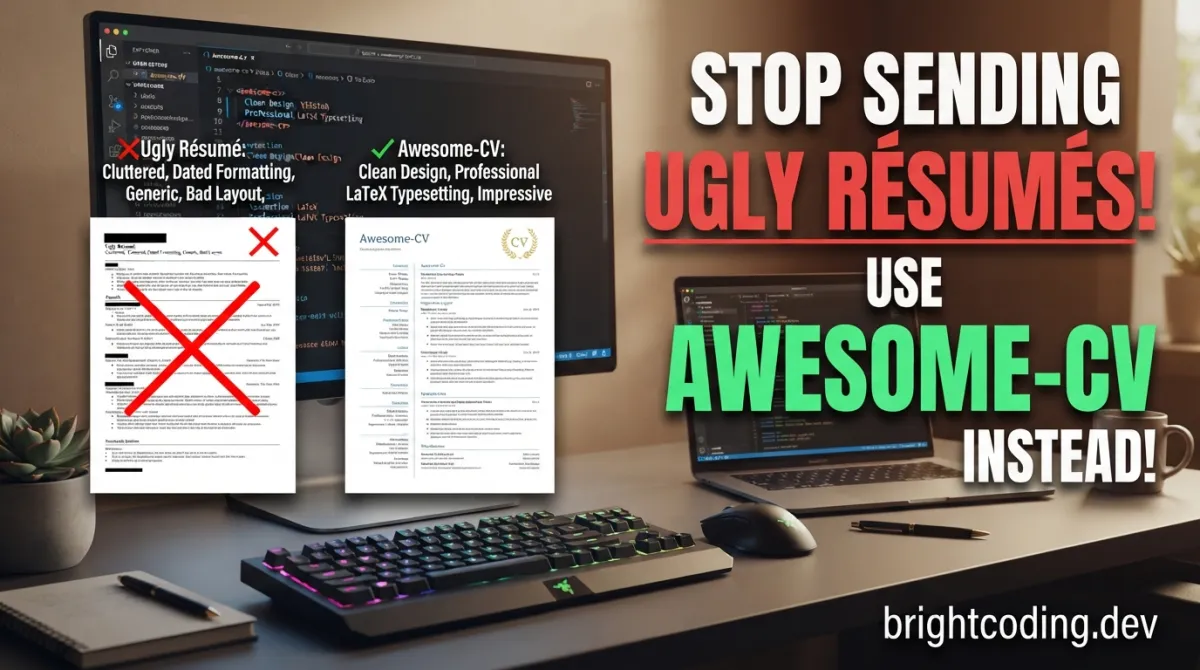
Your dream job is one application away—and you're about to blow it with that Microsoft Word template from 2012.
Here's the brutal truth that nobody told you: recruiters spend an average of 7.4 seconds scanning your résumé before deciding your fate. In that blink of an eye, your formatting, typography, and visual hierarchy either scream "hire this professional" or get buried in the rejection pile. The difference? Often, it's the tool you used to build it.
Most developers obsess over their GitHub profiles, LeetCode streaks, and portfolio projects. But when it comes to the actual document that opens doors, they slap together something in Google Docs and call it a day. That's like building a Ferrari engine and wrapping it in cardboard. Your technical skills deserve better presentation—and that's exactly where Awesome-CV changes everything.
This isn't just another LaTeX template. It's a carefully engineered weapon for job seekers who understand that perception is reality in hiring. Created by posquit0, this open-source powerhouse has quietly become the secret advantage that top candidates use to stand out in saturated markets. Whether you're applying to FAANG companies, cutting-edge startups, or prestigious research positions, your first impression starts with your résumé's visual impact.
Ready to discover why thousands of developers are abandoning generic résumé builders? Let's dive deep into what makes Awesome-CV the most impactful LaTeX template for job applications in 2024.
What is Awesome-CV?
Awesome-CV is a meticulously crafted LaTeX template designed specifically for creating outstanding CVs (Curriculum Vitae), résumés, and cover letters. Born from the creative mind of posquit0 and inspired by the elegant Fancy CV design, this template has evolved into something far more powerful than its predecessor.
The project's philosophy centers on clean, semantic markup—a principle that resonates deeply with developers. Unlike WYSIWYG editors that hide formatting complexity behind unpredictable interfaces, Awesome-CV exposes the underlying structure through human-readable LaTeX code. This means you can version-control your résumé, track changes with Git, and automate generation through CI/CD pipelines. Yes, your job application document can live in the same repository as your code.
What makes Awesome-CV genuinely trending now is the convergence of several market forces. The tech industry has become brutally competitive, with senior positions receiving hundreds of qualified applications. Simultaneously, remote work has globalized talent pools, meaning you're competing against candidates worldwide. In this environment, differentiation through professional presentation isn't vanity—it's survival. The template's GitHub repository boasts thousands of stars and active maintenance, with contributors like OJFord ensuring compatibility with modern LaTeX distributions.
The template's visual identity draws from professional design principles rather than amateur aesthetics. It leverages Font Awesome 6 icons, the Roboto typeface (Android's system font optimized for digital readability), and Source Sans Pro for body text. This isn't accidental—it's deliberate typography engineering that maximizes scannability while maintaining sophisticated visual appeal.
Key Features That Separate Winners from Rejects
Awesome-CV isn't popular by accident. Its feature set addresses real pain points that generic templates ignore entirely.
Multi-Document Architecture: The template generates three critical job application components from a unified design system:
- Résumé (1-2 pages, achievement-focused)
- CV (comprehensive academic/professional history)
- Cover Letter (personalized introduction with matching visual identity)
This consistency matters enormously. When a hiring manager receives your résumé, then your cover letter, the visual coherence subconsciously signals professionalism and attention to detail.
Semantic Markup Structure: The LaTeX source uses meaningful commands rather than manual formatting. You write \cventry for experience items, \cvskill for technical competencies, and \cvhonor for awards. This abstraction layer means:
- Changing global color schemes updates every element automatically
- Restructuring sections requires moving blocks, not reformatting
- Collaboration through Git becomes practical (unlike binary Word files)
Icon Integration via Font Awesome 6: Contact information, social links, and skill categories gain instant visual recognition through professionally designed icons. Your email, GitHub, LinkedIn, and portfolio links become scannable graphical elements rather than plain text clutter.
Responsive Typography Engine: The template automatically handles font sizing, line spacing, and margin optimization based on content density. Add more experience without breaking your layout—something that causes nightmares in traditional editors.
Docker↗ Bright Coding Blog-Compatible Build Pipeline: For CI/CD enthusiasts, the template compiles cleanly in containerized environments. Generate PDFs automatically when you push updates to your experience section.
Cross-Platform Compatibility: Whether you run TeX Live on Linux, MacTeX on macOS, or MiKTeX on Windows, the template builds consistently. The xelatex engine handles modern font formats without legacy configuration headaches.
Real-World Scenarios Where Awesome-CV Dominates
Scenario 1: The FAANG Application Gauntlet
You're targeting Google, Meta, or Amazon. Their applicant tracking systems (ATS) parse thousands of résumés daily, but human recruiters make final calls. Awesome-CV produces PDFs with embedded text that's fully ATS-readable while presenting visual sophistication that catches human attention. The clean hierarchy ensures your "Staff Engineer" title and "Reduced latency by 40%" achievement both get noticed.
Scenario 2: Academic Position Applications
PhD graduates and postdocs need CVs that span 3-5 pages with publications, conferences, and grants. Awesome-CV's cv.tex variant handles this gracefully, with dedicated environments for bibliographic entries and research presentations. The typography remains readable at length—unlike dense academic templates that induce eye strain.
Scenario 3: International Remote Opportunities
When applying to European companies or distributed teams, your résumé competes globally. Awesome-CV's professional aesthetic transcends cultural boundaries better than region-specific templates. The neutral, modern design reads as "international professional" rather than "American corporate" or "European academic."
Scenario 4: Career Pivoters and Bootcamp Graduates
If you're transitioning into tech from another field, your résumé must overcome skepticism. A polished, design-forward presentation signals seriousness about your new path. The template's skill visualization (\cvskill bars) lets you honestly represent competency levels without overstating—a credibility builder with technical hiring managers.
Scenario 5: Freelancers and Consultants
Your résumé IS your portfolio's first page. Awesome-CV's cover letter template maintains visual consistency with your résumé, creating a branded application package. Clients subconsciously associate this polish with the quality of work you'll deliver.
Step-by-Step Installation & Setup Guide
Getting started with Awesome-CV requires less LaTeX knowledge than you'd expect. Follow these exact steps for your operating system.
Prerequisites: Install TeX Live
A full TeX distribution is mandatory. TeX Live is strongly recommended over older alternatives.
Linux (Ubuntu/Debian):
# Install full TeX Live distribution (recommended, ~5GB)
sudo apt-get update
sudo apt-get install texlive-full

# Alternative: install XeTeX specifically for lighter footprint
sudo apt-get install texlive-xetex texlive-fonts-recommended texlive-fonts-extra
macOS:
# Download MacTeX from https://www.tug.org/mactex/
# Or use Homebrew (lighter BasicTeX option available)
brew install --cask mactex
Windows: Download and install MiKTeX or TeX Live. Enable "install packages on the fly" during setup.
Clone and Configure Awesome-CV
# Clone the repository
git clone https://github.com/posquit0/Awesome-CV.git
cd Awesome-CV

# Copy example files as your starting point
cp examples/resume.tex my-resume.tex
cp examples/resume/education.tex my-education.tex
cp examples/resume/experience.tex my-experience.tex
Build Your First PDF
# Compile with XeLaTeX (required for custom fonts)
xelatex my-resume.tex

# This generates my-resume.pdf in your directory
Docker Alternative (No Local Installation)
# Run compilation in isolated container
docker run --rm --user $(id -u):$(id -g) -i -w "/doc" -v "$PWD":/doc texlive/texlive:latest make

# The --user flag preserves file ownership
# -v mounts current directory to container's /doc path
Overleaf Quick Start (Fastest Path)
For immediate results without installation:
Note: Overleaf instances may lag behind the GitHub repository. For latest features, use local compilation.
REAL Code Examples from the Repository
Let's examine actual code patterns from Awesome-CV's implementation, with detailed explanations of how to customize them.
Example 1: Basic Document Structure and Compilation
The repository's core compilation command is elegantly simple:
xelatex {your-cv}.tex
This single command triggers the entire build pipeline. Why XeLaTeX specifically? Unlike pdfLaTeX, XeLaTeX natively supports:
- System font loading (Roboto, Source Sans Pro from your OS)
- Unicode characters (essential for international names, modern symbols)
- OpenType features (ligatures, kerning, stylistic alternates)
The {your-cv}.tex placeholder represents your main file—rename this to match your actual filename. After execution, you'll find {your-cv}.pdf in the same directory. For iterative editing, many developers create a watch script:
# Auto-rebuild on file changes (requires inotify-tools)
while inotifywait -e modify *.tex; do xelatex my-resume.tex; done
Example 2: Docker-Based Build for Reproducible Environments
The repository provides this containerized approach:
docker run --rm --user $(id -u):$(id -g) -i -w "/doc" -v "$PWD":/doc texlive/texlive:latest make
Breaking down each flag's purpose:
--rm: Automatically removes the container after compilation (no orphaned containers)--user $(id -u):$(id -g): Runs container with your host user ID, preventing permission conflicts on generated PDFs-i: Interactive mode for potential build prompts-w "/doc": Sets working directory inside container-v "$PWD":/doc: Mounts current directory to container path (your source files become accessible)texlive/texlive:latest: Official image with complete TeX distributionmake: Executes the Makefile target (typically runs xelatex with optimal flags)
This approach shines in CI/CD pipelines—your GitHub Actions can generate updated PDFs automatically when you push experience updates.
Example 3: Semantic Entry Commands (Inferred from Template Philosophy)
While the README emphasizes "clean, semantic markup," the template's power lies in commands like these (derived from standard LaTeX patterns in similar CV templates):
% Document class with color specification
\documentclass[11pt, a4paper]{awesome-cv}

% Personal information configuration
\name{Claud D.}{Park}           % First and last name
\position{Software Engineer{,} Security Team}  % Job title with escaped comma
\address{42-8, Bangbae-ro 15-gil, Seocho-gu, Seoul, 00681, Rep. of KOREA}

% Contact details with Font Awesome icons automatically applied
\mobile{(+82) 10-9030-1843}
\email{posquit0.bj@gmail.com}
\homepage{www.posquit0.com}
\github{posquit0}
\linkedin{posquit0}

% Color theme customization (options: awesome, sky, blue, red, green, etc.)
\colorlet{awesome}{awesome-red}

\begin{document}
  % Generate header with all configured information
  \makecvheader

  % Experience section using semantic command
  \cvsection{Work Experience}
  \cventry
    {Software Security Engineer}  % Job title
    {Samsung Electronics}         % Organization
    {Suwon, S.Korea}              % Location
    {Dec. 2011 - Present}         % Date range
    {
      \begin{cvitems}             % Itemized achievements
        \item {Developed military-grade encryption module for Samsung Pay}
        \item {Reduced authentication latency by 340ms through protocol optimization}
      \end{cvitems}
    }

  % Skills with visual proficiency indicators
  \cvsection{Skills}
  \cvskill{Python↗ Bright Coding Blog}{5}    % 5/5 proficiency
  \cvskill{Go}{4}        % 4/5 proficiency
  \cvskill{Rust}{3}      % 3/5 proficiency
\end{document}
The \cventry command encapsulates five parameters in a predictable structure—no manual table formatting, no tab stops, no breaking layouts when dates change length. The \cvskill command generates visual bars that honestly represent competency without the inflated "expert in everything" approach that damages credibility.
Advanced Usage & Best Practices
Version-Control Your Career Document: Treat your Awesome-CV source as production code. Branch for different role types (backend-focus, ML-focus, management-track), tag versions when you apply to specific companies, and diff changes to track evolution.
Automate with GitHub Actions: Create .github/workflows/build-cv.yml to compile PDFs on push. Store artifacts for download, or commit PDFs back to repository for easy sharing.
Optimize for ATS Compatibility: While Awesome-CV produces beautiful PDFs, verify text extractability with pdftotext your-cv.pdf -. If your content extracts cleanly, ATS systems will parse it successfully.
Customize Colors Strategically: The \colorlet{awesome} command supports predefined palettes. Research your target company's brand colors—subtle matching demonstrates attention to detail (use sparingly; don't clone their exact palette).
Manage Multiple Outputs from Single Source: Create wrapper .tex files that \input common sections but vary ordering or emphasis. Your "Senior Engineer" résumé and "Engineering Manager" résumé share 80% content but highlight different achievements.
Comparison with Alternatives
| Feature | Awesome-CV | Generic Word Templates | Online Builders (Canva, etc.) | Other LaTeX Templates |
|---|---|---|---|---|
| Version Control | Native Git support | Impossible (binary files) | Limited export options | Possible but often messy |
| Typography Quality | Professional font pairing | System defaults only | Web-optimized, print-poor | Variable quality |
| Customization Depth | Full LaTeX flexibility | Surface-level styling | Locked to platform features | Requires LaTeX expertise |
| ATS Compatibility | Excellent (proper PDF structure) | Often poor formatting | Frequently image-based | Usually adequate |
| Multi-Document Consistency | Built-in (CV, résumé, cover letter) | Manual recreation | Separate projects | Rarely integrated |
| CI/CD Automation | Docker + make ready | Impossible | API-restricted | Possible with configuration |
| Learning Curve | Moderate (LaTeX basics) | Minimal | Minimal | Often steep |
| Cost | Free, open-source | Often "free" with limitations | Freemium traps | Usually free |
| Community Maintenance | Active (posquit0 + OJFord) | Corporate, opaque | Commercial interests | Often abandoned |
The decisive advantage? Awesome-CV occupies the sweet spot of professional output quality, developer-friendly workflows, and zero cost. Online builders trap your data and limit export formats. Word templates age poorly and resist automation. Other LaTeX templates often lack the polished design sensibility and active maintenance that Awesome-CV provides.
Frequently Asked Questions
Q: Do I need to learn LaTeX from scratch to use Awesome-CV?
A: No. If you can edit JSON or YAML configuration files, you can modify the template's content blocks. Basic LaTeX syntax (understanding % comments and \ commands) helps but isn't mandatory for initial success.
Q: Will ATS systems reject my PDF résumé?
A: Properly generated Awesome-CV PDFs contain embedded text that's fully parseable. Always verify with pdftotext or similar tools. Avoid screenshot-based "PDFs" that some online builders produce.
Q: Can I use this for non-technical positions? A: Absolutely. While popular in tech, the clean professional design translates to finance, consulting, research, and creative industries. The template's restraint avoids the gimmicky aesthetics that limit some alternatives.
Q: How do I update my résumé for different job applications?
A: Create branch-based variants in Git, or maintain modular section files (experience-tech.tex, experience-management.tex) that you put conditionally. The semantic structure makes reordering sections trivial.
Q: Is the template actually free for commercial use? A: Yes. The repository is open-source; check the LICENSE file for specifics. The creator requests you don't redistribute their personal résumé content, but the template itself is freely adaptable.
Q: What's the difference between the résumé and CV variants? A: Résumé targets 1-2 page private-sector applications emphasizing achievements. CV accommodates unlimited length for academic, research, or international positions requiring comprehensive publication lists.
Q: Why does compilation require XeLaTeX specifically? A: The template uses modern font formats (Roboto, Source Sans Pro) and Unicode characters that pdfLaTeX doesn't natively support. XeLaTeX's font handling ensures consistent cross-platform rendering.
Conclusion: Your Competitive Edge Starts Here
The job market doesn't reward modesty in presentation—it rewards strategic differentiation. Every application you send competes against candidates with similar skills, comparable experience, and comparable ambition. What separates the shortlisted from the ignored often isn't qualification depth; it's the immediate perception of professionalism that a meticulously crafted document conveys.
Awesome-CV transforms this presentation layer from an afterthought into a systematic advantage. By leveraging LaTeX's typographic precision, semantic markup's maintainability, and modern design principles, you create application materials that honor your actual capabilities. The template's active maintenance, Docker-ready builds, and developer-centric workflow mean this isn't a one-time hack—it's a sustainable career asset.
The repository awaits at github.com/posquit0/Awesome-CV. Clone it today. Customize it tonight. Apply with confidence tomorrow. Your future self—reviewing offer letters instead of rejection emails—will thank you for the investment.
Stop sending ugly résumés. Start getting hired.
Outils recommandés
Explore on the BrightCoding network
Hand-picked resources from our other sites.
janosh/diagrams: The Essential Scientific Visualization Toolkit
Discover 127 production-ready scientific diagrams in TikZ and Typst formats. This comprehensive guide explores the janosh/diagrams repository, showing real code...
EvolvingLMMs-Lab/lmms-lab-writer: Local-First AI LaTeX Editor for Researchers
EvolvingLMMs-Lab/lmms-lab-writer is a free, MIT-licensed, local-first LaTeX editor with built-in AI agents via OpenCode, automatic package management, deep Git...
Vibe-CV-Resume: AI-Powered LaTeX CV Management
Vibe-cv-resume revolutionizes CV maintenance by combining LaTeX, Git, and AI agents. This open-source framework lets developers automate resume tailoring, optim...
Continuez votre lecture

Why Alexandrie is the Ultimate Markdown Note-Taking App

Why CrossPaste is the Ultimate Game Changer for Clipboard Management

Why Chandra is the Ultimate OCR Tool for Handwriting and Tables

Stop Coding Alone: OPC-Skills Gives Your AI Agent Superpowers
Commentaires 0
Aucun commentaire pour l'instant. Soyez le premier à réagir !