Stop Shipping Bloated Containers! Use Dive to Shrink Docker Images
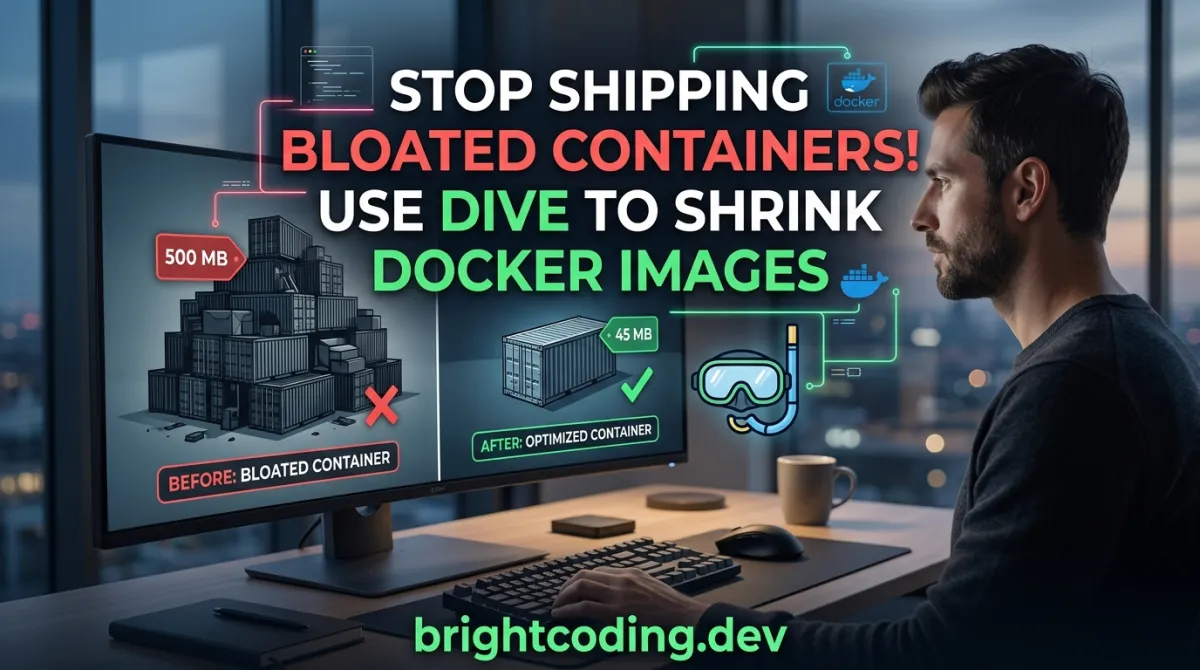
Stop Shipping Bloated Containers! Use Dive to Shrink Docker↗ Bright Coding Blog Images
Your production Docker image is secretly 40% waste—and you don't even know it.
Every day, development teams push containers stuffed with duplicate files, forgotten build artifacts, and layers that undo each other's work. The result? Slower deployments, inflated cloud bills, and security surfaces bloated with unnecessary attack vectors. You've optimized your application code to the millisecond, yet your container ships like a digital hoarder's basement.
What if you could see exactly where every byte hides? Not guess. Not approximate. Expose the waste with surgical precision.
Enter Dive—the open-source tool that transforms opaque Docker image layers into a transparent, explorable filesystem. Created by Alex Goodman, this isn't another vague "best practices" checklist. Dive is a forensic instrument for container optimization that reveals what Docker build logs deliberately obscure: the true cost of each layer decision.
In this deep dive (pun absolutely intended), you'll discover why top platform engineers are abandoning blind optimization and adopting layer-level analysis. We'll install it, run real commands against actual images, and unlock CI/CD integrations that automatically reject bloated builds. By the end, you'll never docker push the same way again.
What Is Dive? The X-Ray Vision Docker Desperately Needs
Dive is an interactive terminal interface for exploring Docker image layers, their contents, and—critically—their inefficiencies. Built in Go by developer Alex Goodman and released under the MIT license, it addresses a fundamental blind spot in the container ecosystem: Docker shows you what you're building, but never how wastefully you're building it.
The tool exploded in popularity because it solves a problem that worsens exponentially. As microservices proliferate and base images accumulate dependencies, the gap between "functional container" and "optimized container" has become a chasm. A typical Node.js application might ship 800MB when 120MB suffices. A Python↗ Bright Coding Blog data science image? Easily 3GB of which 60% is never accessed at runtime.
Dive doesn't just display layers—it scores them. Its experimental "image efficiency" metric quantifies wasted space from duplicated files, cross-layer file moves, and incomplete deletions. This transforms container optimization from artisanal craft into measurable engineering.
The repository has earned its stripes through relentless quality: active GitHub Actions validations, strong Go report card scores, and a release cadence that keeps pace with evolving OCI standards. It supports multiple container engines (Docker, Podman) and image sources (live engines, tar archives), making it infrastructure-agnostic. Whether you're debugging a docker build locally or auditing images in a hardened CI pipeline, Dive adapts to your workflow.
Most importantly, Dive reveals the hidden narrative of your image construction. Each RUN instruction in your Dockerfile creates a layer; Dive shows you whether that layer added value or merely compounded technical debt. This visibility is non-negotiable for teams serious about container economics.
Key Features That Make Dive Indispensable
Layer-by-Layer Filesystem Exploration
Dive's core superpower is its split-pane interface. The left panel enumerates image layers; the right panel displays the cumulative filesystem at any selected layer. Navigate with arrow keys, collapse directories with Space, and watch how each build instruction transforms your container's contents. This isn't docker history—it's interactive archaeology.
Change Detection Across Layers
Files don't just exist; they evolve. Dive color-codes modifications—added (green), removed (red), modified (yellow), unmodified (white)—across the file tree. Toggle visibility of each change type with keyboard shortcuts. Suddenly, that mysterious 200MB layer reveals itself as a forgotten apt-get cache that subsequent layers only partially cleaned.
Image Efficiency Scoring
The lower-left pane delivers Dive's secret weapon: an efficiency percentage and absolute wasted space calculation. Scores below 95% typically indicate fixable inefficiencies. This metric aggregates three failure modes:
- Duplicate files across layers (common with multi-stage build mishaps)
- File moves between layers (each move stores both source and destination)
- Incomplete deletions (removing a file in layer 5 doesn't erase it from layers 1-4)
Unified Build-and-Analyze Workflow
Replace docker build with dive build and analyze fresh images instantly. No manual tagging, no temporary containers, no context switching. The tool accepts identical arguments to Docker's build command, making adoption frictionless.
CI/CD Gatekeeping
Set CI=true and Dive becomes a build gate: pass or fail based on configurable efficiency thresholds. Define .dive-ci rules for lowest efficiency, highest wasted bytes, and highest wasted percentage. Reject bloated images before they reach your registry.
Multi-Engine, Multi-Source Flexibility
Beyond Docker, Dive speaks Podman (Linux) and consumes docker-archive tar files. The --source flag or source://image syntax selects your backend. This future-proofs your tooling as the container runtime landscape fragments.
Real-World Scenarios Where Dive Pays Dividends
Scenario 1: The Mystery Megabyte Hunt
Your team ships a Go microservice. The binary is 15MB. The image is 650MB. Where's the fat? Dive reveals a base image stuffed with debugging tools, a COPY . . that dragged in test fixtures, and a RUN apt-get that never ran rm -rf /var/lib/apt/lists/*. Three fixes, 97% size reduction.
Scenario 2: Multi-Stage Build Validation
You adopted multi-stage builds to separate compilation from runtime. But is it working? Dive shows whether build artifacts truly stayed behind. Spot the COPY --from=builder that grabbed the entire /go/pkg directory instead of just your binary. Validate optimization claims with hard data.
Scenario 3: Base Image Auditing
Third-party base images promise minimal footprints. Dive lets you verify before you trust. Explore official images from Docker Hub, identify bloat from outdated practices, and select truly lean foundations. Compare node:18 against node:18-alpine with quantified evidence, not marketing claims.
Scenario 4: CI/CD Cost Control
Storage and transfer dominate container registry pricing. A 1GB image pulled 10,000 times monthly costs significantly more than its 200MB optimized counterpart. Dive's CI integration enforces size budgets automatically. Set highestWastedBytes: 50MB and watch inefficient builds fail before they drain your budget.
Scenario 5: Security Surface Minimization
Every unnecessary file is a potential vulnerability. Dive exposes packages, libraries, and credentials that escaped your .dockerignore. That .env.development with AWS↗ Bright Coding Blog keys? The old OpenSSL version cached in layer 3? Visible. Actionable. Removable.
Complete Installation & Setup Guide
Ubuntu/Debian (Recommended: .deb Package)
# Fetch latest version dynamically from GitHub API
DIVE_VERSION=$(curl -sL "https://api.github.com/repos/wagoodman/dive/releases/latest" | grep '"tag_name":' | sed -E 's/.*"v([^"]+)".*/\1/')

# Download matching .deb for amd64 architecture
curl -fOL "https://github.com/wagoodman/dive/releases/download/v${DIVE_VERSION}/dive_${DIVE_VERSION}_linux_amd64.deb"

# Install with apt, handling dependencies automatically
sudo apt install ./dive_${DIVE_VERSION}_linux_amd64.deb
⚠️ Snap Warning: The snap install exists but conflicts with apt-installed Docker. Avoid unless both Docker and Dive use snap.
RHEL/CentOS/Fedora
DIVE_VERSION=$(curl -sL "https://api.github.com/repos/wagoodman/dive/releases/latest" | grep '"tag_name":' | sed -E 's/.*"v([^"]+)".*/\1/')
curl -fOL "https://github.com/wagoodman/dive/releases/download/v${DIVE_VERSION}/dive_${DIVE_VERSION}_linux_amd64.rpm"
rpm -i dive_${DIVE_VERSION}_linux_amd64.rpm
Arch Linux
# Available in official extra repository—no AUR needed
pacman -S dive
macOS
# Homebrew (most common)
brew install dive

# MacPorts alternative
sudo port install dive
Windows
# Chocolatey
choco install dive

# Scoop
scoop install main/dive

# Windows Package Manager (winget)
winget install --id wagoodman.dive
Docker (Zero-Install Option)
# Pull image from Docker Hub or GitHub Container Registry
docker pull docker.io/wagoodman/dive
# or: docker pull ghcr.io/wagoodman/dive

# Run with Docker socket mounted for image access
docker run --rm -it \
    -v /var/run/docker.sock:/var/run/docker.sock \
    docker.io/wagoodman/dive:latest <dive arguments...>
Go Install (Developers)
# Requires Go 1.10+; note: version flag won't report properly
go install github.com/wagoodman/dive@latest
Post-Install: Create Convenient Alias
# Add to ~/.bashrc or ~/.zshrc for persistent access
alias dive="docker run -ti --rm -v /var/run/docker.sock:/var/run/docker.sock docker.io/wagoodman/dive"
Real Code Examples: Dive in Action
Example 1: Basic Image Analysis
The simplest Dive invocation—point it at any image tag, ID, or digest:
# Analyze nginx:latest with full interactive UI
dive nginx:latest
This launches the terminal interface with three panes: layer list (top-left), layer details (bottom-left), and file tree (right). Navigate layers with Up/Down arrows; the file tree updates to show cumulative state. Tab switches focus between panes. This single command reveals what docker history and docker inspect combined cannot: the living filesystem at each build stage.
Example 2: Docker-Alias Pattern for Containerized Execution
When Dive isn't installed natively, run it as a container—but preserve the native CLI feel:
# Create alias that maps Docker socket and maintains terminal interactivity
alias dive="docker run -ti --rm  -v /var/run/docker.sock:/var/run/docker.sock docker.io/wagoodman/dive"

# Now use exactly like native command
dive nginx:latest
The -ti flags allocate a TTY and keep stdin open for interactive navigation. The socket mount is critical: without it, the Dive container cannot access your host's Docker daemon to enumerate and pull images. This pattern is essential for CI environments where package installation is restricted.
Example 3: Build-and-Analyze in One Shot
Replace your standard build workflow with immediate feedback:
# Build image AND analyze immediately—no separate steps
dive build -t myapp:v1 .
Compare to the traditional two-step:
docker build -t myapp:v1 .  # Build
dive myapp:v1               # Then analyze
The unified command eliminates context switching and ensures you never forget to analyze. For macOS users restricted to Docker engine, use the extended mount syntax:
docker run --rm -it \
      -v /var/run/docker.sock:/var/run/docker.sock \
      -v "$(pwd)":"$(pwd)" \
      -w "$(pwd)" \
      -v "$HOME/.dive.yaml":"$HOME/.dive.yaml" \
      docker.io/wagoodman/dive:latest build -t myapp:v1 .
This mounts your working directory and config file, preserving build context and custom settings inside the container.
Example 4: CI Pipeline Integration
Automate quality gates by bypassing the UI entirely:
# Set CI=true to get pass/fail exit codes
CI=true dive myapp:v1
Configure thresholds in .dive-ci at your repository root:
rules:
  # Fail if efficiency drops below 95%
  lowestEfficiency: 0.95

  # Fail if absolute waste exceeds 20MB
  highestWastedBytes: 20MB

  # Fail if waste exceeds 20% of image (excluding base layer)
  highestUserWastedPercent: 0.20
Integrate into GitHub Actions:
- name: Analyze image efficiency
  run: CI=true dive myapp:${{ github.sha }}
  # Non-zero exit code fails the workflow automatically
Example 5: Alternative Image Sources
Audit images from non-Docker sources:
# Analyze a saved Docker archive from disk
dive myimage.tar --source docker-archive

# Or use URL-style syntax
dive docker-archive://myimage.tar

# Analyze from Podman (Linux only)
dive myapp:v1 --source podman
This flexibility supports air-gapped environments, forensic analysis of customer exports, and mixed container engine environments.
Advanced Usage & Best Practices
Customize the UI Experience
Create ~/.dive.yaml to override defaults. Adjust pane widths, collapse directories by default, or remap keybindings for Vim/Emacs muscle memory. Dive searches $XDG_CONFIG_HOME, ~/.config/dive, and your home directory—follow XDG standards for clean dotfile management.
Log Analysis for Debugging
Enable logging in config to capture analysis details:
log:
  enabled: true
  path: ./dive.log
  level: info
Essential when CI failures need post-mortem investigation without image access.
Docker API Version Compatibility
Older Docker daemons may need explicit API version:
DOCKER_API_VERSION=1.37 dive myapp:v1
Or pass through in containerized runs with -e DOCKER_API_VERSION=1.37.
Alternative Runtime Support (Colima, Rancher Desktop)
# Auto-detect Docker host from current context
export DOCKER_HOST=$(docker context inspect -f '{{ .Endpoints.docker.Host }}')
dive myapp:v1
Efficiency Optimization Workflow
- Run
dive buildon your current Dockerfile - Identify highest-waste layers in the bottom-left pane
- Cross-reference with Dockerfile
RUNinstructions - Optimize: combine commands, add cleanup in same layer, use
.dockerignore - Re-run
dive buildand verify efficiency improvement - Commit only when efficiency meets your
.dive-cithreshold
Dive vs. Alternatives: Why This Tool Wins
| Feature | Dive | Docker History | Slim (DockerSlim) | Syft/Grype |
|---|---|---|---|---|
| Interactive Layer Exploration | ✅ Full TUI | ❌ Text only | ❌ Automated only | ❌ None |
| Efficiency Scoring | ✅ Built-in metric | ❌ None | ✅ Size reduction % | ❌ None |
| CI/CD Pass/Fail Gates | ✅ Native .dive-ci |
❌ Manual parsing | ❌ External scripting | ❌ Different purpose |
| File-Level Change Tracking | ✅ Color-coded tree | ❌ Layer metadata only | ❌ Opaque | ❌ SBOM focus |
| Multi-Engine Support | ✅ Docker, Podman, archives | ❌ Docker only | ❌ Docker only | ✅ Multiple |
| Image Modification | ❌ Analysis only | ❌ None | ✅ Auto-minification | ❌ None |
| Learning Curve | Low (familiar keys) | Minimal | Medium (magic) | Low |
| Use Case | Diagnose & Learn | Quick glance | Auto-optimize | Security audit |
Dive excels where education meets enforcement. DockerSlim auto-minifies but obscures why bloat existed. Dive teaches you to build better, then verifies you maintained the lesson. For teams scaling container literacy across engineers, this pedagogical value is irreplaceable.
Frequently Asked Questions
Is Dive production-ready despite the beta label?
Yes. The "beta" designation reflects evolving efficiency metrics, not instability. Active CI validation, broad community adoption, and stable releases support production CI/CD integration.
Can I use Dive with private registries?
Absolutely. Dive delegates image pulling to your configured Docker/Podman daemon. Any registry authenticated via docker login works transparently.
Does Dive modify my images?
Never. Dive is read-only analysis. It inspects layers without altering them, making it safe for forensic examination of production images.
Why does my efficiency score seem wrong?
The efficiency metric is experimental. It estimates waste from file operations visible in layer diffs. Some legitimate patterns (intentional multi-layer caching) may score lower. Use it as a diagnostic signal, not absolute truth.
Can I export Dive's analysis for reporting?
CI mode outputs text results. For structured data, capture exit codes and parse logs. Native JSON export isn't implemented—feature requests welcome on the repository.
How does Dive handle multi-platform images?
Dive analyzes the image matching your host architecture by default. Explicit platform selection requires pulling the specific manifest first.
Is Windows fully supported?
Yes, via Chocolatey, Scoop, winget, or direct download. The Docker socket mount syntax uses backticks for PowerShell compatibility as shown in the README.
Conclusion: See What Docker Hides
Container bloat isn't a victimless crime. Every wasted megabyte multiplies across registries, nodes, and network transfers. Every opaque layer compounds technical debt that future-you will debug at 3 AM. The tools that built the container revolution—Docker, BuildKit, multi-stage builds—are powerful but deliberately silent about the inefficiencies they permit.
Dive shatters that silence.
With its interactive layer exploration, quantified efficiency scoring, and CI/CD gatekeeping, Dive transforms container optimization from dark art into engineering discipline. It doesn't just show you what shipped—it reveals how thoughtfully you built. The keyboard-driven interface rewards curiosity; the automated gates enforce discipline.
The most dangerous Docker image is the one you never analyzed. Install Dive today. Run it against your most "mature" production image. Prepare to be uncomfortably surprised—then empowered to fix it.
Star the repository, open your terminal, and stop shipping digital deadweight.
# Your next command could save terabytes
dive your-production-image:latest
Ready to dive deeper? Explore the official repository, contribute issues and PRs, and join the community of engineers who refuse to ship containers they can't explain.
Explore on the BrightCoding network
Hand-picked resources from our other sites.
bunkerity/bunkerweb: NGINX-Based Open-Source WAF for Cloud-Native Security
bunkerity/bunkerweb is an open-source, NGINX-based Web Application Firewall with 10,721 GitHub stars. It integrates ModSecurity, OWASP CRS, and Let's Encrypt au...
Turn Any Database Into a Spreadsheet in 5 Minutes: The Complete NocoDB Guide for 2026
Transform your SQL databases into powerful, collaborative spreadsheets without writing a single line of code. Learn how NocoDB helps 50,000+ teams visualize MyS...
akuity/kargo: GitOps Application Lifecycle Orchestration Explained
akuity/kargo is an Apache 2.0 Go-based tool from Akuity (creators of Argo) that automates application promotion through multi-stage GitOps pipelines. It complem...
Continuez votre lecture

Build a Secure SSH Workspace with SFTP & Terminals
Build Circuit Boards with Code: Guide to Software-Driven PCB Design (atopile Tutorial 2026)

Why PatchMon is the Ultimate Game Changer for Linux Patch Management

Stop Coding Alone: OPC-Skills Gives Your AI Agent Superpowers
Commentaires 0
Aucun commentaire pour l'instant. Soyez le premier à réagir !