Stop Shipping Vulnerable Containers! Trivy Finds What Others Miss
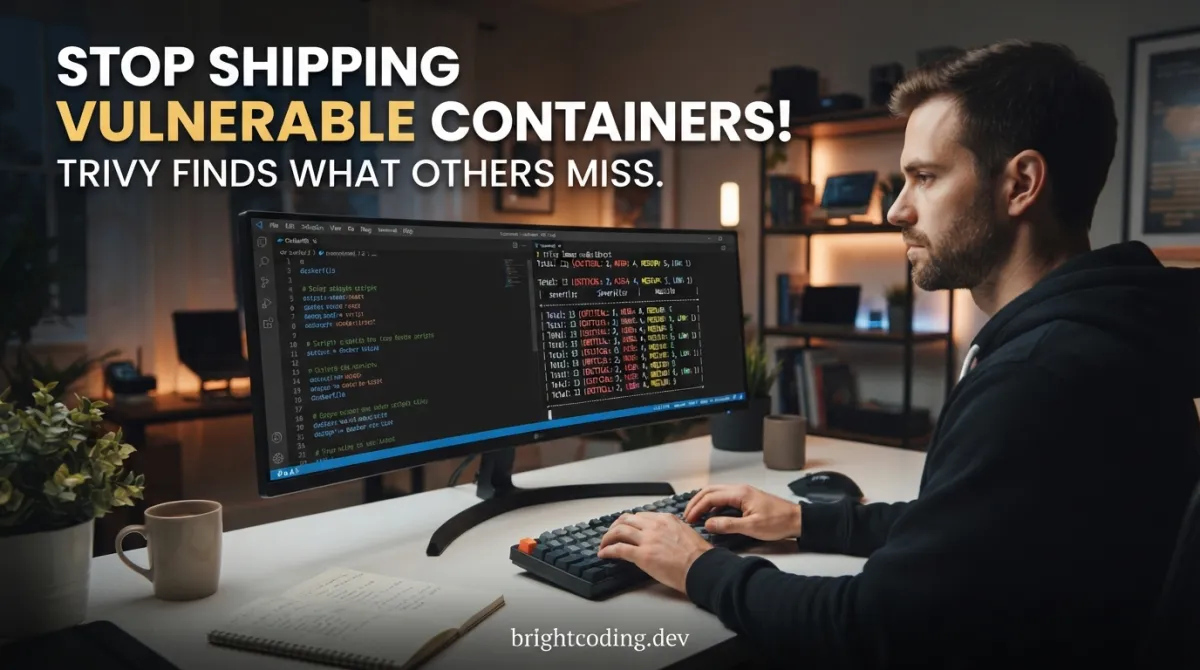
Your production container just got pwned. Again. The CVE you missed? It was sitting right there in that Alpine base image you pulled six months ago. The AWS↗ Bright Coding Blog key hardcoded in your Dockerfile? Now it's mining crypto in someone else's cluster. And that Kubernetes manifest with the overly permissive RBAC binding? Congratulations—you just handed cluster-admin to every attacker who bothers to look.
Here's the brutal truth: most developers treat container security as an afterthought. We build, we ship, we pray. Security scans happen "later"—which means never. By the time a vulnerability scanner runs in your CI/CD pipeline, you've already built a mountain of technical debt wrapped in Docker↗ Bright Coding Blog layers.
But what if you could find every vulnerability, secret, misconfiguration, and license violation in a single command? What if that tool was free, blazing fast, and worked everywhere—from your laptop to your CI/CD pipeline to your running Kubernetes clusters?
Meet Trivy, the open-source security scanner that the world's smartest DevOps↗ Bright Coding Blog teams are quietly adopting. While you're still wrestling with clunky enterprise tools that cost more than your salary, Trivy users are scanning container images in seconds, catching secrets before they hit GitHub, and sleeping soundly knowing their cloud infrastructure isn't one terraform apply away from disaster.
This isn't just another security tool. This is the secret weapon that separates teams who react↗ Bright Coding Blog to breaches from teams who prevent them entirely. And by the end of this guide, you'll know exactly how to wield it.
What Is Trivy? The Security Scanner That Does It All
Trivy (pronounced tri-like-trigger, vy-like-envy) is a comprehensive and versatile security scanner created by Aqua Security, the cloud-native security powerhouse. Born from the trenches of real-world container deployments, Trivy has evolved from a simple image scanner into an all-in-one security platform that covers virtually every attack surface in modern cloud-native infrastructure.
What makes Trivy genuinely different? Most security tools specialize in one thing. You need Clair for images, Checkov for IaC, TruffleHog for secrets, and a half-dozen other tools just to get baseline coverage. Trivy obliterates this complexity by unifying five critical security scanners under one roof:
- Vulnerability scanning (CVEs in OS packages and dependencies)
- Misconfiguration detection (IaC, Dockerfiles, Kubernetes manifests)
- Secret detection (API keys, tokens, passwords accidentally committed)
- Software Bill of Materials (SBOM) generation
- License compliance scanning
And it doesn't just scan one thing. Trivy's targets span the entire modern stack: container images, filesystems, Git repositories, virtual machine images, Kubernetes clusters, and cloud infrastructure. Whether you're auditing a local Dockerfile or scanning a live EKS cluster with hundreds of running pods, Trivy speaks the same language.
Why it's trending now: The shift-left movement has matured beyond buzzword status. Teams need security tools that developers actually use—not tickets opened by a separate security team two weeks after deployment. Trivy's sub-second scan times, zero configuration defaults, and developer-friendly CLI make it the rare security tool that engineers choose to install. With millions of Docker pulls and integration into GitHub Actions, Kubernetes operators, and VS Code, Trivy has become the de facto standard for cloud-native security scanning.
Key Features: The Technical Depth You Need
Let's dissect what makes Trivy technically superior to pieced-together security stacks.
Unified Scanner Architecture
Trivy's design separates scanners (what it finds) from targets (where it finds them). This isn't just clean architecture—it's composability at scale. Need to scan a filesystem for vulnerabilities and secrets? One command. Want to audit a Kubernetes cluster for misconfigurations and generate an SBOM? Same tool, different flags.
Comprehensive Vulnerability Database
Trivy aggregates vulnerability data from multiple authoritative sources: NVD, Red Hat OVAL, Debian Security Tracker, Alpine SecDB, GitHub Security Advisories, and more. This means fewer false negatives than scanners relying on single sources. The database updates automatically, so you're never scanning with stale CVE data.
IaC Misconfiguration Detection with Rego
Trivy doesn't just pattern-match for bad configs. It uses Rego (the Open Policy Agent query language) to evaluate infrastructure-as-code against built-in and custom policies. This means you can enforce organizational standards—like "no public S3 buckets" or "mandatory read-only root filesystems"—with the same tool that scans for CVEs.
Secret Detection That Actually Works
Built-in rules detect 50+ secret types: AWS credentials, GCP service accounts, GitHub tokens, Slack webhooks, private keys, and more. Trivy scans file contents, commit history, and even image layers—catching secrets you thought you'd deleted.
SBOM Generation and Attestation
Generate CycloneDX and SPDX SBOMs in a single command. In an era of supply chain attacks (remember Log4j?), being able to produce and verify a complete software inventory isn't optional—it's compliance-critical. Trivy even supports Sigstore cosign for signed attestations.
Kubernetes-Native Operations
The trivy k8s command doesn't just scan static manifests. It connects to live clusters, evaluates running workloads against security policies, and produces summaries or detailed reports of cluster-wide risk. The companion Trivy Operator runs continuously in-cluster for real-time vulnerability monitoring.
Use Cases: Where Trivy Saves the Day
1. Pre-Commit Secret Prevention
You're about to git push that hotfix. Unbeknownst to you, your .env file contains a production database password. Trivy's filesystem scan catches it before it hits your remote repository—preventing the credential from living forever in Git history.
2. CI/CD Pipeline Gatekeeping
Your pipeline builds a Node.js container. Trivy scans the image during build, finds a critical OpenSSL vulnerability in the base image, and fails the build before deployment. The fix? Bump the base image tag, rebuild, pass. Zero vulnerable containers reach production.
3. Kubernetes Compliance Auditing
Your SOC 2 auditor wants proof that no pods run as root. Instead of manual kubectl inspection, you run trivy k8s --report summary cluster and produce a comprehensive report showing every policy violation across all namespaces—with severity ratings and remediation guidance.
4. Cloud Infrastructure Drift Detection
Your Terraform managed an S3 bucket as private. Someone manually changed it to public in the AWS console. Trivy's cloud scanning detects this configuration drift, flags the public exposure, and alerts before data exfiltration occurs.
5. Supply Chain Transparency
A customer demands an SBOM for compliance. Instead of weeks of manual inventory, you run trivy image --format cyclonedx -o sbom.json myapp:v1.2.3 and deliver a machine-readable, standards-compliant software bill of materials in seconds.
Step-by-Step Installation & Setup Guide
Getting Trivy running takes under two minutes. Here's every method, from laptop to production.
macOS (Homebrew)
# Install Trivy via Homebrew
brew install trivy

# Verify installation
trivy version
Linux (Binary Download)
# Download latest release (adjust version as needed)
curl -sfL https://raw.githubusercontent.com/aquasecurity/trivy/main/contrib/install.sh | sh -s -- -b /usr/local/bin

# Or manually from GitHub releases
wget https://github.com/aquasecurity/trivy/releases/download/v0.50.0/trivy_0.50.0_Linux-64bit.tar.gz
tar zxvf trivy_0.50.0_Linux-64bit.tar.gz
sudo mv trivy /usr/local/bin/
Docker (No Installation Required)
# Run Trivy without installing anything
docker run aquasec/trivy image python↗ Bright Coding Blog:3.4-alpine

# With mounted filesystem for local scanning
docker run -v /path/to/project:/project aquasec/trivy fs /project
GitHub Actions Integration
Add this to your .github/workflows/security.yml:
name: Security Scan
on: [push, pull_request]

jobs:
  trivy-scan:
    runs-on: ubuntu-latest
    steps:
      - uses: actions/checkout@v4

      # Scan repository filesystem
      - name: Run Trivy vulnerability scanner
        uses: aquasecurity/trivy-action@master
        with:
          scan-type: 'fs'
          scan-ref: '.'
          format: 'sarif'
          output: 'trivy-results.sarif'

      # Upload results to GitHub Security tab
      - name: Upload scan results
        uses: github/codeql-action/upload-sarif@v2
        with:
          sarif_file: 'trivy-results.sarif'
Kubernetes Operator (Continuous Monitoring)
# Install Trivy Operator for cluster-wide scanning
helm repo add aqua https://aquasecurity.github.io/helm-charts/
helm repo update
helm install trivy-operator aqua/trivy-operator \
  --namespace trivy-system \
  --create-namespace \
  --set="trivy.ignoreUnfixed=true"
VS Code Extension
Install the Trivy VS Code extension for real-time scanning as you code. It highlights vulnerabilities in Dockerfiles, Kubernetes manifests, and dependency files directly in your editor.
REAL Code Examples from the Repository
The Trivy GitHub repository provides battle-tested examples. Here's how to use them effectively.
Example 1: Basic Container Image Scan
The simplest possible scan—find every vulnerability in a public image:
# Scan a public Docker image for all vulnerability types
trivy image python:3.4-alpine
This command downloads the image (if not cached), unpacks its layers, and cross-references every installed package against Trivy's vulnerability database. The output shows CVE identifiers, severity levels (Critical/High/Medium/Low), affected packages, and fixed versions. For python:3.4-alpine, you'll typically find dozens of critical CVEs—this image is ancient and unmaintained, making it a perfect demonstration of why scanning matters.
Pro tip: Add --severity HIGH,CRITICAL to filter noise, or --ignore-unfixed to only show vulnerabilities with available patches.
Example 2: Multi-Scanner Filesystem Audit
This is where Trivy's unified architecture shines. One command, three scanners:
# Scan local project directory for vulnerabilities, secrets, AND misconfigurations
trivy fs --scanners vuln,secret,misconfig myproject/
Breaking this down:
fstargets the local filesystem (not a container)--scanners vuln,secret,misconfigactivates three scanners simultaneouslymyproject/is your code directory
What each scanner finds:
vuln: Outdated dependencies inpackage-lock.json,requirements.txt,go.mod, etc.secret: Accidentally committed.envfiles, AWS keys in source code, private keysmisconfig: Insecure Dockerfile directives, overly permissive Kubernetes RBAC, missing security headers
This single command replaces three separate tools and runs in seconds.
Example 3: Kubernetes Cluster Security Summary
For production Kubernetes operations, you need cluster-wide visibility:
# Generate a summary report of all Kubernetes security issues
trivy k8s --report summary cluster
This command connects to your current Kubernetes context (respecting ~/.kube/config), enumerates all resources across all namespaces, and evaluates them against security best practices. The --report summary flag produces a condensed view showing counts by severity and resource type—perfect for executive dashboards or daily standups.
For detailed remediation guidance, switch to --report all:
# Full detailed report with specific misconfigurations
trivy k8s --report all -n production deployment/myapp
This targets a specific namespace and deployment, producing actionable findings like "Container runs as root" or "Readiness probe not configured" with line-by-line references to the offending manifest.
Example 4: SBOM Generation for Supply Chain Security
Post-Log4j, SBOMs aren't optional. Here's how to generate one:
# Generate CycloneDX SBOM from container image
trivy image --format cyclonedx -o sbom.json myapp:v1.2.3

# Generate SPDX format instead
trivy image --format spdx-json -o sbom.spdx.json myapp:v1.2.3
The resulting sbom.json contains every package, library, and dependency in your image with versions and licenses. Feed this into tools like Dependency-Check or upload to your software supply chain platform for continuous monitoring.
Example 5: CI/CD Fail-Gate with Severity Threshold
Prevent vulnerable deployments programmatically:
# Exit with error if ANY critical vulnerabilities found
trivy image --exit-code 1 --severity CRITICAL myapp:latest

# Fail on vulnerabilities with fixes available
trivy image --exit-code 1 --ignore-unfixed myapp:latest
The --exit-code 1 ensures your CI/CD pipeline fails the build when thresholds are breached. Combine with --format sarif for GitHub-native security reporting.
Advanced Usage & Best Practices
Ignore Files for Tuned Scanning
Create .trivyignore to suppress false positives without disabling rules globally:
# .trivyignore - CVEs you accept as non-exploitable in your context
CVE-2023-1234 # Dev-only dependency, not reachable in production
CVE-2023-5678 # Kernel vulnerability, managed by EKS, not our layer
Custom Policies with Rego
Write organization-specific checks in Rego:
# Scan with custom policy directory
trivy config --policy ./custom-policies --namespaces user my-terraform/
Cache Optimization for CI/CD
Trivy's vulnerability database updates frequently. Cache it between builds:
# Cache directory (default: ~/.cache/trivy)
trivy image --cache-dir /shared/trivy-cache myapp:latest
In GitHub Actions, use actions/cache to persist this directory.
Air-Gapped Environments
Download the vulnerability database for offline use:
# On internet-connected machine
trivy image --download-db-only

# Copy ~/.cache/trivy to air-gapped environment
Comparison with Alternatives
| Feature | Trivy | Clair | Snyk | Checkov | TruffleHog |
|---|---|---|---|---|---|
| Price | Free (Apache 2.0) | Free | Freemium | Free | Free |
| Container Images | ✅ Native | ✅ Native | ✅ Yes | ❌ No | ❌ No |
| Filesystem/VCS | ✅ Yes | ❌ No | ✅ Yes | ✅ Yes | ✅ Yes |
| Kubernetes Live | ✅ Yes | ❌ No | ✅ Limited | ❌ No | ❌ No |
| IaC Misconfigs | ✅ Yes | ❌ No | ✅ Yes | ✅ Native | ❌ No |
| Secret Detection | ✅ Yes | ❌ No | ✅ Yes | ❌ No | ✅ Native |
| SBOM Generation | ✅ Yes | ❌ No | ✅ Yes | ❌ No | ❌ No |
| License Scanning | ✅ Yes | ❌ No | ✅ Yes | ❌ No | ❌ No |
| Speed | ⭐⭐⭐ Fast | ⭐⭐ Medium | ⭐⭐⭐ Fast | ⭐⭐ Medium | ⭐⭐⭐ Fast |
| Single Binary | ✅ Yes | ❌ Multiple | ❌ CLI+Cloud | ✅ Yes | ✅ Yes |
Why Trivy wins: No other tool covers all five security domains (vulns, misconfigs, secrets, SBOM, licenses) across all target types (containers, filesystems, Git repos, K8s, clouds) with zero configuration and open-source freedom. Snyk comes closest but locks advanced features behind enterprise pricing. Clair only does containers. Checkov only does IaC. Trivy does everything.
FAQ: Your Trivy Questions Answered
Is Trivy really free for commercial use?
Yes. Trivy is licensed under Apache 2.0, meaning you can use, modify, and distribute it freely—including in commercial products. Aqua Security offers Aqua Enterprise for organizations needing centralized management, but Trivy itself is fully open source.
How does Trivy compare to Docker Scout or GitHub Dependabot?
Docker Scout and Dependabot are ecosystem-specific (Docker Hub, GitHub). Trivy is platform-agnostic—it works with any registry, any CI/CD system, any Git provider, and scans far beyond dependencies (secrets, misconfigs, licenses). For vendor-neutral, comprehensive security, Trivy wins.
Can Trivy scan private container registries?
Absolutely. Authenticate with standard Docker credentials:
docker login myregistry.io
trivy image myregistry.io/myapp:latest
Trivy respects ~/.docker/config.json for seamless private registry access.
How often is the vulnerability database updated?
Trivy updates its database multiple times daily from dozens of sources. In CI/CD, the database auto-updates on first run. For air-gapped environments, manually sync with trivy image --download-db-only.
Does Trivy support Windows containers?
Partially. Trivy scans Windows container images for OS package vulnerabilities (Windows Update packages) but has limited support for Windows-specific misconfigurations. Linux containers get full feature coverage.
Can I integrate Trivy with my existing SIEM?
Yes. Trivy outputs in JSON, SARIF, CycloneDX, SPDX, and more. Pipe JSON output to your log aggregator, or use SARIF for GitHub Advanced Security integration. The Trivy Operator also exposes Prometheus metrics for monitoring.
What's the performance impact on large images?
Trivy is optimized for speed. A 1GB image typically scans in 2-10 seconds on modern hardware. For massive images, use --skip-dirs to exclude irrelevant paths, or run in a CI worker with ample memory.
Conclusion: Secure Your Stack Before Attackers Do
Container security isn't a luxury—it's survival. Every day you ship unaudited images, every secret that slips into Git, every misconfigured Kubernetes deployment is attack surface you're gifting to adversaries. The tools you choose determine whether you find vulnerabilities before exploitation or after incident response.
Trivy is the security scanner I wish I'd discovered years ago. It's not just that it's free, or fast, or comprehensive—though it is all of those. It's that developers actually use it. The zero-config defaults, the intuitive CLI, the integrations that slide into existing workflows—these design choices matter more than any feature checklist.
Start with brew install trivy or docker run aquasec/trivy. Scan your most critical image. I guarantee you'll find something that makes you grateful you looked.
The best time to implement security scanning was yesterday. The second best time is right now.
👉 Get Trivy today: https://github.com/aquasecurity/trivy
Star the repo, join the discussions, and start shipping with confidence.
Tags
Explore on the BrightCoding network
Hand-picked resources from our other sites.
MobSF: Automated Mobile App Security Testing for Android & iOS
MobSF is an open-source mobile security framework with 21,431+ stars that automates static and dynamic analysis for Android, iOS, and Windows apps. Features Doc...
Stop Letting AI Agents Betray You: AgentSeal Exposed
AgentSeal is the open-source security toolkit that scans AI agents for dangerous skills, poisoned MCP configs, and prompt injection vulnerabilities. With 225+ a...
NanoClaw: The 500-Line AI Assistant Revolution
NanoClaw is a revolutionary 500-line AI assistant that runs Claude agents in secure containers. Discover how its container-first architecture, AI-native skills...
Continuez votre lecture

Username Reconnaissance: The Ultimate 2025 Guide to Scanning Social & Developer Platforms Like a Pro

Build a Secure SSH Workspace with SFTP & Terminals
403-Bypass-lab: The Essential Web Security Training Ground

Stop Coding Alone: OPC-Skills Gives Your AI Agent Superpowers
Commentaires 0
Aucun commentaire pour l'instant. Soyez le premier à réagir !