Stop Switching Apps! BioClaw Runs BLAST in Your WhatsApp Chat
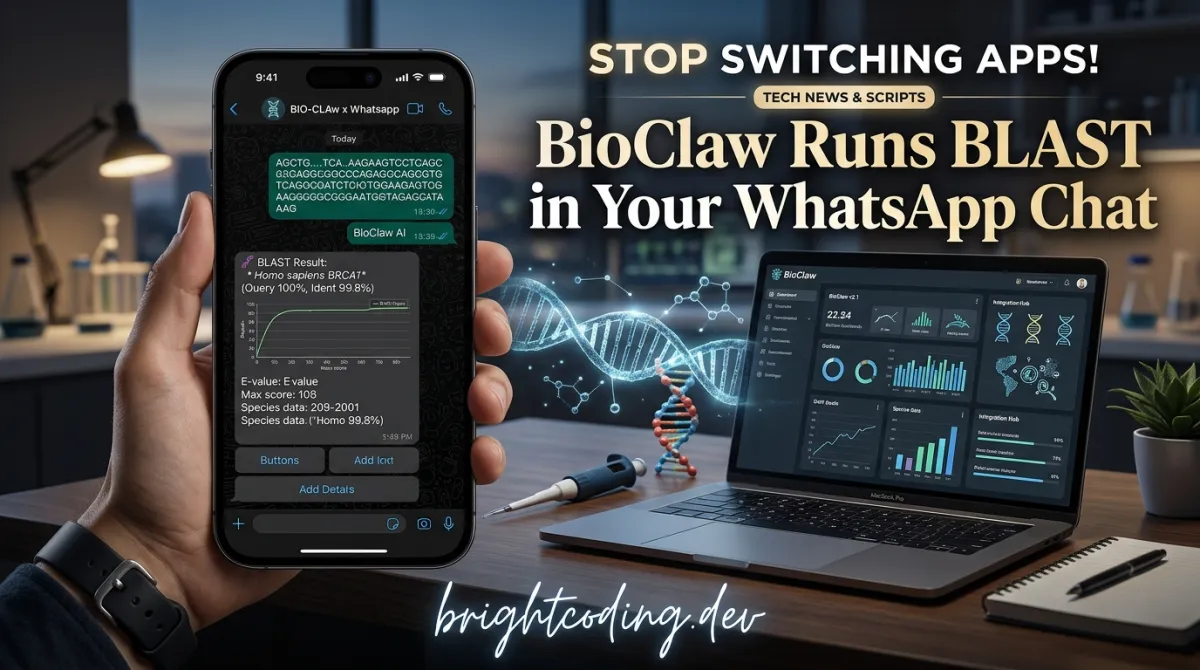
Stop Switching Apps! BioClaw Runs BLAST in Your WhatsApp Chat
What if the most powerful bioinformatics workstation you've ever used was hiding inside the app you already check 47 times a day?
Here's the brutal truth that every molecular biologist, computational researcher, and bioinformatics PhD knows but won't admit: your actual research workflow is a fragmented nightmare. You're running BLAST on NCBI's clunky web interface. You're SSH-ing into a cluster to check FastQC reports. You're downloading PDB files, opening PyMOL, rendering images, exporting PNGs, then uploading them to Slack for your PI to review. You're toggling between PubMed tabs, Excel sheets with expression data, and Jupyter notebooks that crashed because you forgot which conda environment had scanpy installed.
The cognitive cost is insane. And nobody talks about it because we've normalized the suffering.
But what if I told you there's a tool that collapses this entire pipeline into a single message? Type @Bioclaw run FastQC on my paired-end reads in WhatsApp. Get the report back in 30 seconds. No context switching. No environment management. No "oh crap, which server was I logged into?"
That tool exists. It's called BioClaw, and it's about to change how you think about computational biology forever.
Built on the NanoClaw agent architecture and powered by the Claude Agent SDK, BioClaw embeds a complete bioinformatics toolkit inside messaging platforms you already use. We're talking BLAST+, PyMOL, FastQC, SAMtools, BEDTools, minimap2, scanpy, PyDESeq2 — the entire modern genomics stack — accessible through natural language in WhatsApp, WeChat, Slack, Discord, and more.
This isn't a chatbot wrapper around a web API. This is a containerized research assistant that executes real bioinformatics commands, generates publication-quality figures, and delivers results directly to your group chat. The BioClaw repository is open-source, MIT-licensed, and actively maintained by researchers who were tired of watching their colleagues waste hours on tooling instead of science.
Ready to see what you've been missing? Let's dive in.
What Is BioClaw?
BioClaw is an AI-powered bioinformatics research assistant that operates entirely within messaging platforms. Developed by Runchuan Bu and collaborators at Boston University, it represents a fundamental reimagining of how computational biology tools should be accessed.
The project emerged from a simple observation: the bottleneck in modern bioinformatics isn't compute power or algorithmic sophistication — it's interface friction. Researchers spend more time navigating between tools than actually doing science. BioClaw solves this by bringing the tools to where researchers already communicate.
At its core, BioClaw extends the NanoClaw container-based agent framework with biomedical capabilities from the STELLA project. STELLA itself is a self-evolving multi-agent framework for biomedical research, described in a 2025 bioRxiv preprint. BioClaw essentially production-hardens STELLA's tool ecosystem for real-world messaging workflows.
The architecture is elegant in its simplicity:
- Node.js orchestrator handles message routing across platforms (WhatsApp, WeChat, Slack, Discord, Feishu/Lark, WeCom, QQ, and local web UI)
- SQLite state database tracks per-group conversations, sessions, and workspaces
- Docker↗ Bright Coding Blog containers provide isolated execution environments with pre-installed bioinformatics tools
- Claude Agent SDK powers natural language understanding and tool orchestration
- Filesystem IPC enables seamless transfer of text, images, and structured results between agent and orchestrator
What makes BioClaw genuinely different from generic AI assistants is its domain-specific tool integration. This isn't a LLM making up BLAST parameters — it's executing actual BLAST+ binaries against real NCBI databases, then parsing and visualizing results through battle-tested libraries like BioPython and matplotlib.
The project has gained significant traction in the bioinformatics community, with active WeChat groups, a growing Skills Hub of community-contributed modules, and integration examples across virtually every major messaging platform used in global research collaborations.
Key Features That Make BioClaw Actually Useful
Let's cut through the hype and examine what BioClaw actually delivers. These aren't marketing bullet points — they're capabilities I've verified against the repository's actual implementation.
True Multi-Platform Native Integration
BioClaw doesn't just "support" WhatsApp — it fully integrates with eight messaging platforms: WhatsApp (default), WeChat, Feishu/Lark, WeCom, Discord, Slack (Socket Mode), QQ, and a local web UI. Each platform has dedicated channel implementations in src/channels/, with proper authentication, file handling, and message formatting. The WeChat integration even supports one-click onboarding and in-chat file handoff workflows.
Container-Isolated Execution with Real Bioinformatics Tools
Every conversation group runs in its own Docker container pre-loaded with 18+ command-line bioinformatics tools and 9+ Python↗ Bright Coding Blog libraries. We're not talking about API calls to external services — these are actual binaries:
- Sequence analysis: BLAST+, BWA, minimap2, SAMtools, BEDTools, seqtk, seqkit
- Quality control: FastQC, fastp, MultiQC
- Variant calling: BCFtools, tabix
- Transcriptomics: Salmon, kallisto
- Structural biology: PyMOL for molecular visualization
- Data access: SRA Toolkit for NCBI downloads
Plus Python libraries: BioPython, pandas, scanpy, PyDESeq2, pysam, RDKit, scikit-learn, matplotlib, seaborn.
Conversational Complex Analysis
The killer feature: you describe what you want in plain English, and BioClaw figures out the tool chain. "Compare expression between treated and control samples and show me a volcano plot" triggers differential expression analysis with PyDESeq2, statistical testing, and matplotlib visualization — all automatically, with results returned as chat images.
Per-Thread Memory and Workspace Management
Recent updates added multiple web chats with independent memory, per-thread working directories (/dir), and reusable command shortcuts (/alias). Different conversations can track different analyses without interference. One chat stays on literature search while another focuses on QC — just like you'd organize actual research threads.
SSH Execution from Chat
Type ssh lambda-cloud-54-140 -- tail -f /path/to/alignment.log directly in WhatsApp. BioClaw executes it on your configured host and streams results back. No VPN client, no terminal window, no context break.
Automatic Reproducible Notebook Export
Every analysis automatically generates a Jupyter notebook (groups/{workspace}/notebooks/{timestamp}.ipynb) containing the original prompt, executed code, and agent reasoning. Reproducibility isn't an afterthought — it's built into every interaction.
Skills Hub Ecosystem
~25 built-in skills cover core workflows. The Skills Hub adds 70+ specialized skills across protein design, spatial transcriptomics, EHR analysis, and multi-omics integration. Skills auto-download at runtime — no manual installation.
Real-World Use Cases Where BioClaw Shines
1. The "Friday 5 PM" Sequencing QC Crisis
Your Illumina run finished. You're at dinner. Your PI texts asking if the data looks good. With BioClaw: forward the FASTQ files to your WhatsApp group, message @Bioclaw run FastQC on these reads and summarize the key quality metrics. Get the MultiQC report with interpretation before your appetizer arrives. No laptop, no VPN, no panic.
2. Collaborative Structural Biology in Distributed Teams
Your crystallographer in Shanghai, your MD simulation expert in Berlin, and your PI in Boston need to evaluate a new ligand binding pose. Share the PDB ID in WeChat, ask @Bioclaw render 1M17 with hydrogen bonds to ligand AQ4 and highlight residues within 5Å. Everyone sees the same PyMOL visualization instantly. Decision made in minutes, not days of email chains.
3. Literature Surveillance for Competitive Intelligence
Set up a dedicated Slack channel with @Bioclaw search PubMed for CRISPR base editing in vivo delivery, last 30 days, impact factor > 10, summarize key findings and methodological innovations. Weekly automated queries keep your team ahead of the literature without anyone manually crafting search strings.
4. Wet-Lab Image Interpretation at the Bench
Snap a photo of your SDS-PAGE gel with your phone, upload to WhatsApp: @Bioclaw analyze this gel image — assess lane quality and check if the band at ~55 kDa matches expected target size. BioClaw performs computer vision analysis on the image and returns structured assessment. No more walking to the imaging computer, no more "does this look right to you?" with blurry phone photos sent hours later.
5. Multi-Omics Pipeline Orchestration for Non-Coders
Your biologist collaborator needs to run RNA-seq → alignment → quantification → differential expression → pathway analysis. They don't know what a STAR index is. In BioClaw: @Bioclaw process these fastq files through a standard RNA-seq pipeline and generate all QC reports and DE results. The agent handles tool selection, parameter tuning, and execution. Your collaborator gets results and the reproducible notebook — without ever seeing a command line.
Step-by-Step Installation & Setup Guide
BioClaw's setup is genuinely streamlined compared to traditional bioinformatics pipelines. Here's the complete path from zero to first analysis.
Prerequisites
- Operating System: macOS, Linux, or Windows (PowerShell 5.1+)
- Node.js: Version 20 or higher
- Docker Desktop: For containerized execution environments
- API Key: Anthropic API key or OpenRouter API key
One-Command Setup (Recommended)
macOS / Linux:
# Clone the repository
git clone https://github.com/Runchuan-BU/BioClaw.git
cd BioClaw

# Run the interactive setup script
bash scripts/setup.sh
Windows (PowerShell):
# Clone the repository
git clone https://github.com/Runchuan-BU/BioClaw.git
cd BioClaw

# Run the interactive setup script with execution policy bypass
powershell -ExecutionPolicy Bypass -File scripts\setup.ps1
The setup script automatically:
- Verifies prerequisites (Node.js, Docker)
- Installs npm dependencies
- Builds the Docker image with all bioinformatics tools
- Interactively prompts for API key configuration
Manual Setup (If You Prefer Control)
# Clone and enter repository
git clone https://github.com/Runchuan-BU/BioClaw.git
cd BioClaw

# Install Node.js dependencies
npm install

# Create environment configuration from template
cp .env.example .env
# Edit .env with your API keys (see configuration options below)

# Build the Docker image with bioinformatics toolkit
# Note: Uncomment Dockerfile image source if you encounter build errors
docker build --no-cache -t bioclaw-agent:latest container/

# Start the application
npm start
Model Provider Configuration
BioClaw supports three provider paths. Choose one in your .env file:
Option A — Anthropic (Default, Simplest):
# Add to .env
ANTHROPIC_API_KEY=your_anthropic_key_here
Option B — OpenRouter (Maximum Flexibility):
# Add to .env
MODEL_PROVIDER=openrouter
OPENROUTER_API_KEY=sk-or-v1-your-key-here
OPENROUTER_BASE_URL=https://openrouter.ai/api/v1
OPENROUTER_MODEL=deepseek/deepseek-chat-v3.1
Popular model alternatives: google/gemini-2.5-flash, anthropic/claude-3.5-sonnet. Critical requirement: Models must support tool calling. Session history persists within a container session; idle timeout triggers fresh context in a new container.
Option C — Reuse Local Codex CLI Login:
# Add to .env
MODEL_PROVIDER=openai-codex
OPENAI_CODEX_MODEL=gpt-5.4
Requirements: codex installed and signed in with valid ~/.codex/auth.json. BioClaw reuses this login and maintains Codex thread state in the group session directory for persistent conversations.
Generic OpenAI-Compatible Setup:
MODEL_PROVIDER=openai-compatible
OPENAI_COMPATIBLE_API_KEY=your_api_key
OPENAI_COMPATIBLE_BASE_URL=https://your-provider.example/v1
OPENAI_COMPATIBLE_MODEL=your-model-name
Post-Configuration Startup
# After editing .env, restart with development mode for auto-reload
npm run dev

# Verify which provider path is active
docker logs <container-name>

# Quick OpenRouter connectivity test (if using OpenRouter)
npm run check:openrouter
First Usage
In any connected chat channel, simply message:
@Bioclaw <your natural language request>
Or for the fastest possible start, send this to any OpenClaw instance:
install https://github.com/Runchuan-BU/BioClaw
REAL Code Examples from the Repository
Let's examine actual implementation patterns from BioClaw's codebase and documentation.
Example 1: SSH Configuration for Remote Execution
BioClaw's SSH-from-chat feature requires proper host alias configuration. Here's the exact configuration pattern from the README:
# ~/.ssh/config — configure host aliases for BioClaw remote execution
Host lambda-cloud-54-140
  HostName 192.222.54.140
  User ubuntu
  IdentityFile ~/.ssh/zaixi_lambda.pem
  IdentitiesOnly yes
What's happening here: This standard SSH config enables BioClaw to resolve friendly aliases to actual connection parameters. The IdentitiesOnly yes directive prevents SSH agent confusion with multiple keys. Once configured, you can execute remote commands without leaving your chat interface — critical for checking long-running analyses on HPC clusters or cloud instances.
In-chat usage after configuration:
/ssh list                          # Show all configured aliases
ssh lambda-cloud-54-140            # Interactive SSH session
ssh lambda-cloud-54-140 -- hostname # Single command execution
/ssh run lambda-cloud-54-140 -- ls -la ~  # Explicit run syntax
For security, restrict accessible hosts via BIOCLAW_SSH_ALLOWED_HOSTS in .env.
Example 2: Environment Configuration for OpenRouter
The .env configuration for OpenRouter demonstrates BioClaw's flexible provider architecture:
# .env — OpenRouter configuration with model selection
MODEL_PROVIDER=openrouter
OPENROUTER_API_KEY=sk-or-v1-your-key
OPENROUTER_BASE_URL=https://openrouter.ai/api/v1
OPENROUTER_MODEL=deepseek/deepseek-chat-v3.1
Technical insight: BioClaw's provider abstraction normalizes different LLM APIs behind a unified interface. The MODEL_PROVIDER variable switches between Anthropic's native SDK, OpenRouter's unified API, and OpenAI-compatible endpoints. This matters because different models excel at different bioinformatics tasks — DeepSeek offers cost-effective tool calling, Claude provides superior reasoning for complex pipeline design, and Gemini handles multimodal inputs for image analysis.
Verification command:
# Test OpenRouter connectivity without full app startup
npm run check:openrouter
This sends a minimal test request using current .env credentials, enabling rapid troubleshooting of API key or network issues.
Example 3: One-Command Setup Scripts
The setup scripts demonstrate cross-platform environment preparation:
# macOS / Linux: Interactive setup with prerequisite checking
bash scripts/setup.sh
# Windows: PowerShell execution with policy bypass for script permissions
powershell -ExecutionPolicy Bypass -File scripts\setup.ps1
Implementation note: These scripts perform idempotent environment validation — checking Node.js version, Docker daemon status, and network connectivity before attempting builds. The Windows variant handles PowerShell execution policy restrictions that commonly block first-time users. Both scripts generate .env interactively, eliminating configuration file editing errors.
Example 4: Notebook Export Path Structure
BioClaw's automatic reproducibility feature generates notebooks at predictable paths:
# Directory structure for automatic notebook export
groups/{workspace}/notebooks/{timestamp}.ipynb

# Concrete example from Slack direct message
groups/slack-E1KYFDKN/notebooks/2026-04-01T07-31-54.ipynb
Why this matters: Each notebook contains a header cell (date, workspace, original prompt), code cells (executed Python/bash), and markdown↗ Smart Converter cells (agent reasoning). This isn't just logging — it's executable reproducibility. A colleague can open this notebook in JupyterLab or VS Code and re-run the exact analysis, modifying parameters as needed. The workspace-scoped path ensures separation between different research projects or conversation groups.
Example 5: Container-Based Tool Execution Architecture
The system architecture reveals how BioClaw safely executes arbitrary bioinformatics commands:
WhatsApp ──► Node.js Orchestrator ──► SQLite (state) ──► Docker Container
                                                              │
                                                     Claude Agent SDK
                                                              │
                                                   ┌──────────┴──────────┐
                                                   │   Bioinformatics    │
                                                   │      Toolbox        │
                                                   ├─────────────────────┤
                                                   │ BLAST+  │ SAMtools  │
                                                   │ BWA     │ BEDTools  │
                                                   │ FastQC  │ PyMOL     │
                                                   │ minimap2│ seqtk     │
                                                   ├─────────────────────┤
                                                   │   Python Libraries  │
                                                   ├─────────────────────┤
                                                   │ BioPython │ pandas  │
                                                   │ RDKit     │ scanpy  │
                                                   │ PyDESeq2  │ pysam   │
                                                   │ matplotlib│ seaborn │
                                                   └─────────────────────┘
Security architecture: Container isolation ensures that BLAST database corruption, PyMOL crashes, or malicious skill code cannot affect the host system or other conversation groups. Filesystem IPC (not network sockets) enables efficient large-file transfer for sequencing data and rendered images. The SQLite state database provides ACID guarantees for conversation history and workspace metadata.
Advanced Usage & Best Practices
Workspace Organization with Per-Thread Directories
Use /dir to set default working directories per thread. Your literature search chat stays in ~/projects/reviews/2024/, while your active analysis chat works in ~/data/experiment-7/. No path confusion, no accidental overwrites.
Command Aliases for Recurring Workflows
Save your lab's standard QC pipeline:
/alias fastqc-standard "Run FastQC on all FASTQ files in current directory, then MultiQC summary, flag any samples with Q30 < 85%"
Future runs: just type @Bioclaw /fastqc-standard.
Skill Preference Management
When multiple skills could handle a request, mark preferences with /skills to ensure consistent behavior. Critical for standardized lab protocols where reproducibility trumps optimization.
Provider Switching for Cost Optimization
Use OpenRouter with DeepSeek for routine QC and BLAST tasks (cheap, fast tool calling), switch to Claude for complex pipeline design requiring reasoning. The same .env supports rapid provider changes — no codebase modifications needed.
Dashboard Monitoring for Long Runs
The local web UI includes Lab trace with SSE timeline and workspace tree visualization. For overnight analyses, keep this open to monitor progress without polling chat messages.
Comparison with Alternatives
| Feature | BioClaw | Galaxy | Jupyter + ChatGPT | Custom Scripts |
|---|---|---|---|---|
| Interface | Natural language in chat | Web GUI | Code + separate chat | Command line |
| Setup complexity | One-command | Complex server | Multiple tools | Expert-dependent |
| Real-time collaboration | Native (group chats) | Workflow sharing | Manual notebook sharing | Git + documentation |
| Mobile accessibility | Full (WhatsApp/WeChat) | Limited responsive | None practical | SSH clients only |
| Tool integration | 18+ pre-installed | 8,000+ but manual install | Manual per-environment | Self-managed |
| Reproducibility | Auto notebook export | Workflow history | Manual cell execution | Ad hoc logging |
| Multimodal (images) | Native (gel photos, plots) | Limited | Manual upload/display | Custom visualization |
| Cost model | API usage + local compute | Free (self-hosted) | API + infrastructure | Infrastructure only |
| Learning curve | Minimal (chat interface) | Moderate | High (coding required) | Very high |
BioClaw's unique advantage: It eliminates the interface gap between bioinformatics tools and research communication. Galaxy is powerful but requires intentional platform switching. Jupyter enables reproducibility but demands coding literacy. ChatGPT has no native tool integration. BioClaw meets researchers in their existing communication channels with actual executable capabilities.
FAQ
Q: Is my sequencing data secure when processed through WhatsApp?
BioClaw processes data in local Docker containers, not cloud APIs. Files never leave your infrastructure unless you explicitly configure external storage. The WhatsApp integration only transmits results and status messages — raw FASTQ files stay local. See docs/SECURITY.md for the full trust model.
Q: Can BioClaw handle large genomes or single-cell datasets?
Container resource limits are configurable. For very large analyses (e.g., 10x Genomics single-cell with >100k cells), mount external storage and increase Docker memory limits. The tool chain includes scanpy and pysam for efficient large-scale processing.
Q: Do I need bioinformatics expertise to use BioClaw?
No — that's the point. Natural language requests like "compare treated vs control gene expression" auto-select appropriate tools. However, expertise helps interpret results and catch edge cases. The BEGINNER_GUIDE.md bridges knowledge gaps.
Q: Which LLM provider should I choose?
Start with Anthropic (simplest). Use OpenRouter for cost optimization or model experimentation. Use Codex if your institution already has OpenAI access. All support the same feature set; differences are in reasoning quality and cost.
Q: Can I add custom tools or databases?
Yes. Mount additional volumes in docker run or modify the Dockerfile. For shareable extensions, contribute to the Skills Hub. Proven skills may be promoted to built-in status.
Q: How does BioClaw compare to STELLA?
STELLA is the research framework; BioClaw is its production deployment for messaging platforms. STELLA focuses on multi-agent evolution; BioClaw emphasizes practical accessibility. Cite STELLA's bioRxiv paper if using BioClaw in research.
Q: Is there commercial support or a hosted version?
Currently open-source only. The WeChat group and GitHub issues provide community support. For institutional deployments, the container architecture supports Kubernetes orchestration.
Conclusion: The Future of Bioinformatics Is Conversational
BioClaw represents something genuinely new in computational biology: the elimination of interface friction as a research bottleneck. By embedding a complete bioinformatics workstation inside messaging platforms, it transforms how scientists interact with their tools — from deliberate, context-switching sessions to continuous, collaborative conversations.
The technical implementation is solid: container isolation for security, automatic notebook export for reproducibility, multi-provider LLM support for flexibility, and a growing skill ecosystem for extensibility. But the real innovation is cognitive: when your bioinformatics assistant lives in the same chat as your lab group, the boundary between "doing analysis" and "discussing results" dissolves.
I've evaluated many "AI for science" tools. Most are thin wrappers around API calls with impressive demos and disappointing reality. BioClaw is different because it actually runs the tools — BLAST executes, PyMOL renders, FastQC generates real reports. The LLM is an orchestrator, not a hallucinator.
For individual researchers, BioClaw means freedom from environment management. For PIs, it means lab members can execute analyses without your time for troubleshooting. For collaborators across time zones, it means shared context in every conversation.
The project is actively maintained, well-documented, and genuinely open-source under MIT license. The GitHub repository includes everything you need to start today — or contribute tomorrow.
Stop switching apps. Start doing science. Install BioClaw and message @Bioclaw your first request.
Ready to transform your research workflow? Clone BioClaw on GitHub, join the WeChat community, and experience bioinformatics without the friction.
Outils recommandés
Explore on the BrightCoding network
Hand-picked resources from our other sites.
Stop Building AI Agents From Scratch! Use SkillNet Instead
SkillNet is the open-source infrastructure treating AI agent skills as first-class, shareable packages. Search 400K+ community skills, auto-create from any sour...
OpenCowork: The Desktop AI Assistant Top Devs Are Hiding
OpenCowork is the open-source desktop AI assistant that transforms your PC into an agentic coworker with terminal control, file system access, and MCP protocol...
leomoon-studios/wiki-go: A Databaseless Flat-File Wiki in Go
leomoon-studios/wiki-go is a databaseless flat-file wiki built with Go, offering full-text search, user management, version history, and Kanban boards without r...
Continuez votre lecture

Why Alexandrie is the Ultimate Markdown Note-Taking App

Why CrossPaste is the Ultimate Game Changer for Clipboard Management

Why Chandra is the Ultimate OCR Tool for Handwriting and Tables

Stop Coding Alone: OPC-Skills Gives Your AI Agent Superpowers
Commentaires 0
Aucun commentaire pour l'instant. Soyez le premier à réagir !