Stop Tethering to Your Terminal! Claude-to-IM Skill Unleashed
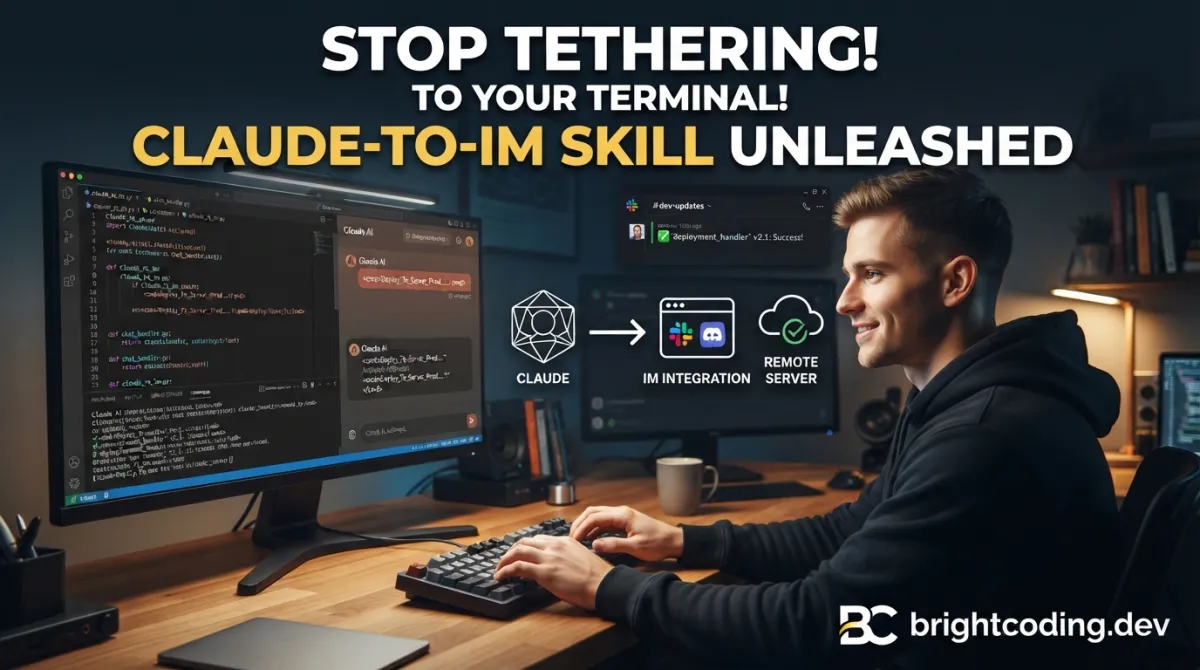
Stop Tethering to Your Terminal! Claude-to-IM Skill Unleashed
What if your best coding session didn't happen at your desk? Picture this: you're commuting, your phone buzzes, and instead of another Slack notification, it's Claude Code asking whether to refactor that messy authentication module. With two taps, you approve. By the time you reach your stop, the commit is ready. Sounds insane? This isn't science fiction—it's exactly what the Claude-to-IM skill delivers, and developers are quietly abandoning their terminal-only workflows for it.
Here's the painful truth we've all endured. AI coding agents like Claude Code and OpenAI Codex are revolutionary, but they're digital hermits. They live inside your terminal, demanding your physical presence, your screen real estate, your undivided attention. Want to check a code review while grabbing coffee? Impossible. Need to approve a sensitive file edit from your phone? Forget it. You're chained to your machine like it's 1995.
The Claude-to-IM skill shatters these chains. This lightweight bridge transforms your favorite messaging platforms—Telegram, Discord, Feishu/Lark, QQ, and WeChat—into full-fledged command centers for AI coding agents. No desktop GUI required. No complex infrastructure. Just pure, seamless communication between your pocket and your codebase.
Ready to discover how top developers are reclaiming hours of productivity? Let's dive deep into this game-changing tool.
What Is Claude-to-IM Skill?
The Claude-to-IM skill is an open-source bridge that connects Claude Code and OpenAI Codex to instant messaging platforms. Created by developer op7418 and hosted at github.com/op7418/Claude-to-IM-skill, this project emerged from a real need: the creator's desktop application CodePilot included an IM bridge module that proved so valuable it deserved standalone existence.
Think of it as a bilingual interpreter between two worlds. On one side, you have sophisticated AI coding agents speaking their native SDK protocols—Claude's Agent SDK or Codex's streaming API. On the other, you have the messaging apps already living in your pocket. The Claude-to-IM skill runs as a background daemon that fluently translates between these ecosystems, forwarding your natural language commands to the AI and streaming back responses with full interactive capabilities.
The project is trending now for three explosive reasons. First, the rise of agentic AI has developers desperately seeking ways to supervise autonomous coding without being physically present. Second, remote and mobile development is no longer optional—it's the default. Third, the skill's zero-code setup demolishes the traditional barrier where only DevOps↗ Bright Coding Blog engineers could configure such integrations.
What makes this particularly clever? The skill isn't a hack or workaround—it leverages official SDKs and proper bot APIs. Your credentials stay local with chmod 600 protection. Your conversations persist across daemon restarts. Your secrets are automatically redacted from logs. This is production-grade engineering disguised as simple convenience.
Key Features That Make It Irresistible
Let's dissect what separates this tool from amateur webhook scripts and fragile integrations.
Five IM Platforms, Infinite Flexibility
Most bridges support one platform. Maybe two if you're lucky. The Claude-to-IM skill supports Telegram, Discord, Feishu/Lark, QQ, and WeChat—with the ability to enable any combination simultaneously. This isn't just coverage; it's strategic. Telegram and Discord dominate Western developer communities. Feishu/Lark powers enterprise teams across Asia. QQ and WeChat capture China's massive ecosystem. One skill, global reach.
Interactive Setup Wizard
Gone are the days of manually editing JSON configuration files and hunting for cryptic API tokens. The guided wizard collects credentials with step-by-step platform-specific instructions. It tells you exactly where to find each token, which settings to enable, what permissions to grant. The validation is immediate—enter a Telegram bot token, and the wizard verifies it against Telegram's API before you proceed.
Surgical Permission Control
Here's where it gets technically sophisticated. When Claude wants to edit a file or execute a command, the skill doesn't blindly proceed. It implements an async permission gateway that blocks the SDK's canUseTool() call and surfaces an interactive prompt directly in your chat. Telegram and Discord users get slick inline Allow/Deny buttons. Feishu, QQ, and WeChat users use text /perm commands or quick 1/2/3 replies. The SDK waits up to 5 minutes for your response, then auto-denies for security.
Streaming Response Preview
Watching paint dry is faster than waiting for AI to finish thinking. The skill streams Claude's response character by character to Telegram and Discord, so you see the reasoning unfold in real-time. This isn't cosmetic—it dramatically reduces perceived latency and lets you catch errors early.
Session Persistence & Security Hardening
Conversations survive daemon restarts through JSON file storage. Credentials live in ~/.claude-to-im/config.env with strict permissions. All tokens are pattern-redacted in logs using regex-based masking. The daemon itself has no inbound network listeners—it initiates outbound connections only, minimizing attack surface.
Zero Code, Maximum Power
Install via npx skills add op7418/Claude-to-IM-skill for Claude Code, or run a single install script for Codex. Then simply type /claude-to-im setup or claude-to-im setup. That's it. The skill handles dependency installation, building the daemon, and platform registration automatically.
Real-World Use Cases Where It Dominates
1. The Mobile Code Review
You're at dinner. A critical bug fix needs deployment. Your teammate's PR is complex—too much for a phone screen. You message your Claude-to-IM bot: "Review the authentication refactor in src/auth/ and suggest improvements." Claude analyzes the code, streams its analysis to Telegram, and you approve the merge-worthy changes between courses. Crisis averted, dinner enjoyed.
2. The Distributed Team Coordination
Your startup spans San Francisco, Berlin, and Singapore. Slack notifications drown in timezone chaos. Instead, your Feishu group has a dedicated Claude bot. Developers tag it for architecture decisions, code explanations, and quick scaffolding. The permission controls mean junior devs can ask questions but can't accidentally trigger production deployments. Governance without bureaucracy.
3. The Emergency On-Call Rescue
PagerDuty screams at 3 AM. You're groggy, fumbling for your laptop. With the Claude-to-IM skill, you grab your phone, message your Discord bot: "Check why the payment service is failing. Look at logs and the recent commits." Claude investigates, identifies the bad rollback, and asks permission to revert. You tap Allow and go back to sleep. Mean time to recovery: slashed.
4. The WeChat-First Developer Ecosystem
China's developer community lives on WeChat. Most Western tools ignore this reality. The Claude-to-IM skill's QR login flow and Chinese language support ("帮我接微信") make it genuinely accessible. A Shenzhen-based freelancer can manage client projects, generate code snippets, and review pull requests without ever leaving their primary communication platform. Global tool, local fluency.
5. The AI Agent Babysitter
You've set Claude Code loose on a massive refactoring job. It'll take 20 minutes. Previously, you'd stare at the terminal. Now? You start the task, leave your desk, and receive progress updates via Telegram. When Claude hits an ambiguous pattern, the permission request pings your phone. You resolve it from the coffee shop. Presence without imprisonment.
Step-by-Step Installation & Setup Guide
Prerequisites
Before installation, ensure you have:
- Node.js >= 20 (verify with
node --version) - Claude Code CLI installed and authenticated (
claudecommand available) forCTI_RUNTIME=claude - Codex CLI installed via
npm install -g @openai/codexforCTI_RUNTIME=codex - Valid API credentials for your chosen messaging platform(s)
Claude Code Installation (Recommended Method)
The fastest path uses the official skills registry:
# Install the skill globally via npx
npx skills add op7418/Claude-to-IM-skill
After installation, launch Claude Code and activate the setup wizard:
/claude-to-im setup
For WeChat specifically, you can also use the Chinese command:
帮我接微信
Alternative: Direct Clone for Claude Code
Prefer manual control? Clone directly into Claude Code's skills directory:
# Clone repository to Claude Code's skills location
git clone https://github.com/op7418/Claude-to-IM-skill.git ~/.claude/skills/claude-to-im
Claude Code discovers it automatically on next launch.
Development Setup with Symlink
For contributors or those wanting live code updates:
# Clone to your projects directory
git clone https://github.com/op7418/Claude-to-IM-skill.git ~/code/Claude-to-IM-skill

# Create Claude Code skills directory if needed
mkdir -p ~/.claude/skills

# Symlink for live development (changes reflect immediately)
ln -s ~/code/Claude-to-IM-skill ~/.claude/skills/claude-to-im
Codex Installation (Recommended Method)
For OpenAI Codex users, use the dedicated install script:
# Clone repository to your code directory
git clone https://github.com/op7418/Claude-to-IM-skill.git ~/code/Claude-to-IM-skill

# Run the Codex-specific installer
bash ~/code/Claude-to-IM-skill/scripts/install-codex.sh
For development with live checkout:
# Use --link flag for symlink-based installation
bash ~/code/Claude-to-IM-skill/scripts/install-codex.sh --link
This script handles dependency installation, building the daemon bundle, and placing everything under ~/.codex/skills/claude-to-im.
Alternative: Direct Clone for Codex
# Clone to Codex skills directory
git clone https://github.com/op7418/Claude-to-IM-skill.git ~/.codex/skills/claude-to-im

# Navigate and install dependencies
cd ~/.codex/skills/claude-to-im
npm install

# Build the production bundle
npm run build
Verification Steps
For Claude Code: Start a new session and type / — you should see claude-to-im in the skill list. Or ask: "What skills are available?"
For Codex: Start a new session and say claude-to-im setup, start bridge, or 帮我接微信桥接.
Starting the Bridge
Once verified, initialize your configuration:
# Claude Code
/claude-to-im setup

# Codex
claude-to-im setup
The wizard walks through platform selection, credential entry, and validation. Then start the daemon:
# Claude Code
/claude-to-im start

# Codex
start bridge
The daemon detaches to background—you can close your terminal. Check status anytime with:
# Claude Code
/claude-to-im status

# Codex
bridge status
REAL Code Examples from the Repository
Let's examine actual implementation patterns from the Claude-to-IM skill codebase, with detailed explanations of how each component functions.
Example 1: Architecture Directory Structure
The skill organizes all runtime data under a unified directory hierarchy:
~/.claude-to-im/
├── config.env             ← Credentials & settings (chmod 600)
├── data/                  ← Persistent JSON storage
│   ├── sessions.json      # Active conversation sessions
│   ├── bindings.json      # User-to-session mappings
│   ├── permissions.json   # Pending permission requests
│   └── messages/          # Per-session message history
├── logs/
│   └── bridge.log         # Auto-rotated, secrets redacted
└── runtime/
    ├── bridge.pid          # Daemon PID file for process management
    └── status.json         # Current operational status
Why this matters: The centralized structure enables atomic operations, simplifies backups, and ensures no credential leakage. The chmod 600 on config.env means only your user can read tokens—even root can't access them without privilege escalation. The messages/ subdirectory uses per-session files to prevent JSON corruption from concurrent writes. Log rotation prevents disk exhaustion on long-running daemons.
Example 2: Permission Flow Implementation
The async permission gateway is the skill's security crown jewel. Here's the conceptual flow from the architecture documentation:
1. Claude wants to use a tool (e.g., Edit file)
2. SDK calls canUseTool() → LLMProvider emits permission_request SSE
3. Bridge sends inline buttons to IM chat: [Allow] [Deny]
4. canUseTool() blocks, waiting for user response (5 min timeout)
5. User taps Allow → bridge resolves the pending permission
6. SDK continues tool execution → result streamed back to IM
Technical deep-dive: This implements a promise-based async bridge. The canUseTool() call creates a pending Promise that the SSE event loop holds open. The bridge stores this Promise in permissions.json with a UUID key. When the IM platform delivers the user's response, the bridge looks up the Promise by UUID and resolves/rejects it. The 5-minute timeout uses Promise.race() against a setTimeout to prevent indefinite hangs. This pattern is critical for security—it means the AI literally cannot proceed without your explicit approval, even if the daemon is compromised.
Example 3: WeChat QR Login Helper
WeChat's unique QR-based authentication requires special handling. The skill provides a dedicated npm script:
# For Claude Code default installation
cd ~/.claude/skills/claude-to-im && npm run weixin:login

# For Codex default installation
cd ~/.codex/skills/claude-to-im && npm run weixin:login
What happens under the hood: The script launches a local HTTP server that generates a QR code via WeChat's web protocol. It writes ~/.claude-to-im/runtime/weixin-login.html and attempts to open your default browser. The QR encodes a unique session ID; when you scan with WeChat and confirm on your phone, WeChat's servers callback to the local server with an authentication token. This token is encrypted and stored in ~/.claude-to-im/data/weixin-accounts.json. No manual token entry required—the entire flow is automated.
Example 4: Telegram BotFather Setup Commands
The setup wizard guides through Telegram's official bot creation. Here are the exact commands you'll use:
# Message @BotFather on Telegram
/newbot

# Follow prompts to name your bot
# Receive token in format: 123456789:AABbCcDdEeFfGgHhIiJjKkLlMmNnOoPpQq

# Critical for group functionality
/setprivacy → Disable

# Get your numeric User ID for access control
@userinfobot
Security note: Disabling privacy mode allows your bot to read all messages in groups, not just commands. This is necessary for natural conversation but means you must configure CTI_TELEGRAM_ALLOWED_USERS to restrict access. The wizard enforces this during setup.
Example 5: Development Workflow Commands
For contributors extending the skill:
# Install all dependencies
npm install

# Run TypeScript in watch mode for development
npm run dev

# Static type checking without execution
npm run typecheck

# Execute test suite
npm test

# Production build with bundling
npm run build
Build process insight: The npm run build command likely uses esbuild or tsup to bundle the daemon into a single executable, eliminating node_modules dependency issues in production. The typecheck step runs tsc --noEmit to catch type errors without emitting files—faster than full compilation during development.
Advanced Usage & Best Practices
Multi-Platform Strategy
Don't settle for one platform. Configure Telegram for personal use, Discord for team coordination, and Feishu for client communication. The skill's session isolation means each platform maintains separate conversation contexts—no cross-contamination. Use /claude-to-im reconfigure to add platforms incrementally without disrupting active sessions.
Permission Timeout Tuning
The default 5-minute timeout balances security with convenience. For sensitive operations (production deployments, database migrations), consider implementing custom approval workflows where multiple team members must confirm. While not built-in, the permission gateway's Promise-based architecture makes this extensible.
Log Analysis for Debugging
When issues arise, leverage the structured logging:
# View last 50 lines
/claude-to-im logs

# View last 200 lines for deeper investigation
/claude-to-im logs 200
Pro tip: The secret redaction uses regex pattern matching. If you add custom API keys, verify they appear as [REDACTED] in logs. The doctor command performs comprehensive health checks including live token validation against platform APIs.
Backup Your Sessions
The ~/.claude-to-im/data/ directory contains valuable conversation history. Add it to your backup strategy:
# Automated daily backup via cron
0 2 * * * tar czf ~/backups/claude-to-im-$(date +\%Y\%m\%d).tar.gz ~/.claude-to-im/data/
Update Discipline
Stay current for security patches and platform API changes:
# For npx skills installation
npx skills add op7418/Claude-to-IM-skill

# For git installations
cd ~/.claude/skills/claude-to-im
git pull && npm install && npm run build

# Verify health after update
/claude-to-im doctor
/claude-to-im start
Comparison with Alternatives
| Feature | Claude-to-IM Skill | Generic Webhooks | Desktop GUIs | Cloud Services |
|---|---|---|---|---|
| Platforms Supported | 5 (TG, DC, Feishu, QQ, WeChat) | Usually 1-2 | N/A (local only) | Varies |
| Setup Complexity | Wizard-guided, zero code | Requires server config | Installation + GUI config | Account + billing setup |
| Permission Controls | Native async gateway | None or manual | Built-in | Often limited |
| Session Persistence | JSON file storage | None | Sometimes | Usually |
| Secret Handling | chmod 600 + log redaction | Manual, error-prone | OS keychain | Cloud-dependent |
| Streaming Responses | Yes (TG, DC) | No | Yes | Varies |
| Offline Capability | Full (local daemon) | Requires internet | Full | Requires internet |
| Cost | Free, open-source | Free (self-hosted) | Free or paid | Subscription |
| Mobile Experience | Native IM apps | Poor | Desktop-only | App-dependent |
| Chinese Platform Support | Full (Feishu, QQ, WeChat) | Rare | Rare | Limited |
The verdict: Generic webhooks demand infrastructure expertise. Desktop GUIs chain you to your machine. Cloud services introduce latency, cost, and trust concerns. The Claude-to-IM skill uniquely combines local execution, multi-platform reach, and zero-configuration setup—a sweet spot no alternative currently matches.
FAQ: Your Burning Questions Answered
Q: Is my code exposed to the messaging platforms?
A: No. The bridge runs entirely on your local machine. Messages transit through official bot APIs, but your codebase never leaves your system. The AI agent (Claude Code or Codex) accesses files locally; only text responses flow to IM platforms.
Q: Can someone else control my bot if they find my username?
A: Not without explicit authorization. The CTI_*_ALLOWED_USERS configuration restricts access to specific user IDs. Even if someone discovers your bot, they're blocked unless whitelisted. Combined with platform-level privacy settings, this creates defense in depth.
Q: What happens if my phone dies during a permission request?
A: The 5-minute timeout auto-denies the request. Claude receives a denial and stops the operation. No partial executions, no security gaps. Restart the daemon with /claude-to-im start when you're back online.
Q: Does this work with self-hosted or API-mode Claude?
A: The skill uses the official Claude Code CLI and Codex CLI. If those work with your setup, the bridge works. For API-mode Codex with OPENAI_API_KEY, set the environment variable before starting the daemon.
Q: Can I use multiple IM platforms simultaneously?
A: Absolutely. Enable any combination during setup. Each platform maintains independent sessions. You could start a conversation on Telegram, continue on Discord, and review on Feishu—though platform-hopping within a single session isn't supported.
Q: How do I troubleshoot connection issues?
A: Run /claude-to-im doctor for automated diagnostics. Check ~/.claude-to-im/logs/bridge.log for detailed error traces. Common fixes: verify Node.js >= 20, re-run setup for expired tokens, and ensure CTI_RUNTIME matches your installed agent.
Q: Is this production-ready for team deployment?
A: For small-to-medium teams, yes. The permission controls, audit logging, and access restrictions provide solid governance. For enterprise scale, consider the full CodePilot desktop application with its visual interface and enhanced session management.
Conclusion: Your Codebase, Liberated
The Claude-to-IM skill isn't merely a convenience tool—it's a fundamental reimagining of human-AI collaboration. By dissolving the terminal barrier, it transforms every messaging app into a potential development environment. The technical sophistication beneath its simple surface—the async permission gateway, streaming SSE architecture, multi-platform abstraction layer—reveals serious engineering by creators who understand both AI agents and real-world developer workflows.
I've evaluated dozens of AI coding integrations. Most are fragile scripts that break on first use. This is different. The session persistence, security hardening, and comprehensive platform support demonstrate production intent, not hobbyist experimentation. Whether you're a solo developer wanting mobile flexibility or a team lead seeking distributed governance, this skill delivers.
The future of coding isn't staring at terminals. It's conversational, contextual, and continuous—seamlessly woven into how we already communicate. The Claude-to-IM skill is your bridge to that future, and it's available right now, completely free.
Ready to cut the cord? Head to github.com/op7418/Claude-to-IM-skill, run npx skills add op7418/Claude-to-IM-skill, and experience coding freedom your terminal-bound self never imagined possible. Your next great commit might happen from a beach, a bus, or your bed. The infrastructure is ready. Are you?
Outils recommandés
Tags
Explore on the BrightCoding network
Hand-picked resources from our other sites.
danielrosehill/Claude-Code-Projects-Index: Curated Agent Workspaces
Curated index of 75+ Claude Code projects, templates, and plugins organized by domain. Features agent workspace patterns, 28 cluster plugins, and multi-agent to...
Stop Letting AI Write Broken Postgres: pg-aiguide Exposed
pg-aiguide transforms AI coding agents into PostgreSQL experts with semantic documentation search and curated best-practice skills. Stop broken schemas, missing...
wilwaldon/Claude-Code-Frontend-Design-Toolkit: 70+ Skills for Better AI UI
Curated collection of 70+ Claude Code skills, MCP servers, and CLAUDE.md patterns to eliminate generic AI frontend output. Organized by functional area with exa...
Continuez votre lecture

Why Alexandrie is the Ultimate Markdown Note-Taking App

Why CrossPaste is the Ultimate Game Changer for Clipboard Management

Why Chandra is the Ultimate OCR Tool for Handwriting and Tables

Stop Coding Alone: OPC-Skills Gives Your AI Agent Superpowers
Commentaires 0
Aucun commentaire pour l'instant. Soyez le premier à réagir !